

Short answer: buy the Lenovo LOQ 2025 (RTX 5050) if you can spend about ₹1.5 lakh. For around ₹1.15 lakh, buy the Lenovo LOQ Essential (RTX 4050) for its screen and weight. Under ₹90,000 or ₹80,000, you are buying an RTX 3050, and I tell you which one.
Geekman has covered consumer tech for over 10 years, and this ranking is built the way our buying guides always are: research first, then a hard look at the numbers. For every model we compared official specs, GPU memory and power, display, memory, price, warranty and service reach, and live prices.
The market in 2026
What gaming laptops cost in India right now
Gaming laptops got more expensive this year. Memory and graphics chips cost more as AI demand takes a big share of supply, and laptop makers passed that on. The result is that real gaming laptops with an RTX GPU start around ₹80,000, RTX 4050 laptops start near ₹1 lakh, and the newer RTX 5050 starts around ₹1.4 lakh.
About 7,679
RTX 4050 laptop
Time Spy graphics score, with 6GB of video memory.
Read review
About 4,571
RTX 3050 6GB laptop
Time Spy graphics score, so it suits esports and older games.
Read review
About 14% higher
RTX 5050 laptop
Notebookcheck rates it about 14% above the RTX 4050, with 8GB of video memory.
Read review
This ladder is the whole guide in one picture. An RTX 4050 laptop averages about 7,679 in Time Spy graphics and an RTX 3050 6GB about 4,571. Notebookcheck rates the RTX 5050 about 14% above the 4050. No gaming laptop with a dedicated GPU under ₹72,000 is worth recommending, and below ₹80,000 there is only one RTX 3050 6GB laptop we would pick.
Find your gaming laptop in 3 quick taps
Short answer: the Lenovo LOQ 2025 with the RTX 5050 is the best overall, the LOQ Essential with the RTX 4050 is the best around 1.15 lakh and the Acer ALG is the cheapest real gaming laptop. Turn on JavaScript to use the Finder.
The ranking
How I ranked these gaming laptops
Each laptop gets a score out of 10 for performance (40%), value (40%) and service (20%). Performance covers the GPU and its power, the CPU, video memory and the screen. Value is price against what you get and what you can upgrade. Service looks at warranty and how easy it is to get help. Because a ₹80,000 laptop and a ₹1.5 lakh laptop are not rivals, the ranking rewards the best pick at each budget, and I give you the budget in every badge.
See the scores
| # | Laptop | Perf. | Value | Service | Overall |
|---|---|---|---|---|---|
| 1 | Lenovo LOQ 2025 (Core i7-13650HX, RTX 5050 8GB, 1TB) | 8.7 | 8.2 | 7.8 | 8.3 |
| 2 | Lenovo LOQ (Core i7-13645HX, RTX 4050 6GB, 105W) | 8.6 | 7.8 | 7.8 | 8.1 |
| 3 | ASUS Gaming V16 2026 (Core 5 210H, RTX 5050 8GB) | 8.0 | 8.6 | 7.2 | 8.1 |
| 4 | Lenovo LOQ Essential (Ryzen 7 7735HS, RTX 4050 6GB, 65W) | 7.6 | 8.4 | 7.8 | 8.0 |
| 5 | Acer Aspire 7 A715-79G (Core 5 210H, RTX 4050 6GB) | 7.2 | 8.4 | 6.6 | 7.6 |
| 6 | Lenovo LOQ Essential (Ryzen 5 7535HS, RTX 3050 6GB) | 6.8 | 7.4 | 7.8 | 7.2 |
| 7 | Acer ALG AL15G-53 (Core i7-13620H, RTX 3050 6GB) | 6.6 | 7.6 | 7.0 | 7.1 |
Scores weigh performance 40%, value 40% and service 20%. They come from official specs, independent test data, listed warranty terms and live prices on 22 October 2026.
Quick picks
| Pick | Laptop | Best for |
|---|---|---|
| Best Overall | Lenovo LOQ 2025 (Core i7-13650HX, RTX 5050 8GB, 1TB) | The best all-round gaming laptop here, from ₹1.4 lakh |
| Best RTX 4050 | Lenovo LOQ (Core i7-13645HX, RTX 4050 6GB, 105W) | The best RTX 4050 laptop, with a 105W GPU and a 100% sRGB screen |
| Cheapest RTX 5050 | ASUS Gaming V16 2026 (Core 5 210H, RTX 5050 8GB) | The cheapest RTX 5050 laptop here, at 1.95 kg |
| Best Screen Under 1.2 Lakh | Lenovo LOQ Essential (Ryzen 7 7735HS, RTX 4050 6GB, 65W) | The best screen and the lightest body under ₹1.2 lakh |
| Cheapest RTX 4050 | Acer Aspire 7 A715-79G (Core 5 210H, RTX 4050 6GB) | The cheapest RTX 4050 laptop here |
| Best Under 90,000 | Lenovo LOQ Essential (Ryzen 5 7535HS, RTX 3050 6GB) | The best screen under ₹90,000, with an RTX 3050 6GB |
| Best Under 80,000 | Acer ALG AL15G-53 (Core i7-13620H, RTX 3050 6GB) | The only RTX 3050 6GB laptop under ₹80,000 |
Tap a name to jump to its review. Live prices are in the buy box under each review. Prices are as seen on 22 October 2026 and bank offers can change them.
The reviews
Best gaming laptops in India in 2026: 7 picks for every budget
Best Overall
1. Lenovo LOQ 2025 (Core i7-13650HX, RTX 5050 8GB, 1TB)
8.3 Overall
8.7 Performance
8.2 Value
7.8 Service
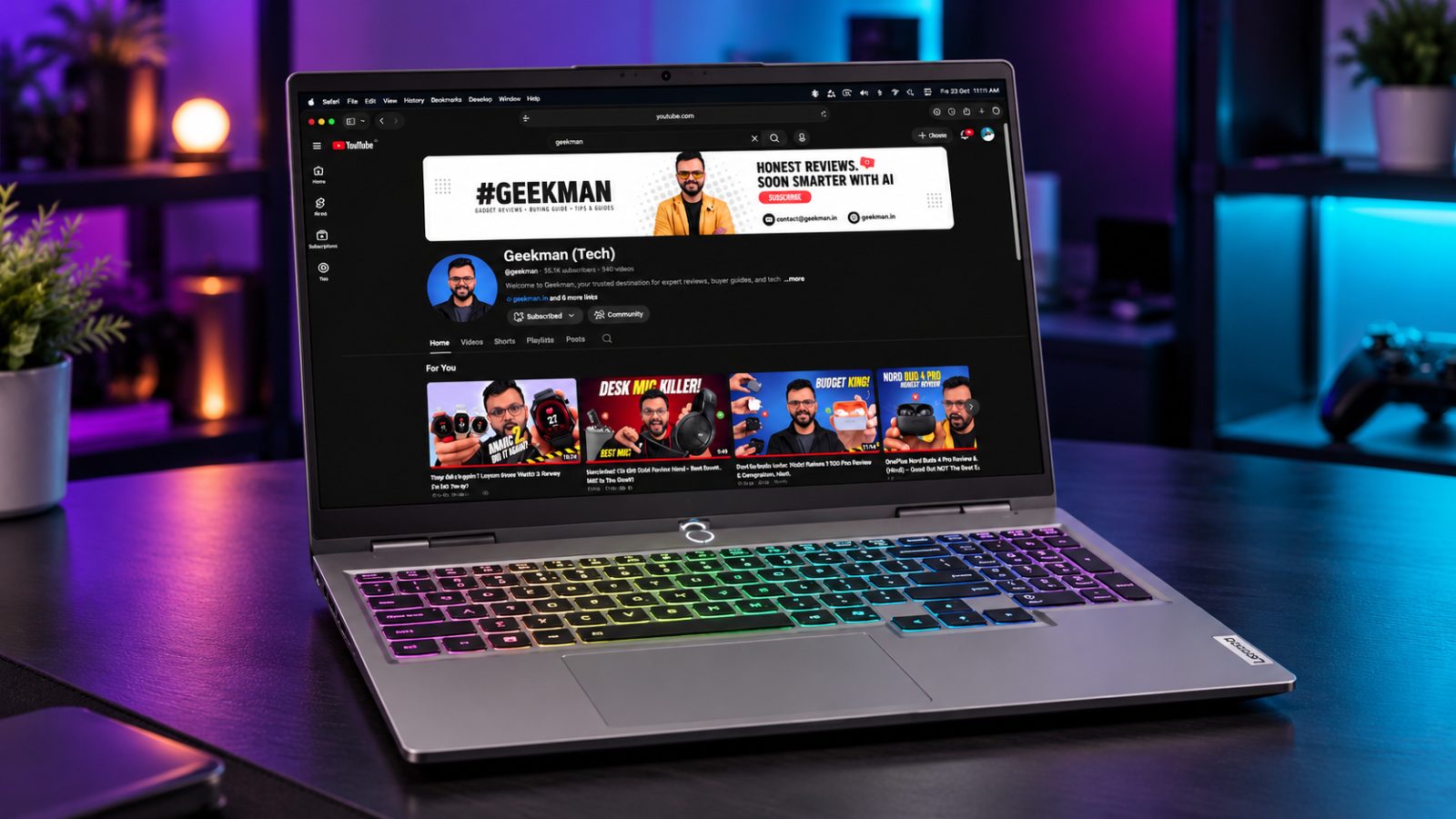
Core i7-13650HX · RTX 5050 8GB, 100W · 16GB DDR5, 2 slots · 1TB SSD · 144Hz, 100% sRGB
Best for
✓ Gamers who want the most value from the newest GPU
✓ Buyers who plan to add RAM later
✓ Anyone who edits video or photos as well as gaming
Not ideal for
– People who carry the laptop every day
– Anyone on a budget under ₹1.4 lakh
Verdict: The one I would buy if the budget allows. 8GB of video memory, a published 100W and 1TB of storage.


Lenovo LOQ 2025, Intel Core i7-13650HX, 13th Gen, NVIDIA RTX 5050 8GB, 16GB RAM, 1TB SSD, FHD IPS, 15.6" (39.6cm), 144Hz Refresh Rate, Windows 11, Office 24, Grey, 2.4Kg, 83JE010SIN, Gaming Laptop
 Great Indian Festival
Up to 6% instant discount on select credit cards +1
- Up to 6% instant discount on select credit cards
- Cashback with Amazon Pay ICICI Bank Credit Cards
Pros and cons
What we like
+ RTX 5050 8GB at a published 100W
+ 14-core i7 and 1TB SSD
+ Two RAM slots, up to 32GB
What we don’t like
– 2.4 kg
– Single 16GB stick at purchase
– Highest price in this guide
Lenovo LOQ 15IRX10 RTX 5050 gaming laptop with 1TB SSD: the one to buy if you keep laptops for years
If you are the kind of buyer who keeps a laptop for four or five years, the Lenovo LOQ 2025 (15IRX10 family) in the Core i7-13650HX and RTX 5050 trim is where I would put the money. The processor has 14 cores and 20 threads, the GPU is an RTX 5050 with 8GB of GDDR7 and the full DLSS 4 feature set, and the SSD is 1TB. The screen is a 15.6 inch 1080p IPS at 144Hz, the battery is 60Wh and the weight is about 2.4 kg. Lenovo built this chassis for up to 100W of graphics power, which is why the same body is also sold with an RTX 5060.
My take: the thing that ages a gaming laptop is rarely the GPU name. It is the pieces that cannot be changed. The 5050 brings frame generation, which will keep newer games playable as they get heavier, and 8GB of video memory is already the practical minimum for current titles. The i7 will not be a bottleneck in 2030. The 1TB SSD saves you the first upgrade. Everything else, RAM and a second drive, can be added cheaply. That is the logic of buying the LOQ 2025 in a list of seven: it is the laptop that needs the fewest apologies as time passes.
Lenovo LOQ 15IRX10 four-year running cost in rupees
At about 150W at the wall in games and 35W in office use, a typical user who plays three hours and works four hours a day uses roughly 0.45 plus 0.14 units a day, so about 0.6 units. Over 300 days that is 177 units, Rs 1,416 a year at Rs 8 a unit. Over four years the power bill is Rs 5,664. That figure is small next to the purchase cost, and it means you should not choose a weaker laptop to save on electricity. The 60Wh battery is the one running cost to watch, since a heavily cycled pack loses capacity by year three, and a replacement is the likeliest paid repair on any gaming laptop.
Lenovo LOQ 15IRX10 day to day: noise, heat and ports
In a Digit test of the same chassis with a faster i7-14700HX and an RTX 5060, CPU peaks were near 96 C without shutdown, the WASD area stayed near 36 C and the keyboard centre near 42.5 C. Noise was described as a low whoosh in games, and louder only in synthetic loads. Ports are three USB-A, one USB-C, HDMI and Ethernet. There is no Thunderbolt and no SD slot. The grey polycarbonate body is sturdy, with a solid hinge and little deck flex. The 1080p screen is not a showpiece, but it is honest and it keeps frame rates high. I would pair the laptop with an external monitor at a desk.
Lenovo LOQ 15IRX10 upgrades, warranty and service
The bottom opens easily and the machine takes standard DDR5 SO-DIMMs and M.2 SSDs, so RAM is the first cheap upgrade. Warranty is one year with courier or carry-in service, and Lenovo sells accidental damage cover and an onsite upgrade. Because a battery or fan failure in year two or three is the most likely repair, I would buy the longer onsite plan if you intend to keep the laptop. On delivery, check the carton reads i7-13650HX, RTX 5050 8GB and 1TB, update the NVIDIA driver and run a game in Performance mode. Lenovo SKUs change by configuration, so match the CPU, GPU, RAM and storage on the carton.
Who should buy the Lenovo LOQ 15IRX10 RTX 5050 and who should skip it
The shortfalls: plastic build, a small battery, no Thunderbolt and loud top-mode fans. The Lenovo LOQ 15IRX9 has a 105W RTX 4050 and costs less, but lacks frame generation. The ASUS Gaming V16 is lighter but runs its 5050 at about 65W. The LOQ Essential is easier to carry. Buy the LOQ 2025 if this is your main machine for years and you want the best balance of CPU, GPU and storage in this list. Skip it if you need long battery life or a light bag. If you are torn between this and the 15IRX9, the 2025 model is the one to pay extra for when you want frame generation, 1TB of storage and a newer GPU, while the 15IRX9 remains the better pick if a lower price matters more than the newest features.
Key specs
| CPU | Intel Core i7-13650HX, 14 cores, 20 threads |
| GPU | NVIDIA RTX 5050 8GB GDDR7, TGP 100W |
| Memory | 16GB DDR5-4800 (1 stick), up to 32GB |
| Display | 15.6 inch FHD IPS, 144Hz, 300 nits, 100% sRGB |
| Storage | 1TB PCIe 4.0 NVMe |
| Weight | About 2.4 kg |
Best RTX 4050
2. Lenovo LOQ (Core i7-13645HX, RTX 4050 6GB, 105W)
8.1 Overall
8.6 Performance
7.8 Value
7.8 Service
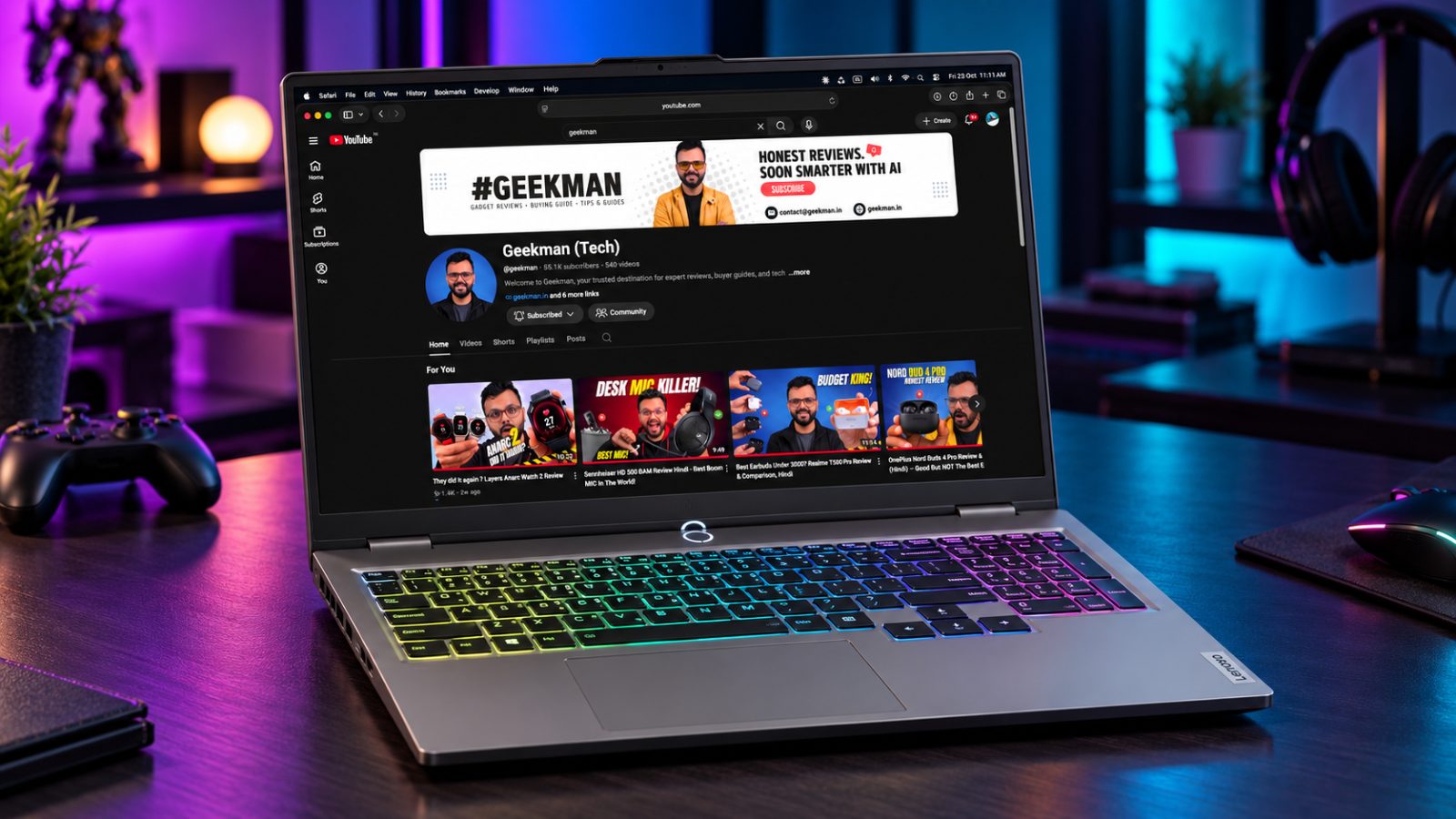
Core i7-13645HX · RTX 4050 6GB, 105W · 16GB DDR5, 2 slots · 144Hz, 100% sRGB · 2.4 kg
Best for
✓ Gamers who want the best RTX 4050 laptop
✓ People who edit video and also game
✓ Buyers who plan to add RAM later
Not ideal for
– Anyone who wants 8GB of video memory
– People who want a light laptop
Verdict: The best 4050 laptop here, though for ₹9,000 more the RTX 5050 LOQ is the better buy.

Lenovo LOQ Intel Core i7 13th Gen 13645HX - (16 GB/512 GB SSD/Windows 11 Home/6 GB Graphics/NVIDIA GeForce RTX 4050) LOQ 15IRX9 Gaming Laptop
Pros and cons
What we like
+ RTX 4050 at a published 105W
+ 14-core Core i7 CPU
+ 100% sRGB screen, two RAM slots
What we don’t like
– 2.4 kg
– 6GB of video memory
– 512GB SSD
Lenovo LOQ 15IRX9 RTX 4050 laptop with i7-13645HX: the gaming laptop that edits videos too
The Lenovo LOQ 15IRX9 (code 83DV01H1IN, Core i7-13645HX with RTX 4050 6GB) is the one in this list I would recommend to someone who games and also works on a PC. The i7-13645HX has 14 cores (6 performance, 8 efficient) and 20 threads. The RTX 4050 runs at 105W, with 10W more in Extreme Mode. Memory is 16GB of DDR5-4800 with a free slot up to 32GB, the SSD is 512GB PCIe 4.0, and the 15.6 inch screen is 1080p, 144Hz, 300 nits and 100% sRGB. The weight is 2.38 kg and the charger is a 170W slim tip.
My take: for a creator, the screen and the CPU matter more than the last bit of GPU power. This laptop’s 100% sRGB panel measured, on the sibling LOQ with an RTX 4060, at 99.1% sRGB and 73.7% P3 with a contrast near 1,457:1, so colours are close to right out of the box. The 14 core CPU speeds up exports in Premiere or DaVinci, Blender renders and code builds. Then in the evening, the 105W 4050 runs 1080p games at high settings. I would use it for a student of design, video or engineering who does not want two machines. It is the most useful dual-role laptop here.
Lenovo LOQ 15IRX9 electricity cost for a creator who also games
Mixed use is the right way to count. Suppose you edit or render for three hours a day at about 110W, and game for two hours at about 150W. That is 0.33 plus 0.3, so 0.63 units a day. Over 300 days it is 189 units, Rs 1,512 a year at Rs 8 a unit. Plain document work at 30W for six hours costs 0.18 units, about Rs 1.4 a day. The charger accepts 170W, and the USB-C port takes 65 to 100W Power Delivery, so a compact charger works for light tasks. The battery is 60Wh, so long renders should always run plugged in.
Lenovo LOQ 15IRX9 in use: keyboard, fan noise and ports
The keyboard is full size with a numpad and the clickpad is large. Ports include three USB-A at 5Gbps, one USB-C at 10Gbps with up to 100W charging and DisplayPort 1.4, HDMI 2.1 and Ethernet. There is no Thunderbolt and no SD slot, which creators will notice, so a small card reader goes in the bag. Fans are the weak point: on the 4060 sibling, noise was about 48 dB in Balanced and 54 dB in Performance, and the base reached about 58 C. Use Balanced for editing and keep Performance for games. The body is plastic, heavy and plain, and it is not a laptop for a daily commute.
Lenovo LOQ 15IRX9 upgrades, warranty and Lenovo service
This laptop is easy to open. The 16GB of RAM is a single stick, so the free slot takes another for 32GB, which is the upgrade a creator should make first. The SSD is a short 2242 drive with two 2280 slots available for more storage. Warranty is one year with courier or carry-in, and Lenovo sells accidental damage cover and an onsite upgrade. For a creator whose income depends on the laptop, I would take the onsite plan. On delivery, check the i7-13645HX and RTX 4050 labels, confirm the 105W setting in Lenovo Vantage and run a render for 15 minutes. Match the CPU, GPU, RAM and storage on the carton, because LOQ SKUs vary.
Who should buy the Lenovo LOQ 15IRX9 RTX 4050 and who should skip it
The shortfalls: no Thunderbolt, no card reader, a small battery and loud fans. The LOQ 2025 adds the 5050 with frame generation and 1TB of storage, so it is the better pick for pure gaming. The LOQ Essential is lighter. The ASUS Gaming V16 has a larger battery but a dull screen. The Acer Aspire 7 costs less and runs hotter. Buy the 15IRX9 if you game and create on one laptop and want the best screen in the group. Skip it if you need to carry the laptop daily. One more practical tip: keep the laptop on a hard surface, update the Lenovo Vantage and NVIDIA software in the first week, and set the GPU mode correctly before you judge performance, because a wrong setting can cost you a real slice of frame rate.
Key specs
| CPU | Intel Core i7-13645HX, 14 cores, 20 threads |
| GPU | NVIDIA RTX 4050 6GB GDDR6, TGP 105W |
| Memory | 16GB DDR5-4800 (1 stick), up to 32GB |
| Display | 15.6 inch FHD IPS, 144Hz, 300 nits, 100% sRGB |
| Storage | 512GB PCIe 4.0 NVMe |
| Weight | About 2.4 kg |
Cheapest RTX 5050
3. ASUS Gaming V16 2026 (Core 5 210H, RTX 5050 8GB)
8.1 Overall
8.0 Performance
8.6 Value
7.2 Service
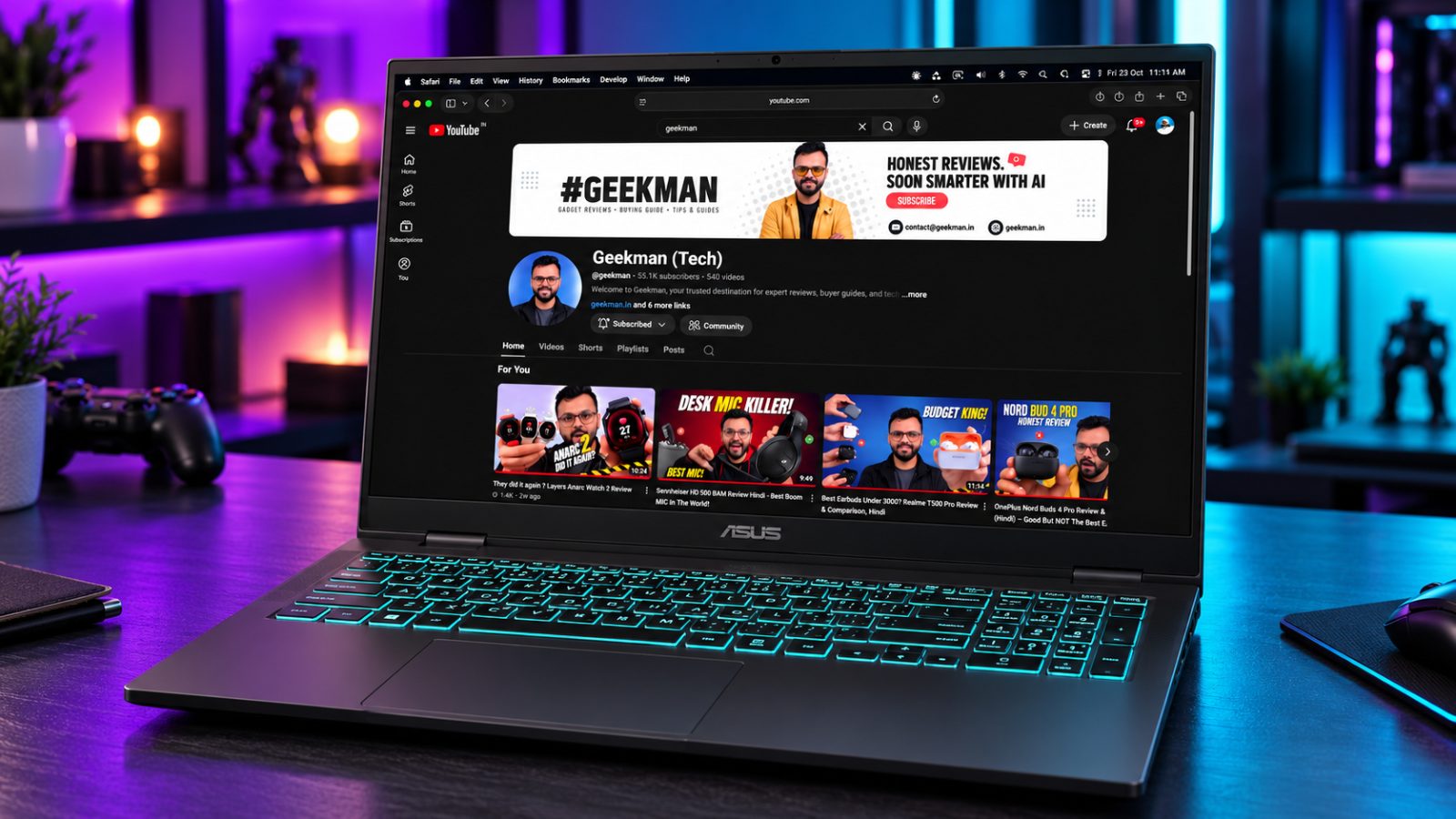
Core 5 210H · RTX 5050 8GB · 16GB DDR5 · 16 inch 16:10, 144Hz · 1.95 kg, 63Wh
Best for
✓ Buyers who want the lowest price for an RTX 5050
✓ Gamers who also study or work on the laptop
✓ Anyone who values a lighter 16 inch laptop
Not ideal for
– Anyone who needs to know the graphics power
– People who want a 14-core processor
Verdict: The value pick for the newest GPU. You give up CPU cores and a published wattage.

ASUS Gaming V16 (2026),Intel Core 5 210H (i5-14th Gen),RTX 5050-8GB,16GB RAM(Upgradeable),512GB SSD,FHD+,16"(40 cm),144Hz,Win 11,M365 Basic(1Y),Office 24,Black,1.95 Kg,V3607VH-TK154WS,Gaming Laptop
Up to 6% instant discount on select credit cards +1
- Up to 6% instant discount on select credit cards
- Cashback with Amazon Pay ICICI Bank Credit Cards
Pros and cons
What we like
+ Cheapest RTX 5050 laptop here
+ 16:10 screen, 1.95 kg
+ Office 2024 and Microsoft 365 included
What we don’t like
– GPU power not published
– Core 5 210H has 8 cores
– 512GB SSD
ASUS Gaming V16 V3607VH RTX 5050 laptop: the library and lecture hall gaming laptop
The ASUS Gaming V16 2026 (V3607VH, Core 5 210H with RTX 5050 8GB) is the thinnest and calmest laptop in this list. The screen is 16 inch 1920 by 1200 at 144Hz, memory is 16GB of DDR5-5600, the battery is 63Wh and the charger is 150W. It weighs about 1.99 kg. ASUS limits the 5050 by fan mode: 35W in Whisper, 50W in Standard, 60W in Performance and about 65W in Full Speed. That is a conservative budget, so the V16 plays like a quiet 5050, not like a flat-out one. The tradeoff is clear and it is the reason to buy this laptop.
My take: this is the laptop for a student who takes it to class, to a library or to a shared room, and games in the evening. Fan noise at head level is about 35 dBA in Whisper and 45 in Full Speed, so you can sit in a silent room without anyone noticing. Whisper mode keeps around 80% of Performance frame rates, so you lose little in everyday use. In a test on this chassis, The Witcher 3 ran at around 110 fps at Ultra and Red Dead Redemption 2 at around 76 fps. Cyberpunk at Ultra hit roughly 40 fps before frame generation, then DLSS 4 closes the gap in newer titles.
ASUS Gaming V16 V3607VH cost per hour and charging habits
At roughly 110W at the wall in Performance mode, an hour of gaming is 0.11 units, 88 paise at Rs 8 a unit. Four hours a day for 250 days is 1,000 hours, 110 units, Rs 880 a year. Class days are cheaper still, since the laptop draws about 20 to 25W. USB-C charging up to 100W works through the laptop’s USB-C port, so a GaN charger replaces the 150W brick in the bag. Battery tests of the chassis suggest 4 to 5 hours of text work and 5 to 6 hours of video at moderate brightness, which is the best unplugged result among the gaming laptops here, aside from the bigger-battery models.
ASUS Gaming V16 V3607VH screen, speakers and keyboard
Be ready for the display: it is about 300 nits with roughly 70% sRGB and a slow response, so it looks washed out and is not suited to colour work. The speakers are small. The keyboard deserves praise, with 1.5 mm travel and a numpad, and the touchpad is large and smooth. Ports are two USB-A, one USB-C with data, video and charging, HDMI 2.1 and an audio jack, and there is no Ethernet, no Thunderbolt and no SD slot. The webcam is 1080p with a shutter. The plastic body shows smudges, and the sharp front edge can dig into your wrists, a small but real comfort issue.
ASUS Gaming V16 V3607VH upgrades, warranty and service
Open the base with Phillips screws and a pry tool. There is one 16GB stick and a free slot, plus one M.2 2280 SSD slot. Warranty is one year from ASUS, and ASUS sells extended and accidental damage plans, which suit a laptop that travels. Register the laptop on day one. ASUS has good coverage in metros and thinner presence elsewhere, so check the nearest service centre. On delivery, confirm RTX 5050 on the carton, test the USB-C charging and run a game for 15 minutes in Performance mode. ASUS builds this chassis with several CPUs and GPUs, so match the CPU, GPU, RAM and storage on the carton.
Who should buy the ASUS Gaming V16 V3607VH RTX 5050 and who should skip it
The shortfalls: the 65W graphics cap, a dull screen, weak speakers and a single SSD slot. The Lenovo LOQ 2025 is a far stronger gaming machine, and the LOQ 15IRX9 has a much better screen. The LOQ Essential costs less and has more ports. Buy the V16 if quiet running, battery and weight matter more than raw frame rate. Skip it if gaming performance is your first filter. A final point for parents buying for a student: this is one of only two laptops in the list that I would happily let a student carry in a backpack every day, and the quiet fans mean it will not annoy anyone in a hostel room or a reading hall at night.
Key specs
| CPU | Intel Core 5 210H, 8 cores, 12 threads |
| GPU | NVIDIA RTX 5050 8GB GDDR7, graphics power not published |
| Memory | 16GB DDR5, upgradeable |
| Display | 16 inch 1920×1200, 16:10, 144Hz, 300 nits |
| Storage | 512GB PCIe 4.0 SSD |
| Weight | About 1.95 kg |
Best Screen Under 1.2 Lakh
4. Lenovo LOQ Essential (Ryzen 7 7735HS, RTX 4050 6GB, 65W)
8.0 Overall
7.6 Performance
8.4 Value
7.8 Service
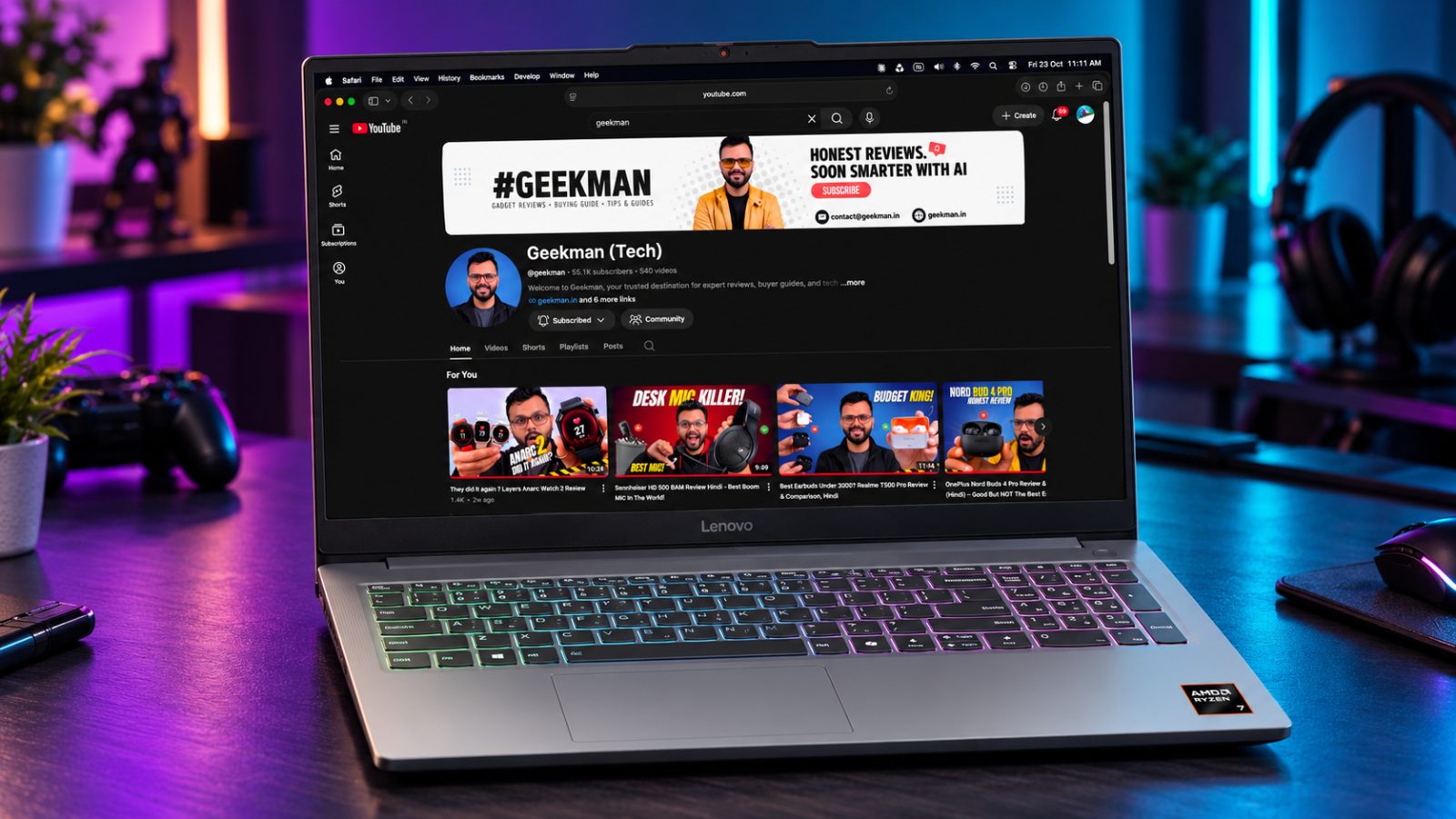
Ryzen 7 7735HS · RTX 4050 6GB, 65W · 144Hz, 100% sRGB · 300 nits · 1.8 kg
Best for
✓ Gamers who also edit photos or watch a lot of video
✓ Students who carry the laptop every day
✓ Anyone who wants a screen that does not look washed out
Not ideal for
– People who want to upgrade RAM beyond 16GB
– Anyone chasing the highest possible frame rates
Verdict: The one I would buy with a ₹1.15 lakh budget. Great screen, light body, honest specs.
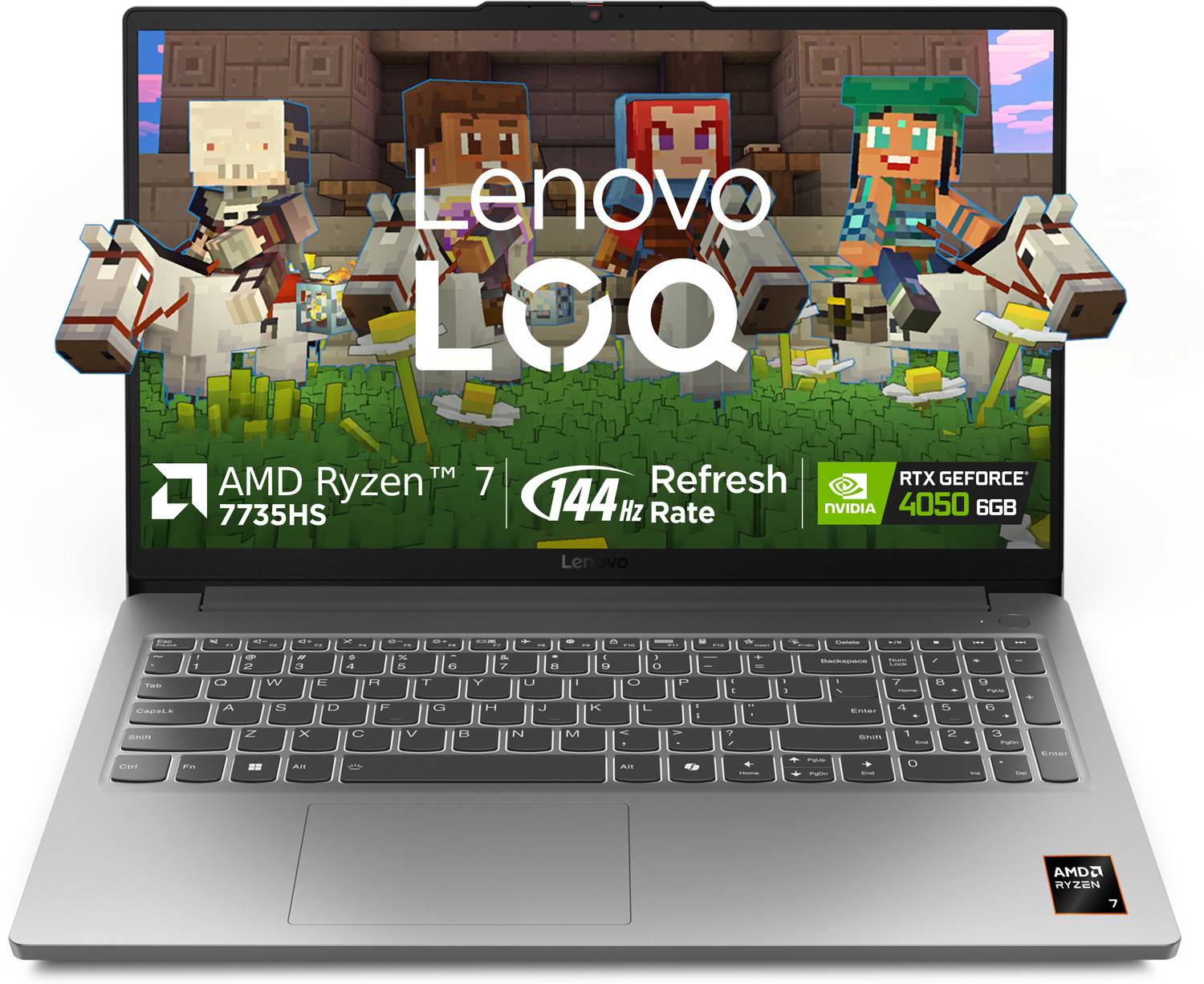
Lenovo LQQ Essential AMD Ryzen 7 Octa Core 7735HS - (16 GB/512 GB SSD/Windows 11 Home/6 GB Graphics/NVIDIA GeForce RTX 4050) LOQ 15ARP10E Gaming Laptop
 Lowest price
Up to 5% instant discount on Flipkart Axis & Flipkart SBI credit cards Details
- Up to 5% instant discount on Flipkart Axis & Flipkart SBI credit cards
Pros and cons
What we like
+ 100% sRGB, 300 nit screen
+ Light at 1.8 kg
+ GPU power published at 65W
What we don’t like
– One 16GB RAM stick, max 16GB
– 512GB SSD
– 65W GPU
Lenovo LOQ Essential 15ARP10E RTX 4050 laptop: the hostel gaming laptop at 1.8 kg
The Lenovo LOQ Essential 15ARP10E (83S000FWIN) in the Ryzen 7 7735HS and RTX 4050 trim is built for a student who moves a lot. At 1.8 kg it is the lightest laptop here by a wide margin. It has eight cores and 16 threads, an RTX 4050 6GB at 65W with up to 15W of Dynamic Boost, 16GB of DDR5-4800 and a 512GB PCIe 4.0 SSD. The 15.6 inch screen is 1080p at 144Hz with FreeSync, 300 nits and 100% sRGB. The battery is 57.5Wh and the charger is a 135W slim tip. Ports include a card reader, which is rare in this group.
My take: a hostel room means a small desk, a shared socket, and a bag that goes to class. This laptop fits that life. The 4050 at 65W is not the strongest, but it plays Valorant, CS2, Fortnite, GTA V and most single-player games at 1080p high. The screen is the best at this price in the group. The Ryzen 7 7735HS runs code and spreadsheets without fuss. The second RAM slot is the first upgrade, and it changes the laptop from good to very good. I would choose this over the heavier LOQ for anyone who does not need a 105W GPU or a creator-class CPU.
Lenovo LOQ Essential 15ARP10E cost over a four year degree
Treat it as a four year cost. Gaming for two hours a day on 250 days at about 110W is 55 units, Rs 440 a year at Rs 8 a unit. Study use of five hours a day on 250 days at 30W is 37.5 units, Rs 300. So the power bill is under Rs 750 a year, about Rs 3,000 over a degree. The 135W charger is small for a gaming laptop, and the USB-C port takes 65 to 100W of Power Delivery, so a travel charger doubles as a backup. The 57.5Wh battery will lose some capacity in four years, so avoid leaving the laptop at 100% on the charger all day.
Lenovo LOQ Essential 15ARP10E in use: card reader, keyboard and noise
The ports are a quiet strength: two USB-A at 5Gbps, a USB-C with Power Delivery, HDMI 2.1, Ethernet and a 3 in 1 card reader. The keyboard is white backlit and full size, and the plastic chassis feels solid for 1.8 kg. The fans are less shrill than on the bigger LOQ because the GPU draws less, though in Performance mode they are still audible in a quiet room. The webcam is 720p, fine for online classes. The 100% sRGB screen is the feature I would point out to a doubtful buyer, because good colour on a budget gaming laptop is rare and makes everything from video to photos more pleasant.
Lenovo LOQ Essential 15ARP10E upgrades, warranty and service
There are two SO-DIMM slots and two M.2 2242 slots, and the laptop arrives with a single 16GB stick, so a second one gives dual channel. The 2242 slots take short SSDs, so buy that size. Warranty is one year with courier or carry-in service, and Lenovo sells accidental damage cover and an onsite upgrade. For a student far from a service centre, the onsite upgrade is worth it. On delivery, check the carton for Ryzen 7 7735HS and RTX 4050 6GB, because the Essential chassis also ships with an RTX 3050 trim, and run a game for 15 minutes. Match the CPU, GPU, RAM and storage on the carton.
Who should buy the Lenovo LOQ Essential 15ARP10E RTX 4050 and who should skip it
The shortfalls: a 65W GPU, an older CPU and a modest battery. The LOQ 15IRX9 gives much more power and a better CPU, and the LOQ 2025 adds frame generation. The ASUS Gaming V16 has a bigger battery but a dull screen. The Acer Aspire 7 costs less but runs hotter. Buy the LOQ Essential for a student laptop that games well, travels easily and has a good screen. Skip it if you want the strongest GPU in the group. For a first-year hostel student, the low weight, the card reader and the good screen add up to a laptop that gets used for everything, and that daily comfort is worth more than a handful of extra frames in a benchmark you will rarely run.
Key specs
| CPU | AMD Ryzen 7 7735HS, 8 cores, 16 threads |
| GPU | NVIDIA RTX 4050 6GB GDDR6, TGP 65W |
| Memory | 16GB DDR5-4800, one SODIMM, up to 16GB |
| Display | 15.6 inch FHD IPS, 144Hz, 300 nits, 100% sRGB |
| Storage | 512GB PCIe 4.0, two M.2 slots |
| Weight | About 1.8 kg |
Cheapest RTX 4050
5. Acer Aspire 7 A715-79G (Core 5 210H, RTX 4050 6GB)
7.6 Overall
7.2 Performance
8.4 Value
6.6 Service
Core 5 210H · RTX 4050 6GB · 16GB DDR4 · 54Wh · 1.99 kg
Best for
✓ Buyers who want the cheapest RTX 4050
✓ Students who need a lighter laptop
✓ People who plan to add RAM later
Not ideal for
– Anyone who cares about screen colour
– People who want long service reach
Verdict: The price is the reason to buy it, and the dim screen is the reason to hesitate.

Acer Aspire 7 Intel Core 5 210H - (16 GB/512 GB SSD/Windows 11 Home/6 GB Graphics/NVIDIA GeForce RTX 4050) A715-79G Gaming Laptop (15.6 inch, Flame Black, 1.99 kg, with MS Office
Up to 6% instant discount on select credit cards +1
- Up to 6% instant discount on select credit cards
- Cashback with Amazon Pay ICICI Bank Credit Cards
Pros and cons
What we like
+ Cheapest RTX 4050 laptop
+ DDR4 RAM is easy to upgrade
+ About 1.99 kg
What we don’t like
– About 45% NTSC screen
– GPU power not published
– One year warranty
Acer Aspire 7 A715-79G RTX 4050 laptop: a cooling pad and a second RAM stick make it work
The Acer Aspire 7 A715-79G (UN.U35SI.00B, Core 5 210H, RTX 4050 6GB) is the value option with a project attached. The RTX 4050 here runs near 75W, the memory is DDR4-3200 in two SO-DIMM slots, the 15.6 inch 1080p screen is 144Hz at 45% NTSC, the battery is 54Wh and the charger is 150W. It weighs 1.99 kg and is 22.7 mm thick. Indian testing saw the GPU hit its full 75W in stress tests and games, and performance close to the Nitro V 15 with a 4050. That is a good GPU for the money. The rest needs work, and the work is cheap.
My take: add a cooling pad and a second RAM stick and this laptop becomes a bargain. Without them, the CPU often sits at 90 C or higher, and the GPU hotspot can touch 100 C. With a pad, GPU hotspot readings drop to about 78 C. A second stick turns single-channel into dual-channel and helps games a lot. Then you have a 75W RTX 4050 laptop at a price close to RTX 3050 machines. That is why it is on this list. It suits a first-time buyer who is comfortable with a small DIY step and plays esports and open-world games at 1080p.
Acer Aspire 7 A715-79G cost of ownership in rupees
A 75W GPU draws about 120W at the wall in games. Three hours a day for 300 days is 900 hours and 108 units, about Rs 865 a year at Rs 8 a unit. A cooling pad uses USB power and adds nothing to speak of. The recurring cost is the battery, which at 54Wh is the smallest here and typically gives 2 to 3 hours of normal use, so most users will keep it plugged in and should avoid holding it at full charge all day. Neither USB-C port charges the laptop, so you must carry the 150W barrel charger. A spare costs more than a cooling pad, so protect the one you have.
Acer Aspire 7 A715-79G screen, keyboard and software
The screen reads roughly 64% sRGB and 260 to 270 nits, so colours look flat and it is not a panel for design or photo work. The keyboard is full size with a numpad and single-zone RGB, the touchpad is small and sits left of centre, and the speakers are down-firing and plain. Acer’s Control Center gives Performance, Entertainment, Power saving and Quiet modes with manual fan control, and I would use Entertainment plus a pad. The plastic body has little deck flex, and the lid opens with one hand. Wi-Fi 6 is the wireless standard, so it works fine on most home networks.
Acer Aspire 7 A715-79G upgrades, warranty and service
The RAM is DDR4-3200 SO-DIMM and not soldered, and the SSD slot has a spare M.2 beside it, so upgrades are cheap. Warranty is one year, and Acer sells an extended plan and accidental damage cover. Acer’s service network in India is wide, though experience varies by city, so register the laptop online, keep the invoice and test every port in the first week. On delivery, check the carton for RTX 4050 6GB, run a stress test for 15 minutes and watch temperatures. Acer also sells Aspire 7 trims with an RTX 3050, so match the CPU, GPU, RAM and storage on the carton.
Who should buy the Acer Aspire 7 A715-79G and who should skip it
The shortfalls: heat, DDR4, a dull screen, a small battery and uneven service. The LOQ Essential is the better laptop at a higher price. The ASUS Gaming V16 is quieter and lasts longer. The LOQ 15IRX9 is in another league for power. Buy the Aspire 7 if the budget is tight and you are happy to add a cooling pad and RAM. Skip it if you want a finished product with no tweaks. The honest summary is that the Aspire 7 rewards a buyer who enjoys small fixes, and punishes one who wants everything to work perfectly out of the box. If you are in the second group, spend a little more and buy one of the finished machines above.
Key specs
| CPU | Intel Core 5 210H |
| GPU | NVIDIA RTX 4050 6GB, graphics power not published |
| Memory | 16GB DDR4, SODIMM |
| Display | 15.6 inch FHD, 144Hz, about 45% NTSC |
| Battery | 54Wh, 150W adapter |
| Weight | About 1.99 kg |
Best Under 90,000
6. Lenovo LOQ Essential (Ryzen 5 7535HS, RTX 3050 6GB)
7.2 Overall
6.8 Performance
7.4 Value
7.8 Service
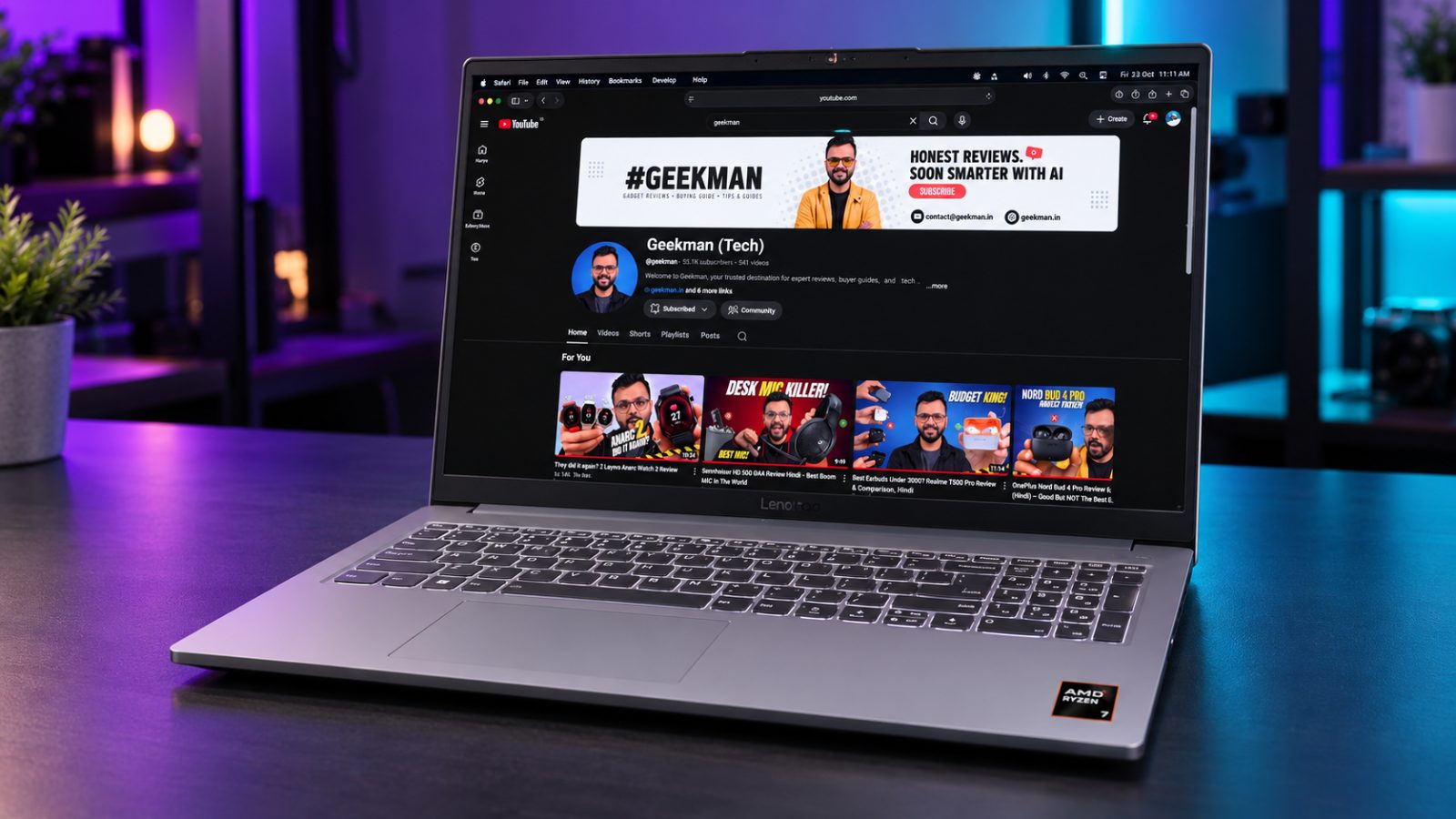
Ryzen 5 7535HS · RTX 3050 6GB, 65W · 100% sRGB · 16GB DDR5 · Under ₹90,000
Best for
✓ Buyers with a ₹90,000 ceiling
✓ Gamers who also watch video or edit photos
✓ Anyone who plays esports and older games
Not ideal for
– People who want to play the newest games at High
– Anyone who can stretch to ₹1 lakh
Verdict: The right laptop if you cannot go past ₹90,000. If you can find ₹25,000 more, the RTX 4050 LOQ Essential is much better.

Lenovo LOQ Essential AMD Ryzen 5 7535HS | NVIDIA RTX 3050 6GB (16GB RAM/512GB SSD/144Hz Refresh Rate/15.6" (39.6cm)/Windows 11/Office Home 2024/3 Mon. Game Pass/Grey/1.8Kg), 83S000G8IN Gaming Laptop
Up to 6% instant discount on select credit cards +1
- Up to 6% instant discount on select credit cards
- Cashback with Amazon Pay ICICI Bank Credit Cards
Pros and cons
What we like
+ 100% sRGB screen
+ Published 65W graphics power
+ Under ₹90,000
What we don’t like
– RTX 3050 is about 40% slower than an RTX 4050
– One 16GB RAM stick
– Weak for the newest games
Lenovo LOQ Essential Ryzen 5 7535HS RTX 3050 6GB laptop: the entry-level LOQ
The Lenovo LOQ Essential in the Ryzen 5 7535HS and RTX 3050 6GB trim (83S000FYIN family) is the entry point of this list. The Ryzen 5 7535HS has six cores and 12 threads, the RTX 3050 has 6GB of GDDR6 at 65W, memory is 16GB of DDR5-4800 in one stick, and the SSD is 512GB. The screen is a 15.6 inch 1080p anti-glare IPS, the charger is a 135W slim tip, and the chassis shares the lightweight Essential body at about 1.8 kg. Lenovo gives a one year warranty. It is the cheapest way in this list to buy a recognisable gaming brand with a proper 6GB GPU.
My take: the RTX 3050 6GB is an entry card, and I would be honest about that. It runs esports titles at high settings with ease, plays GTA V, Forza and many single-player games at 1080p medium to high around 60 fps, and struggles with the heaviest new releases. It has DLSS upscaling but not frame generation, which is the main difference from the RTX 40 and 50 cards in this list. For a student with a limited budget who plays Valorant, CS2, Fortnite and Minecraft, it is perfectly good. If you plan to play heavy new titles in 2027, step up to the 4050 version.
Lenovo LOQ Essential RTX 3050 laptop running cost
This is the frugal machine in the group. A 65W GPU with a six core Ryzen draws about 100W at the wall in games. Two hours a day for 250 days is 500 hours and 50 units, costing Rs 400 a year at Rs 8 a unit. Study use of five hours a day on 250 days at 28W adds 35 units, Rs 280. So the total is under Rs 700 a year. Over a four year course, about Rs 2,700. The 135W charger is small and travels well, and the USB-C port can charge the laptop at lower power for emails and notes, which helps the 57.5Wh battery through a lecture day.
Lenovo LOQ Essential RTX 3050 laptop in use: ports, keyboard and noise
Ports are the same strong set as the 4050 Essential: USB-A, a USB-C with Power Delivery, HDMI, Ethernet and a card reader, and the chassis is plastic with a solid feel. The keyboard is backlit and full size. Fans stay calmer than on the heavier LOQ because the CPU and GPU draw less. The 720p webcam is fine for classes. Check the screen details on your unit, as Lenovo specifies 100% sRGB for the 4050 Essential, while the 3050 trims can differ by panel. If colour matters, look for the sRGB figure on the carton. Do not expect a long battery life; plan to charge during the day.
Lenovo LOQ Essential RTX 3050 laptop upgrades, warranty and service
The laptop uses two DDR5 SO-DIMM slots and ships with one 16GB stick, so a second stick is the first upgrade. Storage uses short M.2 2242 drives. Warranty is one year from Lenovo. Lenovo sells accidental damage cover and an onsite upgrade, and I would pick the onsite plan if you live outside a metro. On delivery, check the carton for Ryzen 5 7535HS and RTX 3050 6GB, because this same body is sold with a 4GB RTX 3050A and with a 4050. Run a game for 15 minutes to see fan behaviour. Match the CPU, GPU, RAM and storage on the carton, and keep the invoice for claims.
Who should buy the Lenovo LOQ Essential Ryzen 5 7535HS RTX 3050 and who should skip it
The shortfalls: an entry-level GPU, no frame generation, a six core CPU and a modest battery. The LOQ Essential with the RTX 4050 is a clear step up, and the LOQ 15IRX9 is a much bigger one. The Acer ALG is the closest rival at this level, with a stronger CPU on paper. Buy this LOQ Essential if budget is the first filter and you play esports and lighter games. Skip it if you want to play new AAA titles at high settings. A sensible plan is to buy the 16GB version, add a second stick later, and use the laptop for class and light games for a year, then decide whether you need more power. That staged approach keeps the spend low and avoids paying for performance you may never use.
Key specs
| CPU | AMD Ryzen 5 7535HS |
| GPU | NVIDIA RTX 3050 6GB, 65W |
| Memory | 16GB DDR5, single stick, max 16GB |
| Display | 15.6 inch FHD, 144Hz, 100% sRGB |
| Warranty | Check the seller listing |
Best Under 80,000
7. Acer ALG AL15G-53 (Core i7-13620H, RTX 3050 6GB)
7.1 Overall
6.6 Performance
7.6 Value
7.0 Service

Core i7-13620H · RTX 3050 6GB · Under ₹80,000 · Amazon
Best for
✓ Buyers with a hard ₹80,000 ceiling
✓ Esports and older games
✓ Students who want a real gaming GPU
Not ideal for
– People who want to play new games at High
– Anyone who can stretch the budget
Verdict: The cheapest way into a real gaming GPU. Know what you are buying.

Acer ALG, 13th Gen, Intel Core i7 13620H, NVIDIA GeForce RTX 3050-6GB, 16GB RAM, 512GB SSD, FHD 15.6"/39.62 cm, 144Hz, Windows 11 Home, Steel Gray, 1.99 KG, AL15G-53, Premium Metal Body Gaming Laptop
Pros and cons
What we like
+ The only RTX 3050 6GB laptop under ₹80,000
+ Core i7-13620H
+ Cheapest real gaming laptop here
What we don’t like
– GPU power not published
– RTX 3050 limits new games
– Acer service reach
Acer ALG AL15G-53 RTX 3050 6GB laptop with Core i7-13620H: the 1.99 kg budget gaming laptop
The Acer ALG AL15G-53 (UN.34LSI series, Core i7-13620H with RTX 3050 6GB) is Acer’s light and low-cost gaming laptop. The i7-13620H has ten cores, the RTX 3050 has 6GB of GDDR6, and memory is DDR4, often 16GB or a 24GB mix of 16 and 8GB, in two SO-DIMM slots. The 15.6 inch 1080p screen runs at 144Hz and covers about 45% NTSC. The battery is 54Wh, the charger is 150W and the weight is 1.99 kg. Ports include a USB 3.2 Type-A, a USB 2.0 Type-A, two USB-C and HDMI. The keyboard is full size and backlit, with a numpad.
My take: this laptop is about CPU strength at a low price. The i7-13620H is a quick processor for the money, good for study, coding and light editing, and it makes the ALG feel snappy. The RTX 3050 6GB handles esports and older AAA titles at 1080p, and lighter games at high settings. What holds it back is DDR4 memory, a dim 45% NTSC screen and a small battery. Acer sells ALG trims with a 4GB RTX 3050 as well, which are noticeably weaker, so the 6GB version matters. It suits a student who wants one light laptop for work and gaming on a tight budget.
Acer ALG AL15G-53 running cost in rupees
The GPU in a laptop like this draws moderate power, so plan on about 100W at the wall in games. Two hours a day on 250 days is 500 hours, 50 units, Rs 400 a year at Rs 8 a unit. Five hours of study a day at 28W adds 35 units, Rs 280. The yearly bill is about Rs 680, and over four years about Rs 2,700. The 150W charger is a standard barrel type, and one of the USB-C ports is for data and display, so carry the charger. The 54Wh battery gives a few hours of light work. A cooling pad costs more than a year of the laptop’s electricity, so budget for it only if temperatures climb.
Acer ALG AL15G-53 in use: screen, keyboard and ports
The screen is the weak part at 45% NTSC, so colours look pale and it is not for photo work, though 144Hz keeps games smooth. The keyboard is full size with a numpad and multicolour backlight, and typing is comfortable for assignments. The port mix is slightly odd, with one USB 2.0 port that is only good for a mouse or a keyboard, so a USB hub helps. The 1.99 kg weight is a plus for carrying. Expect the fans to rise in pitch in longer sessions, and the CPU to run warm in a thin body. Acer’s own software provides performance profiles. The speakers are plain, so use headphones.
Acer ALG AL15G-53 upgrades, warranty and Acer service in India
Memory is DDR4 in two SO-DIMM slots, and Acer’s own pages describe expansion up to 64GB on some trims, with the SSD expandable to 2TB. A second RAM stick for dual channel is the best first upgrade. Warranty is one year, with Acer’s extended plan and accidental damage cover available. Acer service is widely available in India though experience varies, so register the laptop, keep the invoice and test every port in the first week. On delivery, check the carton for Core i7-13620H and RTX 3050 6GB, because Acer sells the same ALG name with Core 5 and a 4GB GPU. Match the CPU, GPU, RAM and storage on the carton.
Who should buy the Acer ALG AL15G-53 RTX 3050 and who should skip it
The shortfalls: DDR4, a 45% NTSC screen, a small battery, a USB 2.0 port and an entry-level GPU without frame generation. The LOQ Essential with RTX 3050 has a better build and ports. The Acer Aspire 7 gets you an RTX 4050 for more money. The LOQ 15IRX9 is in another league. Buy the ALG if you want a light, low-cost laptop with a strong CPU and a 6GB GPU. Skip it if you want a better screen, a stronger GPU or longer battery life. If your budget allows, compare this with the Aspire 7 and the LOQ Essential 4050 before paying, because the price gap between a 3050 and a 4050 laptop is often smaller than the performance gap, and the better GPU lasts longer as new games arrive.
Key specs
| CPU | Intel Core i7-13620H |
| GPU | NVIDIA RTX 3050 6GB, graphics power not published |
| Warranty | Check the seller listing |
Which gaming laptop should you buy at your budget?
| Budget | Best pick | GPU | Price |
|---|---|---|---|
| About ₹1.5 lakh | Lenovo LOQ 2025 | RTX 5050 8GB, 100W | ₹1,48,990 |
| About ₹1.4 lakh, cheapest RTX 5050 | ASUS Gaming V16 | RTX 5050 8GB | ₹1,39,990 |
| About ₹1.4 lakh, RTX 4050 | Lenovo LOQ (Core i7) | RTX 4050 6GB, 105W | ₹1,39,990 |
| About ₹1.15 lakh | Lenovo LOQ Essential | RTX 4050 6GB, 65W | ₹1,14,990 |
| About ₹1 lakh | Acer Aspire 7 | RTX 4050 6GB | ₹1,00,750 |
| Under ₹90,000 | Lenovo LOQ Essential (RTX 3050) | RTX 3050 6GB, 65W | ₹89,910 |
| Under ₹80,000 | Acer ALG | RTX 3050 6GB | ₹79,990 |
I wrote a full guide for the budgets that matter most. See my gaming laptops under 80000, under 90000, under 1 lakh, under 1.25 lakh and under 1.5 lakh guides.
For gamers
Will new and upcoming games run on these laptops?
Every studio publishes a minimum and a recommended graphics card. Here is where each GPU tier sits against the biggest releases of the next few weeks.
| Game | Studio’s GPU tiers | RTX 5050 / RTX 4050 / RTX 3050 6GB |
|---|---|---|
| Gears of War: E-Day, 6 Oct 2026 | Min: RTX 2060, RTX 5050, RX 6600. Rec: RTX 5060, RTX 3060 Ti. 8GB VRAM advised | 5050 meets it. 4050 clears the minimum. 3050 6GB sits below it |
| Call of Duty: Modern Warfare 4, 23 Oct 2026 | Min: GTX 1060, RX 470, Arc A580. Rec: RTX 3060 Ti for 90 fps on High | All three clear the minimum. 5050 and 4050 reach Medium to High |
| Phantom Blade Zero, 29 Oct 2026 | Min: GTX 1660 6GB (1080p, 30 fps, upscaling). Rec: RTX 3060 Ti | All three clear the minimum |
| Path of Exile 2 (1.0), 11 Dec 2026 | Min: GTX 960. Rec: about an RTX 2060 | All three are comfortable |
| GTA 6, 19 Nov 2026 (PS5, Xbox only) | No PC version announced | Nothing to test yet |
Requirements are the studios’ published figures, collected in October 2026. The last column is Geekman’s reading of where each chip sits against those tiers, not a benchmark result. Real results depend on the laptop’s GPU power, the CPU and the settings.
What this means for your buying decision
You want the best laptop and can spend ₹1.5 lakh: the Lenovo LOQ 2025 with the RTX 5050.
You want the newest GPU for the least money: the ASUS Gaming V16.
You want a great screen at about ₹1.15 lakh: the Lenovo LOQ Essential with the RTX 4050.
You want the lowest price on an RTX 4050: the Acer Aspire 7.
You have ₹90,000 or less and play esports: the LOQ Essential with an RTX 3050.
You want High settings in every new release: look at RTX 5060 and RTX 5070 laptops above ₹1.8 lakh.
You are buying for GTA 6: wait. It is console only for now and no PC date exists.
AI and video
Can gaming laptops run local AI and AI agents?
8GB
RTX 5050 laptops
Run 7B to 8B parameter models at 4-bit quality.
Read review
6GB
RTX 4050 and RTX 3050 laptops
Suit 3B to 4B parameter models.
Read review
Cloud API
Larger models
Use a cloud API for big models and keep the laptop for tools and code.
Read review
Small models, yes. 8GB of video memory runs 7B to 8B parameter models at 4-bit quality, 6GB suits 3B to 4B models and the RTX 3050 laptops with 6GB are limited to the same. I would run heavier models through a cloud API and keep the laptop for tools and code. Every laptop here has an NVIDIA GPU, which most local AI tools prefer.
Compare all 7 gaming laptops at a glance
| Laptop | GPU | GPU power | Screen | Price |
|---|---|---|---|---|
| Lenovo LOQ 2025 | RTX 5050 8GB | 100W | 144Hz, 100% sRGB | ₹1,48,990 |
| Lenovo LOQ (Core i7) | RTX 4050 6GB | 105W | 144Hz, 100% sRGB | ₹1,39,990 |
| ASUS Gaming V16 | RTX 5050 8GB | Not published | 16:10, 144Hz | ₹1,39,990 |
| Lenovo LOQ Essential | RTX 4050 6GB | 65W | 144Hz, 100% sRGB | ₹1,14,990 |
| Acer Aspire 7 | RTX 4050 6GB | Not published | 144Hz, about 45% NTSC | ₹1,00,750 |
| Lenovo LOQ Essential | RTX 3050 6GB | 65W | 144Hz, 100% sRGB | ₹89,910 |
| Acer ALG | RTX 3050 6GB | Not published | Not listed | ₹79,990 |
Specs and prices are as of October 2026. Prices were seen on 22 October 2026 and move daily. Verify the exact variant before you buy.
The buying guide
How to choose a gaming laptop in 2026
GPU wattage
Same chip, 45W to 140W. More watts, more frames.
Video memory
8GB is the safer choice for new games.
RAM slots
Check how many slots and the maximum.
Screen
Look for 100% sRGB if you also edit.
1 · Why GPU wattage matters more than the name
The RTX 4050 laptop chip runs from about 35W up to 140W depending on the laptop. Lenovo lists 65W for the LOQ Essential and 105W for the LOQ Core i7, and ASUS lists 140W for the TUF F16. A higher number usually means more frames.
2 · Check for the 4GB and 6GB trap
Stores list several versions of one laptop name with different graphics. Some TUF and Victus variants carry only 4GB of graphics memory at similar prices. Read the full title and match it to the model in this guide.
3 · The single RAM stick trap
Many laptops ship with one 16GB stick, which runs in single channel and is slower than two. The LOQ Essential lists a 16GB maximum. The Core i7 LOQ models support up to 32GB.
4 · Screens in this price band
Many gaming laptops have panels around 45% to 62% sRGB, which look washed out for photos and video. The Lenovo LOQ laptops are the exception with 100% sRGB.
5 · Battery reality
Gaming on battery lasts under an hour on laptops like these. For web and video, expect a few hours. Plan to plug in for games.
6 · Crossed out prices
Flipkart and brand stores show large crossed out prices. Ignore them and look at the real price, then check which bank offer applies at checkout.
7 · Warranty and service
Most of these list one year. Keep the invoice, register the laptop on day one and note the nearest service centre.
The verdict
Which gaming laptop should you buy in 2026?
Best overall: Lenovo LOQ 2025, for the RTX 5050 at 100W and 1TB. Check price
Best RTX 4050: Lenovo LOQ Core i7, for the 105W GPU. Check price
Cheapest RTX 5050: ASUS Gaming V16, for ₹1,39,990. Check price
Best screen around ₹1.15 lakh: Lenovo LOQ Essential, with an RTX 4050. Check price
Cheapest RTX 4050: Acer Aspire 7, for ₹1,00,750. Check price
Best under ₹90,000: Lenovo LOQ Essential, with an RTX 3050. Check price
Best under ₹80,000: Acer ALG, the only RTX 3050 6GB here. Check price
Not sure? Buy the Lenovo LOQ 2025 if you can. If your budget is about ₹1.15 lakh, take the Lenovo LOQ Essential with the RTX 4050.
More buying guides from Geekman
Best gaming laptops under 1.5 lakh
Best gaming laptops under 1.25 lakh
Best gaming laptops under 1 lakh
Best gaming laptops under 90000
Best gaming laptops under 80000
Questions other guides skip
Gaming laptop questions most guides skip
Buyers keep asking these and the top guides rarely answer them. Each is matched to the makers’ own spec pages (last checked 22 October 2026).
1 · Does the RTX wattage matter more than the card name?
Yes, it can. The same RTX chip runs at different power limits in different laptops. Lenovo lists the RTX 4050 at 65W in the LOQ Essential and 105W in the LOQ i7 model, and the RTX 5050 at 100W in the LOQ 2025 and 115W in the Legion 5. Some makers, like ASUS on the Gaming V16, do not publish it at all. Compare the wattage line when it is listed, and treat a missing number as a question mark.
2 · Will the screen show true colours if I also edit videos or photos?
Check the panel before you buy. Several gaming laptops list only about 62.5% of sRGB, which looks muted, and I left the HP Victus R7 260 and the Alienware 15 out of my editing guides for that reason. Look for a model that says 100% sRGB, and read the maker’s specs rather than the shop title.
3 · Is a single 16GB RAM stick a problem?
It can be. Many laptops here list one 16GB stick, which runs in single channel and gives less memory speed than two sticks. The LOQ 2025 and Legion 5 have room for a second stick, but the LOQ Essential tops out at 16GB. Check the maximum before you plan an upgrade.
4 · Can I play GTA 6 on a gaming laptop?
Not yet. GTA 6 has only been announced for PlayStation 5 and Xbox Series consoles, and no PC version had been announced on 22 October 2026. Do not pay extra for a laptop just for that game.
5 · What refresh rate should I look for in a gaming laptop?
A 144 or 165 Hz panel suits almost every buyer. Higher rates only help if your games reach very high frame rates, which mostly means fast esports titles. At the speeds most modern games run, you will not feel a difference. Spend the extra on colour accuracy or more RAM.
6 · Will a gaming laptop in India come with Windows?
Most picks do, but some models are sold without an operating system to save money. In that case you buy and install a Windows licence yourself. Look at the OS line on the product page and ask whether Office is included.
7 · Why is the battery life of a gaming laptop so short?
The graphics card and processor use a lot of power, and the battery is limited. Gaming on battery lasts one to two hours and the card runs slower. For college or work, switch to the quiet profile and the battery will last several hours.
Best gaming laptops in India FAQ
Which is the best gaming laptop in India in 2026?
The Lenovo LOQ 2025 with a Core i7-13650HX and RTX 5050 8GB at ₹1,48,990. It lists 100W for the GPU and has 1TB of storage and two RAM slots. On a smaller budget, the Lenovo LOQ Essential with an RTX 4050 at ₹1,14,990 has the best screen.
What is the best gaming laptop under 1 lakh in India?
The cheapest RTX 4050 laptop here is the Acer Aspire 7 at ₹1,00,750, just over ₹1 lakh. Under ₹1 lakh you are looking at RTX 3050 laptops, and we list them in our guides for each budget.
What is the best gaming laptop under 80,000?
The Acer ALG with a Core i7-13620H and an RTX 3050 6GB at ₹79,990 is the only RTX 3050 6GB laptop under ₹80,000.
Why are gaming laptops so expensive in 2026?
Memory and graphics chips have become pricier as AI demand takes a big share of supply, and laptop makers have passed that on. An RTX 4050 laptop that was easy to find under ₹90,000 now starts near ₹1 lakh.
RTX 3050, RTX 4050 or RTX 5050: which should I buy?
Buy the best one you can afford. On Time Spy graphics an RTX 4050 laptop scores about 7,679 against about 4,571 for an RTX 3050 6GB, and Notebookcheck rates the RTX 5050 about 14% above the RTX 4050, with 8GB of video memory. If the gap between 4050 and 5050 is under ₹10,000, take the 5050.
Does GPU wattage matter?
Yes. The same RTX 4050 is listed at 65W on the Lenovo LOQ Essential, 105W on the Lenovo LOQ Core i7 and 140W on the ASUS TUF F16. More power usually means more frames, though cooling and the CPU matter too. Several brands do not publish the number.
Will new games like Gears of War: E-Day run on these laptops?
Gears of War: E-Day lists an RTX 2060, RTX 5050 or RX 6600 as its minimum and an RTX 5060 or RTX 3060 Ti as recommended, with 8GB of video memory advised. The RTX 5050 laptops meet the minimum and the memory advice. The RTX 4050 laptops clear the minimum, and the RTX 3050 laptops sit below it.
Will GTA 6 run on a gaming laptop?
GTA 6 launches on 19 November 2026 for PlayStation 5 and Xbox Series consoles only. No PC version has been announced, so no laptop can run it yet.
Can I run local AI models on a gaming laptop?
Small ones. 8GB of video memory runs 7B to 8B parameter models at 4-bit quality, 6GB suits 3B to 4B models and 4GB suits tiny ones. For larger models and coding agents I would use a cloud API.
Is a gaming laptop good for video editing?
For 1080p, yes. The two Lenovo LOQ laptops with 100% sRGB and the LOQ Essential have the best screens for colour. For 4K editing you want more video memory and 32GB of RAM.
Should I buy on Amazon or Flipkart?
Check both. On 22 October 2026 the Lenovo LOQ Essential with an RTX 4050 was ₹1,14,990 on both stores, and stock for the other models varies by store. Prices and bank offers change daily.