

Short answer: buy the Lenovo LOQ with the Core i7 and a 105W RTX 4050 for the best performance. For a lower budget, the Lenovo LOQ Essential at ₹1,14,990 has the same 100% sRGB screen and weighs 1.8 kg. The Acer Aspire 7 at ₹1,00,750 is the cheapest RTX 4050 laptop here.
Geekman has covered consumer tech for over 10 years, and this ranking is built the way our buying guides always are: research first, then a hard look at the numbers. For every model we compared official specs, GPU memory and power, display, memory, price, warranty and service reach, and live prices.
The market in 2026
What an RTX 4050 laptop costs in India right now
We went through RTX 4050 laptops priced between ₹1 lakh and ₹1.4 lakh. Every laptop here has the same chip, an RTX 4050 with 6GB of GDDR6, and the price gap comes from the CPU, the screen and, most of all, the graphics power.
A lot of RTX 4050 deals are traps, though. Some Flipkart variants of the same laptop names, such as the TUF A15 and a Victus, come with 4GB graphics. I only picked laptops that clearly state RTX 4050 with 6GB.
This is the number most buyers miss. The RTX 4050 is the same chip in every laptop here, but the maker decides how many watts it gets. ASUS lists 140W on the TUF F16, Lenovo lists 105W on the LOQ and 65W on the LOQ Essential, and HP, ASUS (V16) and Acer do not publish it.
Find your RTX 4050 laptop in 3 quick taps
Short answer: the Core i7 Lenovo LOQ is the best RTX 4050 laptop and the Lenovo LOQ Essential is the best value with a great screen. Turn on JavaScript to use the Finder.
The ranking
How I ranked these RTX 4050 laptops
Each laptop gets a score out of 10 for performance (40%), value (40%) and service (20%). Performance covers the GPU power, the CPU, the screen and the RAM. Value is price against what you get and what you can upgrade. Service looks at warranty and how easy it is to get help.
See the scores
| # | Laptop | Perf. | Value | Service | Overall |
|---|---|---|---|---|---|
| 1 | Lenovo LOQ (Core i7-13645HX, RTX 4050 6GB, 105W) | 8.6 | 7.8 | 7.8 | 8.1 |
| 2 | Lenovo LOQ Essential (Ryzen 7 7735HS, RTX 4050 6GB, 65W) | 7.6 | 8.4 | 7.8 | 8.0 |
| 3 | ASUS TUF Gaming F16 (Core 5 210H, RTX 4050 6GB, 140W) | 8.4 | 7.6 | 7.4 | 7.9 |
| 4 | HP Victus 15 (Core i7-13650HX, RTX 4050 6GB, 24GB) | 7.8 | 8.0 | 7.0 | 7.7 |
| 5 | ASUS Gaming V16 (Core 5 210H, RTX 4050 6GB) | 7.6 | 7.8 | 7.2 | 7.6 |
| 6 | Acer Aspire 7 A715-79G (Core 5 210H, RTX 4050 6GB) | 7.2 | 8.4 | 6.6 | 7.6 |
Scores weigh performance 40%, value 40% and service 20%. They come from official specs, independent test data, listed warranty terms and live prices on 22 October 2026.
Quick picks
| Pick | Laptop | Best for |
|---|---|---|
| Best Overall | Lenovo LOQ (Core i7-13645HX, RTX 4050 6GB, 105W) | A 14-core CPU, a 105W RTX 4050 and a 100% sRGB screen |
| Best Value and Screen | Lenovo LOQ Essential (Ryzen 7 7735HS, RTX 4050 6GB, 65W) | The best screen and the lightest body under ₹1.2 lakh |
| Highest GPU Power | ASUS TUF Gaming F16 (Core 5 210H, RTX 4050 6GB, 140W) | An RTX 4050 pushed to 140W, in a tough TUF body |
| Most RAM | HP Victus 15 (Core i7-13650HX, RTX 4050 6GB, 24GB) | A 14-core CPU and 24GB of RAM at ₹1.3 lakh |
| Best 16 Inch | ASUS Gaming V16 (Core 5 210H, RTX 4050 6GB) | A bigger 16:10 screen and 16GB DDR5 for about ₹1.11 lakh |
| Cheapest 4050 | Acer Aspire 7 A715-79G (Core 5 210H, RTX 4050 6GB) | The cheapest RTX 4050 laptop here |
Tap a name to jump to its review. Live prices are in the buy box under each review. Prices are as seen on 22 October 2026 and bank offers can change them.
The reviews
Best RTX 4050 gaming laptops in India: 6 picks
Best Overall
1. Lenovo LOQ (Core i7-13645HX, RTX 4050 6GB, 105W)
8.1 Overall
8.6 Performance
7.8 Value
7.8 Service
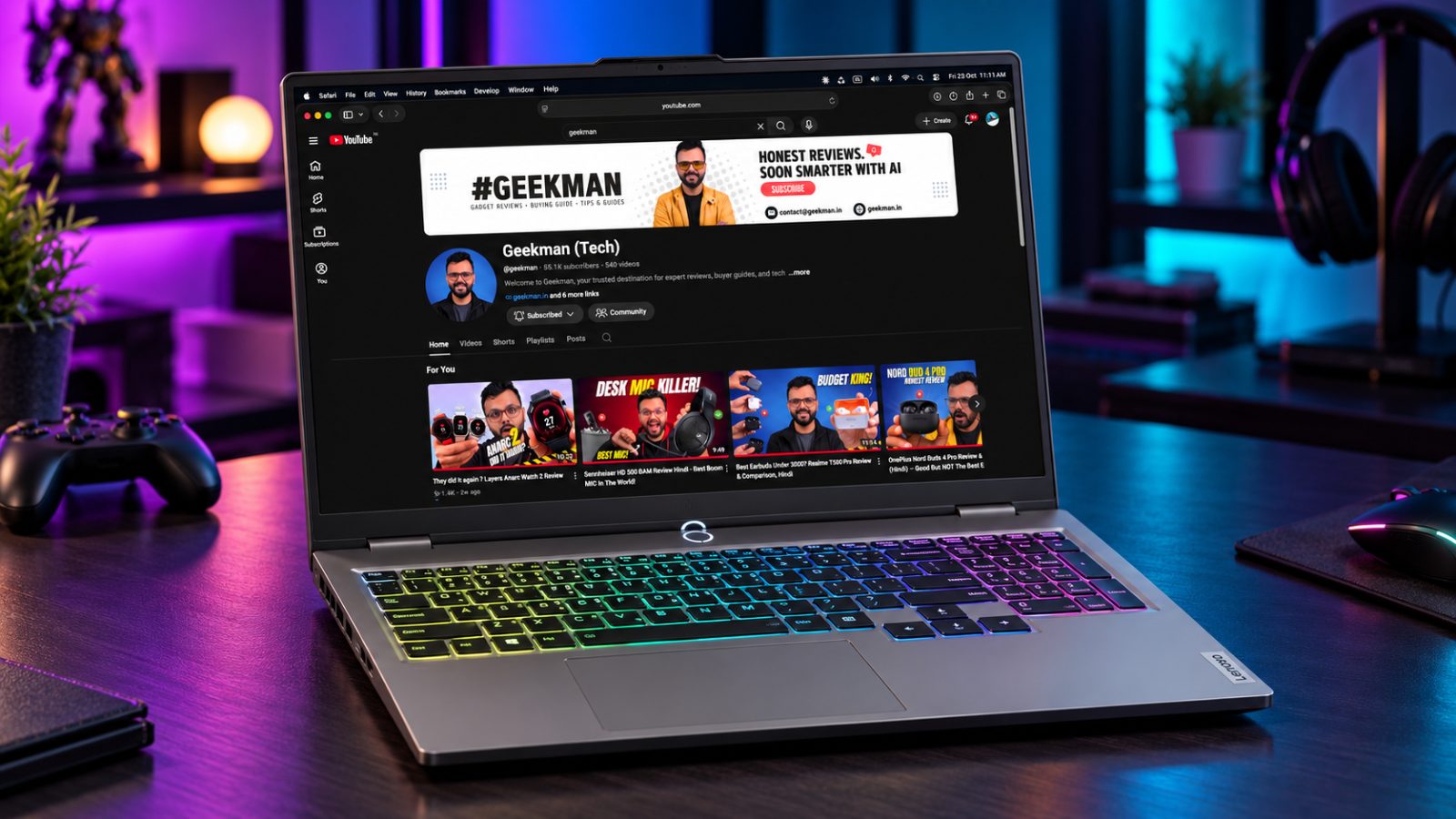
Core i7-13645HX · RTX 4050 6GB, 105W · 16GB DDR5, 2 slots · 144Hz, 100% sRGB · 2.4 kg
Best for
✓ Gamers who want the best RTX 4050 laptop
✓ People who edit video and also game
✓ Buyers who plan to add RAM later
Not ideal for
– Anyone on a ₹1 lakh budget
– People who want a light laptop
Verdict: The best RTX 4050 laptop here. It costs more, and you can see where the money went.


Lenovo LOQ Intel Core i7 13th Gen 13645HX - (16 GB/512 GB SSD/Windows 11 Home/6 GB Graphics/NVIDIA GeForce RTX 4050) LOQ 15IRX9 Gaming Laptop
Pros and cons
What we like
+ RTX 4050 at a published 105W
+ 14-core Core i7 CPU
+ 100% sRGB screen, two RAM slots
What we don’t like
– 2.4 kg
– Highest price of the six
– 512GB SSD and a single RAM stick
Lenovo LOQ 15IRX9 RTX 4050 gaming laptop: the 105W benchmark in this list
The Lenovo LOQ 15IRX9 in the i7-13645HX trim (India code 83DV01H1IN) is the reason to treat 105W as the number to look for on any RTX 4050 laptop. The 4050 has 6GB of GDDR6 and Lenovo lets it run at 105W, with another 10W available in Extreme Mode. The CPU is the part that surprises people at this price: 14 cores (6 performance, 8 efficient) and 20 threads, which is a different class from the Core 5 210H in the ASUS and Acer machines below. Add 16GB of DDR5-4800, a 512GB PCIe 4.0 SSD and a 15.6 inch 1080p IPS at 144Hz, 300 nits and 100% sRGB, and every box that matters for esports and AAA at 1080p is ticked.
My take: if you only want to pay once and still be happy in 2029, this is the RTX 4050 laptop I would point you to first. The gap to the cheaper picks is not the GPU name, it is the power behind it. A 4050 at 105W holds its clocks through a long session, while the same chip at 65W or on a thin power budget gives up a visible chunk of frame rate. The i7 also makes the LOQ a proper do-everything machine: Premiere exports, Blender renders, coding builds, all quicker than on the 8 core chips. It suits a student who games at night and edits videos in the afternoon. It does not suit someone who carries the laptop to college daily, because at 2.38 kg plus a big brick it is a desk machine.
What the Lenovo LOQ 15IRX9 costs to run every month
The charger is a 170W slim tip unit, and a 105W GPU plus an HX processor means the laptop can pull 150W or more at the wall in a heavy game. Use 150W as the planning figure. Three hours of gaming a day for 300 days is 900 hours, so 135 units, and at Rs 8 a unit that is about Rs 1,080 a year. Light use is cheaper: browsing and office work sit near 30 to 40W, so an eight hour study day costs roughly 0.3 units, about Rs 2.4. Even a heavy gamer adds under Rs 100 a month to the bill. The bigger running cost is the 60Wh battery, which will not last long unplugged, so keep the charger near.
Lenovo LOQ 15IRX9 daily use: screen, keyboard, ports and fan noise
The panel is the other reason to like this machine. Lenovo specifies 100% sRGB at 300 nits with G-Sync, and measurements on a LOQ 15IRX9 of this panel family have shown sRGB coverage in the high 90s and a contrast near 1,450:1. That is miles ahead of the 45% to 62.5% NTSC and sRGB screens on the Acer and HP rivals. The keyboard is full size with a numpad and the clickpad is large. Ports are generous: three USB-A, one 10Gbps USB-C with 65 to 100W charging and DisplayPort 1.4, HDMI 2.1, Ethernet. There is no Thunderbolt and no SD card slot. Fans are the weak point. Expect around 48 dB in Balanced and 54 dB in Performance, so headphones are part of the plan.
Lenovo LOQ 15IRX9 upgrades, warranty and Lenovo service in India
This is an easy laptop to open: the bottom plate comes off with Phillips screws. The 16GB of DDR5 sits in one slot, so a second stick takes you to 32GB, and the SSD is a 2242 drive with two 2280 slots free for storage. Warranty is one year with courier or carry-in service. Lenovo sells accidental damage cover and an onsite upgrade as add-ons, and I would take the onsite upgrade, because carry-in repair on a 2.4 kg laptop is a nuisance. On delivery, check the CPU says i7-13645HX, the GPU says RTX 4050 6GB, confirm 105W in the Lenovo Vantage GPU settings, and run a Performance mode game for 15 minutes to see temperatures settle. SKUs change by configuration, so match the CPU, GPU, RAM and storage on the carton.
Who should buy the Lenovo LOQ 15IRX9 and who should skip it
The shortfalls are real. It is heavy, the battery is small, the fans get loud, and the plastic body is plain. The ASUS TUF Gaming F16 has a bigger power ceiling on paper and Thunderbolt 4, and the HP Victus 15 comes with 24GB of RAM, but neither matches the LOQ’s screen. If you want something lighter for travel, the Lenovo LOQ Essential weighs 1.8 kg and costs less, though its GPU runs at 65W. For a gamer who wants the best RTX 4050 here, with a good screen, a strong CPU and easy upgrades, the LOQ 15IRX9 is the one to buy, and if you plan to stream or edit as well, it is the only one in this group I would not hesitate over.
Key specs
| CPU | Intel Core i7-13645HX, 14 cores, 20 threads |
| GPU | NVIDIA RTX 4050 6GB GDDR6, TGP 105W |
| Memory | 16GB DDR5-4800 (1 stick), up to 32GB |
| Display | 15.6 inch FHD IPS, 144Hz, 300 nits, 100% sRGB |
| Storage | 512GB PCIe 4.0 NVMe |
| Weight | About 2.4 kg |
| Warranty | Check the seller listing |
Best Value and Screen
2. Lenovo LOQ Essential (Ryzen 7 7735HS, RTX 4050 6GB, 65W)
8.0 Overall
7.6 Performance
8.4 Value
7.8 Service
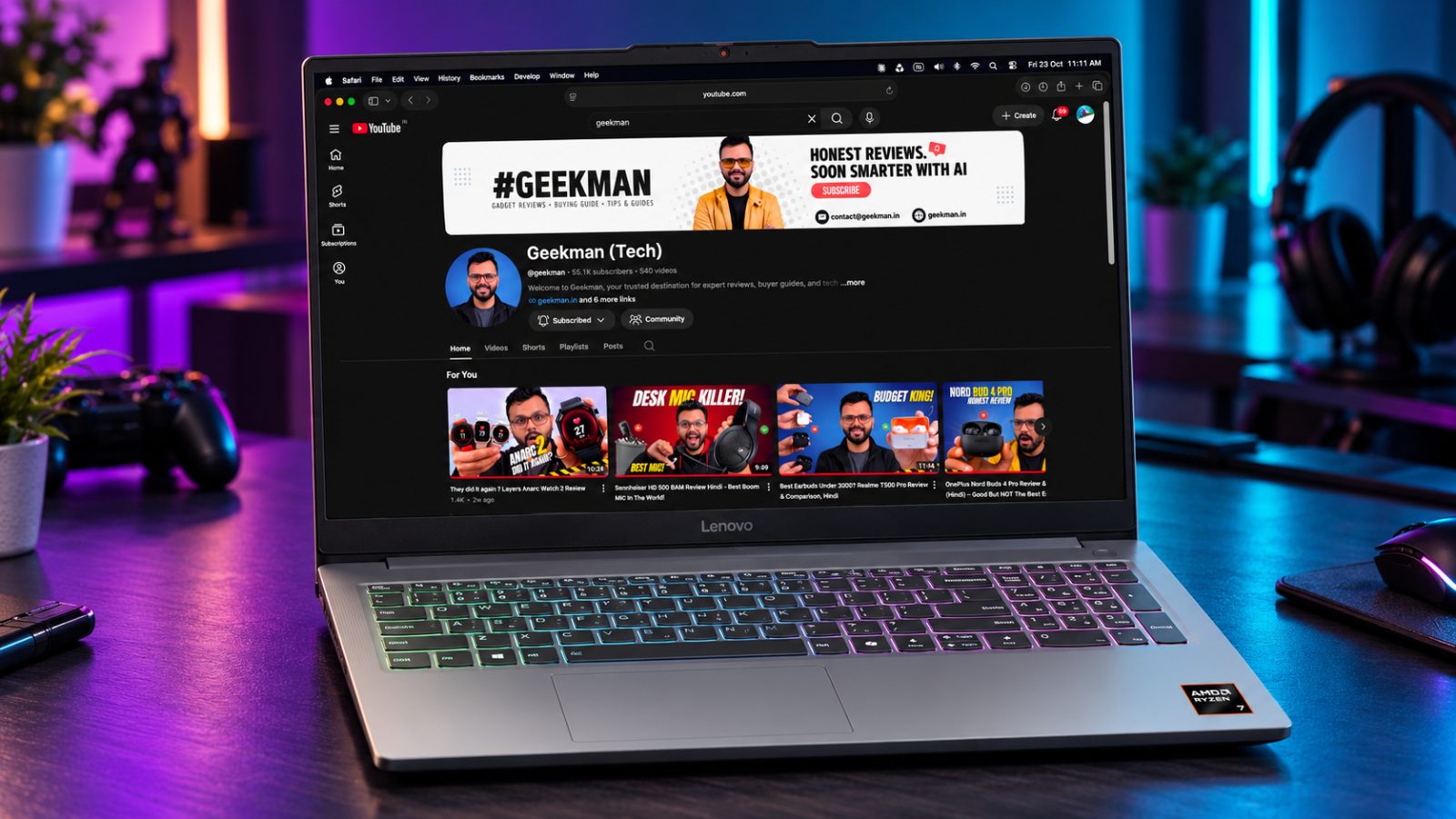
Ryzen 7 7735HS · RTX 4050 6GB, 65W · 144Hz, 100% sRGB · 300 nits · 1.8 kg
Best for
✓ Gamers who also edit photos or watch a lot of video
✓ Students who carry the laptop every day
✓ Anyone who wants a screen that does not look washed out
Not ideal for
– People who want to upgrade RAM beyond 16GB
– Anyone chasing the highest possible frame rates
Verdict: The one I would buy with a ₹1.15 lakh budget. Great screen, light body, honest specs.
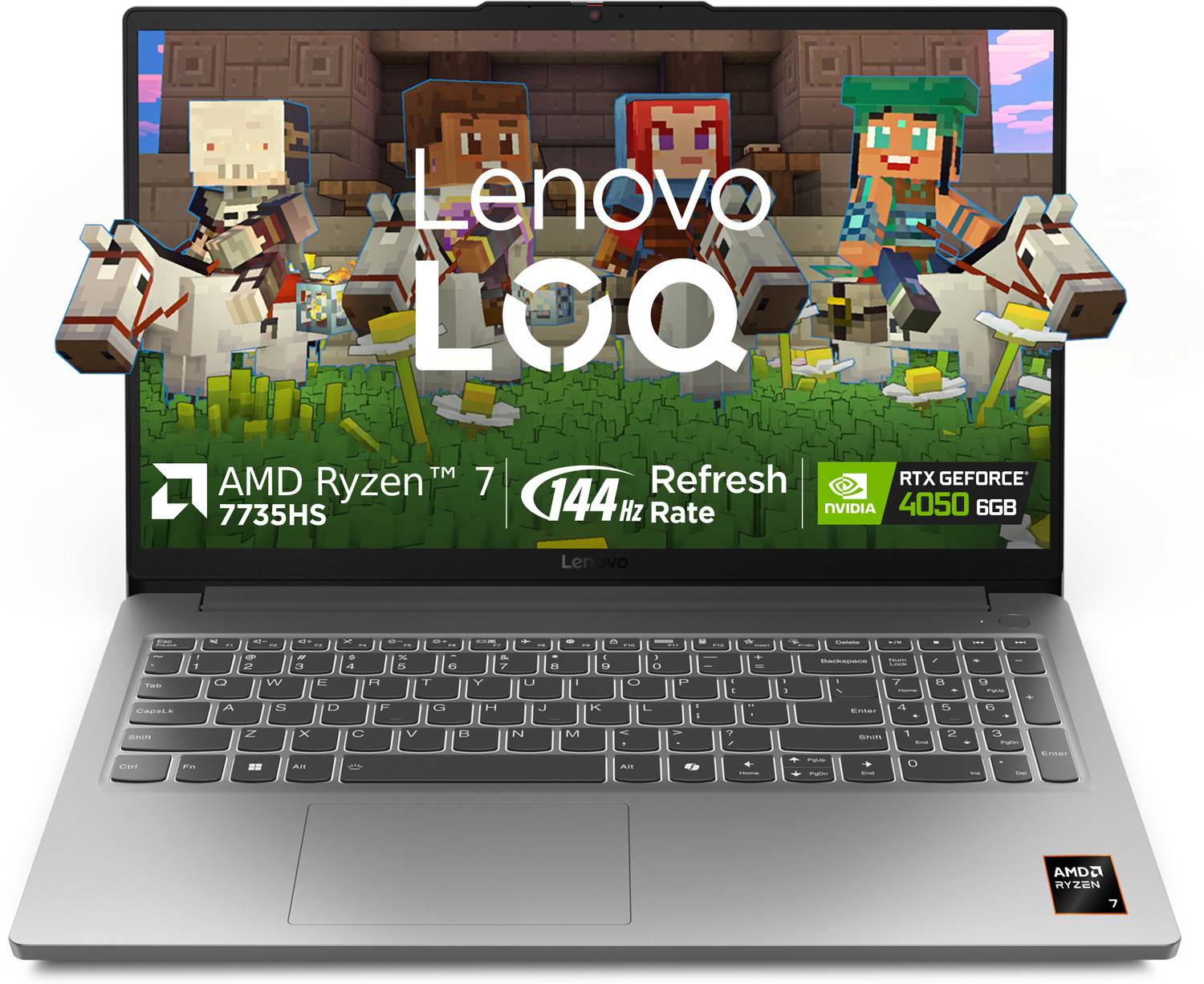
Lenovo LQQ Essential AMD Ryzen 7 Octa Core 7735HS - (16 GB/512 GB SSD/Windows 11 Home/6 GB Graphics/NVIDIA GeForce RTX 4050) LOQ 15ARP10E Gaming Laptop
 Lowest price
Up to 5% instant discount on Flipkart Axis & Flipkart SBI credit cards Details
- Up to 5% instant discount on Flipkart Axis & Flipkart SBI credit cards
Pros and cons
What we like
+ 100% sRGB, 300 nit screen
+ Light at 1.8 kg
+ GPU power published at 65W
What we don’t like
– One 16GB RAM stick, max 16GB
– 512GB SSD
– 65W GPU
Lenovo LOQ Essential 15ARP10E RTX 4050 gaming laptop: the light one at 1.8 kg
The Lenovo LOQ Essential 15ARP10E (India code 83S000FWIN) is the answer to the question most students actually ask: which RTX 4050 laptop can I carry? It weighs from 1.8 kg, compared with 2.4 kg for the full LOQ. Inside is a Ryzen 7 7735HS with 8 cores and 16 threads, an RTX 4050 6GB, 16GB of DDR5-4800 and a 512GB PCIe 4.0 SSD. The 15.6 inch IPS panel is 1080p at 144Hz with FreeSync, 300 nits and 100% sRGB. Lenovo runs the GPU at 65W, with Dynamic Boost adding up to 15W, which is the compromise that buys the low weight and the 57.5Wh battery.
My take: this is a smart buy for a first gaming laptop if you play esports titles and mid-heavy AAA at medium to high settings. A 65W RTX 4050 is not a 105W RTX 4050, and in demanding games the gap is real, roughly the difference between comfortable 60 fps and borderline 50 fps at high settings. For Valorant, CS2, GTA V, Fortnite and Apex it does not matter. For Cyberpunk at Ultra it does. The Ryzen 7 7735HS is an older Zen 3+ chip, but eight cores handle college software, Python and light video editing without complaint. If you plan one laptop for hostel, class and weekend gaming, this suits better than the heavier machines.
Lenovo LOQ Essential 15ARP10E running cost and charger
The charger is a 135W slim tip unit, and the USB-C port takes 65 to 100W Power Delivery, so a good GaN charger can top up the laptop on a bag trip. A 65W GPU with a Ryzen 7 draws less than the bigger LOQ, so use 110W at the wall for gaming. Three hours a day for 300 days is 900 hours, so 99 units, about Rs 790 at Rs 8 a unit. Office use sits near 25 to 35W, which makes a full study day cost around Rs 2. Battery is 57.5Wh, so away from a socket expect a few hours of light work, and under an hour and a half of gaming. Keep the charger in the bag.
Living with the Lenovo LOQ Essential 15ARP10E: keyboard, ports and noise
The keyboard is white backlit and full size, and the port selection is better than the weight suggests: two USB-A at 5Gbps, a USB-C for charging and data, HDMI 2.1, Ethernet and a 3 in 1 card reader, which the full LOQ lacks. Photographers and anyone moving footage from a camera will like that. The chassis is plastic, with less of the Legion look than the 15IRX9. Because the GPU and CPU draw less, the fans stay calmer than on the 105W machine, though they still spin up clearly in Performance mode. The 1080p screen is a strong point for the price, with full sRGB and decent brightness, and I prefer it to the dull panels on the ASUS and Acer rivals.
Lenovo LOQ Essential 15ARP10E upgrades, warranty and service
There are two DDR5 SO-DIMM slots and two M.2 2242 slots, and the laptop ships with a single 16GB stick, so adding a second stick gives dual channel and a real boost in games. Do that first. The SSD is a short 2242 drive, so buy 2242 modules for extra storage. Warranty is one year, courier or carry-in. Lenovo offers accidental damage cover and an onsite upgrade, and with a carry-in repair the laptop can be gone for days, so the onsite upgrade is worth the money for students without a backup machine. On delivery, check the carton says Ryzen 7 7735HS and RTX 4050 6GB, because the same Essential chassis ships with Ryzen 5 and RTX 3050 options. Match the CPU, GPU, RAM and storage on the carton.
Who should buy the Lenovo LOQ Essential 15ARP10E and who should skip it
Where it falls short: 65W of graphics power, a smaller battery than the numbers suggest in real use, and a screen that is good but not fast. Against the Lenovo LOQ 15IRX9, you give up a stronger GPU and CPU for 600 grams of weight. Against the ASUS Gaming V16, you get a much better display and a card reader, though the ASUS has a bigger battery and a more premium build. Against the Acer Aspire 7, you get the better panel and better build. Buy this if portability and a good screen matter more than the last 15% of frame rate. If you game heavily every day, spend more on the 105W LOQ.
Key specs
| CPU | AMD Ryzen 7 7735HS, 8 cores, 16 threads |
| GPU | NVIDIA RTX 4050 6GB GDDR6, TGP 65W |
| Memory | 16GB DDR5-4800, one SODIMM, up to 16GB |
| Display | 15.6 inch FHD IPS, 144Hz, 300 nits, 100% sRGB |
| Storage | 512GB PCIe 4.0, two M.2 slots |
| Weight | About 1.8 kg |
| Warranty | Check the seller listing |
Highest GPU Power
3. ASUS TUF Gaming F16 (Core 5 210H, RTX 4050 6GB, 140W)
7.9 Overall
8.4 Performance
7.6 Value
7.4 Service
Core 5 210H · RTX 4050 6GB, 140W · 16GB DDR5 · 16 inch 16:10, 144Hz · 2.2 kg
Best for
✓ Gamers who want the highest power from a 4050
✓ Buyers who like the TUF build and keyboard
✓ People who play competitive games at high frame rates
Not ideal for
– Anyone who wants the newest GPU
– People who need 8GB of video memory
Verdict: A 4050 at full power. It is the fastest-clocked of the six, held back by 6GB of video memory.
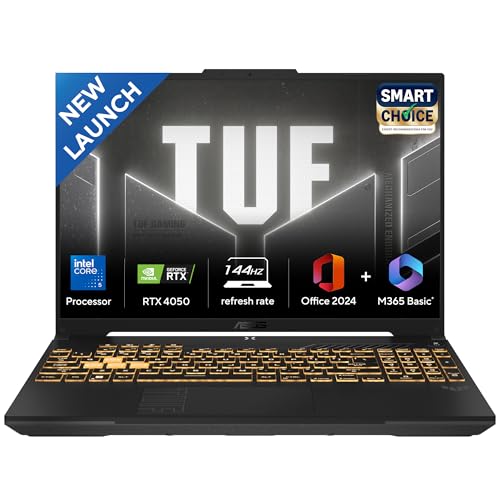
ASUS TUF Gaming F16,Smartchoice,Intel Core 5 210H (i5-14th Gen),RTX 4050-6GB,140WTGP,16GB,512GB,FHD+,16",144Hz,Win 11,M365 Basic(1Year),Office-24,Mecha Gray,2.20 Kg, FX677VU-RL055WS, Gaming Laptop

Up to 6% instant discount on select credit cards +1
- Up to 6% instant discount on select credit cards
- Cashback with Amazon Pay ICICI Bank Credit Cards
Pros and cons
What we like
+ RTX 4050 at 140W, the highest in this list
+ 16:10 screen
+ Office 2024 and Microsoft 365 included
What we don’t like
– Only 6GB of video memory
– Core 5 210H, 8 cores
– Colour coverage not listed
ASUS TUF Gaming F16 FX607VU RTX 4050 gaming laptop: 140W and Thunderbolt 4
The ASUS TUF Gaming F16 FX607VU is the paper-spec leader here. ASUS rates the RTX 4050 6GB at up to 140W, which is 115W base graphics power plus 25W Dynamic Boost, with a MUX switch and Advanced Optimus. The CPU is the Core 5 210H, an 8 core, 12 thread chip, and the laptop comes with 16GB of DDR5-5600 in a two slot setup that takes up to 64GB, plus a 512GB PCIe 4.0 SSD. The 16 inch screen is 1920 by 1200 at 144Hz with a 16:10 shape, a 7ms response time and ASUS quoting 45% NTSC. A 240W adapter feeds it, and the weight is 2.2 kg.
My take: this is the laptop for the gamer who wants the 4050 pushed hard, and who does not mind a CPU that is a notch below the i7 in the Lenovo. The 140W ceiling means the GPU is not starved, and the extra 1200 pixel rows of the 16:10 screen help in productivity work and in games that support the ratio. It also has the better connectivity story in this list: Thunderbolt 4, a 10Gbps USB-C with DisplayPort and power delivery, two USB-A, HDMI 2.1 and Ethernet. If you plan to dock the laptop to a monitor and keyboard at a desk and game on the side, this is a very good choice. Be careful about the version you buy: ASUS also sells an RTX 3050A variant of the F16, which is a very different laptop.
ASUS TUF Gaming F16 FX607VU running cost and the 56Wh battery
The 240W adapter sets the ceiling, not the typical draw. A 4050 near 100W plus the Core 5 210H pulls around 160 to 170W at the wall in a demanding game, so I plan with 165W. Three hours a day for 300 days is 900 hours, so 148 units, and at Rs 8 a unit that is about Rs 1,190 a year. In office use the laptop sits near 30W. The battery is 56Wh, which is small for a 16 inch laptop and limits unplugged use to a few hours. That is a trade-off ASUS made to hold the price, and the 240W brick is heavy, so budget about 800 grams in your bag for it.
ASUS TUF Gaming F16 FX607VU in daily use: screen, keyboard and ports
The display is the weak part. ASUS describes it as a value IPS-level panel at 45% NTSC, which in plain terms means colours look washed out next to the LOQ’s 100% sRGB screen, and it will not suit photo or video colour work. For gaming it is fine: 144Hz, 7ms and G-Sync support keep motion smooth. The keyboard is a backlit chiclet with one zone of RGB and a Copilot key, and the plastic chassis has the TUF military-style look with less flex than the Aspire. A 720p webcam is the usual budget standard. Fans get loud in Turbo mode, as is typical for a laptop that is allowed to use 140W, so use Performance for most sessions.
ASUS TUF Gaming F16 FX607VU upgrades, warranty and ASUS service
Two SO-DIMM slots and two M.2 slots make upgrades easy, and the DDR5-5600 RAM supports up to 64GB. Add a second 16GB stick for dual channel and the CPU and GPU both get a lift. The standard warranty is one year, and ASUS sells extended and accidental damage plans through its service network, so register the laptop on the ASUS site on day one and keep the invoice. ASUS has a wide spread of service centres in metros and a thinner presence in smaller towns, so check how close the nearest authorised centre is before you buy. On delivery, confirm the model reads FX607VU with RTX 4050 and 16GB. Match the CPU, GPU, RAM and storage on the carton.
Who should buy the ASUS TUF Gaming F16 FX607VU and who should skip it
Weak points: a dull screen, a small battery for the size, and a Core 5 210H that is behind the i7 in the Lenovo LOQ 15IRX9. The F16 shines against the Acer Aspire 7 and the HP Victus 15 in build, ports and GPU headroom, and it has Thunderbolt that neither rival offers. If you value a better screen, the LOQ is the pick, and if you want the lighter weight, the LOQ Essential is easier to carry. Buy the TUF F16 if you want the highest graphics ceiling and the best connectivity in the group and plan to game mostly on a desk with an external monitor, where the screen matters less.
Key specs
| CPU | Intel Core 5 210H, 8 cores, 12 threads |
| GPU | NVIDIA RTX 4050 6GB GDDR6, 140W (115W plus 25W Dynamic Boost) |
| Memory | 16GB DDR5 |
| Display | 16 inch 1920×1200, 16:10, 144Hz, 300 nits |
| Storage | 512GB PCIe 4.0 SSD |
| Weight | About 2.2 kg |
Most RAM
4. HP Victus 15 (Core i7-13650HX, RTX 4050 6GB, 24GB)
7.7 Overall
7.8 Performance
8.0 Value
7.0 Service
Core i7-13650HX · RTX 4050 6GB · 24GB DDR5 · 144Hz, 62.5% sRGB · HDMI 2.1, RJ-45
Best for
✓ Gamers who also run heavy apps and want 24GB of RAM
✓ Buyers who use Ethernet and an external display
✓ Anyone who wants a 14-core CPU for less
Not ideal for
– Anyone who cares about screen colour
– People who want to know the GPU power
Verdict: The CPU and the RAM are the reasons to buy it. The plain screen is the reason to hesitate.

HP Victus,13th Gen Intel core i7-13650HX, 6GB RTX 4050, 24GB DDR5(Upgradeable), 512GB SSD, 144Hz, 300 nits, 15.6''/39.6cm, Win11, Office24, Mica Silver, 2.29kg, fa2531/2495tx, Xbox pass* Gaming Laptop
Up to 6% instant discount on select credit cards +1
- Up to 6% instant discount on select credit cards
- Cashback with Amazon Pay ICICI Bank Credit Cards
Pros and cons
What we like
+ 24GB DDR5 and a 14-core CPU
+ HDMI 2.1, RJ-45, USB-C Power Delivery
+ Office 2024 and Game Pass included
What we don’t like
– 62.5% sRGB screen
– GPU power not published
– One RAM module
HP Victus 15 RTX 4050 with 24GB RAM: i7 power and a modest screen
The HP Victus 15 in the i7 plus RTX 4050 trim, the fa2531TX family, is the one with the extra memory. It ships with 24GB of DDR5-4800, a 512GB SSD and the RTX 4050 6GB, driving a 15.6 inch 1080p IPS at 144Hz, 300 nits and 62.5% sRGB. It weighs 2.31 kg. The Intel i7 H-series CPU gives it strong multi-core performance, and the 24GB of RAM is more than any other laptop in this list ships with out of the box. HP does not publish a graphics wattage for the Victus, so treat it as a mid-power 4050 and expect performance between the Lenovo Essential and the full LOQ.
My take: this is the laptop for someone who multitasks. With 24GB you can keep Chrome with forty tabs, Discord, a game launcher and OBS open together without the machine falling over, which is where 16GB laptops start to stutter. The Victus is also the classic family laptop: the plain design, backlit keyboard and blue or silver colour options mean it fits an office or a living room. It is not the pick for competitive players chasing the last frame, since the GPU power budget is modest, but for a mix of study, streaming and single-player AAA at high settings it is a balanced choice. Check the exact CPU on the carton, because HP sells several Victus 15 trims under similar names.
HP Victus 15 RTX 4050 running cost and charger
The charger is lighter than the Lenovo and ASUS bricks, which hints at the modest power budget. A realistic gaming draw is 120 to 130W at the wall. At 125W, three hours a day for 300 days is 900 hours, so about 113 units, and at Rs 8 a unit the cost is roughly Rs 900 a year. Everyday office use is around 25 to 30W. The battery is the standard Victus pack, so plan for a few hours of light use, and about 1 hour of gaming. If you travel with the laptop, a USB-C charger can top up the battery in a pinch because the machine has a USB-C port with Power Delivery, though gaming needs the original adapter.
HP Victus 15 in daily use: display, keyboard and ports
The screen is the compromise. 62.5% sRGB is a modest colour range, so reds and greens look muted compared to the Lenovo’s 100% sRGB panel, and the 300 nits is fine indoors but weak near a window. Games still look good because 144Hz keeps motion smooth. The keyboard is full size with a numpad and backlight, with a lighter feel than the Lenovo. The 720p webcam is fine for classes. Ports include USB-C, two USB-A, HDMI, Ethernet and an audio jack, but no SD card reader, which students sharing files from a camera will miss. The chassis is plastic with little flex, and the fans are quieter than the 105W machines.
HP Victus 15 upgrades, warranty and HP service in India
The Victus uses two SO-DIMM slots, so the factory 24GB (usually 2x12GB) can be swapped up to 32GB or more, and there is room for another SSD. Warranty is one year from HP, and HP sells Care Pack extensions with onsite service, which is the plan I would add for a student. HP has one of the larger service networks in India, with authorised centres across most large towns, and most Victus owners deal with them for charger and battery claims. On delivery, check the carton shows RTX 4050, 24GB RAM and the CPU you ordered, and test the keyboard backlight and webcam. Because HP releases many near-identical Victus codes, match the CPU, GPU, RAM and storage on the carton.
Who should buy the HP Victus 15 RTX 4050 and who should skip it
Where the Victus falls short: the screen colour, the missing card reader, the modest GPU power budget and a tendency to run warm when pushed. The Lenovo LOQ 15IRX9 beats it on display and GPU headroom, and the ASUS TUF Gaming F16 beats it on ports and Thunderbolt. The Victus wins on RAM and on broad service reach. It is better than the Acer Aspire 7 for build and cooling, though the Aspire is lighter. Buy the Victus if 24GB of RAM out of the box matters, if you value HP service nearby, and if you game casually more than competitively. If you play for frames, move up to the LOQ.
Key specs
| CPU | Intel Core i7-13650HX, 14 cores, 20 threads |
| GPU | NVIDIA RTX 4050 6GB GDDR6, graphics power not published |
| Memory | 24GB DDR5-4800, one module |
| Display | 15.6 inch FHD IPS, 144Hz, 300 nits, 62.5% sRGB |
| Storage | 512GB PCIe Gen4 NVMe |
| Weight | About 2.29 kg |
Best 16 Inch
5. ASUS Gaming V16 (Core 5 210H, RTX 4050 6GB)
7.6 Overall
7.6 Performance
7.8 Value
7.2 Service
Core 5 210H · RTX 4050 6GB · 16GB DDR5 · 16 inch 16:10 · 144Hz, 300 nits
Best for
✓ Gamers who like a taller 16:10 screen
✓ Students who also code or work on documents
✓ Buyers who want ASUS service and a Microsoft 365 trial
Not ideal for
– Anyone who needs to know the graphics power
– People who want a light laptop
Verdict: A solid all rounder, but ASUS does not tell you the graphics power.

ASUS Gaming V16 (2025),Intel Core 5 210H (i5-14th Gen),RTX 4050-6GB,16GB RAM,512GB SSD,Windows 11,16"(40 cm),144Hz,M365 Basic (1Y),Office Home 2024,Matte Black,1.95 Kg,V3607VU-RP550WS,Gaming Laptop
Up to 6% instant discount on select credit cards +1
- Up to 6% instant discount on select credit cards
- Cashback with Amazon Pay ICICI Bank Credit Cards
Pros and cons
What we like
+ 16 inch 16:10 screen
+ 16GB DDR5
+ Microsoft 365 and Office included
What we don’t like
– GPU power not published
– Weight and colour coverage not listed
– Amazon only at this price
ASUS Gaming V16 V3607VU RTX 4050 laptop: the lighter, quieter 16 inch
The ASUS Gaming V16 V3607VU is the most laptop-like gaming laptop in this list. It uses the Core 5 210H with an RTX 4050 6GB, 16GB of DDR5-5600, a 512GB PCIe 4.0 SSD and a 16 inch 1920 by 1200 screen at 144Hz. It weighs 1.95 kg, 63Wh of battery is the biggest in this list, and it is only about 22 mm thick. Independent testing of this model returned about 11,766 in Cinebench R23 multi-core, 17,587 in Fire Strike and roughly 50 fps in Cyberpunk at 1080p Ultra with no upscaling, 60 fps at 1200p with balanced upscaling. That is solid mid-range performance.
My take: this is the one to buy if the laptop has to be a student laptop first and a gaming laptop second. It runs quietly, it lasts, and it is the easiest of the group to carry to class. Testing found over 12 hours of video playback and just under 2 hours in a gaming battery test, which is better than the Lenovo and Acer machines manage. The keyboard has a numpad and good travel, and the touchpad is large. ASUS keeps the GPU on a modest power budget, so you see it in the frame rates, which sit below the 105W LOQ. For esports and standard AAA at 1080p high this is plenty. It is not for ray tracing.
ASUS Gaming V16 V3607VU running cost and charging
The adapter is about 150W and also supports USB-C charging, with the laptop’s USB-C port taking Power Delivery. Gaming draw is around 110 to 120W at the wall. At 115W, three hours a day for 300 days is 900 hours, so about 104 units, which is Rs 830 a year at Rs 8 a unit. Office use sits at about 25W, so a full study day costs under Rs 2. The 63Wh battery means a light day on the go is realistic, around 4 to 6 hours of web and documents, and the quiet mode keeps the fans below 40 dB, which is something you will notice in a library or a hostel room at night.
ASUS Gaming V16 V3607VU in daily use: screen, speakers and ports
The screen is the point to know before you buy. In lab testing of the V16 family, the panel reached about 300 nits with around 60% sRGB and a narrow colour range, and it looks washed out next to better gaming screens. For gaming it works, for photo editing it does not. Speakers are weak. Ports are limited: one USB-C with Power Delivery and DisplayPort, two USB-A, HDMI 2.1 and an audio jack, with no Ethernet, no SD slot and no Thunderbolt. The body is all plastic that picks up fingerprints, and the lid twists a little, though in my research the deck showed little flex. Heat builds on the keyboard, but the sides and base stay cool.
ASUS Gaming V16 V3607VU upgrades, warranty and service in India
The bottom panel comes off with Phillips screws and a prying tool helps with the clips. There are two memory slots and one M.2 2280 SSD slot, so you can fit a second 16GB stick but not a second SSD. Plan storage ahead and buy a 1TB drive if you can. Warranty is one year from ASUS, and ASUS offers extended and accidental damage plans, so register the laptop on day one. On delivery, check the V16 label reads RTX 4050, test every port, and run a game in Performance mode to check temperatures. ASUS also sells RTX 3050 and RTX 5050 versions of the same body, so match the CPU, GPU, RAM and storage on the carton.
Who should buy the ASUS Gaming V16 V3607VU and who should skip it
The shortfalls: a dull screen, weak speakers, no Ethernet or Thunderbolt, and only one SSD slot. The Lenovo LOQ 15IRX9 is the better pick for display and performance, while the ASUS TUF Gaming F16 has the stronger GPU ceiling and ports. The V16 beats the Acer Aspire 7 for battery, build and quiet running, and it is lighter than the HP Victus 15. Buy the V16 if you want one laptop for class, home and a few hours of gaming, with quiet fans and a battery you can trust. If you game on it daily and want the best screen, go to the LOQ.
Key specs
| CPU | Intel Core 5 210H, 8 cores, 12 threads |
| GPU | NVIDIA RTX 4050 6GB, graphics power not published |
| Memory | 16GB DDR5 |
| Display | 16 inch FHD+ 1920×1200, 16:10, 144Hz, 300 nits |
| Storage | 512GB PCIe 4.0 SSD |
| Warranty | Check the seller listing |
Cheapest 4050
6. Acer Aspire 7 A715-79G (Core 5 210H, RTX 4050 6GB)
7.6 Overall
7.2 Performance
8.4 Value
6.6 Service
Core 5 210H · RTX 4050 6GB · 16GB DDR4 · 54Wh · 1.99 kg
Best for
✓ Buyers who want the cheapest RTX 4050
✓ Students who need a lighter laptop
✓ People who plan to add RAM later
Not ideal for
– Anyone who cares about screen colour
– People who want long service reach
Verdict: The price is the reason to buy it, and the dim screen is the reason to hesitate.

Acer Aspire 7 Intel Core 5 210H - (16 GB/512 GB SSD/Windows 11 Home/6 GB Graphics/NVIDIA GeForce RTX 4050) A715-79G Gaming Laptop (15.6 inch, Flame Black, 1.99 kg, with MS Office
Up to 6% instant discount on select credit cards +1
- Up to 6% instant discount on select credit cards
- Cashback with Amazon Pay ICICI Bank Credit Cards
Pros and cons
What we like
+ Cheapest RTX 4050 laptop
+ DDR4 RAM is easy to upgrade
+ About 1.99 kg
What we don’t like
– About 45% NTSC screen
– GPU power not published
– One year warranty
Acer Aspire 7 A715-79G RTX 4050 laptop: the lightest on paper, the hottest in use
The Acer Aspire 7 A715-79G (India code UN.U35SI.00B in the Core 5 210H trim) is Acer’s budget route into RTX 4050 gaming. The 4050 here runs at about 75W, the CPU is the Core 5 210H, the memory is DDR4-3200 in two SO-DIMM slots, and the screen is a 15.6 inch 1080p 144Hz IPS-level panel rated at 45% NTSC. It weighs 1.99 kg, measures 22.7 mm thick, and uses a 150W charger and a 54Wh battery. For a 4050 laptop that is a light and slim package, and the all-plastic shell has little deck flex and opens with one hand.
My take: this is the laptop for the buyer who wants the RTX 4050 name at the lowest outlay and is happy to accept compromises elsewhere. A 75W 4050 is a decent chip: in demanding games it sits in the same band as the Acer Nitro V 15, and for 1080p medium to high settings in most titles it delivers 60 fps or more. The weak link is the rest of the machine. DDR4 memory slows the CPU and integrated paths, the screen is dull, and the Core 5 210H runs hot. It suits a first-time gamer who also wants a normal-looking laptop for college, and who will use a cooling pad.
Acer Aspire 7 A715-79G running cost and battery
The 150W charger is smaller than the Lenovo and ASUS bricks. With a 75W GPU you can plan on about 120W at the wall in a game. At 120W, three hours a day for 300 days is 900 hours, so 108 units, about Rs 865 a year at Rs 8 a unit. Office use costs next to nothing, around 25W. The 54Wh battery is the smallest in the group, and real use gives roughly 2 to 3 hours of normal work, with 3 hours of 4K video at full brightness in an efficiency mode. Gaming on battery is not meaningful, so treat this as a plugged-in machine. Neither USB-C port charges the laptop.
Acer Aspire 7 A715-79G in daily use: heat, screen and keyboard
Heat is the thing to plan for. Testing shows the GPU hotspot reaching about 100 C without a cooling pad and around 78 C with one, and the CPU often sits at 90 C or more. Acer’s Control Center gives Performance, Entertainment, Power saving and Quiet profiles and manual fan control, and I would use Entertainment for most games and a cooling pad for long sessions. The screen measures roughly 64% sRGB and 260 to 270 nits, so colours look flat and it is not for creative work. The keyboard is full size with a numpad and single-zone RGB, the touchpad is small and shifted left, and the speakers are down-firing and plain.
Acer Aspire 7 A715-79G upgrades, warranty and Acer service in India
Memory is DDR4-3200 SO-DIMM, not soldered, with two slots, and the SSD slot has a second M.2 free, so upgrades are cheap. Add a second RAM stick first because dual channel helps both CPU and games. Warranty is one year, and Acer sells extended warranty and accidental damage cover. Acer’s service network in India is wide but experience is mixed, so I would keep the invoice, register online and test everything in the first week. On delivery, check the carton reads RTX 4050 6GB, run a stress test for 15 minutes and watch temperatures. Acer also sells Aspire 7 trims with RTX 3050 and 4GB GPUs, so match the CPU, GPU, RAM and storage on the carton.
Who should buy the Acer Aspire 7 A715-79G and who should skip it
Where it falls short: heat, a small battery, DDR4 memory, a dull screen and mixed service. The Lenovo LOQ Essential beats it on display, build and memory, and the ASUS Gaming V16 beats it on battery, noise and speakers. The HP Victus 15 gives more RAM. The Aspire’s win is value and weight: it can be the lightest-feeling way to own a 75W RTX 4050. Buy it if price is the first filter, if you will add a cooling pad, and if you play mostly esports and mid-weight titles. If you can stretch for the Lenovo or ASUS, do it.
Key specs
| CPU | Intel Core 5 210H |
| GPU | NVIDIA RTX 4050 6GB, graphics power not published |
| Memory | 16GB DDR4, SODIMM |
| Display | 15.6 inch FHD, 144Hz, about 45% NTSC |
| Battery | 54Wh, 150W adapter |
| Weight | About 1.99 kg |
| Warranty | 1 year |
Real game speed
What games can an RTX 4050 laptop run?
These numbers come from a published independent test of a Lenovo LOQ 15 with a Ryzen 7 7840HS and an RTX 4050. The laptops in this guide have different CPUs and run the GPU at different power, so treat the numbers as a guide and not a promise.
| Game | Average fps | Verdict |
|---|---|---|
| Assassin’s Creed Valhalla | ~81 | Smooth |
| DiRT 5 | ~79 | Smooth |
| GTA V | ~71 | Smooth |
| Red Dead Redemption 2 | ~53 | Playable, tune settings for 60 |
| Cyberpunk 2077 | ~50 | With DLSS 3 frame generation |
| Metro Exodus Enhanced Edition (Extreme) | ~33 | Heavy, lower the preset |
Numbers are averages from a published test of a Lenovo LOQ 15 with an RTX 4050. We did not run these benchmarks ourselves. Game updates and drivers change results.
RTX 4050 or RTX 3050 6GB: is the extra money worth it?
About 7,679
RTX 4050 laptop
Time Spy graphics score, with DLSS 3 frame generation and an AV1 encoder.
Read review
About 4,631
RTX 3050 6GB laptop
Time Spy graphics score, roughly 66% lower than the RTX 4050.
Read review
Both chips have 2560 CUDA cores and 6GB of memory on a 96-bit bus, but the RTX 4050 laptop averages about 7,679 in Time Spy graphics against 4,631 for the RTX 3050 6GB, roughly 66% higher. It also adds DLSS 3 frame generation and an AV1 hardware encoder. The extra ₹10,000 to ₹25,000 is worth it, in my opinion.
For gamers
Will new and upcoming games run on an RTX 4050 laptop?
Every studio publishes a minimum and a recommended graphics card. The RTX 4050 laptop scores about 7,679 in Time Spy graphics, above the older RTX 2060 laptop chip (about 6,141), so it clears most minimums with room to spare.
| Game | Studio’s GPU tiers | RTX 4050 6GB |
|---|---|---|
| Gears of War: E-Day, 6 Oct 2026 | Min: RTX 2060, RTX 5050, RX 6600. Rec: RTX 5060, RTX 3060 Ti. 8GB VRAM advised | Above the minimum, below the recommended tier. Medium settings |
| Call of Duty: Modern Warfare 4, 23 Oct 2026 | Min: GTX 1060, RX 470, Arc A580. Rec: RTX 3060 Ti for 90 fps on High | Well above the minimum. Medium to High |
| Phantom Blade Zero, 29 Oct 2026 | Min: GTX 1660 6GB (1080p, 30 fps, upscaling). Rec: RTX 3060 Ti | Above the minimum |
| Path of Exile 2 (1.0), 11 Dec 2026 | Min: GTX 960. Rec: about an RTX 2060 | Comfortable |
| GTA 6, 19 Nov 2026 (PS5, Xbox only) | No PC version announced | Nothing to test yet |
Requirements are the studios’ published figures, collected in October 2026. The RTX 4050 column is Geekman’s reading of where the chip sits against those tiers, not a benchmark result. Real results depend on the laptop’s GPU power limit, the CPU and the settings.
What this means for your buying decision
You want the best RTX 4050 laptop: the Core i7 Lenovo LOQ at 105W.
You have about ₹1.15 lakh: the Lenovo LOQ Essential, for its screen and weight.
You play fast competitive games: the ASUS TUF F16 runs the chip at 140W.
You also run heavy apps: the HP Victus, for 24GB of RAM and 14 cores.
You want the lowest price: the Acer Aspire 7.
You want High settings in every new release: an RTX 4050 will not do that at 6GB, so look at RTX 5050 and RTX 4060 laptops above ₹1.4 lakh.
You are buying for GTA 6: wait. It is console only for now and no PC date exists.
AI and video
Can these laptops run local AI and AI agents?
6GB
RTX 4050 laptop
Runs 3B to 4B parameter models comfortably at Q4 quality. 8B models are tight.
Read review
Cloud API
Heavier models
Run big models through a cloud API and keep the laptop for tools and code.
Read review
Small models, yes. 6GB of video memory runs 3B to 4B parameter models comfortably at Q4 quality, and 8B models are tight. I would run heavier models through a cloud API and keep the laptop for tools and code. All six laptops have NVIDIA GPUs, which most local AI tools prefer.
Compare all 6 RTX 4050 laptops at a glance
| Laptop | CPU | GPU power | Screen | Weight | Price |
|---|---|---|---|---|---|
| Lenovo LOQ (Core i7) | Core i7-13645HX | 105W | 100% sRGB | 2.4 kg | ₹1,39,990 |
| Lenovo LOQ Essential | Ryzen 7 7735HS | 65W | 100% sRGB | 1.8 kg | ₹1,14,990 |
| ASUS TUF Gaming F16 | Core 5 210H | 140W | 16:10, not listed | 2.2 kg | ₹1,35,043 |
| HP Victus 15 | Core i7-13650HX | Not stated by maker | 62.5% sRGB | 2.29 kg | ₹1,29,990 |
| ASUS Gaming V16 | Core 5 210H | Not stated by maker | 16:10, not listed | Not listed | ₹1,10,999 |
| Acer Aspire 7 | Core 5 210H | Not stated by maker | About 45% NTSC | 1.99 kg | ₹1,00,750 |
Specs and prices are as of October 2026. Prices were seen on 22 October 2026 and move daily. Verify the exact variant before you buy.
The buying guide
How to choose an RTX 4050 gaming laptop
GPU wattage
Same chip, 65W to 140W. More watts, more frames.
Screen
Look for 300 nits and 100% sRGB if you also edit.
RAM slots
Check how many slots and the maximum.
6GB, not 4GB
Match the listing to the RTX 4050 6GB model.
1 · Why the 4GB trap exists
Stores list several versions of one laptop name with different graphics. Some TUF and Victus variants carry only 4GB of graphics memory at similar prices. Read the full title, and match it to the model in this guide.
2 · Why GPU wattage matters more than the name
The RTX 4050 laptop chip runs from about 35W up to 140W depending on the laptop. Lenovo lists 65W for the LOQ Essential, 105W for the LOQ Core i7, and ASUS lists 140W for the TUF F16. A higher number usually means more frames.
3 · The single RAM stick trap
Some laptops ship with one 16GB stick, which runs in single channel and is slower than two sticks. The LOQ Essential lists a 16GB maximum. The Core i7 LOQ supports up to 32GB, and the Aspire 7 uses upgradable DDR4.
4 · Screens in this price band
Many gaming laptops here have panels around 45% to 62% sRGB, which look washed out for photos and video. Both Lenovo LOQ laptops are the exception with 100% sRGB.
5 · Battery reality
Gaming on battery lasts under an hour on laptops like these. For web and video, expect a few hours. Plan to plug in for games.
6 · Crossed out prices
Flipkart and brand stores show large crossed out prices. Ignore them and look at the real price, then check which bank offer applies at checkout.
7 · Warranty and service
Most of these list one year. Keep the invoice, register the laptop on day one and note the nearest service centre.
Other RTX 4050 laptops I looked at
HP Victus with Core i7-14650HX and RTX 4050 (₹1,41,490). It costs more than the Victus above with the same GPU.
HP Victus with Ryzen 7 7445HS (₹1,37,990 on Amazon). It has fewer cores than the Core i7 Victus and costs more.
ASUS TUF A16 (₹1,24,990). It comes with only 8GB of RAM at that price, which I do not recommend in 2026.
RTX 3050 laptops. They cost less and have 4GB or 6GB. See my under 80000 guide and under 1 lakh guide.
The verdict
Which RTX 4050 laptop should you buy?
Best overall: Lenovo LOQ Core i7, for the 105W GPU and 14-core CPU. Check price
Best value and screen: Lenovo LOQ Essential, for 100% sRGB at 1.8 kg. Check price
Highest GPU power: ASUS TUF Gaming F16, for the 140W RTX 4050. Check price
Most RAM: HP Victus 15, for 24GB and 14 cores. Check price
Best 16 inch: ASUS Gaming V16, for the 16:10 screen. Check price
Cheapest RTX 4050: Acer Aspire 7, for ₹1,00,750. Check price
Not sure? Buy the Lenovo LOQ Essential if your budget is around ₹1.15 lakh, or the Core i7 Lenovo LOQ if you can spend ₹25,000 more.
More buying guides from Geekman
Best gaming laptops under 1 lakh
Best gaming laptops under 80000
Best gaming laptops under 70000
Questions other guides skip
Gaming laptop questions most guides skip
Buyers keep asking these and the top guides rarely answer them. Each is matched to the makers’ own spec pages (last checked 22 October 2026).
1 · Does the RTX wattage matter more than the card name?
Yes, it can. The same RTX chip runs at different power limits in different laptops. Lenovo lists the RTX 4050 at 65W in the LOQ Essential and 105W in the LOQ i7 model, and the RTX 5050 at 100W in the LOQ 2025 and 115W in the Legion 5. Some makers, like ASUS on the Gaming V16, do not publish it at all. Compare the wattage line when it is listed, and treat a missing number as a question mark.
2 · Will the screen show true colours if I also edit videos or photos?
Check the panel before you buy. Several gaming laptops list only about 62.5% of sRGB, which looks muted, and I left the HP Victus R7 260 and the Alienware 15 out of my editing guides for that reason. Look for a model that says 100% sRGB, and read the maker’s specs rather than the shop title.
3 · Is a single 16GB RAM stick a problem?
It can be. Many laptops here list one 16GB stick, which runs in single channel and gives less memory speed than two sticks. The LOQ 2025 and Legion 5 have room for a second stick, but the LOQ Essential tops out at 16GB. Check the maximum before you plan an upgrade.
4 · Can I play GTA 6 on a gaming laptop?
Not yet. GTA 6 has only been announced for PlayStation 5 and Xbox Series consoles, and no PC version had been announced on 22 October 2026. Do not pay extra for a laptop just for that game.
5 · Will an RTX 4050 laptop throttle in long gaming sessions?
Power limits on this card range from low to about 100 W, and the higher the limit, the more heat the cooling must remove. Sustained speed depends on the model, not on the card name. Use performance mode when plugged in, keep the vents clear and play on a hard, flat surface.
6 · Can I add storage or memory to an RTX 4050 laptop later?
Often yes, but not always. Some of these laptops ship with a single memory stick or only one SSD slot, which limits upgrades. Check the exact model’s spec page for free M.2 slots and the number of RAM slots, and add a second SSD if you want more space for games.
7 · What cover do I get on an RTX 4050 laptop?
Expect one year from the brand. The battery and charger can carry a shorter cover, and accidental damage, such as a cracked screen or a spill, is usually left out. Ask whether the service is on-site or at a centre, and think about a paid damage plan.
RTX 4050 laptop FAQ
Which is the best RTX 4050 laptop in India in 2026?
The Lenovo LOQ with a Core i7-13645HX and RTX 4050 at ₹1,39,990. It lists 105W for the GPU, has a 14-core CPU and a 100% sRGB screen. If you want to spend less, the Lenovo LOQ Essential at ₹1,14,990 has the same screen and a lighter body.
How much does an RTX 4050 laptop cost in India?
On 22 October 2026 RTX 4050 laptops ranged from ₹1,00,750 (Acer Aspire 7) to ₹1,39,990 (Lenovo LOQ with a Core i7). Prices have risen this year as memory and graphics chips got more expensive.
Is the RTX 4050 still worth buying in 2026?
Yes, at the right price. It averages about 7,679 in Time Spy graphics, well above the RTX 3050 6GB at about 4,631. The RTX 5050 is newer and has 8GB of video memory, so if the gap is under ₹10,000, take the 5050. I cover those in my under 1.5 lakh guide.
Does GPU wattage matter on an RTX 4050 laptop?
Yes. The same RTX 4050 chip is listed at 65W on the Lenovo LOQ Essential, 105W on the Lenovo LOQ Core i7 and 140W on the ASUS TUF F16. More power usually means more frames, though cooling and the CPU matter too. ASUS V16, HP Victus and Acer Aspire 7 do not publish the figure.
Is 6GB of video memory enough?
For most games at 1080p, yes, with medium to high textures. New games such as Gears of War: E-Day advise 8GB, so you will lower texture settings sooner than on an RTX 5050 laptop.
Which RTX 4050 laptop has the best screen?
The two Lenovo LOQ laptops, with 100% sRGB and 300 nits. The HP Victus lists 62.5% sRGB and the Acer Aspire 7 about 45% NTSC. ASUS does not list colour coverage for the V16 or the TUF F16.
Will new games like Gears of War: E-Day run on an RTX 4050?
Yes. Gears of War: E-Day lists an RTX 2060, RTX 5050 or RX 6600 as its minimum and an RTX 5060 or RTX 3060 Ti as recommended, with 8GB of video memory advised. An RTX 4050 clears the minimum, and with 6GB of memory you should expect medium settings.
Will GTA 6 run on a gaming laptop?
GTA 6 launches on 19 November 2026 for PlayStation 5 and Xbox Series consoles only. No PC version has been announced, so no laptop can run it yet.
Can I run local AI models on an RTX 4050 laptop?
Small ones. 6GB of video memory runs 3B to 4B parameter models comfortably and 8B models are tight. For larger models and coding agents I would use a cloud API.
Are these laptops good for video editing?
For 1080p, yes. The two Lenovo LOQ laptops have the best screens for colour, and the Core i7 version has the strongest CPU. For 4K editing you want more video memory and 32GB of RAM.
Should I buy on Amazon or Flipkart?
Check both. On 22 October 2026 the Lenovo LOQ Essential was ₹1,14,990 on both stores. Stock for the other models varies by store. Prices and bank offers change daily.