
You sit down at night to finish some work, or for one more round of BGMI, and an hour later your eyes start burning. Eye strain is really irritating, and one big reason for it is the dark room around your bright screen. Switch on the tube light and you get a different problem: it reflects off the monitor.
That is the exact problem a monitor light bar solves. It puts light on your desk and keeps it off your screen. It also makes the desk look a lot better, I won’t lie.
I have been using the BenQ ScreenBar Pro and ScreenBar Halo 2 for a long time, and you have probably seen them on the Geekman channel. They are excellent. They are also very expensive, and for the Indian market they don’t feel like value for money. Honestly, even if budget is not a problem, ₹5,000 to ₹6,000 feels like the right amount to spend on a light bar. After my BenQ ScreenBar Plus review , a lot of you asked me for a good one under ₹5,000.
So I found this one on Amazon: the new Quntis Monitor Light Bar Focus Dual-Control. I have used it for the last 3 to 4 days during video editing and coding (fine, vibe coding), side by side with the BenQ. Here is what it gets right and where it clearly cuts corners.
Why your eyes hurt at night, and why the room light doesn’t fix it
When the screen is bright and the room is dark, your eyes deal with a big brightness difference every time you look from the screen to the keyboard and back. Eye care bodies like the American Optometric Association recommend keeping the screen and the room roughly balanced for exactly this reason.
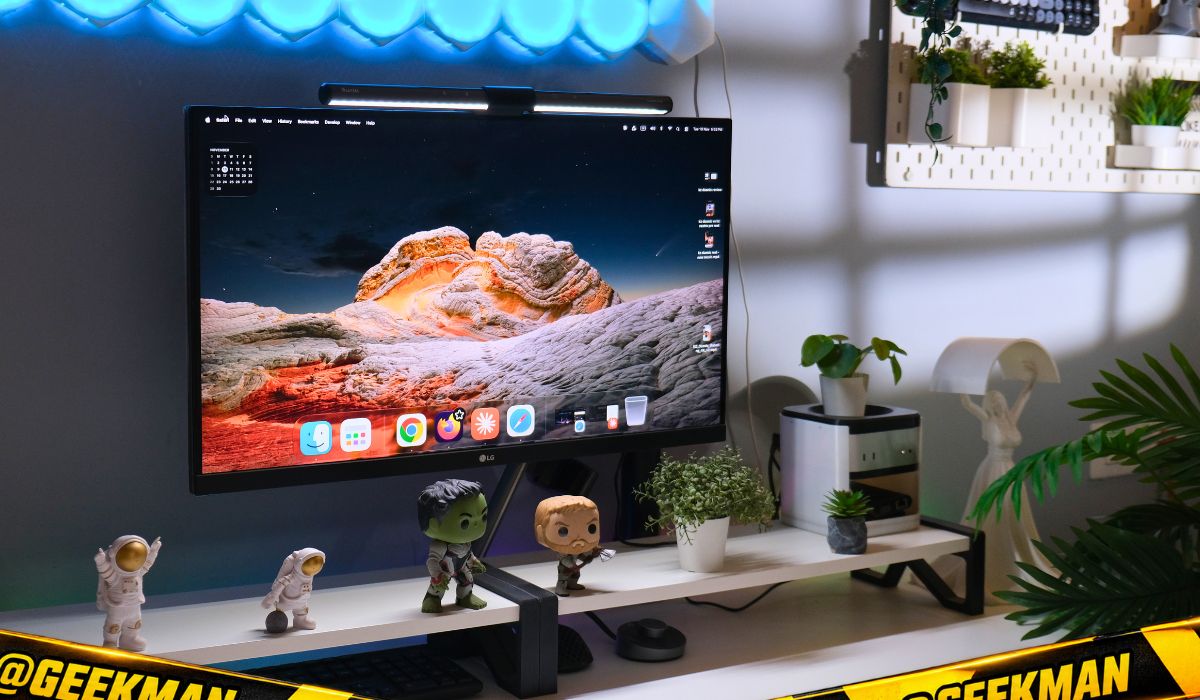
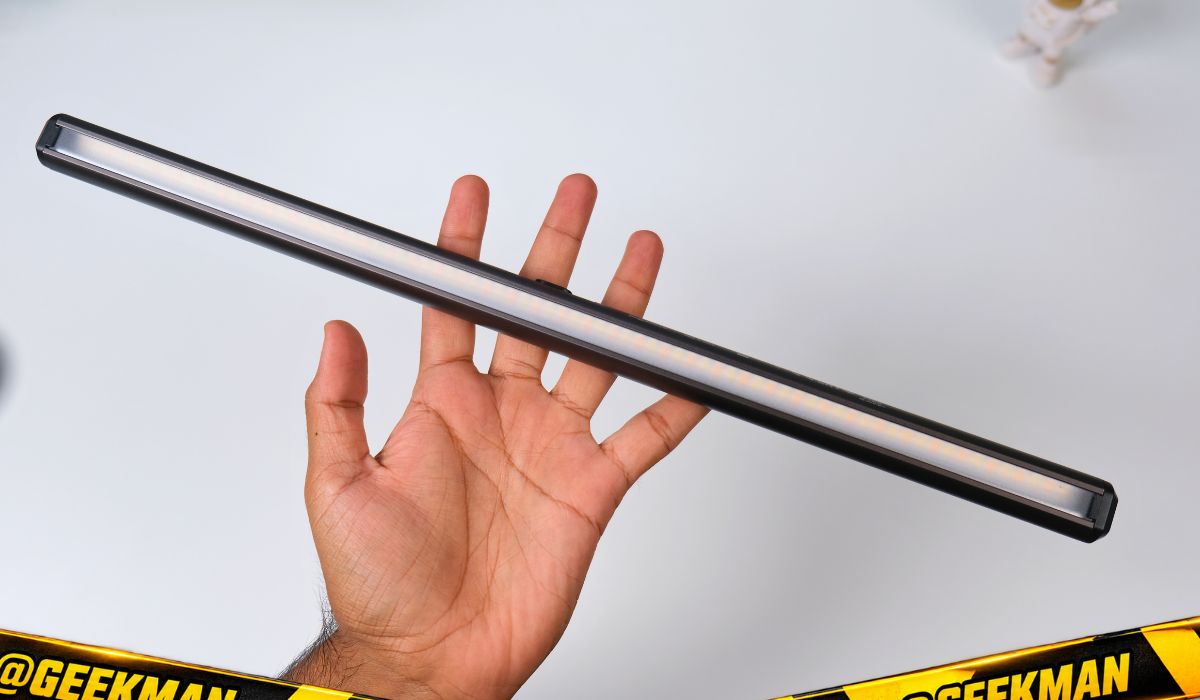
The ceiling light helps with the darkness, but it sits behind or above you, so part of it bounces off the monitor and into your eyes. A light bar sits on top of the monitor and throws its light forward and down at an angle, onto the desk. The screen stays clean.
One honest note: a light bar is not a medical device, and darkness is not the only cause of eye strain. We also blink less while staring at screens and sit for hours without a break. Follow the 20-20-20 rule too: every 20 minutes, look at something 20 feet away for 20 seconds. If your eyes hurt regularly, see an eye doctor.
Quntis Monitor Light Bar Focus Dual-Control specs
| Spec | Quntis Focus Dual-Control (41 cm) |
|---|---|
| Length | 41 cm (16.1 inch) |
| LEDs | 78 LEDs |
| Colour rendering | Ra98 CRI (claimed) |
| Colour temperature | 3000K to 6500K, stepless |
| Brightness | Up to 900 lux (claimed). Auto mode keeps the desk around 700 lux |
| Controls | Touch buttons on the bar plus a wireless touch remote (2 AAA batteries) |
| Power | USB Type-C, 1.5 m cable |
| Body | Aluminium, matte grey, 580 g with the clip |
| Fits | Flat monitors, 17 to 27 inch listed (24 to 27 inch is the sweet spot) |
| Eye care | Flicker-free, IEC/TR 62778 and IEC/EN 62471 certified for blue light hazard |
| Price in India | ₹4,274 on Amazon.in (MRP ₹5,999), checked 10 November 2026 |
Metal build and a clip that is better than I expected
The bar is metal and feels solid in the hand. The clip that holds it on the monitor is good quality too. Honestly, I like it more than the one on my BenQ. The idea is the same as on most light bars: a weighted hook sits on the back of the monitor and balances the bar on top. There is no screw clamp squeezing your panel.
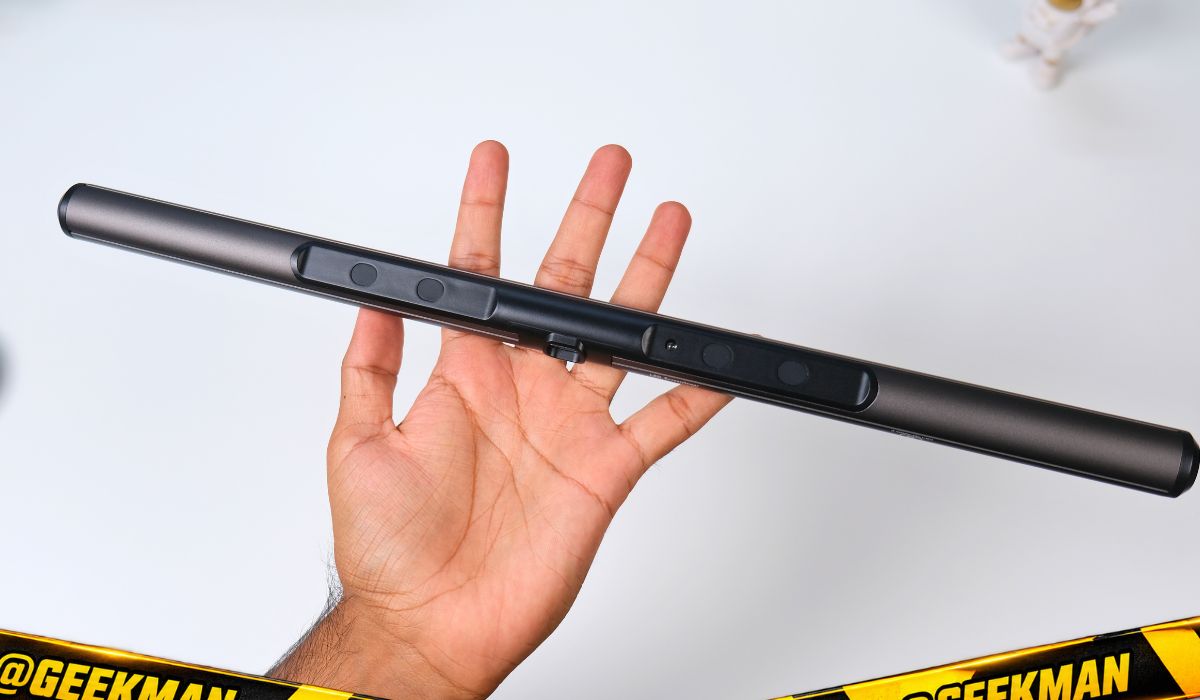
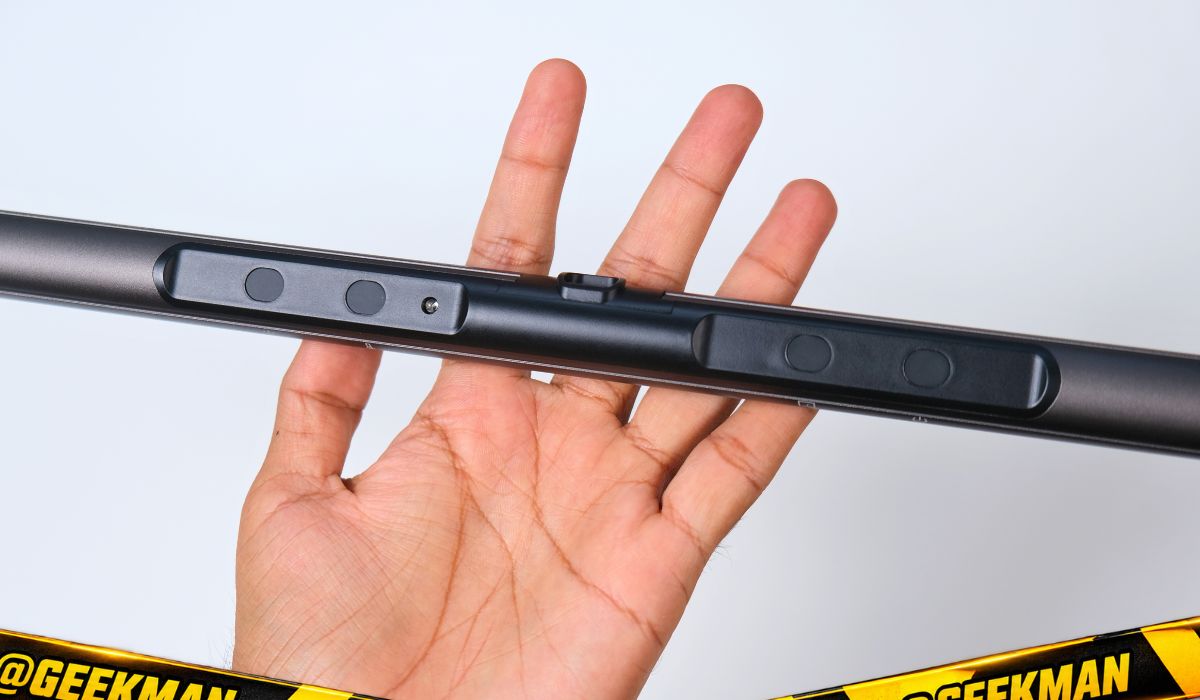
It went onto flat and thick monitors without any trouble. Quntis recommends it for 24 to 27 inch monitors, and that is where it looks right. You can put it on a 32 inch monitor too, and a lot of people do, but the 41 cm bar will not light the far corners of a desk that wide.
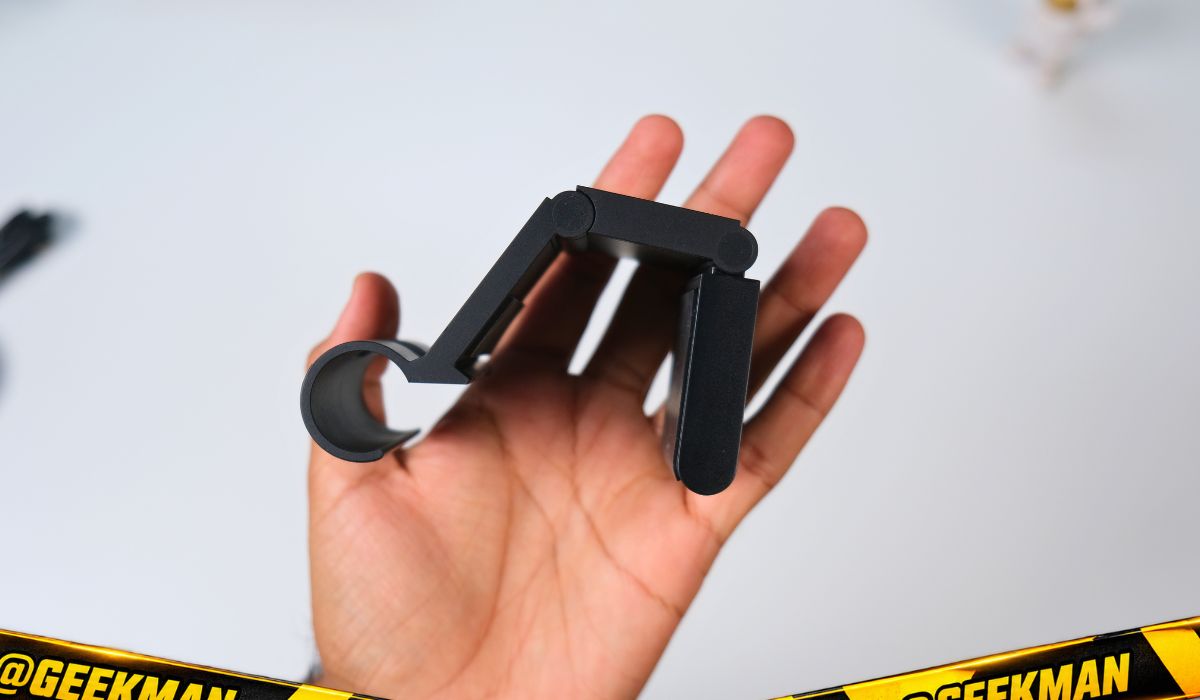
The Type-C cable is 1.5 m long, so even if your PC sits under the desk, it reaches.
Curved monitor? I would not buy this one. Like most bars of this type, the clip does not sit well on a curved back. Quntis sells a 51 cm version that fits curved monitors from 17 to 32 inch, and the BenQ ScreenBar Pro and Halo 2 support curved screens too. Both are in the comparison below.
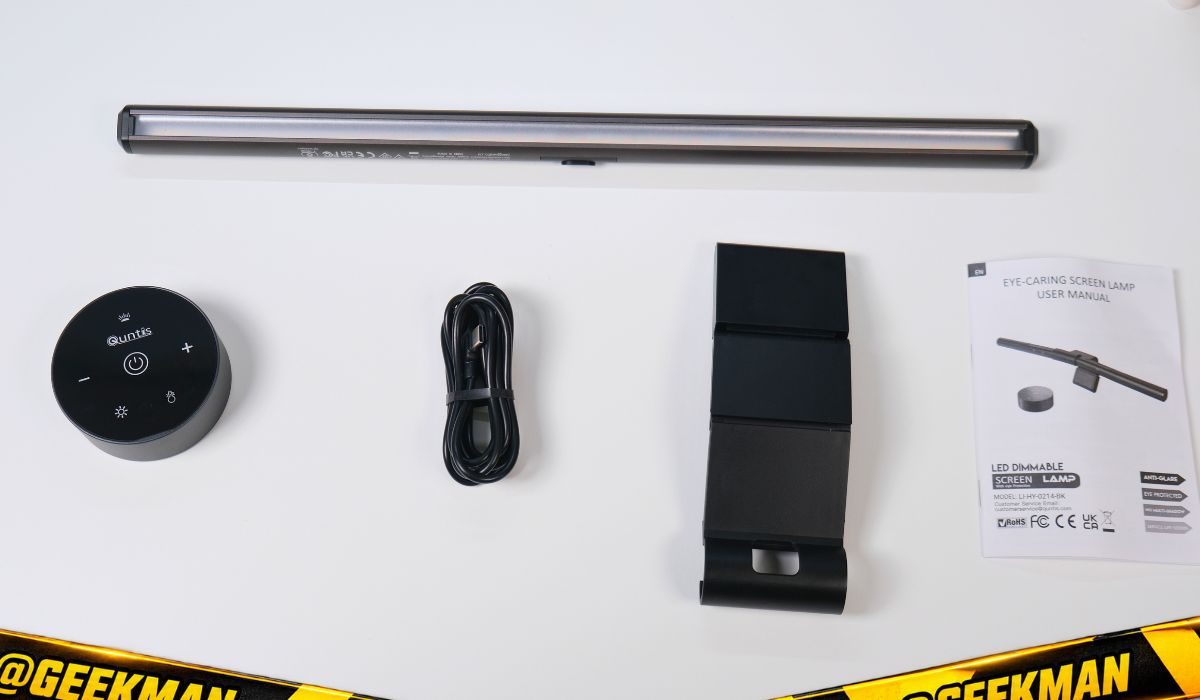
The wireless remote and touch controls
This is my favourite thing about the Dual-Control version. You get a small wireless controller with touch buttons that you can keep anywhere on the desk. It is much nicer than a wired controller, and much nicer than reaching up to the bar every time. The touch is responsive, so changing brightness and colour temperature is quick, and there is a one-tap auto mode. It looks cool on the desk as well.
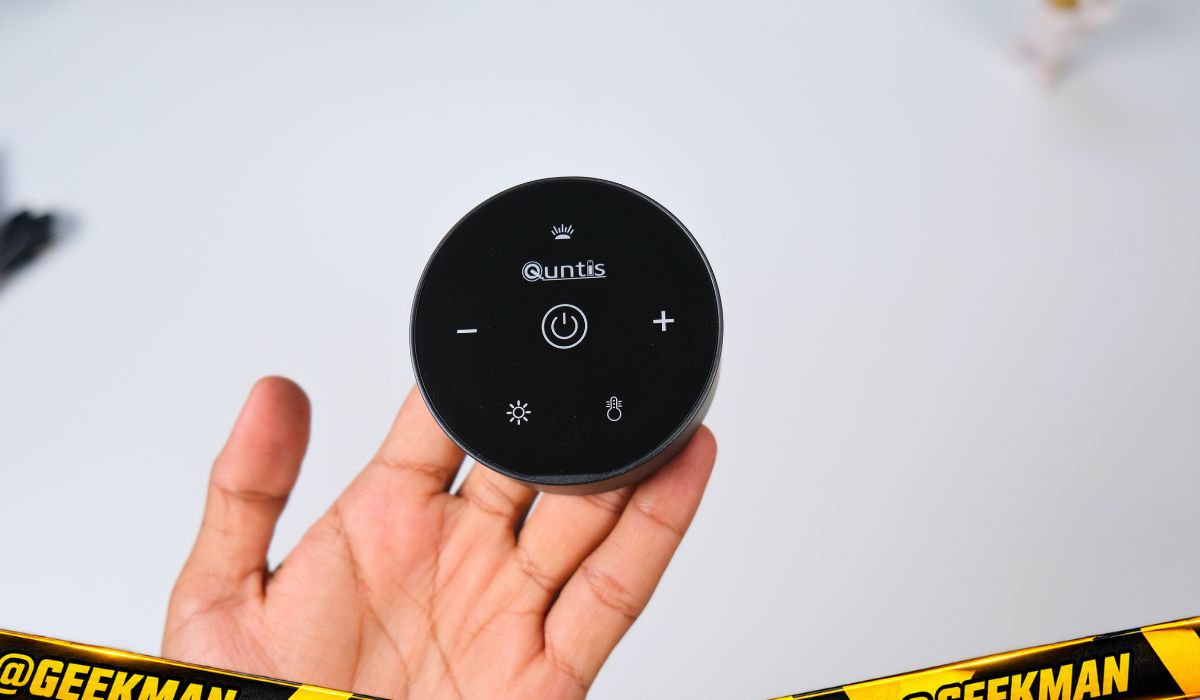
The remote runs on 2 AAA batteries. Quntis doesn’t list a battery life, but it is just a remote, so my guess is that a set will last close to a year.
If you don’t want to use the remote, the bar itself has touch controls. They are responsive too, and the plus and minus marks are easy to find even in a dark room.
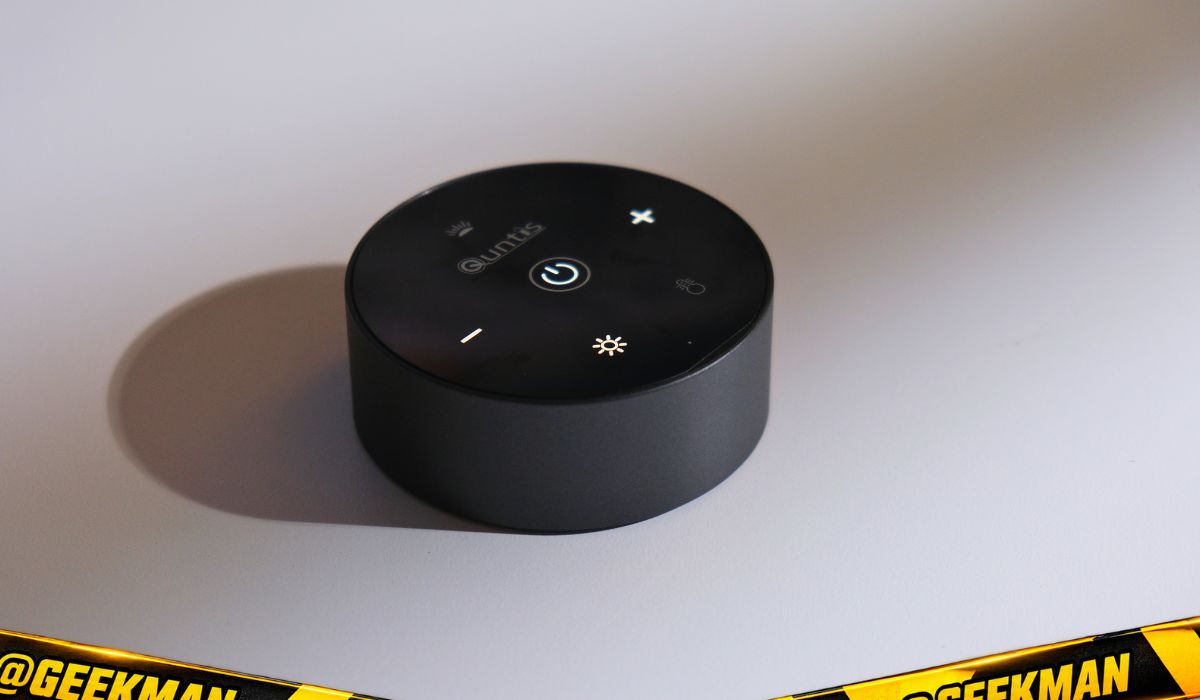
Against the BenQs: the ScreenBar Pro only has touch controls on the bar, and the Halo 2 has a wireless dial with a rechargeable battery. The Quntis gives you both a remote and on-bar touch, which is more than the ₹12,990 Pro offers.
Light quality and brightness vs the BenQ ScreenBar Pro
The light quality is good. Quntis claims Ra98 CRI, and colours on my desk looked fairly natural. I tried it right next to the BenQ ScreenBar Pro, and two differences were clear.
First, brightness. To my eyes the Quntis is roughly 20% dimmer than the BenQ Pro. On paper that matches: Quntis claims up to 900 lux, BenQ claims 1,000 lux at the centre. The BenQ bar is also longer, so it spreads light over a wider area.
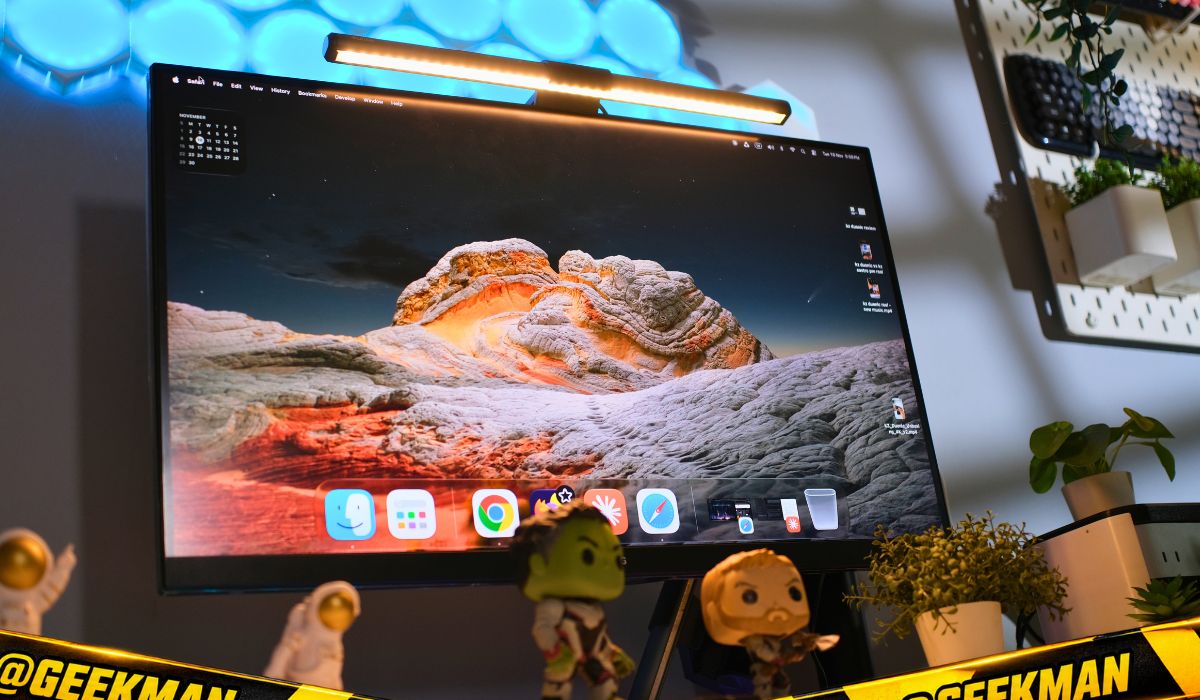
Second, colour. The BenQ light looks more accurate to me, close to daylight white. The Quntis has a slightly warm tone, even at the cool end. Its range also starts at 3000K, while the BenQs go down to 2700K for an even warmer evening light.
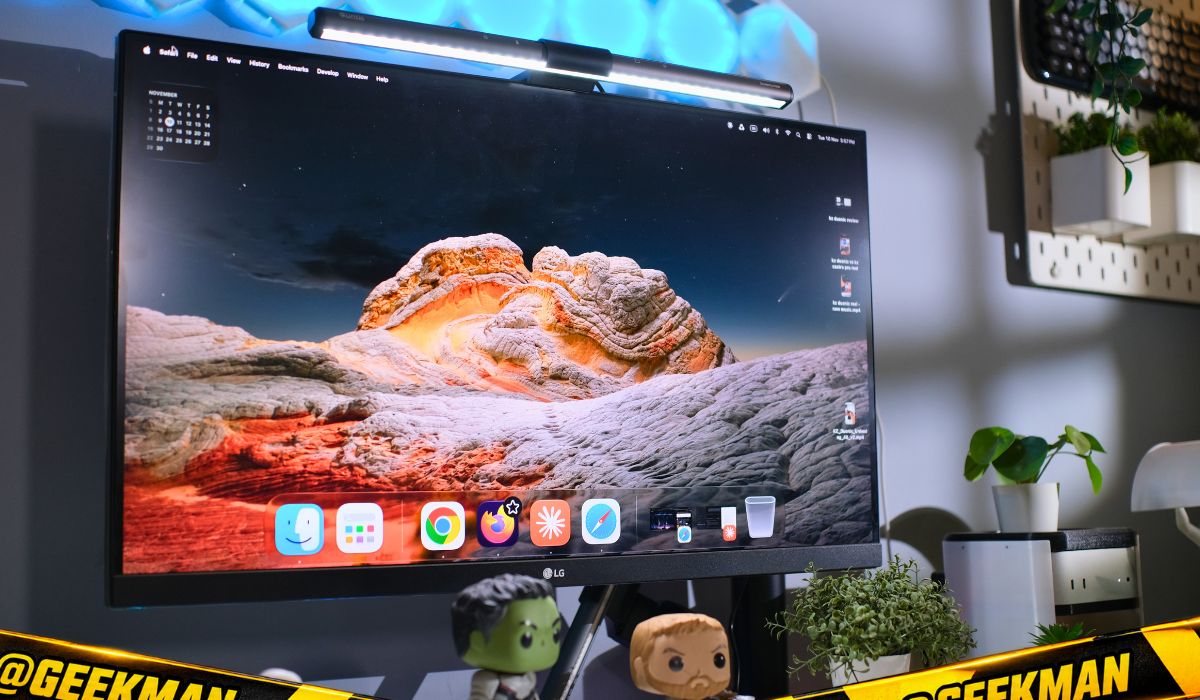
Considering the price gap, some difference is expected. If you are buying a light bar for eye comfort and ambient light while you work or game, it is not a problem at all. The warm tone actually feels smoother at night. But if you do artwork, colour-sensitive work or a lot of reading on the desk, the BenQ is the better tool.
The auto mode is something I really like. The light sensor is responsive and it adjusts brightness to the room by itself. Switch the tube light on and it dims, switch it off and it brightens.
What’s missing compared to BenQ

Two things, and at this price I don’t really expect them, but you should know.
- No motion sensor. The BenQ ScreenBar Pro and Halo 2 turn on when you sit down and switch off about 5 minutes after you leave. With the Quntis you switch it off yourself, and it stays on even when the monitor is off.
- No backlight. The Halo 2 also lights the wall behind the monitor, which helps a lot in a fully dark room. This Quntis lights the desk only.
Add the slightly lower brightness and the shorter 41 cm bar, and that is the full list. None of it is a deal breaker.
Quntis Dual-Control vs BenQ ScreenBar Pro, Halo 2 and other Quntis bars
| Feature | Quntis Dual-Control 41 cm | BenQ ScreenBar Pro | BenQ ScreenBar Halo 2 | Quntis 51 cm (curved) |
|---|---|---|---|---|
| Price (Amazon.in, 10 Nov 2026) | ₹4,274 | ₹12,990 | ₹16,749 | ₹8,999 |
| Length | 41 cm | 50 cm | 50 cm | 51 cm |
| Max brightness (claimed) | 900 lux | 1,000 lux | 500 lux auto target | 900 lux |
| CRI (claimed) | Ra98 | Ra95 or higher | Ra95 or higher | Ra95 |
| Colour temperature | 3000K to 6500K | 2700K to 6500K | 2700K to 6500K | 3000K to 6500K |
| Controls | Wireless remote + touch on bar | Touch on bar | Wireless dial | Wireless remote |
| Motion sensor | No | Yes | Yes | Not listed |
| Backlight | No | No | Yes | Not listed |
| Curved monitors | No (flat 17 to 27 inch) | Yes | Yes | Yes (17 to 32 inch) |
Prices move a lot during sales, so check the current price before you buy. Here is who should pick what.


BenQ ScreenBar Pro Monitor Light Bar, LED Screen Lamp with Motion Sensor, Touch Control, USB-C Powered,Ultra Wide Lighting,Clamp,Dimmable Eye-Care Lamp,Adjustable Colour Temperature (Black)

Bank offers on select Credit Cards & Amazon Pay ICICI Bank cards +1
- Bank offers on select Credit Cards & Amazon Pay ICICI Bank cards
- No Cost EMI on select Credit Cards

BenQ ScreenBar Halo 2 LED Monitor Light, Wireless Controller & Backlight, Eye-Care Screen Lamp with Motion Sensor, Auto-Dimming, Adjustable Brightness & Colour Temperature, USB C Powered
Bank offers on select Credit Cards & Amazon Pay ICICI Bank cards +1
- Bank offers on select Credit Cards & Amazon Pay ICICI Bank cards
- No Cost EMI on select Credit Cards

Quntis 51CM Monitor Light Bar, Fits 17"–32" Curved/Flat Monitor Grey,Remote | Multi‑Light Control, Stepless Dimming, Ra 95, 3000K‑6500K, 900 Lux, Anti‑Blue Light, Webcam Friendly, Eye Care.
Bank offers on select Credit Cards & Amazon Pay ICICI Bank cards +1
- Bank offers on select Credit Cards & Amazon Pay ICICI Bank cards
- No Cost EMI on select Credit Cards

Quntis Monitor Light Bar Focus 41 cm (16.1 inch) Gray | Fits Curved/Flat 17"-27" (43-69cm) Monitors With Remote, Stepless Dim, Ra95, 3000-6500K 900Lux Anti-Blue, Alu/ABS
Bank offers on select Credit Cards & Amazon Pay ICICI Bank cards +1
- Bank offers on select Credit Cards & Amazon Pay ICICI Bank cards
- No Cost EMI on select Credit Cards
Pros and cons
- Wireless touch remote included
- Solid metal build, sturdy clip
- No glare on the screen
- Auto mode works really well
- Touch controls on bar too
- About a third of BenQ’s price
- About 20% dimmer than BenQ Pro
- Slightly warm white tone
- No motion sensor auto-off
- Not for curved monitors
- Remote needs AAA batteries
Rating breakdown
Final verdict: should you buy the Quntis Dual-Control light bar?
Yes, there are compromises. The brightness is a bit lower, and the bar is shorter than the BenQ. But none of it is a major compromise, and on your desk it will be a real game changer. Under ₹5,000 it is worth it, and right now I don’t know a better option in this price range.
Get it if you have a flat 24 to 27 inch monitor and you spend your evenings working, editing or gaming. If you have a curved monitor, take the Quntis 51 cm. If you do colour-critical work or want a motion sensor and backlight, save up for the BenQ ScreenBar Pro or Halo 2.

Quntis monitor light bar FAQ
Is a monitor light bar worth it?
If you use a computer in the evening or at night, yes. It lights your desk without reflecting on the screen and doesn’t take any desk space. A good one like this Quntis costs ₹4,274, which is fair for something you will use every day.
Does a monitor light bar reduce eye strain?
It helps by reducing the brightness gap between a bright screen and a dark room, which is one common cause of eye strain. It won’t fix everything, so also take breaks, blink more and follow the 20-20-20 rule. See an eye doctor if your eyes hurt regularly.
Does a monitor light bar cause glare on the screen?
A well designed one doesn’t. The light is angled down onto the desk, so it doesn’t hit the screen surface. Cheap bars without proper optics can spill light onto the monitor, so this is where the money goes.
Is a monitor light bar good for gaming?
Yes. Night gaming in a dark room is exactly when a light bar helps, and you can still see the keyboard. It also makes the setup look cleaner. For a fully dark room, a bar with a backlight like the BenQ Halo 2 is even better.
Is the Quntis light bar better than the BenQ ScreenBar?
No, but it is much cheaper. The BenQ ScreenBar Pro is about 20% brighter in my use, has more accurate white light and a motion sensor. The Quntis Dual-Control costs about a third and adds a wireless remote, which the Pro doesn’t have.
Does the Quntis Dual-Control fit a curved monitor?
It is made for flat monitors from 17 to 27 inch, and I would not use it on a curved one. For curved screens, look at the Quntis 51 cm bar (17 to 32 inch) or the BenQ ScreenBar Pro and Halo 2.
Can I use it on a 32 inch monitor?
It will sit on a 32 inch monitor and plenty of people use it that way, but the 41 cm bar won’t light the corners of a wide desk. The 51 cm Quntis or a BenQ suits a 32 inch screen better.
Will the light bar damage my monitor?
No. It doesn’t screw or clamp hard onto the panel. A weighted hook rests on the back of the monitor and balances the bar on top.
Can I use it with a laptop?
It is designed for monitors. A laptop lid is thin and light, so I wouldn’t rely on the clip there. If you use a laptop on a stand with an external monitor, put it on the monitor.
Is a monitor light bar better than a room light or a desk lamp?
For screen work, yes. A ceiling light or desk lamp often reflects on the monitor and a lamp takes desk space. The light bar lights only the desk area in front of you.
What batteries does the Quntis remote use?
2 AAA batteries. The light bar itself runs on USB Type-C power with a 1.5 m cable.
Related reviews and guides
The BenQ bar with a desk dial Quntis ScreenLinear RGB light bar review
The Quntis bar with RGB backlight Best standing desk in India
Build the rest of your setup Best gaming table in India
Space for monitor, light bar and more Best ergonomic chair in India
For those long night sessions