
Short answer: The Ant Esports GM320 is the best gaming mouse under 500. Want something that feels a bit more solid? The EvoFox Spectre. Lowest price? The Ant Esports GM100.
Under 500 you will not get a famous sensor, but you do get proper gaming shapes, adjustable DPI, side buttons and RGB. These six from Ant Esports, EvoFox, Redgear and Zebronics are the ones I would trust for a first gaming setup or casual play. Prices change every week during sales, so live prices sit in the buy buttons, not in the text. Updated on 16 November 2026.
Quick picks
| Pick | Gaming mouse | Best for |
|---|---|---|
| Best overall | Ant Esports GM320 | First gaming mouse under 500 |
| Best feel | EvoFox Spectre | Casual gaming on the smallest budget |
| Best light weight | Redgear A-10 | The smallest gaming budget |
| Best for many buttons | Zebronics Transformer-M | First gaming mouse on a tight budget |
| Best looks | Zebronics Phero | A cheap RGB mouse for kids or light use |
| Cheapest | Ant Esports GM100 V2 | Budget gamers who want side buttons |
Tap a name to jump to its review. Ranked by Geekman Score, best first.
Gaming mouse finder
Answer 3 quick questions, get your top 3
Not sure which one? Start with Ant Esports GM320, EvoFox Spectre, Redgear A-10.
How I ranked them
The Geekman Score
Geekman has reviewed gaming gear for over 10 years. For this list I went through about 80 gaming mice under 500 sold in India and compared what decides how a gaming mouse feels after a few hundred matches: the sensor and polling rate, weight and shape, switches, the cable or wireless connection and battery, software, warranty and how easy service is in India. Specs come from brand pages and the brand’s own product details. Every pick gets a Geekman Score out of 10: Sensor and speed 35%, Shape and build 20%, Service 10% and Value 35%.
See all Geekman Scores
| # | Gaming mouse | Sensor | Shape | Service | Value | Score |
|---|---|---|---|---|---|---|
| 1 | Ant Esports GM320 | 9.1 | 9.0 | 9.2 | 9.4 | 9.2 |
| 2 | EvoFox Spectre | 8.7 | 8.8 | 9.2 | 9.6 | 9.1 |
| 3 | Redgear A-10 | 8.3 | 8.6 | 9.2 | 9.6 | 8.9 |
| 4 | Zebronics Transformer-M | 8.6 | 8.6 | 9.2 | 9.0 | 8.8 |
| 5 | Zebronics Phero | 7.9 | 8.4 | 9.2 | 9.5 | 8.7 |
| 6 | Ant Esports GM100 V2 | 8.5 | 8.6 | 9.2 | 8.5 | 8.6 |
The reviews
Best gaming mouse under 500: 6 picks reviewed
Best overall
1. Ant Esports GM320 RGB Wired Gaming Mouse
9.2Geekman Score
9.1 Sensor & speed
9.0 Shape & build
9.2 Service
9.4 Value
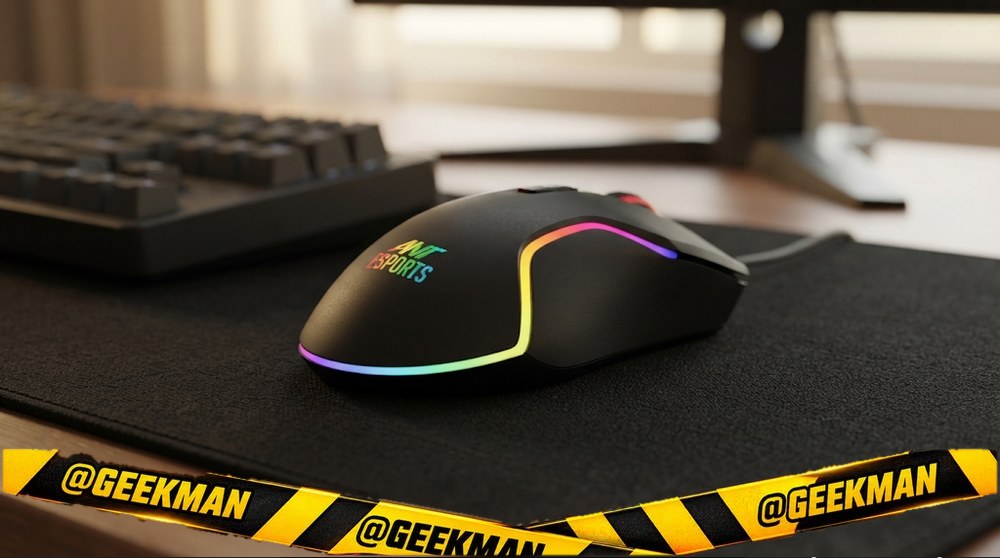
The well-rounded budget gaming mouse: eight buttons, a proper 1000Hz mode, useful software and a build that holds up for well over a year.
Wired USB · 12800 DPI · 8 buttons · Wired USB · 120 g · Rapid fire key · 1 year
Best for
✓ Valorant or CS2 players on a tight budget who want side buttons and a spare fire key to bind
✓ Palm grip users with medium to large hands who like a sculpted right-handed shape
✓ Anyone who wants RGB they can actually control without software
Skip if
• You flick very fast at high sensitivity (the unnamed sensor can stutter; the EvoFox Blaze Ultra or a mouse with a named sensor is safer)
• You want a light mouse (about 107 g is on the heavy side for shooters)
• You are left-handed
My take: This is the budget gaming mouse I’d recommend first. It has two side buttons plus an extra fire button, real 1000Hz polling (set it in the software, because it ships at 500Hz), and RGB that changes from a button on top. One owner used it for about a year and a half, including a year of Valorant, and it still looked and worked almost like new. The honest catch is the generic sensor and its weight; it is a great starter mouse, not a competitive one.


Ant Esports GM320 Wired Ambidextrous Optical Gaming Mouse with Upto 12800 DPI, 8 Programmable Buttons, 1000Hz Polling Rate, RGB Backlight, 1.8m Braided Cable

Up to 11% instant discount on select credit cards; cashback on Amazon Pay ICICI cards Details
- Up to 11% instant discount on select credit cards; cashback on Amazon Pay ICICI cards
 Lowest price
Up to 5% cashback on Flipkart Axis & Flipkart SBI credit cards Details
- Up to 5% cashback on Flipkart Axis & Flipkart SBI credit cards
Pros and cons
What I like
+ Eight buttons including side buttons and a fire key
+ 1000Hz polling and capable software with macros
+ Held up well after 1.5 years of daily use
+ Braided cable and Type-C adapter in the box
What I don’t like
• Unnamed sensor can catch on very fast flicks
• About 107 g, heavier than modern gaming mice
• Right-handed only
My full review: who it suits, what it is like and how it compares
Who should buy it. A first-time PC gamer who plays Valorant, CS2 or GTA and wants more than a plain office mouse without spending much. It is right-handed with a thumb rest, so lefties should look at an ambidextrous model. If you are already a serious low-sensitivity flicker, save a little more for a mouse with a known sensor.
Shape and grip. The shape is sculpted for the right hand with a textured thumb rest, and the matte, slightly rubbery coating grips well. Reviewers measured it at about 107 g, so it feels solid but heavier than modern light gaming mice. One reviewer found the thumb rest sticks out a little too far, so his thumb hung off the side; whether that bothers you depends on your hand. The matte top may turn shiny over long use, though a long-term owner’s unit still looked clean after a year and a half.
Clicks, buttons and RGB. You get eight buttons: left, right, wheel click, DPI, an RGB mode button, two side buttons and a separate fire button. The clicks are fast and fine, the rubber-textured wheel is comfortable, and the fire button worked in Valorant out of the box. Reviewers bound it to spike plant and defuse, which is handy. The RGB looks good, with around a dozen effects, and you can switch or turn it off from the button without opening software.
Sensor and tracking. Ant Esports does not name the sensor; it is a generic optical sensor rated up to 12800 DPI and 7000 FPS. At 800 to 1600 DPI it tracked well for normal aim, but reviewers warned that very fast flicks can make it catch slightly. The feet glide but felt a little sticky on one reviewer’s pad. Install the GM320 V2 software, set polling to 1000Hz and pick your DPI steps; there is no onboard memory, so settings live in the software.
Cable and warranty. The braided 1.5 m cable is flexible and slides well, and the box includes a USB-A to USB-C adapter for laptops with only Type-C ports. Warranty is one year, and service is handled by Ant Esports’ service partner in India.
Ant Esports GM320 or EvoFox Spectre? Buy the GM320. It runs at 1000Hz instead of 125Hz, has eight buttons including a fire key, controllable RGB and a braided cable. The Spectre is only worth it if it is clearly cheaper and you just need a basic six-button mouse.
Ant Esports GM320 or Ant GM100? The GM320 adds software, a 1000Hz mode, a fire key and a braided cable, and one owner used it for about a year and a half with no trouble. The GM100 keeps the side buttons and a USB-C adapter but has fixed RGB and a plain PVC cable. Stretch to the GM320 if you can.
Key specs
| Connection | Wired USB |
| Sensor / DPI | Unnamed optical sensor, up to 12800 DPI, 7000 FPS |
| Buttons | 8 |
| Power | Wired USB |
| Weight | About 107 g (measured) |
| Shape | Right-handed |
| Warranty | 1 year |
| Polling rate | Up to 1000Hz (software, ships at 500Hz) |
Best feel
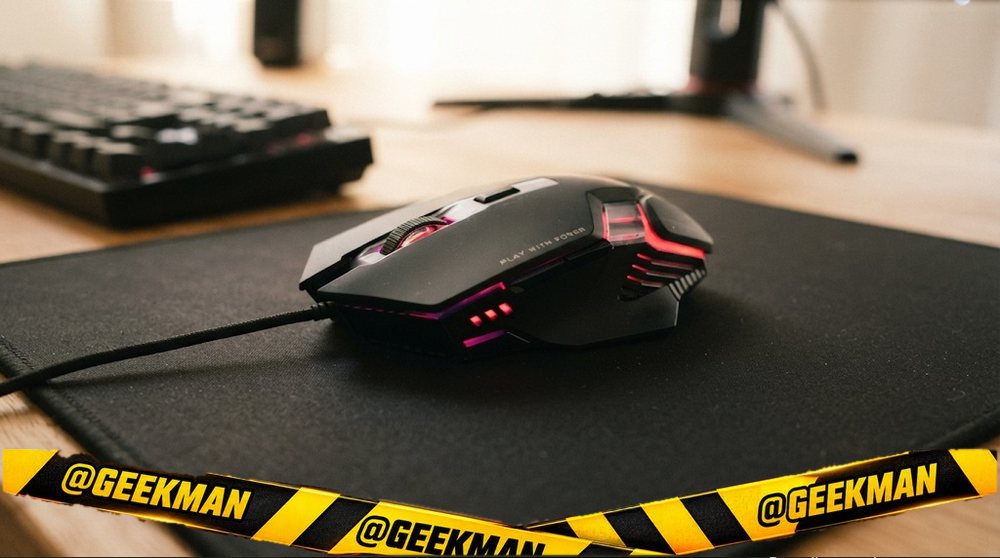
2. EvoFox Spectre Wired Gaming Mouse
9.1Geekman Score
8.7 Sensor & speed
8.8 Shape & build
9.2 Service
9.6 Value
A good-looking six-button mouse for office work and casual games, but its 125Hz polling holds it back in shooters.
Wired USB · 7200 DPI · 6 buttons · Wired USB · 120 g · 1 year
Best for
✓ Casual gamers who mostly play single-player or slower games
✓ Office users who want back and forward buttons with a bit of RGB
✓ People without a mouse pad (it tracked fine on glossy surfaces for reviewers)
Skip if
• You play shooters seriously (125Hz polling; the Ant Esports GM320 or EvoFox Blaze Ultra run at 1000Hz)
• You have small hands or sweaty palms (it is large and all smooth plastic)
• You want software to remap buttons or change lighting
My take: It looks premium for its price, the braided cable is good, and the side buttons click nicely. But it polls at only 125Hz and tops out at 3600 DPI, so in shooters it feels a step behind mice that cost a little more, and reviewers found very fast flicks can skip. I’d buy it only if the budget is truly fixed; one reviewer’s honest advice was to stretch a bit for the GM320.

EVOFOX Spectre Wired Ambidextrous Optical Gaming Mouse with Upto 3600 DPI, 6 Buttons with DPI Switch, 7 Breathing Rainbow LED Lights, 5 Million Click Switches, 1.5m Braided Cable
Up to 5% cashback on Flipkart Axis & Flipkart SBI credit cards Details
- Up to 5% cashback on Flipkart Axis & Flipkart SBI credit cards
Pros and cons
What I like
+ Looks more expensive than it is
+ Good click and side-button feel
+ Braided 1.5 m cable
+ Tracks on glossy surfaces without a pad
What I don’t like
• Only 125Hz polling, max 3600 DPI
• Side buttons placed too far forward
• Large, smooth plastic shell slips with sweaty hands
My full review: who it suits, what it is like and how it compares
Who should buy it. Someone who wants a gaming-style mouse for browsing, office work and casual games, and whose budget will not move. It works on most surfaces, so if you do not own a mouse pad, that is a real plus. If you play Valorant, CS2 or BGMI on PC with any seriousness, pick a 1000Hz mouse instead.
Shape and grip. The design has a robot-like look and the white version is sharp. It is on the large side at about 12.5 cm long and 110 g. Comfort is average: the left thumb support is small but fine, while reviewers found the right side shape a little odd for the ring and little fingers. The whole body is smooth plastic, so if your hands sweat, it will slide in your grip. Small hands should look elsewhere.
Clicks and buttons. Six buttons: left, right, wheel click, DPI and two side buttons. The main clicks use Huano switches and have a classic, satisfying sound. The side buttons have better feedback than many budget mice, but they sit far forward, so you have to stretch your thumb to reach the front one. There is no software, so you cannot remap anything.
Sensor and tracking. EvoFox lists an Instant A603EP sensor with four DPI steps (1200, 1800, 2400 and 3600), and the DPI resets to 1200 every time you restart the PC. Polling is fixed at 125Hz. In Valorant, normal flicks registered properly, but very quick wrist snaps skipped movement in reviewers’ tests. The feet are the same plastic as the base, yet it glided smoothly on a pad.
RGB, cable and warranty. There is a seven-colour rainbow effect that you cannot change, only switch off by holding the DPI button. The 1.5 m braided cable has well-protected joints. Warranty is one year; register it on EvoFox’s site.
EvoFox Spectre or Ant Esports GM320? The GM320 is the better gaming mouse, with 1000Hz and a fire key. The Spectre’s 125Hz and 30 IPS sensor make fast flicks skip, and its side buttons sit too far forward.
EvoFox Spectre or Redgear A-10? The Spectre has side buttons, a braided cable and higher DPI steps up to 3600. The A-10 is lighter and ambidextrous with a rubberised top, but has only four buttons. Want back and forward buttons, Spectre; want a light mouse that suits either hand, A-10.
Key specs
| Connection | Wired USB |
| Sensor / DPI | Instant A603EP sensor, 1200/1800/2400/3600 DPI |
| Buttons | 6 |
| Power | Wired USB |
| Weight | 110 g |
| Shape | Ambidextrous |
| Warranty | 1 year |
| Polling rate | 125Hz |
Best light weight
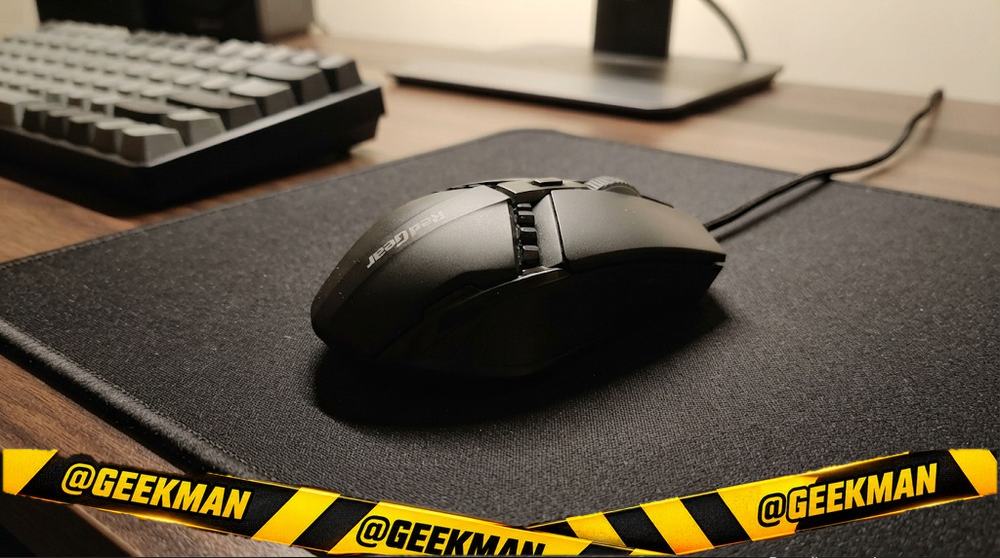
3. Redgear A-10 Wired Gaming Mouse
8.9Geekman Score
8.3 Sensor & speed
8.6 Shape & build
9.2 Service
9.6 Value
A light, simple RGB mouse from a known gaming brand that survives daily use, but it is really an office mouse with lights.
Wired USB · 2400 DPI · 4 buttons · Wired USB · 100 g · 1 year
Best for
✓ Students who want a cheap mouse with gaming looks for daily laptop use
✓ Casual players of light games who do not need side buttons
✓ Anyone replacing a dead office mouse who wants something sturdier than the cheapest no-name ones
Skip if
• You want back and forward or side buttons for games (it has none; the Ant Esports GM100 V2 adds them for little more)
• You play shooters (moulded plastic feet and no stated polling rate)
• You want to change the lighting colours (it only cycles)
My take: It is light, the rubberised top grips well, and one owner used it daily for six months with the coating and branding still intact. But it has only four buttons, no proper feet and no software, so calling it a gaming mouse is generous. Buy it as a durable everyday mouse with RGB, not for competitive games.

Redgear A-10 Wired Gaming Mouse with RGB LED, Lightweight and Durable Design, DPI Upto 2400, Compatible with Windows.
Up to 11% instant discount on select credit cards; cashback on Amazon Pay ICICI cards Details
- Up to 11% instant discount on select credit cards; cashback on Amazon Pay ICICI cards
Pros and cons
What I like
+ Light and handy, ambidextrous shape
+ Rubberised top held up well over months of daily use
+ Long 1.8 m cable
+ Lighting can be turned off
What I don’t like
• Only four buttons, no side buttons
• No proper glide feet, no software
• Polling rate and sensor not stated
My full review: who it suits, what it is like and how it compares
Who should buy it. A student or home user who wants a cheap wired mouse that looks a bit more fun than an office mouse and will last. It is ambidextrous, so left-handers can use it too. If you want side buttons for games, spend a little more on the Ant Esports GM100 V2 or GM320.
Shape and grip. It is small, light and handy, with a symmetric shape and a soft-touch rubberised top. The top looks like three separate panels but is one piece. A six-month owner reported that the matte coating had not peeled or worn off, which is where cheap mice usually fail. The sides and base are glossy plastic.
Clicks and buttons. Four buttons only: left, right, wheel click and a DPI button. There is space on the side where thumb buttons could have gone, but there are none. The clicks work for drag-click and jitter-click tricks, but not especially well, according to the owner who tried them.
Sensor and tracking. The DPI button cycles through 800, 1200, 1600 and 2400. Redgear does not state the sensor or polling rate. The glide pads are just textured parts of the plastic base, not separate PTFE feet, which is the main reason reviewers advised against it for serious gaming. For browsing, office work and casual games it tracks fine.
RGB, cable and warranty. The seven-colour breathing light cycles on its own and cannot be customised, but holding the DPI button for a few seconds turns it off. The 1.8 m cable is long, and the USB plug showed no rust after months of use. Warranty is one year.
Redgear A-10 or Zebronics Phero? Both have four buttons and no side buttons. The A-10 reaches 2400 DPI and has a rubberised top that held up after six months of daily use. The Phero is cheaper and lighter at 80 g but stops at 1600 DPI and has a loose scroll wheel. I’d pay the small extra for the A-10.
Redgear A-10 or Ant GM100? If you want side buttons for browsing back or for game binds, get the GM100. If you are left-handed or want a light, symmetrical mouse, the A-10 suits you better.
Key specs
| Connection | Wired USB |
| Sensor / DPI | Optical, 800/1200/1600/2400 DPI steps |
| Buttons | 4 |
| Power | Wired USB |
| Weight | 100 g |
| Shape | Ambidextrous |
| Warranty | 1 year |
Best for many buttons
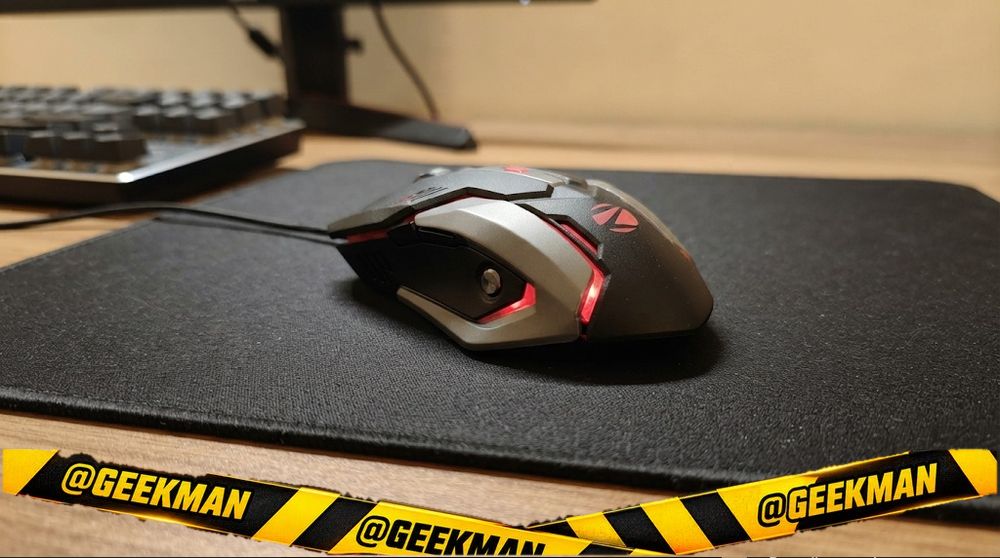
4. Zebronics Transformer-M Wired Gaming Mouse
8.8Geekman Score
8.6 Sensor & speed
8.6 Shape & build
9.2 Service
9.0 Value
A budget six-button gaming mouse with a braided cable, metal base plate and breathing lights, for bigger hands that like a heavier mouse.
Wired USB · 3600 DPI · 6 buttons · Wired USB · 160 g · 1 year
Best for
✓ Casual gamers on a very tight budget who want side buttons and lights
✓ Large hands with a palm grip (it is about 13.3 cm long)
✓ Office users who want back and forward buttons on a cheap wired mouse
Skip if
• You play fast shooters and want a light mouse (130 g is heavy; the Logitech G102 is about 85 g)
• You want software to remap buttons or set exact DPI
• You have small hands
My take: For very little money the Transformer-M gives you things most cheap mice skip: a braided cable, back and forward buttons, four DPI steps and a grippy body with a metal plate underneath. It feels solid, and an owner reported no issues after nine months. The catch is the 130 g weight and the lack of any software, so it suits casual games and daily use more than competitive aim.
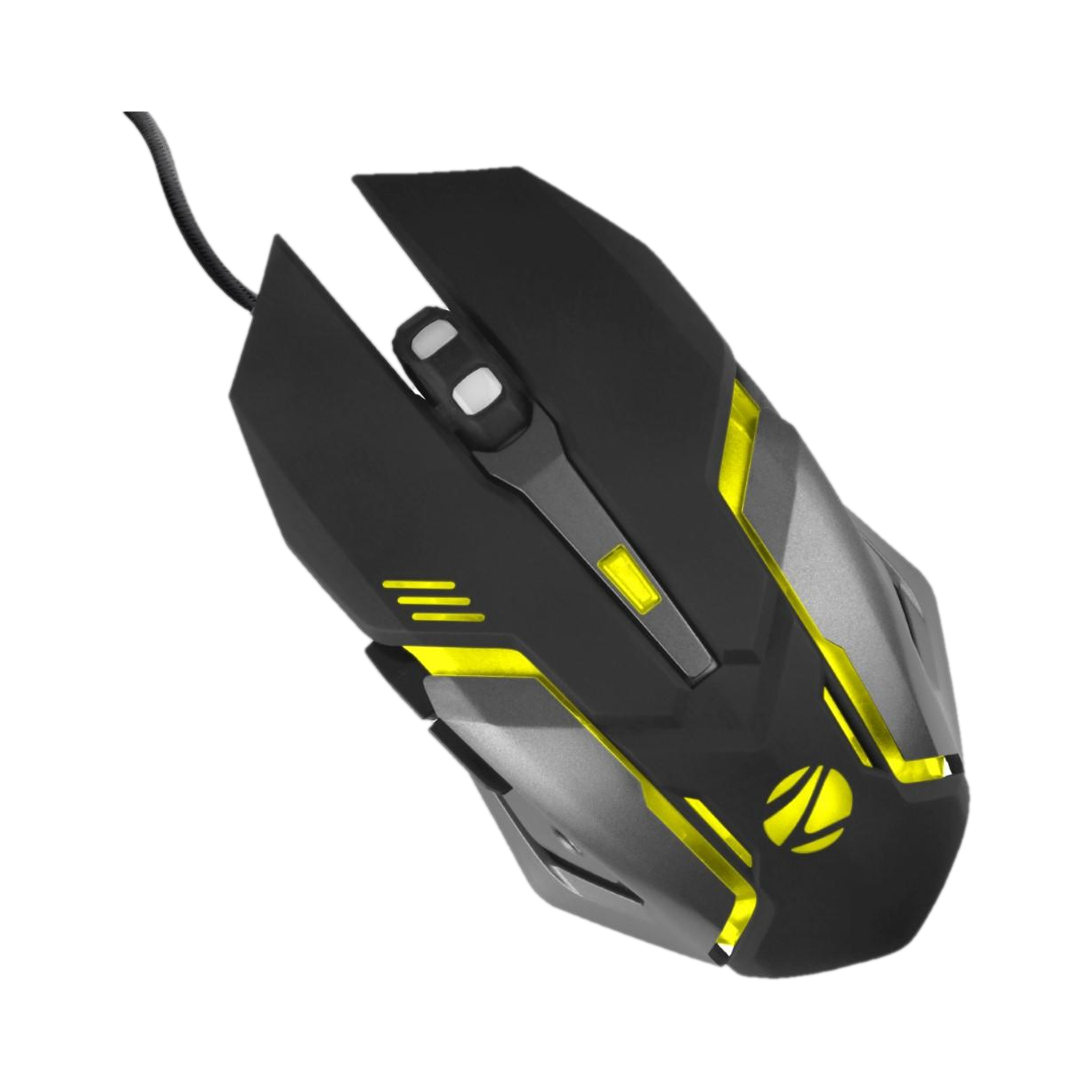
ZEBRONICS Transformer M Wired Ambidextrous Optical Gaming Mouse with Upto 3200 DPI, 6 Buttons with DPI Switch, Multicolor LED Lights, 1.5m Braided Cable
Up to 5% cashback on Flipkart Axis & Flipkart SBI credit cards Details
- Up to 5% cashback on Flipkart Axis & Flipkart SBI credit cards
Pros and cons
What I like
+ Six buttons incl. back and forward
+ 1.8 m braided cable and metal base plate
+ Secure textured grip
+ Four DPI steps up to 3200
What I don’t like
• Heavy at 130 g
• No software or customisable lighting
• Too big for small hands
My full review: who it suits, what it is like and how it compares
Who should buy it. A student or casual gamer who wants a gaming-style mouse with side buttons and lights without paying gaming-mouse money. It also makes a good office mouse for people with bigger hands, because back and forward buttons save a lot of clicks while browsing folders and web pages. If you play Valorant or CS2 seriously, spend more on a G102.
Shape and grip. It is a big, right-handed shape, about 133 mm long, 72 mm wide and 42 mm tall, with an aggressive angular look. The sides are textured and reviewers found the grip secure even with slightly sweaty hands. Large hands with palm grip will be comfortable; small hands will find it a stretch. At 130 g it is heavy by gaming standards, which gives it a planted, steady feel but slows down quick flicks.
Buttons and sensor. Six buttons: left, right, a clickable wheel, a DPI button and two thumb buttons for back and forward. The DPI button cycles 1200, 1800, 2400 and 3200, and a light blinks faster as the DPI goes up. There is no software, so the buttons stay fixed to what they do out of the box. The optical sensor is fine for browsing and casual games; Zebronics doesn’t list a polling rate.
Build, cable and lights. The build is better than the price suggests: matte plastic top, a metal plate on the base and a 1.8 m braided cable with a gold-plated USB plug. An owner who used it daily for nine months reported no problems with the cable, buttons or wheel. The breathing LED cycles through seven colours and can’t be customised. Zebronics rates the switches at 2.5 million clicks, a little lower than most rivals here, and the warranty is 1 year.
Zebronics Transformer-M or Ant Esports GM320? The GM320 is the better gaming mouse: lighter at about 107 g against 130 g, with eight buttons, software and 1000Hz. The Transformer-M is plug and play with a metal base plate and braided cable, but its switches are rated for only 2.5 million clicks. Pick it only if you want a heavy, planted feel.
Key specs
| Connection | Wired USB, 1.8 m braided cable |
| Sensor / DPI | Optical, 1200 / 1800 / 2400 / 3200 DPI |
| Buttons | 6 |
| Power | Wired USB |
| Weight | 130 g |
| Shape | Right-handed |
| Warranty | 1 year |
Best looks
5. Zebronics Phero Wired Gaming Mouse
8.7Geekman Score
7.9 Sensor & speed
8.4 Shape & build
9.2 Service
9.5 Value
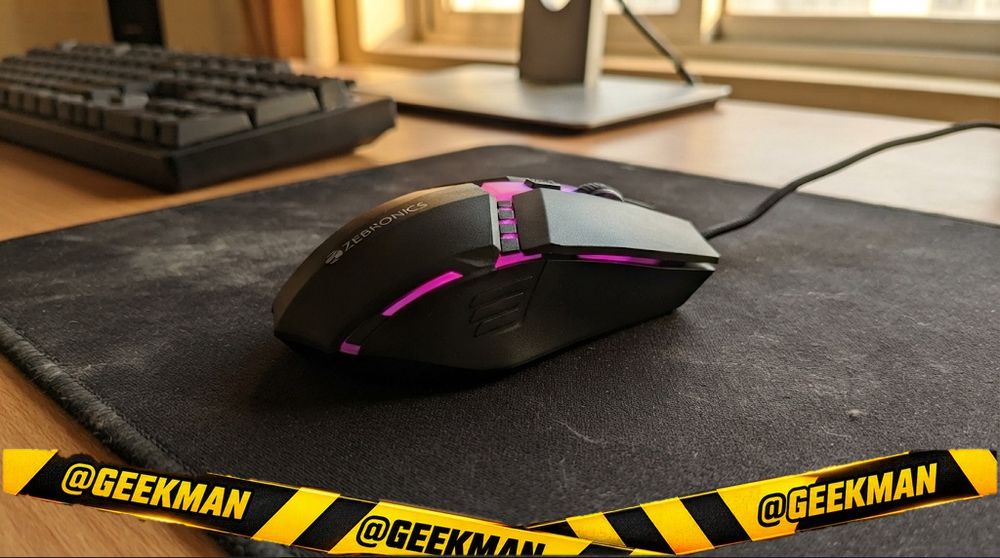
The cheapest mouse with gaming lights I’d consider: big, light and comfortable for casual games, but basic in every other way.
Wired USB · 1600 DPI · 4 buttons · Wired USB · 90 g · 1 year
Best for
✓ The tightest budget where you still want an RGB-lit mouse on the desk
✓ Casual gamers playing GTA or Minecraft on a basic PC
✓ Anyone who wants a comfortable, larger plug and play mouse for a laptop or phone
Skip if
• You need side buttons (none; the Ant Esports GM100 V2 has them)
• You play shooters seriously (1600 DPI max and some inconsistency in tracking)
• You want a braided cable or lighting control
My take: For the money, it is a fair deal. It is fairly large and only about 80 g, so it is comfortable for two to three hour sessions, and the rainbow lighting makes it look more expensive than it is. But it has just four buttons, a slightly loose scroll wheel, a thin cable and a basic 1600 DPI sensor, so keep expectations at casual gaming.

ZEBRONICS PHERO Wired Gaming Mouse with up to 1600 DPI, Rainbow LED Lights, DPI Switch, High Precision, Plug & Play, 4 Buttons
Lowest price
Up to 11% instant discount on select credit cards; cashback on Amazon Pay ICICI cards Details
- Up to 11% instant discount on select credit cards; cashback on Amazon Pay ICICI cards
Up to 5% cashback on Flipkart Axis & Flipkart SBI credit cards Details
- Up to 5% cashback on Flipkart Axis & Flipkart SBI credit cards
Pros and cons
What I like
+ Very cheap with rainbow RGB
+ Large, light shape is comfortable for long sessions
+ Plug and play on PC, Mac, phone and tablet
What I don’t like
• Only four buttons and max 1600 DPI
• Slightly loose scroll wheel
• Thin non-braided cable, light plastic
My full review: who it suits, what it is like and how it compares
Who should buy it. Someone who has spent their budget on the PC or laptop and wants a mouse that gives the desk some gaming flair. It works as plug and play on Windows, Mac, Linux, and even on a phone or iPad with a Type-C adapter, as one reviewer showed. If you want side buttons or plan to play competitive shooters, step up to the Ant Esports GM100 V2 or GM320.
Shape and grip. The body is large and symmetric with a matte black finish, and Zebronics lists it at 80 g. Because it is big, a reviewer found it comfortable for long sessions without hand pain, but there is no dedicated thumb rest. The plastic is on the lighter, thinner side, so treat it with some care; reviewers still expect it to last a couple of years.
Clicks and scroll. Four buttons: left, right, wheel click and a DPI button. Zebronics rates the switches for 3 million clicks. The scroll wheel feels slightly loose when you roll it. There are no side buttons.
Sensor and tracking. The DPI button switches between 800, 1200 and 1600 (official spec). A reviewer who used it for a few days of gaming found it smoother than the cheapest office mice from big brands, but saw some inconsistency, so it is meant for casual play, not competitive aim.
Lighting, cable and warranty. Rainbow LED lighting with no customisation. The 1.3 m cable is plain rubber, not braided, and the USB plug is not gold-plated, which is fine at this price. The box contains only the mouse. Warranty is Zebronics’ standard one year.
Zebronics Phero or Redgear A-10? The Phero is the cheapest and lightest at 80 g. The A-10 has higher DPI steps and a nicer rubberised top. If the lowest cost matters most, Phero; otherwise the A-10.
Key specs
| Connection | Wired USB |
| Sensor / DPI | Optical, 800/1200/1600 DPI |
| Buttons | 4 |
| Power | Wired USB |
| Weight | 80 g |
| Shape | Ambidextrous |
| Warranty | 1 year |
Cheapest
6. Ant Esports GM100 V2 Wired Gaming Mouse
8.6Geekman Score
8.5 Sensor & speed
8.6 Shape & build
9.2 Service
8.5 Value
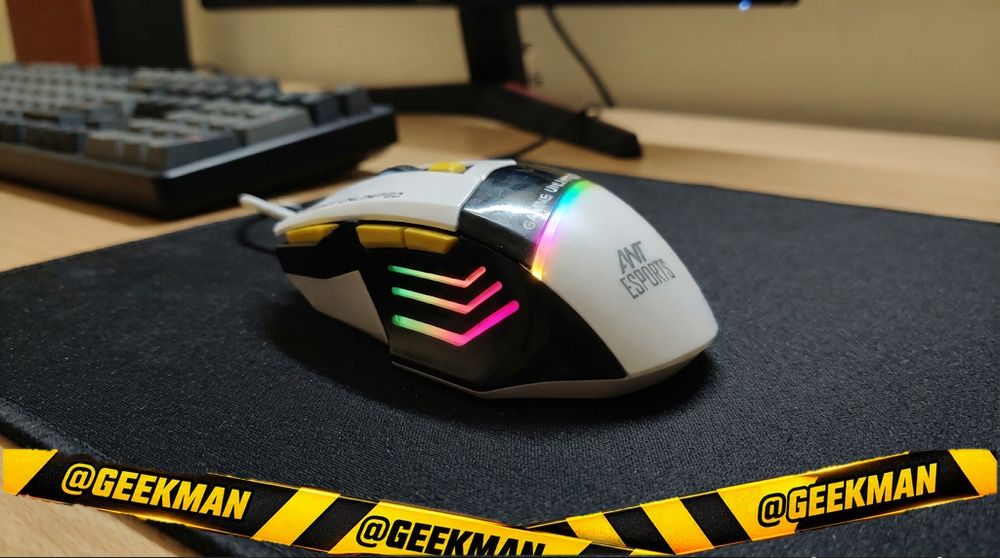
The cheapest way to get forward and back buttons on a gaming mouse, with RGB that just runs without software.
Wired USB · 3600 DPI · 7 buttons · Wired USB · 120 g · 1 year
Best for
✓ Beginners who want side buttons for browsing and casual games at the lowest cost
✓ People with a Type-C only laptop (a USB-C adapter is in the box)
✓ Anyone who wants a full-hand, right-handed shape for daily use
Skip if
• You want controllable RGB or remappable buttons (get the Ant Esports GM320)
• You want a braided cable or a named sensor
• You play competitive shooters (look at the EvoFox Blaze Ultra or GM320 with 1000Hz)
My take: It does the basics right for very little money: side buttons, a DPI switch up to 3600 and RGB, plus a USB-C adapter in the box. Reviewers found it comfortable and the tracking smooth for casual play. The evidence on it is thinner than for the GM320, the cable is plain and the lighting cannot be changed, so I see it as a starter mouse, and I’d stretch to the GM320 if the budget allows.
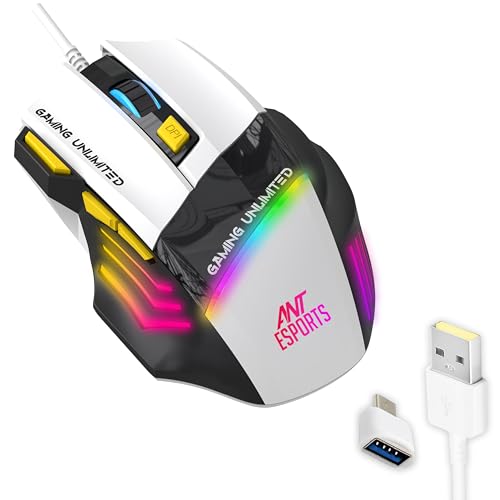
Ant Esports GM100 Wired Ergonomic Optical Gaming Mouse with Upto 4800 DPI, 7 Buttons with DPI Switch, 1000Hz Polling Rate, Multicolor LED Illumination, 1.5m Cable
Lowest price
Up to 11% instant discount on select credit cards; cashback on Amazon Pay ICICI cards Details
- Up to 11% instant discount on select credit cards; cashback on Amazon Pay ICICI cards
Up to 5% cashback on Flipkart Axis & Flipkart SBI credit cards Details
- Up to 5% cashback on Flipkart Axis & Flipkart SBI credit cards
Pros and cons
What I like
+ Side buttons at a very low price
+ DPI up to 3600 with on-the-fly switching
+ Comfortable, hand-filling shape
+ USB-C adapter included
What I don’t like
• RGB cannot be customised
• Plain PVC cable, unnamed sensor
• Limited hands-on evidence; polling not confirmed
My full review: who it suits, what it is like and how it compares
Who should buy it. A first-time PC user or casual gamer who mainly wants back and forward buttons and a bit of colour, at the lowest price. If you can spend a bit more, the GM320 adds software, 1000Hz control and a braided cable, which is worth it for regular gaming.
Shape and grip. It is a right-handed ergonomic shape that fills the hand without being huge, with a textured matte finish that feels nicer than its price. Reviewers called it comfortable for long use. The body is all plastic; build is good but not premium.
Clicks and buttons. You get left and right clicks, a clickable wheel, a DPI switch and two side buttons, and the box counts seven buttons in total. Reviewers found the buttons tactile and responsive, and the side buttons handy for actions like reloading or going back in a browser.
Sensor and tracking. The DPI button changes resolution on the fly up to 3600. In casual gaming the tracking felt smooth to reviewers, including normal flicks. Ant Esports does not name the sensor, and I could not confirm a polling rate for this V2 model, so treat it as a casual mouse.
RGB, cable and warranty. The RGB effects run on their own and are not very bright or customisable. The cable is regular PVC, not braided. The box includes a USB-A to USB-C OTG adapter, which helps with newer laptops. Warranty is one year; keep the warranty card intact to claim it.
Ant GM100 or Ant Esports GM320? GM100 if you just want side buttons and RGB at the lowest cost, and like the USB-C adapter in the box. GM320 if you play shooters or want remapping, a fire key and 1000Hz.
Key specs
| Connection | Wired USB |
| Sensor / DPI | up to 3600 DPI |
| Buttons | 7 |
| Power | Wired USB |
| Weight | 120 g |
| Shape | Right-handed |
| Warranty | 1 year |
Compare all 6 at a glance
| Gaming mouse | Connection | Max DPI | Buttons | Weight | Power | Warranty |
|---|---|---|---|---|---|---|
| Ant Esports GM320 | Wired | 12800 | 8 | 120 g | Wired | 1 year |
| EvoFox Spectre | Wired | 7200 | 6 | 120 g | Wired | 1 year |
| Redgear A-10 | Wired | 2400 | 4 | 100 g | Wired | 1 year |
| Zebronics Transformer-M | Wired | 3600 | 6 | 160 g | Wired | 1 year |
| Zebronics Phero | Wired | 1600 | 4 | 90 g | Wired | 1 year |
| Ant Esports GM100 V2 | Wired | 3600 | 7 | 120 g | Wired | 1 year |
Specs from brand pages. Weight is without the cable.
The buying guide
How to choose a cheap gaming mouse
Best all-round
Ant Esports GM320.
Better feel
EvoFox Spectre.
Lighter
Redgear A-10.
Extra buttons
Zebronics Transformer-M.
Cheapest
Ant Esports GM100.
Can stretch?
See under 1,000.
1 · Sensor: the name matters more than the DPI number
Any modern gaming sensor offers more DPI than you will use. Most players use 400 to 1600 DPI. What matters is tracking without jitter or acceleration. Known sensors like PixArt 3327, 3311 and 3395, and Logitech HERO, are proven. Unnamed “12800 DPI” sensors in cheap mice are fine for casual play but less consistent in fast shooters.
2 · Weight and shape
For FPS games, lighter is easier to flick: 55 to 70 grams is the sweet spot now. For MOBA and MMO, extra buttons matter more than grams. Shape decides comfort: ergonomic right-hand shapes suit palm grip, small symmetrical shapes suit claw and fingertip grips.
3 · Polling rate
Polling rate is how often the mouse reports to the PC. 1000Hz is the standard for gaming. 500Hz is fine for casual play. 4000Hz and 8000Hz help a little on 240Hz and faster monitors but drain wireless batteries faster.
5 · Switches and double clicking
Cheap mechanical switches can start double clicking after a year or two. Huano switches are a step up. Optical switches, as in the Razer Cobra, avoid the problem by design. Warranty and service matter more than the click count on the box.
Questions other guides skip
1 · What DPI should I use for Valorant or CS2?
Most pros use 400 or 800 DPI with low in-game sensitivity, so a full turn needs a long arm movement. Start at 800 DPI, then adjust in-game sensitivity until a 180 degree turn feels controlled. Higher DPI is not better aim.
2 · My mouse double clicks. What can I do?
It is usually a worn switch. Check warranty first. Some brands let you raise “debounce time” in their software, which hides the problem for a while. Mice with optical switches avoid it by design.
3 · Does RGB affect performance or battery?
It does not affect tracking. On wireless mice it can reduce battery life noticeably, so turn it down or off on wireless models.
4 · Do I need the software?
Not to play. The mouse works out of the box. Software lets you set DPI steps, button macros and lights, and on most mice you can save them to onboard memory and then uninstall it.
Popular gaming mice I’d skip under 500
Under 500 the boxes promise a lot. These are the traps I see most often, and a wired pick from this list avoids each one.
Any gaming mouse sold on a 16,000 DPI badge. DPI is the easiest number to inflate and the least useful one: most players sit between 400 and 1600. What decides aim is the sensor’s real tracking, the polling rate and the weight, and budget mice with huge DPI claims often hide an unnamed sensor. At this budget, shape, cable and click quality matter more; the Redgear A-10 and Zebronics Phero are honest, simple mice that do the basics well.
Cheap wireless mice sold as gaming mice. At this price a wireless gaming mouse means an unnamed sensor, a basic dongle with no stated polling rate and often an AA cell. You pay for the missing cable with lag and battery hassle. A wired pick like the Ant Esports GM320 or EvoFox Spectre is the better gaming buy.
Office mice with LEDs and a gaming label. Some budget mice are plain office designs with a light strip and a gaming name: three or four buttons, a low DPI ceiling and no side buttons for push to talk or reload. The Ant Esports GM100 V2 gives you proper side buttons for the same kind of money.
Also consider
For under 1,000 you get real gaming sensors. See the best gaming mouse under 1,000.
More from Geekman
More gaming mouse guides
Best gaming mouse under 1,000Best gaming mouse under 2,000Best mouse pads
FAQs
Which is the best gaming mouse under 500?
The Ant Esports GM320 for most people, and the EvoFox Spectre if you want a better feel.
Which is the best gaming mouse under 300?
The Ant Esports GM100 is the cheapest we would recommend.
Are cheap gaming mice good for Valorant or BGMI PC?
Fine for casual play. For competitive play a sensor like the PixArt 3325 or 3327, found under 1,000, is a clear step up.
Do these come with software?
Most work without it. Some offer simple software for DPI and lights.
How long will a budget gaming mouse last?
Usually one to three years. Switches are the weak point, so keep the bill for warranty.
So, which gaming mouse under 500 should you buy?
Best overall: Ant Esports GM320. Check price
Better feel: EvoFox Spectre. Check price
Cheapest: Ant Esports GM100. Check price
If you can stretch a little, the jump to a proper sensor under 1,000 is the best upgrade in gaming gear.