

Short answer: buy the Lenovo LOQ 15IRX9 for the best all-round laptop under a lakh. If you want the fastest GPU, pick the Acer Aspire 7 with RTX 4050. If you want a big SSD and a lower Flipkart price, the MSI Katana 15 is the safer buy.
Geekman has covered consumer tech for over 10 years, and this ranking is built the way our buying guides always are: research first, then a hard look at the numbers. For every model we compared official specs, GPU power limits, display, memory, battery, price, warranty and service reach, and live prices.
The market in 2026
A gaming laptop under 1 lakh is not what it used to be
Memory and graphics chip prices have gone up because of AI demand, and laptops have followed. The cheapest real RTX gaming laptop at retailers and Flipkart now sits around ₹72,000 to ₹80,000, and nothing credible exists under about ₹64,000. A budget of one lakh buys you an RTX 3050 6GB in most cases, and an RTX 4050 only in a few models.
That is not a disaster. A good RTX 3050 6GB laptop still plays esports games at 100+ fps and most big games at medium settings with DLSS. The trick is to pick the right one, because two laptops with the same GPU name can perform very differently depending on how much power they let it use.
Gaming
Esports and most big games
Esports games run at 100+ fps and most big games run at medium settings with DLSS.
Read review
Local AI
Small models only
A 6GB GPU runs 3B to 4B parameter models comfortably. 8B models are tight.
Read review
Video editing
1080p is fine
1080p editing in Premiere, DaVinci Resolve or CapCut works. 4K will struggle.
Read review
Find your gaming laptop under 1 lakh in 3 quick taps
Short answer: the Lenovo LOQ 15IRX9 is the best all rounder, the Acer Aspire 7 with the RTX 4050 has the fastest GPU and the MSI Katana 15 has the most storage. Turn on JavaScript to use the Finder.
The ranking
How these gaming laptops were ranked
Each laptop gets a score out of 10 for performance (40%), value (40%) and service (20%). Performance covers the GPU power limit, CPU, display and memory. Value looks at price against what you get and what you can upgrade. Service looks at warranty and how easy it is to get help.
See the scores
| # | Laptop | Perf. | Value | Service | Overall |
|---|---|---|---|---|---|
| 1 | Lenovo LOQ 15IRX9 | 8.6 | 8.4 | 8.0 | 8.4 |
| 2 | Acer Aspire 7 (RTX 4050) | 8.5 | 8.2 | 7.0 | 8.1 |
| 3 | HP Victus 15 (Ryzen 7 7445HS) | 8.2 | 8.0 | 7.4 | 8.0 |
| 4 | MSI Katana 15 (RTX 3050) | 7.8 | 8.1 | 7.8 | 7.9 |
| 5 | ASUS TUF Gaming A15 (2026) | 7.4 | 7.6 | 8.0 | 7.6 |
| 6 | Acer ALG AL15G-53 | 7.4 | 8.0 | 6.4 | 7.4 |
Scores weigh performance 40%, value 40% and service 20%. They come from official specs, independent test data, listed warranty terms and live prices on 22 October 2026.
Quick picks
| Pick | Laptop | Best for |
|---|---|---|
| Best Overall | Lenovo LOQ 15IRX9 | The best screen and full-power GPU in this group |
| Best Performance | Acer Aspire 7 (RTX 4050) | The fastest GPU in the list, in the lightest body |
| Best CPU Power | HP Victus 15 (Ryzen 7 7445HS) | A strong Ryzen CPU and a cool-running GPU |
| Best for Storage | MSI Katana 15 (RTX 3050) | 1TB SSD and an easy Flipkart price under 90,000 |
| Most Rugged | ASUS TUF Gaming A15 (2026) | A rugged design, but a small 4GB GPU |
| Cheapest Real RTX | Acer ALG AL15G-53 | A real RTX 3050 6GB laptop for under 80,000 |
Tap a name to jump to its review. Live prices are in the buy box under each review. One lakh is a soft line: bank offers and sale prices move the numbers every week.
The reviews
Best gaming laptops under 1 lakh in India: 6 picks
Best Overall
1. Lenovo LOQ 15IRX9
8.4 Overall
8.6 Performance
8.4 Value
8.0 Service
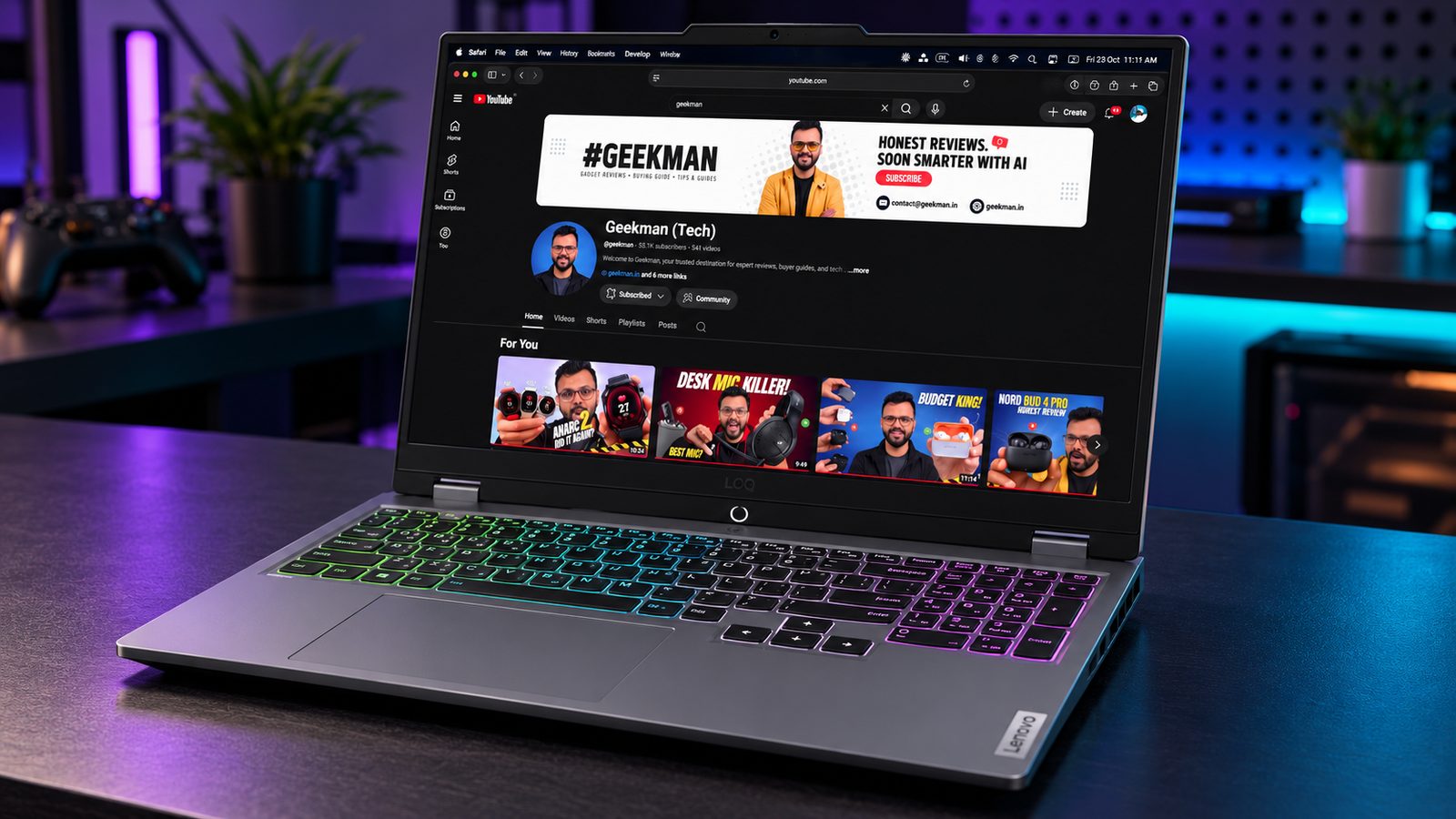


i5-13450HX · RTX 3050 6GB, 95W · 144Hz, 100% sRGB · DDR5, 2 slots · 170W charger
Best for
✓ Anyone who wants the most balanced laptop under a lakh
✓ Gamers who also edit photos or video on the same screen
✓ Buyers who plan to add a RAM stick later
Not ideal for
– People who need the lightest laptop
– Anyone who wants an RTX 4050 for this money
Verdict: The one I would buy. It is not the fastest GPU here, but it has the best screen, a real 95W graphics budget and a CPU with 10 cores.


Lenovo LOQ Intel Core i5 13th Gen 13450HX - (16 GB/512 GB SSD/Windows 11 Home/6 GB Graphics/NVIDIA GeForce RTX 3050/144 Hz/95 W) LOQ 15IRX9D202 / 15IRX902 Gaming Laptop
 Lowest price
Up to 6% instant discount on select credit cards +1
- Up to 6% instant discount on select credit cards
- Cashback with Amazon Pay ICICI Bank Credit Cards

Up to 5% instant discount on Flipkart Axis & Flipkart SBI credit cards Details
- Up to 5% instant discount on Flipkart Axis & Flipkart SBI credit cards
Pros and cons
What we like
+ 95W GPU budget and a 10 core CPU
+ 300 nit, 100% sRGB screen
+ DDR5 with two upgrade slots
What we don’t like
– Amazon price is above one lakh
– Heavy at 2.38 kg with a big charger
Lenovo LOQ 15IRX9 83DV01K3IN Core i5-13450HX RTX 3050 6GB review: the best all-rounder near Rs 1 lakh
The Lenovo LOQ 15IRX9 in the Core i5-13450HX and RTX 3050 6GB trim is the laptop I would send most people to at this budget, because it is the one that does not cut corners anywhere you can see. Lenovo gives the RTX 3050 a 95W power budget, far above the 45W to 65W parts in rival thin machines. The processor has 10 cores and 16 threads, the memory is DDR5 in two slots up to 32GB, the SSD is 512GB, and the 15.6 inch 1080p IPS runs at 144Hz with about 300 nits and 100% sRGB. It weighs 2.38 kg, carries a 60Wh battery and charges from a 170W adapter. In India the code is 83DV01K3IN.
My take: a lakh of rupees now buys a 6GB RTX 3050 laptop, and the LOQ 15IRX9 is the best-balanced version of that deal. Its edge is the power limit and the screen together. A 95W 3050 holds its clocks through a long session and gives better frame rates than the 45W and 50W versions that look the same on a spec list. The 100% sRGB panel is the other half, because it makes games, films and photo work look right. In lab measurements of the same chassis with an RTX 4060 the panel reached 99.1% sRGB and 310 nits. I would choose this over the more expensive 4050 laptops only if you value the screen over raw GPU speed.
Lenovo LOQ 15IRX9 running cost near a lakh and what you give up
The 170W adapter tells you this machine draws real power: expect 120 to 140W at the wall while gaming. Nine hundred hours a year, which is three hours a day for 300 days, comes to roughly 115 units and about Rs 920 at Rs 8 a unit. Light work uses 30 to 40W. The 60Wh battery gives an hour or two off the charger, so this is a plugged-in machine. The money lesson is that a lakh buys more laptop if you spend it on the power budget and the screen than if you spend it on a bigger sticker number. A second charger for the office or hostel is the only accessory worth buying immediately.
Lenovo LOQ 15IRX9 daily use: build, keyboard, ports and fan noise
The chassis is plastic in a matte Luna Grey, a little twisty on the lid and base in the lab but never creaky, and at 2.38 kg it is a desk machine. The keyboard has a numpad and good travel. Ports include three USB-A, a USB-C with DisplayPort and power delivery, HDMI 2.1 and Ethernet, with no Thunderbolt and no SD card slot. Fans are the cost of the power: about 48 dB in Balanced and 54 dB in Performance in the lab, so a headset belongs in the plan. The laptop does not get alarmingly hot in Balanced mode. Lenovo Vantage handles the modes, and the Extreme Mode adds a little more power to the GPU.
Lenovo LOQ 15IRX9 upgrades, warranty and Lenovo service in India
This laptop opens with ordinary Phillips screws, which makes it the friendliest to upgrade in the list. The DDR5 memory sits in two SODIMM slots, so you can fill them up to 32GB, and the SSD is an M.2 drive with a free slot. Warranty is one year with courier or carry-in service, and Lenovo sells accidental damage cover and an onsite upgrade as add-ons. I would buy the onsite upgrade if you live outside a metro. On delivery, check the sticker for Core i5-13450HX and RTX 3050 6GB, confirm the 95W figure in Vantage, and run a game for fifteen minutes to see temperatures. Laptop SKUs change by configuration, so match the CPU, GPU, RAM and storage on the carton.
Who should buy the Lenovo LOQ 15IRX9 and who should skip it
The shortfalls are the weight, the loud fans, the small battery and the one year warranty. The Acer Aspire 7 with an RTX 4050 is faster in games but has a dim panel, and the HP Victus 15 with a Ryzen 7 has a weaker GPU limit and a dull screen. The MSI Katana 15 has a longer warranty and 1TB of storage but a plainer panel. If you want a lakh-rupee laptop that does games, study and some creative work well, and you will mostly use it at a desk, the LOQ 15IRX9 is the one to buy.
Key specs
| CPU | Intel Core i5-13450HX, 10 cores, 16 threads |
| GPU | NVIDIA RTX 3050 6GB, 95W graphics power |
| Memory | DDR5, 2 slots, up to 32GB |
| Display | 15.6 inch FHD, 144Hz, about 300 nits, 100% sRGB |
| Battery | 60Wh, 170W adapter |
| Weight | About 2.38 kg |
| Warranty | 1 year, check the seller |
Best Performance
2. Acer Aspire 7 (RTX 4050)
8.1 Overall
8.5 Performance
8.2 Value
7.0 Service
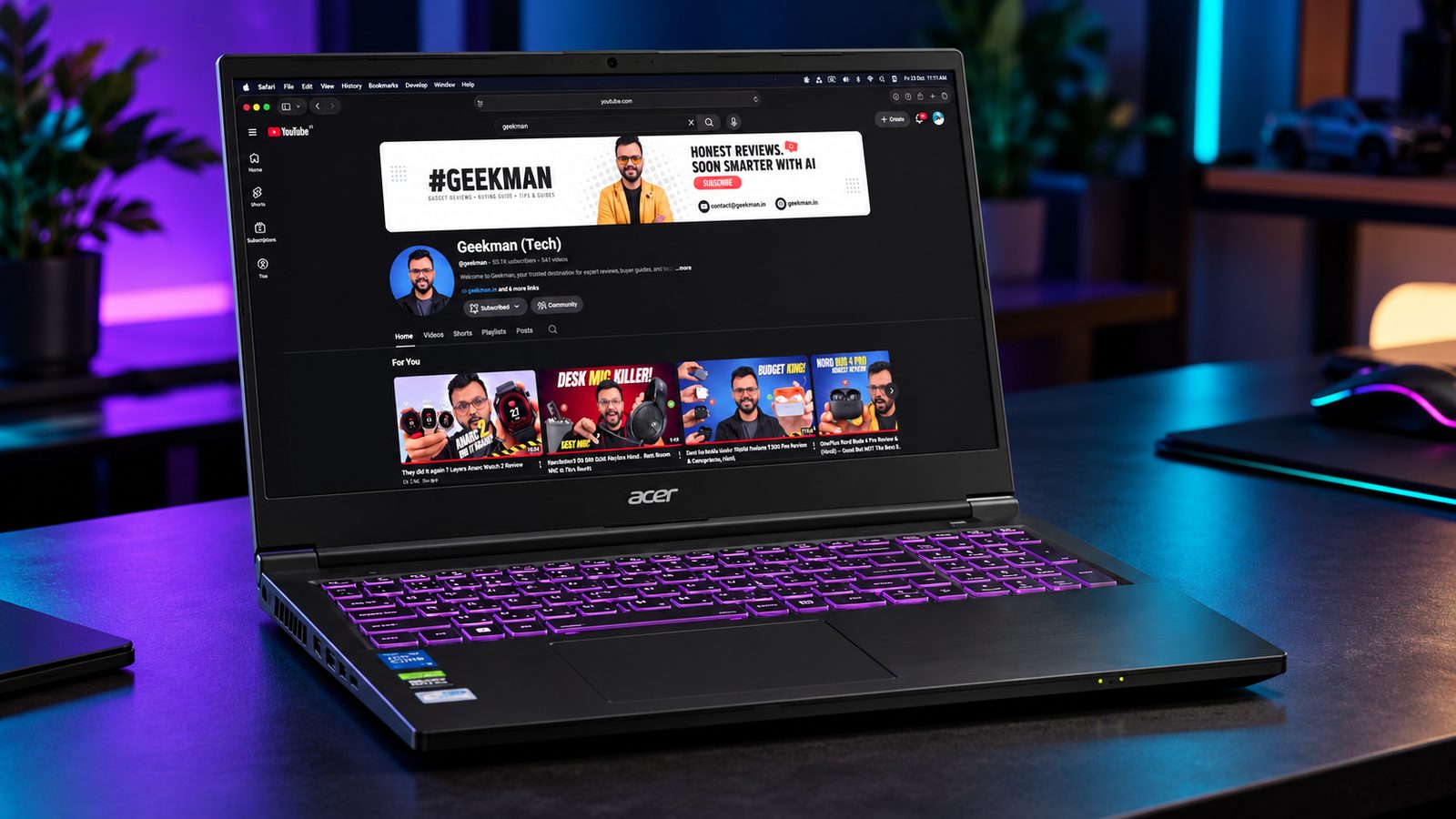
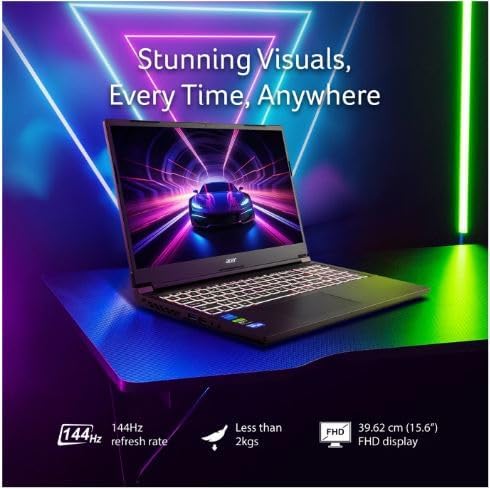
Core 5 210H · RTX 4050 6GB · About 1.99 kg · 54Wh · DDR4
Best for
✓ Gamers who want the most frames for the money
✓ Students who carry the laptop daily
✓ Anyone who wants AV1 video encoding
Not ideal for
– Colour-sensitive editors
– Buyers who want DDR5 memory
Verdict: The fastest GPU you can get near a lakh, but the dim, narrow-gamut screen holds it back.

Acer Aspire 7 Intel Core 5 210H - (16 GB/512 GB SSD/Windows 11 Home/6 GB Graphics/NVIDIA GeForce RTX 4050) A715-79G Gaming Laptop (15.6 inch, Flame Black, 1.99 kg, with MS Office
Up to 6% instant discount on select credit cards +1
- Up to 6% instant discount on select credit cards
- Cashback with Amazon Pay ICICI Bank Credit Cards
Pros and cons
What we like
+ RTX 4050 with DLSS 3 and AV1 encode
+ Lightest of the six at about 1.99 kg
+ Strong price for a 4050
What we don’t like
– 45% NTSC screen is dim and washed out
– DDR4 and an unpublished GPU power limit
Acer Aspire 7 A715-79G RTX 4050 review: the strongest GPU under Rs 1 lakh, with trade-offs
The Acer Aspire 7 A715-79G with the Core 5 210H and RTX 4050 6GB is the most powerful graphics card you can get near a lakh of rupees. The 4050 is an Ada part with DLSS 3 frame generation, which the 3050 laptops in this list cannot offer, and it comes with 16GB of DDR4, a 512GB SSD, a 15.6 inch 144Hz 1080p screen, a 54Wh battery and a 150W charger in a 1.99 kg body. Acer does not state the graphics power. The Core 5 210H has 8 cores and 12 threads. The catch sits in the screen, a basic panel rated at roughly 45% NTSC, and in the heat.
My take: if you play games and care about frame rates more than screen quality, this is the best pick in the article. The 4050 with frame generation turns a 40 fps scene into a smooth 60 or more in supported games, and that matters more than a nicer panel when you are in a match. I would plan on an external monitor if you also do colour-sensitive work, since the built-in panel measured around 64% sRGB and 260 to 270 nits in the units checked. Expect the 4050 to sit near 75W, lower than the 95W Lenovo gives the 3050 in the LOQ 15IRX9, though the newer chip and frame generation still put it ahead in most games. It is the right laptop for a gamer who accepts a plain screen.
Acer Aspire 7 A715-79G RTX 4050 running cost and battery
At the wall, a 4050 laptop of this class draws around 110 to 130W in games. Nine hundred hours a year comes to roughly 108 units and about Rs 860 at Rs 8 a unit. Light work needs 30 to 45W. The 54Wh battery gives two to three hours of everyday use and under an hour of gaming. Acer sells a one-year extension and third-party accidental damage cover, which add to the lifetime cost, so budget for one of them if you want protection beyond the first year. DDR4 is cheap, so memory and storage upgrades do not stretch the budget, and that makes the Aspire 7 easy to improve after you buy it.
Acer Aspire 7 A715-79G daily use: heat, keyboard and ports
Heat is the headline. The CPU commonly touches the 90s in a long session, and the GPU hotspot can reach 100C without a cooling pad, dropping to about 78C with one. Acer’s Control Center offers Quiet, Entertainment, Performance and Power saving modes, with manual fan control. The keyboard is full size with a numpad and multi-colour backlight, the chassis is polycarbonate with little flex, and the ports are one USB 2.0, one USB 3.2 Type-A, two USB-C and HDMI. The USB-C ports do not charge the laptop. Budget for a cooling pad, a mouse and headphones, and the Aspire 7 settles into a pleasant routine.
Acer Aspire 7 A715-79G upgrades, warranty and Acer service in India
The DDR4 SODIMMs are not soldered and the machine has two slots, but units differ in whether the memory ships as one stick or two, so open the bottom and check, because dual channel memory helps frame rates. The SSD is a Gen3 or lower-end Gen4 drive with a second M.2 slot free. Warranty is one year. On delivery, check the sticker for Core 5 210H and RTX 4050 6GB, run a GPU test to confirm the video memory, and register the product with Acer. Laptop SKUs change by configuration, so match the CPU, GPU, RAM and storage on the carton. Acer sells RTX 3050 and 4GB versions under the same name and they are not the same product.
Who should buy the Acer Aspire 7 RTX 4050 and who should skip it
The shortfalls are the heat, the dull screen, the single year of warranty and the unstated GPU power. The Lenovo LOQ 15IRX9 has a far better panel and stronger cooling for a similar price, though with a weaker GPU. The HP Victus 15 has a similar build with a lower-power GPU. The MSI Katana 15 has a stronger warranty. Buy the Aspire 7 if frame rates are everything and you will use headphones and a cooling pad. Skip it if you also want a good screen.
Key specs
| CPU | Intel Core 5 210H |
| GPU | NVIDIA RTX 4050 6GB, graphics power not stated by the maker |
| Memory | DDR4, check slot count per variant |
| Display | 15.6 inch FHD, 144Hz, 45% NTSC |
| Battery | 54Wh, 150W adapter |
| Weight | About 1.99 kg |
| Warranty | 1 year |
Best CPU Power
3. HP Victus 15 (Ryzen 7 7445HS)
8.0 Overall
8.2 Performance
8.0 Value
7.4 Service
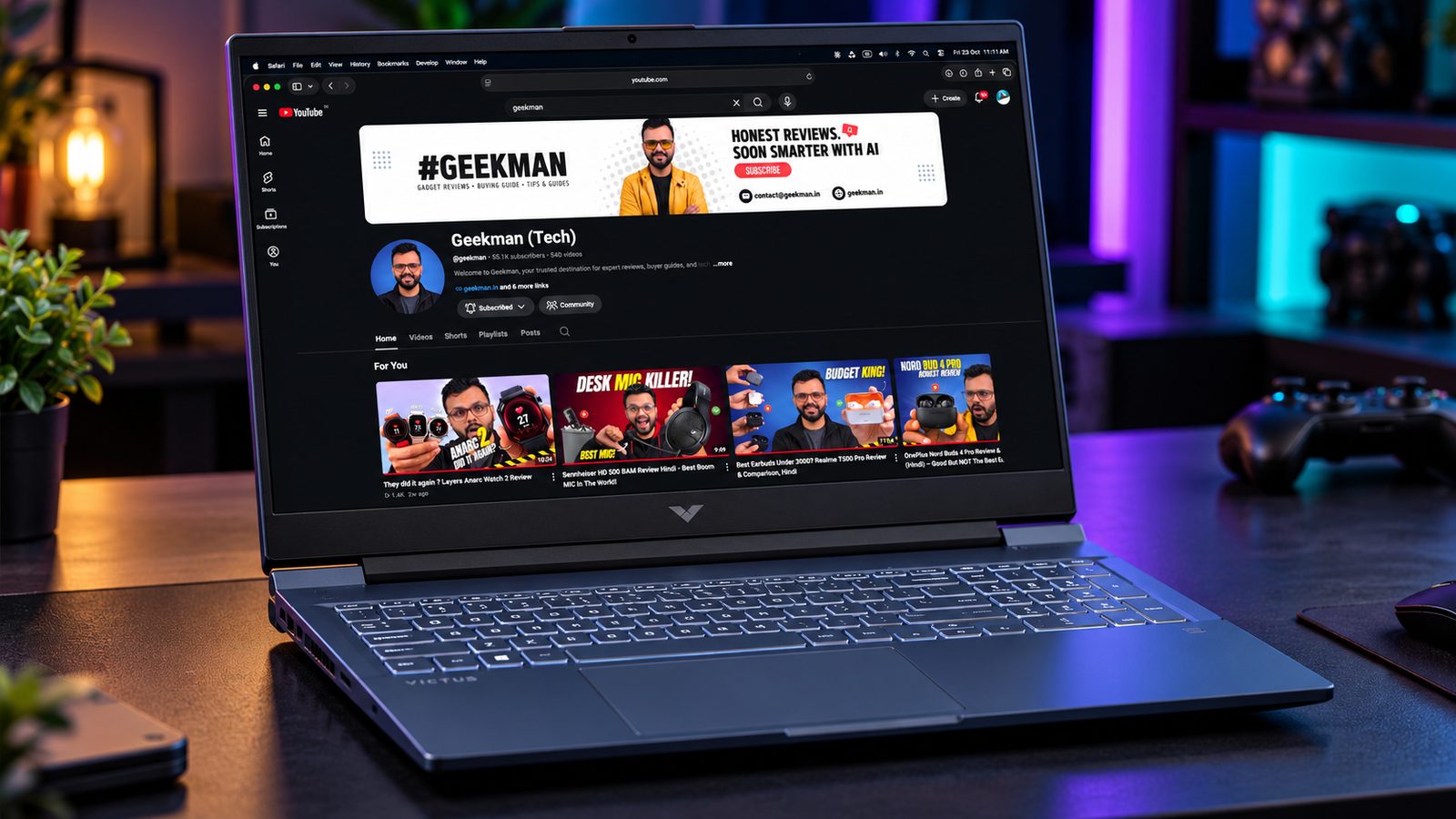


Ryzen 7 7445HS · RTX 3050 6GB · DDR5-5600 · 144Hz · 52.5Wh
Best for
✓ Gamers who also compile code or run heavy multitasking
✓ Buyers who like a clean, simple design
✓ Anyone who wants a cooler GPU
Not ideal for
– Colour-accurate editing
– Buyers who need a long warranty
Verdict: A fast CPU and a GPU that stays cool. Check the RAM configuration before you pay.

HP Smartchoice Victus, AMD Ryzen 7 7445HS, 6GB RTX 3050, 16GB DDR5(Upgradeable) 512GB SSD, 144Hz, 300 nits, 15.6''/39.6cm, Win 11, Office 24, Blue, 2.29kg, fb3134/20ax, Xbox Gamepass*, Gaming Laptop
Up to 6% instant discount on select credit cards +1
- Up to 6% instant discount on select credit cards
- Cashback with Amazon Pay ICICI Bank Credit Cards
Pros and cons
What we like
+ Ryzen 7 7445HS is fast for work
+ GPU runs cool in published tests
+ DDR5 memory
What we don’t like
– Single memory module
– Narrow colour gamut
HP Victus 15 fb3134AX Ryzen 7 7445HS RTX 3050 6GB review: a lower-power 3050 with a dull screen
The HP Victus 15 in the Ryzen 7 7445HS trim, sold in India under codes such as fb3134AX, is the safest looking name in this list and the one that deserves the closest look at the spec sheet. The Ryzen 7 7445HS is a Phoenix chip with 6 cores and 12 threads, two full Zen 4 cores and four Zen 4c cores, boosting to 4.7GHz. It is paired with an RTX 3050 6GB, 16GB of DDR5-5600 in a single module, a 512GB SSD, a 15.6 inch 144Hz IPS rated at 300 nits and 62.5% sRGB, a 52.5Wh battery and a 2.29 kg body. HP does not state the GPU power on the spec sheet.
My take: the Victus is a decent laptop that is priced like a better one. The Ryzen 7 name oversells a six core chip that is closer in core mix to a Ryzen 5, and the RTX 3050 6GB in this model is commonly run near 50W, which is well below the 95W that Lenovo gives its 3050. That means lower frame rates than the numbers on the box suggest. The screen is also a weak point at 62.5% sRGB. What you get in return is a quiet, plain, easy to live with chassis that suits a student who plays on weekends. If the price is clearly below the LOQ 15IRX9, it can make sense.
HP Victus 15 fb3134AX running cost and value for money
Because the GPU runs near 50W, the laptop draws about 90 to 105W while gaming. Nine hundred hours a year come to roughly 88 units and about Rs 700 at Rs 8 a unit. Light work sits near 30 to 40W. The 52.5Wh battery gives three to four hours of web use, better than the heavier gaming laptops here. The value test is simple: compare the price with the LOQ 15IRX9, which has a stronger GPU limit, a 10 core CPU and a 100% sRGB screen. If the Victus is not clearly cheaper, you are paying for the badge. The single DDR5 stick leaves room for a second one, which is a cheap upgrade that helps frame rates.
HP Victus 15 fb3134AX daily use: build, keyboard and fans
The body is polycarbonate and feels sturdy for plastic, and the 2.29 kg weight sits in the middle of the group. HP adds Wi-Fi 6 and Bluetooth 5.4. The keyboard has a numpad and a white backlight, and the touchpad is standard. Fans are moderate in HP’s default mode, and the Omen Gaming Hub lets you change profiles. The screen is the part I would warn buyers about: 62.5% sRGB looks dull, so colour work needs an external monitor. Ports include USB-A, USB-C, HDMI and Ethernet, and some units come with Office and Game Pass trials. It is a comfortable laptop for homework, entertainment and some gaming.
HP Victus 15 fb3134AX upgrades, warranty and HP service in India
The memory is a single 16GB DDR5-5600 module, so a second stick brings dual channel and up to 32GB. Warranty is one year, and HP sells an extension and accidental damage cover. HP has a wide service network across India, which makes repairs easier than with smaller brands. On delivery, check the sticker for Ryzen 7 7445HS and RTX 3050 6GB, and open HP’s software to see the GPU power setting. HP uses several Victus 15 codes with similar names, including fb3134AX, fb3120AX and fb3125AX, and some carry an RTX 4050 or a 12GB memory kit, so match the CPU, GPU, RAM and storage on the carton before you pay.
Who should buy the HP Victus 15 Ryzen 7 and who should skip it
The shortfalls are the lower GPU power, the dull screen, the six core chip and the one year warranty. The Lenovo LOQ 15IRX9 has a stronger GPU and a better screen, the Acer Aspire 7 with the 4050 has more graphics power, and the MSI Katana 15 has a 75W 3050 and a 1TB drive. Buy the Victus if you find it at a clear discount and you want a quiet, plain laptop. If you play often, pay a little more for the LOQ.
Key specs
| CPU | AMD Ryzen 7 7445HS |
| GPU | NVIDIA RTX 3050 6GB, graphics power not stated by the maker |
| Memory | 16GB DDR5-5600, single module |
| Display | 15.6 inch FHD, 144Hz, about 300 nits, 62.5% sRGB |
| Battery | 52.5Wh |
| Weight | About 2.29 kg |
| Warranty | 1 year |
Best for Storage
4. MSI Katana 15 (RTX 3050)
7.9 Overall
7.8 Performance
8.1 Value
7.8 Service
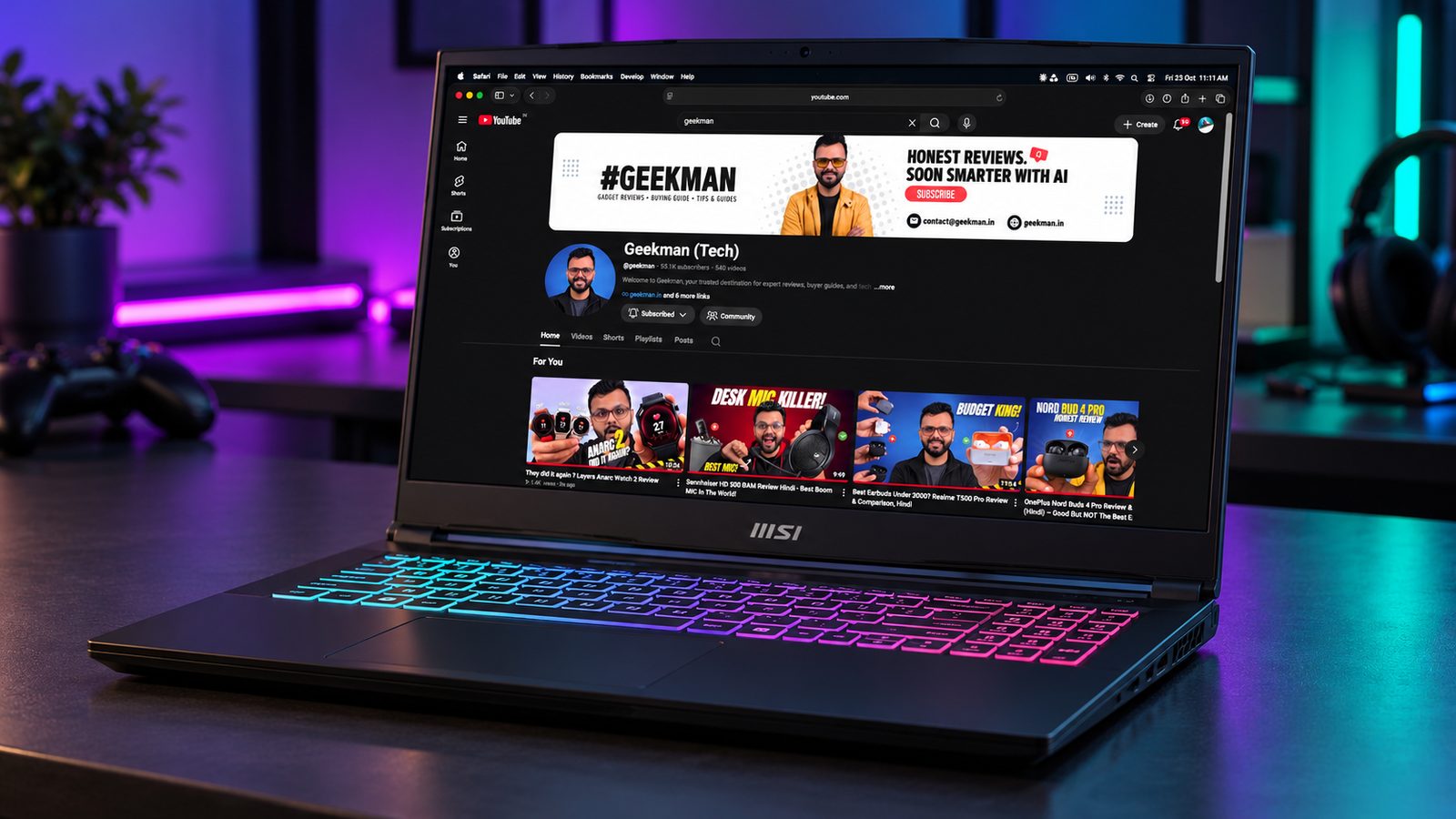
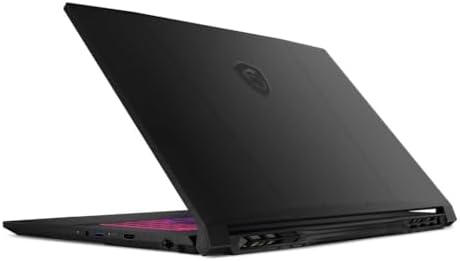
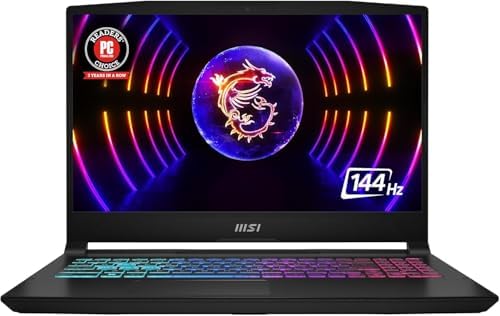
i5-13420H · RTX 3050 6GB · 1TB SSD · DDR5-5200, 2 slots · 2 year onsite on Flipkart
Best for
✓ Gamers who hate running out of storage
✓ Buyers who want a bigger warranty on Flipkart
✓ Anyone who wants to upgrade RAM later
Not ideal for
– Anyone who wants the brightest screen
– People who want the highest GPU power
Verdict: A sensible choice at a lower price on Flipkart, with the most storage in the group.

MSI Katana 15 Intel Core i5 13th Gen 13420H - (16 GB/1 TB SSD/Windows 11 Home/6 GB Graphics/NVIDIA GeForce RTX 3050/144 Hz/75 W) Katana 15 B13UDXK Gaming Laptop
Up to 6% instant discount on select credit cards +1
- Up to 6% instant discount on select credit cards
- Cashback with Amazon Pay ICICI Bank Credit Cards
Lowest price
Up to 5% instant discount on Flipkart Axis & Flipkart SBI credit cards Details
- Up to 5% instant discount on Flipkart Axis & Flipkart SBI credit cards
Pros and cons
What we like
+ 1TB SSD
+ Two DDR5 slots
+ Lowest Flipkart price in this group
What we don’t like
– 75W maximum GPU power
– Screen details not stated by the maker
MSI Katana 15 RTX 3050 6GB review: a 75W GPU, DDR5 and a two year warranty
The MSI Katana 15 is the laptop in this list with the strongest warranty and the most upgrade room. MSI gives the RTX 3050 6GB up to 75W with Dynamic Boost, pairs it with a Core i5-13420H that has 8 cores and 12 threads, and fits 16GB of DDR5-5200 in two SODIMM slots that take up to 64GB. This trim has a 1TB drive, and the machine has two M.2 PCIe Gen4 slots. The weight is 2.25 kg, the battery is 53.5Wh and the charger is 180W. The 15.6 inch 1080p panel runs at 144Hz, and the keyboard is a 4-zone RGB unit.
My take: the Katana is the best pick here for someone who keeps a laptop for years. Two year warranty cover, upgrade room for 64GB of memory and a second drive, and a 75W graphics card give it a long usable life. At a lakh of rupees the 1TB storage alone is worth a few thousand rupees, and you will not hit the limit after three big games, which is where a 512GB drive starts to hurt. Upgrades are cheap, because DDR5 sticks and Gen4 drives can be added one at a time as the budget allows. The screen is the compromise, since MSI does not state brightness or colour coverage, and the RGB keyboard and plain styling suit a gamer more than an office. If you want the best 3050 here for gaming alone, it sits below the LOQ 15IRX9 in power but above it in warranty.
MSI Katana 15 running cost and the warranty value
The 180W adapter shows how hard the GPU can be pushed. Gaming draws 120 to 140W at the wall, so 900 hours a year uses about 120 units and costs roughly Rs 960 at Rs 8 a unit. Light work uses 35 to 45W. The 53.5Wh battery gives a couple of hours of light use. The big money point is warranty: MSI covers gaming laptops for two years in India, against one year for Lenovo, Acer and HP, with the battery and adapter covered for one year. Over a four year ownership, a second year of free service and the 1TB drive are real savings that a cheaper laptop does not offer.
MSI Katana 15 daily use: keyboard, ports and cooling
The port set includes Ethernet, a USB-C with DisplayPort and power delivery, two USB 3.2 Type-A, one USB 2.0 and HDMI 2.1. The keyboard has four RGB zones and a numpad, and the clickpad is average. MSI Center offers performance profiles, and the fans get audible at full load. The chassis is plastic and carries a reasonable finish, and at 2.25 kg it is a desk laptop. There is a 720p webcam, stereo speakers and Wi-Fi 6. A cooling pad is worth buying for long sessions. The speakers are average, so headphones help. The keyboard layout is familiar to anyone who has used an MSI before, with the arrow keys at full size, and the numpad makes spreadsheets easy. For students who game after college, that mix of RGB lighting, a numpad and a solid 144Hz panel is the whole package.
MSI Katana 15 B13UDXK upgrades, warranty and MSI service in India
MSI says upgrading RAM or storage does not void the warranty, but it recommends having a service centre fit the parts. Service goes through a partner network with 100 plus locations, concentrated in the metros, and smaller towns may need to courier the laptop. The toll-free helpline works daily. On delivery, check the sticker for Core i5-13420H and RTX 3050 6GB, confirm the 1TB drive, and run a game to check temperatures. Laptop SKUs change by configuration, so match the CPU, GPU, RAM and storage on the carton, because MSI sells Katana 15 in several trims with different GPUs and drive sizes.
Who should buy the MSI Katana 15 and who should skip it
The shortfalls are the unstated screen quality, the weight, the small battery and the thinner service network. The Lenovo LOQ 15IRX9 has a far better panel and a stronger GPU limit. The Acer Aspire 7 with the RTX 4050 is faster in games. The HP Victus 15 is quieter. Buy the Katana if you want a long warranty, upgrade room and 1TB of storage in one package. Skip it if you need a colour-accurate screen.
Key specs
| CPU | Intel Core i5-13420H |
| GPU | NVIDIA RTX 3050 6GB, up to 75W with Dynamic Boost |
| Memory | DDR5-5200, 2 slots |
| Storage | 1TB SSD |
| Battery | 53.5Wh |
| Weight | About 2.25 kg |
| Warranty | 2 year onsite on the Flipkart offer |
Most Rugged
5. ASUS TUF Gaming A15 (2026)
7.6 Overall
7.4 Performance
7.6 Value
8.0 Service
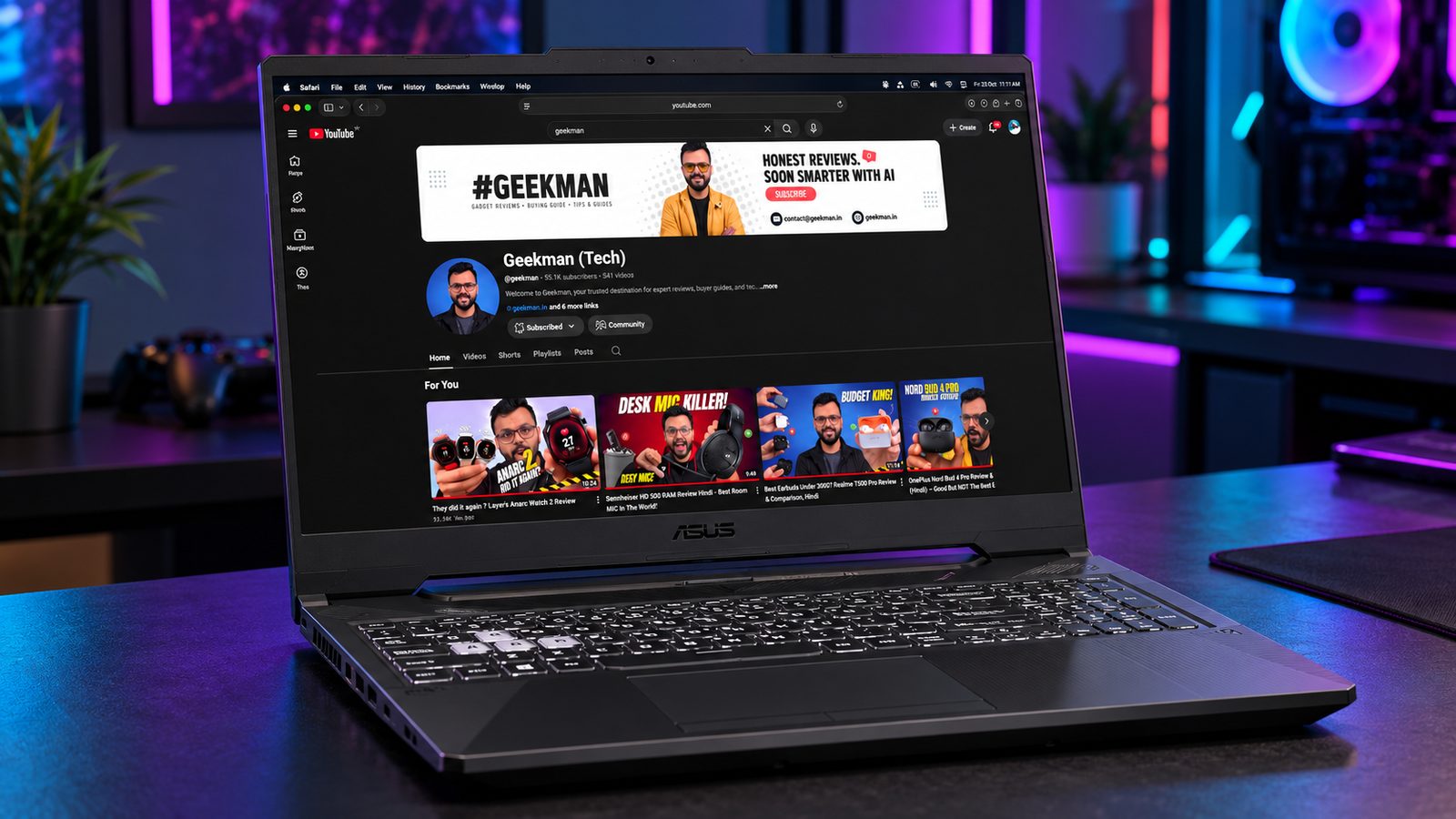


Ryzen 7 170 · RTX 3050 4GB · 144Hz, 250 nits · 48Wh · ASUS service
Best for
✓ Buyers who value a rugged design
✓ Students who move the laptop often
✓ Esports and older games
Not ideal for
– Anyone who wants modern AAA games
– People who run AI models
Verdict: Built rugged, but the 4GB GPU limits how long it stays useful.

ASUS TUF Gaming A15 (2026) AMD Ryzen 7 170 - (16 GB/512 GB SSD/Windows 11 Home/4 GB Graphics/NVIDIA GeForce RTX 3050/144 Hz) FA506NCQ-IN080W Gaming Laptop
Up to 6% instant discount on select credit cards +1
- Up to 6% instant discount on select credit cards
- Cashback with Amazon Pay ICICI Bank Credit Cards
Lowest price
Up to 5% instant discount on Flipkart Axis & Flipkart SBI credit cards Details
- Up to 5% instant discount on Flipkart Axis & Flipkart SBI credit cards
Pros and cons
What we like
+ Rugged design
+ Anti-glare screen
+ Ryzen 7 CPU
What we don’t like
– Only 4GB VRAM
– Smaller battery than rivals
ASUS TUF Gaming A15 2026 FA506NCQ Ryzen 7 170 RTX 3050 4GB review: sturdy name, 4GB catch
The ASUS TUF Gaming A15 2026 in the Ryzen 7 170 trim, sold under codes such as FA506NCQ, is the one laptop in this list where the CPU is better than the GPU. The Ryzen 7 170 has 8 cores and 16 threads on the older Zen 3+ design, boosting to 4.75GHz at 45W. It is paired with an RTX 3050 4GB, 16GB of RAM, a 512GB SSD, a 15.6 inch 144Hz 1080p anti-glare screen at about 250 nits, and a 48Wh battery. The TUF A15 family sits around 2.3 kg. The 4GB of video memory is the catch.
My take: the TUF A15 is a decent laptop that I would only buy at a good price. The 8 core Ryzen is better than the 6 core chips in the HP and the 4 core chips in older IdeaPads, so it suits coding, video work and multitasking. The RTX 3050 4GB, however, hits the memory limit in newer games, and you will lower textures to stay inside 4GB. The 250 nit screen is also dim for the money. If your budget is near a lakh, I would pick a 6GB model first. If you find the TUF at a clear discount, it is a solid student machine.
ASUS TUF Gaming A15 2026 running cost and battery
Gaming draws about 100 to 115W, so 900 hours a year come to about 95 units and Rs 760 at Rs 8 a unit. Light work needs 30 to 40W. The 48Wh battery is small and gives roughly two hours of light use. ASUS India’s standard policy is two years of standard cover on laptops with a one year battery warranty, which is a plus over the one year at Lenovo, Acer and HP. Battery replacement outside warranty is a real cost, so treat the pack as a consumable. In ownership terms the TUF is cheap to run and fair on warranty, but it asks you to accept 4GB of video memory.
ASUS TUF Gaming A15 2026 daily use: build, keyboard and ports
The TUF A15 family uses a plastic body with a sturdy feel and a full size keyboard with a numpad, and the clickpad is acceptable. The A15 variants typically carry four USB-A ports, HDMI and Ethernet, with Wi-Fi 6, so check the carton for the exact port set. The screen is anti-glare at 144Hz but dim at about 250 nits, so use it indoors. Fans rise in Turbo mode and stay moderate in Performance mode, and Armoury Crate handles the profiles. The laptop is easy to live with for study, coding and entertainment. A cooling pad helps in long gaming sessions, and a second memory stick, if the slot count allows, would help the integrated graphics and the Ryzen cores. Check the RAM type on the carton: DDR5 trims and DDR4 trims both exist in this family.
ASUS TUF Gaming A15 2026 FA506NCQ upgrades, warranty and ASUS service in India
Memory and storage are upgradeable, though you should confirm the RAM type and slot count on your unit, since the 2026 A15 trims differ. ASUS has service centres in the major Indian cities and online RMA, and ASUS Care adds onsite visits in covered cities. Confirm the warranty on the invoice. On delivery, check the sticker for Ryzen 7 170 and RTX 3050 4GB, and confirm the video memory in the NVIDIA control panel. ASUS sells several A15 2026 codes, including FA506NCG and FA506NCQ, with different CPUs and GPUs, so match the CPU, GPU, RAM and storage on the carton.
Who should buy the ASUS TUF Gaming A15 2026 and who should skip it
The shortfalls are the 4GB of video memory, the dim screen, the small battery and the older CPU design. The Lenovo LOQ 15IRX9 has a 6GB GPU at 95W and a bright 100% sRGB screen. The MSI Katana 15 has 6GB and 1TB of storage. The Acer Aspire 7 with the 4050 is much faster in games. Buy the TUF A15 if you find it at a discount and you want an 8 core CPU and ASUS service. For serious gaming, pick a 6GB model.
Key specs
| CPU | AMD Ryzen 7 170 |
| GPU | NVIDIA RTX 3050 4GB |
| Display | 15.6 inch FHD, 144Hz, 250 nits, anti-glare |
| Battery | 48Wh |
| Warranty | 1 year |
Cheapest Real RTX
6. Acer ALG AL15G-53
7.4 Overall
7.4 Performance
8.0 Value
6.4 Service

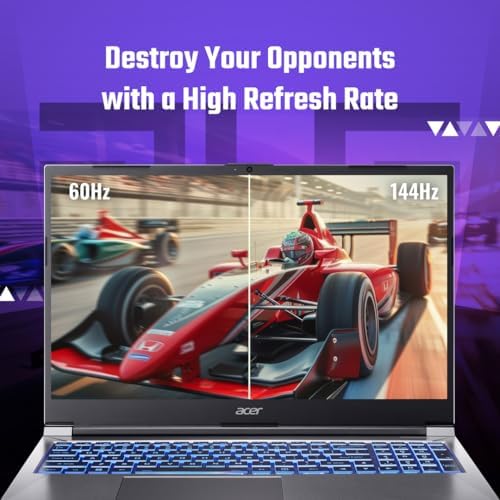

i7-13620H · RTX 3050 6GB · 144Hz · 45% NTSC · DDR4
Best for
✓ Buyers on a tighter budget
✓ Gamers who accept a basic screen
✓ A first gaming laptop
Not ideal for
– Colour-sensitive work
– Buyers who need strong service
Verdict: The cheapest laptop here that still has a real RTX 3050 6GB. Know what you are trading away.

Acer ALG, 13th Gen, Intel Core i7 13620H, NVIDIA GeForce RTX 3050-6GB, 16GB RAM, 512GB SSD, FHD 15.6"/39.62 cm, 144Hz, Windows 11 Home, Steel Gray, 1.99 KG, AL15G-53, Premium Metal Body Gaming Laptop
Pros and cons
What we like
+ Lowest price for an RTX 3050 6GB
+ Core i7 CPU
+ Light at about 1.99 kg
What we don’t like
– Dim 45% NTSC screen
– DDR4 and thinner service story
Acer ALG AL15G-53 Core i7-13620H RTX 3050 6GB review: the cheaper way to get a 6GB 3050
The Acer ALG AL15G-53 is the cheapest way into a 6GB RTX 3050 with a 10 core processor, and in a list built around a lakh of rupees that makes it the value anchor. The Core i7-13620H has 6 performance cores and 4 efficient cores, 16 threads and a 4.9GHz peak. Acer sells it with 16GB of DDR4, or a 24GB kit built from a 16GB and an 8GB stick, plus a 512GB SSD, a 15.6 inch 144Hz anti-glare panel, a 54Wh battery, a 150W adapter and a weight of 1.99 kg. Ports include two USB-C, a USB 3.2 Type-A and a USB 2.0, plus HDMI.
My take: if you have a lakh and want to spend less of it, the ALG is the answer, because you save money that you can spend on a monitor and an SSD. A 3050 6GB and an i7 handle 1080p gaming at medium to high settings, and the 24GB trim is generous. Acer does not state the GPU power, and the panel is a basic 45% NTSC screen, so treat the laptop as a plain performer. Memory deserves a note: a 16GB plus 8GB kit runs dual channel only on the matched portion, so a pair of 16GB sticks is the cleaner upgrade. This is a smart buy for a first gaming laptop, and it works well with a cheap external monitor at a desk, which fixes the weakest part of the package.
Acer ALG AL15G-53 running cost and the money you save
Gaming draws 100 to 120W, so 900 hours a year uses roughly 100 units, about Rs 800 at Rs 8 a unit. Light work needs 30 to 45W. The 54Wh 4-cell battery gives two to three hours of everyday use. The bigger money story is what you do not spend. A cheaper laptop leaves room for an external monitor with better colour, a cooling pad and 32GB of matched memory, and that combination beats a single more expensive laptop with a plain screen. The only hidden cost is stock, since the ALG sells out and prices swing, so decide your ceiling and wait for it.
Acer ALG AL15G-53 daily use: build, keyboard and noise
The body is plastic with a plain finish, and at 22.7 mm thick and 1.99 kg it is one of the most portable machines here. The keyboard is backlit with a numpad, and Acer lists Wi-Fi 6 and Bluetooth 5.1. The speakers are dual, and the screen is dim. Fans rise quickly under load, so use headphones, and idle behaviour is quiet. The USB-C ports are useful for accessories. It is a pleasant, uncomplicated laptop for study and entertainment, and the lighter weight makes it easy to carry between hostel, library and classroom. The Core i7-13620H is also strong enough for coding, spreadsheets and light video editing, so the ALG earns its place as a general laptop first and a gaming laptop second, with the 3050 6GB giving you the weekend fun.
Acer ALG AL15G-53 upgrades, warranty and Acer service in India
Some trims have one SODIMM slot and a 32GB ceiling, others have two slots and a 64GB ceiling, and the SSD slot takes Gen4 drives up to 2TB. Warranty is one year, and Acer sells an extension and third-party plans. Register the laptop and keep the invoice. On delivery, check the sticker for Core i7-13620H and RTX 3050 6GB, because Acer sells the AL15G-53 name with Core 5 210H processors and 4GB graphics as well. Run a quick video memory check in the NVIDIA control panel. Laptop SKUs change by configuration, so match the CPU, GPU, RAM and storage on the carton.
Who should buy the Acer ALG AL15G-53 and who should skip it
The shortfalls are the dim screen, the unstated GPU power, the one year warranty and the irregular stock. The Lenovo LOQ 15IRX9 has a stronger GPU limit and a far better screen, and the MSI Katana 15 has a two year warranty and 1TB of storage. The ASUS TUF Gaming A15 2026 has an 8 core CPU but only 4GB of video memory. Buy the ALG if you want a real 6GB 3050 at the lowest price. Skip it if the price creeps close to the LOQ 15IRX9.
Key specs
| CPU | Intel Core i7-13620H |
| GPU | NVIDIA RTX 3050 6GB, graphics power not stated by the maker |
| Memory | DDR4 SODIMM |
| Display | 15.6 inch FHD, 144Hz, 45% NTSC |
| Weight | About 1.99 kg |
| Warranty | 1 year |
Real game speed
Which games run on an RTX 3050 6GB laptop?
These numbers come from published independent tests of an RTX 3050 6GB laptop running at 95W, like the Lenovo LOQ, at 1080p. The other 3050 6GB laptops here use less power, so expect slightly lower numbers on the Katana and the Victus.
| Game | Settings | Average fps | Verdict |
|---|---|---|---|
| Counter-Strike 2 | Very High | ~125 | Excellent, use the 144Hz screen |
| GTA V | Ultra | ~87 | Smooth at max |
| Red Dead Redemption 2 | High | ~59 | Close to 60 |
| Black Myth: Wukong | Medium, FSR and frame generation | ~56 | Playable with upscaling |
| Hogwarts Legacy | High, DLSS Quality | ~51 | Playable |
| Ghost of Tsushima | Medium and High mix | ~47 | Playable |
| The Last of Us Part II | Low | ~42 | Playable at low |
| Cyberpunk 2077 | High, DLSS Quality | ~40 | Playable, turn on upscaling |
Numbers are averages from a published test of a 95W RTX 3050 6GB laptop at 1080p. We did not run these benchmarks ourselves. Game updates and drivers change results.
RTX 3050 6GB or RTX 4050: how big is the gap?
About 7,679
RTX 4050 laptop
Time Spy graphics score, with DLSS 3 frame generation and an AV1 encoder.
Read review
About 4,631
RTX 3050 6GB laptop
Time Spy graphics score, roughly 66% lower than the RTX 4050.
Read review
Both chips have 2560 CUDA cores and a 96-bit memory bus, so the difference comes from memory speed and power. In independent benchmarks the RTX 4050 laptop averages about 7,679 in Time Spy graphics against 4,631 for the RTX 3050 6GB, roughly 66% higher. The 4050 also adds DLSS 3 frame generation and an AV1 hardware encoder.
The catch is power. A 3050 running at 95W, as on the LOQ, narrows that gap in real games, and a 4050 held to a low power limit shrinks it further. That is why we check the wattage as well as the chip name.
For gamers
Which gamer are you? From beginner to pro
| You are | What you play | Best pick here | Settings to use |
|---|---|---|---|
| Beginner | Valorant, CS2, Fortnite, GTA V, Minecraft | Acer ALG AL15G-53 or MSI Katana 15 | High to max at 1080p |
| Casual | RDR2, Hogwarts Legacy, Cyberpunk | Lenovo LOQ 15IRX9 | Medium to High with DLSS |
| Enthusiast | New AAA releases, frame generation | Acer Aspire 7 (RTX 4050) | Medium with DLSS 3 |
| Competitive pro | CS2, Valorant at 144fps or more | Lenovo LOQ 15IRX9 | Low graphics, high fps, 144Hz |
| Streamer or editor | Games plus OBS or Premiere | Acer Aspire 7 (AV1 encode) plus an external monitor | 1080p, hardware encoding |
Will new and upcoming games run on a gaming laptop under 1 lakh?
This is the question most buyers actually have, so here is how to read it. Every studio publishes a minimum and a recommended graphics card. We matched those against where these laptops sit. An RTX 3050 6GB scores about 4,571 in Time Spy graphics against 6,141 for the older RTX 2060 laptop chip, so it sits a clear step below an RTX 2060. The RTX 4050 lands roughly 66% above the 3050 6GB, which puts it a little above an RTX 2060 laptop chip.
| Game | Studio’s GPU tiers | RTX 3050 6GB | RTX 4050 |
|---|---|---|---|
| Gears of War: E-Day, 6 Oct 2026 | Min: RTX 2060, RTX 5050, RX 6600. Rec: RTX 5060, RTX 3060 Ti. 8GB VRAM advised | Below the minimum list. Low settings, and 6GB of VRAM is short | Around the minimum tier. Low to medium |
| Call of Duty: Modern Warfare 4, 23 Oct 2026 | Min: GTX 1060, RX 470, Arc A580 (3GB). Rec: RTX 3060 Ti (8GB) for 90 fps multiplayer on High | Above the minimum. Use Medium | Closer to recommended. Medium to High |
| Phantom Blade Zero, 29 Oct 2026 | Min: GTX 1660 6GB (1080p, 30 fps, upscaling). Rec: RTX 3060 Ti (1440p, 60 fps, upscaling) | Meets the minimum. 1080p with upscaling | Between minimum and recommended |
| Path of Exile 2 (1.0), 11 Dec 2026 | Min: GTX 960 (3GB). Rec: about an RTX 2060 (early access figures) | Fine at Medium. Re-check the 1.0 requirements | Fine |
| Battlefield 6, out now | Not checked | Online calculator estimate at 1080p: about 58 fps Low, 45 Medium, 34 High | Higher than the 3050. No figure checked |
| Warhammer 40,000: Dawn of War 4, 3 Dec 2026 | Not stated by the maker | Check the Steam page first | Check the Steam page first |
| GTA 6, 19 Nov 2026 (PS5, Xbox only) | No PC version announced | Nothing to test yet | Nothing to test yet |
Requirements are the studios’ published figures, collected in October 2026. They can change before launch. The “RTX 3050 6GB” and “RTX 4050” columns are Geekman’s reading of where each chip sits against those tiers, not benchmark results. The only fps figure here is the Battlefield 6 estimate from an online calculator, and it is not a test. Real results depend on the laptop’s GPU power limit, the CPU and the settings.
What this means for your buying decision
You play CoD, Fortnite, Valorant, CS2, GTA V and similar: any of the RTX 3050 6GB laptops is plenty. The LOQ gives you the most headroom.
You want new big games at Medium with DLSS or FSR: the Acer Aspire 7 with the RTX 4050 is the best chip under a lakh. Add a monitor if you care about colour.
You want High settings at 60 fps in every new release: this budget will not do it in 2026. Look at RTX 4060 and RTX 5050 class laptops above a lakh. We cover them in our higher budget guides.
You are buying mainly for GTA 6: wait. It is console only for now and no PC date exists. Do not pay for a laptop on a guess.
You want the laptop to last for years of new games: 6GB of VRAM is the weak point. Gears of War: E-Day already lists 8GB, so treat this price band as a good start, not a long-term answer.
How to check any game before you buy
Open the Steam page
Read the minimum and recommended lines.
Match the GPU
RTX 3050 6GB is above a GTX 1060 and below an RTX 2060.
Check VRAM
If the game asks for 8GB, expect lower textures on 6GB.
Turn on upscaling
DLSS or FSR gives the biggest free boost.
AI and video
Can you run local AI and AI agents on a gaming laptop under 1 lakh?
Yes, but with small models. VRAM is the limit. A 6GB laptop GPU runs 3B to 4B parameter models comfortably at Q4 quality. An 8B model at Q4 is about 4.6GB, which is tight and leaves little room for context. One measurement of Llama 2 7B Q4 on an RTX 3050 6GB reached about 37 tokens per second.
| VRAM | What fits (Q4) | Good for |
|---|---|---|
| 4GB | About 3B models | Simple chat and tiny helpers |
| 6GB (these laptops) | 3B to 4B easily, 8B tight | Small local assistants, code autocomplete |
| 8GB | 7B to 8B models | Coding help, chat, document search |
| 12GB | Comfortable dev work | Heavier local AI development |
| 24GB | 32B class models | Serious local agents |
For self-hosted AI agents, you want 8K to 32K tokens of context, and that eats memory fast. On a 6GB laptop, plan on a 3B to 4B model for agents or run the heavy model through a cloud API and keep the laptop for tools and code. NVIDIA CUDA support is a real advantage for AI development, because most local AI tools work best on it. All six laptops here have NVIDIA GPUs.
If local AI matters most, I would put 32GB of RAM in the LOQ or Katana (both have two slots) and look at a GPU with more VRAM later. Under a lakh, there is no 8GB laptop that I can recommend.
Are these good for video editing?
For 1080p editing in Premiere, DaVinci Resolve or CapCut, yes. For 4K, 8GB of VRAM is a realistic minimum and 32GB of RAM is recommended, so these laptops will struggle. Only the RTX 4050 on the Aspire 7 has an AV1 hardware encoder. The Aspire 7, the ALG and the Victus have dim, low colour screens, so use an external monitor for colour work. The LOQ is the one with a screen you can edit on.
Compare all 6 gaming laptops at a glance
| Laptop | CPU | GPU | Screen | RAM | Battery |
|---|---|---|---|---|---|
| Lenovo LOQ 15IRX9 | i5-13450HX | RTX 3050 6GB, 95W | 144Hz, 300 nits, 100% sRGB | DDR5, 2 slots | 60Wh |
| Acer Aspire 7 | Core 5 210H | RTX 4050 6GB | 144Hz, 45% NTSC | DDR4 | 54Wh |
| HP Victus 15 | Ryzen 7 7445HS | RTX 3050 6GB | 144Hz, 300 nits, 62.5% sRGB | DDR5, single module listed | 52.5Wh |
| MSI Katana 15 | i5-13420H | RTX 3050 6GB, up to 75W | 144Hz, not stated by the maker | DDR5, 2 slots, 1TB SSD | 53.5Wh |
| ASUS TUF A15 (2026) | Ryzen 7 170 | RTX 3050 4GB | 144Hz, 250 nits | Not stated | 48Wh |
| Acer ALG AL15G-53 | i7-13620H | RTX 3050 6GB | 144Hz, 45% NTSC | DDR4 | Not stated |
Specs and prices are as of October 2026. “Not stated” means the maker does not list it. Verify the exact variant before you buy.
The buying guide
How to choose a gaming laptop under 1 lakh
Short on time? Check four things: GPU power, VRAM, screen and RAM slots.
GPU power
Ask for the wattage. 95W beats 65W by a lot.
VRAM
6GB is the minimum for 2026 games and small AI models.
Screen
Look for 300 nits and 100% sRGB if you also edit.
RAM slots
Two slots let you upgrade. One slot does not.
1 · Why GPU wattage matters more than the name
Laptop GPUs run at very different power limits. An RTX 3050 6GB can run anywhere from 35W to 95W. Lenovo lists 95W for the LOQ, MSI lists up to 75W for the Katana, and several makers do not publish the number at all. More power means higher frequencies and more frames.
2 · Why VRAM matters
Games load textures into video memory. At 4GB, new games force you to lower textures. 6GB works for 1080p at medium to high in most games. Local AI models also load into VRAM.
3 · The single RAM stick trap
Some laptops ship with one 16GB stick. That runs in single channel, which is slower than two 8GB sticks in dual channel. Look at the offer photos or the spec sheet for the number of modules. Adding a second matching stick usually fixes it.
4 · Screens in this price band
Most gaming laptops at this price have 45% to 62% sRGB panels. Those look washed out for photos and video. The Lenovo LOQ is the exception with 100% sRGB. If colour matters, add an external monitor to the budget.
5 · Battery reality
Gaming on battery lasts under an hour on these laptops. The LOQ lasted about 44 minutes in an independent test. For video and web, expect 3 to 5 hours. Plug in to game.
6 · Bank offers and the lakh line
An offer at ₹1,05,000 can drop below a lakh with a card offer. Check the final price at checkout and confirm which card applies. We list prices as seen on 22 October 2026, and they move often.
7 · Which SKU are you buying
Retailers sell several versions of the same laptop with different RAM, SSD and sometimes GPU. Match the model number in the offer to the one in this guide before paying.
8 · Warranty and service
Most of these list one year. MSI offers two years onsite warranty. Keep the invoice, register the product on day one and note the nearest service centre.
Gaming laptop warranty compared
| Laptop | What the offer says | What to check |
|---|---|---|
| Lenovo LOQ 15IRX9 | 1 year | Seller terms and service reach |
| Acer Aspire 7 | 1 year | Variant and seller |
| HP Victus 15 | 1 year | Service centre near you |
| MSI Katana 15 | 2 years onsite on Flipkart | The Amazon offer may differ |
| ASUS TUF A15 (2026) | 1 year | Nearest ASUS service centre |
| Acer ALG AL15G-53 | 1 year | Seller terms |
Terms are as listed by sellers and can change. Always read the warranty card for what is covered.
Best gaming laptop under 1 lakh by need
Best all-rounder: Lenovo LOQ 15IRX9.
Fastest GPU: Acer Aspire 7 with RTX 4050.
Strongest CPU and a cool GPU: HP Victus 15.
Most storage and best Flipkart deal: MSI Katana 15.
Rugged build: ASUS TUF A15 (2026).
Cheapest real RTX: Acer ALG AL15G-53.
For editing: Lenovo LOQ 15IRX9 for its screen.
For local AI: LOQ or Katana, then upgrade the RAM.
Other gaming laptops we looked at
RTX 4060 laptops. They cost well above a lakh in 2026. We cover them in our higher budget guides.
RTX 3050 4GB laptops (other than the TUF). Cheaper, but the 4GB of VRAM is a limit for new games.
Office laptops with integrated graphics. They cost less but cannot play new games. See our laptop guides for those.
Older stock and refurbished units. Warranty and battery condition are hard to verify.
The verdict
Which gaming laptop should you buy under 1 lakh?
Best overall: Lenovo LOQ 15IRX9, for a 95W GPU and the best screen. Check price
Best performance: Acer Aspire 7, for the RTX 4050. Check price
Best CPU: HP Victus 15, for the Ryzen 7 and a cool GPU. Check price
Best storage: MSI Katana 15, for the 1TB SSD and Flipkart price. Check price
Rugged build: ASUS TUF A15 (2026), for the sturdy design. Check price
Cheapest real RTX: Acer ALG AL15G-53, for the lowest price. Check price
Not sure? Buy the Lenovo LOQ 15IRX9 if you can, and compare the Amazon and Flipkart price. If you only care about frame rate, pick the Acer Aspire 7 and add a monitor for colour work.
More buying guides from Geekman
Best gaming laptops under 80000
Best gaming laptops under 70000
Best gaming laptops under 60000
Best gaming laptops under 50000
Questions other guides skip
Gaming laptop questions most guides skip
Buyers keep asking these and the top guides rarely answer them. Each is matched to the makers’ own spec pages (last checked 22 October 2026).
1 · Does the RTX wattage matter more than the card name?
Yes, it can. The same RTX chip runs at different power limits in different laptops. Lenovo lists the RTX 4050 at 65W in the LOQ Essential and 105W in the LOQ i7 model, and the RTX 5050 at 100W in the LOQ 2025 and 115W in the Legion 5. Some makers, like ASUS on the Gaming V16, do not publish it at all. Compare the wattage line when it is listed, and treat a missing number as a question mark.
2 · Will the screen show true colours if I also edit videos or photos?
Check the panel before you buy. Several gaming laptops list only about 62.5% of sRGB, which looks muted, and I left the HP Victus R7 260 and the Alienware 15 out of my editing guides for that reason. Look for a model that says 100% sRGB, and read the maker’s specs rather than the shop title.
3 · Is a single 16GB RAM stick a problem?
It can be. Many laptops here list one 16GB stick, which runs in single channel and gives less memory speed than two sticks. The LOQ 2025 and Legion 5 have room for a second stick, but the LOQ Essential tops out at 16GB. Check the maximum before you plan an upgrade.
4 · Can I play GTA 6 on a gaming laptop?
Not yet. GTA 6 has only been announced for PlayStation 5 and Xbox Series consoles, and no PC version had been announced on 22 October 2026. Do not pay extra for a laptop just for that game.
5 · Does a gaming laptop under 1 lakh need a MUX switch?
It is a bonus. A MUX switch sends the image straight to the screen from the graphics card, which can raise frame rates a little. Many laptops in this range do not have one. Cooling and the card’s power limit matter more, so do not rule out a good laptop for lacking it.
6 · Can I charge a gaming laptop under 1 lakh from a power bank?
Not for gaming. The laptop ships with a big brick, often 135 W or more, and a power bank cannot supply that. A power bank may keep it going for light tasks if the laptop supports USB-C charging. Carry the original charger.
7 · Will a gaming laptop under 1 lakh throttle in long sessions?
A little, as all of them do. The cooling at this price is decent, but long sessions heat the laptop and the speed falls to keep the parts safe. Use performance mode when plugged in, keep the vents clean and play on a hard surface.
Gaming laptop under 1 lakh FAQ
Which is the best gaming laptop under 1 lakh in India in 2026?
For most buyers it is the Lenovo LOQ 15IRX9. It has a 95W RTX 3050 6GB, a 10 core CPU and a 300 nit, 100% sRGB screen. If you want the fastest GPU, the Acer Aspire 7 with an RTX 4050 is quicker but has a dim screen.
Can I get an RTX 4050 laptop under 1 lakh?
Yes, but only in a few cases. The Acer Aspire 7 with an RTX 4050 6GB is listed at about ₹1,00,750 at retailers as of 22 October 2026. Prices move daily and bank offers change the final number.
Is an RTX 3050 6GB good enough in 2026?
For 1080p esports games and most older titles, yes. Newer games need medium settings and DLSS. A 95W RTX 3050 6GB reached about 51 fps in Hogwarts Legacy with DLSS Quality and about 40 fps in Cyberpunk 2077 with DLSS Quality, according to published tests.
Why are gaming laptops so expensive in 2026?
Memory and GPU prices have risen as AI demand takes a large share of the supply. That is why a real RTX laptop now starts near ₹72,000 to ₹80,000, and why we cannot recommend an RTX laptop below about ₹64,000.
Will GTA 6 run on a gaming laptop under 1 lakh?
GTA 6 launches on 19 November 2026 for PlayStation 5 and Xbox Series consoles only. A PC version has not been announced, so no laptop can run it yet. When a PC version arrives, check its official requirements first.
Can I run local AI models on these laptops?
Small ones, yes. An RTX 3050 or 4050 with 6GB of VRAM runs 3B to 4B models comfortably. 7B or 8B models are tight and need short context. A coding agent needs more memory, so 8GB of VRAM or more is a better starting point.
Are these laptops good for video editing?
For 1080p editing, yes. For 4K, 8GB of VRAM is a realistic minimum and 32GB of RAM is recommended. Most of these laptops have dim screens, so colour work needs an external monitor. Only the RTX 4050 has an AV1 hardware encoder.
How much VRAM do I need for gaming in 2026?
6GB works for 1080p at medium to high settings in most games. 4GB is now a limit, which is why the ASUS TUF A15 with an RTX 3050 4GB ranks lower despite its good build.
Should I buy at retailers or Flipkart?
Check both. On 22 October 2026 the Lenovo LOQ was ₹99,999 on Flipkart against ₹1,12,900 at retailers, and the MSI Katana was ₹89,990 on Flipkart. Prices and bank offers change daily.
Does RAM speed or channel matter?
Yes. Two modules run in dual channel, which is faster than one module. Several offers show only one module, so check this before you buy.
What is the difference between the RTX 3050 6GB and RTX 4050?
Both have 2560 CUDA cores and a 96-bit bus. The 4050 has higher memory bandwidth (192 GB/s against 144 GB/s), runs at higher power and supports DLSS 3 frame generation and AV1 encoding. In independent benchmarks it scores about 66% higher on average.
Will Gears of War: E-Day run on an RTX 3050 6GB laptop?
It is below the listed minimum. The game lists an RTX 2060, RTX 5050 or RX 6600 as the minimum and suggests 8GB of VRAM, so expect low settings and possible texture limits on 6GB. The RTX 4050 sits around the minimum tier.
Can an RTX 3050 6GB laptop run Call of Duty: Modern Warfare 4?
Yes. The listed minimum is a GTX 1060, which an RTX 3050 6GB beats. The studio’s recommended target of 90 fps on High needs an RTX 3060 Ti class card, so use Medium settings.
Is a gaming laptop under 1 lakh good for a student?
Yes, if you pick a lighter one. The Acer Aspire 7 is the lightest here at about 1.99 kg. All of these are heavier than a normal laptop, and battery life during gaming is under an hour.