


Short answer: buy the Lenovo LOQ 2025 (RTX 5050) for the best mix of colour, cores, storage and upgrades. For the best screen, the Lenovo Legion 5 has a taller 165Hz WUXGA panel. On a tighter budget the Lenovo LOQ Essential has a 100% sRGB screen at ₹1,14,990.
Geekman has covered consumer tech for over 10 years, and this ranking is built the way our buying guides always are: research first, then a hard look at the numbers. For every model we compared official specs, screen colour coverage, CPU, memory and storage, GPU memory and power, price, warranty and service reach, and live prices.
What editors need
What to look for in a gaming laptop for video editing
Gaming laptops are a good deal for editors because they pack a fast CPU and an NVIDIA GPU, but many have dull screens. I ranked these laptops on what matters for editing: screen colour first, then CPU cores, RAM you can upgrade, storage and the GPU. Gaming speed is a bonus.
100% sRGB
Lenovo LOQ, Legion 5, TUF F16 and LOQ Essential
These screens list full sRGB coverage, which is what colour work needs.
Read review
62.5% sRGB
HP Victus 15 and Dell Alienware 15
These look washed out for photo and video work, so I left them out of the picks.
Read review
About 45% NTSC
Acer Aspire 7
A different scale, and no better for colour work.
Read review
This is why I left the HP Victus and Dell Alienware 15 out of the picks. Both list only 62.5% sRGB, which looks washed out for photo and video work, even though their other specs are good. The Acer Aspire 7 lists about 45% NTSC, a different scale, and is no better. If you do not edit, my under 1 lakh gaming laptops guide covers cheaper options.
Find your gaming laptop for editing in 3 quick taps
Short answer: the Lenovo LOQ 2025 is the best mix of colour, cores and storage, the Legion 5 has the best screen and the LOQ Essential is the cheapest with a 100% sRGB screen. Turn on JavaScript to use the Finder.
The ranking
How I ranked these laptops for editing
Each laptop gets a score out of 10 for performance (40%), value (40%) and service (20%). For this guide performance is weighted toward the screen, CPU cores, RAM and storage, with the GPU counted as well. Value is price against what you get and what you can upgrade. Service looks at warranty and how easy it is to get help.
See the scores
| # | Laptop | Perf. | Value | Service | Overall |
|---|---|---|---|---|---|
| 1 | Lenovo LOQ 2025 (Core i7-13650HX, RTX 5050 8GB, 1TB) | 8.7 | 8.2 | 7.8 | 8.3 |
| 2 | Lenovo Legion 5 2025 (Core i7-13650HX, RTX 5050 8GB, 115W) | 9.0 | 7.6 | 7.8 | 8.2 |
| 3 | ASUS TUF Gaming F16 2026 (Core i5-14450HX, RTX 5050 8GB) | 8.6 | 7.6 | 7.4 | 8.0 |
| 4 | ASUS Gaming V16 2026 (Core 5 210H, RTX 5050 8GB) | 7.8 | 8.4 | 7.2 | 7.9 |
| 5 | Lenovo LOQ (Core i7-13645HX, RTX 4050 6GB, 105W) | 8.0 | 7.8 | 7.8 | 7.9 |
| 6 | Lenovo LOQ Essential (Ryzen 7 7735HS, RTX 4050 6GB, 65W) | 7.0 | 8.2 | 7.8 | 7.6 |
Scores weigh performance 40%, value 40% and service 20%. They come from official specs, independent test data, listed warranty terms and live prices on 22 October 2026.
Quick picks
| Pick | Laptop | Best for |
|---|---|---|
| Best Overall | Lenovo LOQ 2025 (Core i7-13650HX, RTX 5050 8GB, 1TB) | Editing and gaming with 1TB, two RAM slots and a 100% sRGB screen |
| Best Screen | Lenovo Legion 5 2025 (Core i7-13650HX, RTX 5050 8GB, 115W) | A taller 1200p 165Hz screen with 100% sRGB and Dolby Vision |
| Best 16:10 Screen | ASUS TUF Gaming F16 2026 (Core i5-14450HX, RTX 5050 8GB) | A 16:10 screen with 100% sRGB and a 10-core HX processor |
| Best Value | ASUS Gaming V16 2026 (Core 5 210H, RTX 5050 8GB) | The cheapest laptop here with an RTX 5050 and a 16:10 screen |
| Best RTX 4050 | Lenovo LOQ (Core i7-13645HX, RTX 4050 6GB, 105W) | A 14-core CPU and a 100% sRGB screen at ₹1.4 lakh |
| Best for Light Editing | Lenovo LOQ Essential (Ryzen 7 7735HS, RTX 4050 6GB, 65W) | A 100% sRGB screen at 1.8 kg for ₹1.15 lakh |
Tap a name to jump to its review. Live prices are in the buy box under each review. Prices are as seen on 22 October 2026 and bank offers can change them.
The reviews
Best gaming laptops for video editing in India: 6 picks
Best Overall
1. Lenovo LOQ 2025 (Core i7-13650HX, RTX 5050 8GB, 1TB)
8.3 Overall
8.7 Performance
8.2 Value
7.8 Service
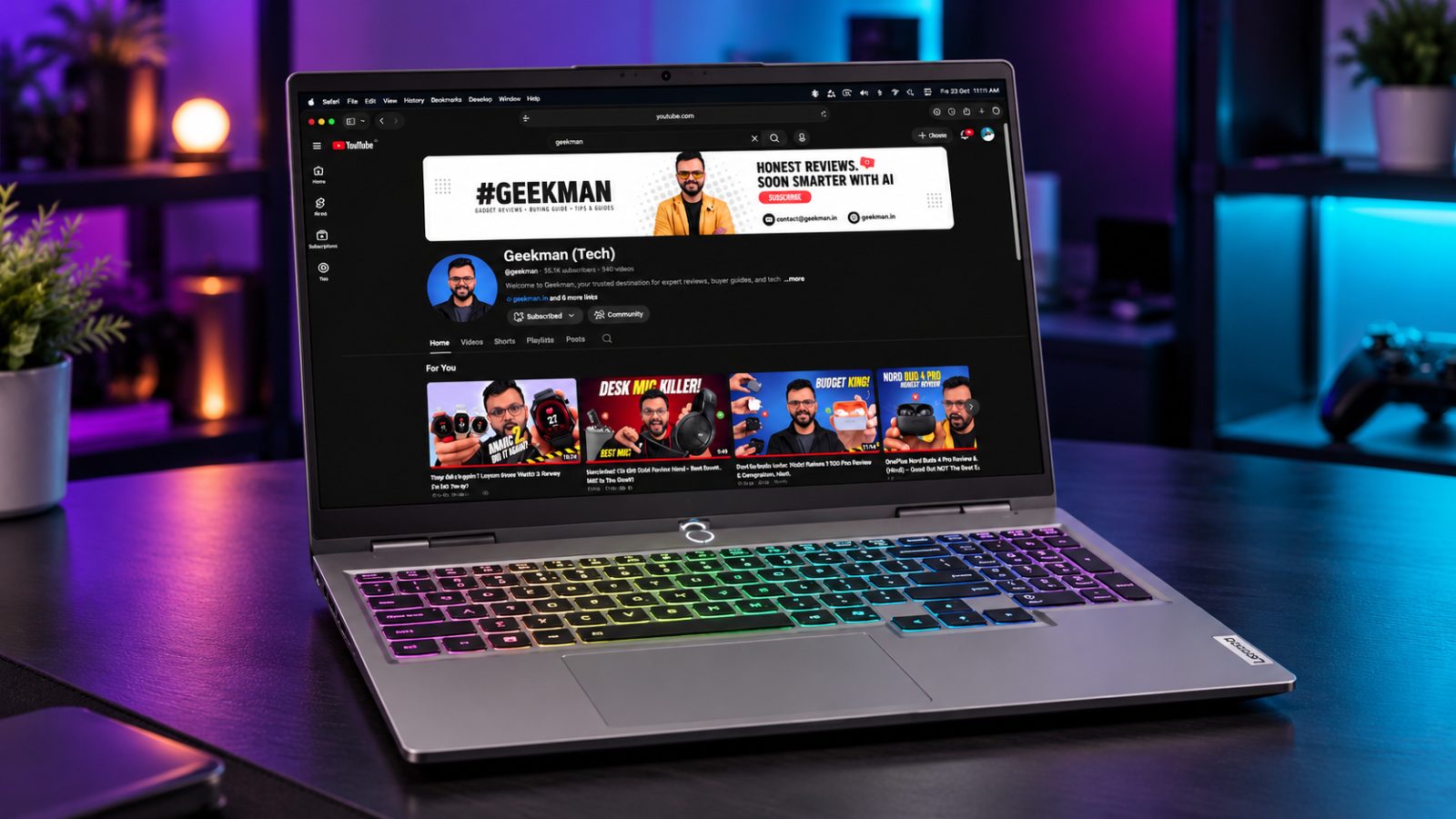
Core i7-13650HX · RTX 5050 8GB · 1TB SSD · Up to 32GB RAM · 100% sRGB
Best for
✓ Editors who also game
✓ Anyone who needs storage for footage
✓ Buyers who plan to add RAM
Not ideal for
– People who edit on the move
– Anyone who needs a 4K or HDR screen
Verdict: The best mix of colour, cores, storage and upgrades for the money.


Lenovo LOQ 2025, Intel Core i7-13650HX, 13th Gen, NVIDIA RTX 5050 8GB, 16GB RAM, 1TB SSD, FHD IPS, 15.6" (39.6cm), 144Hz Refresh Rate, Windows 11, Office 24, Grey, 2.4Kg, 83JE010SIN, Gaming Laptop
 Great Indian Festival
Up to 6% instant discount on select credit cards +1
- Up to 6% instant discount on select credit cards
- Cashback with Amazon Pay ICICI Bank Credit Cards
Pros and cons
What we like
+ 100% sRGB screen
+ 14 cores and 1TB SSD
+ Two RAM slots, up to 32GB
What we don’t like
– 2.4 kg
– Single 16GB stick at purchase
– Full HD only
Lenovo LOQ 15IRX10 RTX 5050 gaming laptop for video editing: the 100% sRGB all-rounder
The Lenovo LOQ 2025 with the Core i7-13650HX and RTX 5050 8GB is the laptop I would shortlist first for a video editor who also wants to game on weekends. The processor is the headline: 14 cores and 20 threads, which matters far more in Premiere Pro and DaVinci Resolve than the graphics chip does, because decoding, effects and exports lean on the CPU all day. The RTX 5050 brings 8GB of GDDR7 and the newer ninth generation NVENC encoder, so H.264 and HEVC exports are quick. The screen is a 15.6 inch 1080p IPS at 144Hz, 300 nits and 100% sRGB, and the storage is a full 1TB PCIe 4.0 drive, which is exactly what footage folders need.
My take: this is the safest buy in the list if you edit 1080p and light 4K, and it is the one I would pick for a student or freelancer who cannot afford a second machine. The 100% sRGB panel means the blues in a wedding clip or the skin tones in a vlog look close to what a phone or a Sony camera recorded, so your colour decisions travel to other screens. One warning before you open the box: the 16GB of DDR5-4800 sits in a single stick. That is single channel memory, and editing software likes dual channel. Buy a matching second stick the same week and you land on 32GB dual channel, which is where this machine starts to feel properly fast on timelines with several layers.
Lenovo LOQ 2025 running cost for a daily editing routine
An editor uses a laptop differently from a gamer. Timeline scrubbing and colour work draw maybe 60 to 90W from the wall, while a long export or a game session pushes it past 150W. Plan on an average of 90W across an eight hour working day, which is 0.72 units. At Rs 8 a unit that is about Rs 5.8 a day, or roughly Rs 1,700 over a 300 day work year. Add two hours of gaming at 150W on top and the yearly figure moves by about Rs 700. The laptop will not dent your electricity bill. The battery will, though: the 60Wh pack does not last through a real editing session, so treat the LOQ as a plugged-in workstation and use the charger in every location where you edit.
Lenovo LOQ 2025 for editors: keyboard, ports, fans and heat
The ports suit a card-reader-and-SSD workflow: three USB-A, a USB-C and HDMI, with no Thunderbolt. There is no SD card slot on the spec sheet either, so budget for a card reader if you shoot on a camera. Fans are the cost of the power. On the RTX 5060 trim of this same chassis the CPU touches about 96C at peak while the WASD keys stay near 36C, and the fans sound like a low whoosh rather than a whine. During a long export that is acceptable if you wear headphones for the playback pass. The keyboard is full size with a numpad, which helps with timecode entry and shortcut-heavy editing, and the large clickpad is fine for occasional use. I would still carry a mouse.
Lenovo LOQ 15IRX10 upgrades, warranty and Lenovo service in India
Opening the laptop is a routine Phillips-screw job, and a second memory stick plus a second SSD are the upgrades that matter for editing. Open the bottom cover on day one and check the free slots, then put the second SSD to work for cache and exports so the system drive stays clear. Lenovo gives one year of courier or carry-in warranty as standard, with accidental damage protection and onsite upgrades as paid add-ons. For a machine that earns you money, the onsite upgrade is the add-on I would take, since sending a 2.4 kg laptop away for a week stops your deliveries. On delivery, confirm the sticker says Core i7-13650HX and RTX 5050 8GB, open Lenovo Vantage to see the GPU power mode, and run a ten minute export to see temperatures settle. Laptop SKUs change by configuration, so match the CPU, GPU, RAM and storage on the carton to this page.
Who should buy the Lenovo LOQ 2025 for video editing and who should not
The weaknesses are weight, battery and the single memory stick. It is also plain plastic, and the Lenovo Legion 5 2025 beats it on screen shape, cooling and battery capacity if your budget stretches. Against the ASUS TUF Gaming F16 2026 it has the stronger CPU, with 14 cores to the TUF’s 10. Against the Lenovo LOQ 15IRX9 with the RTX 4050 you gain the newer encoder and the 4:2:2 hardware decode that modern mirrorless cameras need, and the extra 2GB of video memory. If you shoot 4K 10-bit footage from a Sony, Canon or Nikon body and want a fair price, this is the laptop I would buy. If you travel with it daily, look at the lighter ASUS options instead.
Key specs
| CPU | Intel Core i7-13650HX, 14 cores, 20 threads |
| GPU | NVIDIA RTX 5050 8GB GDDR7, TGP 100W |
| Memory | 16GB DDR5-4800 (1 stick), up to 32GB |
| Display | 15.6 inch FHD IPS, 144Hz, 300 nits, 100% sRGB |
| Storage | 1TB PCIe 4.0 NVMe |
| Weight | About 2.4 kg |
Best Screen
2. Lenovo Legion 5 2025 (Core i7-13650HX, RTX 5050 8GB, 115W)
8.2 Overall
9.0 Performance
7.6 Value
7.8 Service
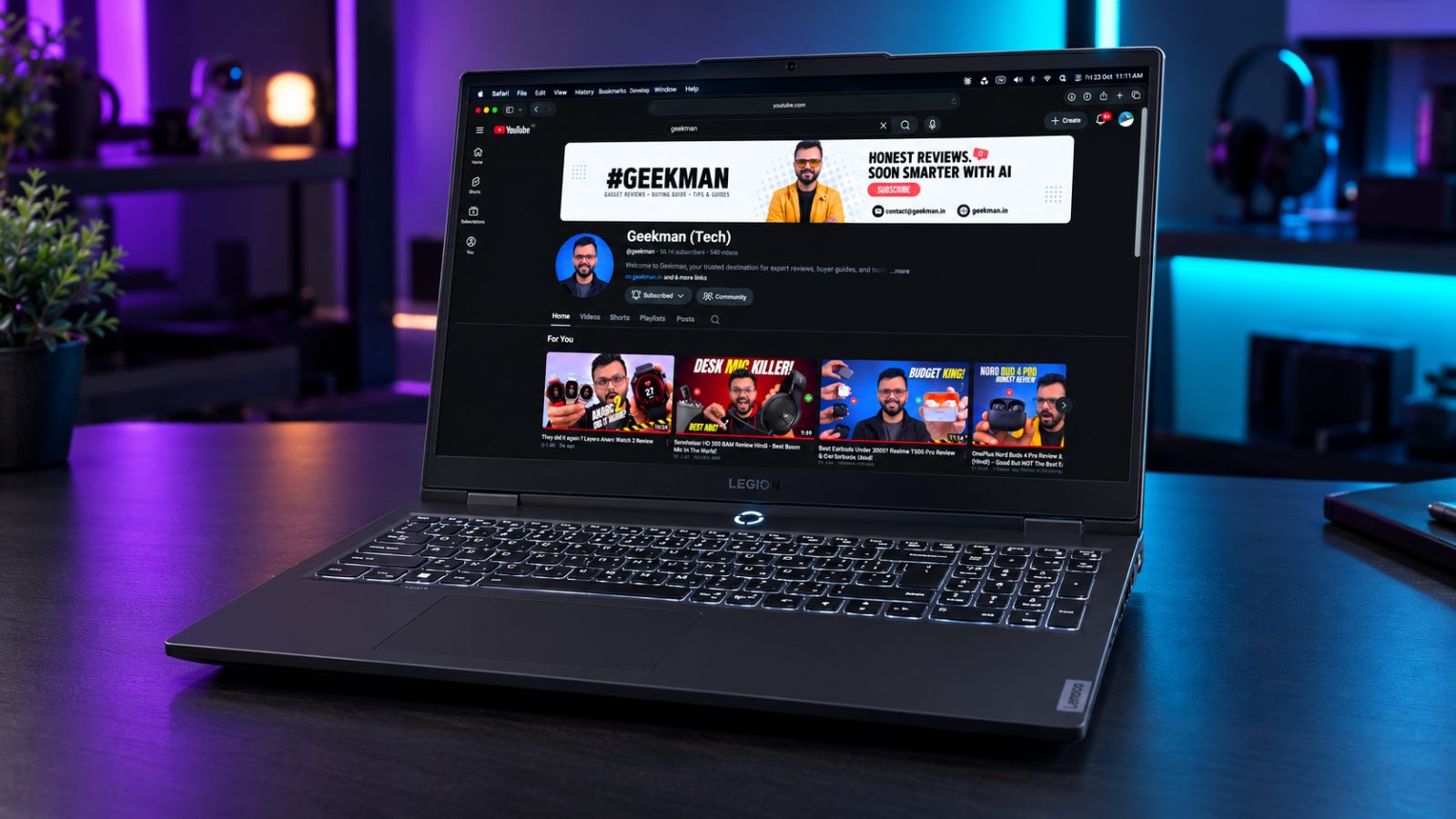
Core i7-13650HX · RTX 5050 8GB, 115W · WUXGA, 165Hz · 100% sRGB, Dolby Vision · 2.1 kg
Best for
✓ Editors who want a taller 16:10 timeline
✓ People who want the best cooling
✓ Gamers who want the highest power
Not ideal for
– Anyone on a ₹1.5 lakh budget
– People who need more than 512GB
Verdict: The best screen and cooling here. The 512GB drive is the only thing I would change.
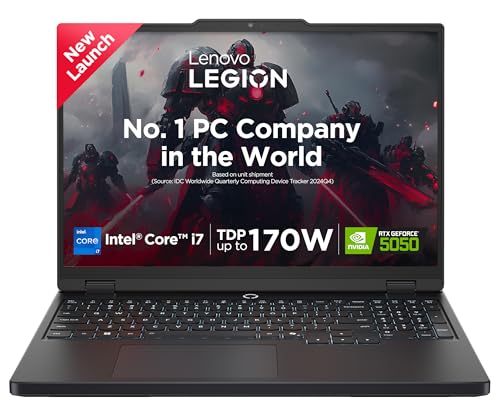
Lenovo Legion 5 2025 Intel Core i7-13650HX | NVIDIA RTX 5050 8GB (16GB RAM/512GB SSD/WUXGA IPS/165Hz/15.3" (38.8cm)/Windows 11/Office 2024+AI Now/Black/2.1Kg), 83LY00SUIN AI Powered Gaming Laptop
Pros and cons
What we like
+ WUXGA 165Hz screen, 100% sRGB, Dolby Vision
+ RTX 5050 at a published 115W
+ 2.1 kg with vapor chamber cooling
What we don’t like
– 512GB SSD
– Costs more than the LOQ 2025
– Single 16GB RAM stick
Lenovo Legion 5 15IRX10 RTX 5050 laptop review: the best editing screen in the list
The Lenovo Legion 5 2025 is the laptop in this list where the screen decides the purchase. It is a 15.3 inch WUXGA panel at 1920×1200, which is 16:10 rather than the usual 16:9, so a Premiere or Resolve timeline gets about 11% more vertical space. The IPS panel runs at 165Hz with 300 nits and 100% sRGB. Under it sit the Core i7-13650HX with 14 cores and 20 threads and an RTX 5050 8GB running at 115W, the higher end of what the chip allows. Lenovo ships 16GB of DDR5-4800, a 512GB PCIe 4.0 drive and a big 80Wh battery in a 2.1 kg body. For editors that mix of screen, power and weight is the best balance here.
My take: if editing is your job and games are the hobby, the Legion is the one to buy and the extra spend over the LOQ is justified. The 115W GPU is not about frames per second for editors, it is about how long the machine holds its speed during a twenty minute export without throttling. The taller screen also means fewer trips to scroll the timeline. I would set it to Balanced for editing, move to Performance only for renders and games, and leave the 165Hz setting alone because the panel is a sheer pleasure for scrubbing footage. The RTX 5050 also gives you hardware decode of 10-bit 4:2:2 HEVC in Premiere on Windows 11, which makes a visible difference with footage from many recent cameras.
Lenovo Legion 5 15IRX10 power draw and monthly cost
The charger is a 245W unit, which tells you what the laptop can pull at the wall when the CPU and GPU both run flat out. You will rarely see that in editing, where a normal working session sits between 70 and 120W. Take 100W as the planning figure: eight hours is 0.8 units, about Rs 6.4 a day at Rs 8 a unit, so around Rs 1,900 a year on a 300 day schedule. A weekend of gaming adds a little more. The 80Wh battery is the second largest in this group after the TUF, and a light day of subtitles, cuts and review work can run off the battery for a couple of hours, which is something the 54Wh and 60Wh packs elsewhere in the list cannot match.
Lenovo Legion 5 15IRX10 daily use: ports, keyboard and cooling
Connectivity is the best here for creators: three USB-A, two USB-C at 10Gbps with one rated for 95 to 100W charging and DisplayPort 2.1, HDMI 2.1 and Ethernet. That gives you a second monitor and a fast SSD on the same cables. There is no Thunderbolt, so very high speed docks are off the table. The keyboard is the Legion typing feel that gamers praise and editors appreciate, with good travel and a numpad. The cooling is a vapor chamber design with a proper vent layout, and Lenovo’s Legion software lets you switch power and fan modes. Expect loud fans in Performance mode and a quiet laptop in Balanced, which suits an office where clients walk past.
Lenovo Legion 5 15IRX10 upgrades, warranty and service in India
The warranty is stronger than the LOQ’s: the India SKU comes with one year of carry-in or courier cover, plus one year of accidental damage protection and one year of Legion Ultimate Support with onsite service. That bundle is the real reason I would pay extra, because a repair visit at your desk beats shipping the laptop. There is one memory stick in two slots, so adding a second 16GB gives dual channel and 32GB, and the two M.2 slots let you add a second drive for cache. On delivery, check the sticker for Core i7-13650HX, RTX 5050 8GB and the 15.3 inch WUXGA panel, and confirm the 115W figure in Legion Space. SKUs vary, so match the CPU, GPU, RAM and storage on the carton.
Who should buy the Lenovo Legion 5 15IRX10 and who should skip it
The shortfalls are the storage size, which is only 512GB and will fill with a single 4K project, and the price, which sits well above the Lenovo LOQ 2025. The 15.3 inch size also means a smaller deck than a 16 inch laptop, and a card reader is not part of the spec, so carry one. The ASUS TUF Gaming F16 2026 offers a bigger 16 inch panel and a 90Wh battery for a lower price, but its CPU has 10 cores against the Legion’s 14. If your income depends on delivering edits on time, the Legion is the laptop to buy: screen, power, cooling, warranty and battery all line up. If you edit casually, the money is better spent on RAM and an SSD for the cheaper LOQ.
Key specs
| CPU | Intel Core i7-13650HX, 14 cores, 20 threads |
| GPU | NVIDIA RTX 5050 8GB GDDR7, TGP 115W |
| Memory | 16GB DDR5-4800 (1 stick), up to 32GB |
| Display | WUXGA 1920×1200 IPS, 165Hz, 300 nits, 100% sRGB, Dolby Vision |
| Storage | 512GB PCIe 4.0 NVMe, two M.2 slots |
| Weight | About 2.1 kg |
Best 16:10 Screen
3. ASUS TUF Gaming F16 2026 (Core i5-14450HX, RTX 5050 8GB)
8.0 Overall
8.6 Performance
7.6 Value
7.4 Service
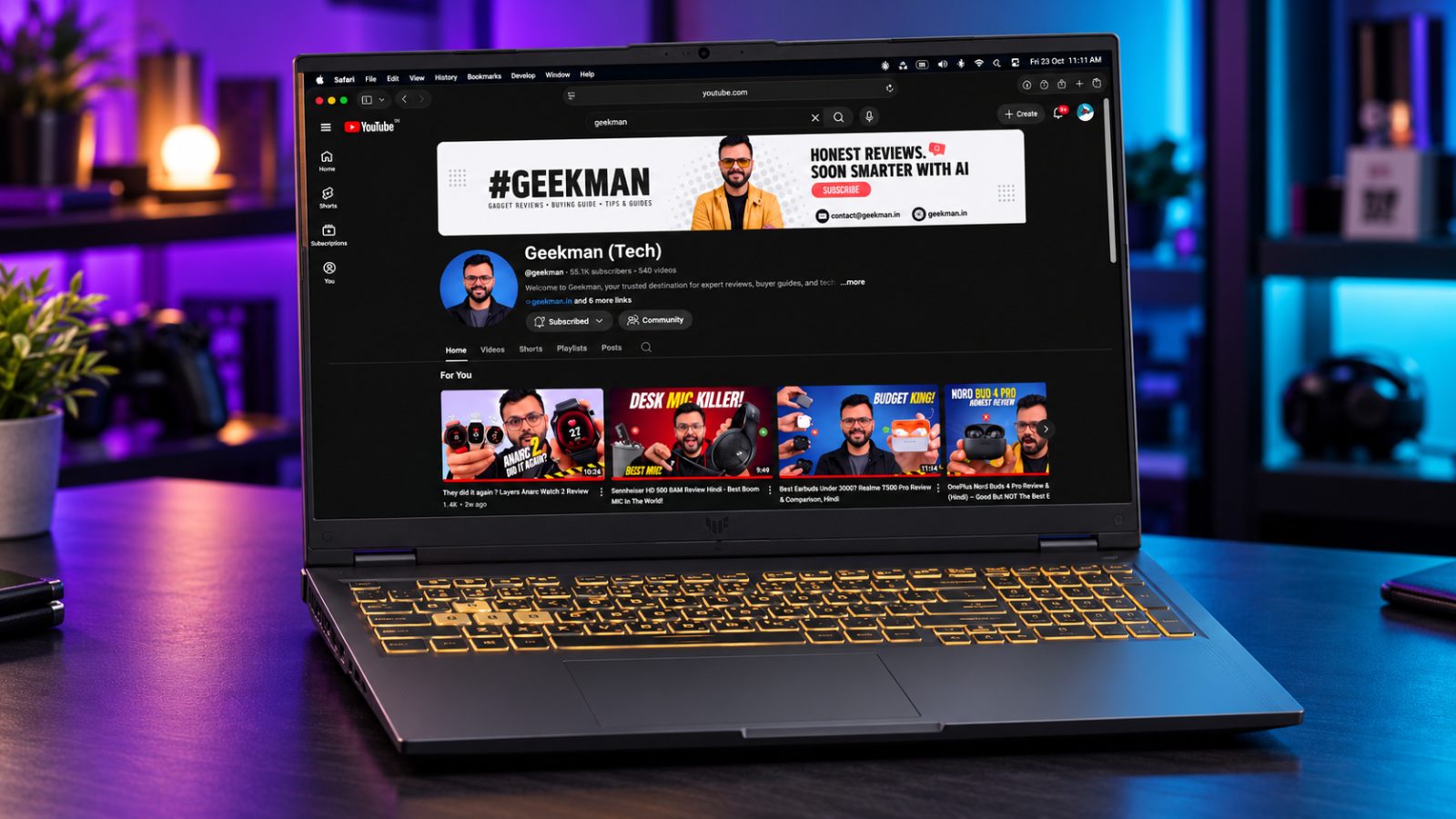
Core i5-14450HX · RTX 5050, up to 115W · 16GB DDR5 · 16:10, 100% sRGB · 2.2 kg
Best for
✓ Editors who like a 16:10 screen
✓ Buyers who like the TUF build
✓ People who want a 10-core HX processor
Not ideal for
– Anyone who wants the best value
– People who want more than 512GB
Verdict: A good 16:10 editing screen and a strong GPU. It costs ₹20,000 more than the V16.

ASUS TUF F16 (2026),(14th Gen),Intel Core i5 14450HX,RTX 5050-8GB,16GB RAM (Upgradeable),512GB SSD,FHD+,16"(40 cm),Win 11,M365 Basic(1Y),Office 2024,Jaeger Gray,2.2 Kg,FX688JHI-TU364WS,Gaming Laptop
Up to 6% instant discount on select credit cards +1
- Up to 6% instant discount on select credit cards
- Cashback with Amazon Pay ICICI Bank Credit Cards
Pros and cons
What we like
+ 16:10 screen, 100% sRGB
+ RTX 5050 at up to 115W
+ 10-core HX processor
What we don’t like
– 512GB SSD
– 10 cores against 14 on the LOQ
– 2.2 kg
ASUS TUF Gaming F16 FX608 RTX 5050 laptop review for video editors
The ASUS TUF Gaming F16 2026 is the editing laptop with the biggest canvas. The panel is a 16 inch 1920×1200 16:10 screen at 144Hz with 100% sRGB, and the battery is a 90Wh pack, the largest in the list. Inside is the Core i5-14450HX with 10 cores and 16 threads, the RTX 5050 8GB with ASUS quoting up to 115W graphics power (100W plus 15W Dynamic Boost), 16GB of DDR5 and a 512GB PCIe 4.0 drive. ASUS bundles Office Home 2024 and a year of Microsoft 365 Basic. That list reads like a creator laptop that happens to wear TUF branding, and it tells you what ASUS had in mind with the 16:10 shape.
My take: the TUF suits editors who split their day between a desk and a cafe. The 90Wh battery will not give you a full-day editing session, because no gaming laptop does, but you can finish rough cuts, sort footage and write scripts for two or three hours without the charger. The 16 inch screen shows more of your timeline than the 15.6 inch LOQ, and the 16:10 shape adds vertical room for the bins and the effects panel. The weak point for editing is the CPU. Ten cores is a step below the 14 in the Lenovo laptops, and you notice it in long exports of effects-heavy 4K timelines. For 1080p web video work and Reels the TUF is quick enough.
ASUS TUF Gaming F16 running cost and battery maths
The TUF pairs its large GPU power ceiling with a high wattage adapter, and that signals peak draw rather than average draw. For editing, 90W is a fair average, giving 0.72 units over an eight hour day and about Rs 5.8 at Rs 8 a unit, or roughly Rs 1,700 over a 300 day year. If you also game two hours a day at 150W, add about Rs 720 a year. The bigger money point is the 90Wh battery. The real value is that you do not have to carry the heavy brick everywhere. On light work a good USB-C charger, if the model has USB-C charging, will help when you travel to a shoot, so check this on the carton.
ASUS TUF Gaming F16 daily use: ports, keyboard, fans and Thunderbolt
The TUF F16 family is the one with the creator-friendly port list: HDMI 2.1, a USB-C with DisplayPort, two USB-A and Ethernet, and the RTX 4050 version also carries Thunderbolt 4. Look for Thunderbolt 4 on the carton of the 5050 unit you buy, because it supports fast external SSDs and docks, which is how many editors store their projects. The keyboard is a full size TUF unit with a numpad and a sturdy feel, and the clickpad is large enough for casual use. The fans sit at moderate levels in Silent and Performance modes, and go loud in Turbo. At 2.2 kg the laptop is a little easier to carry than the Lenovo LOQ options. The speakers are decent for checking dialogue but not for mixing.
ASUS TUF Gaming F16 FX608 upgrades, warranty and ASUS service in India
The 16GB DDR5 is upgradeable, and the two M.2 slots allow a second SSD for projects and cache. ASUS India lists two years as the standard laptop cover with a one year battery cover, walk-in service centres in the major cities and online RMA, and ASUS Care for onsite visits in selected cities. Confirm the exact warranty on the invoice. On delivery, check the sticker for Core i5-14450HX and RTX 5050, open Armoury Crate to see the GPU power setting, and verify the display shows 1920×1200. The India launch units were also shown with an i5-13450HX, so read the CPU line. Match the CPU, GPU, RAM and storage on the carton, because SKUs differ by retailer.
Who should buy the ASUS TUF Gaming F16 for editing and who should skip it
The TUF falls short on CPU cores, and the 512GB drive will fill fast on 4K work. It is also plastic and will pick up fingerprints. The Lenovo LOQ 2025 has a 14-core processor and a 1TB drive for a similar price, while the Lenovo Legion 5 2025 has a better cooling system and a longer warranty. Where the TUF wins is the combination of the large screen, the expected Thunderbolt 4 port and the 90Wh battery. If you edit mostly 1080p content, travel between locations and want a big colour-accurate display, the TUF is a good buy. If your timelines are layered and heavy, put the extra money toward the Lenovo options.
Key specs
| CPU | Intel Core i5-14450HX, 10 cores, 16 threads |
| GPU | NVIDIA RTX 5050 8GB GDDR7, up to 115W (100W plus 15W) |
| Memory | 16GB DDR5, upgradeable |
| Display | 16 inch 1920×1200, 16:10, 144Hz, 100% sRGB |
| Storage | 512GB PCIe 4.0 SSD |
| Weight | About 2.2 kg |
Best Value
4. ASUS Gaming V16 2026 (Core 5 210H, RTX 5050 8GB)
7.9 Overall
7.8 Performance
8.4 Value
7.2 Service
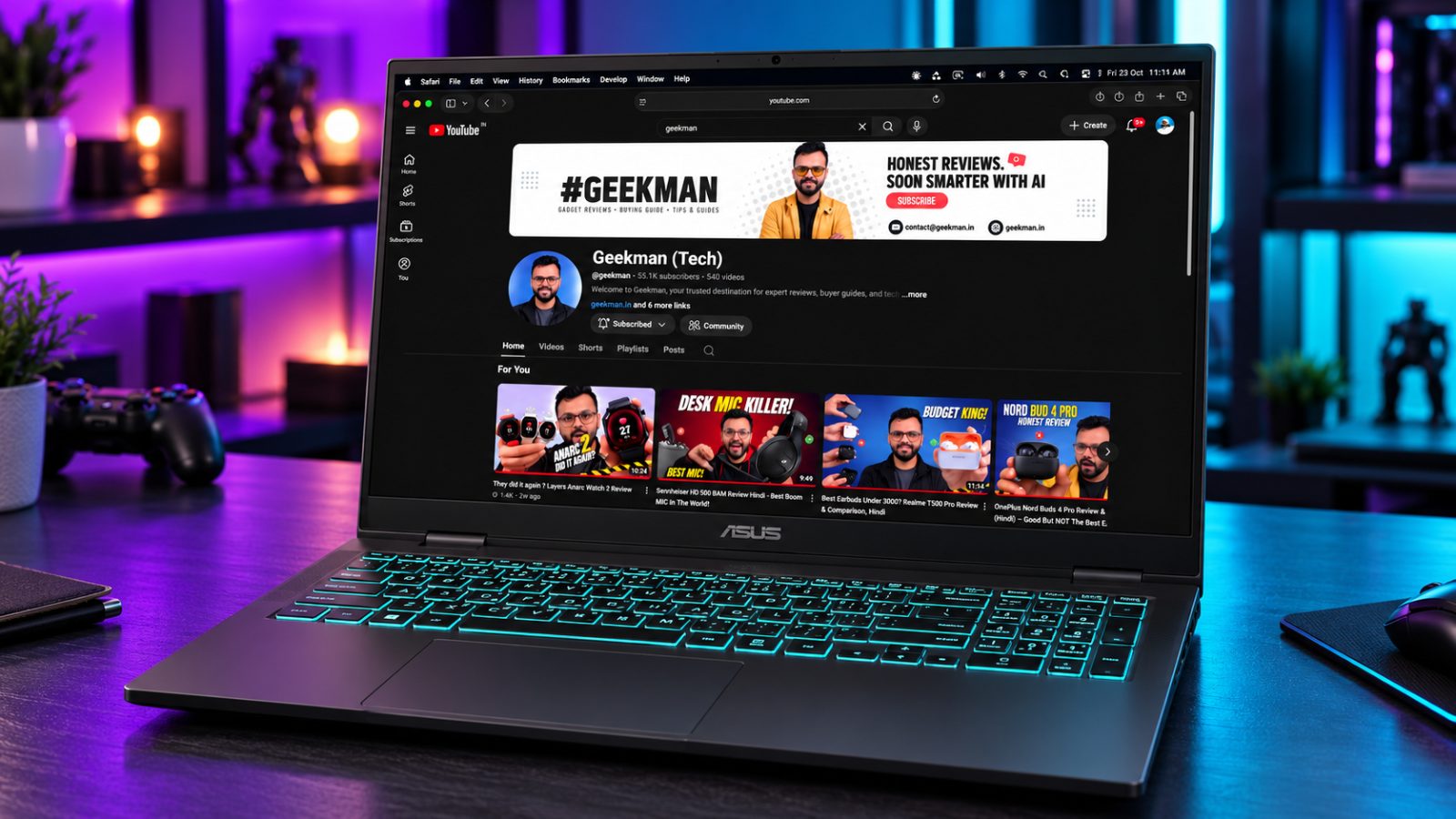
Core 5 210H · RTX 5050 8GB · 16GB DDR5 · 16 inch 16:10 · 1.95 kg
Best for
✓ Editors on a budget who still want an RTX 5050
✓ Students who edit and game
✓ Anyone who wants a lighter laptop
Not ideal for
– Anyone who needs a measured colour spec
– Heavy 4K projects
Verdict: The cheapest way to get an RTX 5050 for editing, with an 8-core processor and a claimed colour spec.

ASUS Gaming V16 (2026),Intel Core 5 210H (i5-14th Gen),RTX 5050-8GB,16GB RAM(Upgradeable),512GB SSD,FHD+,16"(40 cm),144Hz,Win 11,M365 Basic(1Y),Office 24,Black,1.95 Kg,V3607VH-TK154WS,Gaming Laptop
Up to 6% instant discount on select credit cards +1
- Up to 6% instant discount on select credit cards
- Cashback with Amazon Pay ICICI Bank Credit Cards
Pros and cons
What we like
+ Cheapest RTX 5050 laptop here
+ 16:10 screen, 1.95 kg
+ Office 2024 included
What we don’t like
– 8-core CPU
– GPU power not stated by the maker
– 512GB SSD
ASUS Gaming V16 V3607VH RTX 5050 review for video editors on the move
The ASUS Gaming V16 2026 with the Core 5 210H and RTX 5050 8GB is the budget way into the newer NVIDIA encoder. The processor has 8 cores and 12 threads, so it will not match the 14 core Lenovo chips in a long export, but it comes with 16GB of DDR5-5600, a 512GB PCIe 4.0 drive and a 16 inch 1920×1200 16:10 screen at 144Hz. At roughly 1.95 to 1.99 kg and with a 63Wh battery it is the second lightest laptop in this list, after the LOQ Essential, and easy to carry to a client or a classroom. The RTX 5050 here is the same 8GB GDDR7 chip as in the others, with the same 4:2:2 decode support, but it runs at a much lower power limit.
My take: buy the V16 if you cut short videos, Reels, podcasts and college projects, and you move around a lot. It gives you the modern hardware decode and the 16:10 working space for less money than anything else with an RTX 5050. The GPU power is the compromise. In the V16 unit tested by independent labs the graphics chip tops out near 65W, across four modes that run from 35W in Whisper to 65W in Full Speed. In Premiere that means a slower effects render than the 100W laptops, but not a slower timeline. A 4:2:2 clip from a mirrorless body will still play back smoothly, which is the part that matters during the edit.
ASUS Gaming V16 V3607VH noise, modes and monthly electricity
The power modes decide both noise and cost. The lab figures for the V16 run about 35 dBA in Whisper, 40 in Standard, 42 in Performance and 45 in Full Speed, which is quieter than the Lenovo laptops in this list at every setting. That makes it a decent machine for a shared room. Power draw is modest too: the GPU tops out near 65W and the charger is 150W, so editing averages about 60 to 80W. Over an eight hour day that is roughly 0.56 units, close to Rs 4.5 at Rs 8 a unit, or about Rs 1,350 a year on a 300 day schedule. This is the cheapest laptop to run in the article.
ASUS Gaming V16 daily use: the screen, keyboard and speakers
The screen needs honesty. The 16:10 panel looks sharp and reaches around 300 nits, but a V16 5050 measured in the lab covered only about 70% of sRGB, close to the 45% NTSC class. ASUS markets a wider Adobe gamut figure for the 2026 model, so match the claim against what you see: for colour-critical grading, plan on an external monitor. For normal cuts and social video it is fine, but the colours are muted compared with the 100% sRGB panels on the Lenovo laptops. The keyboard is comfortable, the fans are quiet, and the speakers are thin. The charger is a 150W USB-C unit rated up to 100W, which means a smaller USB-C charger can top it up on light-work days away from the desk.
ASUS Gaming V16 V3607VH upgrades, warranty and ASUS service in India
Inside, the 16GB of DDR5-5600 sits in one stick with one free slot, so a second 16GB stick gives 32GB dual channel. Storage is the limit: this model has a single M.2 2280 slot, so you cannot add a second internal SSD, and an external drive will be your project storage. ASUS India lists two years as the standard laptop warranty with a one year battery cover, so confirm both on the invoice. On delivery, check the sticker for Core 5 210H, RTX 5050 and the 16 inch WUXGA panel, and open Armoury Crate to confirm the GPU mode. Laptop SKUs change by configuration, so match the CPU, GPU, RAM and storage on the carton.
Who should buy the ASUS Gaming V16 V3607VH for video editing
The weak points are the dull screen, the single SSD slot and the lower GPU power. The Lenovo LOQ 2025 is the better editing machine with 14 cores, a 100% sRGB panel and a 1TB drive. The ASUS TUF Gaming F16 2026 gives you a bigger battery and a better panel. The V16 wins on weight and noise. If you are a student editing 1080p content, a creator who travels, or someone who wants the 4:2:2 hardware decode at the lowest cost, the V16 is the laptop to buy. If you grade colour for clients, spend more on a Lenovo and use the V16 only as a second machine.
Key specs
| CPU | Intel Core 5 210H, 8 cores, 12 threads |
| GPU | NVIDIA RTX 5050 8GB GDDR7, graphics power not stated by the maker |
| Memory | 16GB DDR5, upgradeable |
| Display | 16 inch 1920×1200, 16:10, 144Hz, 300 nits |
| Storage | 512GB PCIe 4.0 SSD |
| Weight | About 1.95 kg |
Best RTX 4050
5. Lenovo LOQ (Core i7-13645HX, RTX 4050 6GB, 105W)
7.9 Overall
8.0 Performance
7.8 Value
7.8 Service
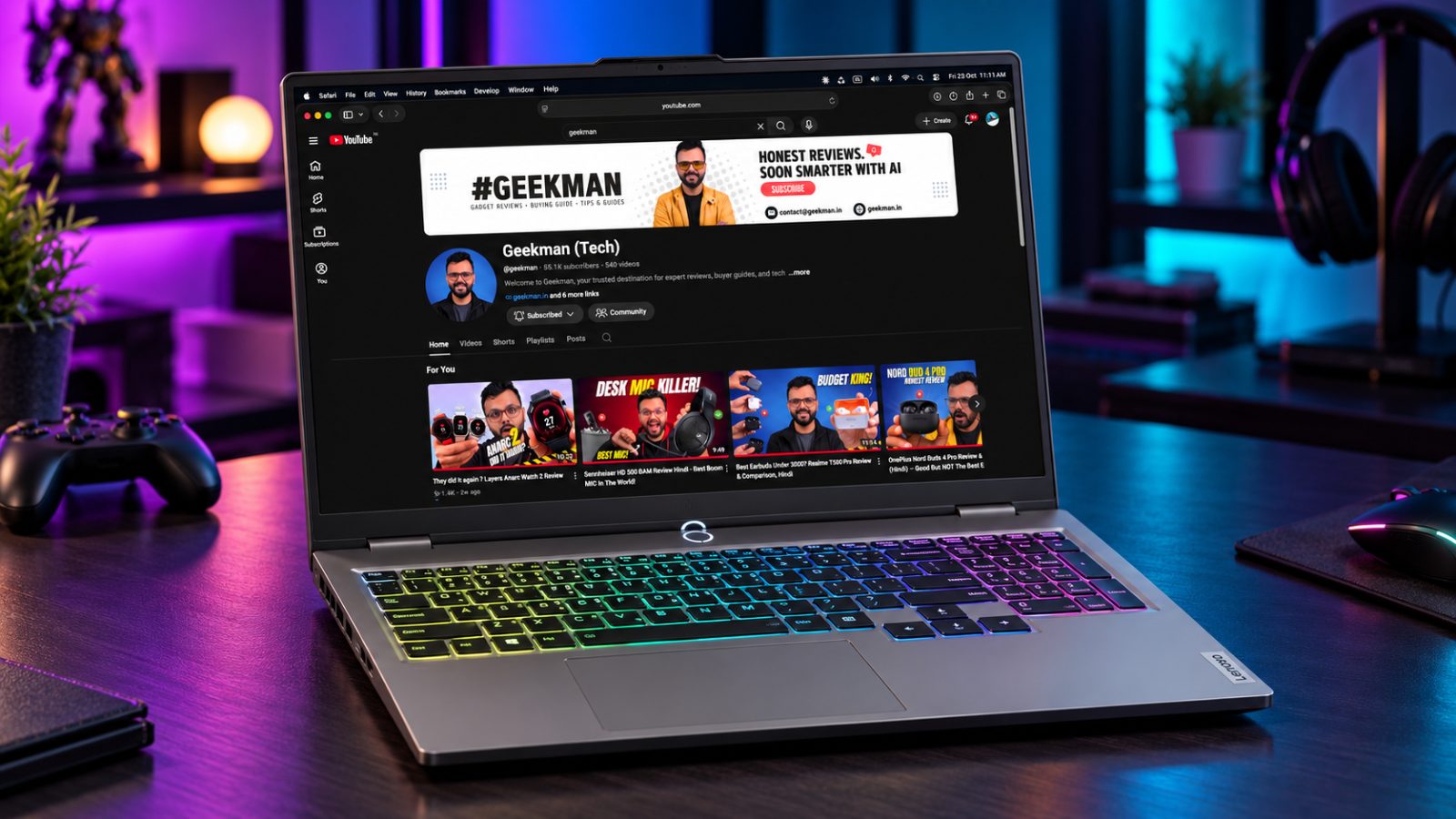
Core i7-13645HX · RTX 4050 6GB, 105W · 100% sRGB · Up to 32GB RAM · 2.4 kg
Best for
✓ Editors who do 1080p work and game
✓ Buyers who do not need 8GB of video memory
✓ People who want upgradable RAM
Not ideal for
– Anyone who edits 4:2:2 footage
– People who want a light laptop
Verdict: A fine editing laptop, though the RTX 5050 LOQ costs ₹9,000 more and has more memory and storage.

Lenovo LOQ Intel Core i7-13645HX| NVIDIA RTX 4050 6GB (16GB RAM/512GB SSD/144Hz Refresh Rate/15.6" (39.6cm)/Windows 11/Office Home 2024/Grey/2.4Kg), 83DV01K0IN AI Gaming Laptop
Pros and cons
What we like
+ 100% sRGB screen
+ 14-core CPU
+ RTX 4050 at a published 105W
What we don’t like
– 6GB of video memory
– 512GB SSD
– 2.4 kg
Lenovo LOQ 15IRX9 83DV01H1IN RTX 4050 review for video editors
The Lenovo LOQ 15IRX9 in the i7-13645HX trim (India code 83DV01H1IN) is the high-value editing machine in this list. The Core i7-13645HX has 14 cores and 20 threads, the same class of processor as the pricier RTX 5050 laptops above it, and the RTX 4050 here runs at 105W with another 10W available in Extreme Mode. Lenovo supplies 16GB of DDR5-4800, a 512GB PCIe 4.0 drive and a 15.6 inch 1080p IPS at 144Hz, 300 nits and 100% sRGB. For editing, the CPU and the screen are what you are really buying, and this laptop gets both right at a price below the RTX 5050 models.
My take: this is where I would send a video editor with a tight budget. The 100% sRGB screen means your colour work is trustworthy, and in a lab test on the same panel family sRGB coverage came out at 99.1% with a 310 nit peak. The RTX 4050 is the older Ada chip with 6GB of memory, so two limits apply. The 6GB is tight for heavy effects and noise reduction on 4K timelines, and the GPU cannot decode 10-bit 4:2:2 footage in hardware, so some camera files will play less smoothly than on the RTX 5050 laptops. If you shoot on a phone or a camera that records 4:2:0 H.264 and HEVC, neither limit will bother you.
Lenovo LOQ 15IRX9 electricity cost for editors
The charger is a 170W slim-tip unit. In a mixed editing day the laptop averages 80 to 100W, so over eight hours it uses about 0.72 units, roughly Rs 5.8 at Rs 8 a unit and Rs 1,700 across a 300 day year. A render-heavy day will push higher briefly, but the average stays low because most of editing is waiting and thinking. If you also game for two hours a day at 150W, the extra is about Rs 720 a year. The 60Wh battery will give you an hour or two of light work, so the charger is part of the workflow, and a spare in your bag is worth the money if you edit on location.
Lenovo LOQ 15IRX9 noise, ports and thermals for long exports
Expect roughly 48 dB in Balanced mode and 54 dB in Performance, so a long export is a headphone job. Surface heat is manageable in Balanced. The ports are generous: three USB-A, a USB-C at 10Gbps with 65 to 100W charging and DisplayPort 1.4, HDMI 2.1 and Ethernet. There is no Thunderbolt and no SD card slot, so a card reader joins the shopping list. The keyboard is full size with a numpad that suits shortcuts and timecode entry. At 2.38 kg plus the charger it is a desk laptop first, and I would not carry it to college every day. Pair it with a mouse for timeline work.
Lenovo LOQ 15IRX9 upgrades and Lenovo warranty in India
For an editor the upgrade path is the best feature. The bottom plate opens with Phillips screws. The 16GB of DDR5 is a single SODIMM with one slot free, so a second stick takes you to 32GB dual channel, which is the single most useful upgrade you can make. The 512GB drive is a short 2242 module, with two 2280 slots free for a project drive and a cache drive. Warranty is one year with courier or carry-in service, and Lenovo sells accidental damage cover and onsite upgrades as add-ons; I would take the onsite upgrade because carry-in repair on a laptop that earns your income is a risk. Check the CPU says i7-13645HX and the GPU says RTX 4050 on delivery, and match the spec on the carton.
Who should buy the Lenovo LOQ 15IRX9 for video editing
The limits are the 6GB of video memory, the missing 4:2:2 decode, the weight and the loud fans. The Lenovo LOQ 2025 with the RTX 5050 fixes the decode and adds 2GB of memory for more money. The Lenovo LOQ Essential is lighter and cheaper but its CPU and GPU are slower. If you edit 1080p and 4K content from phones, drones and entry cameras, and you want the best value in this list, the LOQ 15IRX9 is the one to buy. Add the second RAM stick on day one and a project SSD within the month, and it will serve you well for years.
Key specs
| CPU | Intel Core i7-13645HX, 14 cores, 20 threads |
| GPU | NVIDIA RTX 4050 6GB GDDR6, TGP 105W |
| Memory | 16GB DDR5-4800 (1 stick), up to 32GB |
| Display | 15.6 inch FHD IPS, 144Hz, 300 nits, 100% sRGB |
| Storage | 512GB PCIe 4.0 NVMe |
| Weight | About 2.4 kg |
Best for Light Editing
6. Lenovo LOQ Essential (Ryzen 7 7735HS, RTX 4050 6GB, 65W)
7.6 Overall
7.0 Performance
8.2 Value
7.8 Service
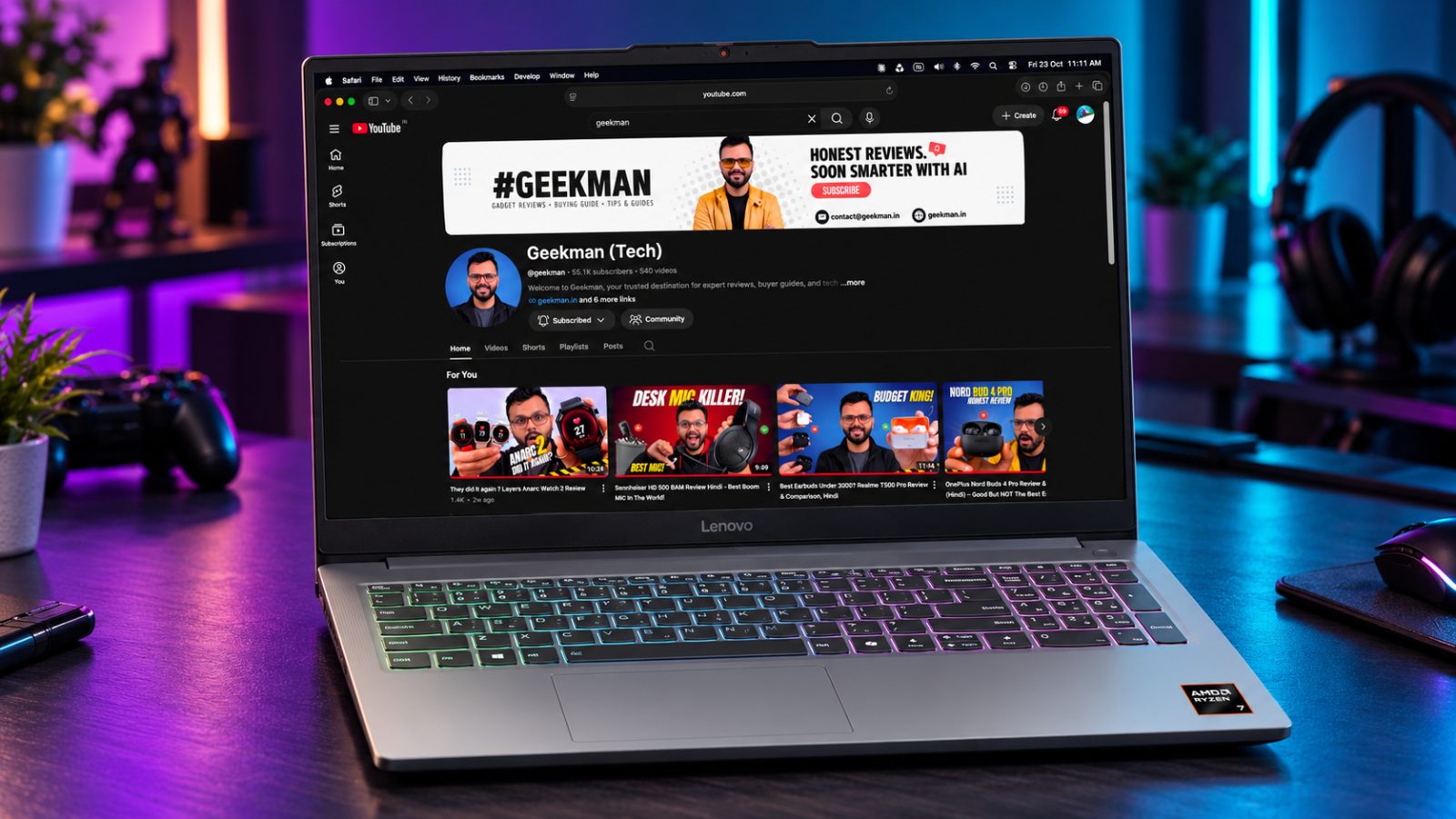
Ryzen 7 7735HS · RTX 4050 6GB, 65W · 100% sRGB · 16GB max RAM · 1.8 kg
Best for
✓ Students who edit Reels and short videos
✓ Photo editors who game
✓ Anyone who carries the laptop every day
Not ideal for
– Heavy 4K projects
– Anyone who needs more than 16GB of RAM
Verdict: The cheapest laptop here with a 100% sRGB screen. The 16GB RAM limit keeps it to light editing.
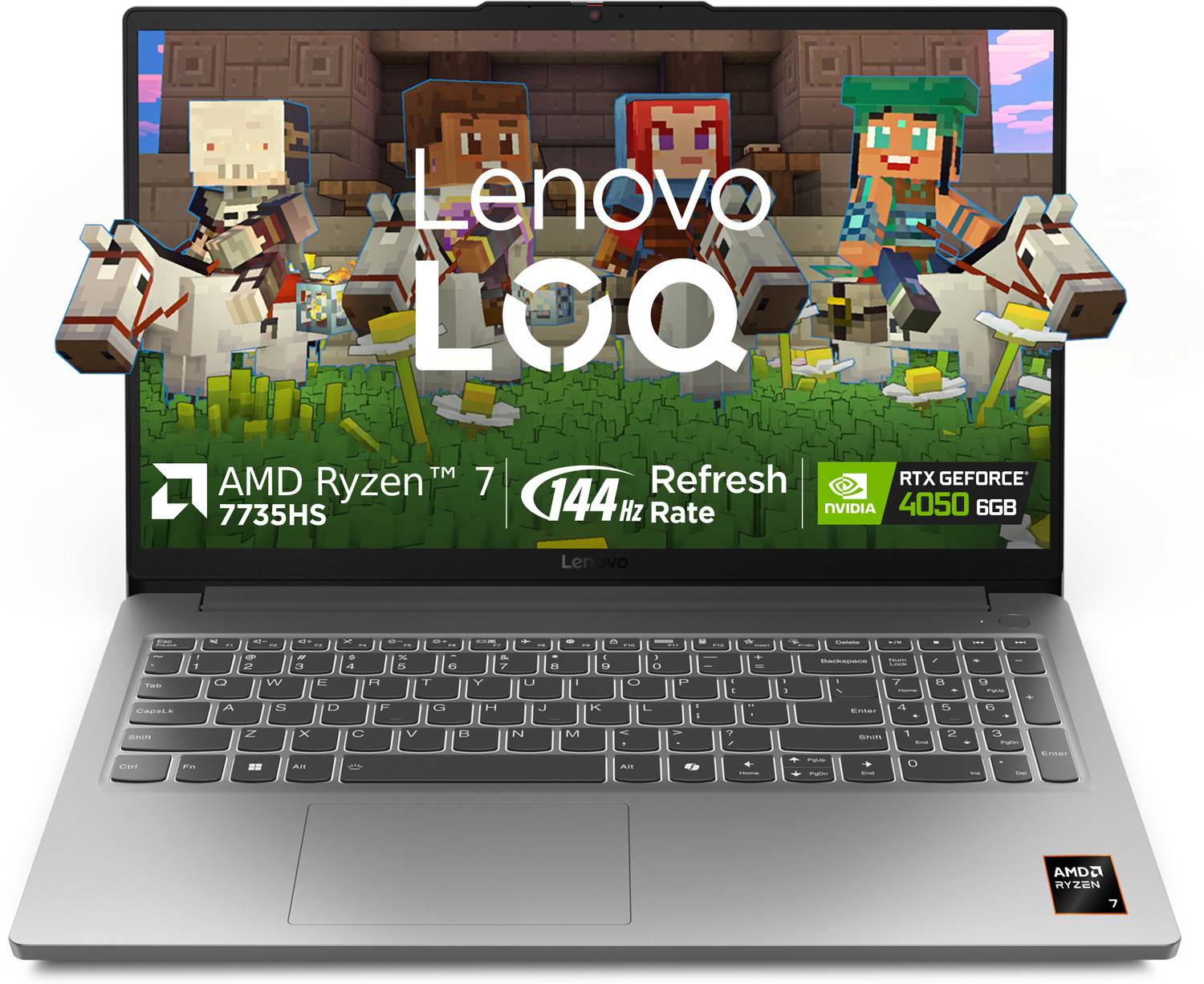
Lenovo LQQ Essential AMD Ryzen 7 Octa Core 7735HS - (16 GB/512 GB SSD/Windows 11 Home/6 GB Graphics/NVIDIA GeForce RTX 4050) LOQ 15ARP10E Gaming Laptop
 Lowest price
Up to 5% instant discount on Flipkart Axis & Flipkart SBI credit cards Details
- Up to 5% instant discount on Flipkart Axis & Flipkart SBI credit cards
Pros and cons
What we like
+ 100% sRGB screen
+ 1.8 kg
+ Cheapest 100% sRGB laptop here
What we don’t like
– 16GB RAM maximum
– 8-core CPU
– 65W GPU
Lenovo LOQ Essential 15ARP10E RTX 4050 review: the entry-level editing laptop
The Lenovo LOQ Essential (83S000FWIN) pairs a Ryzen 7 7735HS with 8 cores and 16 threads and an RTX 4050 6GB limited to 65W. It comes with 16GB of DDR5-4800 in a single SODIMM, a 512GB PCIe 4.0 drive, and a 15.6 inch IPS at 144Hz with FreeSync, 300 nits and 100% sRGB. At 1.8 kg it is the lightest laptop in the group, and the 57.5Wh battery is respectable. For editing, the 100% sRGB panel is what lifts this model above its price: it is the cheapest laptop in this list where colour can be trusted.
My take: the LOQ Essential is an honest short-form editing machine. If your work is Reels, Shorts, college films and wedding teasers at 1080p, it does the job and the screen shows true colours. It is not a 4K timeline laptop. The Ryzen chip is a solid older processor, but 8 cores trail the 14 core Lenovo options by a clear margin in export times, and the 65W GPU is the weakest here. The 6GB of video memory will fill quickly if you add heavy noise reduction or stacked effects. I would call it a very good first editing laptop and a poor choice for a professional with 4K deadlines.
Lenovo LOQ Essential running cost and charger
The charger is a 135W slim-tip unit, a good sign for a machine that draws less than the bigger LOQ. Editing averages about 70 to 90W, so eight hours use roughly 0.64 units, about Rs 5.1 a day at Rs 8 a unit, or Rs 1,500 a year on a 300 day schedule. Gaming at 110W for two hours a day adds around Rs 530. The lighter charger also helps with carrying: the 135W brick is a lower wattage unit than the 170W and 245W chargers of the larger Lenovo laptops. It is cheap to run and kind to a college hostel’s power budget, and the lower wattage also means a cooler keyboard deck while you type through a long subtitle pass, which matters when the hostel room has no air conditioning.
Lenovo LOQ Essential daily use: ports, card reader and keyboard
The port list works for editing: a USB-C at 5Gbps with power delivery, two USB-A, HDMI 2.1, Ethernet and a card reader, a rare feature among gaming laptops and a real convenience if you shoot on a camera. The USB-C is not fast enough for the quickest external SSDs, so use a USB-A drive. The keyboard has a numpad, the clickpad is average, and the fans stay at a lower noise level than the larger LOQ because there is less power to dissipate. This is the most practical machine in the list for lecture halls and travel, and the plastic body feels sturdy. A sensible habit is to keep the footage on an external drive and the project file on the internal SSD, which keeps the single 512GB drive from filling up in the first month. Trim your proxies, delete old render caches each Sunday, and the LOQ Essential will stay responsive.
Lenovo LOQ Essential 83S000FWIN upgrades, warranty and service
The memory is the weak spot. The spec sheets show two SODIMM slots and two M.2 slots, but Lenovo’s own table lists 16GB as the supported maximum, so test with a matching second stick before assuming 32GB. The 512GB drive is a short 2242 module and the second slot gives room for a project drive. Warranty is one year carry-in, with accidental damage cover as a paid add-on. On delivery, check the sticker for Ryzen 7 7735HS and RTX 4050 6GB, and look at the Lenovo Vantage GPU readout for the 65W limit. Laptop SKUs change by configuration, so match the CPU, GPU, RAM and storage on the carton to avoid a Ryzen 5 or RTX 3050 unit.
Who should buy the Lenovo LOQ Essential for video editing
The shortfalls are the 8 cores, the 65W GPU, the single memory stick and the lack of 4:2:2 decode. The Lenovo LOQ 15IRX9 gives you 14 cores and 105W for a modest step up, and the ASUS Gaming V16 2026 comes close on weight with a newer GPU but a duller screen. I would recommend the LOQ Essential to a student or a beginner creator who edits 1080p, wants honest colour, and needs a lighter laptop. If you plan to work with 4K footage professionally, stretch to the 15IRX9 or the LOQ 2025.
Key specs
| CPU | AMD Ryzen 7 7735HS, 8 cores, 16 threads |
| GPU | NVIDIA RTX 4050 6GB GDDR6, TGP 65W |
| Memory | 16GB DDR5-4800, one SODIMM, up to 16GB |
| Display | 15.6 inch FHD IPS, 144Hz, 300 nits, 100% sRGB |
| Storage | 512GB PCIe 4.0, two M.2 slots |
| Weight | About 1.8 kg |
RTX 5050 or RTX 4050 for editing?
The RTX 5050 laptop has 8GB of video memory against 6GB, and Notebookcheck rates it about 14% above the RTX 4050 laptop. For editing, Adobe and NVIDIA say the RTX 50 series adds hardware 4:2:2 encoding and decoding, which speeds up 10-bit footage from some cameras. No spec sheet lists this separately for the laptop RTX 5050, so check your editing software before relying on it. If your footage is regular 8-bit 4:2:0 from a phone or regular camera, the RTX 4050 will do fine.
For gamers
Will new and upcoming games run on these laptops?
Every studio publishes a minimum and a recommended graphics card. Here is where the RTX 5050 and RTX 4050 sit against the biggest releases of the next few weeks.
| Game | Studio’s GPU tiers | RTX 5050 8GB / RTX 4050 6GB |
|---|---|---|
| Gears of War: E-Day, 6 Oct 2026 | Min: RTX 2060, RTX 5050, RX 6600. Rec: RTX 5060, RTX 3060 Ti. 8GB VRAM advised | 5050 meets the minimum and the memory advice. 4050 clears the minimum with 6GB |
| Call of Duty: Modern Warfare 4, 23 Oct 2026 | Min: GTX 1060, RX 470, Arc A580. Rec: RTX 3060 Ti for 90 fps on High | Both clear the minimum. Medium to High |
| Phantom Blade Zero, 29 Oct 2026 | Min: GTX 1660 6GB (1080p, 30 fps, upscaling). Rec: RTX 3060 Ti | Both clear the minimum |
| Path of Exile 2 (1.0), 11 Dec 2026 | Min: GTX 960. Rec: about an RTX 2060 | Both are comfortable |
| GTA 6, 19 Nov 2026 (PS5, Xbox only) | No PC version announced | Nothing to test yet |
Requirements are the studios’ published figures, collected in October 2026. The last column is Geekman’s reading of where each chip sits against those tiers, not a benchmark result. Real results depend on the laptop’s GPU power, the CPU and the settings.
What this means for your buying decision
You edit and game and have ₹1.5 lakh: the Lenovo LOQ 2025.
You want the best screen for grading: the Lenovo Legion 5.
You want a 16:10 screen for less: the ASUS Gaming V16.
You edit Reels and short videos on a budget: the Lenovo LOQ Essential.
You edit 4K projects: add a second RAM stick for 32GB and pick one of the Core i7 laptops.
You want High settings in every new release: look at RTX 5060 and RTX 5070 laptops above ₹1.8 lakh.
You are buying for GTA 6: wait. It is console only for now and no PC date exists.
AI and video
Can these laptops run local AI and AI agents?
8GB
RTX 5050 laptops
Run 7B to 8B parameter models at 4-bit quality.
Read review
6GB
RTX 4050 laptops
Suit 3B to 4B parameter models.
Read review
Cloud API
Larger models
Use a cloud API for big models and coding agents, and keep the laptop for tools and code.
Read review
With 8GB of video memory, the RTX 5050 laptops run 7B to 8B parameter models at 4-bit quality, and the 6GB RTX 4050 laptops suit 3B to 4B models. For larger models and coding agents I would use a cloud API and keep the laptop for tools and code. All six laptops have NVIDIA GPUs, which most local AI tools prefer.
Compare all 6 laptops at a glance
| Laptop | CPU | Screen | RAM and storage | GPU | Price |
|---|---|---|---|---|---|
| Lenovo LOQ 2025 | Core i7-13650HX | 100% sRGB, 144Hz | 16GB (max 32GB), 1TB | RTX 5050 8GB | ₹1,48,990 |
| Lenovo Legion 5 | Core i7-13650HX | 100% sRGB, 165Hz, WUXGA | 16GB (max 32GB), 512GB | RTX 5050 8GB | ₹1,62,990 |
| ASUS TUF Gaming F16 2026 | Core i5-14450HX | 100% sRGB, 16:10 | 16GB, 512GB | RTX 5050 8GB | ₹1,59,990 |
| ASUS Gaming V16 | Core 5 210H | 16:10, 100% Adobe (claim) | 16GB, 512GB | RTX 5050 8GB | ₹1,39,990 |
| Lenovo LOQ (Core i7) | Core i7-13645HX | 100% sRGB, 144Hz | 16GB (max 32GB), 512GB | RTX 4050 6GB | ₹1,39,990 |
| Lenovo LOQ Essential | Ryzen 7 7735HS | 100% sRGB, 144Hz | 16GB (max 16GB), 512GB | RTX 4050 6GB | ₹1,14,990 |
Specs and prices are as of October 2026. Prices were seen on 22 October 2026 and move daily. Verify the exact variant before you buy.
The buying guide
How to choose a gaming laptop for video editing
Screen
Look for 100% sRGB and 300 nits.
RAM
16GB for 1080p, 32GB for 4K. Check the maximum.
Storage
Footage fills drives. Look for two M.2 slots.
GPU
NVIDIA speeds up effects and exports.
1 · Why screen colour comes first
You cannot grade what you cannot see. A panel with 62.5% sRGB shows muted colours, so your edit will look different on a phone or a TV. Look for 100% sRGB.
2 · RAM and the single stick trap
Many laptops ship with one 16GB stick, which runs in single channel and is slower than two. The LOQ and Legion take up to 32GB. The LOQ Essential is limited to 16GB, so it suits light editing.
3 · Storage for footage
A 512GB drive fills fast with 4K footage. The LOQ 2025 has 1TB, and the Legion 5 has two M.2 slots, so plan to add a second SSD or use an external drive.
4 · Weight and daily carry
The LOQ Essential weighs 1.8 kg, the V16 about 1.95 kg, the Legion 5 about 2.1 kg, the TUF F16 2.2 kg and the Core i7 LOQs 2.4 kg.
5 · Battery reality
Editing and gaming on battery lasts under an hour on laptops like these. Plan to plug in for exports and games.
6 · Crossed out prices
Stores show large crossed out prices. Ignore them and look at the real price, then check which bank offer applies at checkout.
7 · Warranty and service
Most of these list one year. Keep the invoice, register the laptop on day one and note the nearest service centre.
Other laptops we considered
HP Victus 15 with Ryzen 7 260 (₹1,54,890). It has 24GB of RAM and 1TB, but its screen lists only 62.5% sRGB.
Dell Alienware 15 (₹1,55,490). It has a 165Hz screen but lists only 62.5% sRGB.
Acer Aspire 7 (₹1,00,750). It lists about 45% NTSC, which is too dim for colour work.
Cheaper RTX 3050 laptops. They are fine for gaming but have 4GB or 6GB of video memory. See my under 80000 guide.
The verdict
Which gaming laptop should you buy for video editing?
Best overall: Lenovo LOQ 2025, for 100% sRGB, 14 cores and 1TB. Check price
Best screen: Lenovo Legion 5, for the 165Hz WUXGA panel. Check price
Best 16:10 screen: ASUS TUF Gaming F16, with 100% sRGB. Check price
Best value: ASUS Gaming V16, for ₹1,39,990. Check price
Best RTX 4050: Lenovo LOQ Core i7, for 14 cores. Check price
Best for light editing: Lenovo LOQ Essential, at 1.8 kg. Check price
Not sure? Buy the Lenovo LOQ 2025 and add a second RAM stick. If the screen matters most and you can spend ₹14,000 more, take the Legion 5.
More buying guides from Geekman
Best gaming laptops under 1.5 lakh
Best gaming laptops under 1 lakh
Questions other guides skip
Gaming laptop questions most guides skip
Buyers keep asking these and the top guides rarely answer them. Each is matched to the makers’ own spec pages (last checked 22 October 2026).
1 · Does the RTX wattage matter more than the card name?
Yes, it can. The same RTX chip runs at different power limits in different laptops. Lenovo lists the RTX 4050 at 65W in the LOQ Essential and 105W in the LOQ i7 model, and the RTX 5050 at 100W in the LOQ 2025 and 115W in the Legion 5. Some makers, like ASUS on the Gaming V16, do not publish it at all. Compare the wattage line when it is listed, and treat a missing number as a question mark.
2 · Will the screen show true colours if I also edit videos or photos?
Check the panel before you buy. Several gaming laptops list only about 62.5% of sRGB, which looks muted, and I left the HP Victus R7 260 and the Alienware 15 out of my editing guides for that reason. Look for a model that says 100% sRGB, and read the maker’s specs rather than the shop title.
3 · Is a single 16GB RAM stick a problem?
It can be. Many laptops here list one 16GB stick, which runs in single channel and gives less memory speed than two sticks. The LOQ 2025 and Legion 5 have room for a second stick, but the LOQ Essential tops out at 16GB. Check the maximum before you plan an upgrade.
4 · Can I play GTA 6 on a gaming laptop?
Not yet. GTA 6 has only been announced for PlayStation 5 and Xbox Series consoles, and no PC version had been announced on 22 October 2026. Do not pay extra for a laptop just for that game.
5 · Will a gaming laptop slow down during a long video export?
It can. During a long export both the processor and the graphics card heat up, and the laptop lowers its speed to protect itself. A laptop with better cooling holds speed longer. Keep it plugged in, on a hard surface and in performance mode for exports.
6 · How much storage will I need for video projects, and can I add more?
A lot. Footage and project files fill a 512GB drive fast, so I would use a fast external SSD for projects. A second internal SSD slot is a big plus for editing, so check the model’s spec page for a free M.2 slot.
7 · Is a gaming laptop too loud for editing at night?
Previews and exports spin the fans up, so you will hear them. Use the quiet profile for cutting and organising, and switch to performance mode only for exports. A clean vent and a hard surface keep the noise down.
Gaming laptops for video editing FAQ
Which is the best gaming laptop for video editing in India in 2026?
The Lenovo LOQ 2025 with a Core i7-13650HX and RTX 5050 8GB at ₹1,48,990. It has a 100% sRGB screen, 14 cores, 1TB of storage and two RAM slots. If you want the best screen, the Lenovo Legion 5 at ₹1,62,990 has a taller 165Hz panel.
What matters most in a laptop for video editing?
In my experience it is the screen first, because you cannot grade colour on a dim, narrow panel. Then CPU cores, RAM you can upgrade, storage for footage, and the GPU for effects and exports. That is why I rank 100% sRGB and RAM slots above frame rates in this guide.
How much RAM do I need for video editing?
As a rule of thumb, 16GB is enough for 1080p and light 4K, and 32GB is more comfortable for 4K and heavier timelines. That is why the laptops here that go to 32GB rank higher than the LOQ Essential, which is limited to 16GB.
Is 100% sRGB enough for video editing?
For Reels, short videos and web video, yes. For print or wide gamut work you want a panel that covers DCI-P3 or Adobe RGB, which none of these laptops list. They cover sRGB, which is what most online video uses.
Does the RTX 5050 help video editing more than an RTX 4050?
A little. Adobe and NVIDIA say the RTX 50 series adds hardware 4:2:2 encoding and decoding, which helps with 10-bit footage from some cameras. No spec sheet lists this separately for the laptop RTX 5050, so check your editing software before relying on it. The RTX 5050 also has 8GB of video memory against 6GB.
Do I need an RTX GPU to edit video?
No, but it helps. NVIDIA GPUs speed up effects, AI tools and hardware encoding in Premiere Pro, DaVinci Resolve and CapCut. All six laptops here have one.
Why are gaming laptops so expensive in 2026?
Memory and graphics chips have become pricier as AI demand takes a big share of supply, and laptop makers have passed that on. An RTX 5050 laptop that would have cost around ₹1 lakh now sells for ₹1.4 lakh and up.
Will new games like Gears of War: E-Day run on these laptops?
Yes. Gears of War: E-Day lists an RTX 2060, RTX 5050 or RX 6600 as its minimum and an RTX 5060 or RTX 3060 Ti as recommended, with 8GB of video memory advised. The RTX 5050 laptops meet the minimum and the memory advice, and the RTX 4050 laptops clear the minimum.
Will GTA 6 run on a gaming laptop?
GTA 6 launches on 19 November 2026 for PlayStation 5 and Xbox Series consoles only. No PC version has been announced, so no laptop can run it yet.
Can I run local AI models on these laptops?
Small ones. 8GB of video memory runs 7B to 8B parameter models at 4-bit quality, and 6GB suits 3B to 4B models. For larger models and coding agents I would use a cloud API.
Should I buy a gaming laptop or a creator laptop for editing?
If you also play games, a gaming laptop with a 100% sRGB screen is the better value. Creator laptops often have better screens and lighter bodies, but they cost more for the same GPU.