

Short answer: buy the Lenovo LOQ 2025 (RTX 5050, 100W) for the most performance. If you want to save ₹9,000, the ASUS Gaming V16 (RTX 5050) is the value pick. Two of the four laptops here have an RTX 5050 with 8GB of video memory, and two have an RTX 4050 pushed to high power or loaded with RAM.
Geekman has covered consumer tech for over 10 years, and this ranking is built the way our buying guides always are: research first, then a hard look at the numbers. For every model we compared official specs, GPU memory and power, display, memory, price, warranty and service reach, and live prices.
The market in 2026
What ₹1.5 lakh buys in a gaming laptop right now
We went through gaming laptops from ₹1.25 lakh to ₹1.5 lakh. This is the band where the RTX 5050 with 8GB of video memory arrives, and where RTX 4050 laptops start to get more power or more RAM. Below it, the picks are cheaper RTX 4050 laptops, and I cover those in my under 1 lakh guide.
The main brands do not offer an RTX 4060 or RTX 5060 laptop in this band. Those start higher, so I left them out.
The same GPU name can mean very different speed. The ASUS TUF F16 runs an RTX 4050 at 140W, the Lenovo LOQ runs an RTX 5050 at 100W, and ASUS and HP do not publish the number for the V16 and the Victus. When a brand hides it, I say so.
Find your gaming laptop under 1.5 lakh in 3 quick taps
Short answer: the Lenovo LOQ 2025 with the RTX 5050 is the most performance and the ASUS Gaming V16 is the value pick. Turn on JavaScript to use the Finder.
The ranking
How I ranked these gaming laptops
Each laptop gets a score out of 10 for performance (40%), value (40%) and service (20%). Performance covers the GPU and its power, the CPU, video memory and the screen. Value is price against what you get and what you can upgrade. Service looks at warranty and how easy it is to get help.
See the scores
| # | Laptop | Perf. | Value | Service | Overall |
|---|---|---|---|---|---|
| 1 | Lenovo LOQ 2025 (Core i7-13650HX, RTX 5050 8GB, 1TB) | 8.8 | 8.0 | 7.8 | 8.3 |
| 2 | ASUS Gaming V16 2026 (Core 5 210H, RTX 5050 8GB) | 8.4 | 8.4 | 7.2 | 8.2 |
| 3 | ASUS TUF Gaming F16 (Core 5 210H, RTX 4050 6GB, 140W) | 8.4 | 7.8 | 7.4 | 8.0 |
| 4 | HP Victus 15 (Core i7-13650HX, RTX 4050 6GB, 24GB) | 7.8 | 8.0 | 7.0 | 7.7 |
Scores weigh performance 40%, value 40% and service 20%. They come from official specs, independent test data, listed warranty terms and live prices on 22 October 2026.
Quick picks
| Pick | Laptop | Best for |
|---|---|---|
| Best Overall | Lenovo LOQ 2025 (Core i7-13650HX, RTX 5050 8GB, 1TB) | The strongest all-round gaming laptop under ₹1.5 lakh |
| Best 16 Inch | ASUS Gaming V16 2026 (Core 5 210H, RTX 5050 8GB) | An RTX 5050 in a 1.95 kg, 16 inch 16:10 body |
| Highest GPU Power | ASUS TUF Gaming F16 (Core 5 210H, RTX 4050 6GB, 140W) | An RTX 4050 pushed to 140W, with a tough TUF body |
| Cheapest, Most RAM | HP Victus 15 (Core i7-13650HX, RTX 4050 6GB, 24GB) | The cheapest laptop here, with 24GB RAM and a 14-core CPU |
Tap a name to jump to its review. Live prices are in the buy box under each review. Prices are as seen on 22 October 2026 and bank offers can change them.
The reviews
Best gaming laptops under 1.5 lakh in India: 4 picks
Best Overall
1. Lenovo LOQ 2025 (Core i7-13650HX, RTX 5050 8GB, 1TB)
8.3 Overall
8.8 Performance
8.0 Value
7.8 Service
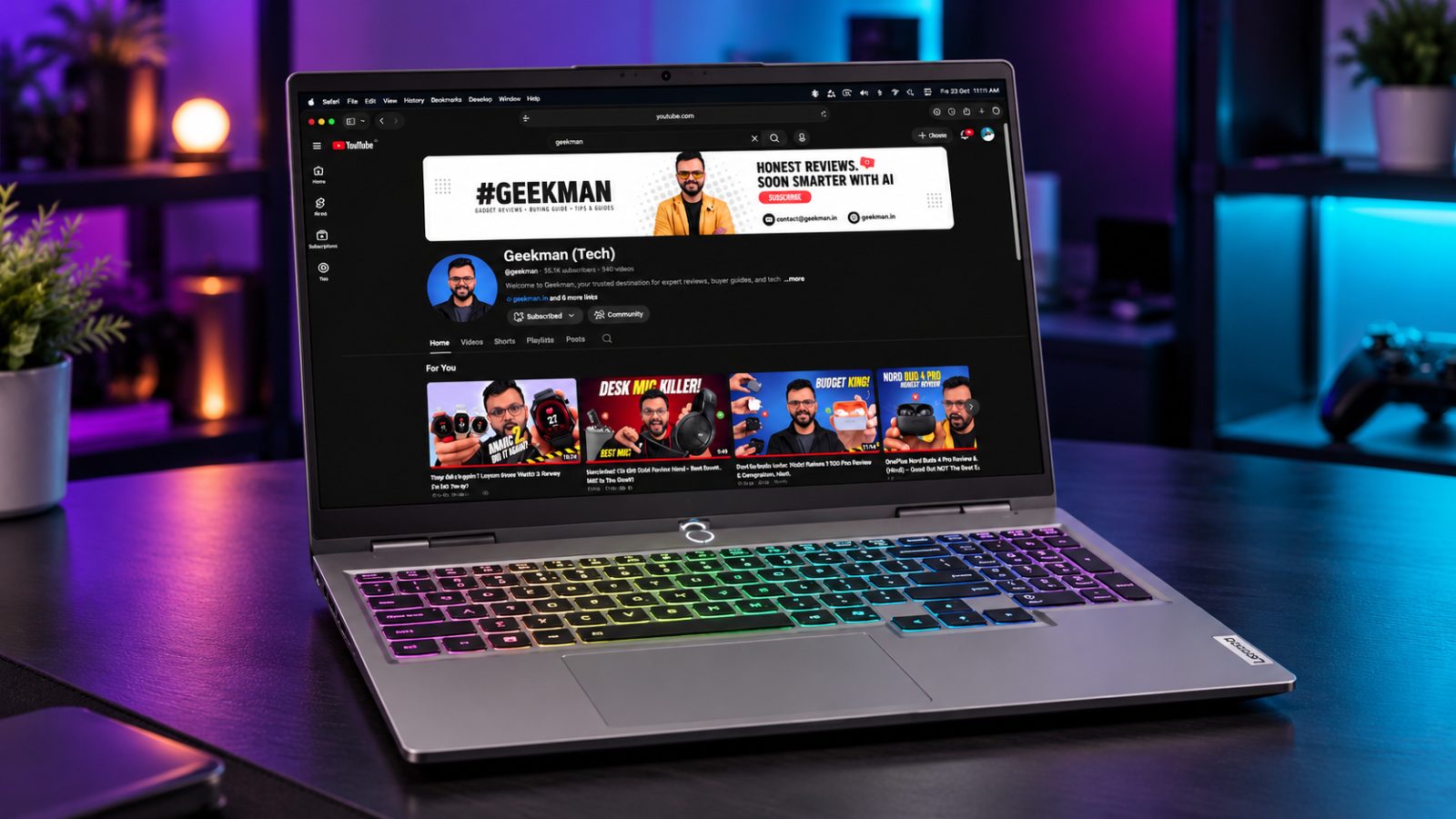
Core i7-13650HX · RTX 5050 8GB, 100W · 16GB DDR5, 2 slots · 1TB SSD · 144Hz, 100% sRGB
Best for
✓ Gamers who want the most performance in this band
✓ Buyers who plan to add RAM later
✓ Anyone who edits video or photos as well as gaming
Not ideal for
– People who carry the laptop to college every day
– Anyone who wants a thin 16 inch screen
Verdict: The one I would buy. The only laptop here with a published 100W RTX 5050, a 14-core CPU and two RAM slots.


Lenovo LOQ 2025, Intel Core i7-13650HX, 13th Gen, NVIDIA RTX 5050 8GB, 16GB RAM, 1TB SSD, FHD IPS, 15.6" (39.6cm), 144Hz Refresh Rate, Windows 11, Office 24, Grey, 2.4Kg, 83JE010SIN, Gaming Laptop
 Great Indian Festival
Up to 6% instant discount on select credit cards +1
- Up to 6% instant discount on select credit cards
- Cashback with Amazon Pay ICICI Bank Credit Cards
Pros and cons
What we like
+ RTX 5050 8GB at a published 100W
+ 14-core i7 and 1TB SSD
+ Two RAM slots, up to 32GB
What we don’t like
– 2.4 kg
– Highest price of the four
– Ships with a single 16GB stick
Lenovo LOQ 15IRX10 RTX 5050 gaming laptop with 1TB SSD: the 2025 LOQ for a 1.5 lakh budget
The Lenovo LOQ 2025 (the 15IRX10 family, sold in India with the Core i7-13650HX and an RTX 5050) is the safest spend in this price band. The i7-13650HX has 14 cores and 20 threads, and the RTX 5050 brings 8GB of GDDR7 and DLSS 4 with multi frame generation, which is the feature that separates it from any RTX 4050 laptop. This trim carries a 1TB SSD, so you skip the first storage upgrade most buyers face. The screen is a 15.6 inch 1080p IPS at 144Hz, the body weighs about 2.4 kg, and the battery is 60Wh. The chassis is built around a 100W graphics budget, as the RTX 5060 versions of the same laptop show.
My take: when someone sets a ceiling of Rs 1.5 lakh, this is where I start. The 5050 itself is an entry card, closer to a 4060 than a 4050 in raw frame rate when it gets enough power, and the real draw is frame generation, which pushes demanding titles from 50 to well past 100 fps if you accept the latency. The i7-13650HX is a serious processor, so streaming, editing and compiling are no problem. The 1TB drive means a few AAA installs fit comfortably. Compared with the other laptops in this list, it is the only one that has a strong CPU, a modern GPU and generous storage together. That balance is why it is first.
What the Lenovo LOQ 15IRX10 adds to your power bill
Plan on about 150W at the wall in games, because the HX processor and the 5050 both draw hard. Four hours of gaming a day for 250 days is 1,000 hours, so 150 units, which at Rs 8 a unit is Rs 1,200 a year. Add everyday office hours, around 35W for six hours on 300 days, which is 63 units and about Rs 504. So a heavy user pays roughly Rs 1,700 a year in electricity, under Rs 150 a month. Over a three year life that is about Rs 5,100, a small number next to the cost of the laptop. The charger is a large slim tip brick, so keep it at your desk and buy a spare only if you travel.
Living with the Lenovo LOQ 15IRX10: noise, heat and ports
On the same chassis, a Digit test of a faster i7-14700HX with an RTX 5060 saw CPU peaks near 96 C, the WASD keys around 36 C and the keyboard centre near 42.5 C, with a low whoosh in normal gaming and louder noise only in synthetic stress tests. That is an acceptable result for a plastic body with big fans. Ports include three USB-A, one USB-C, HDMI and Ethernet, with no Thunderbolt and no SD slot. The keyboard is full size with a numpad, and the plastic chassis is sturdy with a solid hinge. Battery life is a weakness at 60Wh, so treat the LOQ as a plugged-in laptop at a desk.
Lenovo LOQ 15IRX10 upgrades, warranty and Lenovo service in India
The LOQ opens easily and takes standard DDR5 SO-DIMMs and M.2 SSDs, so a second RAM stick gives dual channel and a cheap performance lift. Warranty is one year from Lenovo, with accidental damage cover and an onsite upgrade as paid add-ons. I would buy the onsite upgrade, because a carry-in repair on a 2.4 kg laptop is a hassle. Lenovo has service centres in most cities, and LOQ owners generally deal with Lenovo for battery and charger issues in the first year. On delivery, check the carton for i7-13650HX, RTX 5050 8GB and 1TB, and run a game for 15 minutes in Performance mode. SKUs change by configuration, so match the CPU, GPU, RAM and storage on the carton.
Who should buy the Lenovo LOQ 15IRX10 RTX 5050 and who should skip it
The shortfalls: the plastic build, a small battery, no Thunderbolt and fans that get loud under full load. It is not a laptop for carrying daily. The ASUS Gaming V16 is lighter and quieter but its 5050 runs at a much lower power. The ASUS TUF Gaming F16 has a higher power ceiling and Thunderbolt 4, though on an older RTX 4050 and a weaker CPU. The HP Victus 15 gives more RAM but a duller screen. Buy the LOQ if you want the strongest all-round balance within Rs 1.5 lakh and you will use it plugged in. If weight and battery come first, look at the V16.
Key specs
| CPU | Intel Core i7-13650HX, 14 cores, 20 threads |
| GPU | NVIDIA RTX 5050 8GB GDDR7, TGP 100W |
| Memory | 16GB DDR5-4800 (1 stick), 2 slots, up to 32GB |
| Display | 15.6 inch FHD IPS, 144Hz, 300 nits, 100% sRGB |
| Storage | 1TB PCIe 4.0 NVMe |
| Weight | About 2.4 kg |
| Warranty | Check the seller listing |
Best 16 Inch
2. ASUS Gaming V16 2026 (Core 5 210H, RTX 5050 8GB)
8.2 Overall
8.4 Performance
8.4 Value
7.2 Service
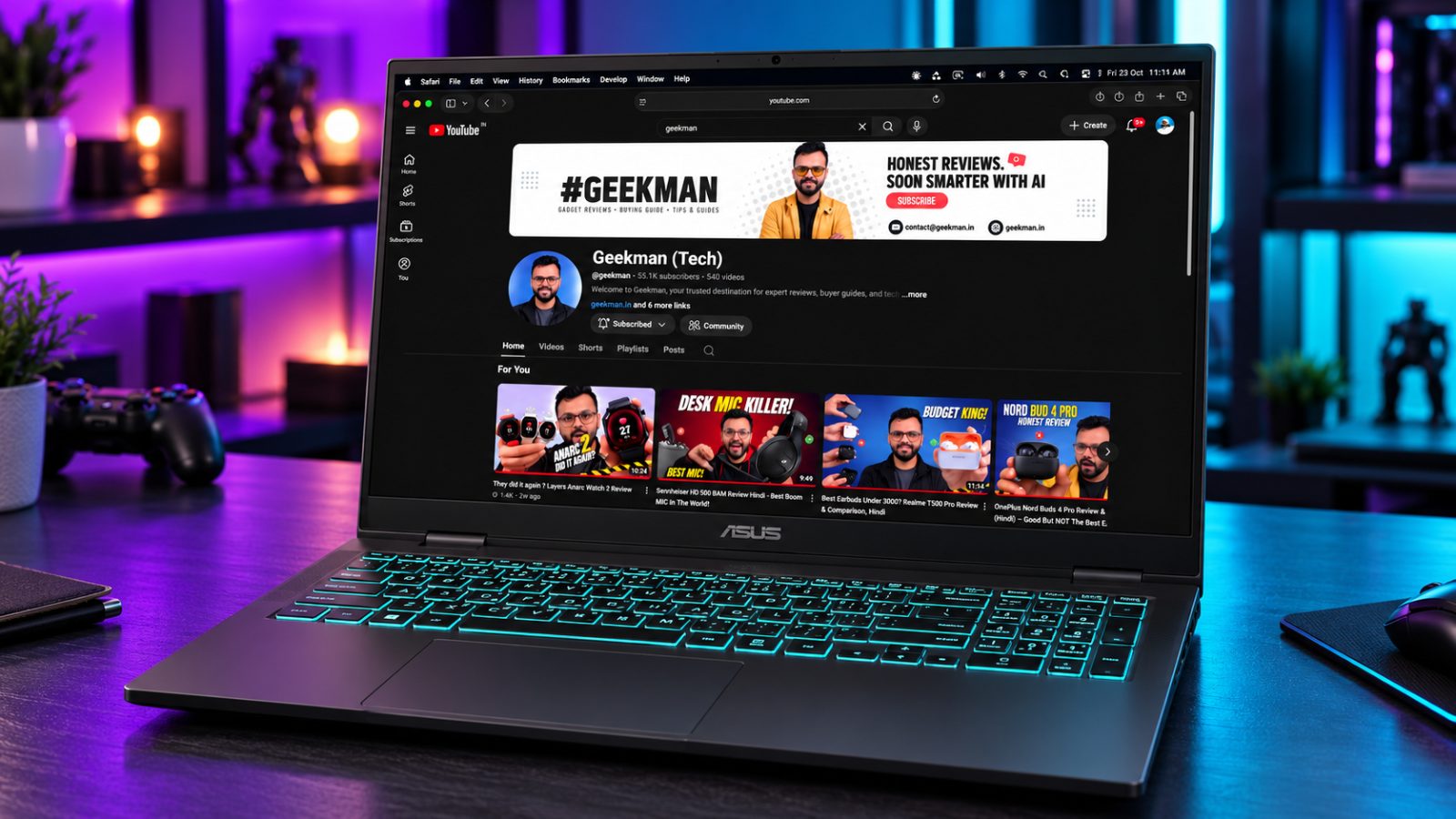
Core 5 210H · RTX 5050 8GB · 16GB DDR5 · 16 inch 16:10, 144Hz · 1.95 kg, 63Wh
Best for
✓ Gamers who also study or work on the laptop
✓ Buyers who want an RTX 5050 for less than ₹1.4 lakh
✓ Anyone who values a lighter 16 inch laptop
Not ideal for
– Anyone who needs to know the graphics power
– People who want a 14-core processor
Verdict: The value pick. You give up CPU cores and a published wattage, and you save about ₹9,000.

ASUS Gaming V16 (2026),Intel Core 5 210H (i5-14th Gen),RTX 5050-8GB,16GB RAM(Upgradeable),512GB SSD,FHD+,16"(40 cm),144Hz,Win 11,M365 Basic(1Y),Office 24,Black,1.95 Kg,V3607VH-TK154WS,Gaming Laptop
Up to 6% instant discount on select credit cards +1
- Up to 6% instant discount on select credit cards
- Cashback with Amazon Pay ICICI Bank Credit Cards
Pros and cons
What we like
+ RTX 5050 8GB for ₹1,39,990
+ 16:10 screen, 1.95 kg
+ Office 2024 and Microsoft 365 included
What we don’t like
– GPU power not published
– Core 5 210H has 8 cores
– 512GB SSD
ASUS Gaming V16 V3607VH RTX 5050 gaming laptop: quiet, light and power-limited
The ASUS Gaming V16 2026 (the V3607VH family, here with a Core 5 210H and an RTX 5050 8GB) is the thin and quiet option under Rs 1.5 lakh. It has a 16 inch 1920 by 1200 screen at 144Hz, 16GB of DDR5-5600, a 63Wh battery and a 150W charger, and it weighs about 1.99 kg. The part to understand is the GPU power. In ASUS’s own profiles, the RTX 5050 climbs from 35W in Whisper mode to 50W, 60W and a maximum of about 65W in Full Speed. That is a small share of what the chip can use in a 100W laptop, so you get RTX 50 features without RTX 50 muscle.
My take: the V16 5050 is a smart buy only if you value what it is good at. It is good at being quiet, because the matching noise levels run about 35, 40, 42 and 45 dBA across the four modes. It is good at battery, with a 63Wh pack that lasts several hours of study. It is good at looking like a normal laptop. It is not good at pure frame rate: testing on this chassis gave roughly 110 fps in The Witcher 3 at Ultra, 76 fps in Red Dead Redemption 2 and around 40 fps in Cyberpunk at Ultra without frame generation. With DLSS 4 and frame generation switched on, newer games become comfortable.
ASUS Gaming V16 V3607VH electricity use and battery in rupees
A 65W GPU with a Core 5 or Core 7 H-series chip draws about 110W at the wall, so three hours a day for 300 days is 900 hours and 99 units, around Rs 790 a year at Rs 8 a unit. That is the cheapest gaming bill in this list. A study day at 25W for eight hours costs 0.2 units, about Rs 1.6. The 150W charger also works over USB-C Power Delivery up to 100W through the laptop’s USB-C port, so a good GaN charger lets you leave the heavy brick at home on class days. Whisper mode keeps the CPU near 70 C and holds roughly 80% of Performance mode frame rates, which makes it an efficient everyday setting.
ASUS Gaming V16 V3607VH daily use: screen, speakers and keyboard
The screen is the weak part. The panel runs near 300 nits at around 70% sRGB, or about 45% NTSC, and its response is slow for a 144Hz screen, so colours look flat. The speakers are small and tinny. The keyboard is a nice surprise, full size with 1.5 mm travel and a numpad, and the large touchpad is accurate. Ports are two USB-A, one USB-C 3.2 Gen 1 with data, video and charging, HDMI 2.1 and a headphone jack, with no Thunderbolt, no card reader and no Ethernet. The body is all plastic that shows fingerprints, the lid is stiff, and the front lip can feel sharp under the wrists.
ASUS Gaming V16 V3607VH upgrades, warranty and ASUS service
The back panel is held by Phillips screws and stiff clips, so use a plastic pry tool. The laptop ships with a single 16GB stick and one free slot, which makes a second stick the cheapest improvement, and it has one M.2 2280 slot, so choose the SSD size carefully. Warranty is one year from ASUS, with extended and accidental damage plans sold through ASUS. Register the laptop at once. ASUS service is well spread in metros and thinner elsewhere, so check your nearest centre. On delivery, confirm the model code, the RTX 5050 sticker, and run a game in Performance mode. ASUS sells this chassis with several CPUs and GPUs, so match the CPU, GPU, RAM and storage on the carton.
Who should buy the ASUS Gaming V16 V3607VH RTX 5050 and who should skip it
The shortfalls: the 65W graphics limit, a weak screen, bad speakers and a single SSD slot. Against the Lenovo LOQ 2025, you lose real performance and a good CPU, in return for weight, noise and battery. Against the ASUS TUF Gaming F16, you get a newer GPU with frame generation, but the TUF’s 4050 at up to 140W can deliver higher raw frame rates. Against the HP Victus 15, you get the better battery and keyboard. Buy the V16 if you want a quiet, light laptop that handles esports, mid-weight AAA and modern DLSS titles, and you are not chasing the highest settings.
Key specs
| CPU | Intel Core 5 210H, 8 cores, 12 threads |
| GPU | NVIDIA RTX 5050 8GB GDDR7, graphics power not published |
| Memory | 16GB DDR5, upgradeable |
| Display | 16 inch 1920×1200, 16:10, 144Hz, 300 nits |
| Storage | 512GB PCIe 4.0 SSD |
| Battery | 63Wh |
| Weight | About 1.95 kg |
Highest GPU Power
3. ASUS TUF Gaming F16 (Core 5 210H, RTX 4050 6GB, 140W)
8.0 Overall
8.4 Performance
7.8 Value
7.4 Service
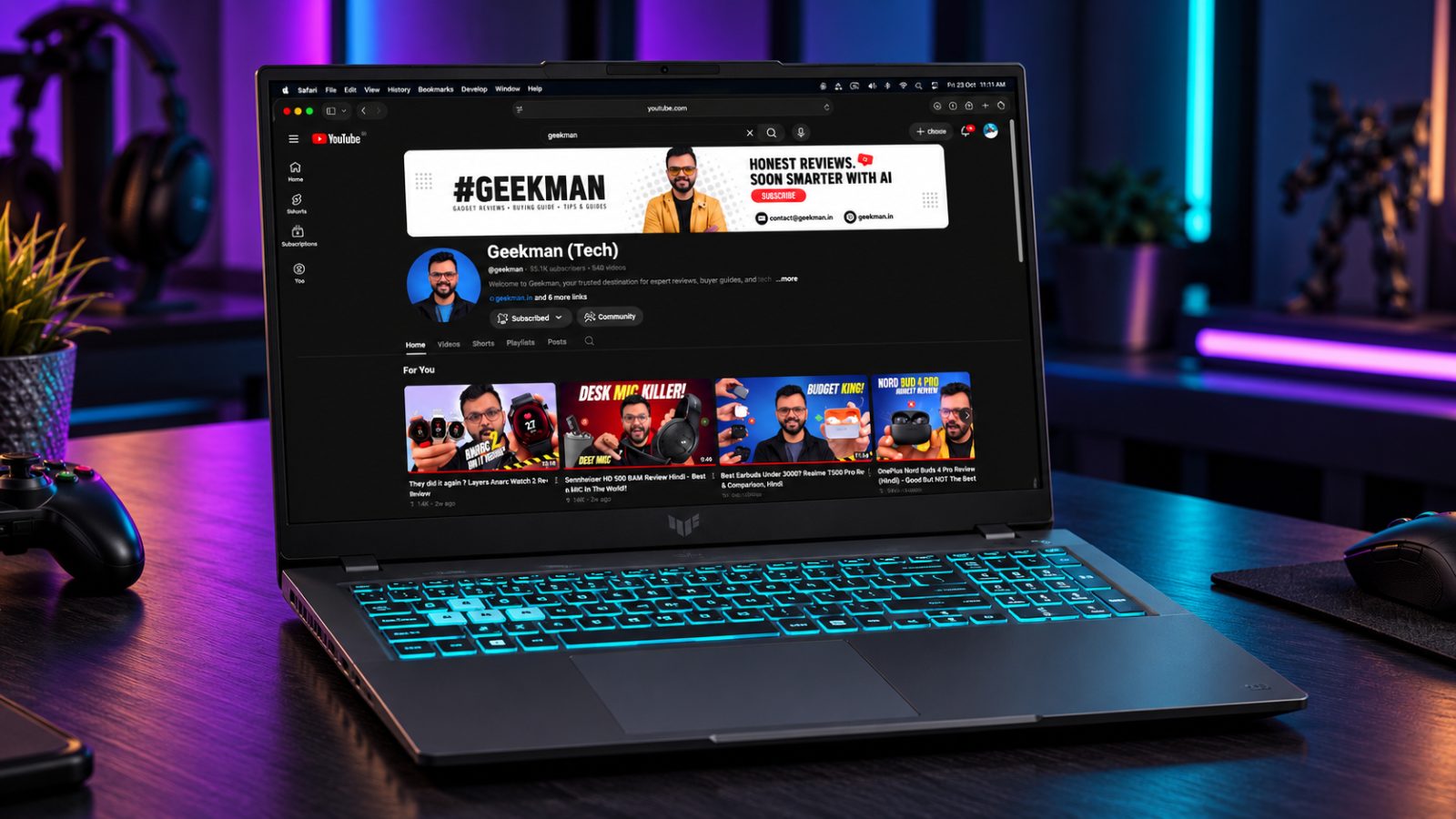
Core 5 210H · RTX 4050 6GB, 140W · 16GB DDR5 · 16 inch 16:10, 144Hz · 2.2 kg
Best for
✓ Gamers who want the highest power from a 4050
✓ Buyers who like the TUF build and keyboard
✓ People who play competitive games at high frame rates
Not ideal for
– Anyone who wants the newest GPU
– People who need 8GB of video memory
Verdict: A 4050 at full power. Good for frame rates, held back by 6GB of video memory.
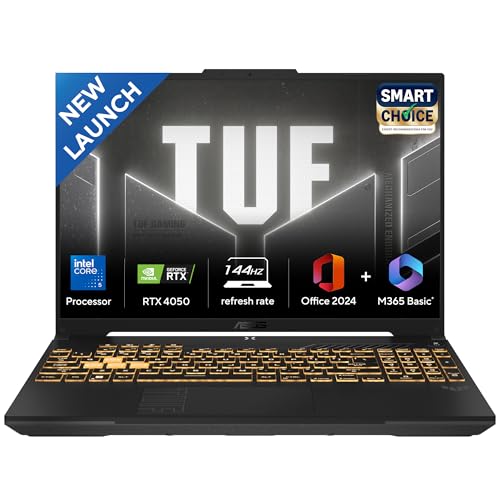
ASUS TUF Gaming F16,Smartchoice,Intel Core 5 210H (i5-14th Gen),RTX 4050-6GB,140WTGP,16GB,512GB,FHD+,16",144Hz,Win 11,M365 Basic(1Year),Office-24,Mecha Gray,2.20 Kg, FX677VU-RL055WS, Gaming Laptop
Up to 6% instant discount on select credit cards +1
- Up to 6% instant discount on select credit cards
- Cashback with Amazon Pay ICICI Bank Credit Cards
Pros and cons
What we like
+ RTX 4050 at 140W, the highest here
+ 16:10 screen
+ Office 2024 and Microsoft 365 included
What we don’t like
– Only 6GB of video memory
– Core 5 210H, 8 cores
– 2.2 kg
ASUS TUF Gaming F16 FX607VU RTX 4050: when an older GPU with 140W beats a newer one at 65W
The ASUS TUF Gaming F16 FX607VU shows why the GPU name is not the whole story. It uses the older RTX 4050 6GB, but ASUS allows up to 140W of graphics power, made of 115W base plus 25W Dynamic Boost. That is more than double the power the V16’s RTX 5050 is allowed. The CPU is the Core 5 210H, memory is 16GB of DDR5-5600 across two slots with room for 64GB, and storage is a 512GB PCIe 4.0 SSD with a second M.2 slot free. The 16 inch 16:10 screen runs at 144Hz, and a 240W adapter feeds the whole machine.
My take: under a Rs 1.5 lakh ceiling, this is the pick for someone who games hard and does not care about frame generation. At a high power budget the 4050 gives steady 1080p high and ultra performance in most games, and in raw rasterised frame rate it will beat a power-starved 5050. The trade-off is that you lose DLSS 4 multi frame generation, which matters more every year as new games lean on it. The MUX switch and Advanced Optimus also help, because they let the GPU drive the screen directly and reduce latency. Pair it with an external monitor and you have a real desk gaming setup.
ASUS TUF Gaming F16 FX607VU running costs and what the battery means
At full load the system can pull 160 to 170W from the wall. Take 165W for three hours of gaming a day over 300 days: 900 hours, 148 units, about Rs 1,190 a year at Rs 8 a unit. Over three years that is roughly Rs 3,570. The battery is 56Wh, small for a 16 inch laptop, which means unplugged work is limited to a few hours and gaming off the wall is only a short burst. The 240W brick adds weight to a 2.2 kg laptop, so a bag with both comes to about 3 kg. If the laptop lives on a desk, the cost is acceptable. If it travels daily, it is not.
ASUS TUF Gaming F16 FX607VU daily use: ports, screen and noise
Connectivity is the best in this list: Thunderbolt 4, a 10Gbps USB-C with DisplayPort and power delivery, two USB-A at 5Gbps, HDMI 2.1 and Ethernet. The screen is a value IPS-level panel with 45% NTSC, so colours are muted, though motion is smooth thanks to 144Hz and a 7ms response. The keyboard is a backlit chiclet with a Copilot key. At 140W the fans are not shy, and in Turbo mode they are clearly audible, so a headset helps. Performance mode is the sensible daily setting, and it gets most of the frame rate with much less noise than Turbo. The webcam is 720p.
ASUS TUF Gaming F16 FX607VU upgrades, warranty and service
Two memory slots and two M.2 slots make this the easiest to upgrade of the four. A second 16GB stick enables dual channel and a visible gain in games. ASUS gives a one year warranty on the laptop and sells longer cover and accidental damage plans, which are worth adding if you are buying for a student. On delivery, check the FX607VU model name, RTX 4050 6GB and 16GB, because ASUS also sells an RTX 3050A version of the F16 that looks the same and performs much lower. Stress the laptop for 15 minutes and confirm the graphics clocks hold. Match the CPU, GPU, RAM and storage on the carton, and register the warranty on the ASUS site.
Who should buy the ASUS TUF Gaming F16 FX607VU and who should skip it
The shortfalls: no DLSS 4 frame generation, a muted screen, a small battery and a CPU that trails the i7 in the Lenovo LOQ 2025. The LOQ is the better all-rounder, and the ASUS Gaming V16 is the better quiet and portable choice. The TUF F16 is better than the HP Victus 15 for ports, power and cooling headroom. Buy it if you want the highest raw 1080p performance and the best connectivity in this list for a desk setup. Skip it if you want long battery life or if future-proofing with frame generation matters to you.
Key specs
| CPU | Intel Core 5 210H, 8 cores, 12 threads |
| GPU | NVIDIA RTX 4050 6GB GDDR6, 140W (115W plus 25W Dynamic Boost) |
| Memory | 16GB DDR5 |
| Display | 16 inch 1920×1200, 16:10, 144Hz, 300 nits |
| Storage | 512GB PCIe 4.0 SSD |
| Weight | About 2.2 kg |
Cheapest, Most RAM
4. HP Victus 15 (Core i7-13650HX, RTX 4050 6GB, 24GB)
7.7 Overall
7.8 Performance
8.0 Value
7.0 Service
Core i7-13650HX · RTX 4050 6GB · 24GB DDR5 · 144Hz, 62.5% sRGB · HDMI 2.1, RJ-45
Best for
✓ Gamers who also run heavy apps and want 24GB of RAM
✓ Buyers who use Ethernet and an external display
✓ Anyone who wants the lowest price in this band
Not ideal for
– Anyone who cares about screen colour
– People who want the newest GPU
Verdict: The price and the RAM are the reasons to buy it. The dim-colour screen and 4050 are the reasons to look at the others.

HP Victus,13th Gen Intel core i7-13650HX, 6GB RTX 4050, 24GB DDR5(Upgradeable), 512GB SSD, 144Hz, 300 nits, 15.6''/39.6cm, Win11, Office24, Mica Silver, 2.29kg, fa2531/2495tx, Xbox pass* Gaming Laptop
Up to 6% instant discount on select credit cards +1
- Up to 6% instant discount on select credit cards
- Cashback with Amazon Pay ICICI Bank Credit Cards
Pros and cons
What we like
+ Cheapest here at ₹1,29,990
+ 24GB DDR5 and a 14-core CPU
+ HDMI 2.1, RJ-45, USB-C Power Delivery
What we don’t like
– 62.5% sRGB screen
– Only 6GB of video memory, power not published
– One RAM module
HP Victus 15 i7 RTX 4050 24GB laptop: memory first, power second
The HP Victus 15 in the Core i7 plus RTX 4050 trim, from the fa2531TX family, is the memory-heavy option. It carries 24GB of DDR5-4800, a 512GB NVMe SSD and an RTX 4050 6GB, driving a 15.6 inch 1080p IPS at 144Hz with 300 nits and 62.5% sRGB. It weighs 2.31 kg, has a USB-C port, two USB-A, HDMI and Ethernet, and comes with one year of warranty. HP does not state a graphics wattage for this laptop, so treat it as a mid-power 4050. Expect gaming performance below the TUF F16 and the Lenovo LOQ, and similar to cheaper 4050 machines.
My take: the 24GB is the headline and it is a real advantage. Windows, a browser with many tabs, Discord and a modern game consume 14 to 18GB easily, and a 16GB machine begins paging. That matters more for people who stream, edit or study while gaming. The Victus is also the safest looking laptop in the list, and HP service points are common. Against that, the screen has a narrow colour range and the GPU is not pushed hard. I would pick the Victus for a family laptop that games on weekends and doubles as a work machine, and not for someone who wants frame rate above all else. If a younger sibling shares it for homework and games, the extra memory also keeps the laptop smooth as the years pass.
HP Victus 15 running cost and daily power use
HP’s charger is lighter than the ones that ship with the Lenovo and ASUS laptops, which tells you the power budget is modest. Plan on about 125W at the wall in games. Three hours a day for 300 days is 900 hours and 113 units, which at Rs 8 a unit costs Rs 900 a year. For general use, 25 to 30W is typical, so office and study hours cost very little. Battery capacity is the standard Victus pack, good for a few hours of light work and about an hour of gaming, so the laptop is best used near a socket. The USB-C port supports Power Delivery for emergency top-ups.
HP Victus 15 in daily use: screen, keyboard and noise
The 62.5% sRGB panel is dull compared with the 100% sRGB screens on Lenovo’s LOQ family, and 300 nits is fine indoors but struggles in bright rooms. It is still a smooth 144Hz screen for games. The backlit keyboard is full size with a numpad and feels light. The 720p webcam is basic. With a modest power budget, the fans are calmer than on the 140W ASUS or the 100W LOQ, and the plastic body feels sturdy with little flex. There is no SD card reader, which matters if you move photos from a camera, and only two USB-A ports, so a small hub is a good addition for a mouse, a pen drive and a headset.
HP Victus 15 upgrades, warranty and HP service in India
Two SO-DIMM slots mean the 24GB (usually two 12GB sticks) can be replaced with 16GB or 32GB sticks later, and storage can be expanded. Warranty is one year, and HP sells Care Packs with onsite service, which I recommend for a student or family buyer because they avoid the carry-in trip. HP has one of the broader service networks in India. On delivery, check the carton for the exact CPU, RTX 4050 6GB and 24GB RAM, test the keyboard backlight, the webcam and the USB-C port, and run a 15 minute game test. HP sells many Victus codes with similar names, so match the CPU, GPU, RAM and storage on the carton.
Who should buy the HP Victus 15 i7 RTX 4050 and who should skip it
The shortfalls: a muted screen, no card reader, a modest GPU power budget and a CPU name that varies between SKUs. The Lenovo LOQ 2025 beats it on performance, screen and modern GPU features. The ASUS TUF Gaming F16 beats it on power, ports and upgrade slots. The ASUS Gaming V16 is lighter and quieter. Buy the Victus for the 24GB of RAM, for the HP service reach and for a calm all-purpose laptop that also games. Skip it if you chase frame rates or colour accuracy.
Key specs
| CPU | Intel Core i7-13650HX, 14 cores, 20 threads |
| GPU | NVIDIA RTX 4050 6GB GDDR6, graphics power not published |
| Memory | 24GB DDR5-4800, one module |
| Display | 15.6 inch FHD IPS, 144Hz, 300 nits, 62.5% sRGB |
| Storage | 512GB PCIe Gen4 NVMe |
| Weight | About 2.29 kg |
RTX 5050 or RTX 4050: which is better value?
On paper the RTX 5050 laptop has 2,560 CUDA cores, 8GB of video memory and a 35W to 100W range. Notebookcheck rates it about 14% above the RTX 4050 laptop, and about 20% higher in 3DMark Steel Nomad Light. It also supports DLSS 4. The 4050 has 6GB, but when ASUS runs it at 140W it makes up some of the difference. I would pay extra for the 8GB, because new games are asking for it.
For gamers
Will new and upcoming games run on these laptops?
Every studio publishes a minimum and a recommended graphics card. Here is where the RTX 5050 and RTX 4050 sit against the biggest releases of the next few weeks.
| Game | Studio’s GPU tiers | RTX 5050 8GB / RTX 4050 6GB |
|---|---|---|
| Gears of War: E-Day, 6 Oct 2026 | Min: RTX 2060, RTX 5050, RX 6600. Rec: RTX 5060, RTX 3060 Ti. 8GB VRAM advised | RTX 5050 meets the minimum and the memory advice. RTX 4050 clears the minimum with 6GB |
| Call of Duty: Modern Warfare 4, 23 Oct 2026 | Min: GTX 1060, RX 470, Arc A580. Rec: RTX 3060 Ti for 90 fps on High | Well above the minimum. Medium to High |
| Phantom Blade Zero, 29 Oct 2026 | Min: GTX 1660 6GB (1080p, 30 fps, upscaling). Rec: RTX 3060 Ti | Above the minimum |
| Path of Exile 2 (1.0), 11 Dec 2026 | Min: GTX 960. Rec: about an RTX 2060 | Comfortable |
| GTA 6, 19 Nov 2026 (PS5, Xbox only) | No PC version announced | Nothing to test yet |
Requirements are the studios’ published figures, collected in October 2026. The last column is Geekman’s reading of where each chip sits against those tiers, not a benchmark result. Real results depend on the laptop’s GPU power, the CPU and the settings.
What this means for your buying decision
You want the most performance: the Lenovo LOQ 2025 with the RTX 5050 at 100W.
You want an RTX 5050 and a lighter laptop: the ASUS Gaming V16.
You play fast competitive games: the ASUS TUF F16 runs its 4050 at 140W.
You also run heavy apps or edit: the Lenovo LOQ for its CPU, or the Victus for its 24GB of RAM.
You want ultra settings in every new game: look at RTX 5060 and RTX 4060 laptops above ₹1.5 lakh.
You are buying for GTA 6: wait. It is console only for now and no PC date exists.
AI and video
Can these laptops run local AI and AI agents?
8GB
RTX 5050 laptops
Run 7B to 8B parameter models at 4-bit quality.
Read review
6GB
RTX 4050 laptops
Suit 3B to 4B parameter models.
Read review
Cloud API
Larger models
Use a cloud API for big models and coding agents, and keep the laptop for tools and code.
Read review
With 8GB of video memory, the two RTX 5050 laptops run 7B to 8B parameter models at 4-bit quality. The two RTX 4050 laptops, with 6GB, suit 3B to 4B models. For larger models and coding agents I would use a cloud API and keep the laptop for tools and code. All four have NVIDIA GPUs, which most local AI tools prefer.
Compare all 4 gaming laptops at a glance
| Laptop | CPU | GPU | GPU power | RAM | Price |
|---|---|---|---|---|---|
| Lenovo LOQ 2025 | Core i7-13650HX | RTX 5050 8GB | 100W | 16GB DDR5, 2 slots | ₹1,48,990 |
| ASUS Gaming V16 2026 | Core 5 210H | RTX 5050 8GB | Not stated by maker | 16GB DDR5 | ₹1,39,990 |
| ASUS TUF Gaming F16 | Core 5 210H | RTX 4050 6GB | 140W | 16GB DDR5 | ₹1,35,043 |
| HP Victus 15 | Core i7-13650HX | RTX 4050 6GB | Not stated by maker | 24GB DDR5, one module | ₹1,29,990 |
Specs are from official data as of October 2026. Prices were seen on 22 October 2026 and move daily. Verify the exact variant before you buy.
The buying guide
How to choose a gaming laptop under 1.5 lakh
GPU wattage
Same chip, 100W to 140W. More watts, more frames.
Video memory
8GB is the safer choice for new games.
RAM slots
Check slots and the maximum before you buy.
Screen
Look for 100% sRGB if you also edit.
1 · Why GPU wattage matters more than the name
An RTX 5050 laptop can run anywhere from 35W to 100W, and an RTX 4050 can go past 100W. The ASUS TUF F16 lists 140W for its 4050 and the Lenovo LOQ lists 100W for its 5050. A higher number usually means more frames.
2 · Why 8GB of video memory is worth paying for
Newer games ask for 8GB. Gears of War: E-Day advises it, and the RTX 5050 laptops here have it. The 6GB RTX 4050 can still play, but you lower textures sooner.
3 · The single RAM stick trap
Some laptops ship with one stick, which runs in single channel and is slower than two. The Lenovo LOQ has two slots so you can add a second stick. The Victus has one 24GB module.
4 · Weight and daily carry
The Lenovo LOQ weighs 2.4 kg, the Victus about 2.29 kg, the TUF F16 2.2 kg and the V16 1.95 kg. If you carry the laptop to college, the V16 is the easy one.
5 · Battery reality
Gaming on battery lasts under an hour on laptops like these. For web and video, expect a few hours. Plan to plug in for games.
6 · Crossed out prices
Stores show large crossed out prices. Ignore them and look at the real price, then check which bank offer applies at checkout.
7 · Warranty and service
Most of these list one year. Keep the invoice, register the laptop on day one and note the nearest service centre.
Other gaming laptops we considered
Lenovo LOQ with Core i7-13645HX and RTX 4050 (₹1,39,990). It lists 105W for the GPU, but the RTX 5050 LOQ above costs ₹9,000 more and has 8GB of video memory.
HP Victus with Core i7-14650HX and RTX 4050 (₹1,41,490). It costs more than the Victus above with the same GPU.
HP Victus with Ryzen 7 7445HS and RTX 4050 (₹1,37,990). It costs more than the 13650HX version and has fewer cores.
Cheaper RTX 4050 laptops. See my under 1 lakh guide for those.
The verdict
Which gaming laptop should you buy under 1.5 lakh?
Best overall: Lenovo LOQ 2025, for the RTX 5050 at 100W and a 14-core CPU. Check price
Best 16 inch: ASUS Gaming V16 2026, for an RTX 5050 at ₹1,39,990. Check price
Highest GPU power: ASUS TUF Gaming F16, for the 140W RTX 4050. Check price
Cheapest, most RAM: HP Victus 15, for 24GB and a 14-core CPU. Check price
Not sure? Buy the Lenovo LOQ 2025 if you can. If you want to save ₹9,000 and carry the laptop daily, take the ASUS Gaming V16.
More buying guides from Geekman
Best gaming laptops under 1 lakh
Best gaming laptops under 80000
Best gaming laptops under 70000
Questions other guides skip
Gaming laptop questions most guides skip
Buyers keep asking these and the top guides rarely answer them. Each is matched to the makers’ own spec pages (last checked 22 October 2026).
1 · Does the RTX wattage matter more than the card name?
Yes, it can. The same RTX chip runs at different power limits in different laptops. Lenovo lists the RTX 4050 at 65W in the LOQ Essential and 105W in the LOQ i7 model, and the RTX 5050 at 100W in the LOQ 2025 and 115W in the Legion 5. Some makers, like ASUS on the Gaming V16, do not publish it at all. Compare the wattage line when it is listed, and treat a missing number as a question mark.
2 · Will the screen show true colours if I also edit videos or photos?
Check the panel before you buy. Several gaming laptops list only about 62.5% of sRGB, which looks muted, and I left the HP Victus R7 260 and the Alienware 15 out of my editing guides for that reason. Look for a model that says 100% sRGB, and read the maker’s specs rather than the shop title.
3 · Is a single 16GB RAM stick a problem?
It can be. Many laptops here list one 16GB stick, which runs in single channel and gives less memory speed than two sticks. The LOQ 2025 and Legion 5 have room for a second stick, but the LOQ Essential tops out at 16GB. Check the maximum before you plan an upgrade.
4 · Can I play GTA 6 on a gaming laptop?
Not yet. GTA 6 has only been announced for PlayStation 5 and Xbox Series consoles, and no PC version had been announced on 22 October 2026. Do not pay extra for a laptop just for that game.
5 · How long does a 1.5 lakh gaming laptop last away from the charger?
Gaming drains it in about one to two hours, even at this price, because the graphics card works hard and is limited on battery. For lectures, documents and browsing you can expect several hours. Plug in whenever you play so the laptop runs at full speed.
6 · Is a 240 Hz screen worth paying for at this budget?
Only for fast esports games, where frame rates are very high. In most modern titles an RTX 5050 or 4060-class card does not reach 240 frames, so a 165 Hz panel gives the same feel. Put the money into the panel quality and cooling instead.
7 · Can I game on this laptop with a USB-C charger or a power bank?
Not at full speed. These laptops ship with a large power brick, often 135 W or more, which a normal USB-C charger cannot match. A USB-C charger can keep the laptop going for light tasks if the model supports it, so carry the original charger.
Gaming laptop under 1.5 lakh FAQ
Which is the best gaming laptop under 1.5 lakh in India in 2026?
The Lenovo LOQ 2025 with a Core i7-13650HX and RTX 5050 8GB at ₹1,48,990. It has a listed 100W GPU, a 14-core CPU, a 1TB SSD and two RAM slots. For ₹9,000 less, the ASUS Gaming V16 with an RTX 5050 is the value pick.
Is the RTX 5050 better than the RTX 4050?
Yes, by a modest margin. Notebookcheck rates the RTX 5050 laptop about 14% above the RTX 4050 laptop, and about 20% higher in 3DMark Steel Nomad Light. The RTX 5050 also has 8GB of video memory against 6GB, and it supports DLSS 4. Power matters too: the ASUS TUF F16 runs an RTX 4050 at 140W.
Does 8GB of video memory matter?
Yes. New games such as Gears of War: E-Day advise 8GB of video memory. An RTX 4050 has 6GB, so you will lower texture settings sooner. The RTX 5050 laptops here have 8GB.
Why is the TUF F16 on a 1.5 lakh list with an RTX 4050?
Because ASUS runs the chip at 140W (115W plus 25W Dynamic Boost), the highest power here. It still has 6GB of video memory, so it suits fast competitive games better than the heaviest new releases.
Do I need 24GB of RAM?
Not for gaming. 16GB is fine. 24GB helps if you edit video, stream or keep many apps open. Two of these laptops let you add RAM easily: the Lenovo LOQ has two slots, and the V16 is listed as upgradeable.
Why are gaming laptops so expensive in 2026?
Memory and graphics chips have become pricier as AI demand takes a big share of supply, and laptop makers have passed that on. An RTX 5050 laptop that would have cost around ₹1 lakh now sells for ₹1.4 lakh and up.
Will new games like Gears of War: E-Day run on these laptops?
Yes. Gears of War: E-Day lists an RTX 2060, RTX 5050 or RX 6600 as its minimum and an RTX 5060 or RTX 3060 Ti as recommended, with 8GB of video memory advised. The RTX 5050 laptops meet the minimum and the memory advice. The RTX 4050 laptops clear the minimum with 6GB.
Will GTA 6 run on a gaming laptop?
GTA 6 launches on 19 November 2026 for PlayStation 5 and Xbox Series consoles only. No PC version has been announced, so no laptop can run it yet.
Can I run local AI models on these laptops?
Small ones. 8GB of video memory runs 7B to 8B parameter models at 4-bit quality, and 6GB suits 3B to 4B models. For larger models and coding agents I would use a cloud API.
Are these laptops good for video editing?
For 1080p, yes. The Lenovo LOQ has the strongest CPU and 100% sRGB, and the V16 lists 100% Adobe color gamut. The Victus is the weakest here for colour work.
Should I spend 1.25 lakh or 1.5 lakh?
If you want an RTX 5050 and 8GB of video memory, you need to spend around ₹1.4 lakh. Under ₹1.25 lakh you get RTX 4050 laptops with 6GB. See my gaming laptops under 1 lakh guide for the lower options.