
Short answer: buy the Lenovo LOQ 2025 (RTX 5050) if you edit every day and use After Effects. Buy the Motorola Motobook 60 Pro if you want the best screen under ₹1 lakh. Buy the MacBook Air M5 if you edit on the move and battery matters.
Geekman has covered consumer tech for over 10 years, and this ranking is built the way our buying guides always are: research first, then a hard look at the numbers. For every model we compared official specs, screen colour coverage, CPU, memory and storage, graphics power, price, warranty and service reach, and checked live prices on Amazon and Flipkart.
What editors need
What each editing app asks for
Most buying guides skip the software side. Premiere Pro, After Effects and DaVinci Resolve all publish what they want, and those numbers decide which laptop suits you. Here is what I found, and I have marked which figures come from the maker and which do not.
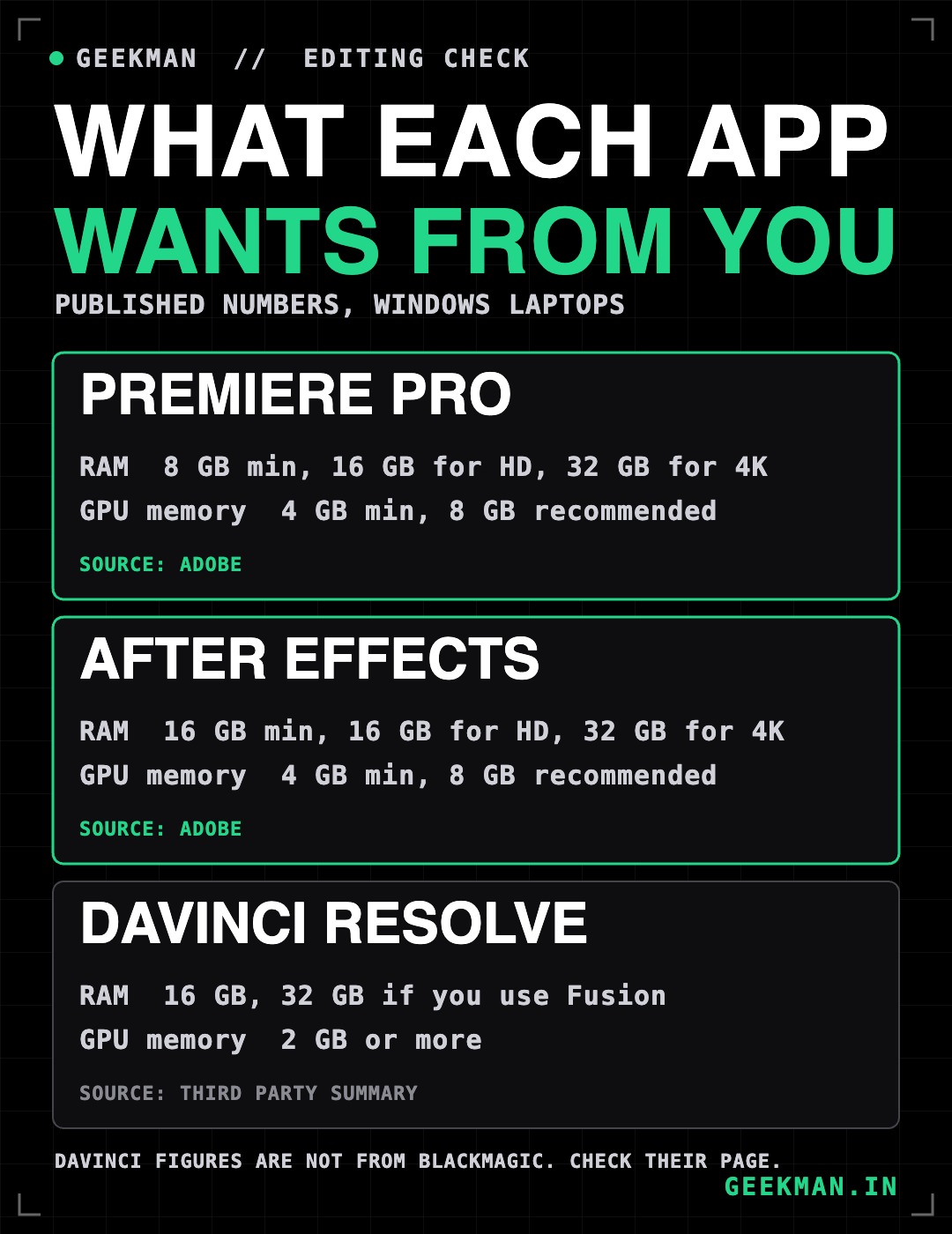
Adobe recommends 16GB of RAM for HD and 32GB or more for 4K in both Premiere Pro and After Effects. It lists 4GB of graphics memory as the minimum and 8GB as the recommended amount. I could not open Blackmagic’s own page for DaVinci Resolve, so those figures come from a third party summary and you should check them before you buy.
The big question
Do you need a graphics card for video editing?
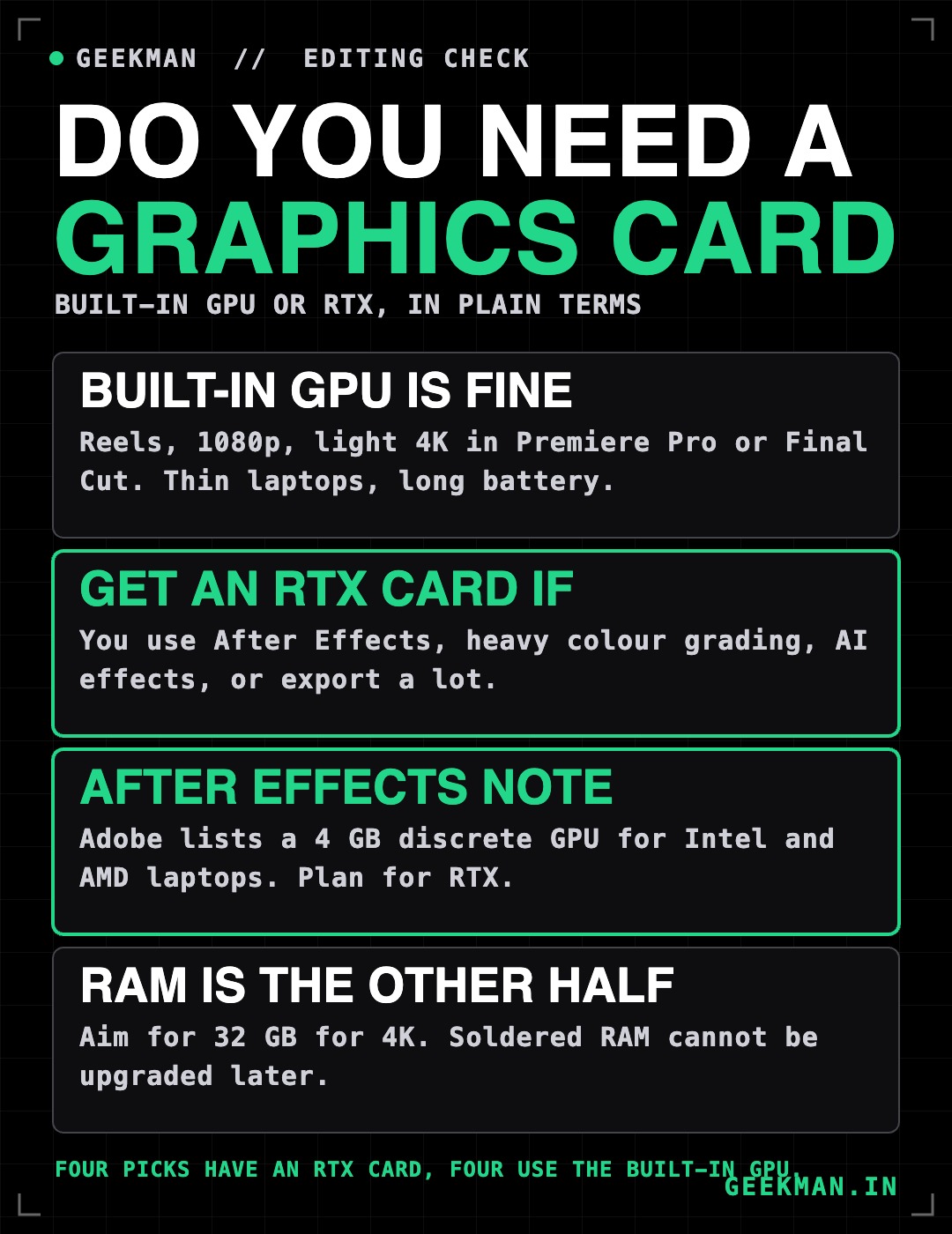
It depends on the app. For Reels, 1080p and light 4K in Premiere Pro, a built-in GPU does the job, and you get a lighter laptop with a longer battery. For After Effects, heavy colour grading and AI tools, I would pay for an RTX card. That is why this guide has four laptops of each kind. If you want gaming laptops with a strong screen as well, my gaming laptops for video editing guide goes deeper.
The ranking
How I ranked these laptops for editing
Each laptop gets a score out of 10 for performance (40%), value (40%) and service (20%). Performance is weighted toward the screen, CPU cores, RAM, storage and graphics. Value is price against what you get and what you can upgrade. Service looks at warranty and how easy it is to get help.
See the scores
| # | Laptop | Perf. | Value | Service | Overall |
|---|---|---|---|---|---|
| 1 | Lenovo LOQ 2025 (Core i7-13650HX, RTX 5050 8GB, 1TB) | 9.0 | 8.2 | 7.8 | 8.4 |
| 2 | Lenovo Legion 5 2025 (Core i7-13650HX, RTX 5050 8GB, 115W) | 9.2 | 7.4 | 7.8 | 8.2 |
| 3 | Motorola Motobook 60 Pro (Core Ultra 5 225H, 2.8K OLED) | 7.8 | 8.8 | 6.8 | 8.0 |
| 4 | Motorola Motobook 60 (Core 5 210H, 2.8K OLED) | 7.2 | 9.2 | 6.8 | 7.9 |
| 5 | ASUS Gaming V16 2026 (Core 5 210H, RTX 5050 8GB) | 8.4 | 7.6 | 7.2 | 7.8 |
| 6 | Apple MacBook Air M5 (13.6 inch, 16GB, 1TB) | 8.6 | 6.2 | 8.4 | 7.6 |
| 7 | Lenovo LOQ Essential (Ryzen 7 7735HS, RTX 4050 6GB, 65W) | 6.8 | 8.0 | 7.8 | 7.5 |
| 8 | Lenovo Yoga Slim 7 Aura Edition (Core Ultra 5 226V, OLED) | 7.8 | 6.8 | 7.8 | 7.4 |
Scores weigh performance 40%, value 40% and service 20%. They come from official specs, listed warranty terms and live prices on 22 October 2026.
Quick picks
| Pick | Laptop | Best for |
|---|---|---|
| Best Overall | Lenovo LOQ 2025 (Core i7-13650HX, RTX 5050 8GB, 1TB) | Editors who also use After Effects and want upgrade room |
| Best Screen and Cooling | Lenovo Legion 5 2025 (Core i7-13650HX, RTX 5050 8GB, 115W) | A taller 16:10 screen and the strongest cooling here |
| Best OLED Value | Motorola Motobook 60 Pro (Core Ultra 5 225H, 2.8K OLED) | A bright OLED screen and 1.39 kg for under ₹85,000 |
| Cheapest OLED | Motorola Motobook 60 (Core 5 210H, 2.8K OLED) | The cheapest way into a colour accurate OLED screen |
| Cheapest RTX | ASUS Gaming V16 2026 (Core 5 210H, RTX 5050 8GB) | The cheapest RTX 5050 laptop with a 16:10 screen |
| Best Battery and Portability | Apple MacBook Air M5 (13.6 inch, 16GB, 1TB) | Final Cut Pro and Premiere Pro on a light, silent laptop |
| Cheapest RTX Card | Lenovo LOQ Essential (Ryzen 7 7735HS, RTX 4050 6GB, 65W) | An RTX card and a 100% sRGB screen for ₹1.15 lakh |
| Best Thin OLED | Lenovo Yoga Slim 7 Aura Edition (Core Ultra 5 226V, OLED) | A premium 1.19 kg OLED laptop with a 70Wh battery |
Tap a name to jump to its review. Live prices are in the buy box under each review. Prices are as seen on 22 October 2026 and bank offers can change them.
The reviews
Best laptops for video editing in India: 8 picks
Best Overall
1. Lenovo LOQ 2025 (Core i7-13650HX, RTX 5050 8GB, 1TB)
8.4 Overall
9.0 Performance
8.2 Value
7.8 Service
Core i7-13650HX, RTX 5050 8GB, 1TB SSD, 100% sRGB screen and two RAM slots for ₹1,48,990.
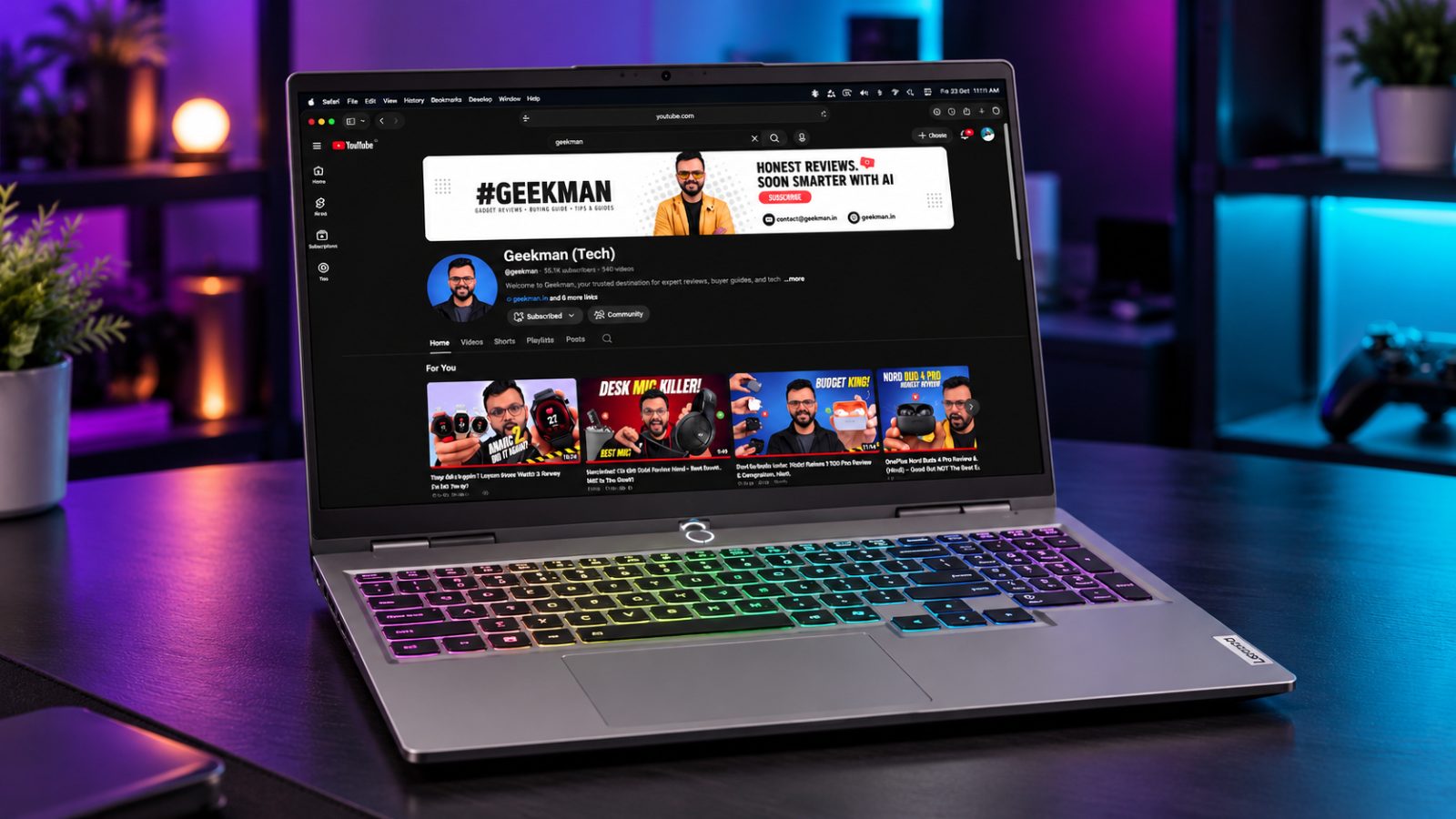
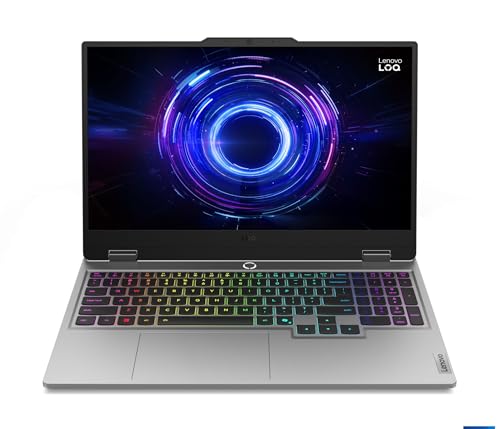
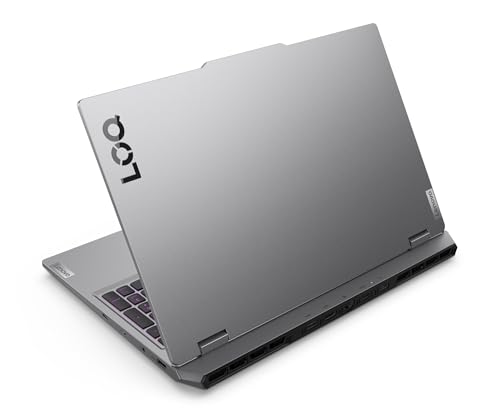
Core i7-13650HX · RTX 5050 8GB · 1TB SSD · Up to 32GB RAM · 100% sRGB
Best for
✓ After Effects and DaVinci Resolve users
✓ Editors who need storage for footage
✓ Buyers who plan to add a second RAM stick
Not ideal for
– Editors who work on trains and cafes
– Anyone who wants an OLED or HDR screen
Verdict: The most complete editing machine on this list for the money.


Lenovo LOQ 2025, Intel Core i7-13650HX, 13th Gen, NVIDIA RTX 5050 8GB, 16GB RAM, 1TB SSD, FHD IPS, 15.6" (39.6cm), 144Hz Refresh Rate, Windows 11, Office 24, Grey, 2.4Kg, 83JE010SIN, Gaming Laptop
 Great Indian Festival
 Bank discount on select credit cards + cashback on Amazon Pay ICICI card +1
- Bank discount on select credit cards + cashback on Amazon Pay ICICI card
- No Cost EMI on select cards
Pros and cons
What we like
+ RTX 5050 with 8GB video memory
+ 14 cores and 1TB SSD
+ Two RAM slots, up to 32GB
What we don’t like
– 2.4 kg
– Single 16GB stick at purchase
– Full HD screen
Full review
This is the pick I would buy for myself if I edited every day. It has the RTX card that After Effects asks for, 14 CPU cores, 1TB of storage and a screen that covers 100% of sRGB.
For editing. The Core i7-13650HX has 14 cores and 20 threads, which helps exports and busy timelines. The 15.6 inch screen is 144Hz, 300 nits and lists 100% sRGB. The 1TB SSD is the biggest in the guide, and two RAM slots take it to 32GB, which is where Adobe says 4K work should start.
For graphics heavy apps. The RTX 5050 has 8GB of video memory and Lenovo lists 100W of graphics power. That meets the 8GB that Adobe recommends for Premiere Pro and After Effects, and it is the kind of card DaVinci Resolve likes.
The catch. It weighs 2.4 kg and ships with a single 16GB stick, so budget for a second one. The screen is full HD, not OLED.
Price. Amazon lists it at ₹1,48,990 on 22 October 2026.
Lenovo LOQ 2025 (Core i7-13650HX, RTX 5050 8GB, 1TB) vs the competition. It costs ₹14,000 less than the Legion 5 and has twice the storage, but the Legion has a taller 165Hz screen and more graphics power.
Key specs
| CPU | Intel Core i7-13650HX, 14 cores, 20 threads |
| GPU | NVIDIA RTX 5050 8GB GDDR7, graphics power 100W |
| Memory | 16GB DDR5-4800 (1 stick), up to 32GB |
| Display | 15.6 inch FHD IPS, 144Hz, 300 nits, 100% sRGB |
| Storage | 1TB PCIe 4.0 NVMe |
| Weight | About 2.4 kg |
Best Screen and Cooling
2. Lenovo Legion 5 2025 (Core i7-13650HX, RTX 5050 8GB, 115W)
8.2 Overall
9.2 Performance
7.4 Value
7.8 Service
Core i7-13650HX, RTX 5050 at 115W, WUXGA 165Hz 100% sRGB screen and 2.1 kg for ₹1,62,990.
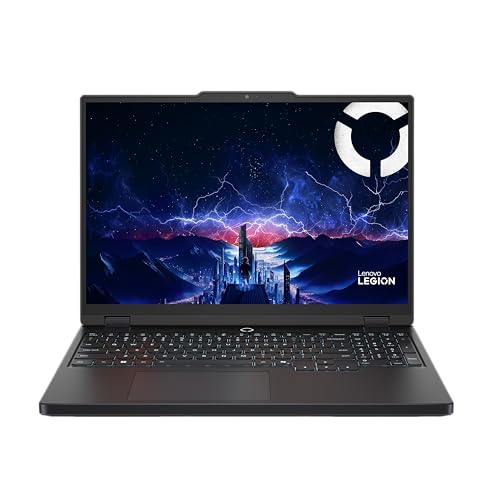
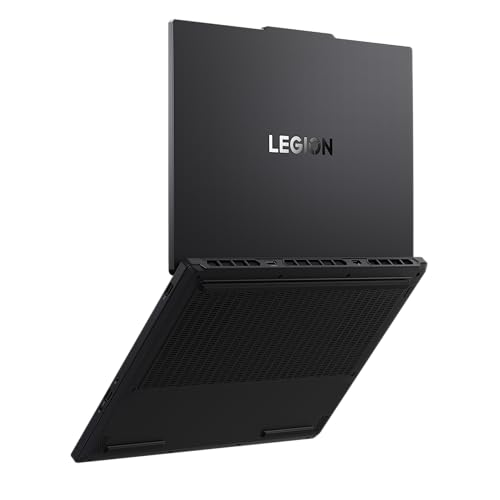
Core i7-13650HX · RTX 5050 8GB, 115W · WUXGA, 165Hz · 100% sRGB, Dolby Vision · 2.1 kg
Best for
✓ Long exports that need steady cooling
✓ Editors who like a taller timeline view
✓ People who want the highest graphics power
Not ideal for
– Anyone with a ₹1.5 lakh limit
– People who need more than 512GB out of the box
Verdict: The best screen and cooling here. I would only change the 512GB drive.
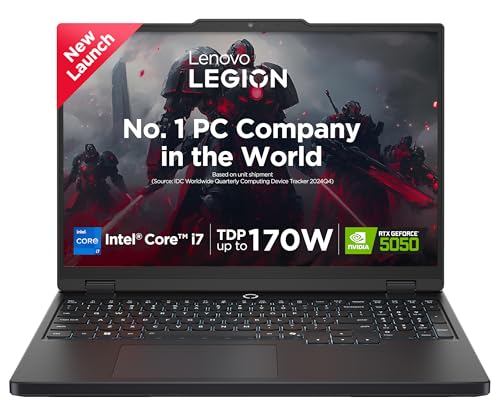
Lenovo Legion 5 2025 Intel Core i7-13650HX | NVIDIA RTX 5050 8GB (16GB RAM/512GB SSD/WUXGA IPS/165Hz/15.3" (38.8cm)/Windows 11/Office 2024+AI Now/Black/2.1Kg), 83LY00SUIN AI Powered Gaming Laptop
Bank discount on select credit cards + cashback on Amazon Pay ICICI card +1
- Bank discount on select credit cards + cashback on Amazon Pay ICICI card
- No Cost EMI on select cards
Pros and cons
What we like
+ WUXGA 165Hz screen, 100% sRGB, Dolby Vision
+ RTX 5050 at a published 115W
+ 2.1 kg with vapor chamber cooling
What we don’t like
– 512GB SSD
– Costs the most of the four RTX picks
– Single 16GB RAM stick
Full review
The Legion 5 is the laptop for long exports. Lenovo lists a vapor chamber cooler and a 1920×1200 panel at 165Hz with 100% sRGB, 300 nits and Dolby Vision.
For editing. The 16:10 shape gives you more room for the timeline and panels. The Core i7-13650HX has 14 cores. The listing shows 16GB of DDR5-4800 as one stick, up to 32GB, and two M.2 slots with 512GB installed.
For graphics heavy apps. It lists a 115W graphics power for the RTX 5050, which is the highest published on this chip, with 8GB of video memory.
The catch. It costs ₹14,000 more than the LOQ 2025 and has half the storage. Plan to add a second SSD.
Price. Amazon lists it at ₹1,62,990 on 22 October 2026. It weighs about 2.1 kg.
Lenovo Legion 5 2025 (Core i7-13650HX, RTX 5050 8GB, 115W) vs the competition. It has a better screen and cooling and weighs 0.3 kg less than the LOQ 2025, but costs ₹14,000 more with half the storage.
Key specs
| CPU | Intel Core i7-13650HX, 14 cores, 20 threads |
| GPU | NVIDIA RTX 5050 8GB GDDR7, graphics power 115W |
| Memory | 16GB DDR5-4800 (1 stick), up to 32GB |
| Display | WUXGA 1920×1200 IPS, 165Hz, 300 nits, 100% sRGB, Dolby Vision |
| Storage | 512GB PCIe 4.0 NVMe, two M.2 slots |
| Weight | About 2.1 kg |
Best OLED Value
3. Motorola Motobook 60 Pro (Core Ultra 5 225H, 2.8K OLED)
8.0 Overall
7.8 Performance
8.8 Value
6.8 Service
Core Ultra 5 225H, 16GB DDR5, 14 inch 2.8K 120Hz OLED with 100% DCI-P3 for ₹84,990.
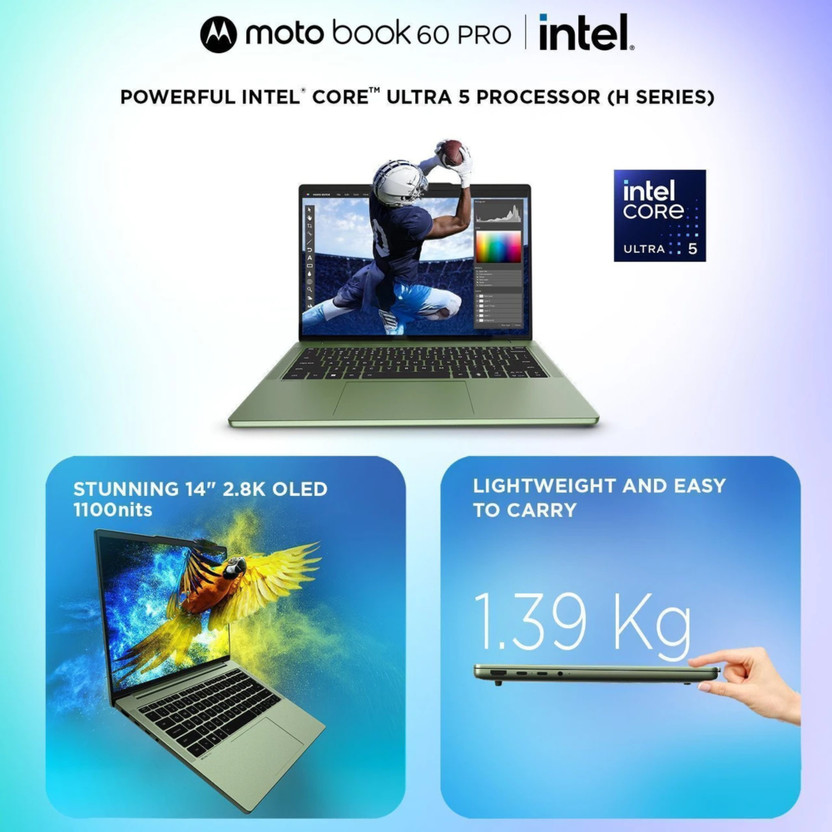
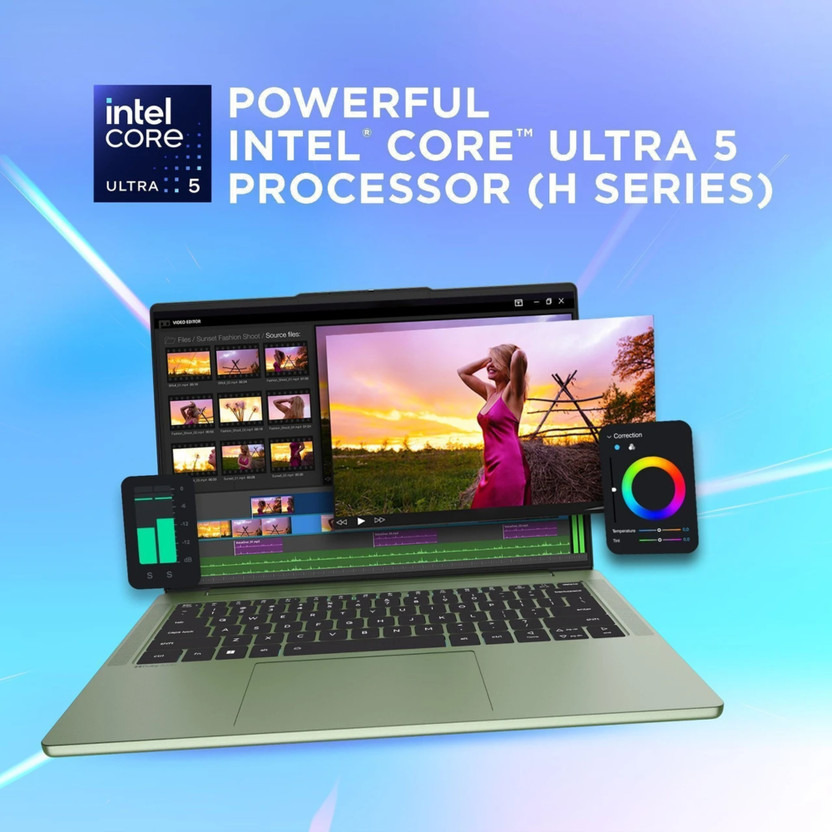
Core Ultra 5 225H · 16GB DDR5 · 2.8K OLED, 120Hz · 100% DCI-P3 · 1.39 kg
Best for
✓ Editors who grade colour on the go
✓ Premiere Pro users on 1080p and light 4K
✓ Anyone who wants the best screen under ₹1 lakh
Not ideal for
– After Effects users who need a discrete GPU
– People with a lot of heavy 4K projects
Verdict: The best screen you can buy under ₹1 lakh, with a processor that suits light to medium editing.
MOTOROLA Motobook 60 Pro 2.8K OLED

Up to 5% off with HDFC, Flipkart Axis & Flipkart SBI cards Details
- Up to 5% off with HDFC, Flipkart Axis & Flipkart SBI cards
Pros and cons
What we like
+ 2.8K 120Hz OLED, 100% DCI-P3
+ 1.39 kg
+ Up to 32GB DDR5 per Motorola
What we don’t like
– No discrete graphics card
– Sold on Flipkart only
– 512GB SSD
Full review
Motorola surprised me here. For ₹84,990 you get a 14 inch OLED with 100% DCI-P3, a wide colour range that covers more than sRGB, and the body weighs 1.39 kg.
For editing. Motorola lists the panel as 2.8K at 120Hz with 100% DCI-P3 and 500 nits typical brightness, with 1100 nits at peak. RAM is 16GB of DDR5 and Motorola says configurations go up to 32GB, so check the variant you buy. Storage is 512GB.
For graphics heavy apps. It uses the processor’s built-in graphics. Adobe lists a 4GB GPU as the minimum for Premiere Pro, and for After Effects on Intel and AMD it lists a discrete GPU, so a laptop like this is better for Premiere Pro than for After Effects.
The catch. Flipkart sells it and Amazon does not list it. Warranty is one year onsite, so check that before you buy.
Price. Flipkart lists it at ₹84,990 on 22 October 2026.
Motorola Motobook 60 Pro (Core Ultra 5 225H, 2.8K OLED) vs the competition. It costs ₹10,000 more than the Motobook 60 and has the faster Core Ultra 5 225H, but both share the same style of screen.
Key specs
| CPU | Intel Core Ultra 5 225H |
| GPU | Intel integrated graphics |
| Memory | 16GB DDR5 (Motorola lists up to 32GB) |
| Display | 14 inch 2.8K OLED, 120Hz, 100% DCI-P3, 500 nits (1100 peak) |
| Storage | 512GB SSD |
| Weight | About 1.39 kg, 60Wh battery |
Cheapest OLED
4. Motorola Motobook 60 (Core 5 210H, 2.8K OLED)
7.9 Overall
7.2 Performance
9.2 Value
6.8 Service
Core 5 210H, 16GB DDR5, 14 inch 2.8K 120Hz OLED with 100% DCI-P3 for ₹74,990.
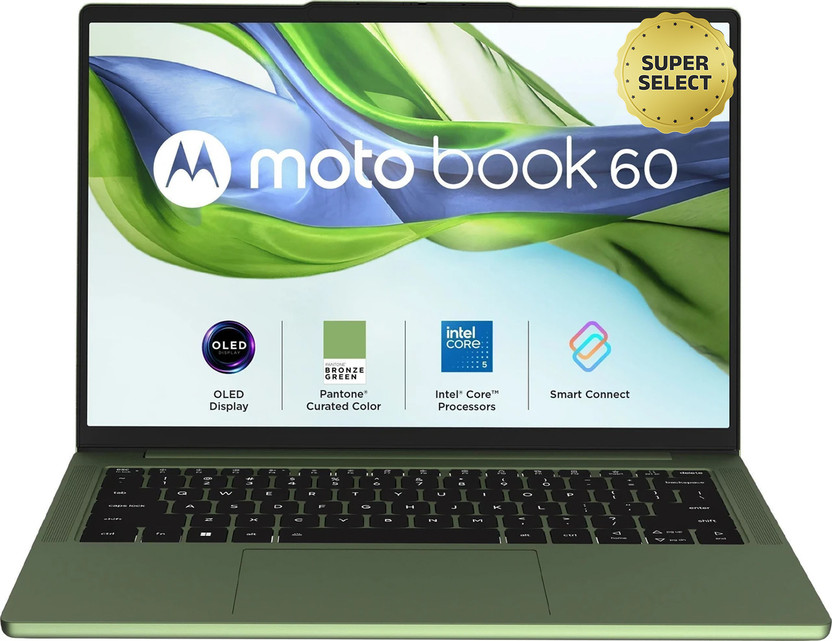
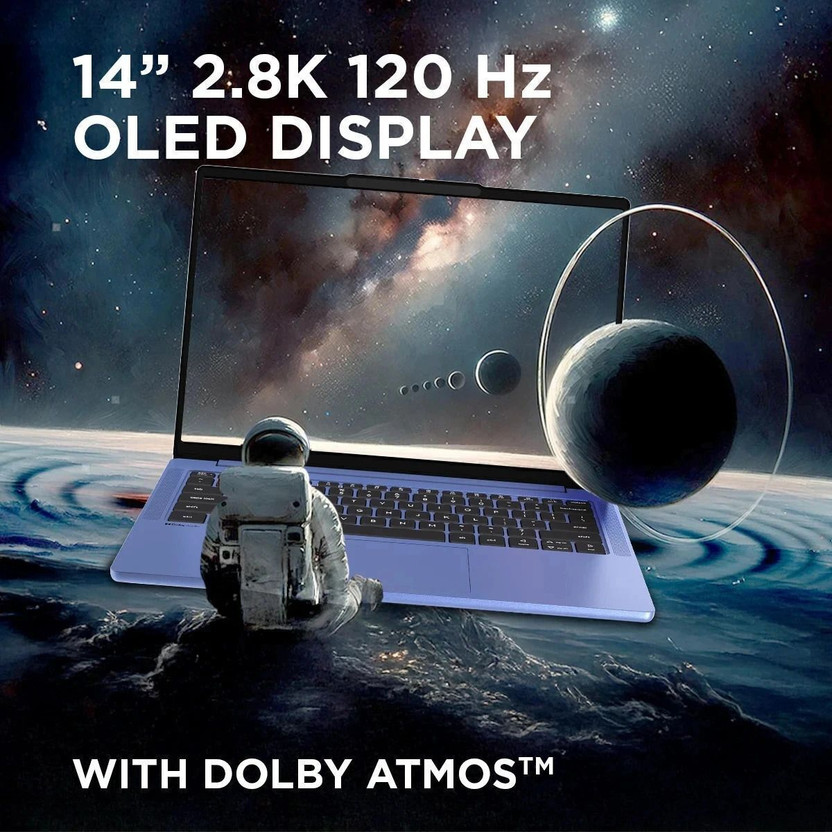
Core 5 210H · 16GB DDR5 · 2.8K OLED, 120Hz · 100% DCI-P3 · 1.4 kg
Best for
✓ Students who edit Reels and short videos
✓ Photo editors
✓ Anyone who wants an OLED screen on a budget
Not ideal for
– After Effects users
– Heavy 4K editors
Verdict: The best price for a colour accurate screen. Fine for 1080p, tight for 4K.
MOTOROLA Motobook 60 Full Metal 2.8K OLED (i5 14th Gen) Intel Core 5 Series 2 210H (16 GB/512 GB SSD/Windows 11 Home)
Up to 5% off with HDFC, Flipkart Axis & Flipkart SBI cards Details
- Up to 5% off with HDFC, Flipkart Axis & Flipkart SBI cards
Pros and cons
What we like
+ Cheapest laptop in the guide
+ 2.8K 120Hz OLED, 100% DCI-P3
+ 1.4 kg
What we don’t like
– 8-core processor
– No discrete graphics card
– Flipkart only
Full review
This is the cheapest laptop in the guide, and it has the same style of 2.8K OLED screen as the Pro. If you edit Reels, short videos and photos, you spend less and still see your colours properly.
For editing. The launch specs list a 14 inch 2.8K OLED at 120Hz with 100% DCI-P3 and up to 500 nits. The Core 5 210H has 8 cores and 12 threads, and the Flipkart listing shows 16GB of DDR5 and a 512GB SSD.
For graphics heavy apps. It has built-in graphics only, so keep it to Premiere Pro, DaVinci Resolve on lighter projects and CapCut.
The catch. Eight cores is the lowest count here, and it is sold on Flipkart only.
Price. Flipkart lists it at ₹74,990 on 22 October 2026.
Motorola Motobook 60 (Core 5 210H, 2.8K OLED) vs the competition. It costs ₹10,000 less than the Motobook 60 Pro, with a slower processor but the same style of screen.
Key specs
| CPU | Intel Core 5 210H, 8 cores, 12 threads |
| GPU | Intel integrated graphics |
| Memory | 16GB DDR5 |
| Display | 14 inch 2.8K OLED, 120Hz, 100% DCI-P3, up to 500 nits |
| Storage | 512GB SSD |
| Weight | About 1.4 kg, 60Wh battery |
Cheapest RTX
5. ASUS Gaming V16 2026 (Core 5 210H, RTX 5050 8GB)
7.8 Overall
8.4 Performance
7.6 Value
7.2 Service
Core 5 210H, RTX 5050 8GB, 16GB DDR5 and a 16:10 144Hz screen at 1.95 kg for ₹1,39,990.
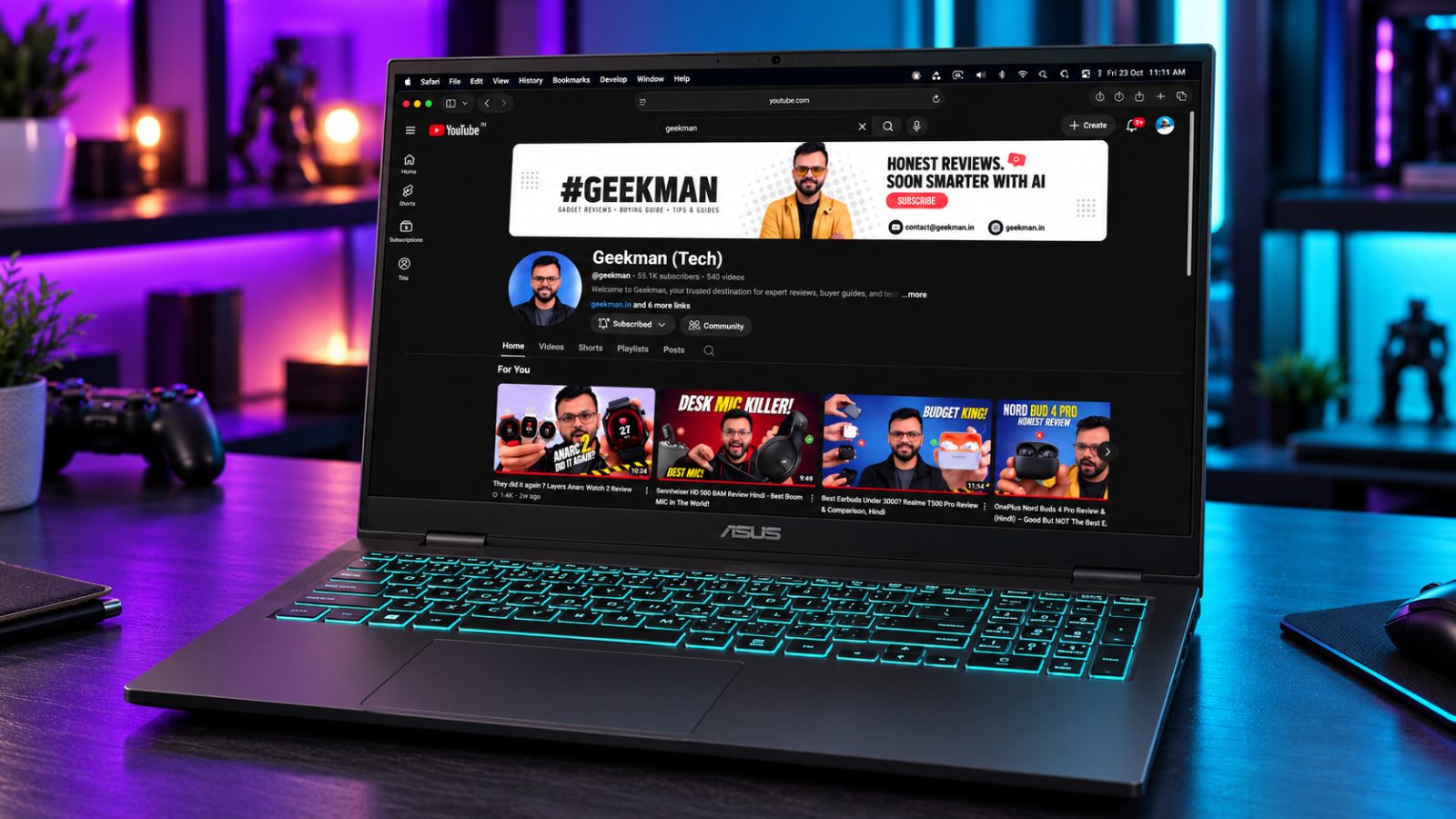
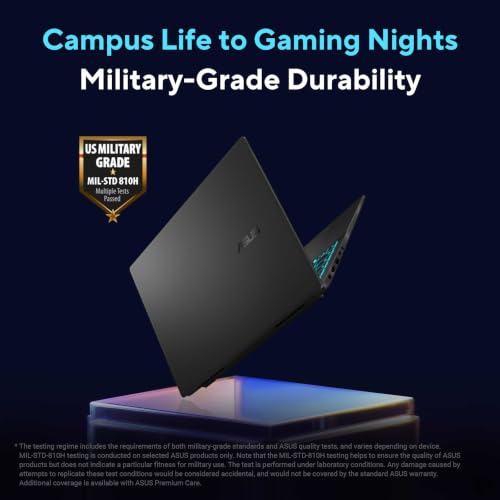
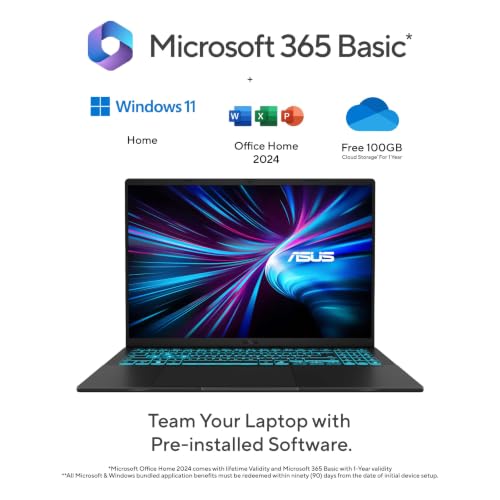
Core 5 210H · RTX 5050 8GB · 16GB DDR5 · 16 inch 16:10 · 1.95 kg
Best for
✓ Editors on a tighter RTX budget
✓ Students who edit and game
✓ Anyone who wants a lighter RTX laptop
Not ideal for
– Anyone who needs a measured colour spec
– Heavy multi-layer 4K projects
Verdict: The lowest price for an RTX 5050 here, with a colour claim you should verify.

ASUS Gaming V16 (2026),Intel Core 5 210H (i5-14th Gen),RTX 5050-8GB,16GB RAM(Upgradeable),512GB SSD,FHD+,16"(40 cm),144Hz,Win 11,M365 Basic(1Y),Office 24,Black,1.95 Kg,V3607VH-TK154WS,Gaming Laptop
Bank discount on select credit cards + cashback on Amazon Pay ICICI card +1
- Bank discount on select credit cards + cashback on Amazon Pay ICICI card
- No Cost EMI on select cards
Pros and cons
What we like
+ Cheapest RTX 5050 laptop here
+ 16:10 screen, 1.95 kg
+ Office 2024 included
What we don’t like
– 8-core CPU
– Graphics power not published
– 512GB SSD
Full review
The V16 is the cheapest way to get an RTX 5050 with a 16:10 screen. It weighs 1.95 kg, which is light for an RTX laptop.
For editing. The panel is 16 inch 1920×1200, 144Hz and 300 nits, and ASUS lists 100% Adobe color gamut, which is a claim and not a measured result. The CPU has 8 cores and 12 threads, and the listing shows 16GB of upgradeable DDR5 and a 512GB SSD.
For graphics heavy apps. It has an RTX 5050 with 8GB of GDDR7, but ASUS does not publish the graphics power on this listing.
Price. Amazon lists it at ₹1,39,990 on 22 October 2026. It includes Office Home 2024 and Microsoft 365 Basic for a year.
ASUS Gaming V16 2026 (Core 5 210H, RTX 5050 8GB) vs the competition. It costs ₹9,000 less and weighs 0.45 kg less than the LOQ 2025, but has fewer cores and half the storage.
Key specs
| CPU | Intel Core 5 210H, 8 cores, 12 threads |
| GPU | NVIDIA RTX 5050 8GB GDDR7, graphics power not published |
| Memory | 16GB DDR5, upgradeable |
| Display | 16 inch 1920×1200, 16:10, 144Hz, 300 nits |
| Storage | 512GB PCIe 4.0 SSD |
| Weight | About 1.95 kg |
Best Battery and Portability
6. Apple MacBook Air M5 (13.6 inch, 16GB, 1TB)
7.6 Overall
8.6 Performance
6.2 Value
8.4 Service
Apple M5, 16GB unified memory, 1TB SSD, 13.6 inch 500 nit display and 1.23 kg for ₹1,72,490.
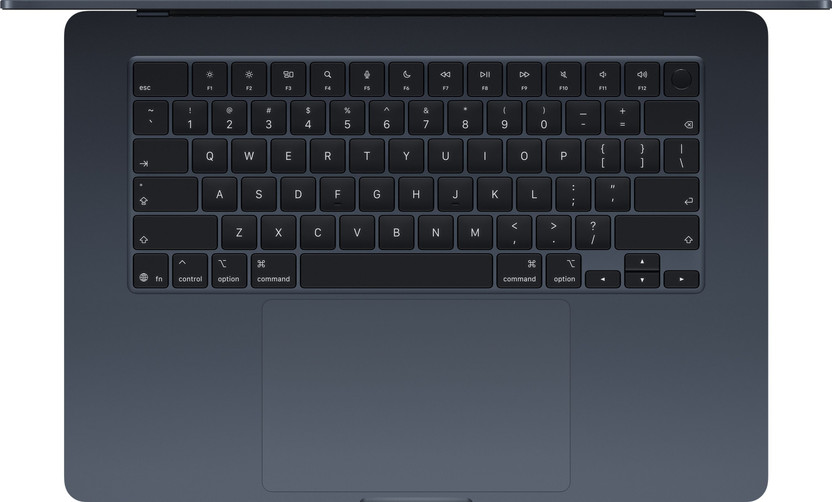
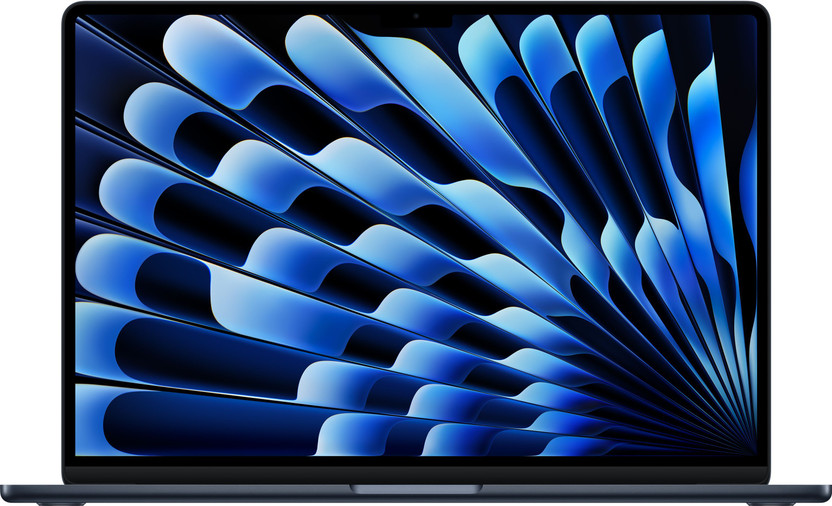
Apple M5 · 16GB unified memory · 1TB SSD · 500 nits, P3 · 1.23 kg
Best for
✓ Editors who travel and edit on battery
✓ Final Cut Pro users
✓ Anyone already in the Apple ecosystem
Not ideal for
– After Effects power users
– Anyone who wants to upgrade RAM later
Verdict: The best laptop here for battery life and weight, and the most expensive.

Apple 2026 MacBook Air 13″ Laptop with M5 chip: AI and Apple Intelligence, 34.46 cm (13.6″) Liquid Retina Display, 16GB Unified Memory, 1TB SSD Storage, 12MP Center Stage Camera, Touch ID; Silver
Bank discount on select credit cards + cashback on Amazon Pay ICICI card +1
- Bank discount on select credit cards + cashback on Amazon Pay ICICI card
- No Cost EMI on select cards
Pros and cons
What we like
+ 1.23 kg and about 18 hours of rated battery
+ P3 wide colour display
+ Quiet, no fan noise worth mentioning
What we don’t like
– Most expensive pick
– Memory cannot be upgraded
– Not suited to After Effects heavy work
Full review
The MacBook Air is the odd one out. It has no graphics card to speak of, no upgrade slots and the highest price here, yet it is the one I would carry to a shoot.
For editing. The M5 chip has a 10-core CPU and an 8-core GPU. The 13.6 inch display is 2560×1664, 500 nits with P3 wide colour. Apple rates the battery at 18 hours, and the machine weighs 1.23 kg.
About memory. The 16GB is unified memory built into the chip, so you cannot add more later. Buy the size you need on day one.
The catch. Amazon lists the 16GB and 1TB model at ₹1,72,490. Flipkart lists the 16GB and 512GB model at ₹1,35,990, so check which storage you need. The display is 60Hz.
Price. Amazon lists this variant at ₹1,72,490 on 22 October 2026.
Apple MacBook Air M5 (13.6 inch, 16GB, 1TB) vs the competition. It costs ₹23,500 more than the Legion 5 and is far lighter, but has no RTX card and cannot be upgraded.
Key specs
| CPU | Apple M5, 10 cores |
| GPU | Apple M5 8-core GPU |
| Memory | 16GB unified memory, not upgradeable |
| Display | 13.6 inch 2560×1664, 500 nits, P3 wide colour, 60Hz |
| Storage | 1TB SSD |
| Weight | About 1.23 kg, 53.8Wh battery |
Cheapest RTX Card
7. Lenovo LOQ Essential (Ryzen 7 7735HS, RTX 4050 6GB, 65W)
7.5 Overall
6.8 Performance
8.0 Value
7.8 Service
Ryzen 7 7735HS, RTX 4050 6GB, 100% sRGB screen and 1.8 kg for ₹1,14,990.
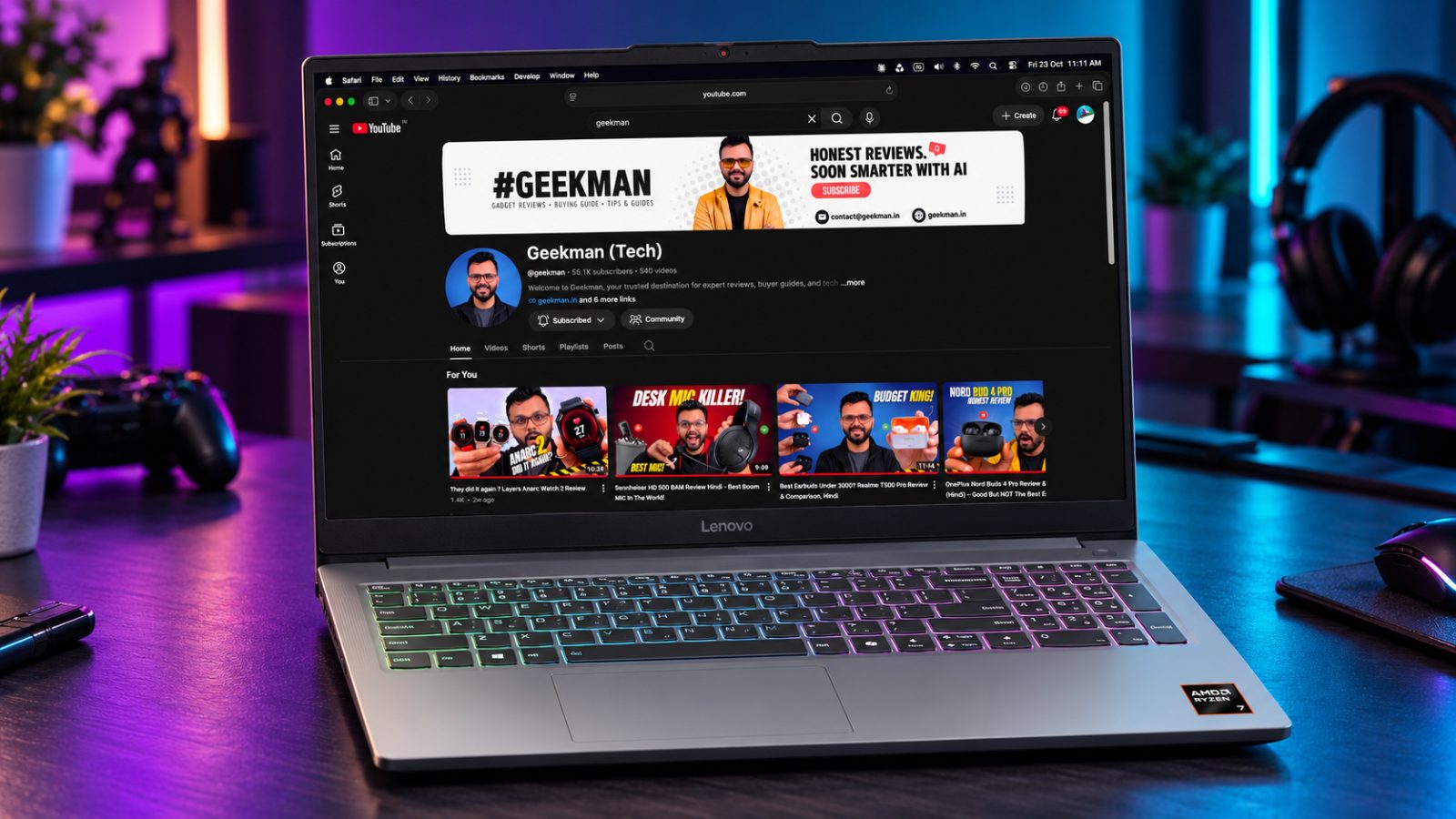
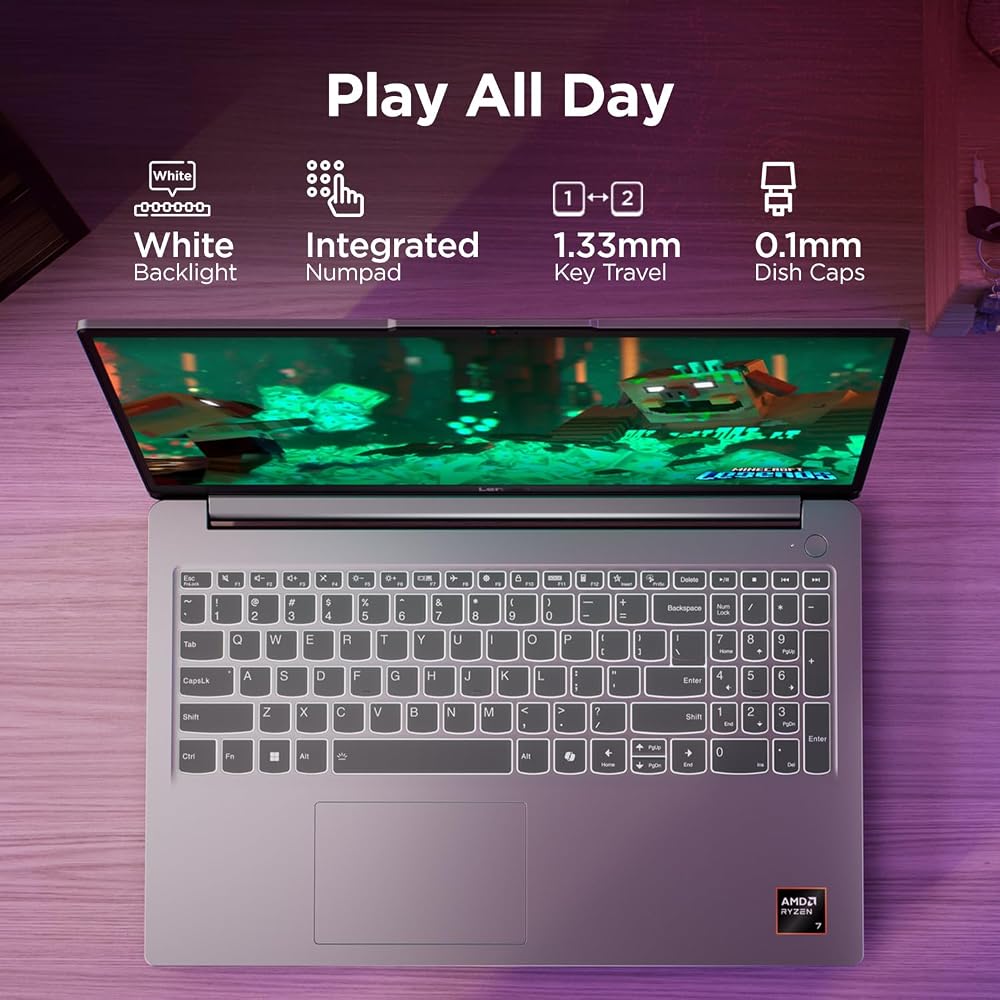
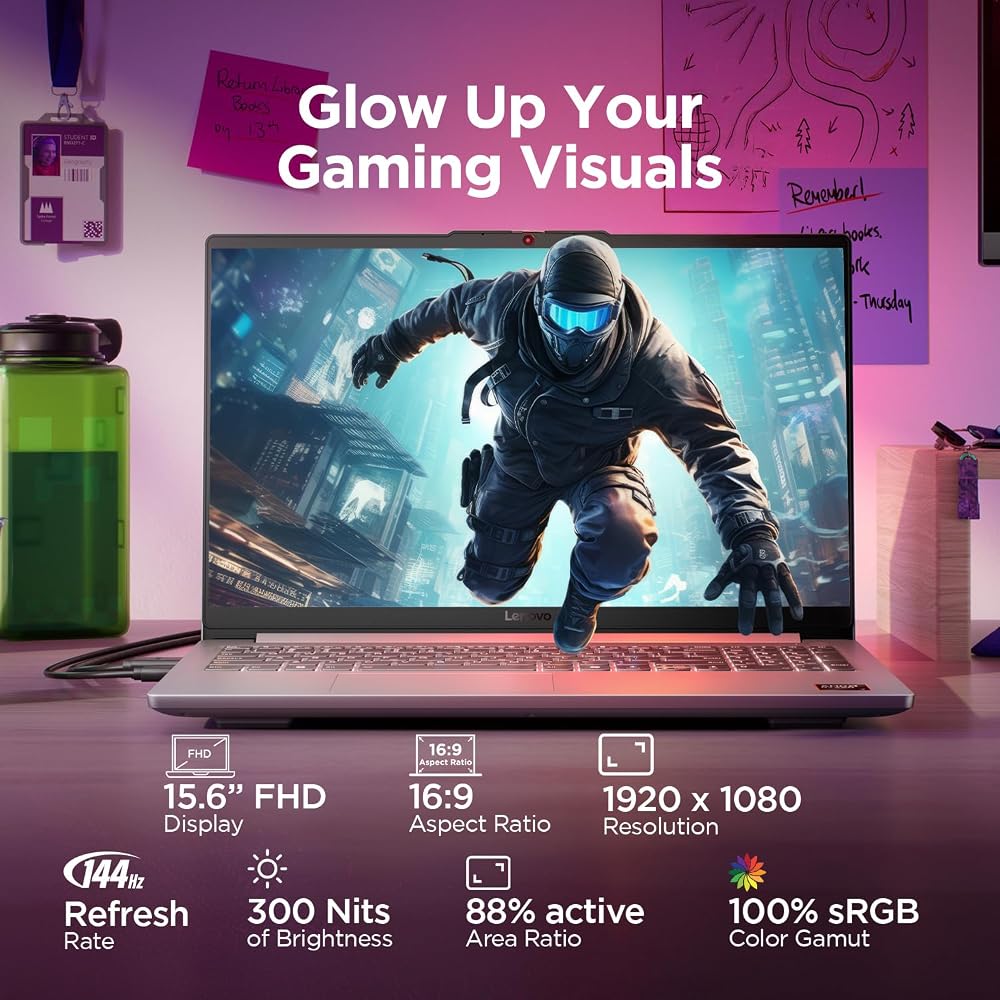
Ryzen 7 7735HS · RTX 4050 6GB, 65W · 100% sRGB · 16GB max RAM · 1.8 kg
Best for
✓ Editors who need an RTX card on a budget
✓ Students who edit and game
✓ Anyone who carries the laptop every day
Not ideal for
– 4K editors
– Anyone who needs more than 16GB of RAM
Verdict: The cheapest laptop here with an RTX card. The 16GB RAM limit keeps it to lighter work.

Lenovo LOQ Essential AMD Ryzen 7 7735HS | NVIDIA RTX 4050 6GB (16GB RAM/512GB SSD/144Hz Refresh Rate/15.6" (39.6cm)/Windows 11/Office Home 2024/Grey/1.8Kg), 83S000FWIN Gaming Laptop
Mega Festival Deal Bank discount on select credit cards + cashback on Amazon Pay ICICI card +1
- Bank discount on select credit cards + cashback on Amazon Pay ICICI card
- No Cost EMI on select cards
Pros and cons
What we like
+ RTX card under ₹1.2 lakh
+ 100% sRGB screen
+ 1.8 kg
What we don’t like
– 16GB RAM maximum
– 6GB video memory
– 8-core CPU
Full review
If you want an RTX card without paying ₹1.4 lakh, this is it. It is light at 1.8 kg and the screen lists 100% sRGB.
For editing. The 15.6 inch IPS panel is 144Hz, 300 nits and 100% sRGB. The CPU is a Ryzen 7 7735HS with 8 cores and 16 threads. The listing shows one 16GB DDR5-4800 stick with a maximum of 16GB, which is the weak point for editing.
For graphics heavy apps. The RTX 4050 has 6GB of GDDR6 at a listed 65W. That is below the 8GB Adobe recommends, so keep to 1080p and light effects.
Price and stores. Amazon and Flipkart both list it at ₹1,14,990 on 22 October 2026.
Lenovo LOQ Essential (Ryzen 7 7735HS, RTX 4050 6GB, 65W) vs the competition. It is ₹34,000 cheaper and 0.6 kg lighter than the LOQ 2025, but with an 8-core CPU, a 65W card and a 16GB RAM limit.
Key specs
| CPU | AMD Ryzen 7 7735HS, 8 cores, 16 threads |
| GPU | NVIDIA RTX 4050 6GB GDDR6, graphics power 65W |
| Memory | 16GB DDR5-4800, one SODIMM, up to 16GB per listing |
| Display | 15.6 inch FHD IPS, 144Hz, 300 nits, 100% sRGB |
| Storage | 512GB PCIe 4.0, two M.2 slots |
| Weight | About 1.8 kg |
Best Thin OLED
8. Lenovo Yoga Slim 7 Aura Edition (Core Ultra 5 226V, OLED)
7.4 Overall
7.8 Performance
6.8 Value
7.8 Service
Core Ultra 5 226V, 16GB LPDDR5X, 14 inch OLED with 100% DCI-P3 and 1.19 kg for ₹1,19,990.
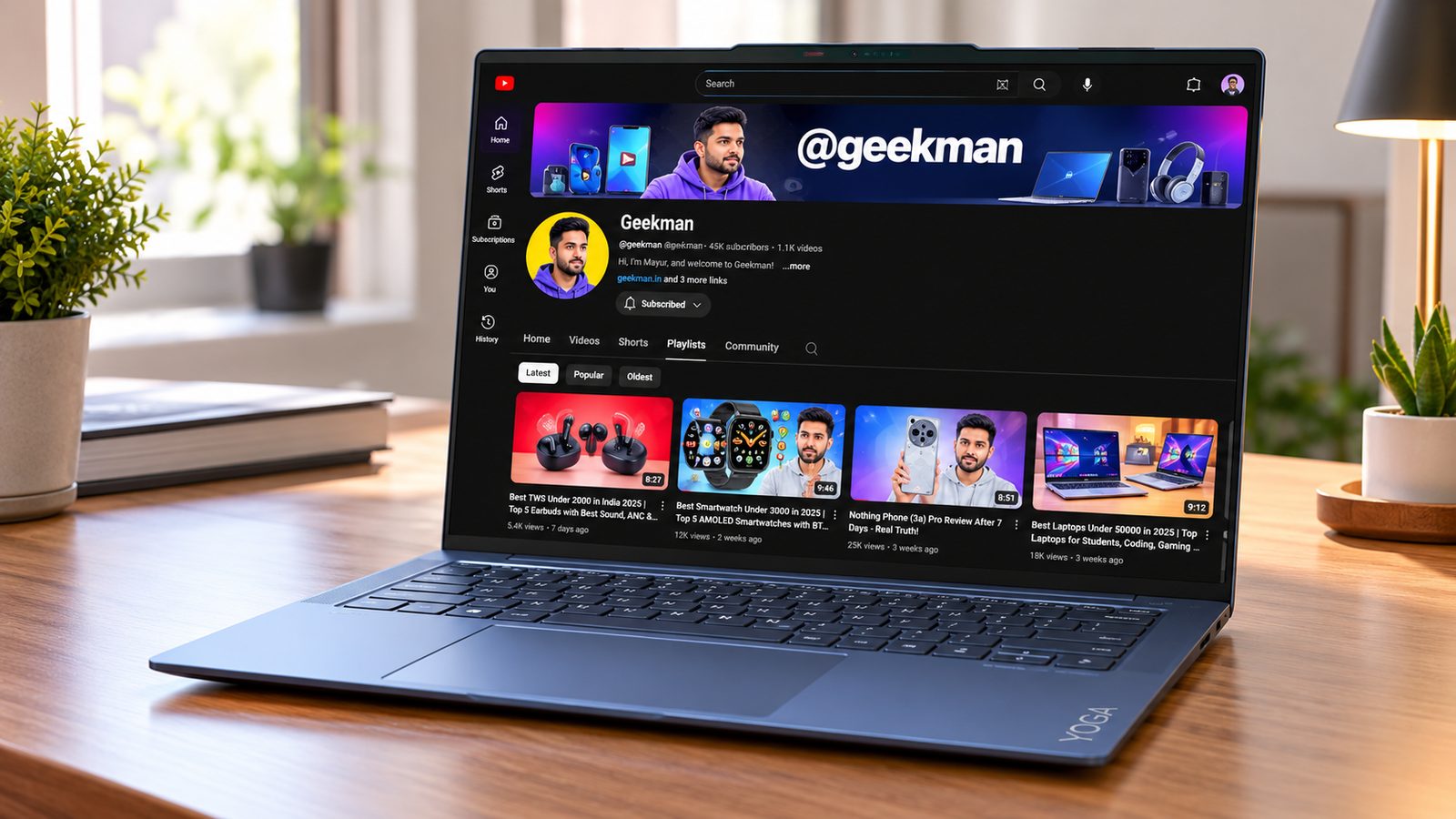
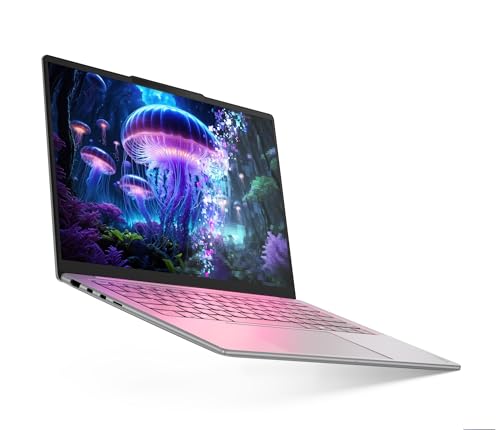
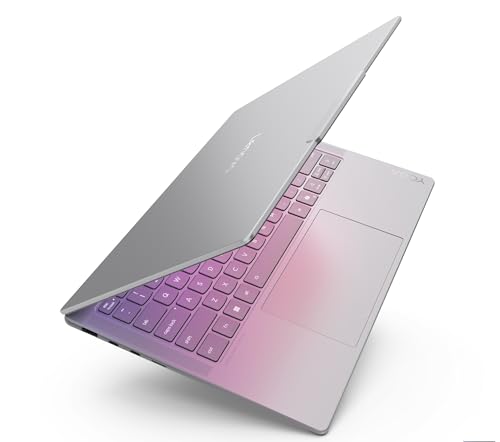
Core Ultra 5 226V · 16GB LPDDR5X · 14 inch OLED · 100% DCI-P3 · 1.19 kg
Best for
✓ Editors who want a thin, premium build
✓ Photo editors
✓ People who travel a lot
Not ideal for
– After Effects users
– Anyone who wants to upgrade RAM later
Verdict: A beautiful and light laptop, but the Motobook 60 Pro gives you a similar screen for ₹35,000 less.

Lenovo Yoga Slim 7 Smartchoice Aura Edition Intel Evo Core Ultra 5 226V (16GB RAM/512GB SSD/14 inch (35.5cm)/WUXGA OLED/Copilot+ PC/Windows 11/MSO 365 Basic+Office 24/Grey/1.19Kg), 83JX00ENIN Laptop
Great Indian Festival Bank discount on select credit cards + cashback on Amazon Pay ICICI card +1
- Bank discount on select credit cards + cashback on Amazon Pay ICICI card
- No Cost EMI on select cards
Pros and cons
What we like
+ 1.19 kg and a 70Wh battery
+ OLED screen with 100% DCI-P3
+ Intel Arc graphics, 8-core processor
What we don’t like
– Memory cannot be upgraded
– Costs more than the Motobook 60 Pro
– No discrete graphics card
Full review
The Yoga Slim 7 is the premium choice for a thin OLED laptop. It weighs about 1.19 kg and the spec listings I found show a 70Wh battery.
For editing. A spec database lists the screen as 14 inch OLED, 1920×1200, 100% DCI-P3 and 400 nits for the Yoga Slim 7 Aura Edition family. The Core Ultra 5 226V has 8 cores, and the Amazon listing shows 16GB of LPDDR5X and a 512GB SSD. Lenovo sells other versions of this laptop with a taller 2.8K screen, so check the variant.
About memory. The 226V carries its memory in the processor package, so you cannot add RAM later.
The catch. It uses the processor’s built-in Arc graphics, so it is a Premiere Pro machine more than an After Effects one. Amazon lists it at ₹1,19,990 and Flipkart at ₹1,04,990 for the 16GB and 512GB model.
Price. Amazon lists it at ₹1,19,990 on 22 October 2026.
Lenovo Yoga Slim 7 Aura Edition (Core Ultra 5 226V, OLED) vs the competition. It costs ₹35,000 more than the Motobook 60 Pro and weighs 0.2 kg less, with a similar style of OLED screen.
Key specs
| CPU | Intel Core Ultra 5 226V, 8 cores |
| GPU | Intel Arc integrated graphics |
| Memory | 16GB LPDDR5X, not upgradeable |
| Display | 14 inch OLED, 100% DCI-P3 (spec database lists 1920×1200, 400 nits) |
| Storage | 512GB SSD |
| Weight | About 1.19 kg, 70Wh battery |
Questions other guides skip
The questions most editing laptop guides leave out
These are the questions buyers keep asking and the top guides rarely answer. I checked each against the makers’ own pages where I could.
1 · Can I edit 4K on 16GB of RAM?
Yes for simple timelines, but Adobe recommends 32GB or more for 4K in Premiere Pro and After Effects. With 16GB, use proxy files, close other apps and keep effects light. The LOQ 2025 and Legion 5 take up to 32GB later. The MacBook Air and the Yoga Slim 7 cannot be upgraded, so buy the memory you need on day one.
2 · Will After Effects run without a graphics card?
Adobe lists a discrete GPU with at least 4GB of memory for After Effects on Intel and AMD laptops. I found no statement that built-in graphics are supported. If After Effects is your main app, choose one of the four RTX picks.
3 · Why is the cheaper MacBook Neo not here?
It has 8GB of unified memory, against the 16GB Adobe recommends for HD editing. A published Final Cut Pro test found that simple 4K timelines play smoothly while stacked effects and heavy grading strain it, so proxies are needed. It suits light editing, and I would not buy it for a 4K workflow.
4 · Why no Snapdragon (Windows on Arm) laptops?
Adobe’s native Premiere Pro for Windows on Arm started as a public beta in July 2025, and the beta lacked third party plugins, ProRes and hardware accelerated H.264 and HEVC. I could not confirm the final release closes those gaps, so I left them out. DaVinci Resolve runs natively on Windows on Arm.
5 · Which of these can I upgrade later?
The LOQ 2025 and Legion 5 take up to 32GB, and the V16 lists upgradeable DDR5. The LOQ Essential stops at 16GB. The MacBook Air and the Yoga Slim 7 have memory built in. Motorola lists up to 32GB for the Motobook 60 Pro, but the listings do not say whether you can add it later, so check the variant.
6 · Is DaVinci Resolve happy with 16GB?
A third party summary lists 16GB as the baseline and 32GB for Fusion. I could not open Blackmagic’s own page, so confirm there. Resolve leans on the graphics card more than Premiere Pro, which favours the RTX picks.
What this means for your buying decision
You use After Effects or DaVinci Resolve: the Lenovo LOQ 2025 or the Legion 5.
You edit Reels and short videos on a budget: the Motorola Motobook 60.
You want the best screen under ₹1 lakh: the Motobook 60 Pro.
You edit on the move: the MacBook Air M5, or the Yoga Slim 7 if you prefer Windows.
You want an RTX card at the lowest price: the LOQ Essential for 1080p, the ASUS Gaming V16 for more power.
You edit 4K projects: choose one of the 32GB capable laptops and add a second RAM stick.
You are buying for GTA 6: wait. I found no announced PC version yet.
Compare all 8 laptops at a glance
| Laptop | CPU | Screen | RAM and storage | Graphics | Price |
|---|---|---|---|---|---|
| Lenovo LOQ 2025 | Core i7-13650HX | 100% sRGB, 144Hz | 16GB (max 32GB), 1TB | RTX 5050 8GB | ₹1,48,990 |
| Lenovo Legion 5 | Core i7-13650HX | 100% sRGB, 165Hz, WUXGA | 16GB (max 32GB), 512GB | RTX 5050 8GB | ₹1,62,990 |
| Motobook 60 Pro | Core Ultra 5 225H | 2.8K OLED, 100% DCI-P3 | 16GB DDR5, 512GB | Built-in | ₹84,990 |
| Motobook 60 | Core 5 210H | 2.8K OLED, 100% DCI-P3 | 16GB DDR5, 512GB | Built-in | ₹74,990 |
| ASUS Gaming V16 | Core 5 210H | 16:10, 100% Adobe (claim) | 16GB, 512GB | RTX 5050 8GB | ₹1,39,990 |
| MacBook Air M5 | Apple M5 | 500 nits, P3 | 16GB (fixed), 1TB | Built-in | ₹1,72,490 |
| Lenovo LOQ Essential | Ryzen 7 7735HS | 100% sRGB, 144Hz | 16GB (max 16GB), 512GB | RTX 4050 6GB | ₹1,14,990 |
| Yoga Slim 7 Aura | Core Ultra 5 226V | OLED, 100% DCI-P3 | 16GB (fixed), 512GB | Built-in | ₹1,19,990 |
Specs are from official pages and Amazon.in and Flipkart listings in October 2026. Prices were seen on 22 October 2026 and move daily. Verify the exact variant before you buy.
The buying guide
How to choose a laptop for video editing
🖥️
Screen
Look for 100% sRGB or P3 coverage.
🧩
RAM
16GB for HD, 32GB for 4K. Check the maximum.
💾
Storage
Footage fills drives. Plan for 1TB.
⚡
GPU
RTX for After Effects and heavy grading.
1 · Screen colour comes first
You cannot grade what you cannot see. Look for 100% sRGB for web video, and DCI-P3 if you want a wider range. A screen that covers 62.5% of sRGB shows muted colours.
2 · RAM and the single stick trap
Many laptops ship with one 16GB stick, which runs slower than two. The LOQ 2025 and Legion 5 take up to 32GB. Laptops with memory built in cannot be upgraded.
3 · Storage for footage
A 512GB drive fills fast with 4K footage. Only the LOQ 2025 and the MacBook Air here come with 1TB. Plan an external SSD or a second drive.
4 · Weight and battery
The Yoga Slim 7 weighs about 1.19 kg, the MacBook Air 1.23 kg, the Motobooks about 1.4 kg, the LOQ Essential 1.8 kg, the V16 1.95 kg, the Legion 5 2.1 kg and the LOQ 2025 2.4 kg. RTX laptops drain fast when you edit, so plan to plug in. The Apple and thin OLED laptops are the ones built for battery work.
5 · Crossed out prices
Stores show large crossed out prices. Ignore them and check the real price and the bank offer at checkout.
6 · Warranty and service
Most of these list one year. Keep the invoice, register the laptop on day one and note the nearest service centre. Motorola laptops are sold on Flipkart, so check onsite service for your pin code.
Other laptops I looked at
Apple MacBook Neo (₹71,890). Eight gigabytes of memory is the limit, as explained above.
ASUS Vivobook S16 OLED and Zenbook A14 OLED. Both use Snapdragon X, which I left out for the reasons above.
HP OmniBook 5 OLED (₹1,09,799). A good OLED laptop, but the Motobook 60 Pro costs about ₹25,000 less.
Samsung Galaxy Book6 Pro (₹1,64,599). Good, but it costs more than the MacBook Air for similar editing power.
Gaming laptops with weak screens. Many gaming laptops cover only around 62.5% of sRGB, so check the panel before you buy. See my gaming laptops under 1 lakh guide.
The verdict
Which laptop should you buy for video editing?
Best overall: Lenovo LOQ 2025, for RTX, 14 cores and 1TB. Check price
Best screen and cooling: Lenovo Legion 5, for the 165Hz WUXGA panel. Check price
Best OLED value: Motorola Motobook 60 Pro, for ₹84,990. Check price
Cheapest OLED: Motorola Motobook 60, for ₹74,990. Check price
Cheapest RTX 5050: ASUS Gaming V16, at ₹1,39,990. Check price
Best for editing on the move: MacBook Air M5, at 1.23 kg. Check price
Cheapest RTX card: Lenovo LOQ Essential, at ₹1,14,990. Check price
Best thin Windows OLED: Lenovo Yoga Slim 7, at 1.19 kg. Check price
Not sure? Buy the Lenovo LOQ 2025 and add a second RAM stick. If you edit short videos on a budget, take the Motobook 60.
More buying guides from Geekman
Best gaming laptops for video editing
Best gaming laptops under 1 lakh
Video editing laptops FAQ
Which is the best laptop for video editing in India in 2026?
The Lenovo LOQ 2025 with an RTX 5050 at ₹1,48,990 is the best overall. It has 14 CPU cores, 1TB of storage, a 100% sRGB screen and an RTX card that meets Adobe’s 8GB graphics memory recommendation. If you want OLED on a smaller budget, the Motorola Motobook 60 Pro at ₹84,990 has the best screen.
Can I edit 4K video with 16GB of RAM?
Yes for simple projects, but Adobe recommends 32GB or more for 4K in both Premiere Pro and After Effects. With 16GB, expect to use proxy files and close other apps. The LOQ 2025, Legion 5 and V16 take more RAM later. The MacBook Air and the Yoga Slim 7 do not, so buy the memory you need on day one.
Do I need a graphics card for video editing?
Not for 1080p or light 4K in Premiere Pro, where built-in graphics work fine. A graphics card helps with After Effects, heavy colour grading, AI effects and exports. Adobe lists a 4GB GPU as the minimum for Premiere Pro and After Effects and 8GB as recommended.
Will After Effects run without a dedicated graphics card?
Adobe lists a discrete GPU with at least 4GB of memory for After Effects on Intel and AMD laptops, and 4GB on NVIDIA. I could not find a statement that built-in graphics are supported, so I treat the RTX picks as the safe choice for After Effects.
Is 16GB of RAM enough for DaVinci Resolve?
A third party summary of Blackmagic’s guidance lists 16GB as the baseline and 32GB if you use Fusion effects. I could not open Blackmagic’s own requirements page, so check it before you buy. Resolve also leans on the graphics card, which favours the RTX picks.
Why is the MacBook Neo not on this list?
The MacBook Neo has 8GB of unified memory, and Adobe recommends 16GB for HD editing. A published test in Final Cut Pro found that simple 4K timelines play smoothly but stacked effects and heavy grading strain it, so proxies are needed. It is a fine first Mac for light editing and a poor pick for a 4K workflow.
Why are there no Snapdragon laptops on this list?
Adobe released a public beta of native Premiere Pro for Windows on Arm in July 2025, and that beta lacked third party plugins, ProRes and hardware accelerated H.264 and HEVC. I could not confirm that the final release is complete, so I left Snapdragon laptops out. DaVinci Resolve does run natively on Windows on Arm.
Is OLED good for video editing?
The OLED panels here list 100% DCI-P3, which covers a wider range of colours than sRGB. That helps when you grade footage. The Motobook 60 and the Motobook 60 Pro list up to 500 nits, which is typical for a laptop.
Is a gaming laptop good for video editing?
Often yes, because it has a strong processor and an RTX card. The catch is the screen, because many gaming laptops cover only 62.5% of sRGB. The four RTX laptops in this guide list 100% sRGB or ASUS’s Adobe gamut claim. My gaming and editing guide covers more gaming laptops.
Which of these can I upgrade later?
The LOQ 2025 and the Legion 5 take up to 32GB of RAM, and the V16 lists upgradeable DDR5. The LOQ Essential is limited to 16GB. The MacBook Air and the Yoga Slim 7 cannot be upgraded, and the Motobook listings do not say. Motorola lists up to 32GB configurations, so check the variant.
Will GTA 6 run on these laptops?
GTA 6 has only been announced for PlayStation 5 and Xbox Series consoles. I found no announced PC version, so check again before you buy a laptop for it.
Why are laptops so expensive in 2026?
Memory and graphics chips have become pricier as AI demand takes a large share of supply, and laptop makers have passed that on. A laptop that would have cost around ₹1 lakh now sells for ₹1.4 lakh and up.