

Short answer: buy the MacBook Air 13 (M5, 16GB) if you can afford it. On a budget take the MacBook Neo at ₹71,890. For a bigger screen take the Air 15, and for heavy professional work take the MacBook Pro 14.
Geekman has covered consumer tech for over 10 years, and this ranking is built the way our buying guides always are: research first, then a hard look at the numbers. For every model we compared official specs, chip and memory, display, ports, battery, price, warranty and service reach, and checked live prices on Amazon and Flipkart.
Find your MacBook in 3 quick taps
Short answer: the MacBook Air 13 with 16GB is the best pick for most people. Take the MacBook Neo on a budget, the Air 15 for a big screen and the MacBook Pro 14 for heavy work. Turn on JavaScript to use the Finder.
Pick in 30 seconds
Which MacBook fits you?
If none of these rows sounds like you, read on. The ranking, a guide to what you do and the full reviews follow, and live prices sit under each review.
The 2026 lineup
The MacBook lineup in India
Apple sells three families in India. The MacBook Neo is the low cost model with an A18 Pro chip and 8GB of memory. The MacBook Air comes in 13 and 15 inch sizes with the M5 chip and 16GB of memory. The MacBook Pro comes in 14 and 16 inch sizes with M5, M5 Pro and M5 Max chips. Prices listed here are from Amazon India and Flipkart on 24 October 2026, and they are lower than the MRP but higher than Apple’s March launch prices for some models. If you want Windows, read my laptops under 1 lakh guide.
The ranking
How I ranked these MacBooks
Each MacBook gets a score out of 10 for performance (40%), value (40%) and service (20%). Performance looks at the chip, memory, display and ports. Value is price against what you get. Service looks at warranty, Apple’s service reach and how easy it is to get help.
See the scores
| # | MacBook | Perf. | Value | Service | Overall |
|---|---|---|---|---|---|
| 1 | Apple MacBook Air 13 inch (M5, 16GB, 512GB) | 8.5 | 8.0 | 9.0 | 8.4 |
| 2 | Apple MacBook Neo (A18 Pro, 8GB, 256GB) | 6.8 | 9.0 | 9.0 | 8.1 |
| 3 | Apple MacBook Pro 14 inch (M5 Pro, 24GB, 1TB) | 9.6 | 6.0 | 9.0 | 8.0 |
| 4 | Apple MacBook Air 15 inch (M5, 16GB, 512GB) | 8.6 | 6.8 | 9.0 | 8.0 |
| 5 | Apple MacBook Neo (A18 Pro, 8GB, 512GB, Touch ID) | 7.0 | 8.0 | 9.0 | 7.8 |
Scores weigh performance 40%, value 40% and service 20%. They come from official specs and live prices on 24 October 2026.
Quick picks
| Pick | MacBook | Best for |
|---|---|---|
| Best For Most People | Apple MacBook Air 13 inch (M5, 16GB, 512GB) | The MacBook most people should buy, with 16GB of memory as standard, from ₹1,31,990 |
| Best Budget MacBook | Apple MacBook Neo (A18 Pro, 8GB, 256GB) | The cheapest way into macOS, with a fanless body and a 13 inch screen, at ₹71,890 |
| Best For Pros | Apple MacBook Pro 14 inch (M5 Pro, 24GB, 1TB) | A bright XDR display, Thunderbolt 5 and room to grow, for editors and developers, at ₹2,69,900 |
| Best Big Screen | Apple MacBook Air 15 inch (M5, 16GB, 512GB) | The same Air with a 15.3 inch screen, at ₹1,61,900 |
| Best Neo With Touch ID | Apple MacBook Neo (A18 Pro, 8GB, 512GB, Touch ID) | The Neo with double the storage and Touch ID, at ₹80,890 |
Tap a name to jump to its review. Live prices are in the buy box under each review. Prices are as seen on 24 October 2026 and bank offers can change them.
Match it to your use
Which MacBook for what you do
The right pick depends on how it will be used. This is how I would match them.
Study and notes
MacBook Neo at ₹71,890.
Work and coding
MacBook Air 13 with 16GB of memory.
Big screen
MacBook Air 15 at 15.3 inch.
Editing and heavy builds
MacBook Pro 14 with the M5 Pro.
The reviews
Best MacBook in India: 5 picks
Best For Most People
1. Apple MacBook Air 13 inch (M5, 16GB, 512GB)
8.4 Overall
8.5 Performance
8.0 Value
9.0 Service

Apple M5, 10-core CPU · 16GB memory, 512GB SSD · 13.6 inch Liquid Retina, 500 nits · Up to 18 hours (Apple) · MagSafe, 2 Thunderbolt 4
Best for
✓ Students and working professionals
✓ Anyone who wants one MacBook for five years or more
✓ People who travel with their laptop
Not ideal for
– Video editors and developers with heavy builds
– Buyers who want a bigger screen
– People on a tight budget
Verdict: The safe, sensible choice. It has the M5 chip, 16GB of memory, Touch ID and MagSafe, and it is the one I would tell most friends to buy.

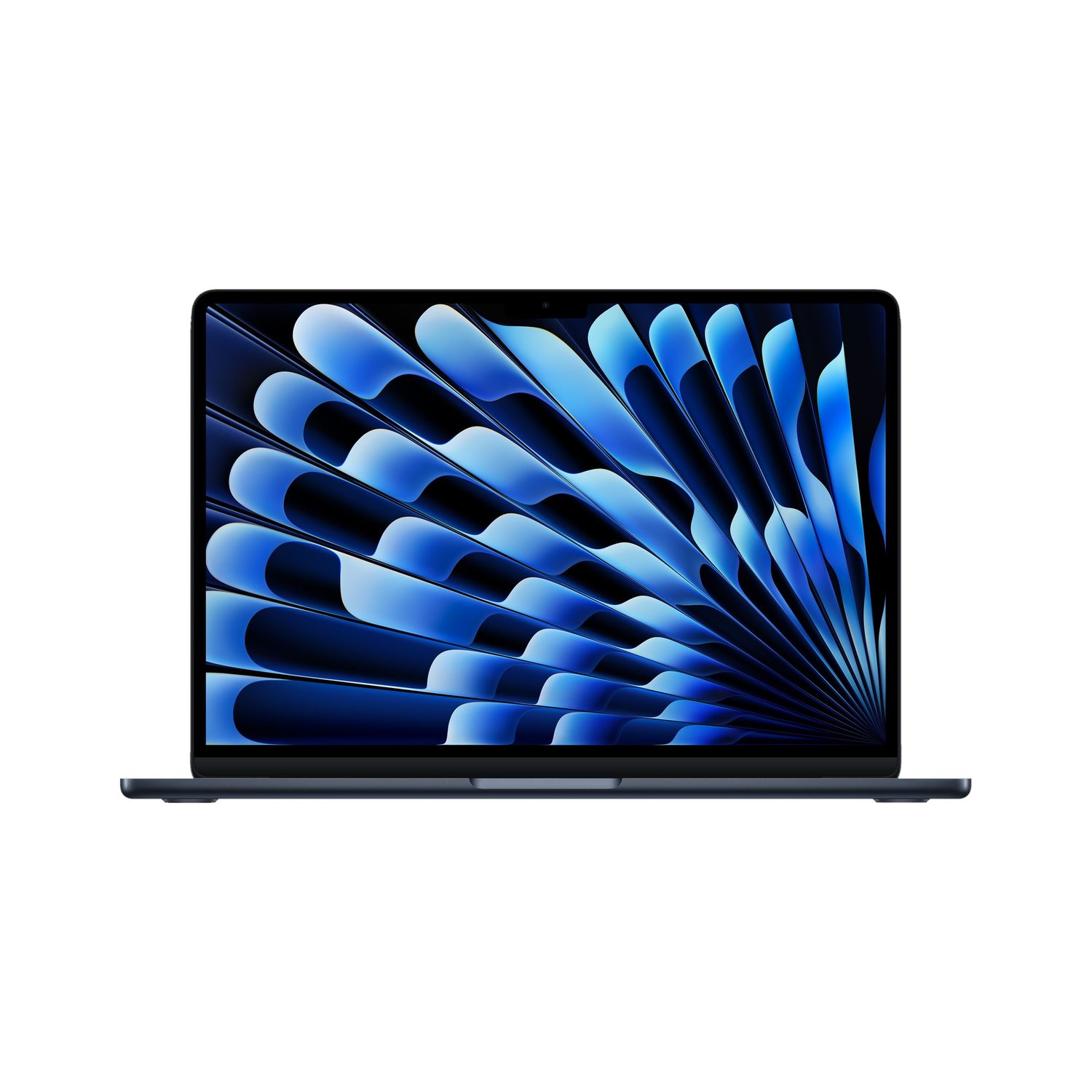
Apple MacBook Air (M5, 2026) M5 - (16 GB/512 GB SSD/Tahoe) MDHE4HN/A

Up to 5% instant discount on Flipkart Axis & Flipkart SBI credit cards Details
- Up to 5% instant discount on Flipkart Axis & Flipkart SBI credit cards
Pros and cons
What we like
+ 16GB memory as standard
+ MagSafe, Touch ID and 2 Thunderbolt 4
+ Fanless and light
What we don’t like
– Only two ports
– No HDMI or SD card slot
– Price varies by seller and colour
Apple MacBook Air 13 M5 review: what it is and the real numbers
The Apple MacBook Air 13 inch M5 in the 16GB and 512GB trim is the Mac I would start from for almost anyone. It has a 10 core M5 chip with four fast cores that boost to 4.6 GHz plus six efficiency cores, and an 8 core GPU in this base version (the 10 core GPU sits on the dearer models). Memory is 16GB of LPDDR5x and the SSD is PCIe 4.0, both soldered to the board. Lab runs put single core Geekbench 6 near 4,170 and multi core near 17,070, which is the fastest single core speed you can buy in any laptop today. Cinebench 2024 multi core opens at 957 points and still holds 820 after a 30 minute loop. That is a fanless machine behaving honestly: it slows a little, but never falls off a cliff.
My take: this is the Mac for students, office and finance people, writers, designers who live in Figma and Lightroom, and developers whose work is code, browsers and a few containers. A Xcode compile that takes 165 seconds here takes about 145 on a MacBook Pro, so the gap is small for normal work. The 16GB is the right amount for this chip. I would not pay for 24GB unless you run virtual machines all day. I would move up to the MacBook Pro 14 M5 Pro only if you export long video, because a passively cooled Air drops from its opening Cinebench 2026 burst to a lower plateau once the heat soaks in.
Apple MacBook Air M5 running cost and what you really pay for
Electricity is a rounding error. The battery is 53.8 Wh, so a full charge is about 0.054 kWh. At Rs 8 a unit that is roughly 45 paise a charge, or around Rs 160 to 200 a year if you charge from empty every single day, charger losses included. The real money is in the configuration, because RAM and SSD cannot be changed later. Apple doubled the base storage to 512GB this generation, which removes the old reason to overpay on day one. If you need more space, a portable SSD is the cheap fix, and Apple’s own storage upgrade is the expensive one.
Living with the MacBook Air M5: screen, battery and daily use
The 13.6 inch panel is 2560 by 1664, about 224 ppi, 60 Hz. Apple rates it at 500 nits, and a lab measurement reached about 546 nits at peak with 98 percent Display P3 coverage and no PWM flicker, though the factory tuning leans slightly blue. It is a very good IPS screen, but it is not OLED and it is not 120 Hz. Battery is where the Air shines. Apple claims 18 hours of video and 15 hours of wireless web, and a 150 nit mixed test lasted over 15 hours, so a full working day away from the plug is normal. It weighs 1.23 kg. You get MagSafe, two Thunderbolt 4 ports, a headphone jack, Wi-Fi 7, Bluetooth 6, a four speaker system, a 12 MP Center Stage camera and Touch ID. The keyboard and haptic trackpad are excellent.
Apple MacBook Air M5 warranty, AppleCare and service in India
Apple gives a one year limited warranty with 90 days of free technical support. AppleCare+ stretches cover to three years from the day you buy it and adds unlimited accidental damage claims, each with a fee. On the 15 inch M5 Air plan the fees are Rs 8,900 for screen or enclosure damage and Rs 25,900 for other damage, and you should ask for the exact fee table for your model before you buy the plan. Repairs go through Apple stores and authorised providers, and because the board is one soldered unit a failed SSD or RAM chip usually means a board swap, which is the real argument for AppleCare. Check the Apple locator for your pin code. On delivery, confirm the carton label reads 10 core CPU, 8 core GPU, 16GB and 512GB, check that the part number ends in HN/A, which marks an India unit, and register the serial on Apple’s coverage page. The 8 core GPU model ships with a 30W charger.
Who should buy the Apple MacBook Air 13 M5 and who should skip it
The shortfalls: a 60 Hz screen that is not OLED, the notch, soldered RAM and storage, and throttling on a long export. If you want a bigger canvas, six speakers and a 66.5 Wh battery, the MacBook Air 15 inch M5 is the same machine in a larger body. If your budget is tight and your work is browsing and documents, the MacBook Neo costs far less and still feels like a Mac, though it carries only 8GB. For sustained video or 3D work, the MacBook Pro 14 M5 Pro is the right step. Buy the MacBook Air M5 if you want one laptop that lasts five years with no fuss, and skip it only if you edit video for a living or you need a high refresh screen.
Key specs
| Chip | Apple M5, 10-core CPU |
| Memory | 16GB unified (up to 32GB) |
| Storage | 512GB SSD |
| Display | 13.6 inch Liquid Retina, 500 nits |
| Ports | 2 Thunderbolt 4, MagSafe, headphone jack |
| Wireless | Wi-Fi 7, Bluetooth 6 |
| Battery | Up to 18 hours (Apple test) |
| Warranty | Apple 1 year limited, AppleCare+ optional |
Best Budget MacBook
2. Apple MacBook Neo (A18 Pro, 8GB, 256GB)
8.1 Overall
6.8 Performance
9.0 Value
9.0 Service

Apple A18 Pro · 8GB memory, 256GB SSD · 13 inch Liquid Retina, 500 nits · Up to 16 hours (Apple) · 2 USB-C, headphone jack
Best for
✓ Students on a budget
✓ First time Mac buyers and iPhone owners
✓ Browsing, notes, email and video calls
Not ideal for
– People who need more than 8GB of memory
– Anyone who wants Touch ID on the cheapest model
– Heavy multitaskers and video editors
Verdict: A real MacBook at a much lower price. Buy it for study and everyday work, and skip it if you keep dozens of apps open.

Apple 2026 MacBook Neo 13″ Laptop with A18 Pro chip: Built for AI and Apple Intelligence, Liquid Retina Display, 8GB Unified Memory, 256GB SSD Storage, 1080p FaceTime HD Camera; Citrus

Up to 6% instant discount on select credit cards +1
- Up to 6% instant discount on select credit cards
- Cashback with Amazon Pay ICICI Bank Credit Cards
Pros and cons
What we like
+ Lowest MacBook price
+ Fanless and silent
+ Four colour choices
What we don’t like
– 8GB of memory
– No Touch ID on 256GB
– USB 2 on one port
Apple MacBook Neo review: A18 Pro, 8GB and 256GB, what you get
The Apple MacBook Neo (A18 Pro, 8GB, 256GB) is the cheapest way into macOS, and it is built around an iPhone chip. The A18 Pro has six cores, two performance and four efficiency, with a 5 core GPU and a 16 core Neural Engine. Memory is 8GB of unified RAM that cannot be upgraded, and storage is a 256GB SSD. Geekbench 6 lands around 3,580 single core and 9,090 multi core, which beats many Core i5 and Ryzen 5 laptops on single thread speed. The body is fanless aluminium, 1.23 kg and 12.7 mm thick. The 13 inch panel is 2408 by 1506 at 219 ppi, rated 500 nits, 60 Hz, sRGB colour, glossy. It is an honest, quiet, light laptop with a few deliberate cuts.
My take: this is for a first laptop, a school or college student, a parent who needs email, video calls, banking and documents, or a second laptop that lives in a bag. In day to day work with a handful of Chrome tabs, Office and a music app the 8GB is not obvious, and Photoshop plus Lightroom beside Chrome ran without slowdown in one hands on test. Where it hurts is heavy multitasking, big video projects and long browser sessions with forty tabs, because memory is the one thing you cannot add later. I would not buy it for a programmer who runs Docker or an Android emulator. For that person the MacBook Air 13 inch M5 with 16GB is the sensible step, and it is worth stretching for.
Apple MacBook Neo battery, charging and money angle
The battery is only 36.5 Wh, but the chip sips power. Apple claims up to 16 hours of video and 11 hours of wireless web. Real use lands lower, with measured mixed runs spread between about 8 and 13 hours depending on brightness, so plan on a long day and not two. A full charge is about 0.037 kWh, which at Rs 8 a unit is around 30 paise, or about Rs 110 a year if you charge daily. The box charger is a slow 20W unit. The money angle is the SSD. With 256GB and no way to expand, a student with a few projects, downloads and a photo library will hit the wall, and that is where the 512GB version, which also adds Touch ID, earns its place. A cheap external SSD fixes most of it for a student.
Living with the MacBook Neo: ports, keyboard and screen
The cuts are visible, so know them. There are two USB-C ports, and they are not equal: one runs at 10 Gbps with DisplayPort, the other at only 480 Mbps. No Thunderbolt, no MagSafe, no HDMI, no card slot, and only one external display up to 4K at 60 Hz. The keyboard is full size with full height function keys but has no backlight, and the 256GB model has no Touch ID. Wi-Fi is 6E with Bluetooth 6. The speakers are a simple stereo pair, loud enough for a room, and the 1080p camera is fine for calls. The screen is bright and sharp for the class, but it is glossy, so overhead lights and sunny windows bother you more than they would on an Air. I like the physical click trackpad.
Apple MacBook Neo warranty and AppleCare in India
Apple gives one year of limited warranty and 90 days of support, with AppleCare+ as the paid extension to three years. Because 8GB RAM and 256GB storage are soldered, there is no repair path for either, so AppleCare is worth weighing if the laptop is a gift for a child. India units carry a part number ending in HN/A, and the carton label should read A18 Pro, 8GB and 256GB, so check it matches the version you ordered, because the 512GB Touch ID model is a different carton. Register the serial on Apple’s coverage page on day one. Apple offers student pricing and seasonal offers in India, which change often, so check Apple’s education store before you pay any shop price. Service reach is strong in big cities through Apple stores and authorised providers, and weaker in smaller towns where parts and a day or two of waiting are normal.
Who should buy the Apple MacBook Neo and who should skip it
The weak points are 8GB that you cannot upgrade, a 256GB drive, a 60 Hz glossy screen, one slow USB-C port and a keyboard with no light. The MacBook Neo with 512GB and Touch ID fixes the storage and the login, and I would pick it over this one if you can stretch. The MacBook Air 13 inch M5 gives 16GB, a brighter display, MagSafe and Thunderbolt 4, and it stays the better buy if you plan to keep the laptop five years. Buy the MacBook Neo if you want a silent, light, long lasting laptop for study, writing and browsing at the lowest Apple entry cost. Skip it if you edit video, run virtual machines, connect two monitors or want a backlit keyboard.
Key specs
| Chip | Apple A18 Pro, 6-core CPU |
| Memory | 8GB |
| Storage | 256GB SSD |
| Display | 13 inch Liquid Retina, 500 nits |
| Ports | 1 USB 3, 1 USB 2, headphone jack |
| Camera | 1080p FaceTime HD |
| Battery | Up to 16 hours (Apple test) |
| Warranty | Apple 1 year limited, AppleCare+ optional |
Best For Pros
3. Apple MacBook Pro 14 inch (M5 Pro, 24GB, 1TB)
8.0 Overall
9.6 Performance
6.0 Value
9.0 Service

M5 Pro, 15-core CPU, 16-core GPU · 24GB memory, 1TB SSD · 14.2 inch Liquid Retina XDR · Thunderbolt 5, HDMI, SDXC · Up to 3 external displays
Best for
✓ Video editors, photographers and designers
✓ Developers who run heavy builds
✓ People who need many ports and a bright display
Not ideal for
– Students and general office users
– Anyone watching the budget
– People who want the lightest laptop
Verdict: A serious machine for serious work. It is excellent, and far more laptop than most people need.

Apple MacBook Pro (M5 Pro, 2026) M5 Pro - (24 GB/1 TB SSD/Tahoe) MGDN4HN/A.MGDN4HN/A
Lowest price
Up to 6% instant discount on select credit cards +1
- Up to 6% instant discount on select credit cards
- Cashback with Amazon Pay ICICI Bank Credit Cards
Up to 5% instant discount on Flipkart Axis & Flipkart SBI credit cards Details
- Up to 5% instant discount on Flipkart Axis & Flipkart SBI credit cards
Pros and cons
What we like
+ XDR display up to 1,600 nits
+ Thunderbolt 5, HDMI and SD card slot
+ 24GB memory and 1TB storage
What we don’t like
– Very expensive
– Heavier than the Air
– More than most people need
Apple MacBook Pro 14 M5 Pro review: 24GB and 1TB, the real numbers
The Apple MacBook Pro 14 inch M5 Pro (24GB, 1TB) is the Mac for people who get paid by how fast it finishes work. The base M5 Pro has a 15 core CPU, five super cores and ten performance cores with no efficiency cores, plus a 16 core GPU and 307 GB/s of memory bandwidth. The display is a 14.2 inch Liquid Retina XDR mini LED panel, 3024 by 1964 at 254 ppi, 120 Hz ProMotion, with up to 1,000 nits sustained for normal content and 1,600 nits peak for HDR. The 72.4 Wh battery is paired with Thunderbolt 5, HDMI, an SD card slot and MagSafe. Tests on the 18 core version show multi core Geekbench 6 about 26 percent ahead of the M4 Pro, and HandBrake finishing 28 percent faster.
My take: buy this for video editing, 3D, large codebases, music production, photo batches of thousands of RAW files and local AI work. Twenty four gigabytes with this chip handles a 4K timeline with proxies, Docker, a browser and Slack together without swapping. The cooling suits the chip. Independent testing of the heavier M5 Max in the same 14 inch body found throttling, and the conclusion was that the M5 Pro is the better fit for this chassis, which is the sensible message for buyers: do not chase the Max in a 14. I would still pick this over the Air only if your work uses the CPU or GPU for more than short bursts. For writing and browsing, you are paying for power you will never use.
Apple MacBook Pro M5 Pro running cost and where the money goes
The 72.4 Wh battery means a full charge costs about 0.072 kWh, around 60 paise at Rs 8 a unit, or about Rs 220 a year if you drain it daily. Electricity is not the point. The money goes to configuration: 24GB and 1TB are fine for most, but 48GB and 2TB cost a lot more and cannot be added later. The nano texture glass is an option that cuts glare, and it is worth it only if you work near windows or outdoors. An external Thunderbolt 5 SSD is the cheap way to hold project files. For a freelancer, the maths is simple. If this saves even twenty minutes a day on exports, it pays for itself in a year or two.
Living with the MacBook Pro 14 M5 Pro: screen, fans, ports
This is the best screen in the Apple lineup short of a desktop display: mini LED, true HDR, 120 Hz and a 1 nit minimum for dark rooms. Six speakers with force cancelling woofers are the best in any laptop, and the 12 MP Center Stage camera with Desk View is excellent for calls. The fans are quiet in daily use and clearly audible during long multi core jobs or a 3D stress run, so expect some noise on a heavy export. Under full load the battery drains quickly, around an hour in a stress test, and a full charge on a 96W adapter takes about an hour and 35 minutes. The ports are the reason to buy a Pro: three Thunderbolt 5, HDMI, an SD card slot, and up to three external displays.
MacBook Pro 14 M5 Pro charger, warranty and Apple service in India
The base 15 core model ships with a 70W adapter, while the 18 core model comes with 96W. Fast charging needs a 96W or stronger USB PD source, so the 70W box charger is slower. Apple gives a one year limited warranty and 90 days of support. AppleCare+ extends it to three years and covers accidental damage with a fee per claim, so ask for the fee table for this exact model in writing before you pay for the plan. Because the SSD, RAM and chip are all on one soldered board, a failed component means a board swap, and that is where an out of warranty bill hurts. Check that the India part number ends in HN/A, that the carton reads M5 Pro, 24GB and 1TB, and that the serial shows the right coverage date on Apple’s site before you leave the shop.
Who should buy the MacBook Pro 14 M5 Pro and who should skip it
The downsides are weight, fan noise under long work, a battery that falls quickly when you push the chip, and a price that is hard to justify for ordinary tasks. The MacBook Air 15 inch M5 has the same big screen feel at a much lower cost, and it is quiet, but its panel is 60 Hz and its sustained speed is lower. The base MacBook Pro 14 M5 (not the Pro chip) has the same body and screen, and is the right middle path if you want the display but not the extra cores. Buy the MacBook Pro 14 M5 Pro if your income depends on exports, compiles, renders or large datasets. Skip it if you mostly browse, write and run spreadsheets.
Key specs
| Chip | Apple M5 Pro, 15-core CPU, 16-core GPU |
| Memory | 24GB unified |
| Storage | 1TB SSD |
| Display | 14.2 inch Liquid Retina XDR |
| Ports | Thunderbolt 5, HDMI, SDXC, MagSafe, headphone jack |
| Wireless | Wi-Fi 7, Bluetooth 6 |
| External displays | Up to 3 |
| Warranty | Apple 1 year limited, AppleCare+ optional |
Best Big Screen
4. Apple MacBook Air 15 inch (M5, 16GB, 512GB)
8.0 Overall
8.6 Performance
6.8 Value
9.0 Service

Apple M5, 10-core CPU · 16GB memory, 512GB SSD · 15.3 inch Liquid Retina, 500 nits · Up to 18 hours (Apple) · MagSafe, 2 Thunderbolt 4
Best for
✓ People who want a bigger screen without paying for a Pro
✓ Spreadsheet, document and design work
✓ Anyone who works from a desk most of the day
Not ideal for
– Anyone who carries the laptop all day
– Buyers who want the best price
– People who need more ports
Verdict: The MacBook Air 13 with a bigger screen. Buy it if screen size matters, and save about ₹30,000 with the 13 inch if it does not.
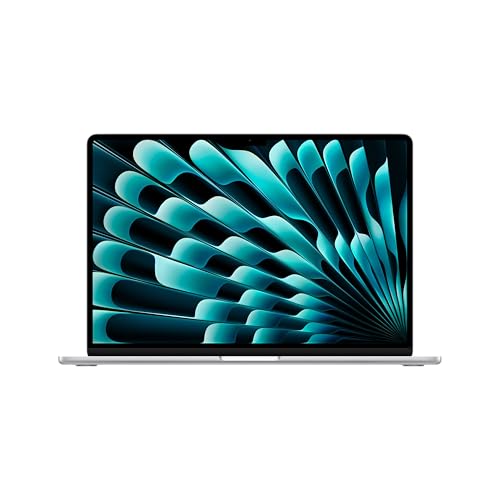
Apple 2026 MacBook Air 15″ Laptop with M5 chip: AI and Apple Intelligence, 38.91 cm (15.3″) Liquid Retina Display, 16GB Unified Memory, 512GB SSD Storage, 12MP Center Stage Camera, Touch ID; Silver
Up to 6% instant discount on select credit cards +1
- Up to 6% instant discount on select credit cards
- Cashback with Amazon Pay ICICI Bank Credit Cards
Pros and cons
What we like
+ 15.3 inch display
+ Same M5 and 16GB as the 13 inch
+ MagSafe and Touch ID
What we don’t like
– Only two ports
– Costs far more than the 13 inch
– Heavier to carry
Apple MacBook Air 15 M5 review: bigger screen, same fanless chip
The Apple MacBook Air 15 inch M5 (16GB, 512GB) is the Air with room to breathe. It uses the same 10 core M5, four fast cores plus six efficiency cores, with a 10 core GPU and 16GB of unified memory. The 15.3 inch panel is 2880 by 1864 at 224 ppi, 60 Hz, rated 500 nits, and a lab run measured about 538 nits peak with roughly 97.5 percent Display P3. The battery grows to 66.5 Wh, weight is 1.51 kg and thickness 11.5 mm. Single core Geekbench 6 is about 4,195, the fastest in any laptop, and Cinebench 2024 multi core is about 962, around 14 percent faster than the previous M4 Air. After a 30 minute loop the score drops about 10 percent, which is fanless cooling doing its job.
My take: this is the best laptop for someone who works on one screen all day. Accountants with spreadsheets, writers, coders who like side by side windows, video call people, and anyone who wants to read or edit on a bigger canvas without the weight of a Pro. It is as quiet as a library, because there is no fan to spin. Gaming works at reduced settings without throttling. I would pick it over the 13 inch if your eyes get tired on small screens or if the laptop stays on a desk most of the day. If you carry it on a train or across campus daily, the 13 inch weighs about 280 grams less and that does matter by evening.
Apple MacBook Air 15 M5 battery and running cost
A 66.5 Wh battery is about 0.067 kWh a full charge. At Rs 8 a unit that is roughly 55 paise, or about Rs 200 to 250 a year if you charge from empty every day. Apple claims up to 18 hours of video and 15 hours of wireless web on both Air sizes, and the larger cell gives it a little more headroom when you push brightness up on a bigger panel. The money angle: the 15 inch costs noticeably more than the 13 inch for the same chip, and what you are paying for is screen area, six speakers and battery size. Do not spend on 32GB or 2TB unless you know why. The 16GB and 512GB version handles years of work, and soldered parts mean the choice is permanent.
Living with the MacBook Air 15: speakers, ports and screen
The six speaker system with force cancelling woofers is the strongest sound in any thin laptop, loud and clear with real bass, so films and music are a pleasure without headphones. The screen is a very good IPS, with a factory blue lean that a calibrated profile fixes, and no PWM flicker. You get MagSafe, two Thunderbolt 4 ports, a headphone jack, Wi-Fi 7, Bluetooth 6, Touch ID and a 12 MP Center Stage camera, but no Face ID. The charger in the box is a 35W dual USB-C unit, and a 70W one is optional. The trackpad is huge and the keyboard is the same comfortable one as on the 13 inch. At 1.51 kg it is fine in a backpack, but it is not a laptop to hold in one hand on a flight.
MacBook Air 15 M5 AppleCare, warranty and India service
Apple gives a one year limited warranty with 90 days of technical support. AppleCare+ for the 15 inch M5 Air extends cover to three years from the date you buy the plan, with unlimited accidental damage claims. The fees on Apple India’s page are Rs 8,900 for screen or enclosure damage and Rs 25,900 for any other accidental damage, so a cracked screen costs a fraction of a repair without the plan. Because RAM and SSD are soldered, a fault means a board swap, and that is the main reason I would take AppleCare on a laptop this size, which gets knocked more often. Service is through Apple stores and authorised providers, strong in metros and slower in smaller cities. Check the part number ends in HN/A, the carton says 16GB and 512GB, and register the serial on day one.
Who should buy the MacBook Air 15 M5 and who should skip it
The faults are the 60 Hz screen, the notch, no OLED, soldered memory and a single year of warranty without AppleCare. Sustained work throttles slightly in a body with no fan. The MacBook Air 13 inch M5 is cheaper, lighter and has the same chip, and it is the better pick if you travel daily. The MacBook Pro 14 M5 Pro has a much better screen, faster sustained work and more ports for creative jobs, and it is the right jump for video work. Buy the MacBook Air 15 M5 if you want one large, silent, long lasting laptop for office, study or home. Skip it if you carry a laptop all day and weight matters, or if you need real sustained power.
Key specs
| Chip | Apple M5, 10-core CPU |
| Memory | 16GB unified |
| Storage | 512GB SSD |
| Display | 15.3 inch Liquid Retina, 500 nits |
| Ports | 2 Thunderbolt 4, MagSafe, headphone jack |
| Wireless | Wi-Fi 7, Bluetooth 6 |
| Battery | Up to 18 hours (Apple test) |
| Warranty | Apple 1 year limited, AppleCare+ optional |
Best Neo With Touch ID
5. Apple MacBook Neo (A18 Pro, 8GB, 512GB, Touch ID)
7.8 Overall
7.0 Performance
8.0 Value
9.0 Service
Apple A18 Pro · 8GB memory, 512GB SSD · Touch ID · 13 inch Liquid Retina · Up to 16 hours (Apple)
Best for
✓ Neo buyers who keep many files on the laptop
✓ People who want fingerprint unlock
✓ Students who will use the laptop for four years
Not ideal for
– Anyone who wants 16GB of memory
– Buyers who can stretch to the MacBook Air
– People who only need the base model
Verdict: Worth it only if you need the storage or Touch ID. Otherwise look at the Air 13, which costs more but has twice the memory.

Apple 2026 MacBook Neo 13" Laptop with A18 Pro chip: Built for AI and Apple Intelligence, Liquid Retina Display, 8GB Unified Memory, 512GB SSD Storage, 1080p FaceTime HD Camera, Touch ID; Silver
Up to 6% instant discount on select credit cards +1
- Up to 6% instant discount on select credit cards
- Cashback with Amazon Pay ICICI Bank Credit Cards
Pros and cons
What we like
+ Touch ID
+ 512GB storage
+ Lowest price for a 512GB Mac
What we don’t like
– Still 8GB of memory
– Mixed USB 3 and USB 2 ports
– Close in price to the Air
Apple MacBook Neo 512GB with Touch ID review: the better Neo
The Apple MacBook Neo 512GB with Touch ID has the same A18 Pro chip as the base Neo: six cores, two performance and four efficiency, with a 5 core GPU, 8GB of unified memory and a 13 inch 2408 by 1506 sRGB display rated 500 nits. What changes is the storage, which doubles to 512GB, and the keyboard, which gains a Touch ID key. That fingerprint reader matters more than it sounds, because it unlocks the Mac, approves purchases and fills passwords. The Geekbench 6 scores are around 3,580 single core and 9,090 multi core, and the machine is fanless and silent at 1.23 kg. The battery is 36.5 Wh. Apple rates it at up to 16 hours of video, and real use sits closer to 8 to 13 hours.
My take: if you are buying a Neo at all, this is the one I would choose. Storage is the thing you cannot fix later, and 256GB fills quickly once a student has apps, downloads and a few photo albums. The extra room means you never think about it for two or three years. Touch ID is the second reason, since typing a password forty times a day on a laptop gets old, and it makes banking and password manager use quicker. The 8GB of memory is the same, so the limits are the same: it is for browsing, documents, calls, light photo work and study, not for virtual machines or large video projects.
Apple MacBook Neo 512GB running cost and value
At 36.5 Wh, a full charge is about 0.037 kWh, roughly 30 paise at Rs 8 a unit, or about Rs 110 a year with daily charging. The value argument is about what the step up buys. Apple charges a fixed amount to move from 256GB to 512GB and add Touch ID, and I think that is the best money on this laptop compared with buying the base and adding an external SSD later, because internal storage is faster, never gets lost and keeps the bag light. If your budget cannot stretch, the base is still a good laptop, and a cheap portable SSD covers the gap. Compared with a Windows laptop at a similar total, the Neo gives a better screen, better speakers and a much better build.
Living with the MacBook Neo 512GB: ports and screen
The ports are unchanged: one USB-C at 10 Gbps with DisplayPort and one USB-C at 480 Mbps, a headphone jack, and no Thunderbolt, MagSafe or HDMI. Plug your charger into the slower port and keep the faster one for an external drive. Only one external display up to 4K at 60 Hz is supported. The 13 inch screen is sharp and bright for the class, but it is glossy and has no anti reflection coating, so a sunny window or office lights bother you. The keyboard is comfortable, has full height function keys and no backlight, so night typing relies on your memory of the layout. Wi-Fi is 6E, Bluetooth is 6, and the speakers are a stereo pair that is good enough for calls and casual video.
MacBook Neo Touch ID warranty and service in India
Apple gives one year of limited warranty with 90 days of support, and AppleCare+ extends it to three years. For a laptop that will go in a school bag, I would take it, since storage, memory and chip are soldered and a fault becomes a board swap. India units carry a part number ending in HN/A. The carton for the 512GB Touch ID model is different from the 256GB one, so check the label reads A18 Pro, 8GB and 512GB before you sign for it, and register the serial on Apple’s site. The student discount and seasonal offers in Apple’s India education store change often, so look there first. Service is through Apple stores and authorised providers, quick in metros and slower in small towns.
Who should buy the MacBook Neo 512GB and who should skip it
The shortfalls are the same ones the base model has: 8GB that cannot grow, a 60 Hz glossy screen, one slow USB-C port and no keyboard light. The MacBook Air 13 inch M5 fixes nearly all of them, with 16GB, a brighter display, MagSafe, Thunderbolt 4 and a backlit keyboard, and it is the better buy if you can afford it. The plain MacBook Neo 256GB costs less, and it suits someone who stores everything in the cloud. Buy the MacBook Neo 512GB with Touch ID if you want the cheapest Mac that will still feel fine in three years, and mostly browse, write and study. Skip it if you edit video, code with heavy tools, or want two monitors.
Key specs
| Chip | Apple A18 Pro, 6-core CPU |
| Memory | 8GB |
| Storage | 512GB SSD |
| Display | 13 inch Liquid Retina, 500 nits |
| Security | Touch ID |
| Ports | 1 USB 3, 1 USB 2, headphone jack |
| Battery | Up to 16 hours (Apple test) |
| Warranty | Apple 1 year limited, AppleCare+ optional |
Questions other guides skip
The questions most MacBook lists leave out
These are questions buyers keep asking about these exact models. Each price was checked against Apple India, Amazon and Flipkart on 24 October 2026.
1 · Why does the price differ between Apple, Amazon and Flipkart?
Amazon and Flipkart sell below the MRP, and the MRP itself has moved since Apple’s March launch. For example the 256GB Neo launched at ₹69,900 and Amazon lists an MRP of ₹79,900 now. Always check the live price and the exact configuration.
2 · Should I buy the Neo 512GB or the Air 13?
The Neo with 512GB costs ₹80,890 on Amazon. The Air 13 with 16GB and 512GB starts at ₹1,31,990 on Flipkart. If you can afford the gap, the Air gives you double the memory and a stronger chip.
3 · Is the Neo’s USB 2 port a problem?
It matters if you copy large files to an external drive, because you should use the USB 3 port. For a mouse, a keyboard or charging a phone, it is fine.
4 · Can I upgrade memory later?
No. Memory and storage are part of the chip package and the SSD on current MacBooks, so choose the configuration you need on day one.
5 · Is AppleCare+ worth it?
It covers accidental damage for a fee, which is useful if you travel with the laptop or give it to a child. Check the current price on Apple’s India store.
6 · Can I run Windows software on a MacBook?
Not natively. Apple Silicon Macs do not run Boot Camp. You can use a virtual machine such as Parallels, which runs many Windows apps but not all, and it takes extra RAM. If you rely on Windows-only software like Tally, check that it works before you buy.
7 · Do the battery hours Apple quotes hold up in real life?
They come from Apple’s own tests with light use, so real life is lower when the screen is bright and you run heavy apps. Even so, these MacBooks last a full workday for most people. Brightness is the biggest factor, followed by video calls and heavy editing.
8 · Which MacBook should a student buy?
For most students, the MacBook Air is the safe choice, with more memory and ports than the Neo and a long life. The Neo is cheaper and works well for notes, browsing and light coding. If you study design, video or engineering software, aim for 16GB or more.
What this means for your buying decision
You want one MacBook for years: the MacBook Air 13 with 16GB.
You want the lowest price: the MacBook Neo 256GB.
You want a bigger screen: the MacBook Air 15.
You edit video or run heavy builds: the MacBook Pro 14 with the M5 Pro.
You need Windows: read my laptops under 80000 guide.
You edit video on a budget: read my laptops for video editing guide.
Compare all 5 MacBooks at a glance
| MacBook | Chip | Memory and storage | Screen | Battery (Apple) | Price |
|---|---|---|---|---|---|
| Air 13 | Apple M5 | 16GB, 512GB | 13.6 inch | Up to 18 h | ₹1,31,990 |
| Neo 256GB | A18 Pro | 8GB, 256GB | 13 inch | Up to 16 h | ₹71,890 |
| Pro 14 M5 Pro | M5 Pro | 24GB, 1TB | 14.2 inch XDR | See Apple | ₹2,69,900 |
| Air 15 | Apple M5 | 16GB, 512GB | 15.3 inch | Up to 18 h | ₹1,61,900 |
| Neo 512GB | A18 Pro | 8GB, 512GB | 13 inch | Up to 16 h | ₹80,890 |
Specs are from Apple India. Prices were seen on 24 October 2026 on Amazon India and Flipkart and move daily. Verify the exact variant before you buy.
The buying guide
How to choose a MacBook
Memory
16GB is the comfortable minimum for work. 8GB suits light use.
Storage
512GB is safer than 256GB because it cannot be upgraded.
Screen size
13 inch to carry, 15 inch for the desk.
Ports
Air has two. Pro adds HDMI and an SD slot.
Touch ID
On the Air and Pro, and on the 512GB Neo only.
Warranty
Apple gives 1 year, with AppleCare+ as an option.
1 · Chip
The Neo uses the A18 Pro from the iPhone. The Air uses the M5. The Pro uses the M5 Pro, with the M5 Max above it.
2 · Memory and storage
Neither can be upgraded later. Take 16GB if you can, and 512GB if you keep files locally.
3 · Display
Neo and Air displays reach 500 nits. The Pro XDR display reaches 1,600 nits peak HDR brightness.
4 · Battery
Apple quotes up to 16 hours for the Neo and up to 18 hours for the Air, based on its own tests. Real life will vary.
5 · Software
All run macOS. Windows-only programs do not run natively.
6 · Service
Apple has its own stores and authorised service providers across India, and warranty claims follow the serial number.
Other MacBooks in the lineup
MacBook Air 13 and 15 with 24GB or 1TB. Available on Amazon India at ₹1,64,990 to ₹2,15,900. Worth it only if you know you need the memory.
MacBook Pro 16 with M5 Pro or M5 Max. Amazon India lists them from ₹3,42,490 up to ₹5,57,900. They are for specialist work.
Older and refurbished MacBooks. Left out because condition and warranty vary by seller.
The verdict
Which MacBook should you buy?
Best for most people: MacBook Air 13 (M5, 16GB), from ₹1,31,990. Check price
Best budget: MacBook Neo 256GB, at ₹71,890. Check price
Best for pros: MacBook Pro 14 (M5 Pro), at ₹2,69,900. Check price
Best big screen: MacBook Air 15, at ₹1,61,900. Check price
Best Neo with Touch ID: MacBook Neo 512GB, at ₹80,890. Check price
Not sure? Buy the MacBook Air 13 with 16GB. It is the most balanced pick here.
More buying guides from Geekman
Best laptops for video editing
MacBook buying guide FAQ
Which MacBook should I buy in India in 2026?
For most people the MacBook Air 13 with the M5 chip and 16GB of memory is the best choice, from ₹1,31,990 on Flipkart on 24 October 2026. If money is tight, the MacBook Neo at ₹71,890 on Amazon is a real MacBook for study and everyday work.
MacBook Neo or MacBook Air, which is better?
The Air is the better laptop, with the M5 chip, 16GB of memory, MagSafe, Touch ID and a 12MP camera. The Neo is the better price, at roughly half the cost. Pick the Neo if you browse, write and attend classes, and the Air if you multitask or plan to keep the laptop for five years.
Is 8GB of memory enough on the MacBook Neo?
For browsing, documents, streaming and video calls, yes. If you run a code editor, a browser with many tabs and several other apps at once, you will feel the limit, and the Air with 16GB is the safer buy.
Does the cheapest MacBook Neo have Touch ID?
No. Apple says Touch ID is only on a specific model, and that is the 512GB version at ₹80,890.
Is the MacBook Air 15 worth the extra money over the 13 inch?
Only if you want the bigger screen. The chip, memory and storage are the same, and the 15 inch costs roughly ₹30,000 more.
Do I need the MacBook Pro?
Probably not. Video editors, photographers and developers with heavy workloads benefit from the M5 Pro, the XDR display and the extra ports. For everything else the Air is enough.
Which MacBook is best for students?
The MacBook Neo for budget, and the MacBook Air 13 for a laptop that lasts through college and your first job. Apple also offers education pricing at its India store, so check it before you buy. See my laptops for students guide for Windows options.
Which MacBook is best for coding?
The MacBook Air 13 with 16GB of memory handles most coding work. For large builds, Docker and several virtual machines, the MacBook Pro 14 is better. My laptops for coding guide covers Windows too.
Why are MacBook prices different on Amazon and Flipkart?
Sellers, colours and configurations differ, and the 13 inch Air with 512GB appears only on Flipkart in my check, while Amazon India lists the 13 inch with 1TB. Always match the exact memory and storage before you compare prices.
Can a MacBook run Windows software?
Not directly. macOS runs Mac apps, and many popular tools have Mac versions. If you depend on a Windows-only program like Tally, buy a Windows laptop instead.