

Short answer: buy the Acer Swift Neo OLED at ₹77,990 for the most complete laptop. Buy the MacBook Neo at ₹71,890 if you want Apple. Buy the ASUS Zenbook A14 if weight matters most, and the Vivobook 14 Flip OLED if you want a 2-in-1.
Geekman has covered consumer tech for over 10 years, and this ranking is built the way our buying guides always are: research first, then a hard look at the numbers. For every model we compared official specs, screen type, weight, RAM and upgrade options, price, warranty and service reach, and compared current prices across Indian retailers.
What changed in 2026
What ₹1 lakh buys in a normal laptop in 2026
This guide is for normal use: office, study, browsing, video, coding and travel. It does not cover gaming laptops, because they follow different rules. For those, read my gaming laptops under 1 lakh guide. Here, ₹1 lakh buys an OLED screen and 16GB of RAM on several models, which was a ₹1.3 lakh laptop not long ago.
Find your laptop under 1 lakh in 3 quick taps
Short answer: the Acer Swift Neo OLED is the most complete laptop, the MacBook Neo suits Apple fans and the ASUS Zenbook A14 is the lightest. Turn on JavaScript to use the Finder.
The ranking
How I ranked these laptops under ₹1 lakh
Each laptop gets a score out of 10 for performance (40%), value (40%) and service (20%). Performance looks at the chip, RAM, storage and screen. Value is price against what you get, including Office, OLED and storage. Service looks at warranty and how easy it is to get help.
See the scores
| # | Laptop | Perf. | Value | Service | Overall |
|---|---|---|---|---|---|
| 1 | Acer Swift Neo OLED (Core Ultra 5 226V, 16GB, 512GB) | 8.0 | 9.0 | 7.0 | 8.2 |
| 2 | Apple MacBook Neo (A18 Pro, 8GB, 256GB) | 8.0 | 7.5 | 8.5 | 7.9 |
| 3 | ASUS Zenbook A14 OLED (Snapdragon X, 16GB, 512GB) | 7.2 | 8.0 | 8.0 | 7.7 |
| 4 | Motorola Moto Book 60 OLED (Core 5 210H, 16GB, 512GB) | 7.0 | 8.8 | 6.5 | 7.6 |
| 5 | HP OmniBook 5 OLED (Snapdragon X, 16GB, 512GB) | 7.0 | 8.2 | 7.5 | 7.6 |
| 6 | Samsung Galaxy Book5 AI Metal (Core Ultra 7 255U, 16GB, 512GB) | 7.8 | 7.2 | 7.5 | 7.5 |
| 7 | ASUS Vivobook 14 Flip OLED 2026 (Core Ultra 5 226V, 16GB, 512GB) | 7.8 | 6.8 | 8.0 | 7.4 |
| 8 | Lenovo Yoga 7 2-in-1 OLED (Core Ultra 5 125H, 16GB, 1TB) | 7.6 | 6.6 | 8.0 | 7.3 |
Scores weigh performance 40%, value 40% and service 20%. They come from official specs and live prices on 23 October 2026.
Quick picks
| Pick | Laptop | Best for |
|---|---|---|
| Best Overall | Acer Swift Neo OLED (Core Ultra 5 226V, 16GB, 512GB) | An OLED screen, a new Intel chip and 16GB of RAM for ₹77,990 |
| Best for Apple Fans | Apple MacBook Neo (A18 Pro, 8GB, 256GB) | The cheapest way into macOS, if 8GB of memory is enough for you |
| Lightest Laptop | ASUS Zenbook A14 OLED (Snapdragon X, 16GB, 512GB) | A laptop that weighs under 1 kg and lasts all day, with one app compatibility caveat |
| Cheapest OLED | Motorola Moto Book 60 OLED (Core 5 210H, 16GB, 512GB) | An OLED laptop with 16GB for about ₹73,000 |
| Best Snapdragon Value | HP OmniBook 5 OLED (Snapdragon X, 16GB, 512GB) | A light 2K OLED laptop with Office 2024 and a battery built for all day use |
| Best Big Screen | Samsung Galaxy Book5 AI Metal (Core Ultra 7 255U, 16GB, 512GB) | A 15.6 inch metal laptop with Office and a bigger chip, if you do not need OLED |
| Best 2-in-1 | ASUS Vivobook 14 Flip OLED 2026 (Core Ultra 5 226V, 16GB, 512GB) | A touchscreen OLED 2-in-1 with a 360 degree hinge, for people who want a tablet mode |
| Best 2-in-1 with 1TB | Lenovo Yoga 7 2-in-1 OLED (Core Ultra 5 125H, 16GB, 1TB) | A 2-in-1 with 1TB of storage, a pen in the box and long battery life |
Tap a name to jump to its review. Live prices are in the buy box under each review. Prices are as seen on 23 October 2026 and bank offers can change them.
The reviews
Best laptops under 1 lakh in India: 8 picks
Best Overall
1. Acer Swift Neo OLED (Core Ultra 5 226V, 16GB, 512GB)
8.2 Overall
8.0 Performance
9.0 Value
7.0 Service
Core Ultra 5 226V · 16GB LPDDR5X · 512GB SSD · 14 inch OLED · Office included
Best for
✓ Most people who want one good laptop
✓ Students and working professionals
✓ Anyone who watches a lot of video
Not ideal for
– People who want to upgrade RAM later
– Anyone who needs a touchscreen
Verdict: The most complete laptop under ₹1 lakh. It is the one I would buy first.

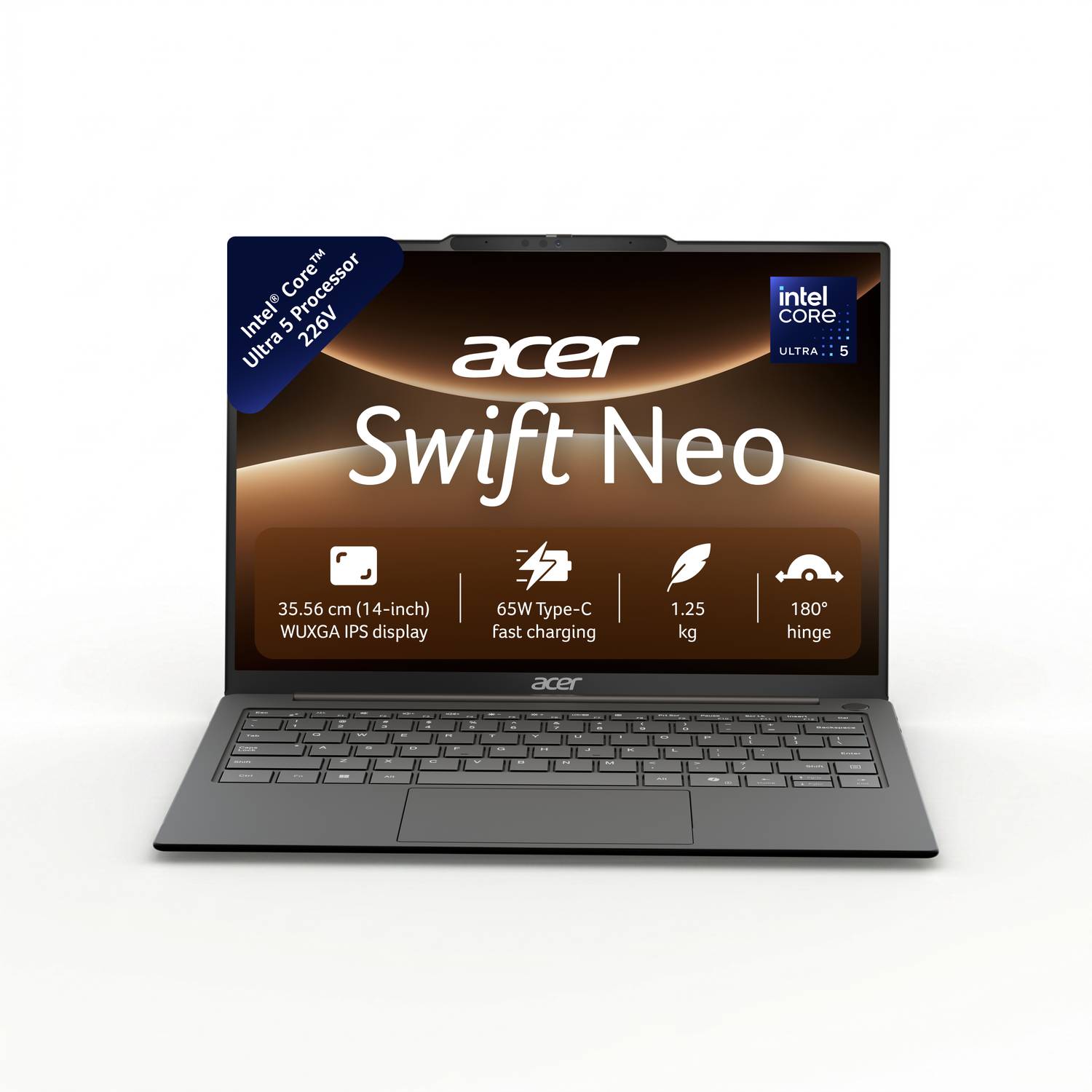
Acer Swift Neo Next Gen AI PC Intel Core Ultra 5 226V - (16 GB/512 GB SSD/Windows 11 Home) SFN14-56 Notebook

Up to 5% instant discount on Flipkart Axis & Flipkart SBI credit cards Details
- Up to 5% instant discount on Flipkart Axis & Flipkart SBI credit cards
Pros and cons
What we like
+ OLED screen at ₹77,990
+ 16GB RAM and Office included
+ Intel chip, so every Windows app runs
What we don’t like
– RAM is built in, no upgrade
– Weight not printed
– Flipkart only
Acer Swift Neo OLED SFN14-56 Core Ultra 5 226V 16GB review: the light OLED daily laptop
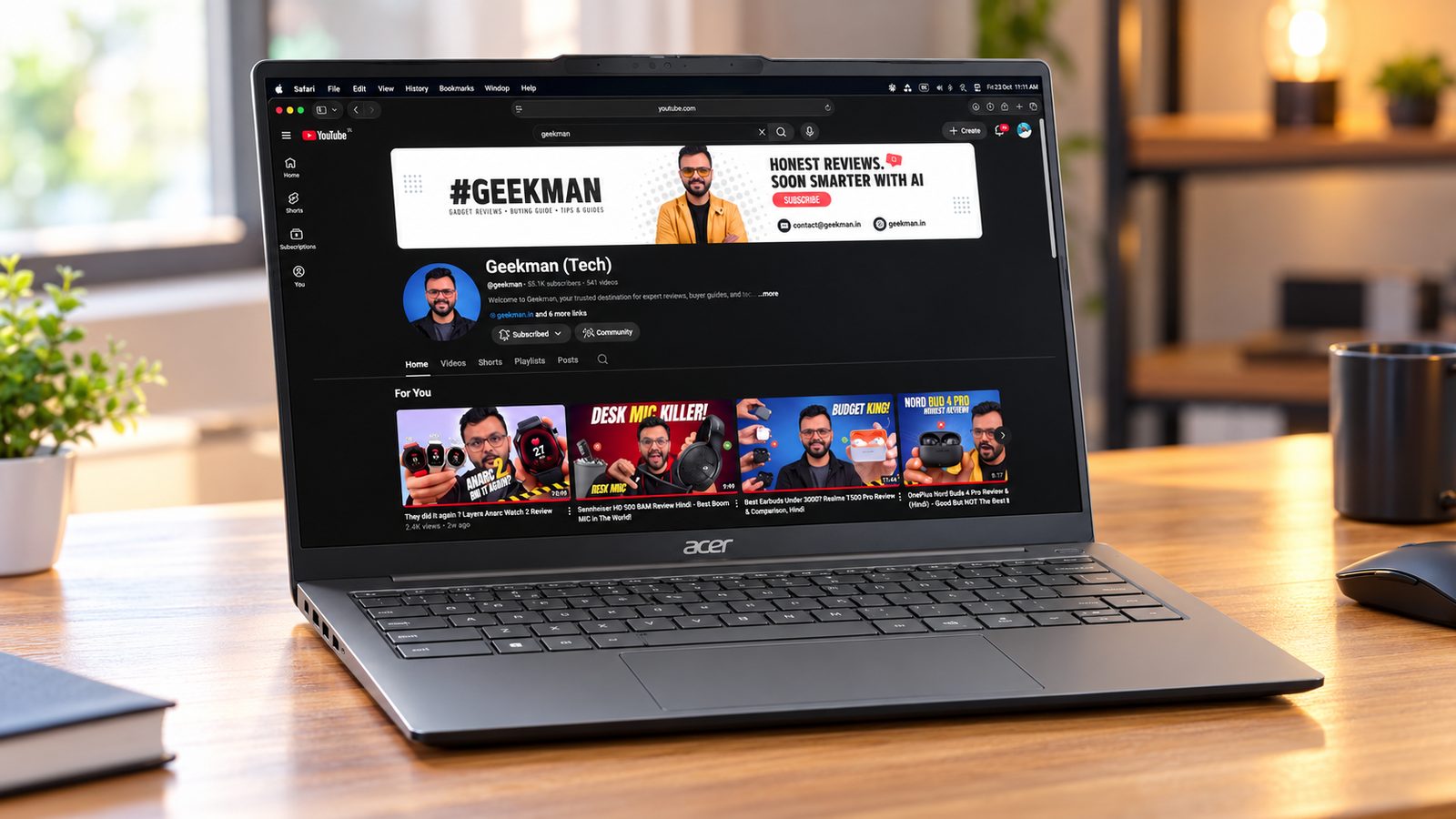
The Acer Swift Neo OLED (Core Ultra 5 226V, 16GB, 512GB, model code SFN14-56) is a 14 inch ultraportable built around Intel’s Lunar Lake chip. The 226V has 8 cores that boost up to 4.5 GHz, Intel Arc 130V graphics and 16GB of memory placed on the processor package, so the RAM cannot be upgraded. Acer lists the body at about 1.25 kg, with a fingerprint reader. The Swift Neo family uses a 14 inch 16:10 screen at 1920 by 1200, metal covers, a 65 W USB-C charger and a 1080p webcam. Battery capacity differs between versions of this family, from 52 to 55 Wh, so read the carton for your unit.
My take: this is the laptop to buy if you carry your machine all day and want a screen that makes photos and films look good. Lunar Lake is built for efficiency, which suits a student, a consultant on trains or a writer in cafes. It will not match an H series chip in a heavy export or a big spreadsheet, and it is not for gaming. A sibling Swift Neo with the Core Ultra 5 115U measured about 7 hours in a video loop at 80 percent brightness, and I expect the 226V version to do the same or better, but treat that as an estimate, not a promise. For office, study, browsing, calls and light editing, this is a very comfortable laptop.
Acer Swift Neo OLED running cost and where the money goes
A thin laptop like this averages about 25 W with a bright screen and a busy browser. Over 6 hours a day for 300 days that is 45 units a year, around Rs 360 at Rs 8 a unit. That is small money. The real expense is the storage. 512GB fills up quickly with photos, project files and Windows updates, so budget for a small external SSD instead of the next storage tier. Acer includes Microsoft Office Home on many Swift Neo units sold in India, which can save a licence fee, but check that the carton says so. OLED panels are also sensitive to static images, so set a short screen timeout and a dark theme to keep the panel looking new for years.
Living with the Acer Swift Neo OLED: screen, keyboard and ports
The OLED screen is the reason to buy. Blacks are deep, colours are rich and the 16:10 shape gives extra vertical room for documents. Brightness is the one limit: Acer rates the family at up to 300 nits on the IPS version, and OLED versions are not dramatically brighter in sustained use, so a sunny window is a challenge. The keyboard is backlit and comfortable, though a sibling model drew criticism for dim backlight lighting. Ports on the family include two USB-C with charging and display output, a USB-C, a USB-A, HDMI and a microSD reader on the 115U version, and a headphone jack. Check the port list on the carton, because the 226V version may differ. The metal body feels solid for the weight.
Acer Swift Neo SFN14-56 warranty and service in India
Acer’s India terms give onsite service within about 40 km of an authorised provider or the municipal limits, with next business day response, and carry in service beyond that. Register your laptop within 15 days or keep the invoice safe, because the invoice date decides the warranty start. Cracked screens and physical damage are excluded, and a two year extension is sold separately, so consider one for a laptop that travels. On delivery, match the CPU, RAM and storage on the carton: it should read Core Ultra 5 226V, 16GB and 512GB, and the panel should be OLED, because Acer sells a Swift Neo with IPS screens and older chips under almost the same name. Check the model code SFN14-56 on the label.
Who should buy the Acer Swift Neo OLED and who should skip it
It falls short on sustained speed, on brightness outdoors, and on storage at 512GB. The ASUS Zenbook A14 is lighter, but it runs Windows on Arm. The Motorola Moto Book 60 has a faster 120 Hz screen and a stronger chip for sustained work, but it is heavier and its battery is weaker. Buy the Swift Neo OLED if you want the lightest Intel laptop in this list, with an OLED screen and modern battery efficiency. Skip it if you need heavy multitasking power, high refresh rate or a lot of built in storage.
Key specs
| CPU | Intel Core Ultra 5 226V (Lunar Lake) |
| Memory | 16GB LPDDR5X, part of the chip package |
| Display | 14 inch OLED, WUXGA |
| Storage | 512GB SSD |
| OS | Windows 11 Home with Office |
| Battery | 52 Wh, up to 8 hours claimed |
| Warranty | 1 year onsite |
Best for Apple Fans
2. Apple MacBook Neo (A18 Pro, 8GB, 256GB)
7.9 Overall
8.0 Performance
7.5 Value
8.5 Service
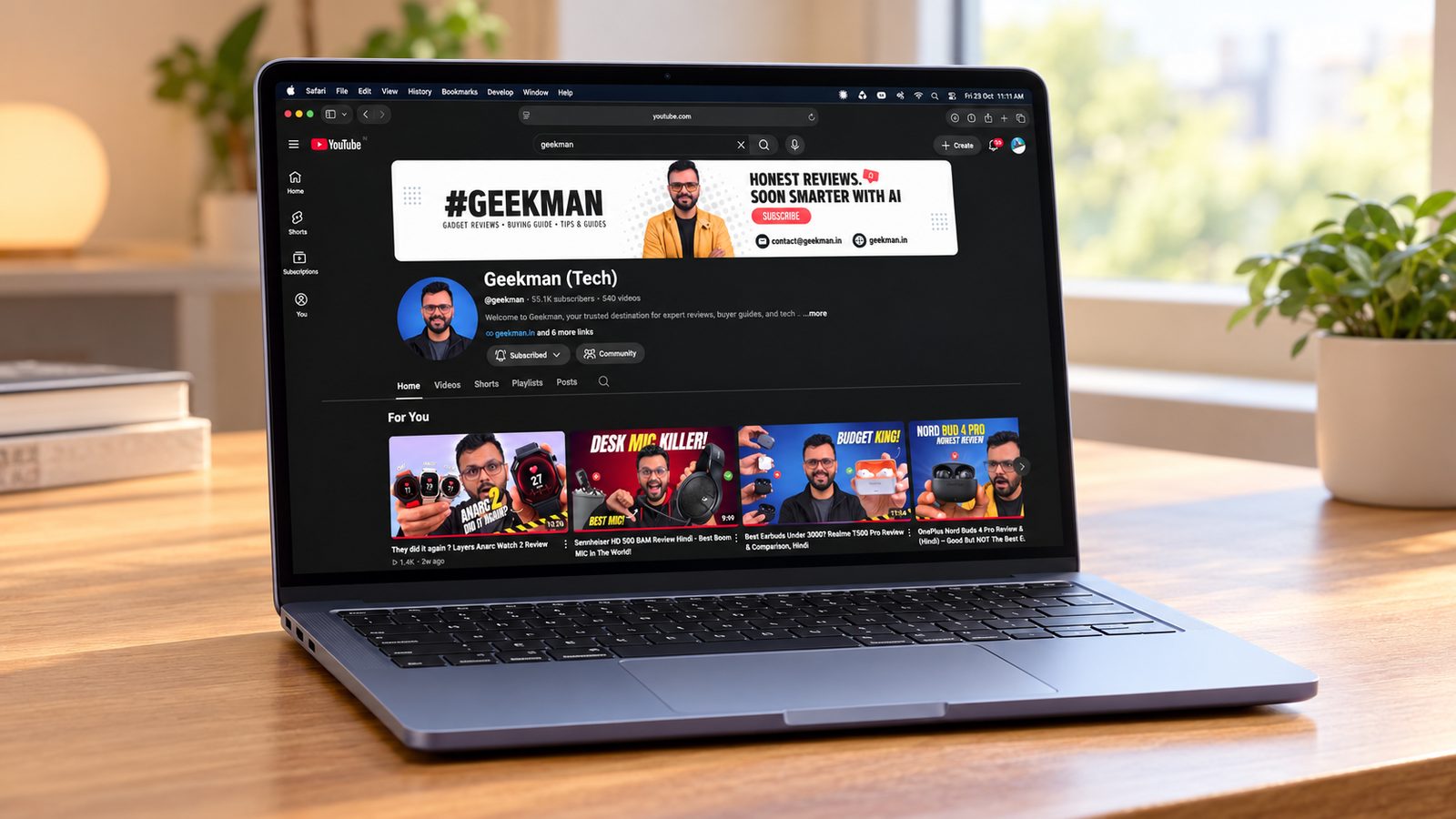
Apple A18 Pro · 8GB unified · 256GB SSD · 13 inch Liquid Retina · macOS
Best for
✓ People already in the Apple world
✓ Students and writers
✓ Anyone who wants a simple, long lasting laptop
Not ideal for
– Heavy video editors
– Anyone who needs more than 8GB
– People who need Windows only software
Verdict: Smooth, simple and well built, but 8GB and 256GB are the ceiling.

Apple 2026 MacBook Neo 13″ Laptop with A18 Pro chip: Built for AI and Apple Intelligence, Liquid Retina Display, 8GB Unified Memory, 256GB SSD Storage, 1080p FaceTime HD Camera; Indigo

Up to 6% instant discount on select credit cards +1
- Up to 6% instant discount on select credit cards
- Cashback with Amazon Pay ICICI Bank Credit Cards
Pros and cons
What we like
+ Fast A18 Pro chip for everyday work
+ Good 13 inch display and build
+ Apple service network
What we don’t like
– 8GB memory, no upgrade
– One slow USB 2 port
– No Touch ID on the base model
Apple MacBook Neo A18 Pro 8GB 256GB review: the cheapest way into macOS
The Apple MacBook Neo (A18 Pro, 8GB, 256GB) is Apple’s lowest priced MacBook. It uses the A18 Pro chip with a 6 core CPU, split into 2 performance and 4 efficiency cores, and a 5 core GPU. The 13 inch screen is an IPS panel at 2408 by 1506, 219 pixels per inch, up to 500 nits and sRGB colour. The battery is 36.5 Wh, charged by a 20 W adapter. It weighs 1.23 kg and is 12.7 mm thick. Ports are one USB 3 at 10 Gbps, one USB 2 at 480 Mbps and a headphone jack, with Wi-Fi 6E and Bluetooth 6. The camera is 1080p, the keyboard is not backlit and it has two speakers.
My take: this laptop is for someone who wants macOS, iMessage and Apple’s reliability and does not need power. Geekbench 6 tests show about 3,582 single core and 9,089 multi core points, which is fast for web, documents, photo organising and video calls, but 8GB of memory is the limit and cannot be upgraded. I would call it a student or family machine. The silent, fanless design is a plus. Pros who edit 4K video, run virtual machines or keep fifty tabs open will want a MacBook Air or Pro with 16GB. Weigh it against Windows options here: the Neo is slower in raw power than the Intel ones but smoother in daily feel.
Apple MacBook Neo running cost and the money angle
The 36.5 Wh battery and the A18 Pro chip are frugal. At about 12 W average over 6 hours for 300 days, the laptop uses about 22 units a year, roughly Rs 170 at Rs 8 a unit. Battery tests vary: one outlet saw 8 to 10 hours of real work and another saw more than 13 hours, against Apple’s claim of 16 hours of video. The money question is memory. You cannot add RAM later, and 256GB of storage fills fast, so factor in iCloud or an external SSD. The charger is only 20 W, so a spare USB-C charger or a faster one costs extra if you want quicker charging.
Living with the MacBook Neo: display, keyboard and ports
The display is sharp and bright enough for indoor use, though the glossy IPS panel is not as rich as an OLED. The keyboard has no backlight, which is a drawback in a dark room, and Touch ID is only on the 512GB version, so the 256GB model uses a password. Ports are limited: only one fast USB port, and the second port is slow USB 2, so a dock or a hub is almost a must for an external display or fast storage. The Neo can drive one external 4K display at 60 Hz. The webcam is 1080p without Center Stage. Two speakers sound fine for a small room. Colours are good and the trackpad is excellent, as on every Mac.
Apple MacBook Neo warranty, AppleCare and service in India
Apple gives a one year warranty plus 90 days of support, and AppleCare+ can extend cover to three years. For the 15 inch MacBook Air the AppleCare+ fees are published: screen or enclosure damage costs Rs 8,900 and other damage costs Rs 25,900. Ask the seller or an Apple store for the Neo’s own fee table in writing before you buy. India units carry part numbers ending in HN/A, so check the carton label to avoid a grey import with a different keyboard layout or warranty. Service goes through Apple authorised centres and Apple stores in big cities. Match the chip, memory and storage on the carton, and confirm the serial number on Apple’s coverage page.
Who should buy the MacBook Neo and who should skip it
It falls short on ports, on 8GB of memory, on no keyboard backlight and on 256GB of storage. The Acer Swift Neo OLED has a better display and more memory, but Windows. The HP OmniBook 5 is an Arm Windows laptop with more memory and a stronger battery claim. Buy the MacBook Neo if you want macOS at a low entry point for study, writing, browsing and calls. Skip it if you need Windows software, more than one external display, heavy editing or lots of local storage.
Key specs
| Chip | Apple A18 Pro |
| Memory | 8GB unified, not upgradable |
| Display | 13 inch Liquid Retina, sRGB |
| Storage | 256GB SSD |
| Ports | Two USB-C, one at USB 3 and one at USB 2 |
| OS | macOS |
Lightest Laptop
3. ASUS Zenbook A14 OLED (Snapdragon X, 16GB, 512GB)
7.7 Overall
7.2 Performance
8.0 Value
8.0 Service

Snapdragon X · 16GB RAM · 512GB SSD · 14 inch OLED · 978 g
Best for
✓ People who carry the laptop all day
✓ Frequent travellers
✓ Office and browser based work
Not ideal for
– Anyone who needs specific older apps or drivers
– Gamers
– Video editors
Verdict: The lightest and the most travel friendly pick, as long as your apps run on Arm.

ASUS Zenbook A14 OLED (2025),Smartchoice,Qualcomm Snapdragon X,Copilot+PC,0.9kg Light-Weight,14"(35 cm),32hrs Battery Life*,16GB,512GB,Win 11,MSO 2024,M365 Basic-1yr,AI PC,Metal Body,UX3407QA-QD259WS
Up to 6% instant discount on select credit cards +1
- Up to 6% instant discount on select credit cards
- Cashback with Amazon Pay ICICI Bank Credit Cards
Pros and cons
What we like
+ About 978 g, the lightest here
+ OLED screen and 70 Wh battery
+ Premium build, USB4 ports
What we don’t like
– Arm chip, some apps will not run
– 60Hz screen
– Memory is not upgradable
ASUS Zenbook A14 UX3407 Snapdragon X OLED 16GB review: under 1 kg with a real battery
The ASUS Zenbook A14 (Snapdragon X, 16GB, 512GB, UX3407) is one of the lightest laptops you can buy. A sibling model with the Snapdragon X1-26-100 has 8 cores at up to 3.0 GHz, Adreno X1-45 graphics rated at 1.7 TFLOPS, a 14 inch OLED at 1920 by 1200 and 60 Hz, and a 70 Wh battery. It weighs about 978 g. Ports are two USB4 at 40 Gbps, one USB 3.1 Gen 2, HDMI and a headphone jack, with Wi-Fi 6E and Bluetooth 5.3, a 1080p IR webcam and a 65 W charger. The 32GB and 1TB version is a different one; the version sold here pairs 16GB with 512GB, so match the chip and memory on your carton.
My take: weight and battery are why this laptop exists. A body under 1 kg with a 70 Wh battery is a rare mix, and ASUS claims up to 32 hours, though real use will be far less with a bright screen. Notebookcheck’s average score sits near 80 percent, with mobility at 91 and performance at 72. That tells the story: the Snapdragon chip is fine for office work but not fast for heavy loads. Windows on Arm now runs most mainstream apps, but old software, some printer tools and a few college programs may not work. If your tasks are browser, Office, Zoom and PDFs, it is a joy to carry.
ASUS Zenbook A14 running cost and where the money goes
With an efficient Arm chip, I assume about 15 W average. Over 6 hours a day for 300 days that is 27 units a year, roughly Rs 215 at Rs 8 a unit. You will charge less often, which matters more than the bill. The money angle is software compatibility. If a single tool you rely on, such as a banking token driver or a niche billing program, does not run on Arm, the saving is wasted, so test your must have apps before the return window ends. The SSD is not user expandable, so choose the storage you need now. A 65 W USB-C charger is included, and any decent USB-C power brick will work for travel.
Living with the ASUS Zenbook A14: OLED, keyboard and ports
The OLED panel is glossy, lively and sharp, though it is limited to 60 Hz and mirror like in bright light. The keyboard is backlit and the chiclet keys are quiet, with a decent touchpad. The ceramic aluminium body feels premium and cool to the touch. The two USB4 ports support charging and displays, so one cable can run a monitor and power the laptop. The webcam has IR for face unlock. Fan noise is rarely a concern with the Arm chip, and the laptop stays cool in normal work. Speakers are stereo and fine for calls. The design is slim, so there is no USB-A port and no card reader, and you will want a small dongle.
ASUS Zenbook A14 UX3407 warranty and service in India
ASUS gives a one year warranty in India with more than 200 service centres, a toll free number, WhatsApp support and the MyASUS app. Accidental damage cover, called Premium Care, is a paid extra and I would take it for a laptop this light, since slim panels crack. Ask the seller to confirm the warranty in writing and whether pickup is offered in your city. On delivery, match the Snapdragon chip, 16GB RAM and 512GB storage on the carton, because ASUS sells the A14 name with several Snapdragon versions and a different Core Ultra version. Confirm the model code UX3407, check that the screen is OLED, and run Windows Update before you install apps.
Who should buy the ASUS Zenbook A14 and who should skip it
It falls short on performance, on 60 Hz, on ports and on Windows on Arm compatibility. The HP OmniBook 5 is the other Snapdragon pick, with a bigger set of ports, but it weighs more. The Acer Swift Neo OLED runs standard Intel software with similar weight. Buy the Zenbook A14 if you travel daily and want all day battery with a lovely screen. Skip it if you rely on older Windows software, need heavy multitasking power, or want ports without a dongle.
Key specs
| CPU | Snapdragon X, 8 cores |
| Memory | 16GB LPDDR5X, onboard |
| Display | 14 inch OLED, 1920×1200, 60Hz |
| Storage | 512GB SSD |
| Ports | Two USB4, one USB 3.1, HDMI, 3.5 mm audio |
| Battery | 70 Wh |
| Weight | About 978 g per Notebookcheck |
Cheapest OLED
4. Motorola Moto Book 60 OLED (Core 5 210H, 16GB, 512GB)
7.6 Overall
7.0 Performance
8.8 Value
6.5 Service
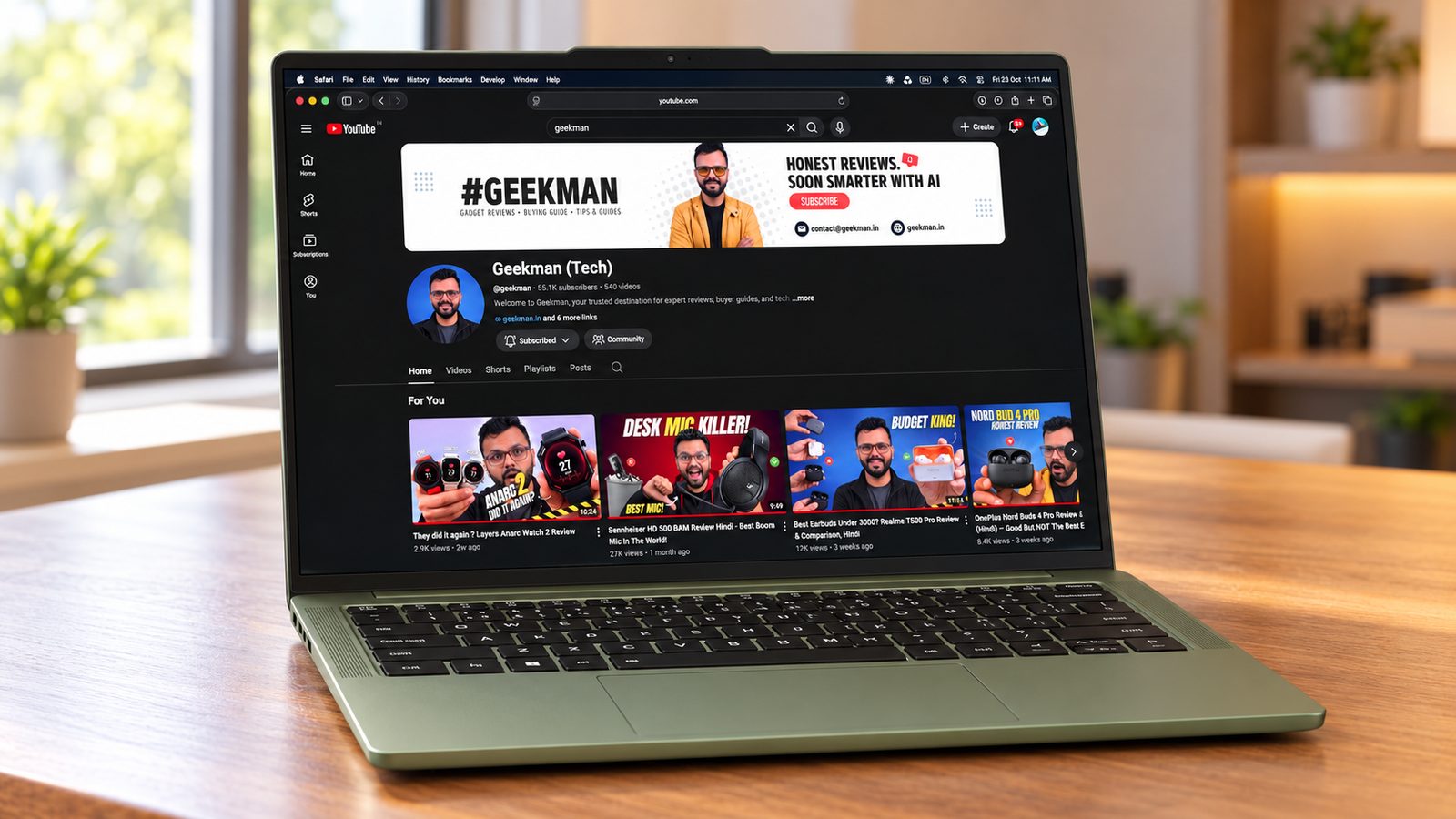
Core 5 210H · 16GB DDR5 · 512GB SSD · 14 inch OLED · 1.39 kg
Best for
✓ Buyers who want OLED on a tighter budget
✓ Students and office users
✓ People who like a metal body
Not ideal for
– Anyone who wants a long warranty and service network
– Heavy creative work
Verdict: The cheapest OLED with 16GB here. Motorola’s laptop service is the thing to check.

MOTOROLA Motobook 60 Full Metal WUXGA OLED (i5 14th Gen) Intel Core 5 210H - (16 GB/512 GB SSD/Windows 11 Home) 14IRH10R Thin and Light Laptop
Up to 5% instant discount on Flipkart Axis & Flipkart SBI credit cards Details
- Up to 5% instant discount on Flipkart Axis & Flipkart SBI credit cards
Pros and cons
What we like
+ OLED and 16GB at ₹72,990
+ H series chip for multitasking
+ Metal body at 1.39 kg
What we don’t like
– Smaller service network
– Battery claim is up to 8 hours
– Several similar variants
Motorola Moto Book 60 OLED Core 5 210H 16GB review: the fast screen with a sturdy body
The Motorola Moto Book 60 (Core 5 210H, 16GB, 512GB) is Motorola’s first laptop in India. It uses an Intel Core 5 210H, with 16GB of DDR5 and a 512GB PCIe 4.0 SSD. The 14 inch OLED runs at about 2.8K, 120 Hz, with full DCI-P3 colour. Motorola quotes up to 500 nits peak, while one test rated it at 300 nits for normal use. The battery is 60 Wh with a 65 W charger, and the weight is 1.39 kg. Ports are two USB-C 3.2, two USB-A 3.2, HDMI 1.4b, a microSD reader and a headphone jack. It has Wi-Fi 7, Bluetooth 5.4 and a 1080p webcam with a privacy shutter.
My take: this is the best specified OLED in this list for the money, with a 120 Hz refresh that makes scrolling and pen or touch feel smooth, and a full set of ports, including two USB-A. An independent test scored it 7.6 out of 10, praising everyday speed and the display and criticising the keyboard, speakers and battery. It is also one of the few here with a real H series processor, so it is better for editing and spreadsheets than the U series laptops. It is not the lightest, and the battery is weaker than the Lunar Lake and Snapdragon models. Choose it for a desk or hostel laptop that moves occasionally.
Motorola Moto Book 60 running cost and the money angle
An H series chip pulls more power. I assume about 30 W average with a bright 120 Hz screen. Over 6 hours a day for 300 days that is 54 units a year, around Rs 430 at Rs 8 a unit, about double the Arm laptops here. That is still modest. The better value is ports and storage: two USB-A ports save the cost of a dongle, the microSD reader saves a card reader and the PCIe 4.0 SSD is fast. Use the 120 Hz mode only when needed, and switch to 60 Hz on battery to add an hour. Motorola’s battery trails the Snapdragon and Lunar Lake models, with almost half a day of moderate use in one test, so carry the 65 W charger.
Living with the Moto Book 60: keyboard, trackpad and speakers
The display is lively and the 120 Hz refresh feels smooth. The chassis is sturdy and the keyboard layout is well spaced, but the keys lack tactile feedback, so you may press harder than usual. The trackpad is smaller than most in this range and can feel sticky when swiping. The speakers are small and quiet, so use headphones for music or films. Colour options are bold, and the finish shows fingerprints. The laptop has a backlit keyboard and a privacy shutter on the camera. Performance in everyday use is responsive, with fast app switching. The graphics beat the Qualcomm laptops in one test, though the Samsung Galaxy Book5 Pro led in single core speed.
Motorola Moto Book 60 warranty and service in India
The Moto Book 60 carries a Lenovo style model code, 14IRH10R, so ask the seller which support number and service network cover your unit, and whether extended or accidental damage cover is on offer. Ask for the warranty terms in writing, including whether service is onsite or carry in at your pin code. On delivery, match the CPU, RAM and storage on the carton: it should read Core 5 210H, 16GB and 512GB, and the screen should be the OLED version. Check the 120 Hz option in Windows display settings and test both USB-A ports. Keep the invoice, and run Windows Update first.
Who should buy the Motorola Moto Book 60 and who should skip it
It falls short on battery, keyboard feel, speakers and trackpad size. The Acer Swift Neo OLED lasts longer and weighs less, but has a 60 Hz screen. The Lenovo Yoga 7 2-in-1 adds a pen and a 360 degree hinge. Buy the Moto Book 60 if you want a bright, fast OLED with plenty of ports and a real H series chip. Skip it if you travel daily, want strong battery, or type for hours and need a deeper keyboard.
Key specs
| CPU | Intel Core 5 210H |
| Memory | 16GB DDR5 |
| Display | 14 inch WUXGA OLED (1920×1200) |
| Storage | 512GB SSD |
| OS | Windows 11 Home with Office |
| Weight | 1.39 kg |
| Battery | Up to 8 hours claimed |
Best Snapdragon Value
5. HP OmniBook 5 OLED (Snapdragon X, 16GB, 512GB)
7.6 Overall
7.0 Performance
8.2 Value
7.5 Service
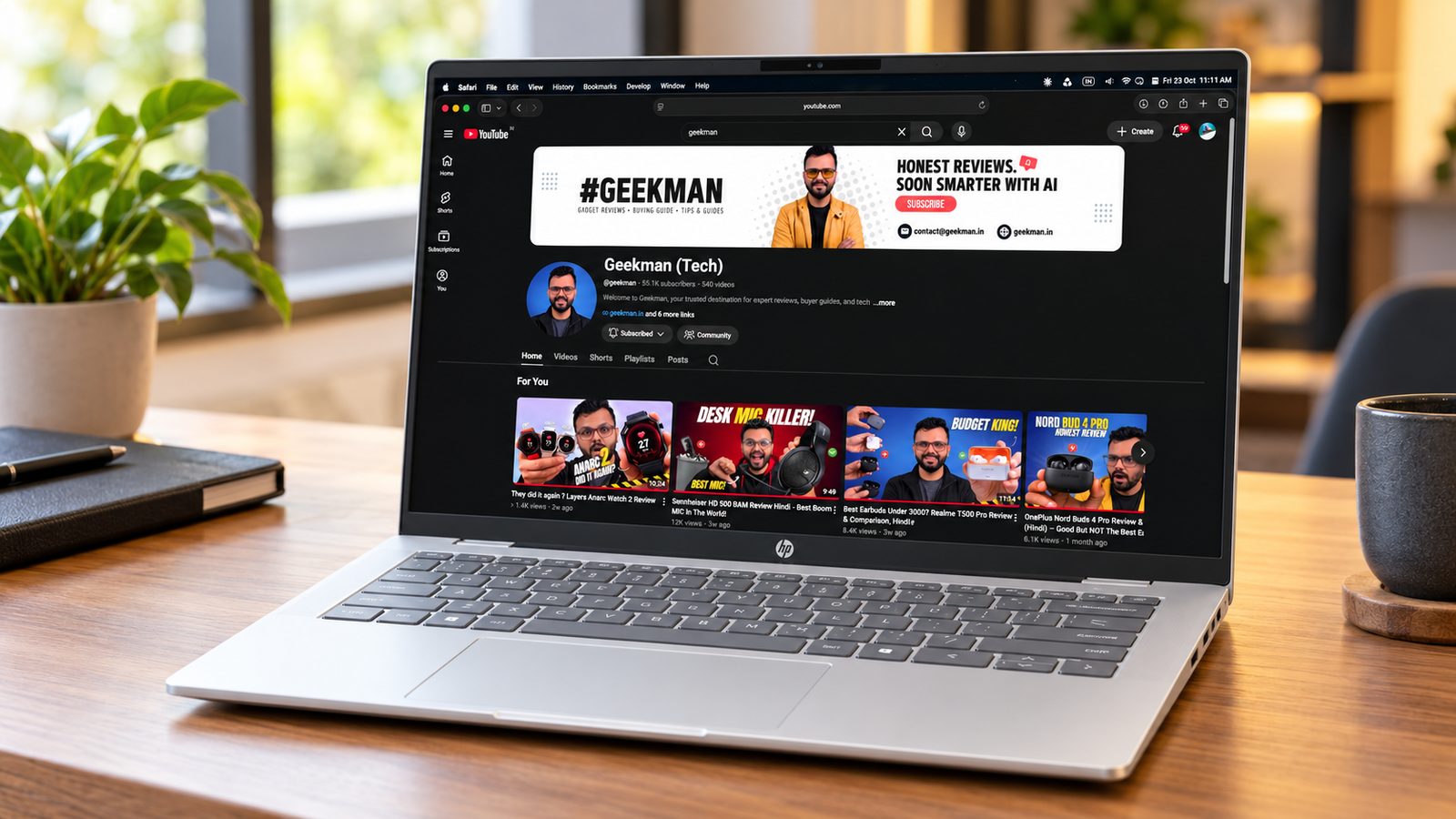
Snapdragon X Plus · 16GB LPDDR5X · 512GB SSD · 14 inch 2K OLED · 1.29 kg
Best for
✓ Students and office workers
✓ People who want a light OLED laptop
✓ Buyers who want HP service
Not ideal for
– Anyone who needs older Windows apps
– Gamers
Verdict: A lighter, cheaper Snapdragon alternative to the Zenbook, with Office 2024 included.

HP OmniBook 5 OLED (Previously Pavilion), Snapdragon X Processor 45 Tops (16GB LPDDR5x, 512GB SSD), 2K 14''/35.6cm, Win11, Office24, Silver, 1.29kg, he0014QU, Multi-Day Battery, AI Laptop
Great Indian Festival Up to 6% instant discount on select credit cards +1
- Up to 6% instant discount on select credit cards
- Cashback with Amazon Pay ICICI Bank Credit Cards
Pros and cons
What we like
+ 2K OLED and 16GB at ₹78,990
+ Office 2024 included
+ 1.29 kg
What we don’t like
– Arm chip, app check needed
– Soldered memory
– Not as light as the Zenbook
HP OmniBook 5 14 OLED Snapdragon X 16GB review: the long battery pick
The HP OmniBook 5 14 inch OLED (Snapdragon X, 16GB, 512GB) is built around battery life. A reviewed unit with the Snapdragon X Plus X1P-42-100 has 8 cores up to 3.4 GHz and an NPU rated at 45 TOPS. The screen is 14 inch 1920 by 1200 OLED at 60 Hz, rated at 300 nits. The battery is 59 Wh and the charger is a small 65 W GaN adapter. Weight is about 1.35 kg. Ports are two USB-C at 10 Gbps with charging and DisplayPort, one USB-A at 10 Gbps and a headphone jack, with no Thunderbolt. Wi-Fi is 6E, Bluetooth is 5.3, and the 1080p camera has a physical shutter. There is no fingerprint reader, only face login.
My take: the standout is battery. HP claims up to 34 hours, and in a video playback test one lab ran past 25 hours, so a full work week of light use between charges is realistic. Performance is modest, with Cinebench 2024 scoring 495 multi core and 105 single core, which is fine for documents, browsing and calls but not for heavy editing. I find the keyboard comfortable. The build does not feel as premium as the Zenbook, and the display is dim in bright rooms. For a person who forgets to charge, a teacher or a travelling manager, this is a very safe choice.
HP OmniBook 5 running cost and charging habits
The chip and screen together draw about 15 W on average in my estimate. Over 6 hours a day for 300 days that is 27 units a year, roughly Rs 215 at Rs 8 a unit. The better saving is time. With a 59 Wh battery and this efficiency, you may charge once every two or three working days, which means fewer cycles and a longer battery life. HP’s fast charge adds up to 50 percent in about 30 minutes, but only when the laptop is shut down and below 50 percent, so do not plan on it between meetings. The small GaN charger is easy to carry and replaces a bulky brick, which is a small but real saving on a bag.
Living with the HP OmniBook 5: display, keyboard and ports
The OLED screen is attractive with deep blacks and strong colour, but 300 nits is dim in a bright office or by a window. The keyboard is a highlight, with good travel and a layout that suits long typing. Ports are limited to 10 Gbps USB-C and USB-A, with no Thunderbolt, so a fast external SSD or a dock will run slower than on Intel laptops. The chassis can feel hollow, and one test noted an odd thunk when lifting it. Windows Studio Effects on the webcam blur backgrounds for calls. The laptop stays cool and quiet because the chip is efficient. Wi-Fi 6E is fine but not the newest standard. It is a good laptop to use on a train table.
HP OmniBook 5 14 warranty and service in India
HP’s usual India warranty is one year limited, and some HP documents list it as parts and labour with no on-site repair, so ask the seller whether your unit has onsite or carry in service, and get it in writing. HP Care Packs add years and accidental damage cover as paid extras. HP authorised service is widespread in cities and thinner elsewhere, so check your pin code. On delivery, match the Snapdragon chip, 16GB RAM and 512GB storage on the carton, because HP sells the OmniBook 5 with Snapdragon, Intel and AMD chips. Confirm the screen is OLED, check whether it has touch, and run Windows Update before you install anything.
Who should buy the HP OmniBook 5 and who should skip it
It falls short on brightness, ports, build feel and raw speed. The ASUS Zenbook A14 is lighter and has Thunderbolt class USB4 ports, with a similar Snapdragon chip. The Samsung Galaxy Book5 is an Intel laptop with a larger screen and more ports. Buy the OmniBook 5 if battery life matters more than speed and your software runs on Windows on Arm. Skip it if you need Thunderbolt, bright outdoor use, or old Windows programs.
Key specs
| CPU | Snapdragon X Plus, 8 cores |
| Memory | 16GB LPDDR5X |
| Display | 14 inch 2K OLED |
| Storage | 512GB SSD |
| OS | Windows 11 with Office 2024 |
| Weight | 1.29 kg |
Best Big Screen
6. Samsung Galaxy Book5 AI Metal (Core Ultra 7 255U, 16GB, 512GB)
7.5 Overall
7.8 Performance
7.2 Value
7.5 Service
Core Ultra 7 255U · 16GB LPDDR5X · 512GB SSD · 15.6 inch FHD · 1.55 kg
Best for
✓ People who like a big screen
✓ Office and business users
✓ Buyers who want a metal body
Not ideal for
– Anyone who wants OLED
– People who carry the laptop all day
Verdict: A strong office laptop with a big screen. It is the only pick here without an OLED panel.
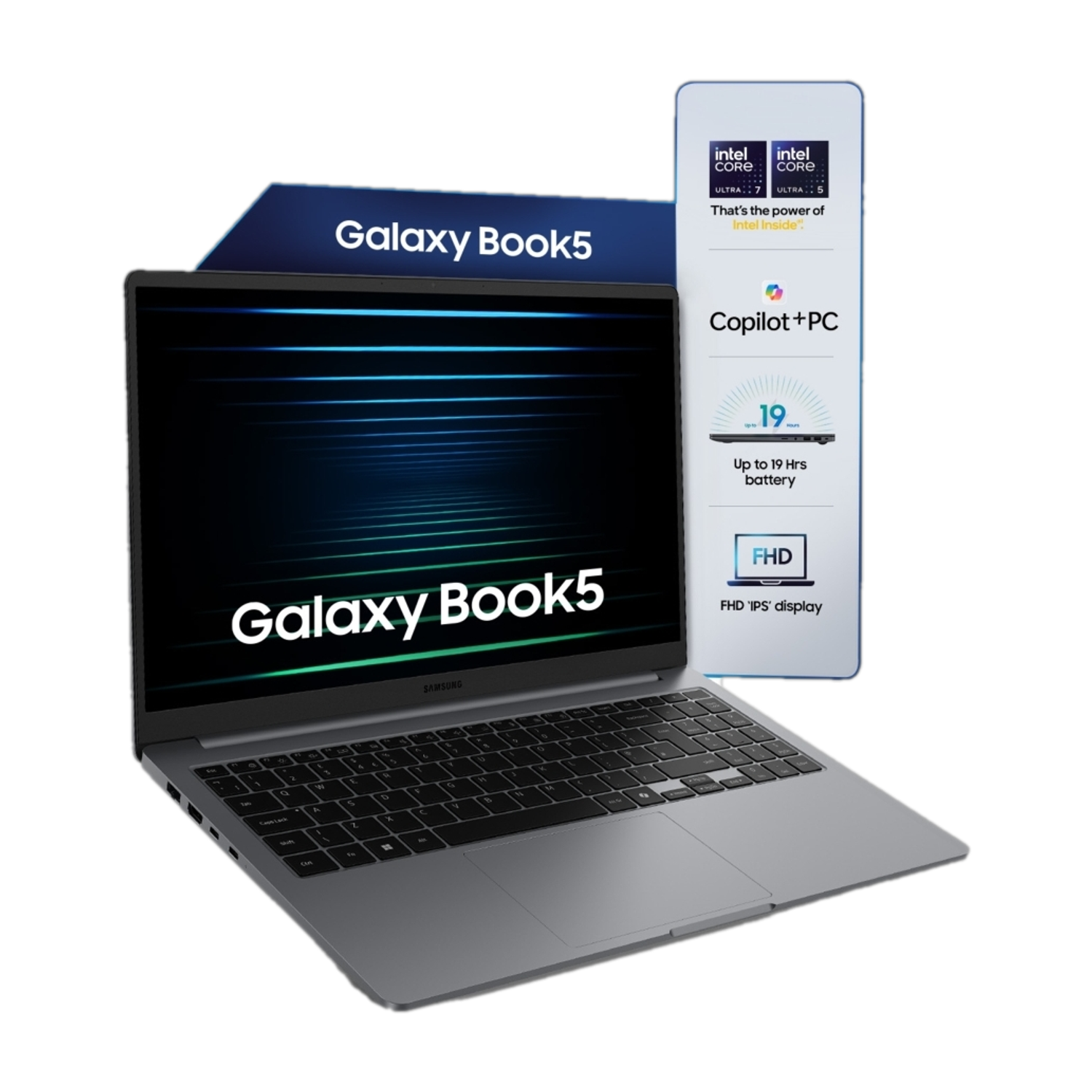
Samsung Galaxy Book5 AI Metal Intel Core Ultra 7 255U - (16 GB/512 GB SSD/Windows 11 Home) NP750XHD Thin and Light Laptop
Pros and cons
What we like
+ 15.6 inch metal body with Office
+ Core Ultra 7 chip
+ Ultra 7 costs less than the Ultra 5
What we don’t like
– Full HD LCD, not OLED
– 1.55 kg
– Smaller service network
Samsung Galaxy Book5 AI Metal Core Ultra 7 255U 16GB review: the big screen office laptop
The Samsung Galaxy Book5 (Core Ultra 7 255U, 16GB, 512GB, sold as the AI Metal) is a 15.6 inch laptop for people who want a larger screen. It has a Core Ultra 7 255U, a chip with 2 performance cores up to 5.2 GHz and 8 efficiency cores plus 2 low power cores, and 16GB of LPDDR5X memory. The display is a 15.6 inch Full HD IPS anti glare panel, not an OLED. The battery is 61.2 Wh with a 45 W USB-C charger, and Samsung rates it for up to 19 hours of video. It weighs 1.55 kg. Ports are HDMI, two USB-C, two USB 3.2, a microSD reader, a combo jack and a wired LAN port. The webcam is 1080p.
My take: this laptop is for the person who does serious office work and wants a numpad, a big screen and real ports without a dongle. The 255U is quick for spreadsheets, browsing, calls and light editing, and it feels more like a traditional laptop than the thin OLED models in this list. If you own a Galaxy phone or tablet, the ecosystem adds Multi Control, Second Screen, Quick Share and Samsung Notes, which can really change how you work. It is not the best at display quality: the Full HD IPS panel is plain next to OLED. I would choose it for work, not for photo or film.
Samsung Galaxy Book5 running cost and the money angle
A 15.6 inch laptop with a U series chip averages about 20 W in my estimate. Over 6 hours a day for 300 days that is 36 units a year, around Rs 290 at Rs 8 a unit. The money saved is in ports and storage. The built in LAN port, HDMI and microSD reader mean no dongles, and Samsung’s India launch note mentions two storage slots, so you may add an SSD later instead of paying for a bigger one now. Ask the seller to confirm the slot before you plan to upgrade. A 45 W charger is slower than some rivals, so a spare charger for the office desk is a smart extra.
Living with the Samsung Galaxy Book5: keyboard, screen and ports
The 15.6 inch IPS screen is big and clear for spreadsheets, though it lacks the contrast of the OLED laptops here and is not especially bright. The keyboard has a numpad and a roomy layout that suits accounts work, and the metal body feels solid. At 1.55 kg it is not a laptop for carrying all day but is fine from desk to meeting room. The wired LAN port is a rare feature that helps in offices with unstable Wi-Fi. The 1080p camera is good for calls. Fan noise is mild in normal work and rises under heavy tasks. Battery life is a good day of office work, though I would not expect the full 19 hours.
Samsung Galaxy Book5 warranty and service in India
Samsung’s standard laptop warranty in India is one year, so ask the seller for the exact terms in writing, including whether service is onsite or at a service centre near you. Samsung service centres are common in cities, though laptop repairs can take longer than for phones, and an extended warranty is a paid add on. On delivery, match the CPU, RAM and storage on the carton: it should read Core Ultra 7 255U, 16GB and 512GB, and the model code NP750XHD. Samsung sells the Book5 with Core Ultra 5 and 32GB variants too, so confirm which one is in the box. Check that Microsoft Office Home and Student is included if the seller promises it.
Who should buy the Samsung Galaxy Book5 and who should skip it
It falls short on display quality, weight and charging speed. The Motorola Moto Book 60 has a far better OLED screen and a H series chip. The Lenovo Yoga 7 2-in-1 gives a touch screen and a pen. Buy the Galaxy Book5 if you want a large, practical office laptop with a numpad, plenty of ports and Galaxy phone integration. Skip it if you want OLED, a light bag, or a screen for photo and film.
Key specs
| CPU | Intel Core Ultra 7 255U |
| Memory | 16GB LPDDR5X |
| Display | 15.6 inch Full HD LCD |
| Storage | 512GB SSD |
| OS | Windows 11 with Office |
| Weight | 1.55 kg |
| Battery | Up to 19 hours claimed |
Best 2-in-1
7. ASUS Vivobook 14 Flip OLED 2026 (Core Ultra 5 226V, 16GB, 512GB)
7.4 Overall
7.8 Performance
6.8 Value
8.0 Service
Core Ultra 5 226V · 16GB LPDDR5X · 512GB SSD · OLED touchscreen · 1.57 kg
Best for
✓ Students who take notes with a pen
✓ Artists and designers on a budget
✓ People who want a tablet mode
Not ideal for
– Anyone who never uses touch
– People who want the lowest price
Verdict: The 2-in-1 I would pick for most people, but it costs about ₹19,000 more than the Acer.
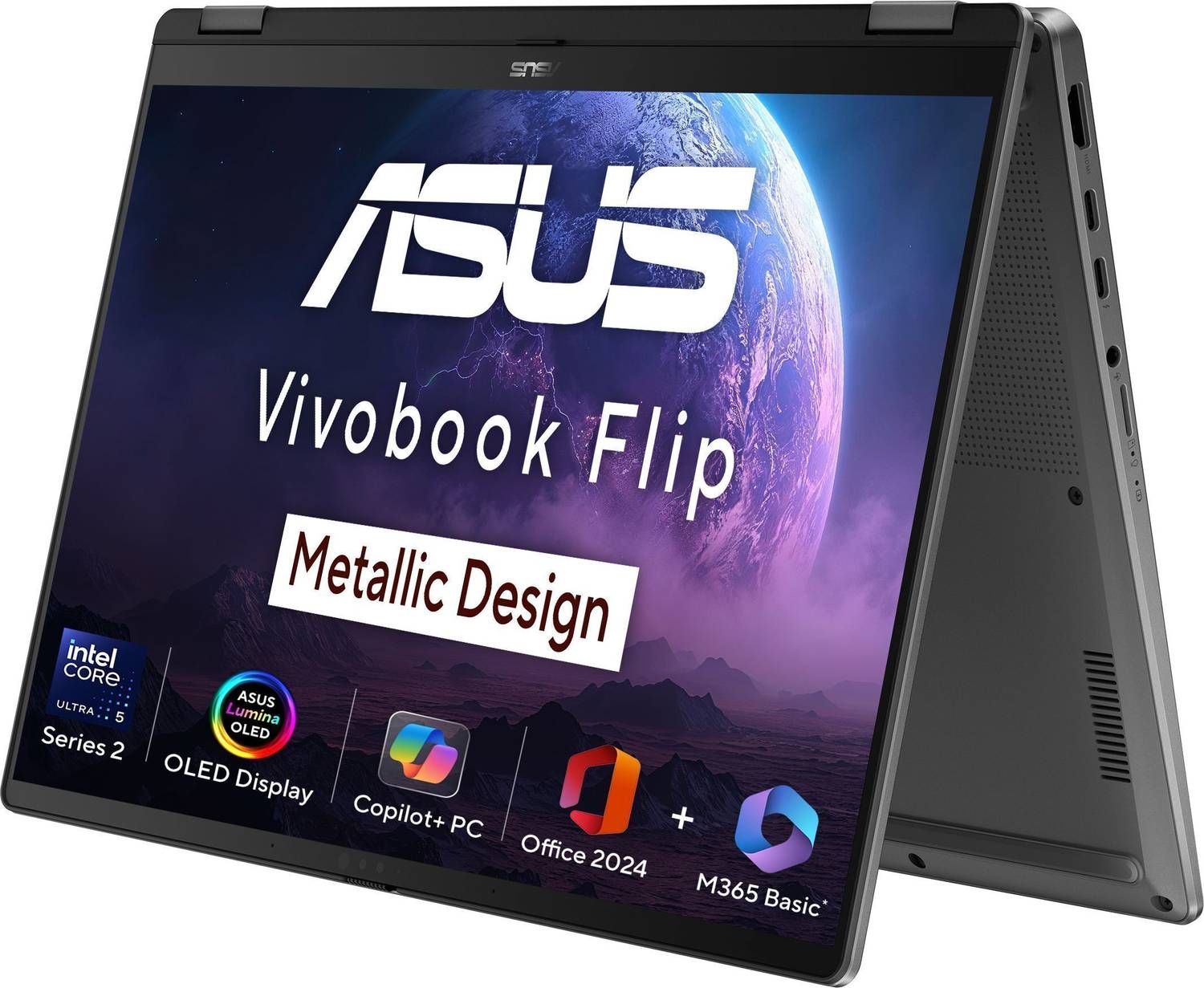
ASUS Vivobook 14 Flip OLED (2026) with Touch Screen, Metallic Design, Intel Core Ultra 5 226V - (16 GB/512 GB SSD/Windows 11 Home) TP3407SA-QL024WS 2 in 1 Laptop
Up to 5% instant discount on Flipkart Axis & Flipkart SBI credit cards Details
- Up to 5% instant discount on Flipkart Axis & Flipkart SBI credit cards
Pros and cons
What we like
+ OLED touchscreen with 360 degree hinge
+ Same fast Intel chip as the Acer
+ Office included
What we don’t like
– ₹96,990, close to the limit
– 1.57 kg
– Check the pen is in the box
ASUS Vivobook 14 Flip OLED TP3407 Core Ultra 5 226V 16GB review: the 2-in-1 with a big battery
The ASUS Vivobook 14 Flip OLED (2026, Core Ultra 5 226V, 16GB, 512GB, model TP3407SA) is a convertible with a 360 degree hinge. The Lunar Lake 226V has 8 cores up to 4.5 GHz and Arc 130V graphics, with 16GB LPDDR5X on the package. The 14 inch OLED is 1920 by 1200, 60 Hz and touch enabled. The battery is 70 Wh and the weight is about 1.57 kg. Ports are a USB-A, a USB-C 3.2 Gen 2, a USB4 port at 40 Gbps with power delivery, HDMI, a microSD reader and a headphone jack. Wi-Fi 7 and Bluetooth 5.4 are supported, and the keyboard is backlit with an IR webcam.
My take: this is the best laptop here for a person who also wants a tablet. The touch screen folds into tent and tablet modes for reading, notes and presentations, and the 70 Wh battery is large for a 14 inch machine. A test of the Core Ultra 7 version of this body found about a day and a half of mixed use, 15 or more Chrome tabs without trouble and light Premiere Pro work, with the pen included in the box. Your 226V unit should behave similarly, but check what ships with yours. The 226V is quick for daily tasks. It is not a gaming or video render machine, and at 1.57 kg it is heavier than the thin clamshells here.
ASUS Vivobook 14 Flip running cost and the money angle
With an efficient Lunar Lake chip and a 70 Wh pack, I assume about 22 W average. Over 6 hours a day for 300 days that is about 40 units a year, roughly Rs 320 at Rs 8 a unit. The money angle is the 2-in-1 value. A separate tablet and a laptop cost far more than one convertible with touch and a pen, and if you take handwritten notes you save paper too. Ask whether the stylus is in the box with your unit, because the pen is a separate purchase on some versions. The 65 W USB-C charging works with any power delivery charger, so you can replace a lost charger cheaply, and the USB4 port lets one cable run a monitor.
Living with the Vivobook 14 Flip: hinge, keyboard and screen
The OLED is glossy and vivid, and touch response is good for notes and navigation. The test of the sibling model praised the 600 nits peak brightness and the stable hinge, with auto rotate working well. The keyboard has 1.7 mm of travel, curved keys and a responsive touchpad with volume and brightness gestures. Speakers fire from the bottom, which one early review criticised, so sound is clearer on a desk than on a lap. The chassis is aluminium and sturdy. Because the screen is glossy, reflections can annoy in bright rooms. The body is thicker than the Zenbook A14, but you get more ports, including USB-A and a card reader.
ASUS Vivobook 14 Flip TP3407 warranty and service in India
ASUS gives a one year warranty in India, with more than 200 service centres, a toll free line, WhatsApp support and the MyASUS app. Premium Care for accidental damage is sold separately, and I would buy it for a convertible, since hinges and touch screens take knocks. Ask for the warranty terms in writing. On delivery, match the CPU, RAM and storage on the carton: Core Ultra 5 226V, 16GB and 512GB, and the screen should be the OLED touch panel. ASUS sells the Flip with Core 5, Core 7 and Ultra versions, and with different battery sizes, so check the model code TP3407SA. Test the hinge through its full range and the stylus if one is included.
Who should buy the ASUS Vivobook 14 Flip OLED and who should skip it
It falls short on weight, 60 Hz and speakers. The Lenovo Yoga 7 2-in-1 has a stronger H series chip and a pen, but a heavier body and a weaker hinge. The Acer Swift Neo OLED has the same chip and is lighter, but it is not a convertible. Buy the Vivobook 14 Flip if you want a touch screen laptop for notes, study and presentations with strong battery life. Skip it if you want the lightest bag, a faster refresh rate or the most power for editing.
Key specs
| CPU | Intel Core Ultra 5 226V |
| Memory | 16GB LPDDR5X |
| Display | 14 inch WUXGA OLED touchscreen, 1920×1200 |
| Storage | 512GB SSD |
| OS | Windows 11 Home with Office |
| Weight | 1.57 kg |
Best 2-in-1 with 1TB
8. Lenovo Yoga 7 2-in-1 OLED (Core Ultra 5 125H, 16GB, 1TB)
7.3 Overall
7.6 Performance
6.6 Value
8.0 Service
Core Ultra 5 125H · 16GB LPDDR5 · 1TB SSD · OLED touchscreen · Pen included
Best for
✓ Note takers and sketchers
✓ People who need 1TB storage
✓ Buyers who want Lenovo service
Not ideal for
– Anyone watching the budget
– People who want a newer chip
Verdict: A sturdy, roomy 2-in-1, but the chip is from 2024 and the price is near ₹1 lakh.

Lenovo Yoga 7 Intel Evo Core Ultra 5 125H Built-in AI 14"(35.5cm) WUXGA-OLED 400Nits 2-in-1 Laptop (16GB/1TB SSD/Win 11/Office Home 2024/Digital Pen/3 Mon. Game Pass/Teal/1.5Kg), 83DJ00FXIN
Up to 6% instant discount on select credit cards +1
- Up to 6% instant discount on select credit cards
- Cashback with Amazon Pay ICICI Bank Credit Cards
Pros and cons
What we like
+ 1TB SSD and pen in the box
+ Thunderbolt 4, HDMI and microSD
+ Battery lasted over 15 hours in a video test
What we don’t like
– 2024 chip
– Hinge wobbles at wide angles
– Peak brightness around 395 nits
Lenovo Yoga 7 2-in-1 14 OLED Core Ultra 5 125H 16GB 1TB review: the pen laptop with room to store
The Lenovo Yoga 7 2-in-1 (Core Ultra 5 125H, 16GB, 1TB, model 14IML9) is an older Meteor Lake convertible with an OLED screen. An OLED version has the Core Ultra 5 125H, 16GB of LPDDR5 and a 1TB PCIe Gen 4 SSD. The 14 inch screen is 1920 by 1200 at 60 Hz with touch, measured at 395 nits peak and covering 100 percent of sRGB and 99.3 percent of DCI-P3. A Lenovo Digital Pen 2 comes in the box. Ports are two Thunderbolt 4, one USB-A, HDMI 2.1, a microSD reader and a headphone jack. A sibling unit with an IPS screen carried a 71 Wh battery and weighed 1.63 kg.
My take: of all the laptops in this list, this one has the most storage, the pen in the box and Thunderbolt 4, which is a strong set for a designer, an architecture student or a note taker. A U series sibling scored Cinebench R23 near 9,800 multi core, and the 125H should go further, while a test of the faster 155H sibling put its Arc graphics close to an entry level RTX card. It is older than the Lunar Lake laptops here, so efficiency is lower. The same test gave 15 hours 20 minutes in a video loop, which is excellent, but real use with a pen and many apps will be shorter.
Lenovo Yoga 7 2-in-1 running cost and the money angle
The H series chip uses more power under load, so I assume about 30 W average. Over 6 hours a day for 300 days that is 54 units a year, around Rs 430 at Rs 8 a unit. The value is the 1TB SSD and the included pen, which save a separate storage purchase and a stylus. Memory is soldered, and one test noted the primary drive is limited to a short 2242 size, so storage upgrades are awkward; buy the size you need now. Because the platform is a generation old, check that the carton shows a recent manufacture date, and compare the final price with the Vivobook 14 Flip, which has a newer chip and a larger battery.
Living with the Yoga 7 2-in-1: hinge, keyboard and thermals
The OLED screen is vivid and the pen support is good. The chassis is rigid with little flex, and the laptop stays cool, with surface temperatures near 30 degrees Celsius in stress tests. The weak points are the hinges, which wobble at wider angles, and the shallow, soft keyboard, which feels closer to a budget IdeaPad than a ThinkPad. The clickpad is loud and responsive. At 395 nits the screen is dim for outdoor use. The ports are generous, but both Thunderbolt ports sit on one side, which can be awkward when charging and using a dock. There is only one USB-A port, so a hub may be useful for a mouse and a drive.
Lenovo Yoga 7 2-in-1 14IML9 warranty and service in India
Lenovo gives a one year base warranty, and consumer support in India is on 1800-419-7555, Monday to Saturday. Extended warranty, onsite upgrades and accidental damage cover are paid extras, and I would consider accidental damage cover for a convertible with a hinge. Ask whether your unit has carry in or onsite service, and get it in writing. On delivery, match the CPU, RAM and storage on the carton: Core Ultra 5 125H, 16GB and 1TB, and confirm the screen is the OLED version, because Lenovo sells the Yoga 7 with IPS panels and U series chips under the same name. Test the pen, the hinge at wide angles and both Thunderbolt ports on day one.
Who should buy the Lenovo Yoga 7 2-in-1 and who should skip it
It falls short on hinge stability, keyboard feel, brightness and weight. The ASUS Vivobook 14 Flip OLED has a newer chip and a bigger battery, but less storage. The Motorola Moto Book 60 has a faster screen and a similar H series chip, but no touch or pen. Buy the Yoga 7 2-in-1 if you need the pen, the 1TB drive and Thunderbolt ports at this price. Skip it if you want the best battery, the lightest body or a firm hinge.
Key specs
| CPU | Intel Core Ultra 5 125H |
| Memory | 16GB LPDDR5 |
| Display | 14 inch WUXGA OLED touchscreen, about 395 nits |
| Storage | 1TB SSD |
| Ports | 2 Thunderbolt 4, USB-A, HDMI 2.1, microSD |
| Weight | About 1.49 kg |
| Pen | Lenovo Digital Pen |
Questions other guides skip
The questions most laptop under 1 lakh guides leave out
The lists I read mix gaming laptops with thin and light ones and rarely give a price. These are the questions that actually decide whether you are happy with the laptop. Each price was checked on 23 October 2026.
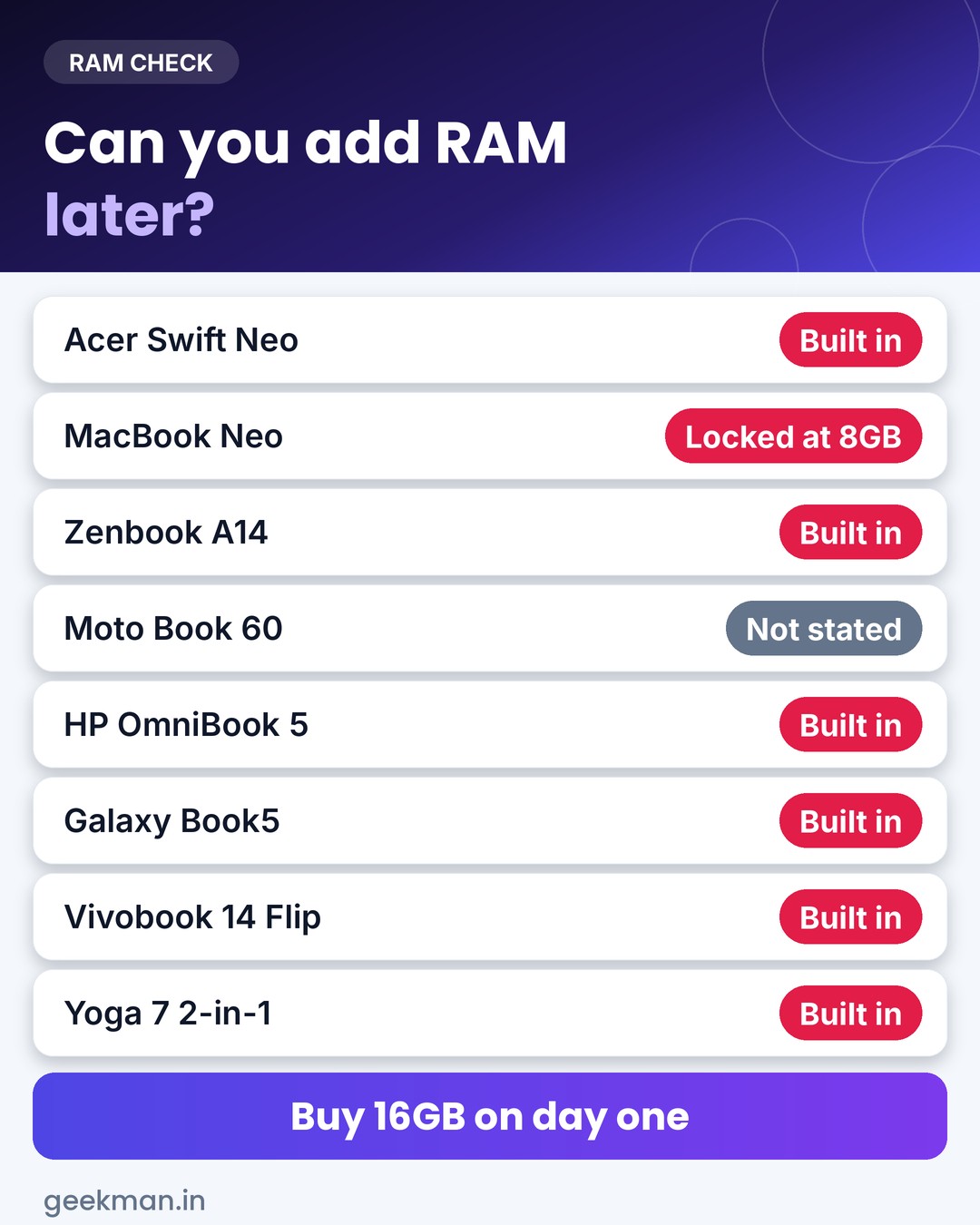
1 · Can I upgrade the RAM later?
On most laptops in this guide, no. The Acer Swift Neo, the Vivobook 14 Flip, the Zenbook A14, the OmniBook 5, the Galaxy Book5 and the MacBook Neo all use built in LPDDR5X or unified memory. Memory prices went up in 2026, so take 16GB on day one. The MacBook Neo is the weakest here on this point, because Apple caps it at 8GB.
2 · What is Windows on Arm, and will my apps run?
The Zenbook A14 and the OmniBook 5 use Snapdragon X chips that run Windows on an Arm processor. Browsers, Office, Zoom and most daily apps run well. Some older software, certain drivers and a few specialist tools still do not. If your work depends on one app, check Arm support before you buy. The Intel laptops in this guide have no such issue.
3 · Is OLED better, and are there downsides?
OLED gives deep blacks and rich colour, and it looks great for video and photos. The downsides are possible flicker at low brightness and image retention if a static image stays on screen for hours. Peak brightness also varies: Digit measured the Yoga 7 at about 395 nits, which is fine indoors and dim outdoors. Six of the eight laptops here have OLED. The Samsung Galaxy Book5 and the MacBook Neo do not.
4 · Are 2-in-1 laptops practical as a main laptop?
Yes, if you will use touch and a pen for notes or sketches. A 2-in-1 weighs a little more and costs more than a clamshell with the same chip. The Vivobook 14 Flip costs ₹19,000 more than the Acer Swift Neo, which has the same processor. If you will not fold the screen, skip the 2-in-1.
5 · Why does the MacBook Neo cost less than the Air?
Apple trimmed it. Tom’s Guide lists 8GB locked memory, one USB 3 and one USB 2 port, an sRGB display without True Tone, no MagSafe and no Touch ID on the base model. For everyday work it is quick. For heavy video work, it is not the one to buy.
6 · Is the weight claim real?
Notebookcheck weighed the Zenbook A14 at 978 g. HP lists the OmniBook 5 at 1.29 kg and the Moto Book 60 is 1.39 kg. Acer does not print a weight for the Swift Neo, so check the box if that is important to you.
7 · Is an older chip still worth it?
The Yoga 7 2-in-1 uses a 2024 Core Ultra 5 125H. It comes with 1TB and a pen at ₹98,990. Newer chips such as the Core Ultra 5 226V in the Acer Swift Neo are more efficient and cost far less. I would take the newer chip unless you need the storage and the pen.
8 · Why do the same model names have different prices?
Sellers list several variants of the same name with different RAM, storage and chips. An ASUS Vivobook 14 Flip with a Core Ultra 7 shows ₹1,67,990 on Flipkart, while the Core Ultra 5 version shows ₹96,990. Read the full model number and the processor in the title before you buy.
What this means for your buying decision
You want one good laptop: the Acer Swift Neo OLED at ₹77,990.
You carry it every day: the Zenbook A14 at about 978 g, or the OmniBook 5 at 1.29 kg.
You already like Apple: the MacBook Neo, with its 8GB limit in mind.
You want the lowest price with OLED: the Moto Book 60 at ₹72,990.
You want a big screen: the Samsung Galaxy Book5 at 15.6 inches.
You want touch and a pen: the Vivobook 14 Flip, or the Yoga 7 if you need 1TB.
You want a bit more power: try laptops under 80000 or our laptops for video editing guide.
Compare all 8 laptops at a glance
| Laptop | CPU | RAM | Screen | Weight | Price |
|---|---|---|---|---|---|
| Acer Swift Neo | Core Ultra 5 226V | 16GB, built in | 14 inch OLED | Not listed | ₹77,990 |
| MacBook Neo | Apple A18 Pro | 8GB unified | 13 inch Liquid Retina | Not covered | ₹71,890 |
| ASUS Zenbook A14 | Snapdragon X | 16GB, onboard | 14 inch OLED, 60Hz | About 978 g | ₹86,990 |
| Moto Book 60 | Core 5 210H | 16GB DDR5 | 14 inch OLED | 1.39 kg | ₹72,990 |
| HP OmniBook 5 | Snapdragon X Plus | 16GB LPDDR5X | 14 inch 2K OLED | 1.29 kg | ₹78,990 |
| Galaxy Book5 AI Metal | Core Ultra 7 255U | 16GB LPDDR5X | 15.6 inch FHD LCD | 1.55 kg | ₹82,990 |
| Vivobook 14 Flip | Core Ultra 5 226V | 16GB LPDDR5X | 14 inch OLED touch | 1.57 kg | ₹96,990 |
| Yoga 7 2-in-1 | Core Ultra 5 125H | 16GB LPDDR5 | 14 inch OLED touch | About 1.49 kg | ₹98,990 |
Specs are from official maker specs and independent reviews, October 2026. Prices were seen on 23 October 2026 and move daily. Verify the exact variant before you buy.
The buying guide
How to choose a laptop under ₹1 lakh
Chip
Intel for every app. Arm for battery.
RAM
16GB is the floor. Most cannot be upgraded.
Screen
OLED for colour. Check the brightness.
Weight
Under 1.4 kg if you carry it daily.
1 · Chip: Intel, Snapdragon or Apple
Intel chips such as the Core Ultra 5 226V run every Windows app. Snapdragon X chips give great battery and lightness but have an app compatibility check. Apple’s A18 Pro runs macOS only.
2 · RAM and storage
Take 16GB. It cannot be upgraded on most of these laptops, and memory prices are high. 512GB is enough for most people, and the Yoga 7 gives you 1TB.
3 · Screen type and brightness
OLED looks better, particularly for video. Check the resolution (WUXGA is 1920×1200) and the brightness, because a dim OLED is hard to use outdoors.
4 · Weight and battery
The lightest here is the Zenbook A14. If a laptop claims 19 hours of battery, treat it as a best case. Real use is lower.
5 · Warranty and service
Most list one year. Keep the invoice, register the laptop on day one and find the nearest service centre for your city before you buy, especially for newer brands.
6 · Check the exact model number
Similar names hide very different prices and specs. Match the model number and the processor in the title before you pay.
Other laptops in the lineup
MacBook Air M4 and M5. Excellent, but neither sells under ₹1 lakh as of 23 October 2026.
HP 15 and Dell 15 laptops. Plastic bodies and LCD screens, and they cost close to the OLED picks.
Lenovo ThinkBook 16 (₹98,990). A capable business laptop, but you pay near ₹1 lakh for an LCD.
Acer Swift Go 14 (Snapdragon X Plus). A decent OLED laptop, but it costs more than the Acer Swift Neo.
Dell Inspiron 7440 2-in-1 (₹94,990). A Full HD LCD at that price is hard to justify next to the OLED 2-in-1s.
Gaming laptops. Different rules. See my gaming laptops under 1 lakh.
The verdict
Which laptop under ₹1 lakh should you buy?
Best overall: Acer Swift Neo OLED, at ₹77,990. Check price
Best for Apple fans: MacBook Neo, at ₹71,890. Check price
Lightest: ASUS Zenbook A14, at ₹86,990. Check price
Cheapest OLED: Moto Book 60, at ₹72,990. Check price
Best Snapdragon value: HP OmniBook 5, at ₹78,990. Check price
Best big screen: Galaxy Book5 AI Metal, at ₹82,990. Check price
Best 2-in-1: Vivobook 14 Flip OLED, at ₹96,990. Check price
Best 2-in-1 with 1TB: Yoga 7 2-in-1, at ₹98,990. Check price
Not sure? Buy the Acer Swift Neo. If you want touch and a pen, take the Vivobook 14 Flip.
More buying guides from Geekman
Best laptops for video editing
Best gaming laptops under 1 lakh
Laptops under 1 lakh FAQ
Which is the best laptop under ₹1 lakh in India in 2026?
For most people it is the Acer Swift Neo OLED with a Core Ultra 5 226V, 16GB of RAM and Office at ₹77,990 on Flipkart. If you want Apple, the MacBook Neo at ₹71,890 is the cheapest entry. If you want the lightest laptop, buy the ASUS Zenbook A14 at about 978 g.
Is a ₹1 lakh laptop good for gaming?
This guide skips gaming laptops on purpose. A laptop with a dedicated graphics card gives you far more frame rates for the same money. If you play games, read my best gaming laptops under 1 lakh guide instead.
Is OLED better than a regular LCD screen?
OLED gives deeper blacks and richer colours, and it is a real step up for video and photos. Some OLED panels flicker at low brightness, which bothers a small number of people, and they can show image retention if a static image stays for long. For most buyers the picture quality is worth it.
Can I upgrade the RAM on these laptops later?
On most of them, no. The Acer Swift Neo, the Vivobook 14 Flip, the Zenbook A14, the OmniBook 5, the MacBook Neo and the Galaxy Book5 use LPDDR5X or unified memory that is built in. Buy the RAM you need on day one, and take 16GB if you can.
What is Windows on Arm and should I worry about it?
Snapdragon X laptops such as the Zenbook A14 and the OmniBook 5 run Windows on an Arm processor. Most mainstream apps run well, either natively or through emulation. Some older software, certain drivers and a few specialist tools do not. If you depend on one specific app, check that it supports Arm before buying.
Are 2-in-1 laptops practical as a main laptop?
They are, if you actually use the touch screen and the pen. They weigh more than a clamshell with the same chip and they cost more. If you never fold it, a regular laptop gives you more for the money.
Is the MacBook Neo worth buying with only 8GB?
For browsing, documents, study and light editing, yes. The memory cannot be upgraded, and only one of the two ports runs at full USB speed. If you edit 4K video or keep many apps open, look at a Windows laptop with 16GB.
How much does laptop weight matter?
More than most people think, if you carry it every day. The Zenbook A14 is about 978 g and the OmniBook 5 is 1.29 kg. The Samsung Galaxy Book5 is 1.55 kg and the Vivobook 14 Flip is 1.57 kg.
Do these laptops come with Microsoft Office?
Several do. The Acer Swift Neo, the Galaxy Book5, the Moto Book 60 and the Vivobook 14 Flip list Office, and the HP OmniBook 5 lists Office 2024. Check the exact offer title, because variants differ.
Why are laptop prices higher in 2026?
Memory prices rose sharply this year, and laptop makers passed some of that on. That is why a ₹1 lakh budget needs more care now, and why I show live prices from Amazon and Flipkart.
Is an older model still a good buy?
Sometimes. The Lenovo Yoga 7 2-in-1 uses a 2024 chip but has 1TB of storage and a pen. The risk is old stock at a new price, so compare it with newer chips before paying.
Do prices change a lot?
Yes. Prices move daily on both stores and bank offers can lower the final price. Check the buy box before you decide.