

Short answer: buy the MSI Modern 14 if you want the most laptop under 45,000, with 16GB of RAM. Buy the Acer Aspire Lite Metal if you want a big 15.6 inch screen and upgradable RAM. Buy the Acer TravelLite 14 if you want 16GB with Office included.
If you can stretch a little, the best laptops under 70000 in India add 16GB RAM and newer chips.
Geekman has covered consumer tech for over 10 years, and this ranking is built the way our buying guides always are: research first, then a hard look at the numbers. For every model we compared official specs, RAM and upgrade options, screen, software included, price, warranty and service reach, and checked live prices.
What changed in 2026
What ₹50,000 buys in 2026
Prices went up this year. A budget that used to get you a Ryzen 5 and 16GB now mostly gets you a Ryzen 3 or Core i3 and 8GB. That is why I did not just copy the usual list. I checked live prices on 23 October 2026, kept only laptops you can buy today, and added a Chromebook for people who live in the browser. If you can spend more, my laptops under 1 lakh guide covers the next step up.
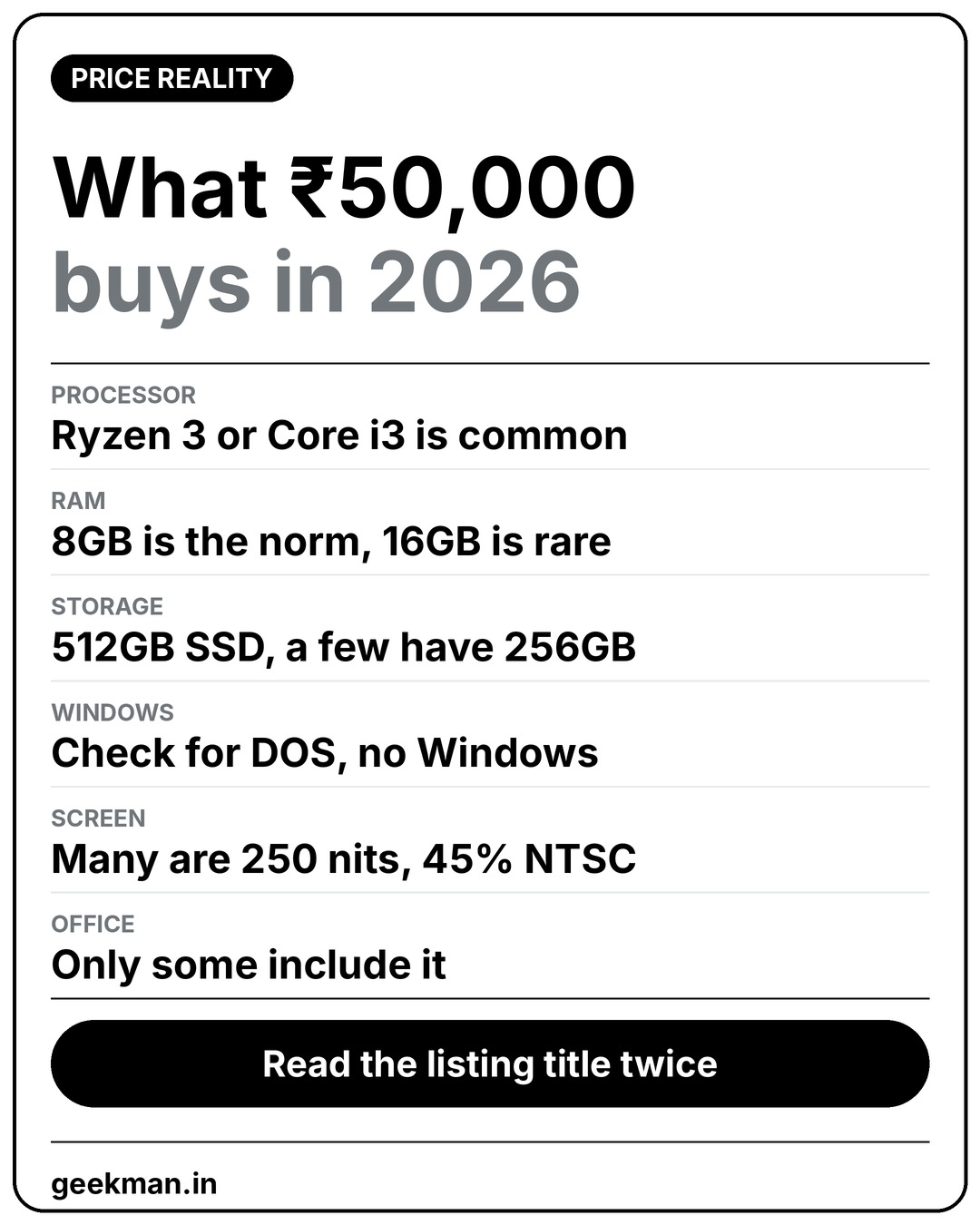
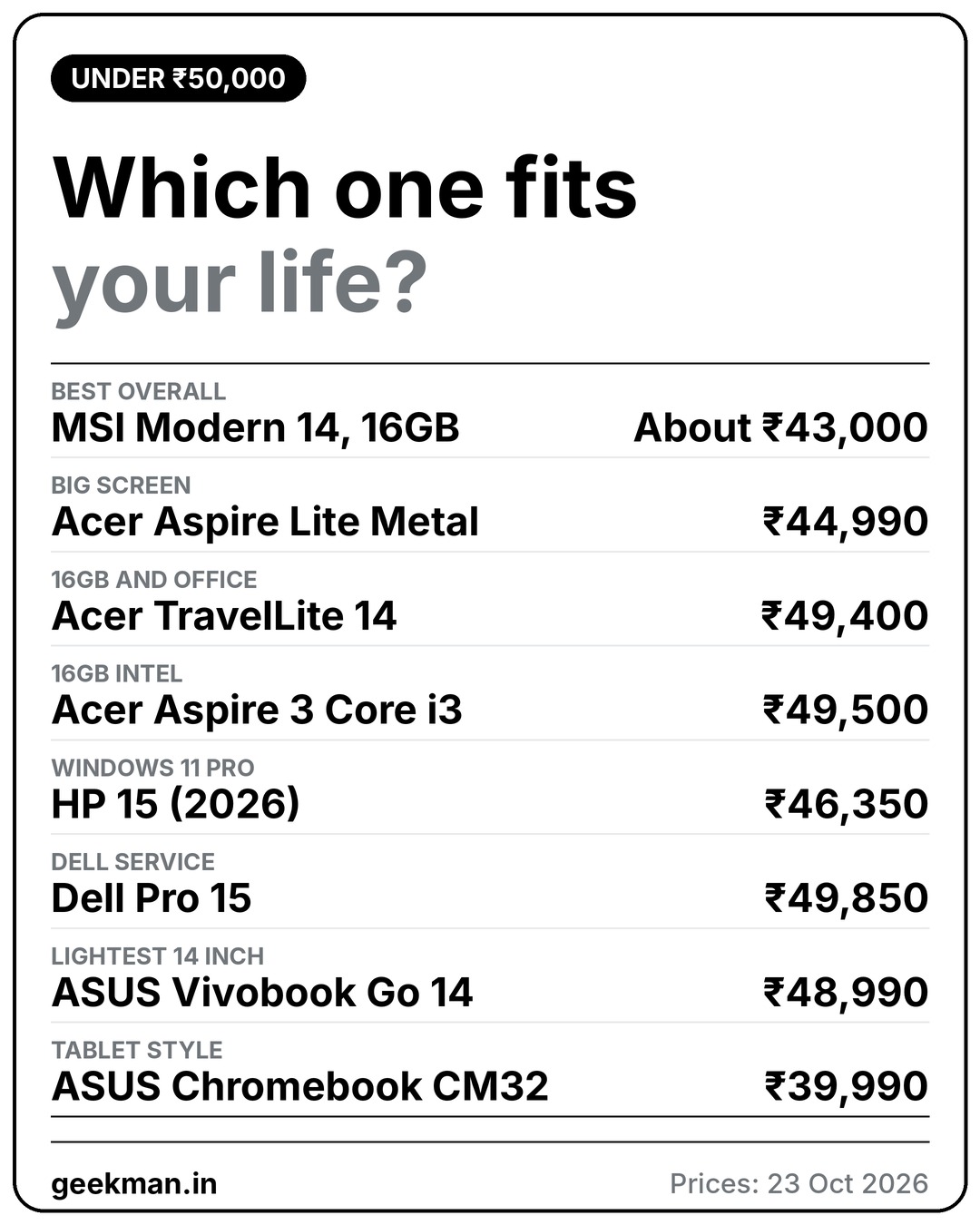
The image shows what to expect. Read the product title twice, because RAM, Windows and Office change from one offer to the next.
Find your laptop under 50000 in 3 quick taps
Short answer: the MSI Modern 14 with 16GB is the best pick for most people. Turn on JavaScript to use the Finder.
How I ranked them
The Geekman Score
Each laptop gets a score out of 10 for performance (40%), value (40%) and service (20%). Performance is weighted toward the processor, RAM, storage and screen. Value is price against what you get, including Office and upgrade options. Service looks at warranty and how easy it is to get help.
See the scores
| # | Laptop | Perf. | Value | Service | Overall |
|---|---|---|---|---|---|
| 1 | MSI Modern 14 (16GB, 512GB) | 8.2 | 9.4 | 7.0 | 8.4 |
| 2 | Acer Aspire Lite Metal (Ryzen 3 7330U, 8GB, 512GB) | 6.8 | 8.4 | 7.0 | 7.5 |
| 3 | Acer TravelLite 14 (Ryzen 3 5400U, 16GB, 512GB) | 6.6 | 7.8 | 7.0 | 7.2 |
| 4 | Acer Aspire 3 (Core i3-1315U, 16GB, 512GB) | 7.0 | 7.2 | 7.0 | 7.1 |
| 5 | HP 15 2026 (Ryzen 3 7335U, 8GB DDR5, 512GB) | 6.6 | 7.0 | 7.5 | 6.9 |
| 6 | Dell Pro 15 (Ryzen 5 7520U, 8GB DDR5, 512GB) | 6.8 | 6.6 | 8.0 | 7.0 |
| 7 | ASUS Vivobook Go 14 (Ryzen 3, 8GB, 256GB, Office 2024) | 6.2 | 6.8 | 7.5 | 6.7 |
| 8 | ASUS Chromebook CM32 Detachable (8GB, 128GB) | 5.6 | 6.6 | 6.5 | 6.2 |
Scores weigh performance 40%, value 40% and service 20%. They come from official specs, product page details and live prices.
Quick picks
| Pick | Laptop | Best for |
|---|---|---|
| Best Overall | MSI Modern 14 (16GB, 512GB) | The most laptop under 45,000: 16GB RAM, a 14 inch Full HD screen and 1.4 kg |
| Best Big Screen | Acer Aspire Lite Metal (Ryzen 3 7330U, 8GB, 512GB) | A 15.6 inch IPS screen, a metal body and RAM you can upgrade |
| Best With Office | Acer TravelLite 14 (Ryzen 3 5400U, 16GB, 512GB) | 16GB of RAM with Office Home and Student 2021 included, under 50,000 |
| Best Intel Pick | Acer Aspire 3 (Core i3-1315U, 16GB, 512GB) | An Intel chip with 16GB of RAM that can grow to 32GB |
| Best Windows 11 Pro Value | HP 15 2026 (Ryzen 3 7335U, 8GB DDR5, 512GB) | DDR5 RAM that goes up to 32GB, with Windows 11 Pro included |
| Best Dell Service | Dell Pro 15 (Ryzen 5 7520U, 8GB DDR5, 512GB) | A Dell with a 120Hz screen, a Ryzen 5 and Windows 11 Pro |
| Best Light 14 Inch | ASUS Vivobook Go 14 (Ryzen 3, 8GB, 256GB, Office 2024) | A 1.38 kg 14 inch laptop with Office 2024 included, if 256GB is enough |
| Best Tablet Style | ASUS Chromebook CM32 Detachable (8GB, 128GB) | A 0.64 kg touchscreen tablet with a detachable keyboard, for browser based work |
Tap a name to jump to its review. Live prices are in the buy box under each review. Prices are as seen on 23 October 2026 and bank offers can change them.
The reviews
Best laptops under 50000: 8 picks
Best Overall
1. MSI Modern 14 (16GB, 512GB)
8.4Geekman Score
8.2 Performance
9.4 Value
7.0 Service


Core i5 or Ryzen 5 · 16GB RAM · 512GB SSD · Backlit keyboard · 1.4 kg
Best for
✓ College students who carry a laptop every day and want 16GB RAM for coding and multitasking
✓ Office users who type a lot and want a backlit keyboard in a compact body
✓ People who want USB-C charging and monitor output through one port
Skip if
• You need long battery life (the 39Wh battery gives 3 to 4 hours of real work)
• You want a good webcam or colour-accurate screen
• You may want more than 16GB RAM later (it is soldered)
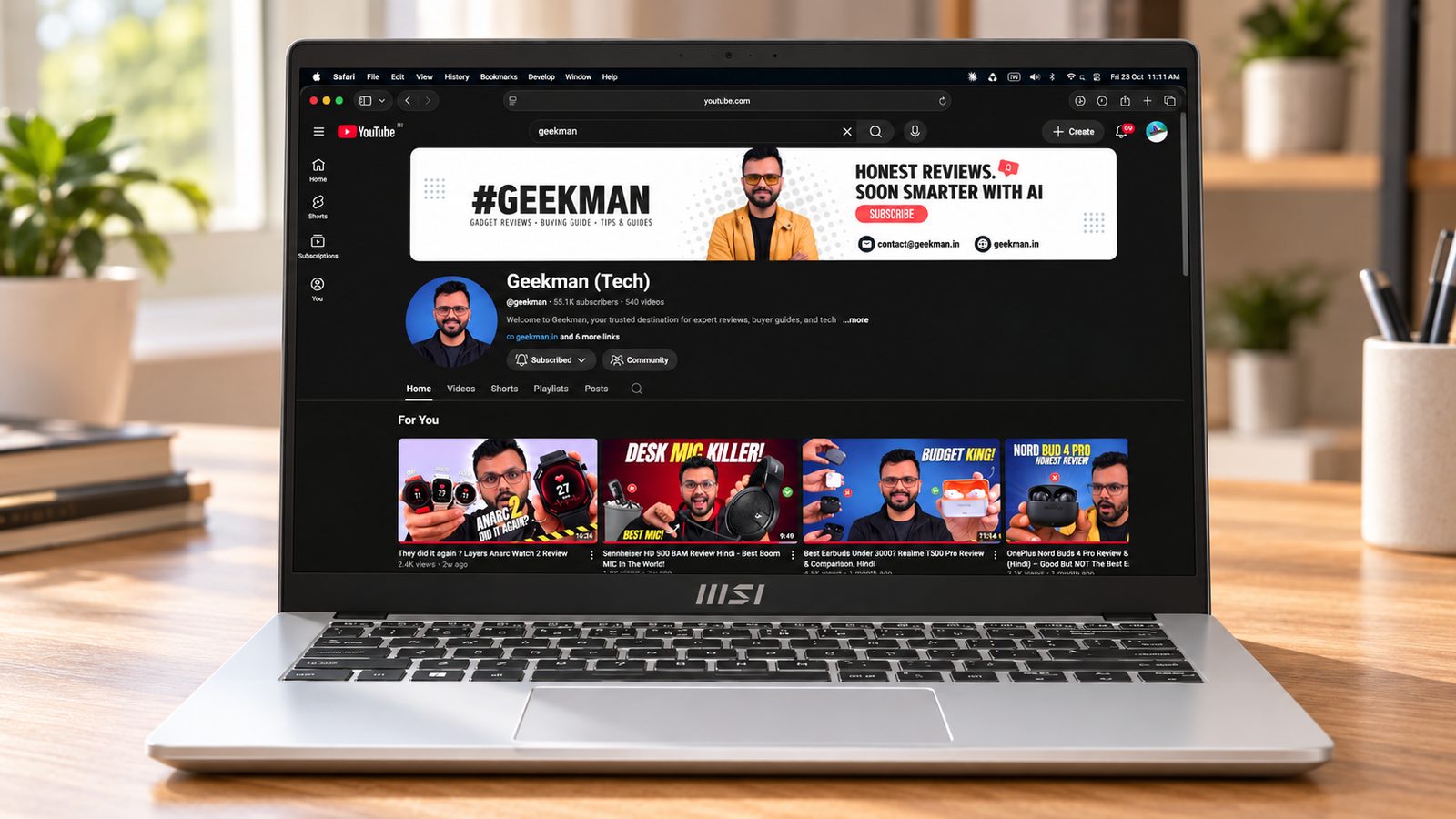
My take: The Modern 14 gets the basics right for a daily carry: about 1.4 kg, a comfortable backlit keyboard, 16GB of RAM and a 10-core Core i5-1235U that handles Office, coding and dozens of tabs. Its weak spots are a small battery, a basic screen and a 720p webcam without a shutter. If those don’t bother you, it is one of the most practical laptops at this budget.


MSI Modern 14 AMD Ryzen 5 Hexa Core 7530U - (16 GB/512 GB SSD/Windows 11 Home) Modern 14 C7M-062IN Thin and Light Laptop

Up to 5% cashback on Flipkart Axis & Flipkart SBI credit cards Details
- Up to 5% cashback on Flipkart Axis & Flipkart SBI credit cards
Pros and cons
What I like
+ Light at about 1.4 kg
+ Backlit keyboard that types well
+ 16GB RAM and a 10-core i5
+ USB-C with display out and PD charging
What I don’t like
• Small 39Wh battery
• 720p webcam, no shutter
• RAM soldered at 16GB
My full review: who it suits, what it is like and how it compares
Who should buy it. A student or working professional who moves between classes, offices and home and wants a compact Windows laptop with enough RAM that it won’t slow down. It is good for coding, Office, Zoom and browser-heavy work. If battery life is your top priority, look at a laptop with a 50Wh or bigger battery; if you want gaming or editing, look at an H-series or RTX laptop.
Performance. The Core i5-1235U is a 12th gen U-series chip with 10 cores (2 performance, 8 efficiency) and Iris Xe graphics. It runs office work, many tabs and entry-level coding smoothly, and Photoshop works for light edits, but heavier creative work will stutter. One reviewer found the 13th gen Modern models noticeably faster in Photoshop, so pick a 13th gen variant if the price gap is small. MSI lists the 16GB DDR4 as soldered on this model, and there is one M.2 SSD slot (PCIe Gen3).
Display. The 14 inch full HD IPS-level panel is sharp at this size, with about 250 nits and a basic gamut around 65% sRGB. It is fine for documents, coding and online video indoors. Don’t use it for colour-critical photo or video work, and it is not bright enough for outdoor use.
Keyboard, build and ports. The polycarbonate body has minor flex and opens to 180 degrees with one hand, and it lifts slightly at the back when open to help airflow. The tenkeyless keyboard has 1.5 mm travel and a white backlight with adjustable brightness; reviewers liked it for typing and coding. The trackpad is smooth and fully clickable. Ports: USB-C 3.2 Gen 2 with display output and 65W charging, one USB-A 3.2 Gen 2, two USB-A 2.0, HDMI (4K at 30Hz), microSD and a headphone jack. No Ethernet. The 720p webcam has no shutter, but a key turns the camera and mic off. The 2W speakers are average.
Battery and service. This is its weakest area. MSI lists a 39Wh three-cell battery, and reviewers got about 3 to 4 hours of mixed work, up to around 6 hours with very light note-taking. The 65W charger uses a round barrel plug, but the USB-C port also accepts any 65W PD charger. Warranty is one year; MSI’s service network in India is smaller than Acer’s, HP’s or Lenovo’s, so check for a centre near you.
Modern 14 or Aspire 3 i3? Buy the Modern 14 if you carry your laptop daily. It weighs about 1.4 kg, has a backlit keyboard and a faster 10-core Core i5-1235U with 16GB. Pick the Aspire 3 i3 if you want the 15.6 inch screen with numpad, a 54Wh battery that lasts much longer and an Acer service network.
Modern 14 or Aspire Lite Metal? The Modern 14 is faster, lighter and has a backlit keyboard and 16GB from day one. The Aspire Lite Metal has a bigger 15.6 inch screen, a numpad and two RAM slots up to 32GB. Battery is short on both, so choose by portability or screen size.
Key specs
| CPU | Intel Core i5-1235U, 10 cores (2P + 8E), 12 threads, up to 4.4 GHz |
| Memory | 16GB DDR4-3200, soldered (16GB maximum) |
| Display | 14 inch Full HD (1920×1080) |
| Storage | 512GB SSD |
| OS | Windows 11 Home, no Office |
| Weight and battery | About 1.4 kg, 39 Wh 3-cell battery, 65W charger |
| Warranty | 1 year onsite |
| Ports | USB-C 3.2 Gen 2 (DP + 65W PD), USB-A 3.2 Gen 2, 2 USB-A 2.0, HDMI (4K30), microSD, 3.5mm |
Best Big Screen
2. Acer Aspire Lite Metal (Ryzen 3 7330U, 8GB, 512GB)
7.5Geekman Score
6.8 Performance
8.4 Value
7.0 Service


Ryzen 3 7330U · 15.6 inch IPS · 8GB, up to 32GB · 512GB SSD · 1.65 kg
Best for
✓ Students who want a large full HD screen with a numpad for notes, Excel and online classes
✓ Buyers who plan to add RAM later (two slots, up to 32GB)
✓ Home and office users who want a light 15.6 inch laptop for basic work
Skip if
• You need a full day of battery (36Wh gives about 4 hours)
• You type at night (no backlight on this variant)
• You multitask heavily or edit video (a Core i5 or Ryzen 5 laptop suits better)
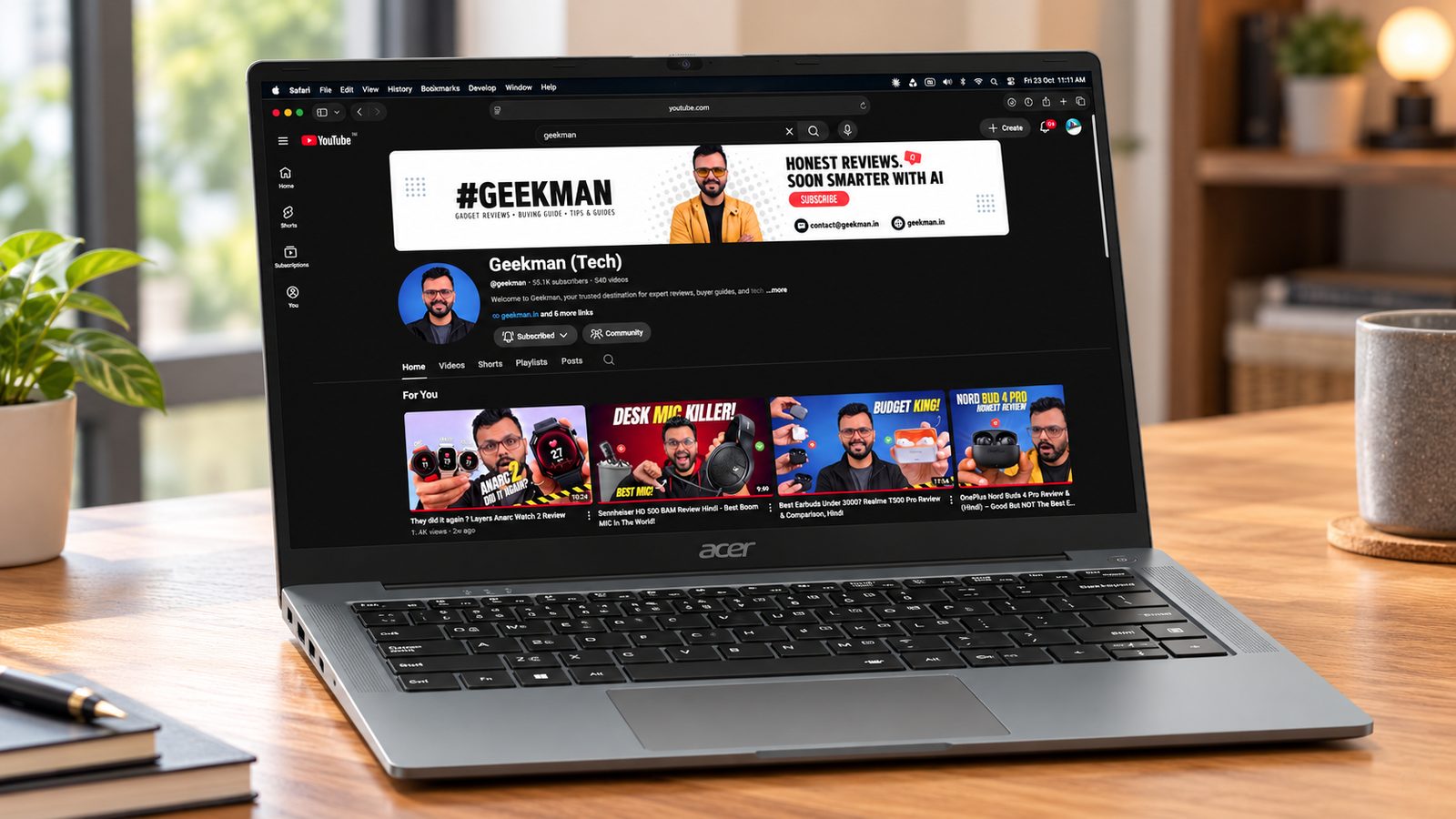
My take: The appeal is simple: a light 15.6 inch laptop with a full HD IPS screen, 512GB SSD and two RAM slots, so you can go from 8GB to 16GB cheaply later. The quad-core Ryzen 3 7330U is fine for everyday work. The catches are a small 36Wh battery, no keyboard backlight and a basic screen, so it is a home and classroom laptop rather than an all-day carry.
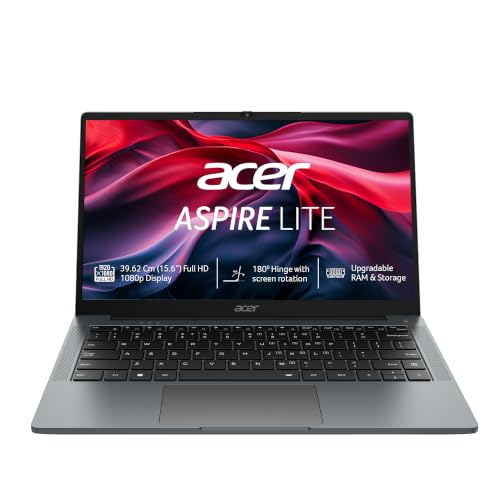
Acer Aspire Lite Metal (2026), Backlit Keyboard AMD Ryzen 3 7330U - (8 GB/512 GB SSD/Windows 11 Home) AL15-42 Notebook
 Lowest price
Up to 11% instant discount on select credit cards; cashback on Amazon Pay ICICI cards Details
- Up to 11% instant discount on select credit cards; cashback on Amazon Pay ICICI cards
Up to 5% cashback on Flipkart Axis & Flipkart SBI credit cards Details
- Up to 5% cashback on Flipkart Axis & Flipkart SBI credit cards
Pros and cons
What I like
+ Two RAM slots, upgradable to 32GB
+ Light 15.6 inch body with metal lid
+ Full HD IPS anti-glare screen
+ Numpad and good port selection
What I don’t like
• Small 36Wh battery, about 4 hours
• No keyboard backlight
• Basic colour and brightness
My full review: who it suits, what it is like and how it compares
Who should buy it. A student, teacher or home user whose work is browsing, Office, online classes and light coding, and who wants a big screen and numpad at a low price. Adding a second 8GB stick is the single best upgrade you can make on it. If you need long battery life or a backlit keyboard, the Aspire 3 or MSI Modern 14 is a better fit.
Performance. The AMD Ryzen 3 7330U is a 4-core, 8-thread Zen 3 chip boosting to 4.3 GHz with Radeon integrated graphics. It handles Office, ten or so tabs, Zoom and simple coding well, but heavy multitasking and video editing will slow it down, and it is not for gaming beyond very light titles. It ships with 8GB DDR4-3200 in two SODIMM slots, upgradable to 32GB, and a 512GB PCIe Gen3 SSD.
Display and webcam. The 15.6 inch full HD IPS panel is anti-glare with good viewing angles, at 60Hz and about 45% NTSC. That makes it fine for documents and online video but dull for photos and not bright for outdoor use. The 720p webcam with dual mics is adequate for classes.
Keyboard, build and ports. On the Aspire Lite Metal the lid and bottom panel are metal alloy and the keyboard deck is plastic; it feels well built and weighs about 1.59 kg. It opens flat to 180 degrees, though not with one hand. The full-size keyboard with numpad types well but has no backlight. Ports: USB-C 3.2 Gen 2, one USB-A 3.2 Gen 1, two USB-A 2.0, HDMI 1.4b, a headphone jack and, per reviewers, a microSD slot. Wi-Fi 6 and Bluetooth 5.0. Speakers are mid-level, neither loud nor weak.
Battery and service. The battery is just 36Wh (three-cell). A reviewer of the Aspire Lite Metal got about 4 hours of normal use, so carry the charger. Charging is through a barrel adapter (Acer lists 65W for this Ryzen model). Warranty is one year, extendable, and Acer’s service network is wide.
Aspire Lite Metal or Modern 14? The Aspire Lite is the home and classroom laptop: 15.6 inch Full HD IPS, a metal lid and bottom, a numpad and easy RAM upgrades to 32GB. The Modern 14 is better for carrying, with a backlit keyboard and a faster Core i5. Neither lasts a full day on battery.
Aspire Lite Metal or HP 15? Both are 15.6 inch Ryzen 3 laptops with upgradable RAM and no backlight. The HP has faster DDR5, a Gen4 SSD and USB-C charging; the Acer has two RAM slots out of the box and a metal finish. If speed matters more, take the HP 15.
Key specs
| CPU | AMD Ryzen 3 7330U, 4 cores |
| Memory | 8GB DDR4-3200, two SODIMM slots, up to 32GB |
| Display | 15.6 inch Full HD IPS, anti-glare, 60Hz, about 45% NTSC |
| Storage | 512GB PCIe Gen 3 SSD |
| OS | Windows 11 Home, no Office |
| Weight | About 1.65 kg |
| Battery | 36 Wh 3-cell, 65W adapter |
| Ports | USB-C 3.2 Gen 2, USB-A 3.2 Gen 1, 2 USB-A 2.0, HDMI 1.4b, 3.5mm |
Best With Office
3. Acer TravelLite 14 (Ryzen 3 5400U, 16GB, 512GB)
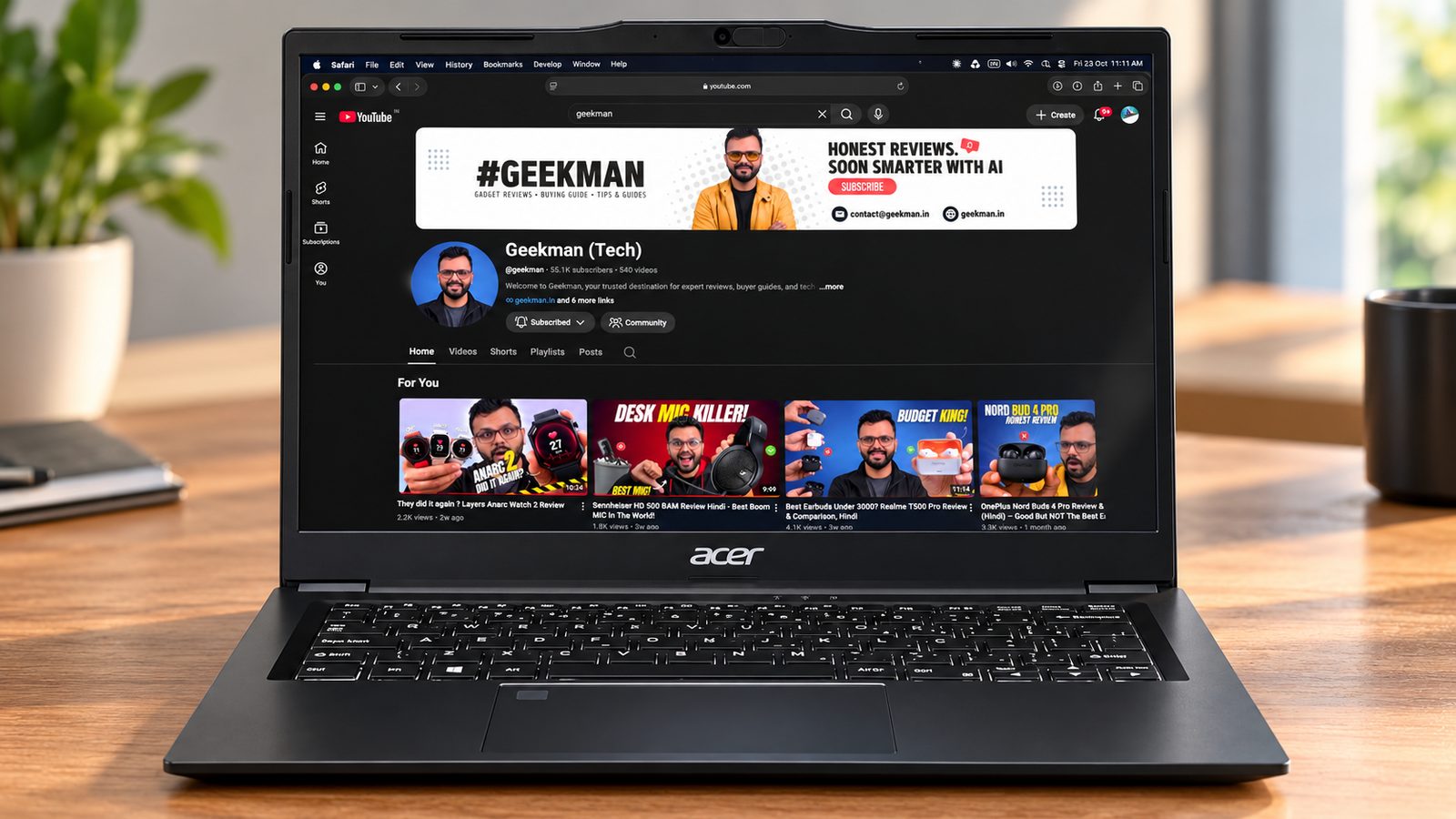
7.2Geekman Score
6.6 Performance
7.8 Value
7.0 Service


Ryzen 3 5400U · 16GB RAM · 512GB SSD · 14 inch FHD · Office included
Best for
✓ Students and office users who carry a laptop every day and want it under 1.4 kg
✓ People who live in Word, Excel, Google Docs and video calls and want Office ready on day one
✓ Anyone who keeps 20 or 30 browser tabs open and has been burned by 8GB laptops before
Skip if
• You want to edit video or play anything heavier than older and esports games (the Ryzen 3 5400U is an older entry chip; look at the Acer Aspire 5 AI or a laptop with a dedicated GPU)
• You want a bright, colourful screen for photo work (this is a basic panel)
• You need a big 15.6-inch screen with a number pad (the HP 15 suits that better)
My take: The reason to buy this is the mix of low weight, 16GB of RAM and a metal-feel build at a budget price, with Windows and Office Home and Student already licensed. The catch is the chip. The Ryzen 3 5400U is an older 4-core design, so it is comfortable with office work and streaming but slow the moment you export video or open heavy creative apps.

Acer TravelLite TL04-41M 14.0" FHD Laptop, AMD Ryzen 3 5400U, 16GB RAM
Up to 11% instant discount on select credit cards; cashback on Amazon Pay ICICI cards Details
- Up to 11% instant discount on select credit cards; cashback on Amazon Pay ICICI cards
Pros and cons
What I like
+ Light at about 1.34 kg
+ 16GB RAM handles many tabs and apps
+ Windows 11 and Office Home and Student included
+ LAN port, SD card reader and HDMI on a 14-inch body
What I don’t like
• Ryzen 3 5400U is an older, entry-level chip
• Dim, narrow-colour screen
• Battery is average, not all-day
My full review: who it suits, what it is like and how it compares
Who should buy it. A college student, teacher or office worker who carries the laptop in a backpack every day and mostly writes, browses, joins Zoom or Teams calls and watches lectures. At about 1.34 kg it is one of the lighter Windows laptops at this budget, and 16GB of RAM means Chrome with many tabs plus Office plus a call does not slow it down the way 8GB machines do. If you edit video, game seriously or need a large screen, spend on something else.
Performance. The Ryzen 3 5400U is a 4-core, 8-thread chip from AMD’s older Zen 3 mobile family with basic Radeon integrated graphics. For documents, spreadsheets, web apps, online classes and Netflix it is fine, and the SSD keeps boot and app launch quick. Light photo edits and short phone clips are possible, but exports take a long time. Reviewers of the TravelLite line found very light games like Valorant playable at low settings and GTA V only at 720p. Treat any gaming as a bonus.
Display. A 14-inch Full HD anti-glare panel. Full HD at 14 inches looks sharp enough for documents, and the matte finish helps under tube lights and in classrooms. It is a basic panel with narrow colours (around 45% NTSC on the TravelLite models) and roughly 250 nits, so it looks a little dull next to better screens and struggles outdoors. Fine for work and video, not for colour-critical editing.
Keyboard, build and ports. The body uses aluminium with polycarbonate parts and feels sturdier than most plastic budget laptops. The hinge goes back to 180 degrees, which is handy for showing your screen to someone across the table. Reviewers liked the tactile keyboard with backlighting, and the TravelLite range includes a fingerprint reader and a 720p webcam with a privacy shutter. For ports you get USB-A, USB-C, HDMI, an SD card reader and an Ethernet (LAN) port, which is rare on a light 14-inch laptop and useful in offices and hostels.
Battery and charging. It ships with a small 45W charger, so the bag weight stays low. Expect a working day of light office use to need a top-up by evening rather than lasting from morning to night; reviewers of the TravelLite line estimated around 4 to 5 hours of continuous work. The U-series chip does not draw much power, so battery holds up better on documents and browsing than on video calls at full brightness.
TravelLite 14 or Vivobook Go 14? Both weigh under 1.4 kg and come with Office. Buy the TravelLite for its 16GB of RAM, 512GB SSD, LAN port and SD reader. The Vivobook Go has Office 2024, a NumberPad and a MIL-STD-810H body, but only 8GB soldered and 256GB of storage.
TravelLite 14 or HP 15? The HP 15 is faster and has a bigger 15.6 inch screen with upgradable DDR5. The TravelLite is far lighter at about 1.34 kg, with 16GB and Office in the box. For carrying daily, take the Acer; for speed at a desk, take the HP.
Key specs
| CPU | AMD Ryzen 3 5400U, 4 cores, 8 threads, Radeon integrated graphics |
| Memory | 16GB, upgrade not stated |
| Display | 14 inch Full HD anti-glare, about 250 nits, about 45% NTSC |
| Storage | 512GB SSD |
| OS | Windows 11 Home with Office Home and Student 2021 |
| Weight | About 1.34 kg |
Best Intel Pick
4. Acer Aspire 3 (Core i3-1315U, 16GB, 512GB)
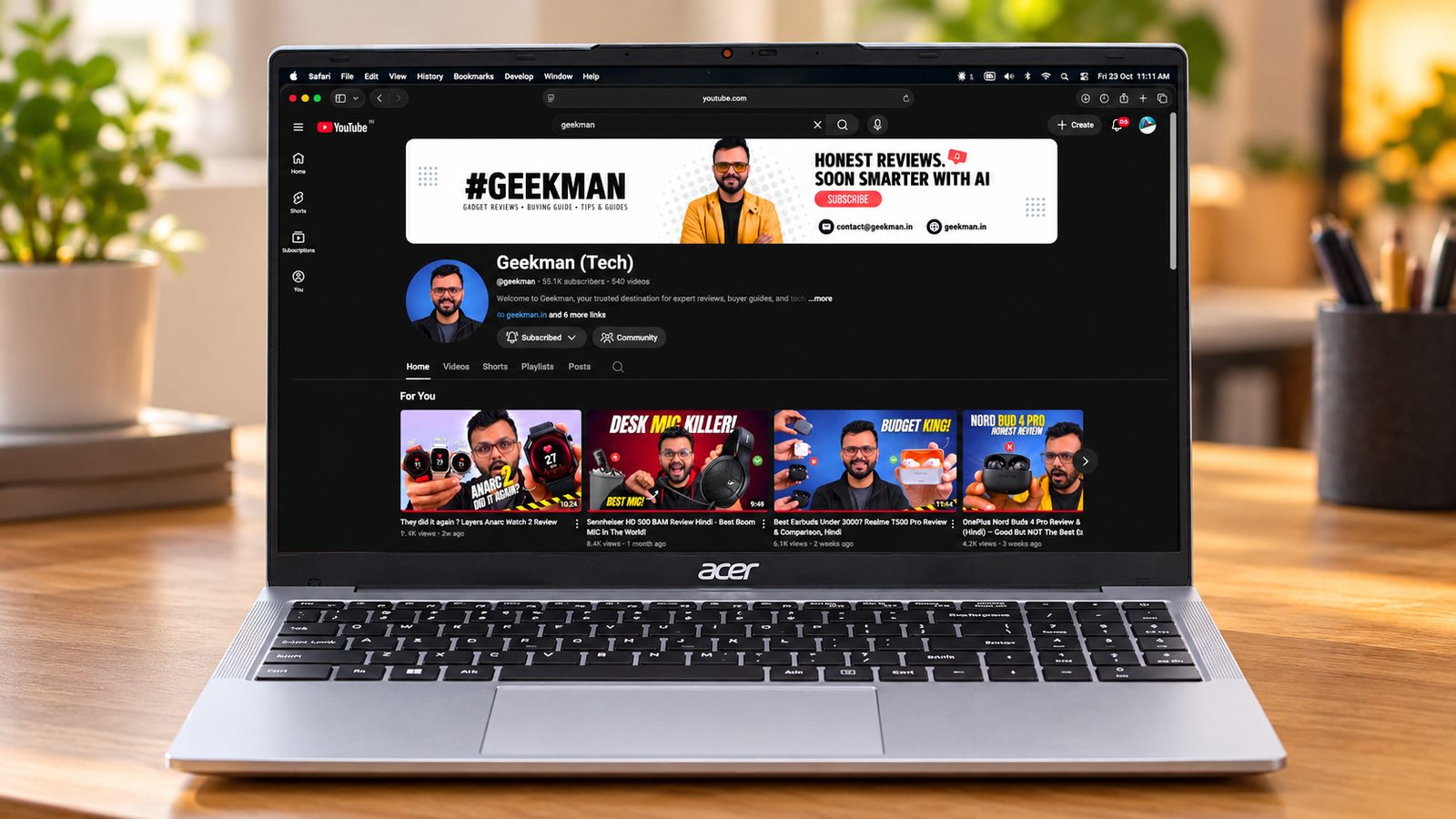
7.1Geekman Score
7.0 Performance
7.2 Value
7.0 Service


Core i3-1315U · 16GB, up to 32GB · 512GB SSD · 15.6 inch IPS · 1.7 kg
Best for
✓ College students who need Windows for Office, coding in Python or C++ and online exams
✓ Work-from-home users and traders running browsers, Excel and Zoom all day
✓ Buyers who want a big 15.6 inch screen with a numpad and Ethernet port
Skip if
• You type at night (there is no keyboard backlight; the Ryzen version of the Aspire 3 has one)
• You want to game (integrated graphics only; GTA V runs at about 25 to 30 fps)
• You want great speakers or a sharp webcam
My take: This is the plain, reliable kind of laptop most people need. A 13th gen Core i3 with 16GB DDR4 and a PCIe Gen4 SSD keeps Office, 15 to 20 browser tabs and coding tools running smoothly, the 15.6 inch full HD IPS screen has good angles, and it is light for its size. The catches are small: no backlit keyboard, a basic screen in terms of brightness and colour, and weak speakers.

Acer Aspire 3,Intel Core i3-1315U, 16GB DDR4 RAM/512GB SSD, 39.62 cm /15.6" FHD IPS Display, Win 11Home, Silver, 1.7 Kg, A325-53, BL Keyboard, Thin & Light Laptop
Up to 11% instant discount on select credit cards; cashback on Amazon Pay ICICI cards Details
- Up to 11% instant discount on select credit cards; cashback on Amazon Pay ICICI cards
Pros and cons
What I like
+ 16GB RAM and a fast PCIe SSD
+ 15.6 inch full HD IPS anti-glare screen
+ Ethernet, HDMI and microSD on board
+ Runs cool with long battery life on the 54Wh model
What I don’t like
• No backlit keyboard
• Basic, dim screen and quiet speakers
• Only one SSD slot
My full review: who it suits, what it is like and how it compares
Who should buy it. A student or office user who wants Windows, a big screen and enough RAM that it won’t feel slow in two years. Reviewers ran 15 to 20 tabs, Photoshop thumbnails, basic 1080p reels in Premiere Pro and Android Studio without major lag. It is not for gaming, 4K editing or anything that needs a dedicated GPU.
Performance. The 13th gen Core i3 U-series chip has a mix of performance and efficiency cores and runs at low power, so it stays cool: reviewers saw temperatures in the low 70s Celsius under load with no heating issues. The 16GB DDR4 RAM is plenty for multitasking. Reviewers found a PCIe Gen4 SSD with over 5000 MB/s reads on the Aspire 3, which makes boot and app loading quick. Light games work: Valorant at about 100 fps on low, GTA V at 25 to 30 fps on normal.
Display. The 15.6 inch full HD IPS panel has an anti-glare coating, about 250 nits and about 45% NTSC colour. Viewing angles are good with no colour shift, and text is sharp. It is a basic panel: fine for study, office work and online video indoors, not for colour-critical photo work or bright rooms.
Keyboard, build and ports. The plastic body has a little lid and keyboard flex and the screen wobbles slightly, but it is light at about 1.5 to 1.7 kg and the hinge goes to 180 degrees. The full-size keyboard with numpad has good travel, but no backlight. The large trackpad only clicks along the bottom edge. Ports are generous: USB-C (data on the unit reviewers checked), HDMI, three USB-A, Gigabit Ethernet, microSD, 3.5mm and a lock slot. The 720p webcam has a privacy shutter. Speakers are quiet; the Realtek audio console’s EQ helps a bit.
Battery and upgrades. The 13th gen Aspire 3 (A325-53) has a 54Wh battery, and a reviewer got about 7 hours of continuous movie playback online, and about 4 hours under heavy work. The 65W charger fills it in under 90 minutes. One RAM slot is free on 8GB units for up to 32GB, but there is only one SSD slot, so you upgrade storage by replacing the drive. Acer’s standard warranty is one year, with a wide service network. Some 16GB variants include MS Office Home and Student 2021.
Aspire 3 i3 or Modern 14? The Aspire 3 i3 gives you the bigger 15.6 inch screen, a numpad, Ethernet, a Gen4 SSD and a 54Wh battery that comfortably outlasts the MSI’s 39Wh. RAM is upgradable to 32GB here, while the MSI’s 16GB is soldered. Pick the MSI only if you need a backlit keyboard and a lighter body.
Key specs
| CPU | Intel Core i3-1315U, 13th gen |
| Memory | 16GB DDR4, upgradable to 32GB per the product page |
| Display | 15.6 inch Full HD IPS, anti-glare, about 250 nits, about 45% NTSC, 60Hz |
| Storage | 512GB PCIe SSD |
| OS | Windows 11 Home, no preinstalled software |
| Weight | About 1.7 kg |
| Warranty | 1 year (Acer standard) |
| Battery | 54 Wh on Aspire 3 A325-53 (the similar Aspire Lite AL15-53 with i3-1315U has only 36 Wh) |
Best Windows 11 Pro Value
5. HP 15 2026 (Ryzen 3 7335U, 8GB DDR5, 512GB)
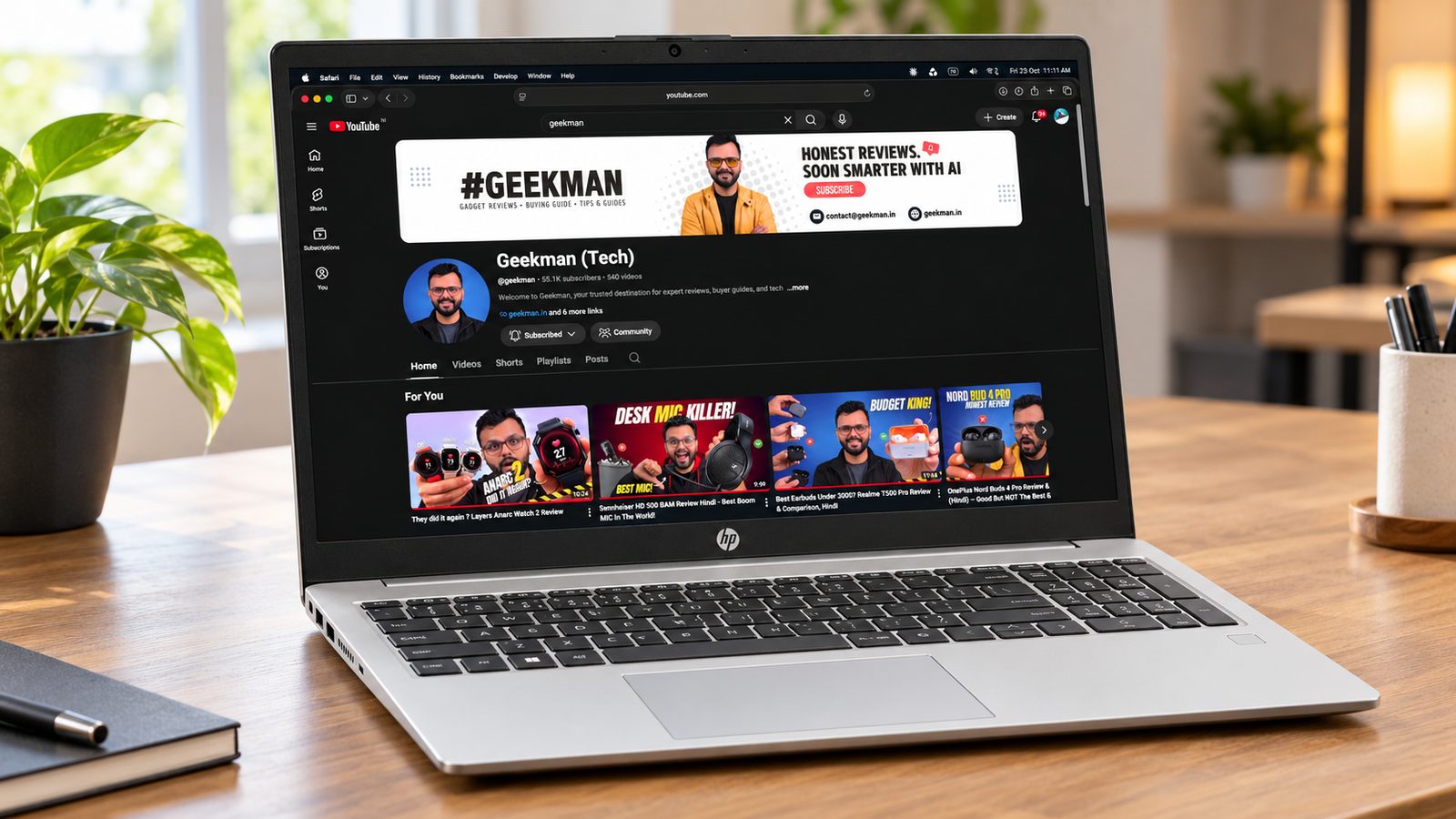
6.9Geekman Score
6.6 Performance
7.0 Value
7.5 Service


Ryzen 3 7335U · 8GB DDR5 · Up to 32GB · Windows 11 Pro · Webcam shutter
Best for
✓ Students and office users who want a big screen with a number pad for Excel and typing
✓ Buyers who want to start with 8GB and add a second RAM stick later
✓ People who like charging over USB-C and want a port that can drive an external monitor
Skip if
• You need a backlit keyboard for night typing (this has none; the Acer Aspire 3 AI has one)
• You carry the laptop all day (about 1.6 kg plus a 15.6-inch footprint; the Acer TravelLite is much lighter)
• You do colour work or edit 1080p video often (basic screen, no dedicated GPU)
My take: This is the HP commercial 15.6-inch platform, and the hardware is better than the price band suggests: the Ryzen 3 7335U runs at a higher power level than usual, the DDR5 RAM sits in a slot you can expand, and the SSD reviewers tested was fast. The weak spots are the dull screen, no keyboard backlight and only one USB-C port, which is also the charging port.

HP 15 (2026) DDR5 5600Mhz AMD Ryzen 3 Quad Core 7335U - (8 GB/512 GB SSD/Windows 11 Home) 15 - Copilot Key Thin and Light Laptop
Lowest price
Up to 11% instant discount on select credit cards; cashback on Amazon Pay ICICI cards Details
- Up to 11% instant discount on select credit cards; cashback on Amazon Pay ICICI cards
Pros and cons
What I like
+ Faster than most Ryzen 3 laptops
+ Free RAM slot, up to 32GB DDR5
+ USB-C charging with display output
+ Comfortable full-size keyboard with number pad
What I don’t like
• No keyboard backlight
• Single USB-C is also the charging port
• Dull 45% NTSC screen and short battery
My full review: who it suits, what it is like and how it compares
Who should buy it. A student, accountant or small-business user who works at a desk most of the day and wants a full-size keyboard with a number pad, a fast SSD and room to grow. It is a calm, no-frills machine. Buy the Windows 11 version as listed here; HP also sells the same laptop with DOS for less, but adding a genuine Windows licence yourself usually wipes out that saving.
Performance. The Ryzen 3 7335U is a 4-core, 8-thread chip that HP runs at about 28W, so it scores higher than most Ryzen 3 laptops; reviewers saw benchmark results ahead of the Ryzen 5 7520U in the Dell Pro 15. Over 100 Chrome tabs with videos playing in the background stayed smooth in testing. The Radeon 660M graphics ran GTA V at around 50 to 60 fps at 720p medium and older shooters at about 50 fps. Video editing is where it stops: short reels are fine, but reviewers found 1080p timelines laggy and renders slow.
Display. A 15.6-inch Full HD anti-glare panel at 250 nits, 60Hz and 45% NTSC. That means fine for documents, coding and streaming indoors, but colours are washed out and viewing angles are narrow, and it is hard to read near a sunny window. If you plan to learn photo editing, plan on an external monitor.
Keyboard, build and ports. The body is plastic with a silver finish. There is some flex on the lid and keyboard, but the hinge holds the screen steady and stays where you leave it; you need two hands to open it. Reviewers rated the full-size keyboard with number pad and Copilot key as good to type on, though there is no backlight. You get two USB-A ports, HDMI 1.4, a headphone jack, and one 10Gbps USB-C with charging and display output, plus HP’s barrel charging pin. The catch: the included 65W charger is USB-C, so while charging your only USB-C port is busy. A 720p webcam has a physical privacy shutter.
Battery and upgrades. The 41Wh battery gave around 4 hours of basic use at half brightness in testing, and 3 to 4 hours under heavier load, partly because the chip runs at higher power. Fast charging helps. Upgrades are the strong point: RAM is a single 8GB DDR5 stick with a free slot, so you can go to 16GB cheaply and up to 32GB, and the M.2 SSD can be swapped for a bigger one. HP’s service network in India is wide.
HP 15 or Dell Pro 15? Buy the HP 15. Its Ryzen 3 7335U actually beats the Dell’s Ryzen 5 7520U in Cinebench, its DDR5 RAM has a free slot up to 32GB, and its USB-C port charges and drives a display. Pick the Dell only if you want the 120Hz screen and Dell service.
Key specs
| CPU | AMD Ryzen 3 7335U, 4 cores, 8 threads |
| Memory | 8GB DDR5 4800 single stick, one free slot, up to 32GB |
| Display | 15.6 inch Full HD, 250 nits, 45% NTSC |
| Storage | 512GB PCIe NVMe SSD |
| OS | Windows 11 Pro |
| Battery | 41 Wh |
| Charger | 65W USB-C (charges through the only USB-C port) |
| Weight | About 1.6 kg |
Best Dell Service
6. Dell Pro 15 (Ryzen 5 7520U, 8GB DDR5, 512GB)
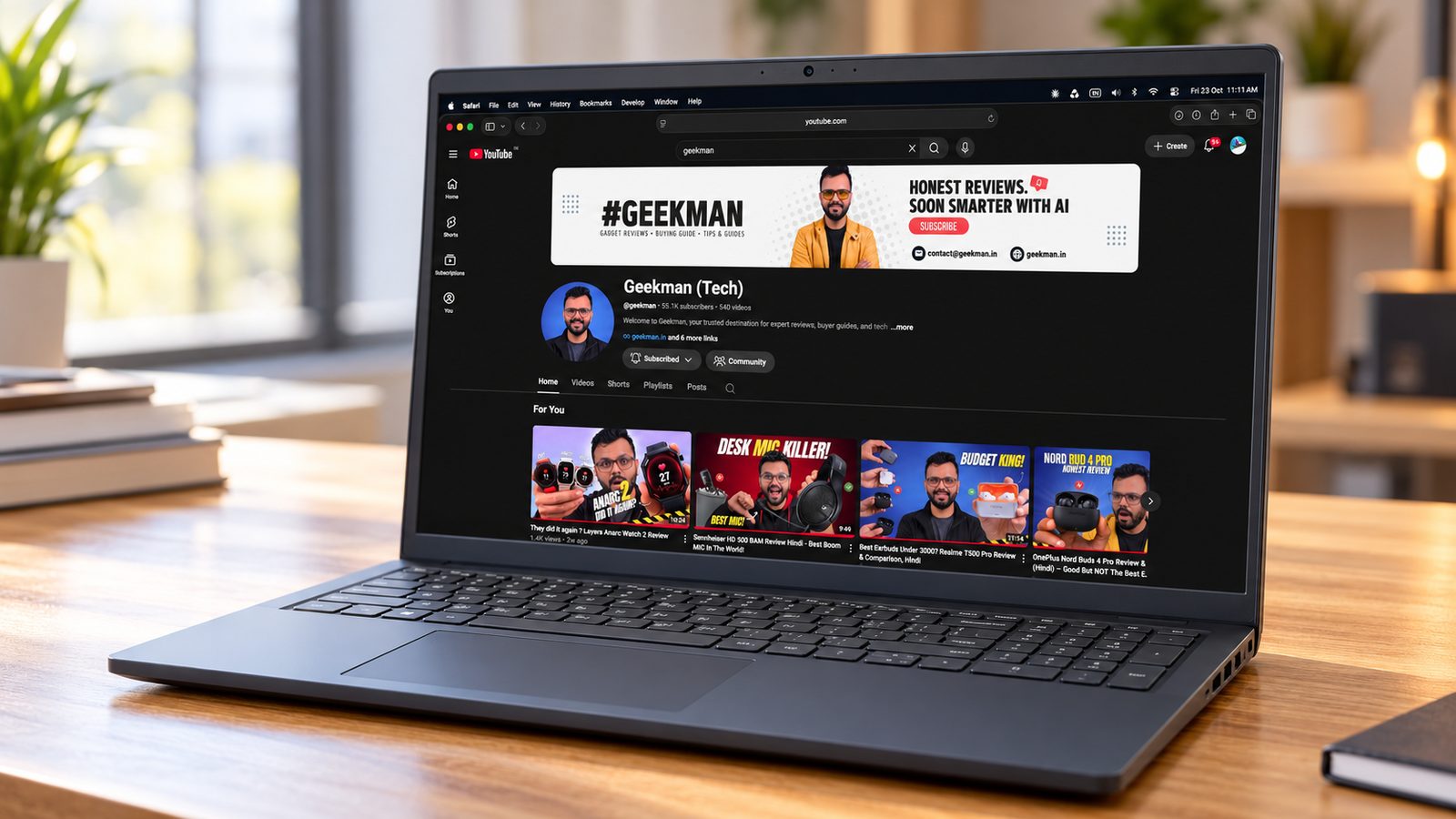
7.0Geekman Score
6.8 Performance
6.6 Value
8.0 Service


Ryzen 5 7520U · 8GB DDR5 · 120Hz screen · 512GB SSD · Windows 11 Pro
Best for
✓ Buyers who trust Dell and want its service network and business-line build
✓ Office users and students who like a smoother 120Hz screen for scrolling
✓ People who only do email, documents and browsing and will never need more than 8GB
Skip if
• You want the most speed for the money (the HP 15 with Ryzen 3 7335U is faster)
• You might need more than 8GB later (RAM is soldered)
• You want a backlit keyboard or USB-C charging (look at the Acer Aspire 3 AI)
My take: Buy this for the Dell name, the steady build and the 120Hz panel. The catch is the chip: the Ryzen 5 7520U sounds mid-range but uses AMD’s older Zen 2 design with a small 4MB cache, and it scores below the Ryzen 3 7335U in the HP. Add 8GB of soldered RAM and you have a laptop that is fine today for office work but has no headroom.

DELL PRO 15 (2025) AMD Ryzen 5 7520U Quad Core - (8 GB DDR5/512 GB SSD/AMD Radeon 610M Graphics/Windows 11 Pro)
Lowest price
Up to 11% instant discount on select credit cards; cashback on Amazon Pay ICICI cards Details
- Up to 11% instant discount on select credit cards; cashback on Amazon Pay ICICI cards
Up to 5% cashback on Flipkart Axis & Flipkart SBI credit cards Details
- Up to 5% cashback on Flipkart Axis & Flipkart SBI credit cards
Pros and cons
What I like
+ Smooth 120Hz IPS-type anti-glare screen
+ Solid, low-flex build
+ Dell’s service network
What I don’t like
• Ryzen 5 7520U is slower than it sounds
• 8GB RAM is soldered, no upgrade
• Weak port mix with a USB 2.0 port and short battery
My full review: who it suits, what it is like and how it compares
Who should buy it. Someone who has used Dell laptops for years, wants the brand’s service and is buying for office work, online classes and browsing. It is a calm, well-built machine. If you care more about performance for the money, the HP 15 in this guide does more for similar money.
Performance. The Ryzen 5 7520U is a 4-core, 8-thread chip with Radeon 610M graphics. Reviewers had 100 plus Chrome tabs and background apps open without stutter, and Photoshop thumbnail edits with many layers were fine. Benchmarks were modest, though: lower than the HP’s Ryzen 3 7335U. A 4K multi-layer Premiere edit was usable but took 6 to 7 minutes to render. Gaming is light only: around 60 to 70 fps in Valorant and 30 to 35 fps in GTA V at 1080p, while Forza Horizon 5 crashed.
Display. This is the best part. It is a 15.6-inch Full HD IPS-type (WVA) panel at 120Hz with an anti-glare coating, so scrolling and window movement look smoother than on the 60Hz panels in this guide, and viewing angles are better than budget TN screens. It is still only 250 nits and 45% NTSC, so colours are muted and it is weak outdoors. Good for work and movies, not for colour grading.
Keyboard, build and ports. The plastic body is solid with very little lid or keyboard flex, and the lift hinge raises the back for airflow. The full-size keyboard has a number pad but no backlight on the reviewed unit, and reviewers found the key feel only average. Ports are thin: one USB-A 5Gbps, one slow USB 2.0, one USB-C 5Gbps that the reviewer found does not charge or output video, HDMI 1.4 and a headphone jack. The 720p webcam is fine in good light and has no privacy shutter. Bluetooth is the older 5.0 version.
Battery and upgrades. The 41Wh battery lasted about 4 to 4.5 hours in testing, which is short for a U-series laptop. The 65W charger supports fast charging, but make sure Express Charge is switched on in the MyDell app. The 8GB LPDDR5 5500 RAM is soldered and cannot be upgraded; the M.2 SSD can be replaced with up to 1TB. Dell’s service network across Indian cities is a real plus for people who want on-site or nearby support.
Dell Pro 15 or HP 15? The Dell has the smoother 120Hz screen and a tidy business build. The HP is faster, has upgradable RAM and USB-C charging, while the Dell’s 8GB is soldered. Choose the Dell only if the screen and the Dell name matter more than headroom.
Key specs
| CPU | AMD Ryzen 5 7520U, 4 cores, 8 threads |
| Memory | 8GB LPDDR5 5500MT/s, soldered, not upgradable |
| Display | 15.6 inch Full HD, 120Hz, 250 nits, 45% NTSC |
| Storage | 512GB SSD, expandable to 1TB |
| OS | Windows 11 Pro |
| Battery | 41Wh, 65W charger |
Best Light 14 Inch
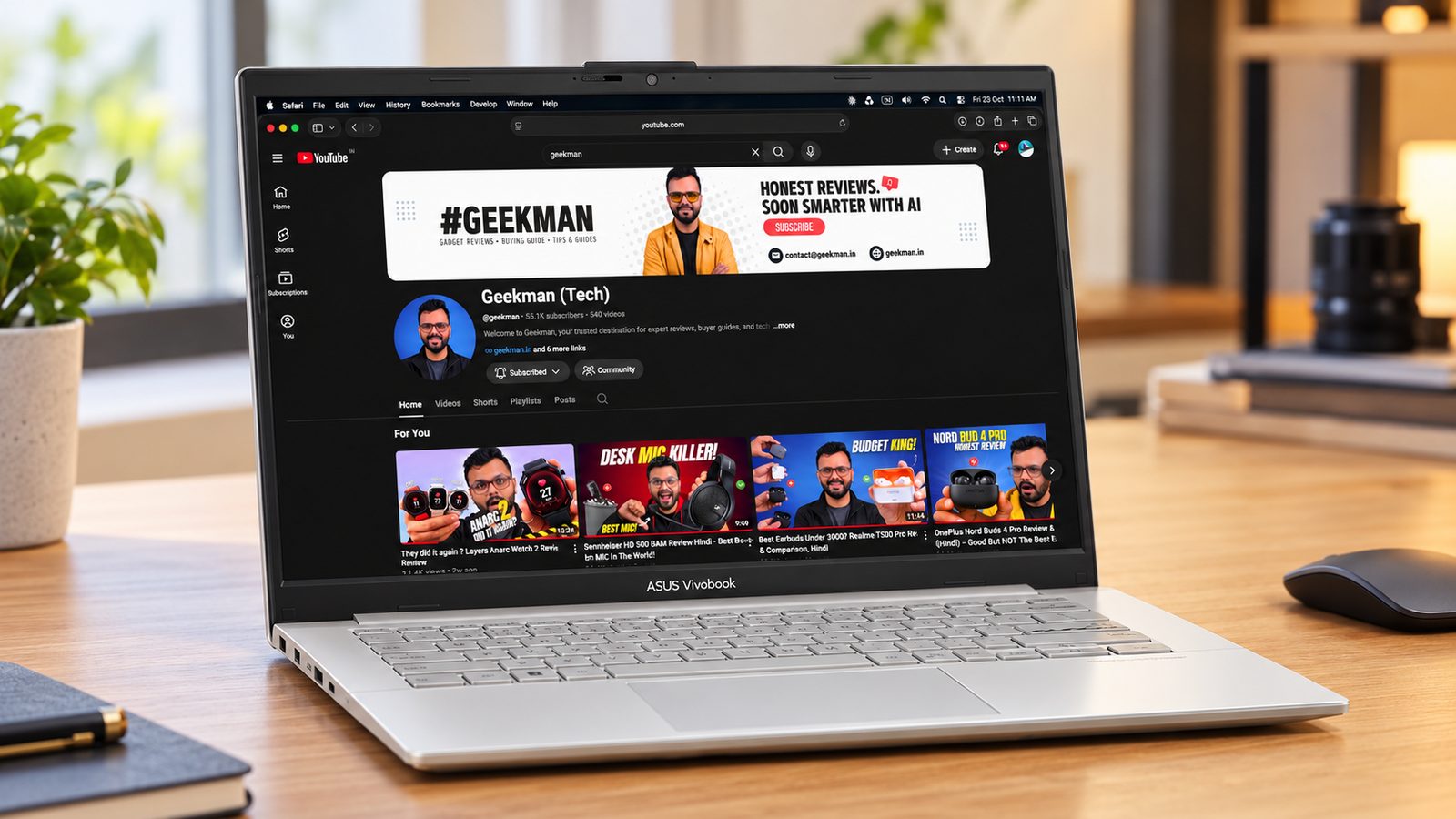
7. ASUS Vivobook Go 14 (Ryzen 3, 8GB, 256GB, Office 2024)
6.7Geekman Score
6.2 Performance
6.8 Value
7.5 Service


Ryzen 3 (4C/8T) · 8GB LPDDR5 · 256GB SSD · Office 2024 · 1.38 kg
Best for
✓ School and college students buying a first Windows laptop for notes, assignments and classes
✓ People who carry a laptop daily and want 1.38 kg with a sturdy, military-grade tested body
✓ Office users who want a licensed Office Home 2024 without paying for it separately
Skip if
• You keep many apps open or plan to keep it for 4 or 5 years (8GB is soldered; the Acer TravelLite has 16GB)
• You store a lot of photos, videos or games (256GB fills fast; check for the 512GB version)
• You want a backlit keyboard or USB-C charging (look at the Acer Aspire 3 AI or HP 15)
My take: The Vivobook Go 14 is easy to carry, well built for the money and ready to work out of the box with Windows 11 Home and Office Home 2024. The catch is long-term headroom. The Ryzen 3 7320U is a basic chip, the 8GB RAM is soldered, and the 256GB SSD in this config leaves little room once Windows and Office are installed.

ASUS Vivobook Go 14 (2026) with Office 2024 + M365 Basic AMD Ryzen 3 Quad Core 30 - (8 GB/512 GB SSD/Windows 11 Home) E1404FA-EB1414WS Thin and Light Laptop
Lowest price
Up to 11% instant discount on select credit cards; cashback on Amazon Pay ICICI cards Details
- Up to 11% instant discount on select credit cards; cashback on Amazon Pay ICICI cards
Up to 5% cashback on Flipkart Axis & Flipkart SBI credit cards Details
- Up to 5% cashback on Flipkart Axis & Flipkart SBI credit cards
Pros and cons
What I like
+ Light at 1.38 kg with a sturdy MIL-STD-810H tested build
+ Office Home 2024 included
+ NumberPad built into the touchpad
+ 180-degree hinge and webcam privacy shutter
What I don’t like
• 8GB RAM is soldered
• 256GB SSD fills up quickly
• No backlight, and USB-C cannot charge or output video
My full review: who it suits, what it is like and how it compares
Who should buy it. A student or first-time buyer who wants something light for the bag and simple daily work: Word, PowerPoint, browsing, recorded lectures and Zoom. It also suits a parent buying for a school-going child, thanks to the sturdy build. It is the wrong pick for anyone who multitasks heavily, edits video or wants to game.
Performance. The Ryzen 3 7320U is a 4-core, 8-thread chip with a small 4MB cache and Radeon 610M graphics. Reviewers found browsing with several apps open smooth, but warned that heavy multitasking will slow it down. A 1080p video edit in Premiere Pro worked without lag during editing, yet renders took 8 to 9 minutes, and 4K timelines lagged. Gaming is very light: GTA V ran at around 25 to 35 fps at 1080p and Forza Horizon 5 at about 15 to 20 fps.
Display. A 14-inch Full HD anti-glare screen at 250 nits and 60Hz with about 45% NTSC colour. Side viewing angles are decent, but it is not a true IPS panel: tilt the lid and the image darkens. It is fine indoors for study and streaming, and too dim for comfortable outdoor use. Reviewers found colour correction on it unreliable.
Keyboard, build and ports. The body is plastic with a metallic-finish lid, but flex is minimal and ASUS certifies it to the US MIL-STD-810H durability tests. At 1.38 kg and under 18 mm thick it is easy to carry. The hinge opens to about 180 degrees, and rubber bumpers on the bezel stop the keys marking the screen. There is no keyboard backlight. The touchpad doubles as a touch number pad, which is genuinely handy on a 14-inch laptop. Ports are a weak spot: HDMI 1.4, one USB-A 5Gbps, one slow USB 2.0 and a USB-C 5Gbps that cannot charge the laptop or drive a monitor. The 720p webcam has a privacy shutter.
Battery and upgrades. The 42Wh battery gave about 4 to 5 hours of normal use and 3 to 4 hours under load in testing, and the 45W charger tops it up to about 60% in roughly 50 minutes. RAM is 8GB LPDDR5 5500, soldered, with no upgrade path. There is a single M.2 slot, so going bigger means replacing the SSD (up to 1TB). The bundled Office Home 2024 licence and one year of Microsoft 365 Basic with 100GB cloud storage add real value.
Vivobook Go 14 or TravelLite 14? The Vivobook Go is ready out of the box with Office Home 2024, a NumberPad touchpad and a MIL-STD-810H body at 1.38 kg. The TravelLite has double the RAM at 16GB, a 512GB SSD and LAN. If you keep the laptop for years, the TravelLite’s extra memory is the safer bet.
Key specs
| CPU | AMD Ryzen 3 7320U, 4 cores, 8 threads, up to 4.1 GHz |
| Memory | 8GB LPDDR5 5500MT/s, soldered, not upgradable |
| Display | 14 inch Full HD, 60Hz, 250 nits, 45% NTSC |
| Storage | 256GB SSD |
| OS | Windows 11 Home, Office Home 2024, Microsoft 365 Basic for 1 year |
| Weight | About 1.38 kg |
| Battery | 42Wh, 45W charger |
Best Tablet Style
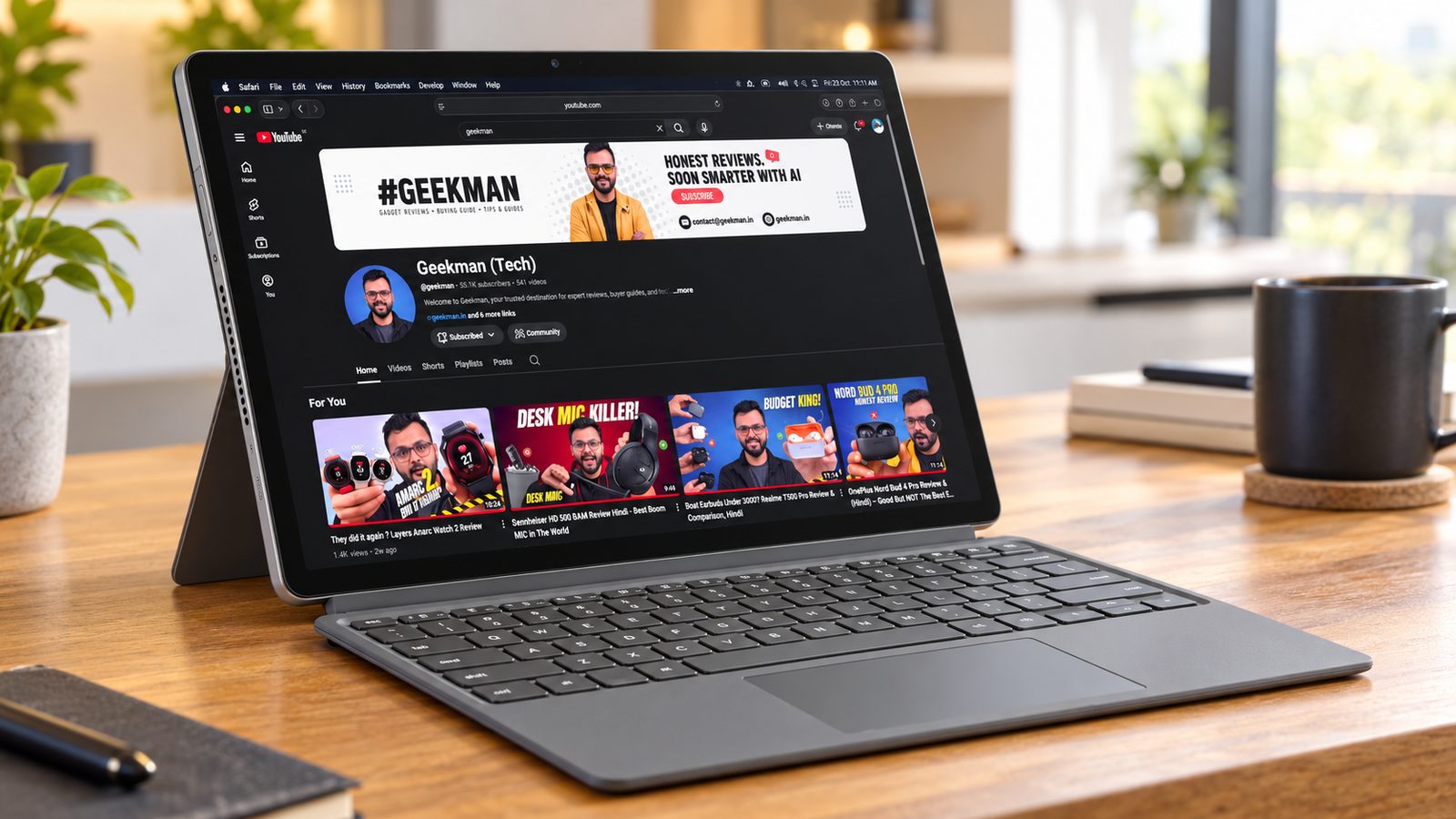
8. ASUS Chromebook CM32 Detachable (8GB, 128GB)
6.2Geekman Score
5.6 Performance
6.6 Value
6.5 Service


Kompanio 540 · 8GB RAM · 128GB eMMC · 12.1 inch 120Hz · ChromeOS
Best for
✓ Students who take handwritten notes or mark up PDFs with a stylus
✓ People who want one device for Netflix in bed and typing at a desk
✓ Frequent travellers who want something around 640 g for the tablet
Skip if
• You mostly type on your lap (the kickstand setup is wobbly there; a clamshell like the CM1405 is better)
• You plug in many accessories (one USB-C port means a hub)
• You want the most performance for the money (the CM1405 has the same chip for much less)
My take: The CM32 is about the screen and the form. The 12.1 inch 2560×1600 IPS panel at 120Hz and up to 600 nits is far ahead of every other Chromebook here, the speakers are surprisingly good, and the keyboard, stand and USI stylus all come in the box. But it has the same Kompanio 540 as the cheaper ASUS laptops, so you pay for the display and the 2-in-1 design, not for speed. Get the 8GB variant if you can.
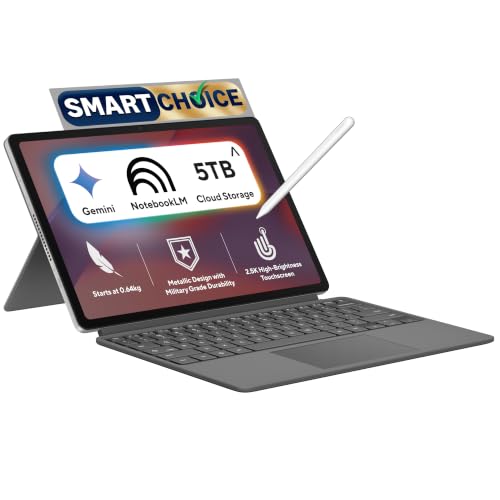
ASUS Chromebook CM32 Detachable (2026),Smartchoice,MediaTek Kompanio 540 Processor,8GB RAM,128GB SSD,Touchscreen,12.1"(30.7 cm),Chrome OS,Cloud Titanium,0.64 Kg,CM3206DM4A-TR0119,Thin & Light Laptop
Mega Festival Deal Up to 11% instant discount on select credit cards; cashback on Amazon Pay ICICI cards Details
- Up to 11% instant discount on select credit cards; cashback on Amazon Pay ICICI cards
Pros and cons
What I like
+ Sharp 2.5K 120Hz, 600 nit screen
+ Keyboard, stand and stylus included
+ Light 640 g tablet, metal build
+ Good speakers
What I don’t like
• Only one USB-C port
• Same modest chip as far cheaper models
• Wobbly on the lap, stiff stand
My full review: who it suits, what it is like and how it compares
Who should buy it. A student who wants a tablet for reading, notes and drawing that also becomes a laptop for assignments. The pressure-sensitive stylus charges wirelessly when you clip it on, and the tablet alone weighs about 640 g. If you just want a cheap laptop for typing and browsing, this is the wrong pick; the CM1405 does that for far less money.
Performance. It runs the same MediaTek Kompanio 540 with LPDDR5X memory as the CM14 and CM15. Reviewers found browsing, video streaming, Gmail, notes and Teams calls smooth, and light games ran fine. On the 4GB model, multitasking with several tabs, Docs and Android apps open becomes limiting, which is why reviewers recommend the 8GB version. It is not for video editing, demanding games or development.
Display and audio. This is the reason to buy it. The 12.1 inch 16:10 IPS touchscreen has a 2560×1600 resolution, a 120Hz refresh rate and up to 600 nits, with Gorilla Glass on top. Text is very sharp, scrolling feels smooth and colours are rich; reviewers measured wide colour coverage for a Chromebook. Blacks are weaker than OLED and direct sunlight is still hard. The speakers are loud and clear for such a slim tablet.
Keyboard, build and ports. The metal body is MIL-STD 810H rated. The magnetic keyboard has 1.35mm travel and is comfortable for long typing on a desk, but it feels less stable on your lap, and the stand is stiff at first. Bezels are thick, which helps grip in tablet mode. The big catch is ports: one USB-C and a headphone jack only, so you can’t charge and use a pen drive at the same time without a hub. There is no fingerprint reader. Cameras are 5MP front and back.
Battery and updates. The 42 Wh battery is rated for 12 hours. Reviewers got around 5 to 5.5 hours of continuous use at full brightness, and 8 to 9 hours of mixed daily use. It charges with the included 45W USB-C adapter.
CM32 Detachable or Vivobook Go 14? These are very different. The CM32 is a ChromeOS tablet with a 2.5K 120Hz 600 nit screen, a stylus and a 640 g tablet body, great for notes and streaming. The Vivobook Go runs full Windows 11 with Office 2024 and is the one to buy if you need desktop apps and a proper laptop keyboard.
Key specs
| CPU | MediaTek Kompanio 540, 8 cores |
| Memory | 4GB LPDDR5X |
| Display | 12.1 inch 2560×1600 IPS touch, 600 nits, 120Hz, 16:10 |
| Storage | 64GB eMMC |
| OS | ChromeOS |
| Weight and battery | About 0.64 kg, 42 Wh |
| Keyboard | Detachable soft keyboard |
| Ports | 1 USB-C, 3.5mm jack |
| Battery | 42 Wh, 45W USB-C charger, up to 12 hours claimed |
Questions other guides skip
The questions most laptop lists leave out
These are the questions buyers keep asking, and the guides I read rarely answer them. I checked each against the product pages.
1 · Can I upgrade the RAM later?
It depends on the model. The Acer Aspire Lite Metal, the Acer Aspire 3 and the HP 15 Windows version say up to 32GB. The Dell, MSI, TravelLite 14 and Vivobook Go 14 product pages say nothing, so ask the seller or check the maker page.
2 · Is 8GB enough?
For documents, browsing, video calls and light coding, yes. Windows 11 needs 4GB at minimum, and 8GB leaves room for a handful of apps. My rule of thumb, not a maker figure, is that design, heavy programming tools or many open tabs call for 16GB. The MSI Modern 14, the TravelLite 14 and the Aspire 3 have it here.
3 · Why does a cheap HP 15 come without Windows?
Some HP 15 offers are sold with DOS, which means no Windows is installed. The Windows 11 Pro version costs only a little more. You save little and then have to install Windows yourself. Always read the OS line.
4 · Is the screen good enough?
The HP 15, the Dell Pro 15 and the Vivobook Go 14 list 250 nits and 45% NTSC. That is a dim panel with muted colours. It works indoors, and it is poor outdoors or for photo work. The Dell does have a 120Hz refresh rate.
5 · Is Microsoft Office included?
Only on some. The TravelLite 14 lists Office Home and Student 2021 and the Vivobook Go 14 lists Office Home 2024. The Aspire Lite Metal and the Aspire 3 list no preinstalled software. Many colleges give students free Office through a college email, so check that before you pay for it.
6 · Are the laptops in other 50k lists still available?
Often not. Two laptops that a September round up of 50,000 picks featured, an Acer Ryzen 7 7730U model and a Samsung Galaxy Book4 with a Core i5 and 16GB, now cost well over this budget and show as unavailable. A buying guide is only useful if you can still buy what it recommends, so check the buy box.
7 · Same laptop name, different chip: how do I avoid the wrong one?
MSI sells the Modern 14 with different chips and RAM under almost the same name, for example a Ryzen 5 7530U and a Core i5-1235U with 16GB and a version with only 8GB. The names look almost the same. Read the processor and RAM in the title, and do not trust the photos or the model line alone.
8 · Is that cheap Android style 2-in-1 a laptop?
Not always. The HP Omnipad 12 looks like a laptop in photos, but it is an Android tablet. The ASUS Chromebook CM32 in this guide is a ChromeOS tablet with a detachable keyboard. Both are fine for browser work and neither runs Windows programs.
What this means for your buying decision
You carry it every day: the MSI Modern 14 at 1.4 kg, the Vivobook Go 14 at 1.38 kg, or the Chromebook at 0.64 kg.
You want a big screen: the Acer Aspire Lite Metal or the Acer Aspire 3.
You want 16GB: the MSI Modern 14, the TravelLite 14 if you want Office too, or the Aspire 3 if you prefer Intel.
You want Office included: the Acer TravelLite 14 or the ASUS Vivobook Go 14.
You trust Dell or HP service: the Dell Pro 15 or the HP 15 with Windows 11 Pro.
You work in the browser: the ASUS Chromebook CM32.
You study engineering or design: take 16GB, or go up to laptops under 60000 for a stronger chip.
Compare all 8 laptops at a glance
| Laptop | CPU | RAM | Screen | Software | Price |
|---|---|---|---|---|---|
| MSI Modern 14 | Core i5 or Ryzen 5, check version | 16GB, upgrade not stated | 14 inch FHD | Windows 11 Home | Check price |
| Acer Aspire Lite Metal | Ryzen 3 7330U, 4 cores | 8GB, up to 32GB | 15.6 inch IPS FHD | Windows 11 Home | Check price |
| Acer TravelLite 14 | Ryzen 3 5400U, 4 cores | 16GB, upgrade not stated | 14 inch FHD | Windows 11, Office 2021 | Check price |
| Acer Aspire 3 | Core i3-1315U | 16GB, up to 32GB | 15.6 inch IPS FHD | Windows 11 Home | Check price |
| HP 15 2026 | Ryzen 3 7335U, 4 cores | 8GB DDR5, up to 32GB | 15.6 inch FHD, 250 nits | Windows 11 Pro | Check price |
| Dell Pro 15 | Ryzen 5 7520U, 4 cores | 8GB DDR5, upgrade not stated | 15.6 inch FHD, 120Hz | Windows 11 Pro | Check price |
| ASUS Vivobook Go 14 | Ryzen 3, 4 cores | 8GB LPDDR5, 256GB SSD | 14 inch FHD, 250 nits | Windows 11, Office 2024 | Check price |
| ASUS Chromebook CM32 | Kompanio 540, 8 cores | 8GB, 128GB eMMC | 12.1 inch touch, 120Hz | ChromeOS | Check price |
Specs are from official pages. Prices move daily. Verify the exact variant before you buy.
The buying guide
How to choose a laptop under 50000
🧠
Processor
Core i5 or Ryzen 5 over entry chips.
🧩
RAM
8GB is the floor. 16GB is safer.
🪟
Windows
Read the OS line. Avoid DOS.
🖥️
Screen
Look for IPS and good brightness.
⚖️
Weight
Under 1.5 kg if you carry it daily.
🛡️
Warranty
Check the years and the service reach.
1 · Processor: cores matter more than the name
A Core i5 or Ryzen 5 with 6 or more cores handles tabs, calls and apps better than a Ryzen 3 with 4 cores. Treat Celeron and Athlon laptops as a last resort.
2 · RAM and storage
8GB RAM and a 512GB SSD is the least I would buy in 2026. If you can find 16GB, take it, and the MSI Modern 14 gives you that well under this budget. Ask whether the RAM is upgradable, because some models solder it.
3 · Windows and Office
Read the operating system line. A laptop sold with DOS has no Windows. Office is a bonus, and your college may give it free.
4 · Weight and size
The 14 inch Windows picks weigh 1.38 kg to 1.4 kg. The 15.6 inch picks weigh 1.65 kg and 1.7 kg. If you walk a lot, the 14 inch ones are kinder to your back.
5 · Crossed out prices
Stores show large crossed out prices. Ignore them and check the real price and bank offer at checkout.
6 · Warranty and service
Most list one year. Keep the invoice, register the laptop on day one and find the nearest service centre for your city before you buy.
Other laptops I looked at
Lenovo IdeaPad Slim 3 (Ryzen 3, Office 2024). It now costs just over this budget and the RAM is soldered at 8GB.
MSI Modern 15 (Core i5). It now sits above the limit.
Acer TravelLite 2026 (Ryzen 5 7430U, 16GB, 3 year warranty). A good laptop that costs just over the line. See my laptops for students guide.
HP Omnipad 12. It is an Android tablet, not a laptop.
Celeron N4500 and Athlon laptops. Cheap, but too slow for a laptop you plan to keep.
MacBook Neo. Good, but far above this budget. See my laptops under 80000 guide.
The verdict
Which laptop under 50000 should you buy?
Best overall: MSI Modern 14, for 16GB well under this budget. Check price
Best big screen: Acer Aspire Lite Metal, for a 15.6 inch IPS screen. Check price
Best 16GB with Office: Acer TravelLite 14, with Office 2021 included. Check price
Best Intel pick: Acer Aspire 3, with 16GB that can grow to 32GB. Check price
Best Windows 11 Pro value: HP 15 2026, with DDR5 RAM. Check price
Best Dell service: Dell Pro 15, with a 120Hz screen. Check price
Best light 14 inch: ASUS Vivobook Go 14, at 1.38 kg. Check price
Best tablet style: ASUS Chromebook CM32, at 0.64 kg. Check price
Not sure? Buy the MSI Modern 14. It gives you 16GB, a decent chip and a light body well under this budget.
More buying guides from Geekman
Best laptops for coding and programming
Best laptops for video editing
Popular laptops I’d skip under 50,000
This budget has plenty of good laptops, which is why the weak ones hide so well behind big brand names. Here is what I’d skip.
Lenovo IdeaPad Slim 1 (Ryzen 3 7320U, 8GB). It sells on the Lenovo badge, but the 15.6 inch screen is rated at just 220 nits, and its 8GB of LPDDR5 is soldered, so there is no way to add memory later. The Acer Aspire Lite Metal uses the newer Ryzen 3 7330U with 8GB that you can take up to 32GB.
Lenovo IdeaPad 1 15 (Core i3-1215U, 8GB). The Core i3-1215U is a generation older than what this budget gets you, and the 8GB of LPDDR4X is soldered memory. The Acer Aspire 3 uses the 13th gen Core i3-1315U and comes with 16GB of DDR4 that can go to 32GB.
HP 255 G10 with DOS (Ryzen 3 and Ryzen 5 versions). HP sells the 255 G10 in several versions with DOS instead of Windows, and the cheaper ones also have a 1366×768 screen at 250 nits. A Windows licence on top eats the saving. The HP 15 2026 comes with Windows 11 Pro and a Full HD screen.
Laptops under 50000 FAQ
Which is the best laptop under 50,000 in India in 2026?
The MSI Modern 14 with 16GB of RAM is my top pick. It has a 14 inch Full HD screen, a backlit keyboard and weighs 1.4 kg. For a big screen, take the Acer Aspire Lite Metal.
Can I get a Ryzen 5 or 16GB laptop under 50,000?
Yes, but the choice is small. 16GB laptops here are the MSI Modern 14, the Acer TravelLite 14 and the Acer Aspire 3 with a Core i3. A Ryzen 5 with 16GB mostly starts above 52,000 now. The Dell Pro 15 has a Ryzen 5 but only 8GB.
Is 8GB RAM enough in 2026?
For browsing, documents, video calls and light coding, 8GB works if you keep tabs under control. Windows 11 itself needs 4GB at minimum. For design, heavier programming tools or dozens of tabs, 16GB is safer.
Can I upgrade the RAM on these laptops later?
It depends on the model. The Acer Aspire Lite Metal, the Acer Aspire 3 and the HP 15 Windows version say up to 32GB. For the Dell, the MSI, the TravelLite 14 and the Vivobook Go 14, the product pages do not say, so ask the seller or check the maker page first.
What does DOS mean in a laptop spec sheet?
It means the laptop comes without Windows. Some HP 15 offers say DOS and Windows not installed. You then have to buy and install Windows yourself. The HP I picked ships with Windows 11 Pro.
Is Microsoft Office included with these laptops?
Only some. The Acer TravelLite 14 comes with Office Home and Student 2021 and the ASUS Vivobook Go 14 comes with Office Home 2024. The Acer Aspire Lite Metal and the Acer Aspire 3 have no preinstalled software. Check the product title for the word Office.
Is a Chromebook a good laptop under 50,000?
Only if your work is in the browser. The ASUS Chromebook CM32 is the cheapest pick here and weighs 0.64 kg, but it cannot run Windows software. Check what your college or office needs first.
Which laptop here has the best screen?
The Chromebook has the sharpest and brightest screen at 600 nits and 120Hz, but it is a tablet. Among Windows laptops, the Dell Pro 15 has a 120Hz panel, while the HP 15 and the Vivobook Go 14 list 250 nits and 45% NTSC, which is dim.
Why did you not pick a Celeron or Athlon laptop?
Celeron N4500 and Athlon laptops sell between 35,000 and 45,000 but are much slower than the Ryzen and Core chips here. I would not buy them for a laptop you plan to keep for three or four years.
Should I wait for a sale?
Prices move daily and bank offers change the final amount, so check the buy box before you pay. I saw some laptops in popular 50,000 buying guides jump well over budget or go out of stock within weeks.