

Short answer: buy the ASUS Chromebook CM1405 with 8GB at ₹28,990. To spend less, take the CM1405 with 128GB at ₹22,990. For a bigger screen take the CM1505, and for a tablet that becomes a laptop take the ASUS CM32.
Geekman has covered consumer tech for over 10 years, and this ranking is built the way our buying guides always are: research first, then a hard look at the numbers. For every model we compared official specs, chip and memory, screen, ports, battery, price, warranty and service reach, and checked live prices on Amazon and Flipkart.
Every laptop here runs ChromeOS. Android laptops like the Primebook are not Chromebooks, so they are left out. Refurbished listings are left out too.
Pick in 30 seconds
Which Chromebook fits you?
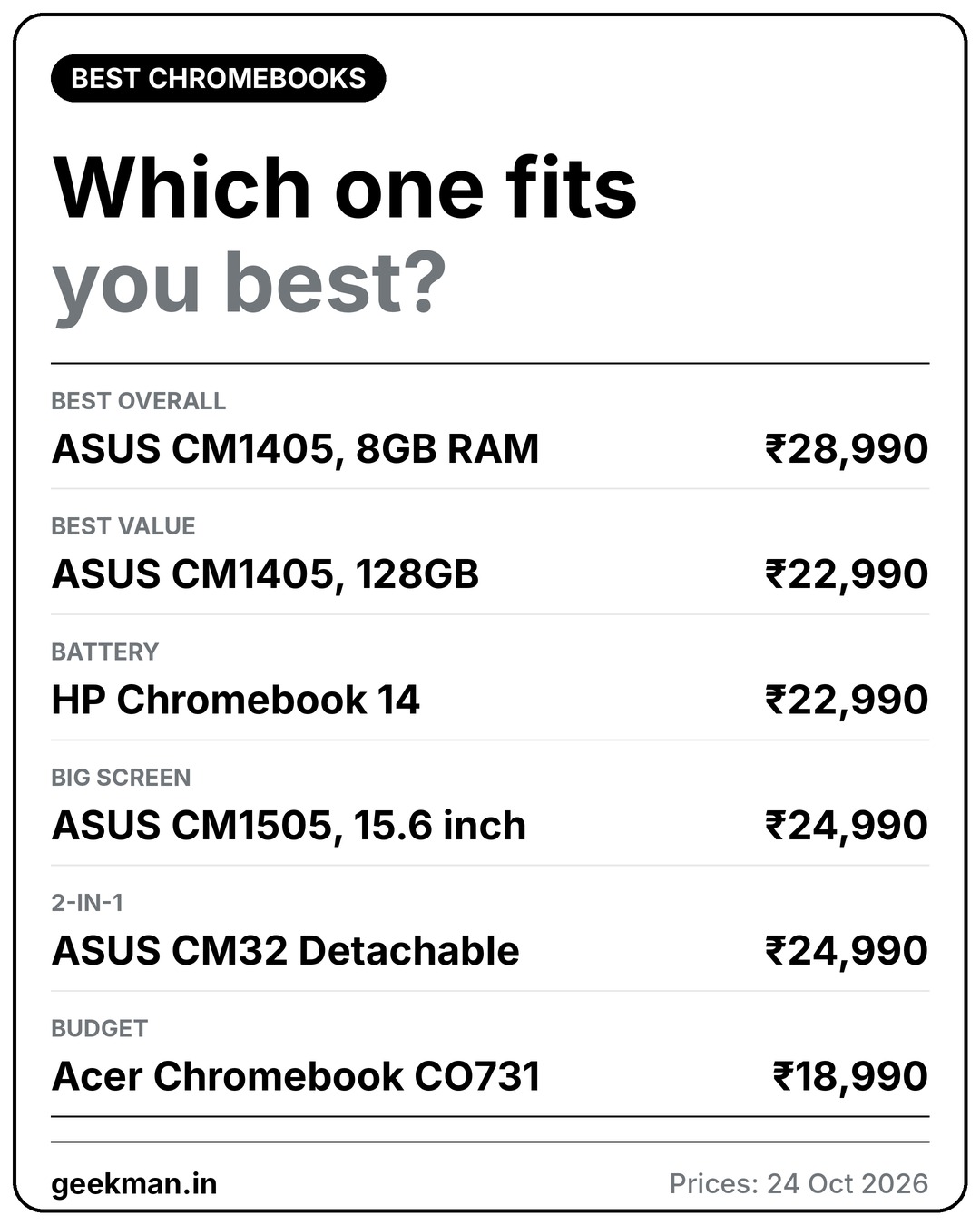
If none of these rows sounds like you, read on. The ranking, a guide to what you do and the full reviews follow, and live prices sit under each review.
What a Chromebook is for
Who should buy a Chromebook in 2026
A Chromebook is a fast, light laptop for browser work: Google Docs, Meet, online classes, video streaming and Android apps. It starts in seconds and needs little maintenance. It does not run Windows programs, so Tally, Photoshop and most coding tools need a Windows laptop. If you need Windows, read my laptops under 35000 or laptops under 30000 guides. For students, see best laptops for students.
The ranking
How I ranked these Chromebooks
Each Chromebook gets a score out of 10 for performance (40%), value (40%) and service (20%). Performance looks at the chip, memory, storage, screen and ports. Value is price against what you get. Service looks at warranty, brand reach and how easy it is to get help.
See the scores
| # | Chromebook | Perf. | Value | Service | Overall |
|---|---|---|---|---|---|
| 1 | ASUS Chromebook CM1405 (Kompanio 540, 8GB, 128GB) | 6.8 | 8.0 | 7.0 | 7.3 |
| 2 | ASUS Chromebook CM1405 (Kompanio 540, 4GB, 128GB) | 6.4 | 7.4 | 7.0 | 6.9 |
| 3 | HP Chromebook 14 (Kompanio 540, 4GB LPDDR5, 128GB UFS) | 5.8 | 7.0 | 7.0 | 6.5 |
| 4 | ASUS Chromebook CM1505 (Kompanio 540, 4GB, 128GB, 15.6 inch) | 6.0 | 6.6 | 7.0 | 6.4 |
| 5 | ASUS Chromebook CM32 Detachable (4GB, 64GB, 12.1 inch 2-in-1) | 5.6 | 6.0 | 6.5 | 5.9 |
| 6 | Acer Chromebook CO731 (Celeron N4500, 11.6 inch) | 4.8 | 6.4 | 7.0 | 5.9 |
Scores weigh performance 40%, value 40% and service 20%. They come from official specs, listing details and live prices on 24 October 2026.
Quick picks
| Pick | Chromebook | Best for |
|---|---|---|
| Best Overall | ASUS Chromebook CM1405 (Kompanio 540, 8GB, 128GB) | The best screen, ports and battery here, with 8GB of memory, at ₹28,990 |
| Best Value | ASUS Chromebook CM1405 (Kompanio 540, 4GB, 128GB) | The same excellent 14 inch Full HD Chromebook with double the storage, at ₹22,990 |
| Best Battery And Memory Speed | HP Chromebook 14 (Kompanio 540, 4GB LPDDR5, 128GB UFS) | A 47 Wh battery, fast LPDDR5-6400 memory and 100GB of Google One for a year, at ₹22,990 |
| Best Big Screen | ASUS Chromebook CM1505 (Kompanio 540, 4GB, 128GB, 15.6 inch) | A 15.6 inch Full HD screen, 50 Wh battery and 1080p camera with 128GB, for ₹24,990 |
| Best 2-in-1 | ASUS Chromebook CM32 Detachable (4GB, 64GB, 12.1 inch 2-in-1) | A 12.1 inch 2560 by 1600 screen at 600 nits and 120Hz, as a tablet or a laptop, for ₹24,990 |
| Best Budget | Acer Chromebook CO731 (Celeron N4500, 11.6 inch) | An Intel Celeron N4500 Chromebook at 1.2 kg for ₹18,990, for basic tasks only |
Tap a name to jump to its review. Live prices are in the buy box under each review. Prices are as seen on 24 October 2026 and bank offers can change them.
Match it to your use
Which Chromebook for what you do
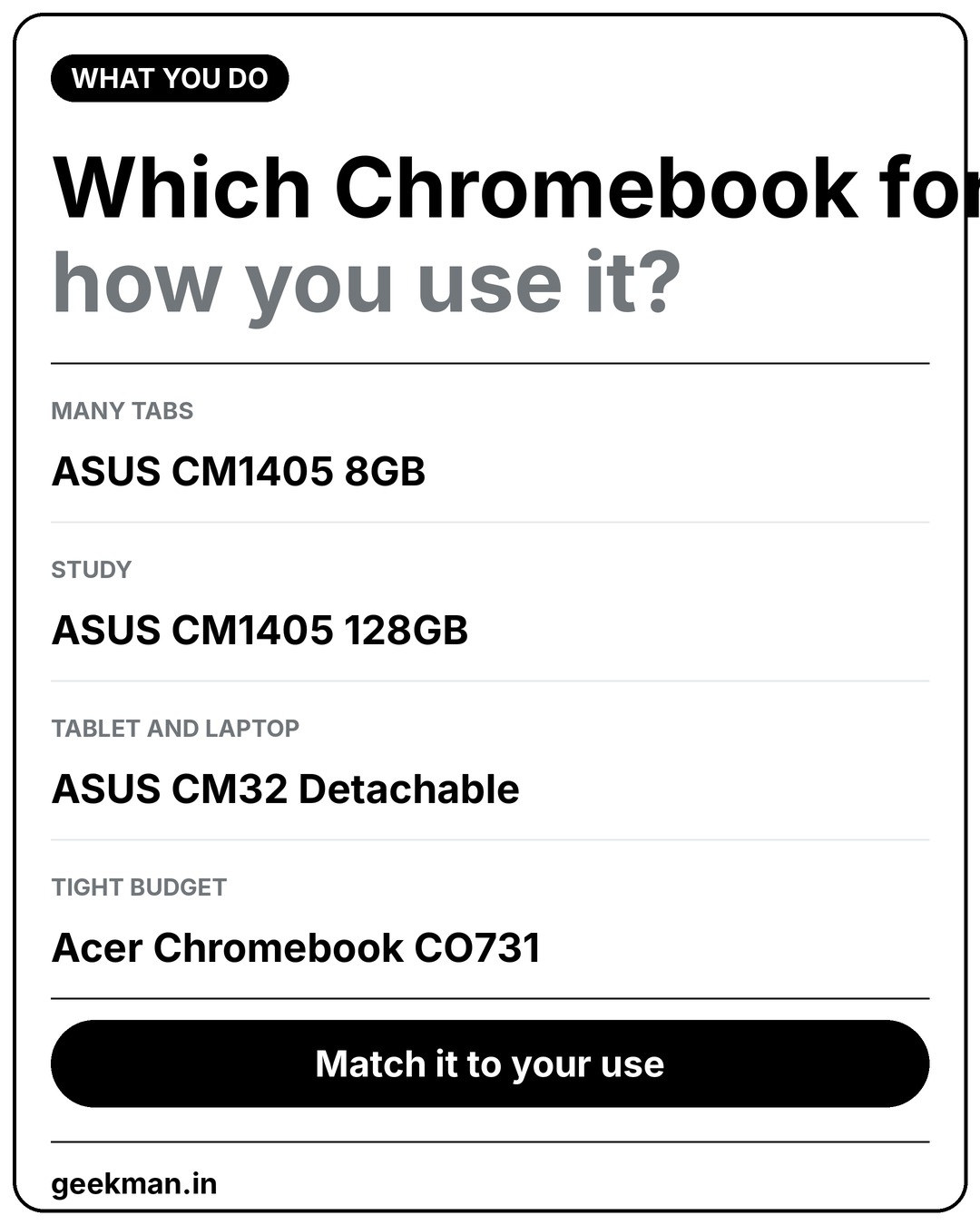
The right pick depends on how it will be used. This is how I would match them.
🎓
School and college
ASUS CM1405 128GB for the Full HD screen.
🧠
Many tabs
ASUS CM1405 8GB, the only one with 8GB of RAM.
📱
Tablet and laptop
ASUS CM32 Detachable with a 600 nit screen.
💰
Tight budget
Acer CO731 at ₹18,990.
The reviews
Best Chromebooks in India: 6 picks
Best Overall
1. ASUS Chromebook CM1405 (Kompanio 540, 8GB, 128GB)
7.3 Overall
6.8 Performance
8.0 Value
7.0 Service
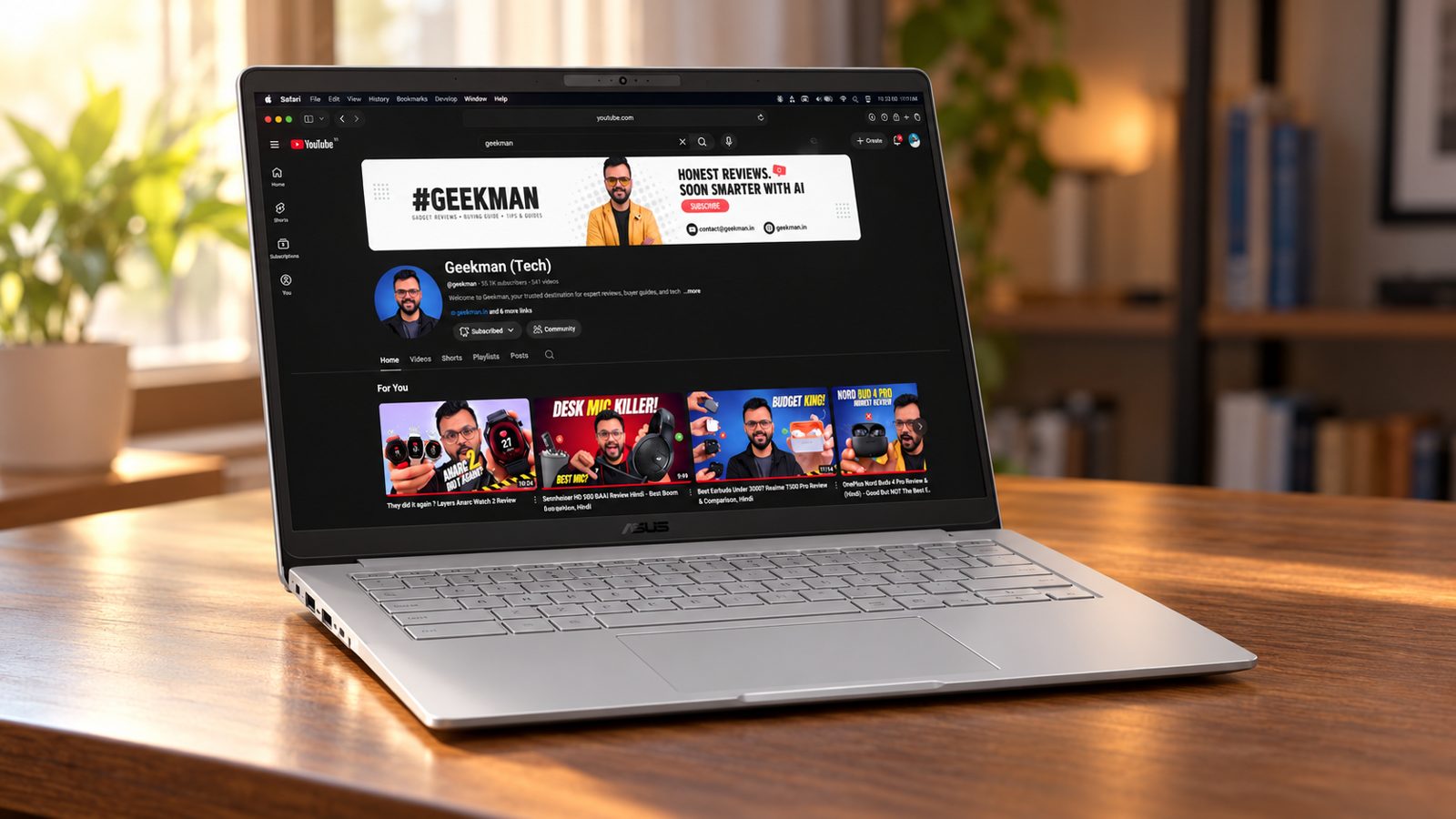
Kompanio 540, 8 cores · 8GB LPDDR5X, 128GB · 14 inch Full HD, 300 nits · Wi-Fi 6, 1080p camera · 42 Wh, 1.37 kg
Best for
✓ Students and professionals who work in a browser
✓ Anyone who wants a light laptop with solid battery life
✓ Parents buying a first laptop for a child
Not ideal for
– People who need Windows programs like Tally or Photoshop
– Anyone who wants a lot of local storage
– Buyers who want a number pad
Verdict: The best buy at this budget if your work lives in a browser. It has more memory, a better screen and better ports than the Windows laptops in the same price band.


ASUS Chromebook CM1405 (2026), Smartchoice, MediaTek Kompanio 540 Processor, 8GB RAM, 128GB SSD, FHD, 14"(35.5 cm), Chrome OS, Pure Grey, 1.37 Kg, CM1405CM4A-S60033, Thin & Light Laptop

Up to 10% instant discount on select credit cards +1
- Up to 10% instant discount on select credit cards
- Cashback with Amazon Pay ICICI Bank Credit Cards
Pros and cons
What we like
+ 8GB RAM and Full HD 300 nit screen
+ 2 USB-C, USB-A and HDMI
+ Wi-Fi 6 and a 1080p camera with shutter
What we don’t like
– ChromeOS only
– 128GB eMMC storage
– No number pad
Full review
Most laptops between ₹30,000 and ₹35,000 on Amazon in October 2026 are Celeron machines or old business laptops sold by third parties. The ASUS Chromebook CM1405 with 8GB of RAM sits below that range at ₹28,990 and is better than most of them for browser based work. It runs ChromeOS, so it does not run Windows programs.
Everyday speed. The MediaTek Kompanio 540 has 8 cores and 8GB of LPDDR5X memory. Google Docs, Sheets, Meet, video streaming and 15 or more tabs run comfortably. The 8GB of RAM is what separates it from the 4GB Chromebooks that cost ₹10,000 less.
Screen and body. The 14 inch panel is Full HD at 300 nits with an anti glare finish, which is better than the HD screens on the Acer Celeron laptops here. It weighs 1.37 kg and carries a 1080p camera with a privacy shutter.
Ports and battery. You get two USB-C ports that support display and charging, one USB-A, HDMI 1.4 and Wi-Fi 6 with Bluetooth 5.4. The battery is 42 Wh. Treat battery life as unproven until you use it, because the listing gives no hours figure.
The catch. Storage is 128GB of eMMC, which is slower than an SSD, and ChromeOS cannot run Windows software. If you need Tally, Photoshop or any .exe program, pick a Windows laptop from this list instead.
Price. Amazon lists it at ₹28,990 on 24 October 2026.
ASUS Chromebook CM1405 (Kompanio 540, 8GB, 128GB) vs the competition. It costs ₹5,000 less than the Avita Liber E and has a better screen, but the Avita has a Core i5 and runs Windows.
Key specs
| CPU | MediaTek Kompanio 540, 8 cores |
| Memory | 8GB LPDDR5X |
| Storage | 128GB eMMC |
| Display | 14 inch Full HD, 300 nits, anti glare |
| OS | ChromeOS |
| Battery and weight | 42 Wh, 1.37 kg |
| Ports | 2 USB-C, USB-A, HDMI 1.4, audio |
| Wireless and camera | Wi-Fi 6, Bluetooth 5.4, 1080p with shutter |
Best Value
2. ASUS Chromebook CM1405 (Kompanio 540, 4GB, 128GB)
6.9 Overall
6.4 Performance
7.4 Value
7.0 Service
Kompanio 540, 8 cores · 4GB RAM, 128GB · 14 inch Full HD, 300 nits · 42 Wh battery · 1.37 kg
Best for
✓ Students who keep files, PDFs and downloads on the laptop
✓ People who want one dependable Chromebook
✓ Anyone who wants a proper Full HD screen
Not ideal for
– People who need Windows programs
– Anyone who wants more than 4GB of RAM
– Buyers who want an Intel chip
Verdict: The best all round Chromebook at this price. The 128GB of storage fixes the main weakness of the cheaper 64GB model.
ASUS Chromebook CM1405 (2026), Smartchoice, MediaTek Kompanio 540 Processor, 4GB RAM, 128GB SSD, FHD, 14"(35.5 cm), 60Hz, Chrome OS, Pure Grey, 1.37 Kg, CM1405CM4A-S60101, Thin & Light Laptop
Mega Festival Deal Up to 10% instant discount on select credit cards +1
- Up to 10% instant discount on select credit cards
- Cashback with Amazon Pay ICICI Bank Credit Cards
Pros and cons
What we like
+ Full HD 300 nit screen
+ 128GB storage
+ 2 USB-C, USB-A and HDMI
What we don’t like
– 4GB of RAM
– ChromeOS only
– ₹5,000 more than the 64GB model
Full review
The CM1405 with 128GB is my pick at ₹22,990. It is the same laptop as the ₹17,990 model, with a 14 inch Full HD screen, a 42 Wh battery and a full set of ports, but with room for your files. It runs ChromeOS, so it is for browser and Android app work and not for Windows programs.
Everyday speed. The MediaTek Kompanio 540 has 8 cores and suits ChromeOS well. Docs, Meet, video streaming and plenty of tabs run smoothly, and 4GB of RAM is the only real ceiling.
Screen and body. The 14 inch panel is Full HD at 300 nits, a clear step up from the HD panels on cheaper Chromebooks. At 1.37 kg it is easy to carry.
Ports and battery. The listing shows two USB-C ports, a USB-A port and HDMI, and a 42 Wh battery.
The catch. Memory stays at 4GB. If you want more headroom for tabs, no Chromebook in this price band offers it.
Price. Amazon lists it at ₹22,990 on 24 October 2026. The 64GB version is ₹17,990.
ASUS Chromebook CM1405 (Kompanio 540, 4GB, 128GB) vs the competition. It costs the same as the HP Chromebook 14 and has a sharper Full HD screen and a bigger battery, while the HP has a 128GB UFS drive and 100GB of Google One for a year.
Key specs
| CPU | MediaTek Kompanio 540, 8 cores |
| Memory | 4GB |
| Storage | 128GB |
| Display | 14 inch Full HD, 300 nits |
| OS | ChromeOS |
| Battery and weight | 42 Wh, 1.37 kg |
| Ports | 2 USB-C, USB-A, HDMI |
| Warranty | Check the listing for the exact period |
Best Battery And Memory Speed
3. HP Chromebook 14 (Kompanio 540, 4GB LPDDR5, 128GB UFS)
6.5 Overall
5.8 Performance
7.0 Value
7.0 Service
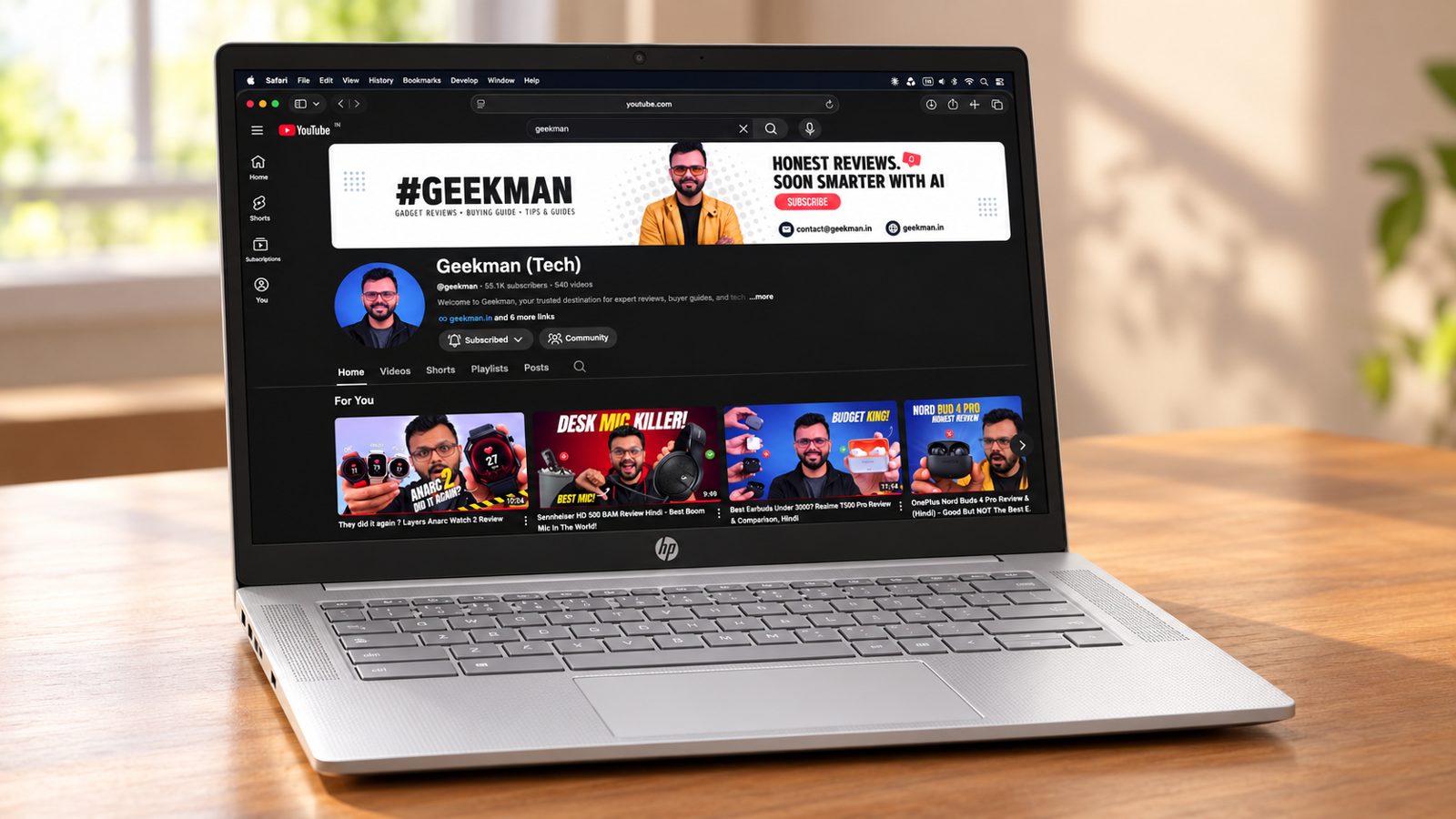
Kompanio 540, 8 cores · 4GB LPDDR5-6400 · 128GB UFS · 14 inch HD, 250 nits · 47 Wh, 1.35 kg
Best for
✓ People who want the longest battery in the group
✓ Buyers who like HP service and support
✓ Users who will use Google Drive heavily
Not ideal for
– Anyone who wants a Full HD screen
– People who look at colour accuracy
– Buyers who want the lowest price
Verdict: A solid, well supported Chromebook with a larger battery and faster memory, held back by an HD screen with limited colour range.
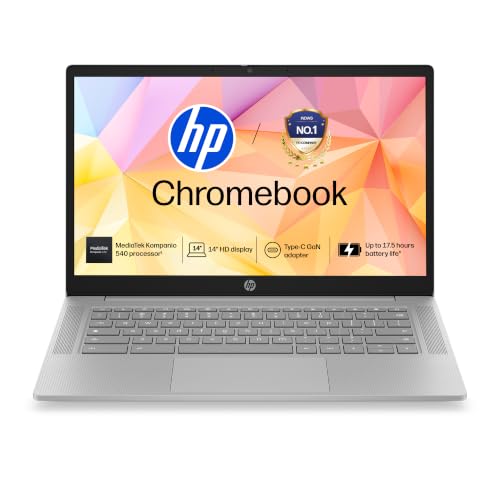
HP Chromebook 14, MediaTek Kompanio 540 (4GB LPDDR5, 128GB UFS) HD, Anti-Glare, Micro-Edge, 14''/35.6cm, ChromeOS, 100 GB Google One(1yr), Modern Gray,1.35kg, nm0004MU, HD Camera w/Shutter Laptop
Great Indian Festival Up to 10% instant discount on select credit cards +1
- Up to 10% instant discount on select credit cards
- Cashback with Amazon Pay ICICI Bank Credit Cards
Pros and cons
What we like
+ 47 Wh battery with fast charge
+ LPDDR5 memory and 128GB UFS
+ 100GB Google One for a year
What we don’t like
– HD 250 nit screen
– 62.5% sRGB colour
– 4GB of RAM
Full review
HP’s Chromebook 14 uses the same Kompanio 540 chip as the ASUS models but pairs it with faster LPDDR5-6400 memory, a 128GB UFS drive and a 47 Wh battery. It also includes 100GB of Google One storage for a year, which is useful on a Chromebook. The catch is the screen, which is HD rather than Full HD.
Everyday speed. The Kompanio 540 has 8 cores, and the LPDDR5-6400 memory is faster than the memory used on cheaper Chromebooks, which helps with tab switching. The memory is still 4GB, so tab limits are similar to the ASUS models.
Screen and body. The 14 inch panel is HD at 250 nits and covers about 62.5% of sRGB according to the listing, so colours look flat and it is dimmer than the 300 nit ASUS screens. The body weighs 1.35 kg.
Battery and charging. The 47 Wh battery is larger than the CM1405’s 42 Wh, and HP lists fast charging to 50% in 45 minutes. A 720p camera is included.
Extras. You get 100GB of Google One for one year with the laptop, which gives you cloud room for files.
The catch. The HD screen is the weak point. If you read a lot or watch video, the Full HD ASUS is nicer to look at for the same price.
Price. Amazon lists it at ₹22,990 on 24 October 2026.
HP Chromebook 14 (Kompanio 540, 4GB LPDDR5, 128GB UFS) vs the competition. It costs the same as the ASUS CM1405 128GB and has a bigger battery and faster memory, but a lower resolution, dimmer screen.
Key specs
| CPU | MediaTek Kompanio 540, 8 cores |
| Memory | 4GB LPDDR5-6400 |
| Storage | 128GB UFS |
| Display | 14 inch HD, 250 nits, 62.5% sRGB |
| OS | ChromeOS |
| Battery and weight | 47 Wh, 1.35 kg, fast charge to 50% in 45 min |
| Camera | 720p |
| Extras | 100GB Google One for 1 year |
Best Big Screen
4. ASUS Chromebook CM1505 (Kompanio 540, 4GB, 128GB, 15.6 inch)
6.4 Overall
6.0 Performance
6.6 Value
7.0 Service
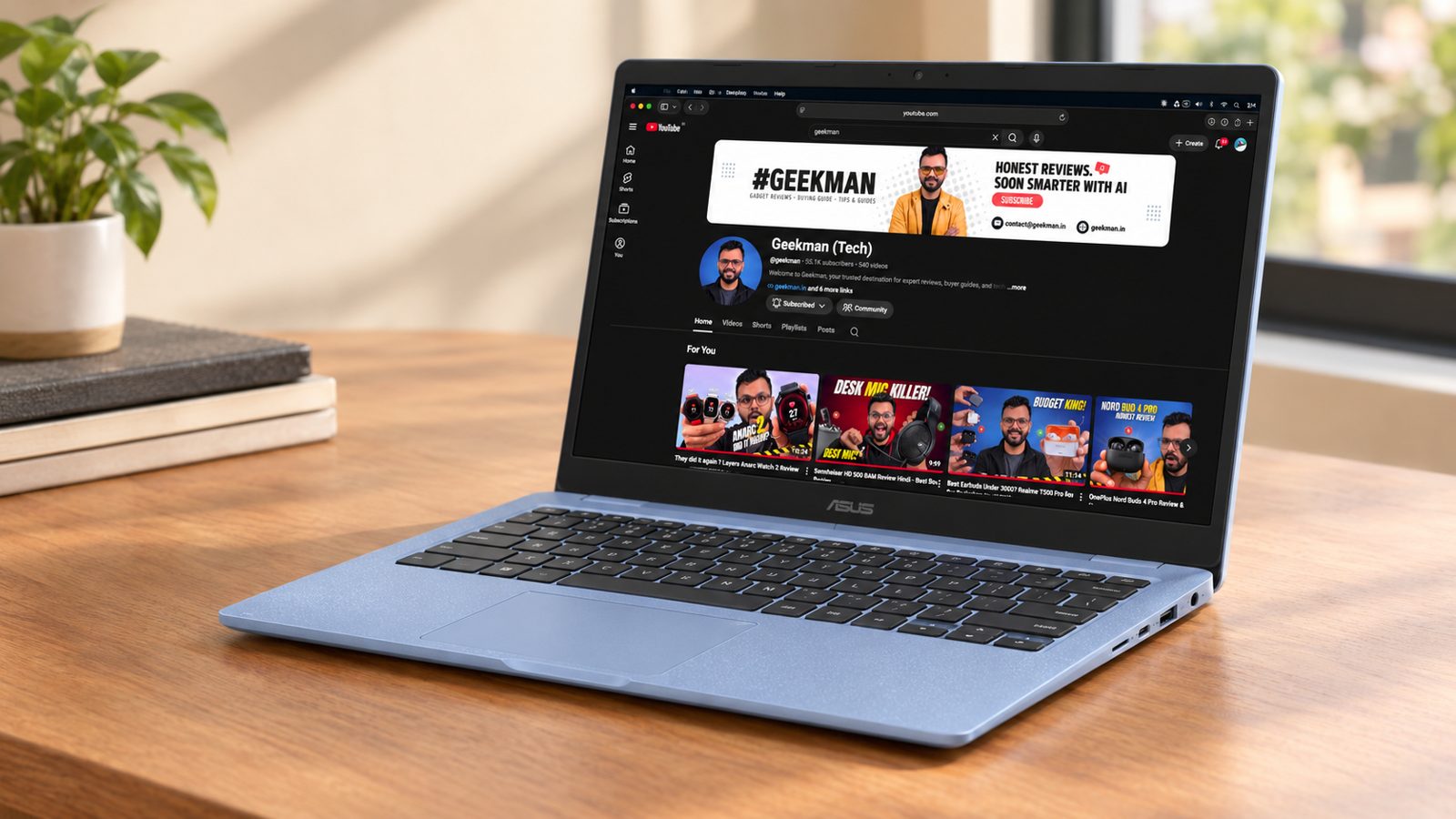
Kompanio 540, 8 cores · 4GB RAM, 128GB · 15.6 inch Full HD · 50 Wh battery · 1.49 kg
Best for
✓ People who want a large screen for study or calls
✓ Families sharing one laptop
✓ Anyone who prefers a 1080p camera
Not ideal for
– Anyone who carries the laptop all day
– Buyers who want more than 4GB of RAM
– People looking for the lowest price
Verdict: The bigger screen version of the CM1405. Buy it if size matters, otherwise save ₹2,000 on the 14 inch.
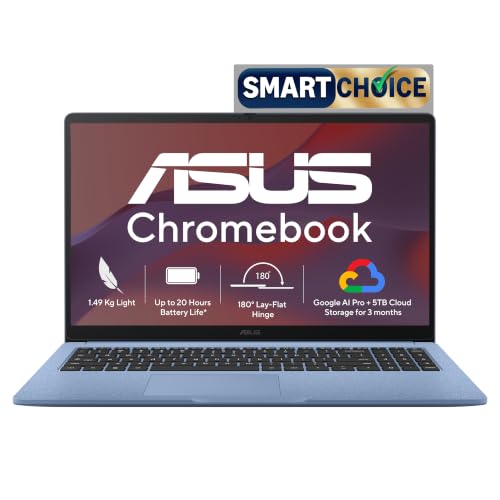
ASUS Chromebook CM1505 (2026), Smartchoice, MediaTek Kompanio 540 Processor, 4GB RAM, 128GB SSD, FHD, 15.6"(39.6 cm), 60Hz, Chrome OS, Fabric Blue, 1.49 Kg, CM1505CM4A-S70081, Thin & Light Laptop
Mega Festival Deal Up to 10% instant discount on select credit cards +1
- Up to 10% instant discount on select credit cards
- Cashback with Amazon Pay ICICI Bank Credit Cards
Pros and cons
What we like
+ 15.6 inch Full HD screen
+ 50 Wh battery
+ 1080p camera and 128GB
What we don’t like
– Heavier at 1.49 kg
– Same 4GB RAM
– ₹2,000 more than the CM1405
Full review
The CM1505 adds a 15.6 inch Full HD screen, a 50 Wh battery and a 1080p camera to the same Kompanio 540, 4GB and 128GB hardware as the CM1405. It costs ₹2,000 more than the 14 inch model and weighs 120 grams more.
Everyday speed. Speed is identical to the CM1405. It is smooth for browsing, Docs, Meet and video, and limited by 4GB of RAM with a large number of tabs.
Screen and body. The 15.6 inch Full HD screen at 300 nits is easier on the eyes for long sessions and calls. It weighs 1.49 kg.
Battery and camera. The 50 Wh battery is the largest in this guide, and the 1080p camera is clearer than the usual 720p webcam.
The catch. You pay for size, not power. For a student who carries the laptop daily, the CM1405 is more comfortable.
Price. Amazon lists it at ₹24,990 on 24 October 2026.
ASUS Chromebook CM1505 (Kompanio 540, 4GB, 128GB, 15.6 inch) vs the competition. It costs ₹2,000 more than the CM1405 128GB for a bigger screen, battery and camera, with the same speed.
Key specs
| CPU | MediaTek Kompanio 540, 8 cores |
| Memory | 4GB |
| Storage | 128GB |
| Display | 15.6 inch Full HD, 300 nits |
| OS | ChromeOS |
| Battery and weight | 50 Wh, 1.49 kg |
| Camera | 1080p |
| Warranty | Check the listing for the exact period |
Best 2-in-1
5. ASUS Chromebook CM32 Detachable (4GB, 64GB, 12.1 inch 2-in-1)
5.9 Overall
5.6 Performance
6.0 Value
6.5 Service
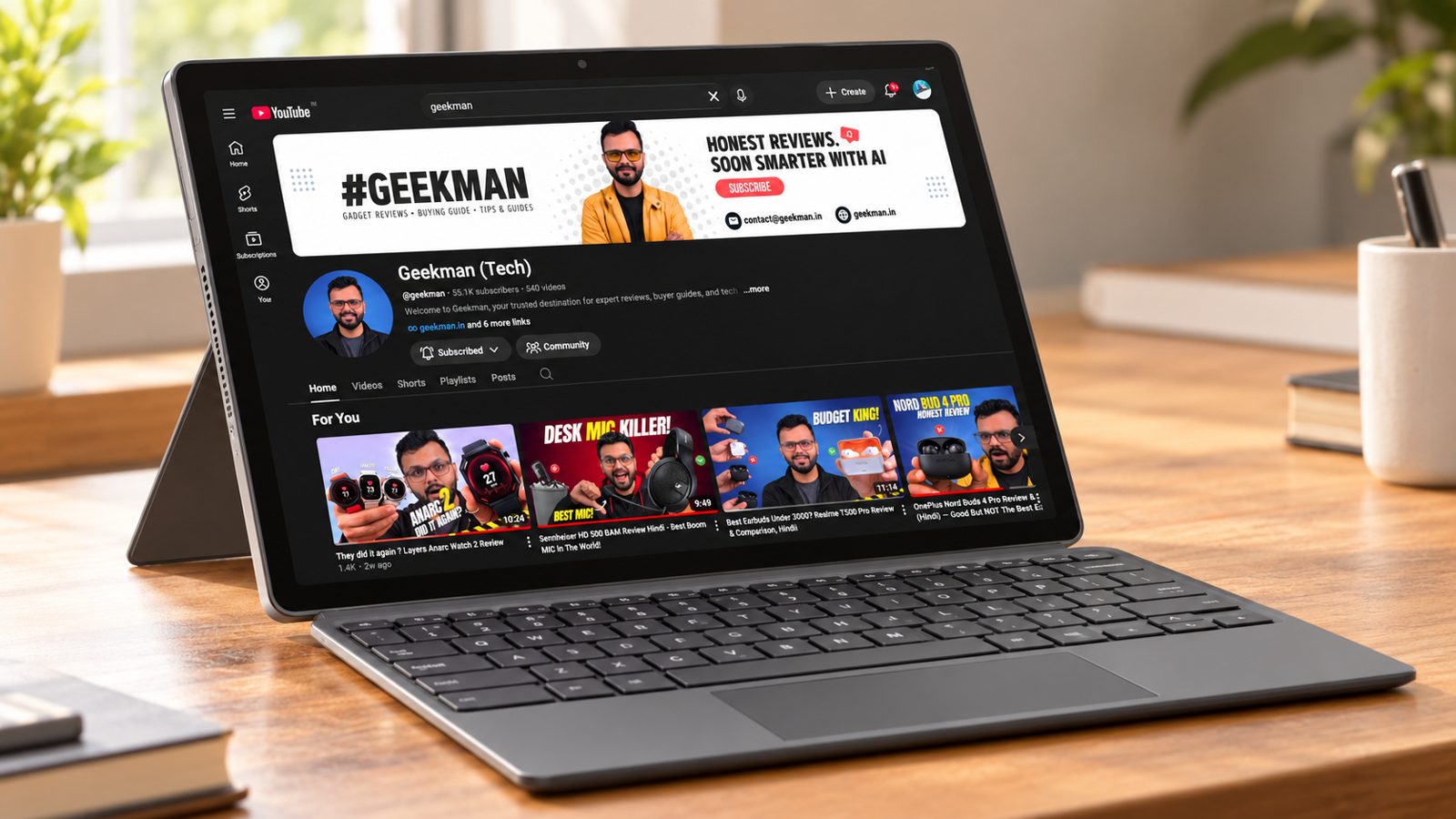
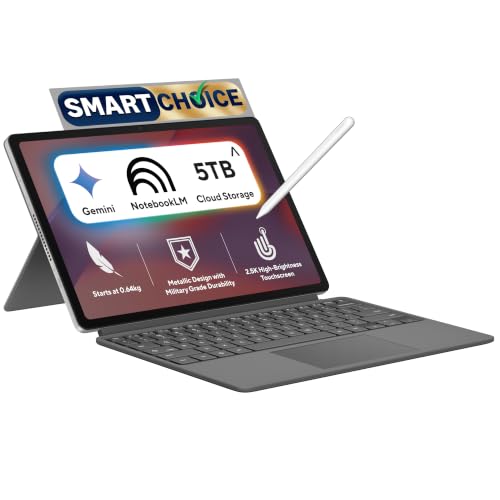
12.1 inch 2560×1600 · 600 nits, 120Hz · 4GB RAM, 64GB · Detachable keyboard · 0.64 kg tablet
Best for
✓ People who want a tablet that also works as a laptop
✓ Anyone who reads, draws or takes notes
✓ Buyers who want the best screen in the guide
Not ideal for
– People who type for hours
– Anyone who needs 128GB of storage
– Buyers who want the best value
Verdict: A very different product from the others here, with a much better screen. It costs more than its speed deserves, so buy it only if you want a tablet.
ASUS Chromebook CM32 Detachable (2026),Smartchoice,MediaTek Kompanio 540 Processor,4GB RAM,64GB SSD,Touchscreen,12.1"(30.7 cm),Chrome OS,Cloud Titanium,0.64 Kg,CM3206DM4A-TR0118,Thin & Light Laptop
Mega Festival Deal Up to 10% instant discount on select credit cards +1
- Up to 10% instant discount on select credit cards
- Cashback with Amazon Pay ICICI Bank Credit Cards
Pros and cons
What we like
+ 2560×1600 600 nit 120Hz screen
+ 0.64 kg tablet
+ Works as a tablet and laptop
What we don’t like
– 64GB storage
– Detachable keyboard is less comfortable
– Higher price for the speed
Full review
The CM32 is a detachable 2-in-1. The tablet weighs just 0.64 kg and has a 12.1 inch 2560 by 1600 screen with 600 nits of brightness and a 120Hz refresh rate, which is a far better display than the other laptops in this guide. The keyboard clips on when you need to type.
Everyday speed. It has 4GB of RAM and 64GB of storage, so its speed is in the same class as the other budget Chromebooks. It is smooth for reading, video and browsing.
Screen and body. The screen is the star: 12.1 inches at 2560 by 1600, 600 nits and 120Hz per the listing. The tablet weighs 0.64 kg. A detachable keyboard turns it into a small laptop.
The catch. A detachable keyboard is less comfortable than a normal laptop keyboard for long typing sessions, and the 64GB storage is small. It costs the same as the 128GB laptops above.
Price. Amazon lists it at ₹24,990 on 24 October 2026.
ASUS Chromebook CM32 Detachable (4GB, 64GB, 12.1 inch 2-in-1) vs the competition. It costs the same as the CM1505 128GB and has a far better screen and a tablet body, but less storage and a smaller keyboard.
Key specs
| Memory | 4GB |
| Storage | 64GB |
| Display | 12.1 inch 2560×1600, 600 nits, 120Hz |
| OS | ChromeOS |
| Weight | 0.64 kg tablet |
| Form | Detachable 2-in-1 |
| Warranty | Check the listing for the exact period |
Best Budget
6. Acer Chromebook CO731 (Celeron N4500, 11.6 inch)
5.9 Overall
4.8 Performance
6.4 Value
7.0 Service
Celeron N4500, 2 cores · 11.6 inch HD · Wi-Fi 5 · 1.2 kg
Best for
✓ Light users who only browse and watch videos
✓ Households that already trust Intel based laptops
✓ Buyers who want a backup laptop for kids
Not ideal for
– Anyone who wants a sharp screen
– People who multitask with many tabs
– Buyers who care about value
Verdict: It works for basic use, but the C725 and CM1405 give you more for the same money.

Acer Chromebook, Intel Celeron- N4500 Processor, 4GB LPDDR4 RAM, 64GB eMMC, 29.46cm /11.6" inch HD Display, Chrome OS, Intel UHD Graphics,WiFi 5, Black, 1.2 KG, CO731, Thin & Light Laptop
Up to 10% instant discount on select credit cards +1
- Up to 10% instant discount on select credit cards
- Cashback with Amazon Pay ICICI Bank Credit Cards
Pros and cons
What we like
+ Light at 1.2 kg
+ Intel Celeron platform
+ Wide Acer service reach
What we don’t like
– 2 core chip
– HD 1366 by 768 screen
– Poor value next to the ASUS models
Full review
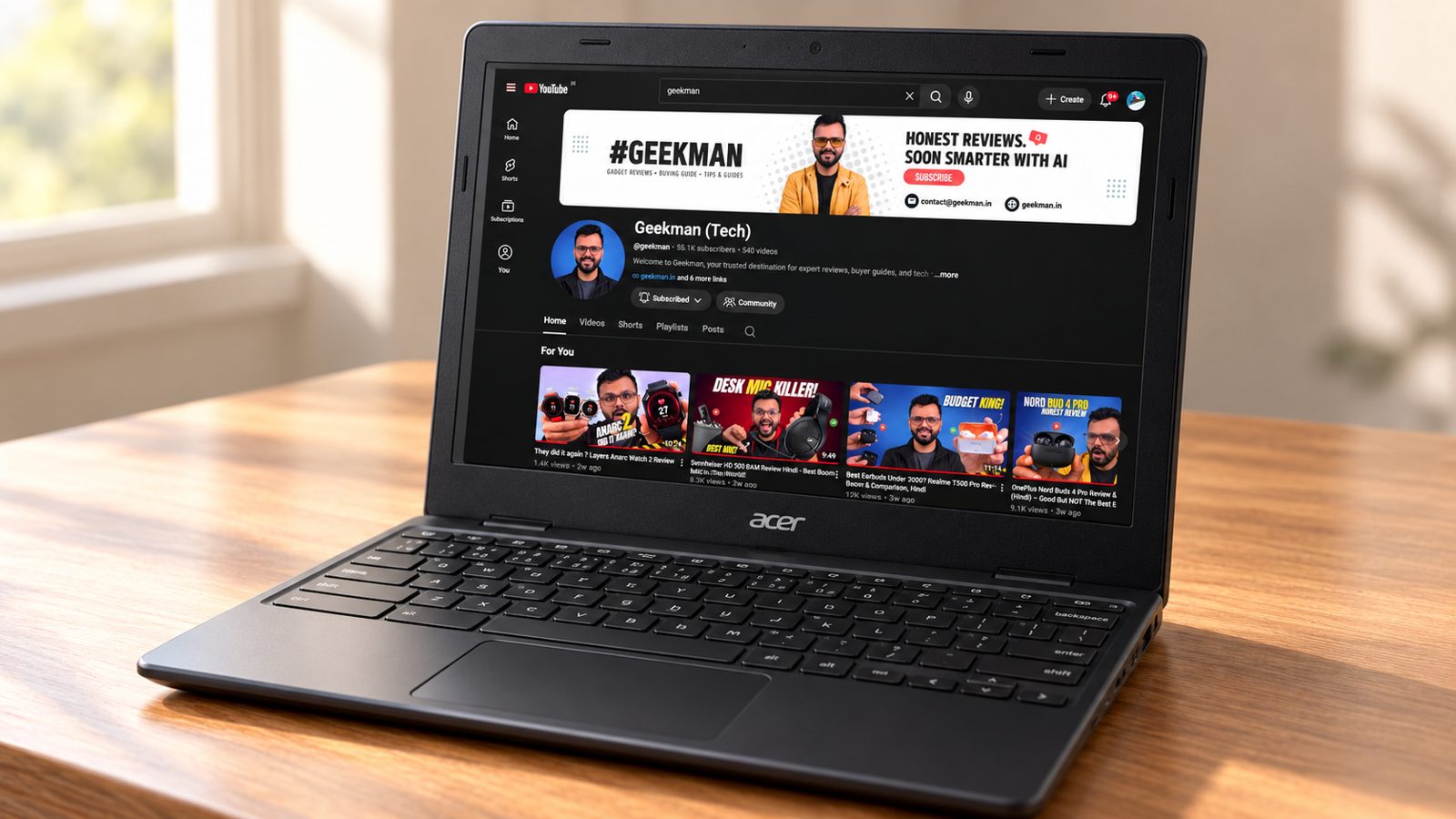
The CO731 uses an Intel Celeron N4500 with 2 cores and a 1366 by 768 screen. It is a basic Chromebook and costs ₹18,990, which is ₹1,000 more than the ASUS CM1405 and about the same as the Acer C725. It is the weakest value here, so only buy it if you specifically want an Intel Chromebook.
Everyday speed. The Celeron N4500 has 2 cores. ChromeOS is light, so web browsing, video streaming and Google Docs work fine, but it feels slower than the 8 core Kompanio chips when you open many tabs or run Android apps.
Screen and body. The 11.6 inch screen is HD at 1366 by 768, which looks soft for reading. The body weighs 1.2 kg.
Connectivity. The listing shows Wi-Fi 5, not the Wi-Fi 6E on the C725. It is fine for most homes.
The catch. It costs more than the CM1405 and has a weaker chip and screen. The only real argument for it is the Intel platform and Acer service.
Price. Amazon lists it at ₹18,990 on 24 October 2026.
Acer Chromebook CO731 (Celeron N4500, 11.6 inch) vs the competition. It costs ₹500 more than the Acer C725 and has a 2 core Celeron and Wi-Fi 5 instead of a Kompanio 540 and Wi-Fi 6E.
Key specs
| CPU | Intel Celeron N4500, 2 cores |
| Display | 11.6 inch HD 1366×768 |
| OS | ChromeOS |
| Weight | 1.2 kg |
| Wireless | Wi-Fi 5 |
| Warranty | Check the listing for the exact period |
Questions other guides skip
The questions most Chromebook lists leave out
These are questions buyers keep asking about these exact models. I checked each against the Amazon listings on 24 October 2026.
1 · Is 8GB of RAM worth ₹6,000 more?
Only if you keep many tabs open or use heavy web apps. The ASUS CM1405 8GB costs ₹28,990 against ₹22,990 for the 4GB model, and the screen, ports and battery are the same.
2 · Is the HP Chromebook 14 screen bad?
It is an HD panel at 250 nits with about 62.5% sRGB according to the listing. That is fine for documents and video calls, but dull next to the Full HD 300 nit ASUS screen.
3 · Will the CM32 detachable keyboard feel good?
A clip on keyboard is usually thinner and has less travel than a normal laptop keyboard, so it suits short typing sessions. For long essays, a clamshell like the CM1405 is better.
4 · Why is the Acer CO731 so much cheaper?
It has an 11.6 inch screen and a Celeron N4500 chip. It is made for light use, so it is smaller and slower than the ASUS and HP models.
5 · Why are there no Primebook laptops here?
They run Android 15 with PrimeOS, not ChromeOS. I cover them in the laptops under 35000 guide.
What this means for your buying decision
You want the best Chromebook: the ASUS CM1405 with 8GB.
You want the best deal: the ASUS CM1405 with 128GB at ₹22,990.
You want the longest battery: the HP Chromebook 14, or the ASUS CM1505 at 50 Wh.
You want a tablet and laptop in one: the ASUS CM32 Detachable.
You need Windows: read my laptops under 30000 guide.
You study: read my laptops for students guide.
Compare all 6 Chromebooks at a glance
| Chromebook | CPU | RAM and storage | Screen | Weight | Price |
|---|---|---|---|---|---|
| ASUS CM1405 8GB | Kompanio 540, 8 cores | 8GB, 128GB | 14 inch Full HD | 1.37 kg | ₹28,990 |
| ASUS CM1405 128GB | Kompanio 540, 8 cores | 4GB, 128GB | 14 inch Full HD | 1.37 kg | ₹22,990 |
| HP Chromebook 14 | Kompanio 540, 8 cores | 4GB LPDDR5, 128GB UFS | 14 inch HD | 1.35 kg | ₹22,990 |
| ASUS CM1505 128GB | Kompanio 540, 8 cores | 4GB, 128GB | 15.6 inch Full HD | 1.49 kg | ₹24,990 |
| ASUS CM32 Detachable | See listing | 4GB, 64GB | 12.1 inch 2560×1600 | 0.64 kg tablet | ₹24,990 |
| Acer CO731 | Celeron N4500 | See listing | 11.6 inch HD | See listing | ₹18,990 |
Specs are from the Amazon.in listings in October 2026. Prices were seen on 24 October 2026 and move daily. Verify the exact variant before you buy.
The buying guide
How to choose a Chromebook
🧠
Chip
Kompanio 540 is the sweet spot for ChromeOS here.
🧩
Memory
4GB is standard. Only one pick has 8GB.
🖥️
Screen
Full HD 300 nits beats HD 250 nits.
🔋
Battery
42 to 50 Wh is good for ChromeOS.
💾
Storage
128GB is far more comfortable than 64GB.
🛡️
Updates
Check the auto update expiry date for the model.
1 · Processor
The Kompanio 540 has 8 cores and is designed for ChromeOS. The Acer CO731 uses a Celeron N4500, which is slower.
2 · Memory and storage
4GB of RAM is normal on ChromeOS. Pick 8GB for many tabs and 128GB if you keep files on the laptop.
3 · Screen
The ASUS CM1405 and CM1505 have Full HD at 300 nits. The CM32 has a much sharper 2560 by 1600 panel.
4 · Battery and weight
Battery sizes are 42, 47 and 50 Wh on the clamshells. None of the listings give a tested hours figure, so treat these as sizes, not promises.
5 · Software
ChromeOS suits browser and Google Workspace use, plus Google Play apps. It does not run Windows programs.
6 · Warranty and service
Most come with 1 year. Register the laptop on day one and keep the invoice.
Other laptops I looked at
ASUS CM1405 and CM1505 with 64GB. Cheaper at ₹17,990 and ₹19,990, covered in the laptops under 20000 guide.
Primebook 2 Neo, 2 Max and 3 Max. Android laptops, not Chromebooks, so they sit in the under 25000 and under 35000 guides.
Refurbished Chromebooks. Seller condition and warranty vary, so I left them out.
The verdict
Which Chromebook should you buy?
Best overall: ASUS Chromebook CM1405 8GB, at ₹28,990. Check price
Best value: ASUS Chromebook CM1405 128GB, at ₹22,990. Check price
Best battery: HP Chromebook 14, at ₹22,990. Check price
Best big screen: ASUS Chromebook CM1505 128GB, at ₹24,990. Check price
Best 2-in-1: ASUS Chromebook CM32 Detachable, at ₹24,990. Check price
Best budget: Acer Chromebook CO731, at ₹18,990. Check price
Not sure? Buy the ASUS Chromebook CM1405 with 128GB if money matters, or the 8GB model if you want the best.
More buying guides from Geekman
Best Chromebooks FAQ
Which is the best Chromebook in India in 2026?
The ASUS Chromebook CM1405 with 8GB of RAM and 128GB at ₹28,990 is the best overall pick. It has a 14 inch Full HD screen, Wi-Fi 6 and a 1080p camera. If you can live with 4GB of RAM, the same laptop with 128GB costs ₹22,990 and is the better value.
Is a Chromebook better than a Windows laptop at this price?
It depends on your work. For browsing, Google Docs, Meet, video streaming and online classes, a Chromebook is smoother and lighter than a Celeron Windows laptop at the same price. If you need Tally, Photoshop or any .exe program, buy a Windows laptop instead, and start with my laptops under 35000 guide.
Can I run Microsoft Office on a Chromebook?
Yes, through Office on the web or the Android apps from Google Play. They cover documents, sheets and slides for most people. Heavy Excel work with macros needs a Windows laptop.
ASUS CM1405 or HP Chromebook 14, which should I buy?
Take the ASUS if you want a sharper Full HD screen at 300 nits. Take the HP if battery size (47 Wh), faster LPDDR5 memory and the 100GB Google One offer matter more. Both cost ₹22,990 and use the same Kompanio 540 chip.
Is 4GB of RAM enough on a Chromebook?
For ChromeOS, yes, for browsing, Docs, Meet and video. You will see tabs reload if you keep many open. If that bothers you, the ₹28,990 ASUS CM1405 with 8GB is the one to buy.
Is the ASUS CM32 Detachable a good laptop?
It is a tablet first. The 2560 by 1600 screen at 600 nits is excellent, and the keyboard clips on. For long typing, a normal clamshell like the CM1405 is easier to use and costs ₹2,000 less.
Is the Acer CO731 at ₹18,990 worth it?
It is the cheapest pick here, with a Celeron N4500 and an 11.6 inch screen. Buy it for a child, for light study or as a second laptop. The ASUS CM1405 128GB costs ₹4,000 more and gives a bigger Full HD screen and a larger battery.
How long do Chromebooks get updates?
Google sets an automatic update expiry date for each model, usually 8 to 10 years from launch for recent ones. Check the exact date for your model on Google’s auto update policy page before you buy.
Do Chromebooks work without internet?
Partly. Offline mode in Google Docs, Sheets and Slides, downloaded Android apps and local files work without a connection. Most other tasks need Wi-Fi.
Can I install Android apps on these Chromebooks?
Most current Chromebooks support Google Play apps, though how well they run depends on the app. Check Google’s supported device list for the exact model before you rely on a specific app.