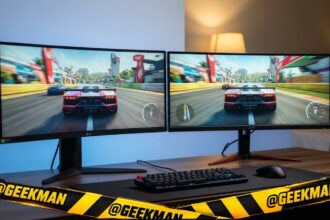

Short answer: For most gamers, a 27-inch QHD monitor at 180 to 200Hz is the sweet spot: the Samsung Odyssey G5 G50F is my pick. For fast shooters on a mid-range GPU, the Lenovo Legion 24-10 gives 240Hz with a full stand. On a budget, the MSI MAG 255F E20.
Two years ago 144Hz was the gaming standard. Now 180 to 240Hz is affordable, QHD costs less than it did, and OLED has started below forty thousand. More hertz only helps if your PC can reach them, so I have sorted these by refresh rate as well as by score. Each card notes which port gives the full refresh rate and what the stand really does, because store pages often get that wrong. Prices change every week during sales, so live prices sit in the buy buttons, not in the text. Updated on 17 November 2026.
Quick picks
| Pick | Monitor | Best for |
|---|---|---|
| Best QHD gaming overall | Samsung Odyssey G5 G50F | Gamers who want 1440p, a height stand and Samsung service |
| Best ergonomic QHD | LG UltraGear 27GS75Q | QHD gamers who want ergonomics and LG service |
| Best for gaming plus laptop | BenQ EW270Q | People who work on a laptop by day and game by night |
| Best value QHD 200Hz | Acer Nitro XV272U X1 | Value hunters who still want a proper stand |
| Best 240Hz | Lenovo Legion 24-10 | Serious players who also care about posture |
| Best 200Hz on a budget | MSI MAG 255F E20 | Esports and fast shooters on a tight budget |
| Best curved | LG UltraGear 27GS60QC | Single-player gaming and movies on a curved screen |
| Best 180Hz 24-inch | LG UltraGear 24GS65F | Gamers who want LG service and a proper stand |
| Best 144Hz entry | LG UltraGear 24G411B | First gaming setup with LG service behind it |
| Best OLED | Samsung Odyssey OLED G5 | Gamers and movie lovers who want OLED blacks without flagship prices |
Tap a name to jump to its review. Ranked by Geekman Score, best first.
Monitor finder
Answer 3 quick questions, get your top 3
Not sure which one? Start with Samsung Odyssey G5 G50F, LG UltraGear 27GS75Q, BenQ EW270Q.
How I ranked them
The Geekman Score
Geekman has reviewed screens, laptops and PC gear for over 10 years. For this list I went through more than 200 gaming monitors sold in India, from the big stores and the brands’ own pages, and compared what decides whether you still like a monitor after two years: the panel type and resolution for its size, the real refresh rate on each port, colour coverage, the ports (HDMI version, DisplayPort, USB-C charging watts), the stand, speakers, the warranty and pixel policy, and how easy service is in Indian cities. Where a store page and the brand’s spec sheet disagree, I went with the brand. Every pick gets a Geekman Score out of 10: Picture and speed 35%, Features and build 20%, Service 15% and Value 30%. Scores compare monitors inside this list only.
See all Geekman Scores
| # | Monitor | Picture | Features | Service | Value | Score |
|---|---|---|---|---|---|---|
| 1 | Samsung Odyssey G5 G50F | 8.4 | 8.5 | 9.2 | 9.6 | 8.9 |
| 2 | LG UltraGear 27GS75Q | 8.5 | 8.6 | 9.2 | 9.1 | 8.8 |
| 3 | BenQ EW270Q | 8.6 | 9.0 | 9.2 | 8.4 | 8.7 |
| 4 | Acer Nitro XV272U X1 | 8.4 | 8.2 | 8.1 | 9.4 | 8.6 |
| 5 | Lenovo Legion 24-10 | 8.3 | 8.8 | 9.2 | 8.2 | 8.5 |
| 6 | MSI MAG 255F E20 | 7.9 | 7.1 | 8.1 | 9.6 | 8.3 |
| 7 | LG UltraGear 27GS60QC | 7.8 | 7.4 | 9.2 | 8.6 | 8.2 |
| 8 | LG UltraGear 24GS65F | 7.9 | 8.5 | 9.2 | 7.5 | 8.1 |
| 9 | LG UltraGear 24G411B | 7.4 | 7.1 | 9.2 | 8.6 | 8.0 |
| 10 | Samsung Odyssey OLED G5 | 9.1 | 8.4 | 9.2 | 5.5 | 7.9 |
The reviews
Best gaming monitor in India: 10 picks reviewed
Best QHD gaming overall
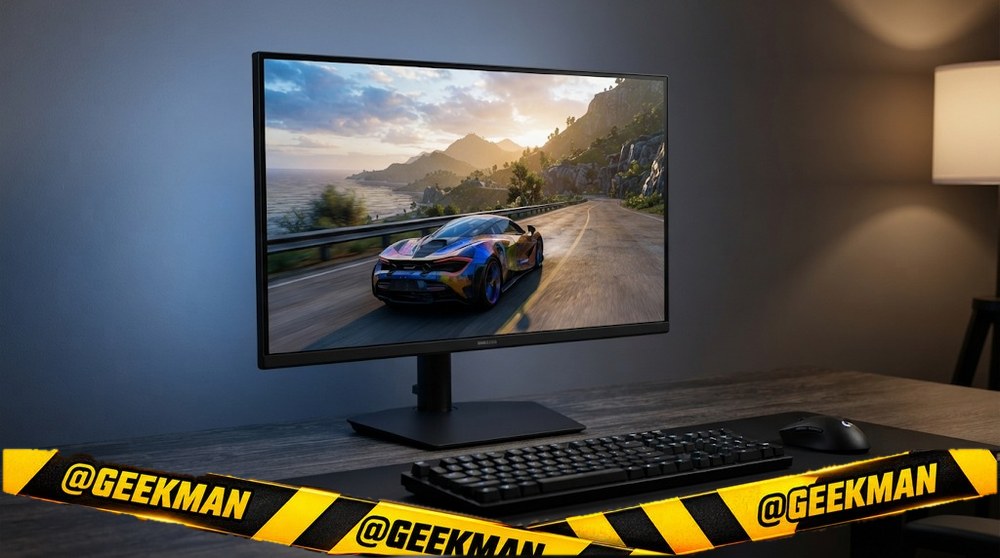
1. Samsung Odyssey G5 G50F 27-inch QHD 180Hz Fast IPS Monitor
8.9Geekman Score
8.4 Picture & speed
8.5 Features & build
9.2 Service
9.6 Value
The Odyssey G5 finally moved to a flat Fast IPS panel, and that fixes the dark smearing the old curved G5 was known for.
27″ QHD Fast IPS · 180Hz · Height and tilt stand · 3 years
Best for
✓ QHD gaming on a mid to upper range GPU
✓ A desk shared between gaming and work
Skip if
• You want speakers
• Your budget ends at twenty thousand
My take: For most people building a QHD gaming setup, this is the safe all-round answer. Sharp, fast, adjustable and backed by Samsung.


Samsung 27" Odyssey G5 Fast IPS Gaming Monitor (Smartchoice) | QHD 2560 x 1440 | 180 Hz | 1ms | 300nits| HDR10 | AMD FreeSync| G-Sync| Ports-DP,HDMI,Headphone| Ergonomic Stand | LS27FG502EWXXL | Black

Bank offers on select credit cards +1
- Bank offers on select credit cards
- Cashback with Amazon Pay ICICI Bank Credit Cards
Pros and cons
What I like
+ QHD 180Hz Fast IPS
+ Height-adjustable stand
+ Samsung service and 3 year warranty
What I don’t like
• No speakers
Full review
The G50F is a 27-inch QHD monitor with a Fast IPS panel at 180Hz and 1ms response, HDR10 support and a height-adjustable stand.
Gaming. QHD at 27 inches looks noticeably sharper than Full HD, and 180Hz is smooth in every genre. IPS means no dark-scene smearing, which was the main complaint about older curved VA G5 models.
What to know. There are no speakers, so plan for a headset or desk speakers. A mid-range or better GPU helps to run QHD at high frame rates.
Key specs
| Screen | 27 inch |
| Resolution | QHD 2560×1440 |
| Panel | Fast IPS |
| Refresh rate | 180Hz |
| Response time | 1ms |
| Colour | Not stated |
| HDR | HDR10 |
| Ports | HDMI, DisplayPort, 3.5mm audio |
| USB-C | No |
| Stand | Height and tilt |
| Speakers | No |
| Warranty | 3 years |
Best ergonomic QHD
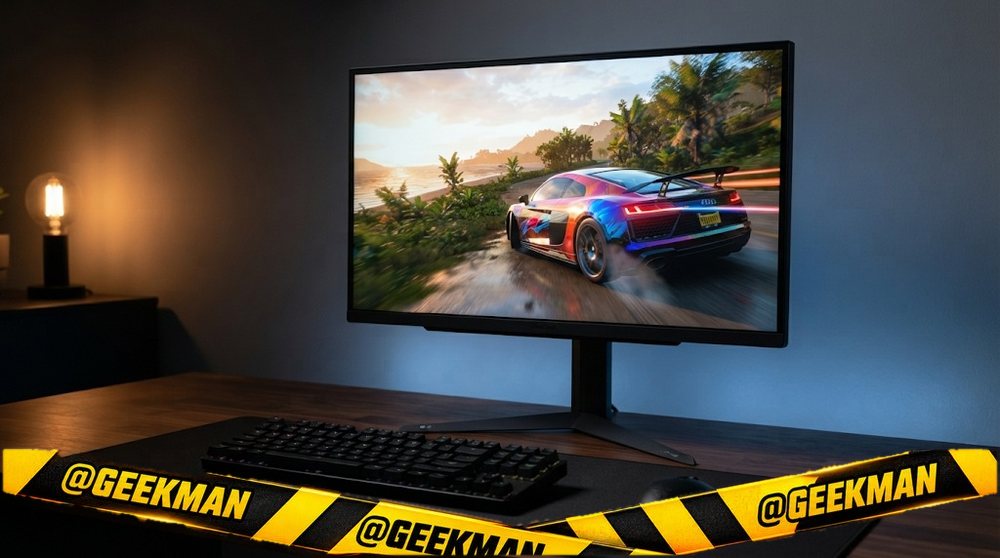
2. LG UltraGear 27GS75Q 27-inch QHD 180Hz IPS Gaming Monitor
8.8Geekman Score
8.5 Picture & speed
8.6 Features & build
9.2 Service
9.1 Value
A proper 27-inch QHD IPS gaming monitor with a stand that does everything, from LG.
27″ QHD IPS · 180Hz · Height, tilt and pivot stand · 3 years
Best for
✓ Long sessions at a properly set-up desk
✓ Gaming plus work in portrait mode
Skip if
• Your budget is under twenty thousand
• You expect 200Hz out of the box
My take: Many stores sell it as a 200Hz monitor. It is really 180Hz, with 200Hz as an overclock on DisplayPort. Even so, the panel and the stand make it one of the best QHD buys.

LG 27GS75Q 68.47 cm (27 Inch) Ultragear QHD (2560x1440) IPS Gaming Monitor w/ 180Hz (O/C 200Hz), 1ms (GtG), HDR10, NVIDIA G-SYNC Compatible, AMD FreeSync, 2xHDMI, Tilt/Height/Pivot Adjustable (Black)
Pros and cons
What I like
+ QHD IPS with a 1ms response
+ Height and pivot stand
+ LG service
What I don’t like
• 200Hz is overclock-only
• Often low on stock
Full review
The 27GS75Q is a 27-inch QHD IPS UltraGear with a 1ms response time and a stand that adjusts height, tilt and pivot. LG lists 180Hz as native and 200Hz as an overclock over DisplayPort.
Gaming. QHD IPS at 180Hz is the sweet spot for most gamers in 2026. The overclock to 200Hz needs DisplayPort, so use that port on a PC.
What to know. Stock is often low. It costs more than tilt-only 200Hz rivals, and you are paying for the stand and the LG name.
Key specs
| Screen | 27 inch |
| Resolution | QHD 2560×1440 |
| Panel | IPS |
| Refresh rate | 180Hz (200Hz only when overclocked over DisplayPort) |
| Response time | 1ms |
| Colour | Not stated |
| HDR | HDR10 |
| Ports | HDMI, DisplayPort |
| USB-C | No |
| Stand | Height, tilt and pivot |
| Speakers | No |
| Warranty | 3 years |
Best for gaming plus laptop
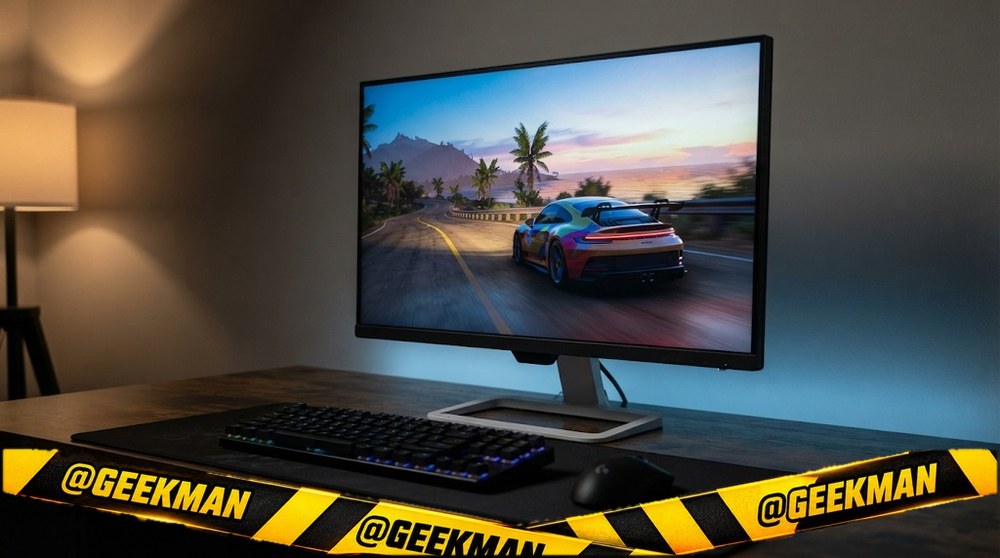
3. BenQ EW270Q 27-inch QHD 200Hz Monitor with USB-C
8.7Geekman Score
8.6 Picture & speed
9.0 Features & build
9.2 Service
8.4 Value
One monitor for work, games and a laptop: QHD 200Hz, 65W USB-C charging and proper 5W speakers.
27″ QHD IPS · 200Hz · USB-C 65W · Speakers · 3 years (onsite)
Best for
✓ A laptop on one USB-C cable that also charges it
✓ Gaming at QHD 200Hz on the same screen
Skip if
• You need a height-adjustable stand
• You only game and never use a laptop
My take: This is the most complete 27-inch monitor under twenty thousand. It does three jobs well, and that is why it keeps coming up in Indian buying guides this year.

BenQ EW270Q 27-inch (68.58 cm) 2K QHD IPS Gaming Monitor | USB-C (65W) | HDMI |HDRi| 1200:1 Contrast Ratio| 90% P3 Gamut| 350 Nits| Speakers (5W x 2)| AMD FreeSync Premium| Game Color Mode, White
Up to ₹1,250 discount on select Credit Cards +2
- Up to ₹1,250 discount on select Credit Cards
- Up to ₹562 cashback with Amazon Pay ICICI Bank Credit Cards
- Up to ₹548.71 EMI interest savings on Amazon Pay ICICI Bank Credit Cards
Pros and cons
What I like
+ QHD 200Hz IPS
+ USB-C with 65W charging
+ 5W speakers that are actually usable
What I don’t like
• No height adjustment
Full review
The EW270Q is a 27-inch QHD IPS monitor at 200Hz with 1ms response, 90 percent DCI-P3, HDMI 2.0, DisplayPort 1.4 and a USB-C port that sends video and charges a laptop at 65W. It also has two 5W speakers.
Work and laptops. One USB-C cable carries picture and power, so a MacBook Air or a USB-C Windows laptop needs no charger on the desk. 65W is enough for most thin laptops, not for big gaming laptops.
Gaming and media. 200Hz QHD is smooth and sharp, and the speakers are better than the usual 2W pair. The stand tilts and swivels but does not go up and down.
Key specs
| Screen | 27 inch |
| Resolution | QHD 2560×1440 |
| Panel | IPS |
| Refresh rate | 200Hz |
| Response time | 1ms |
| Colour | 90% DCI-P3 |
| HDR | HDRi, HDR10 |
| Ports | HDMI 2.0, DisplayPort 1.4, USB-C (65W) |
| USB-C | Yes, 65W charging |
| Stand | Tilt and swivel |
| Speakers | 2x 5W |
| Warranty | 3 years (onsite) |
Best value QHD 200Hz
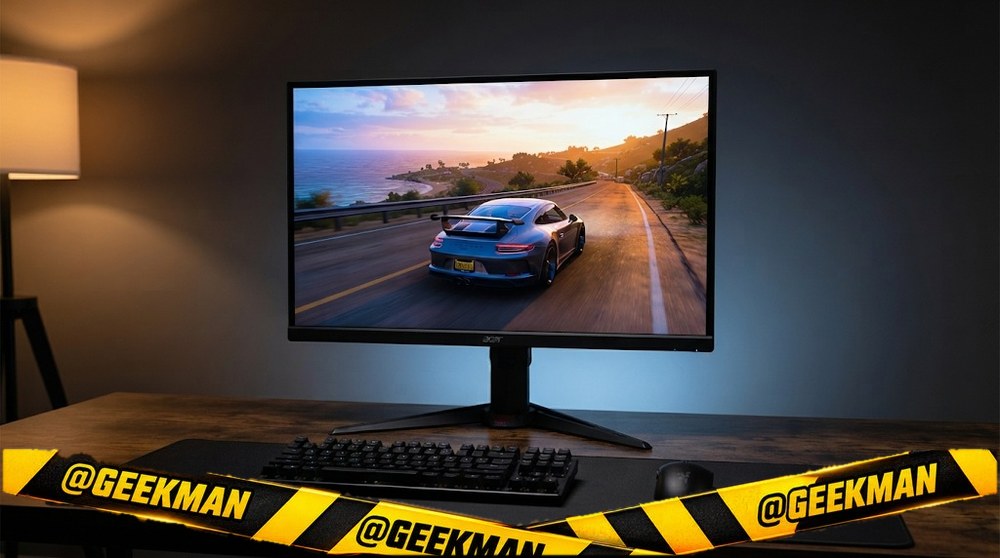
4. Acer Nitro XV272U X1 27-inch QHD 200Hz Gaming Monitor
8.6Geekman Score
8.4 Picture & speed
8.2 Features & build
8.1 Service
9.4 Value
QHD at 200Hz with a height-adjustable ErgoStand, for a few thousand less than the big three.
27″ QHD IPS · 200Hz · Speakers · Height and tilt stand · 3 years
Best for
✓ QHD gaming on a mid-range GPU
✓ Buyers who want height adjustment without paying LG prices
Skip if
• You want the strongest service network
• You want USB-C
My take: On specs this is very hard to beat: QHD, 200Hz, 90 percent DCI-P3 and a stand that lifts. It is a value pick that does not feel cheap.

Acer Nitro XV272U X1 27 Inch WQHD (2560×1440) IPS Gaming Monitor | 200Hz Refresh Rate | 0.5ms GTG | AMD FreeSync Premium | HDR400 | 2×HDMI, DP | ErgoStand | 2W×2 Stereo Speakers | DCI-P3 90% | Black
Bank offers on select credit cards +1
- Bank offers on select credit cards
- Cashback with Amazon Pay ICICI Bank Credit Cards
Pros and cons
What I like
+ QHD 200Hz IPS
+ Height-adjustable stand
+ Wide colour gamut
What I don’t like
• Acer pixel policy is less strict than Dell
• Speakers are weak
Full review
The XV272U X1 is a 27-inch QHD IPS Nitro monitor running at 200Hz with 0.5ms response, 90 percent DCI-P3 colour, DisplayHDR 400 certification and Acer’s height-adjustable ErgoStand.
Gaming. QHD 200Hz means sharp and very smooth. Wide-gamut colour gives games a richer look. DisplayHDR 400 is entry-level HDR, so do not expect TV-like highlights.
What to know. Acer gives 3 years of warranty, but its standard pixel policy allows a few bad sub-pixels. The built-in 2W speakers are basic.
Key specs
| Screen | 27 inch |
| Resolution | QHD 2560×1440 |
| Panel | IPS |
| Refresh rate | 200Hz |
| Response time | 0.5ms |
| Colour | 90% DCI-P3 |
| HDR | DisplayHDR 400 |
| Ports | HDMI, DisplayPort |
| USB-C | No |
| Stand | Height and tilt |
| Speakers | 2x 2W |
| Warranty | 3 years |
Best 240Hz
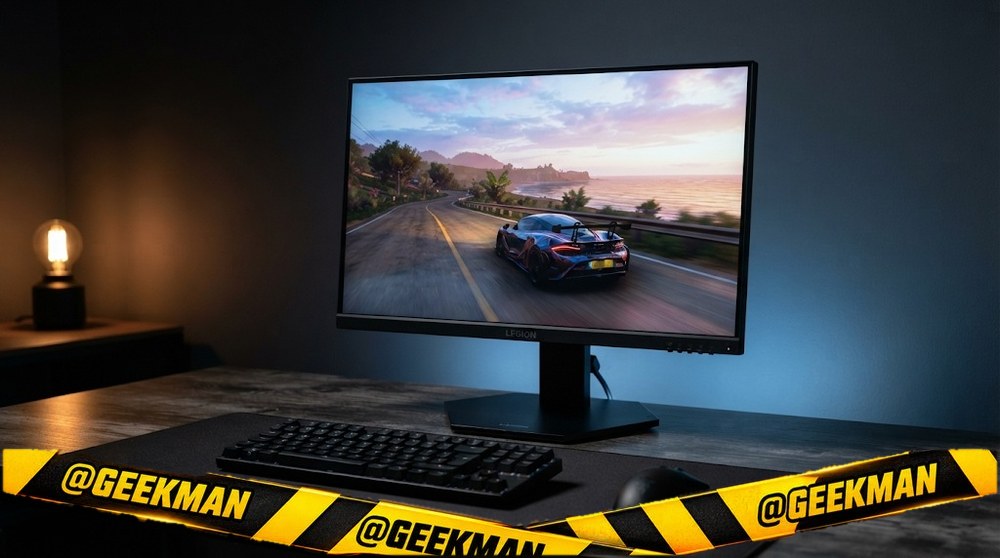
5. Lenovo Legion 24-10 24-inch 240Hz Gaming Monitor
8.5Geekman Score
8.3 Picture & speed
8.8 Features & build
9.2 Service
8.2 Value
240Hz plus a stand that goes up, down, sideways and portrait, which is rare at this price.
23.8″ FHD IPS · 240Hz · HDMI 2.1 (TMDS) · Height, tilt, swivel and pivot stand · 3 years
Best for
✓ Long gaming sessions where screen height matters
✓ PC plus console with two HDMI ports
Skip if
• Your budget is strictly under ten thousand
• You want a bigger 27-inch screen
My take: A little over ten thousand, but it is the only 240Hz monitor near this price with a full stand. If you can stretch, this is the one I would buy.

Lenovo Legion 24-10, 24 Inch (60.45cm) IPS Full HD Gaming Monitor, 240Hz, 0.5ms, AMD FreeSync Premium, NVIDIA G-Sync, 99% sRGB, Dual HDMI, Display Port, Tilt, Swivel, Pivot, Height Adjust, Black
Bank offers on select credit cards +1
- Bank offers on select credit cards
- Cashback with Amazon Pay ICICI Bank Credit Cards
Pros and cons
What I like
+ 240Hz IPS
+ Full height and pivot stand
+ Two HDMI plus DisplayPort 1.4
What I don’t like
• Slightly over ten thousand
Full review
Lenovo’s Legion 24-10 pairs a 23.8-inch Full HD IPS panel at 240Hz with a height, tilt, swivel and pivot stand. Ports are two HDMI 2.1 (in TMDS mode) and a DisplayPort 1.4.
Gaming. 240Hz with a 0.5ms response suits shooters if your PC reaches high frame rates. The two HDMI ports run at full refresh on PC, and a PS5 or Xbox can stay connected for 1080p at 120Hz.
What to know. HDMI 2.1 here is the TMDS kind, so it does not unlock 4K 120 features. That does not matter on a Full HD screen. Lenovo gives 3 years of warranty.
Key specs
| Screen | 23.8 inch |
| Resolution | Full HD 1920×1080 |
| Panel | IPS |
| Refresh rate | 240Hz |
| Response time | 0.5ms |
| Colour | 99% sRGB |
| HDR | HDR10 |
| Ports | 2x HDMI 2.1 (TMDS), DisplayPort 1.4 |
| USB-C | No |
| Stand | Height, tilt, swivel and pivot |
| Speakers | No |
| Warranty | 3 years |
Best 200Hz on a budget
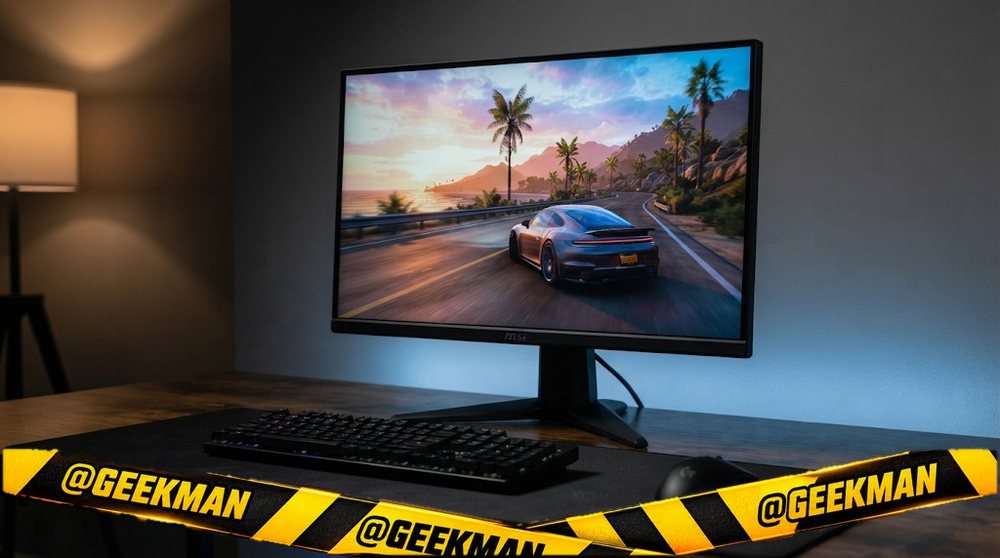
6. MSI MAG 255F E20 24.5-inch 200Hz Gaming Monitor
8.3Geekman Score
7.9 Picture & speed
7.1 Features & build
8.1 Service
9.6 Value
200Hz on a fast IPS panel from a proper gaming brand, at a price that bought 144Hz two years ago.
24.5″ FHD Rapid IPS · 200Hz · 3 years
Best for
✓ Valorant, CS2 and BGMI on PC at high frame rates
✓ First gaming monitor for a mid-range GPU
Skip if
• You want to raise or rotate the screen
• You need speakers or USB-C
My take: If your budget stops near ten thousand and you mostly play shooters, this is where I would put my money. The panel is the point here, and the panel is good.
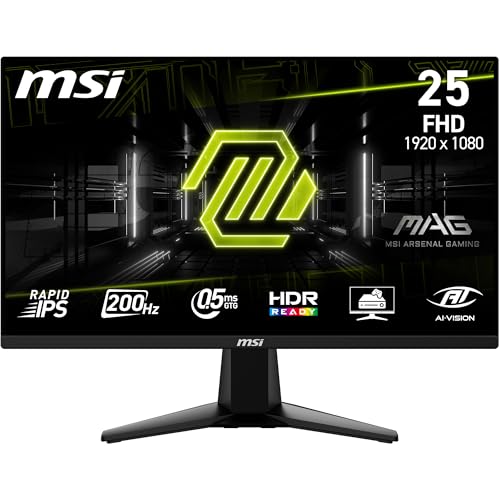
MSI MAG 255F E20 24.5-Inch (62.23cm) FHD 1920x1080 Gaming Monitor, Rapid IPS, 200Hz, 0.5ms, HDR Ready, AMD FreeSync Premium, AI Vision, HDMI 2.0b, DP 1.2a, Frame-Less, Black
Pros and cons
What I like
+ 200Hz Rapid IPS at a budget price
+ Two HDMI plus DisplayPort
+ 3 year MSI warranty
What I don’t like
• Tilt-only stand
• No speakers
Full review
The 255F E20 is a 24.5-inch Full HD gaming monitor with a Rapid IPS panel that runs at 200Hz. At this size Full HD still looks sharp enough for games, and a mid-range graphics card can actually push 200 frames in esports titles.
Speed and picture. MSI rates it at 0.5ms GtG with 100 percent sRGB, so motion stays clean and colours look right without fiddling. Two HDMI 2.0b ports and a DisplayPort 1.2a mean a PC and a console can stay plugged in together.
What to know. The stand only tilts. If your desk is low or you sit tall, budget for a cheap monitor arm, since the screen has VESA holes on the back. There are no speakers.
Key specs
| Screen | 24.5 inch |
| Resolution | Full HD 1920×1080 |
| Panel | Rapid IPS |
| Refresh rate | 200Hz |
| Response time | 0.5ms GtG |
| Colour | 100% sRGB |
| HDR | No |
| Ports | 2x HDMI 2.0b, 1x DisplayPort 1.2a |
| USB-C | No |
| Stand | Tilt only |
| Speakers | No |
| Warranty | 3 years |
Best curved
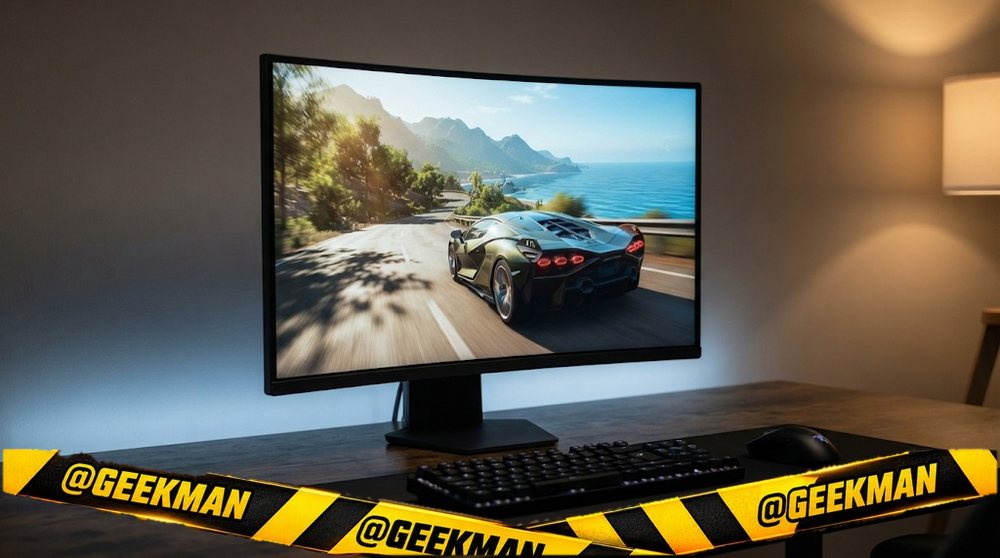
7. LG UltraGear 27GS60QC 27-inch QHD 180Hz Curved Gaming Monitor
8.2Geekman Score
7.8 Picture & speed
7.4 Features & build
9.2 Service
8.6 Value
An affordable curved QHD gaming monitor from LG, with deep VA blacks for movies and story games.
27″ QHD VA curved · 180Hz · 3 years
Best for
✓ Story games, racing and movies in a dark room
✓ A curved setup without a big budget
Skip if
• You play fast shooters competitively
• You need a height stand
My take: For immersive games and films this is lovely value. If you mostly play fast shooters, a flat IPS monitor will feel cleaner in motion.

LG 27GS60QC 68.4cm (27 Inch) Ultragear Curved (1000R) QHD (2560x1440) Gaming Monitor, 180Hz, 1ms, 3-Side Virtually Borderless, Anti-Glare, DP, HDMI X 2, HP Out, AMD FreeSync™, Tilt Adjustment (Black)
Bank offers on select credit cards +1
- Bank offers on select credit cards
- Cashback with Amazon Pay ICICI Bank Credit Cards
Pros and cons
What I like
+ Curved QHD at 180Hz
+ Deep VA contrast
+ LG service
What I don’t like
• Some dark smearing in fast games
• Tilt-only stand
Full review
The 27GS60QC is a 27-inch QHD VA panel with a tight 1000R curve, 180Hz and HDR10 support. It has two HDMI ports and one DisplayPort 1.4.
Picture. VA panels have much deeper blacks than IPS, so dark scenes look richer. The 1000R curve wraps the edges of the screen into your view at 27 inches.
What to know. VA panels can leave a faint trail behind dark moving objects. It is mild for most people, but competitive players notice it. The stand tilts only.
Key specs
| Screen | 27 inch, curved 1000R |
| Resolution | QHD 2560×1440 |
| Panel | VA |
| Refresh rate | 180Hz |
| Response time | 1ms |
| Colour | 99% sRGB |
| HDR | HDR10 |
| Ports | 2x HDMI, 1x DisplayPort 1.4 |
| USB-C | No |
| Stand | Tilt only |
| Speakers | No |
| Warranty | 3 years |
Best 180Hz 24-inch
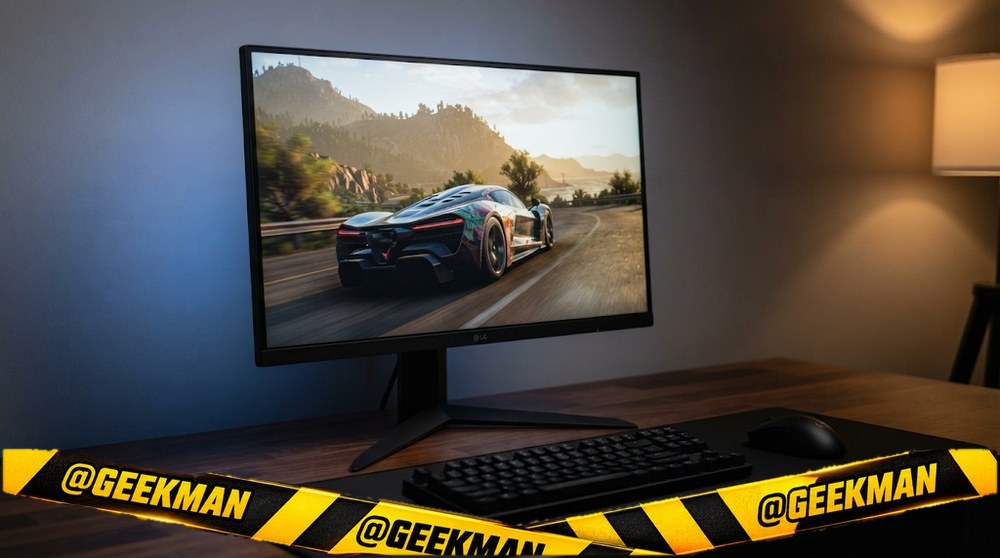
8. LG UltraGear 24GS65F 24-inch 180Hz Gaming Monitor
8.1Geekman Score
7.9 Picture & speed
8.5 Features & build
9.2 Service
7.5 Value
LG’s 180Hz gamer with a stand that lifts and rotates, for people who sit at the desk for hours.
23.8″ FHD IPS · 180Hz · Height, tilt and pivot stand · 3 years
Best for
✓ Long sessions where neck comfort matters
✓ Portrait mode for chats or streaming tools
Skip if
• You want 240Hz
• Budget is strictly under ten thousand
My take: If ergonomics matter as much as speed, this LG is a very balanced 24-inch. It sells out often, so grab it when you see it in stock.

LG 24GS65F Smartchoice 60.47cm (23.8Inch) Ultragear FHD (1920x1080) IPS Gaming Monitor, 180Hz, 1ms, NVIDIA G-SYNC Compatible, AMD FreeSync, DP, HDMI, Tilt/Height/Pivot Adjustable, Anti-Glare (Black)
Pros and cons
What I like
+ Height and pivot stand
+ 180Hz IPS
+ LG service
What I don’t like
• Not the fastest at the price
Full review
The 24GS65F is a 23.8-inch Full HD IPS UltraGear at 180Hz with HDR10 support. Its stand adjusts height, tilt and pivot, and it has HDMI 2.0 plus DisplayPort 1.4.
Daily use. 180Hz is smooth enough for almost every gamer, and 99 percent sRGB keeps everyday content looking natural. The pivot lets you turn it into a tall screen for reading long pages.
What to know. It costs a little more than tilt-only 200Hz monitors. You pay for the stand and the LG badge, not for speed.
Key specs
| Screen | 23.8 inch |
| Resolution | Full HD 1920×1080 |
| Panel | IPS |
| Refresh rate | 180Hz |
| Response time | 1ms |
| Colour | 99% sRGB |
| HDR | HDR10 |
| Ports | HDMI 2.0, DisplayPort 1.4 |
| USB-C | No |
| Stand | Height, tilt and pivot |
| Speakers | No |
| Warranty | 3 years |
Best 144Hz entry
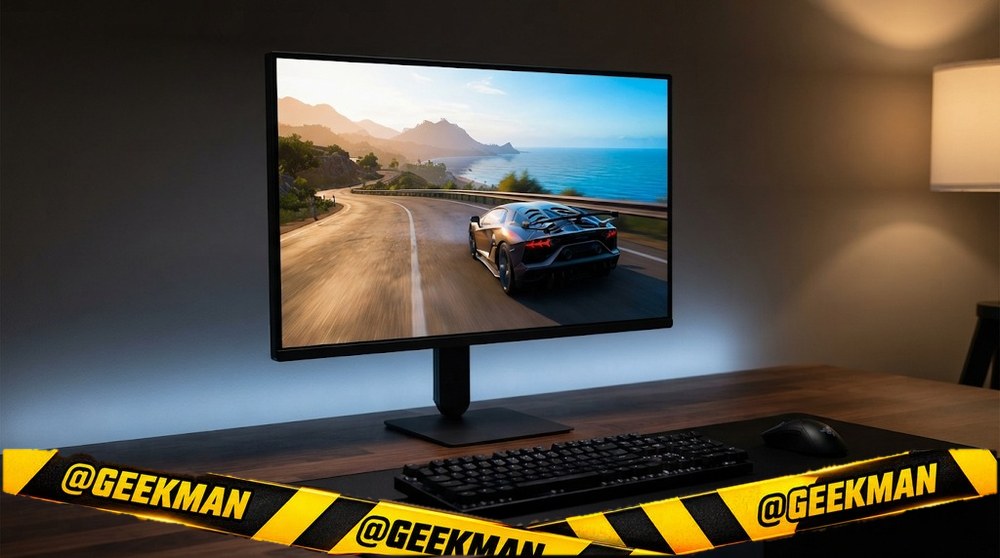
9. LG UltraGear 24G411B 24-inch 144Hz Gaming Monitor
8.0Geekman Score
7.4 Picture & speed
7.1 Features & build
9.2 Service
8.6 Value
A plain, trusted 144Hz LG for people who care more about the badge on the box than the last few hertz.
24″ FHD IPS · 144Hz · 3 years
Best for
✓ Casual and story games at 144Hz
✓ Buyers who want a big brand service network
Skip if
• You want 200Hz or more
• You need a height stand
My take: It is not the fastest monitor at this price, but LG’s service reach and a clean IPS picture make it the low-risk pick for a first gaming monitor.

LG 24G411B 60 cm (24 Inch) Ultragear FHD(1920 x 1080) IPS Gaming Monitor, 1ms MBR, 144Hz, HDR10, NVIDIA G-Sync Compatible, AMD FreeSync, HDR10, HDMI, DP, HP Out, Anti-Glare, Slim Stand, Black
Bank offers on select credit cards +1
- Bank offers on select credit cards
- Cashback with Amazon Pay ICICI Bank Credit Cards
Pros and cons
What I like
+ LG service network
+ Clean IPS colours
+ DisplayPort and headphone out
What I don’t like
• Only 144Hz at this price
Full review
The 24G411B is LG’s 2026 entry UltraGear: a 24-inch Full HD IPS panel at 144Hz with 99 percent sRGB and HDR10 support. It has HDMI and DisplayPort, plus a headphone jack.
Daily use. 144Hz is a big jump from a 60Hz office screen, and the IPS panel keeps colours consistent from an angle. HDR10 here means it accepts an HDR signal, not that it looks like an HDR TV.
What to know. The L-shaped stand tilts only. For the same money MSI gives you 200Hz, so pick the LG for the brand and service rather than for speed.
Key specs
| Screen | 24 inch |
| Resolution | Full HD 1920×1080 |
| Panel | IPS |
| Refresh rate | 144Hz |
| Response time | 1ms MBR |
| Colour | 99% sRGB |
| HDR | HDR10 |
| Ports | HDMI, DisplayPort, headphone out |
| USB-C | No |
| Stand | Tilt only |
| Speakers | No |
| Warranty | 3 years |
Best OLED
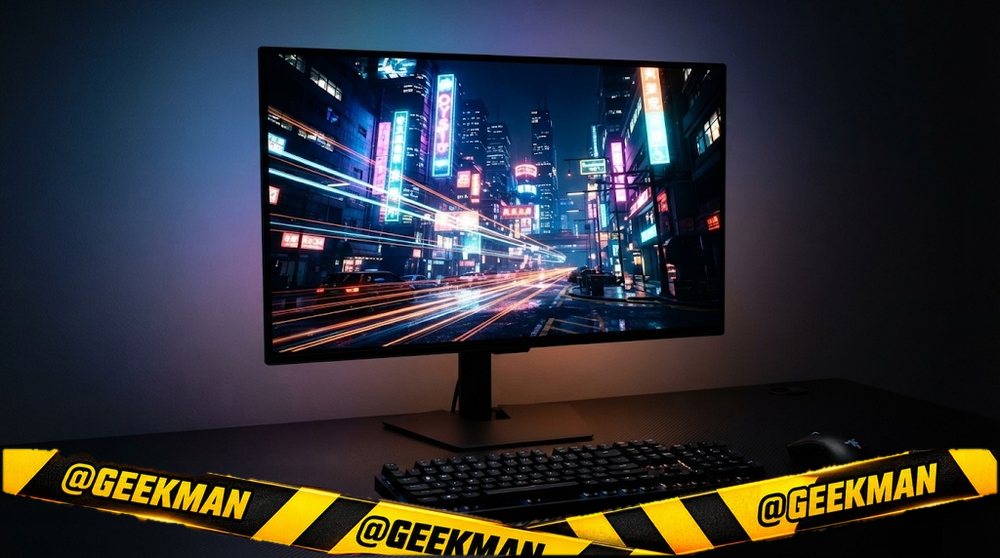
10. Samsung Odyssey OLED G5 27-inch QHD 180Hz QD-OLED Monitor
7.9Geekman Score
9.1 Picture & speed
8.4 Features & build
9.2 Service
5.5 Value
The cheapest way into a real QD-OLED gaming monitor from a big brand.
27″ QHD QD-OLED · 180Hz · 3 years
Best for
✓ Dark-room gaming and films
✓ Fast games with near-instant response
Skip if
• Static office work all day
• PS5 at 4K 120Hz
My take: The picture is in another class from LCD. Samsung’s India burn-in terms are not clear, so I would still use a dark theme and let the panel run its care cycles.

Samsung 27" Odyssey QD-OLED G5 Gaming Monitor (Smartchoice) |QHD 2560 x 1440|180 Hz|0.03ms|Pantone-Validated|G-Sync|Free Sync|Glarefree|Ports-DP,HDMI,Headphone|1 Billion Color| LS27FG502SWXXL|Black
Bank offers on select credit cards +1
- Bank offers on select credit cards
- Cashback with Amazon Pay ICICI Bank Credit Cards
Pros and cons
What I like
+ QD-OLED at an entry price
+ 0.03ms response
+ Samsung service
What I don’t like
• Burn-in cover not spelled out
• HDMI 2.0
Full review
The Odyssey OLED G5 is a 27-inch QHD QD-OLED monitor at 180Hz with a 0.03ms response, HDR10, HDMI 2.0, DisplayPort and an audio out.
Picture. Each pixel lights itself, so blacks are truly black and contrast is effectively infinite. Motion looks very clean at 180Hz.
What to know. HDMI 2.0 means a PS5 gets 1440p at 120Hz, not 4K. OLED can burn in with static images over years. Samsung India does not spell out burn-in cover, so check with the seller.
Key specs
| Screen | 27 inch |
| Resolution | QHD 2560×1440 |
| Panel | QD-OLED |
| Refresh rate | 180Hz |
| Response time | 0.03ms |
| Colour | Not stated |
| HDR | HDR10 |
| Ports | HDMI 2.0, DisplayPort, 3.5mm |
| USB-C | No |
| Stand | Not stated |
| Speakers | No |
| Warranty | 3 years |
Compare all 10 at a glance
| Monitor | Size | Resolution | Panel | Refresh | USB-C | Stand | Speakers | Warranty |
|---|---|---|---|---|---|---|---|---|
| Samsung Odyssey G5 G50F | 27″ | QHD | Fast IPS | 180Hz | No | Height | No | 3 years |
| LG UltraGear 27GS75Q | 27″ | QHD | IPS | 180Hz | No | Height | No | 3 years |
| BenQ EW270Q | 27″ | QHD | IPS | 200Hz | 65W | Tilt, swivel | Yes | 3 years |
| Acer Nitro XV272U X1 | 27″ | QHD | IPS | 200Hz | No | Height | Yes | 3 years |
| Lenovo Legion 24-10 | 23.8″ | FHD | IPS | 240Hz | No | Full | No | 3 years |
| MSI MAG 255F E20 | 24.5″ | FHD | Rapid IPS | 200Hz | No | Tilt | No | 3 years |
| LG UltraGear 27GS60QC | 27″ | QHD | VA curved | 180Hz | No | Tilt | No | 3 years |
| LG UltraGear 24GS65F | 23.8″ | FHD | IPS | 180Hz | No | Height | No | 3 years |
| LG UltraGear 24G411B | 24″ | FHD | IPS | 144Hz | No | Tilt | No | 3 years |
| Samsung Odyssey OLED G5 | 27″ | QHD | QD-OLED | 180Hz | No | Not stated | No | 3 years |
Specs from brand pages and the brand’s own product details. Refresh rates are the highest the monitor runs; some need DisplayPort.
The buying guide
How to choose a gaming monitor
144Hz
LG 24G411B, Acer EK240Y P6.
165 to 180Hz
Samsung G5 G50F, LG 27GS60QC, LG 24GS65F.
200Hz
BenQ EW270Q, Acer XV272U X1, MSI 255F E20.
240Hz
Lenovo Legion 24-10, MSI 245F X24.
OLED
Samsung Odyssey OLED G5.
PS5 too
See our PS5 monitor list.
Match the monitor to your graphics card
Entry GPUs and laptops with basic graphics: 24-inch Full HD at 144 to 180Hz. Mid-range GPUs (around RTX 4060 or RX 7600 class): Full HD at 240Hz or QHD at 144 to 180Hz. Upper mid-range and above: QHD at 180Hz plus, or 4K at 120 to 160Hz.
Turn on FreeSync or G-Sync Compatible in your GPU settings. It removes tearing whenever your frame rate drops below the monitor’s refresh rate.
Refresh rate: 60, 100, 144, 180 or 240Hz?
60 to 100Hz is fine for office work, though 100Hz already makes scrolling feel nicer. 144 to 180Hz is the sweet spot for most gamers. 240Hz and above helps only if your PC reaches those frame rates, mostly in esports titles.
Check the port. Many monitors hit their top refresh only on DisplayPort; some cap at 144Hz on HDMI, and cheap ones drop to 60 or 75Hz on VGA. I note the limits in each card.
Resolution and size: pixels per inch decide sharpness
Sharpness depends on resolution and size together. A simple rule for normal desk distance: Full HD up to 24 inches, QHD (2K) at 27 inches, 4K at 27 to 32 inches. Full HD on a 27-inch screen shows visibly soft text.
More pixels also need more graphics power in games. A mid-range GPU runs QHD well; 4K gaming at high frame rates needs a high-end card. For office work any laptop can drive 4K.
IPS, VA, OLED or TN: which panel?
IPS gives accurate colour from any angle and clean motion. It is the safe choice for work, gaming and editing. Blacks look a little grey in a dark room (“IPS glow”).
VA has two to three times the contrast of IPS, so films and dark games look deeper. The trade-off is slight smearing behind dark moving objects, which competitive players notice. Most curved monitors are VA.
OLED (QD-OLED or WOLED) lights each pixel on its own: perfect blacks and near-instant response. It costs more and can burn in with static images over years, so warranty terms matter. TN is old and cheap; skip it unless the price is very low.
Ports: HDMI versions, DisplayPort and USB-C charging
DisplayPort is the best choice for a gaming PC. HDMI 2.0 handles QHD at 144Hz and 4K at 60Hz. HDMI 2.1 is needed for 4K at 120Hz on a PS5 or Xbox. Some monitors say “HDMI 2.1 (TMDS)”, which works at lower bandwidth, so do not expect 4K 120 from those.
USB-C can carry video, data and power on one cable, but only if the monitor supplies enough watts: 65W suits a MacBook Air and thin laptops, 90 to 96W suits a 14 or 16-inch MacBook Pro. A USB-C port that gives 15W will not charge a laptop.
Stand and ergonomics: why height adjustment matters
The top of the screen should sit at or just below eye level. Most budget monitors only tilt, so they sit too low for many people. A height-adjustable stand fixes that; a pivot stand also turns the screen to portrait for code and long documents.
If your monitor only tilts, it almost always has VESA holes on the back. A basic monitor arm costs much less than the price gap to a monitor with a full stand.
OLED burn-in: how worried should you be?
Burn-in happens when the same bright image (a taskbar, a game HUD) stays on screen for very long periods. Modern OLED monitors shift pixels and run care cycles to prevent it. Use a dark theme, hide the taskbar and let the panel run its refresh cycle.
Warranty is the real protection. In India, Dell and Alienware cover burn-in on their QD-OLED monitors for 3 years, and MSI lists 3 years of burn-in cover on several QD-OLED models. Ask the seller for the terms on other brands before you buy, and buy India-distributed stock.
Questions other guides skip
1 · Why does my monitor show only 60Hz?
Usually it is the cable or the port. Use the DisplayPort cable from the box, or an HDMI cable rated for the monitor’s version, then set the refresh rate in Windows (Settings, Display, Advanced display). VGA ports on budget monitors often cap at 60 or 75Hz.
2 · What is VA smearing and will I notice it?
VA pixels switch slowly from dark shades, so a dark object moving fast leaves a faint trail. In films and slow games most people never notice. In fast shooters with dark maps, IPS or OLED look cleaner.
3 · What if my new monitor has a dead pixel?
Check it on day one with a full-screen white, black, red, green and blue image. Most brands allow a few bad pixels before they replace a panel; Dell’s S, P and UltraSharp lines replace for even one bright pixel. Report it within the return window or the first 90 days.
4 · Are monitor speakers good enough?
For calls, online classes and videos, yes. For games and music they sound thin. 5W speakers are clearly better than 2W ones. You can always plug headphones into the monitor’s audio jack.
5 · Should I buy a monitor arm?
If your monitor only tilts, an arm fixes the height and frees desk space. Check that the monitor has VESA holes (75×75 or 100×100) and that the arm supports its weight. Clamp arms need a desk edge they can grip.
6 · Can I use a TV instead of a monitor?
For console gaming and films from a sofa, yes. On a desk, TVs are too big, often have more input lag and do not have stands that adjust. A 27 or 32-inch monitor is better for close-up work.
Also consider
Fixed budget? See the best gaming monitor under 10,000 and best gaming monitor under 20,000.
Want a curve? See the best curved monitor.
Thinking OLED? See the best oled monitor.
FAQs
Which is the best gaming monitor in India?
For most gamers, a 27-inch QHD monitor at 180 to 200Hz. My pick is the Samsung Odyssey G5 G50F with a Fast IPS panel and height stand. The LG 27GS75Q adds a pivot stand, and the BenQ EW270Q adds USB-C and speakers.
144Hz or 240Hz: which should I buy?
Buy 240Hz only if your PC reaches 200 frames or more in your games, which usually means esports titles on a mid-range or better GPU. For everything else, 144 to 180Hz is smooth and lets you spend on resolution instead.
Is QHD or Full HD better for gaming?
QHD at 27 inches looks much sharper, and a mid-range GPU runs it well. Full HD at 24 inches is better for very high frame rates on a budget GPU.
Is a curved monitor good for gaming?
Curves are great for racing, open-world and story games, especially at 32 inches and on ultrawide screens. Most curved monitors use VA panels, which can smear slightly in fast dark scenes.
Is OLED worth it for gaming?
For picture quality and motion, yes. OLED has perfect blacks and near-instant response. Check burn-in warranty terms in India before you buy.
Do gaming monitors work with PS5?
Yes over HDMI. QHD monitors give 1440p at 120Hz over HDMI 2.0. For 4K at 120Hz you need HDMI 2.1.
My final gaming picks
Best QHD gaming: Samsung Odyssey G5 G50F. Check price
Best ergonomic: LG UltraGear 27GS75Q. Check price
Best 240Hz: Lenovo Legion 24-10. Check price
Best budget: MSI MAG 255F E20. Check price
Best OLED: Samsung Odyssey OLED G5. Check price
Match the monitor to your graphics card. A fast monitor on a slow GPU wastes money, and a slow monitor on a fast GPU wastes the GPU.