
Short answer: For most Mac owners, the BenQ MA270U: 4K with Mac-matched colour and 90W USB-C. For a MacBook Air on a budget, the BenQ EW2790U. For 120Hz like ProMotion, the Dell S2725QC.
MacBooks are picky about monitors in two ways. macOS text looks best on very sharp screens, so 4K at 27 inches or 5K is what you want; QHD looks soft. And a USB-C monitor that charges at the right wattage lets one cable do everything. I picked monitors by those two things first, then by colour and price. Apple’s own Studio Display costs well over a lakh, so it is a reference point here, not a pick. Prices change every week during sales, so live prices sit in the buy buttons, not in the text. Updated on 17 November 2026.
Quick picks
| Pick | Monitor | Best for |
|---|---|---|
| Best overall for Mac | BenQ MA270U | MacBook Air and Pro owners who want a proper Mac desk |
| Best value for MacBook Air | BenQ EW2790U | Movies, laptops and light creative work |
| Best 120Hz on one cable | Dell S2725QC | Laptop and MacBook users who want a sharp, smooth 4K desk |
| Best 5K (Studio Display alternative) | BenQ MA270S | Mac pros who want Retina sharpness on a big screen |
| Best for MacBook Pro 16 plus console | BenQ MA320UG | 16-inch MacBook Pro owners who also game on a console |
| Best 32-inch for Mac | BenQ MA320U | Mac users who want a bigger screen for timelines and multiple windows |
| Cheapest 5K | Samsung ViewFinity S8 5K | Mac users who want Retina sharpness at a lower price |
| LG alternative | LG 27UP850K | Mac and laptop users who prefer LG |
| Budget MacBook Air desk | BenQ GW2486TC | Coders and MacBook Air owners who want a one-cable desk |
Tap a name to jump to its review. Ranked by Geekman Score, best first.
Monitor finder
Answer 3 quick questions, get your top 3
Not sure which one? Start with BenQ MA270U, BenQ EW2790U, Dell S2725QC.
How I ranked them
The Geekman Score
Geekman has reviewed screens, laptops and PC gear for over 10 years. For this list I went through more than 40 USB-C and Mac-friendly monitors sold in India, from the big stores and the brands’ own pages, and compared what decides whether you still like a monitor after two years: the panel type and resolution for its size, the real refresh rate on each port, colour coverage, the ports (HDMI version, DisplayPort, USB-C charging watts), the stand, speakers, the warranty and pixel policy, and how easy service is in Indian cities. Where a store page and the brand’s spec sheet disagree, I went with the brand. Every pick gets a Geekman Score out of 10: Picture and speed 35%, Features and build 20%, Service 15% and Value 30%. Scores compare monitors inside this list only. For this list, pixel density and USB-C charging watts count heavily.
See all Geekman Scores
| # | Monitor | Picture | Features | Service | Value | Score |
|---|---|---|---|---|---|---|
| 1 | BenQ MA270U | 8.6 | 8.7 | 9.2 | 9.6 | 9.0 |
| 2 | BenQ EW2790U | 8.1 | 8.2 | 9.2 | 9.6 | 8.7 |
| 3 | Dell S2725QC | 8.7 | 8.4 | 9.2 | 8.4 | 8.6 |
| 4 | BenQ MA270S | 9.1 | 9.0 | 9.2 | 7.2 | 8.5 |
| 5 | BenQ MA320UG | 8.8 | 8.8 | 9.2 | 7.4 | 8.4 |
| 6 | BenQ MA320U | 8.3 | 8.4 | 9.2 | 7.9 | 8.3 |
| 7 | Samsung ViewFinity S8 5K | 8.6 | 7.5 | 9.2 | 7.8 | 8.2 |
| 8 | LG 27UP850K | 8.1 | 7.5 | 9.2 | 8.1 | 8.1 |
| 9 | BenQ GW2486TC | 7.2 | 8.4 | 9.2 | 8.2 | 8.0 |
The reviews
Best monitor for MacBook: 9 picks reviewed
Best overall for Mac
1. BenQ MA270U 27-inch 4K Monitor for MacBook
9.0Geekman Score
8.6 Picture & speed
8.7 Features & build
9.2 Service
9.6 Value
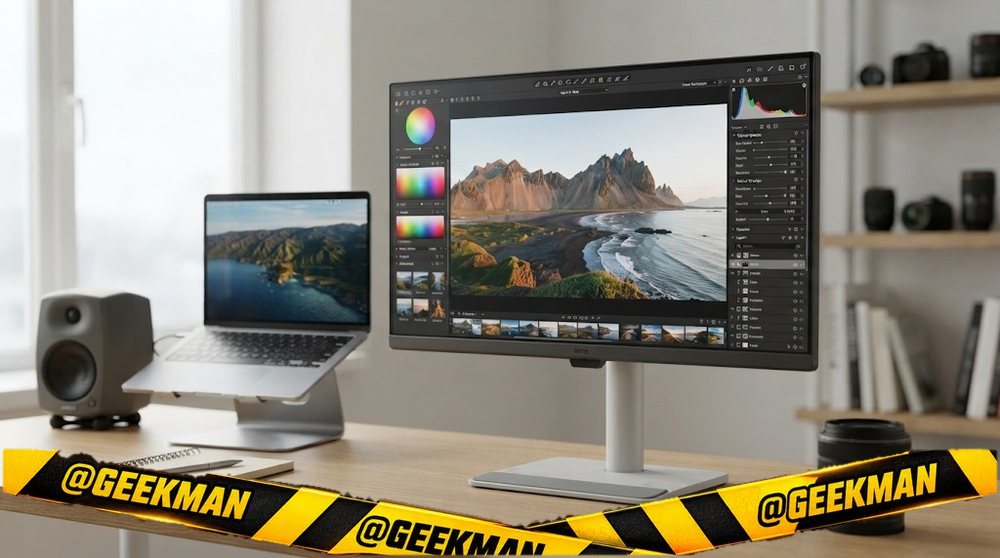
A 4K monitor designed around the MacBook: Mac-matched colour, 90W USB-C and controls from macOS.
27″ 4K IPS · 60Hz · USB-C 90W · Height and tilt stand · M-Book mode · 3 years (onsite)
Best for
✓ MacBook Pro 14 and Air on one cable
✓ Mac users who want colours to match the laptop screen
Skip if
• Gaming above 60Hz
• Windows-only users who will not use the Mac features
My take: For most Mac owners this is the one to buy. It costs less than half of Apple’s display and feels made for the Mac.


BenQ MA270U, 27 Inch(68.58 cm), 4K IPS Monitor for Mac| 3840x2160, 60Hz| P3 Color Gamut, HDMI, Dual USB-C(90W PD),Brightness & Volume Control, HAS Stand,Display Pilot2.0,Integrated Mac Controls(Gray)

Up to 6% instant discount on select credit cards +1
- Up to 6% instant discount on select credit cards
- Cashback with Amazon Pay ICICI Bank Credit Cards
Pros and cons
What I like
+ Mac-matched colour mode
+ USB-C 90W
+ BenQ onsite warranty
What I don’t like
• 60Hz
Full review
The MA270U is a 27-inch 4K IPS monitor at about 163 pixels per inch, with 95 percent DCI-P3, BenQ’s M-Book colour mode that matches MacBook colours, USB-C with 90W charging and Display Pilot 2 software for macOS.
On a Mac. At 27 inches, 4K looks crisp with macOS scaling. M-Book mode makes the monitor’s colours look like your MacBook’s screen, which helps if you edit photos on both. 90W charging covers MacBook Air and 14-inch Pro.
What to know. It is 60Hz. A glossy MA270UP variant is also sold for people who prefer a glossy screen like the Mac.
Key specs
| Screen | 27 inch |
| Resolution | 4K 3840×2160 (163 PPI) |
| Panel | IPS |
| Refresh rate | 60Hz |
| Response time | Not stated |
| Colour | 95% DCI-P3 |
| HDR | No |
| Ports | USB-C (90W, DP Alt mode), HDMI |
| USB-C | Yes, 90W charging |
| Stand | Height and tilt |
| Speakers | No |
| Warranty | 3 years (onsite) |
Best value for MacBook Air
2. BenQ EW2790U 27-inch 4K Entertainment Monitor with USB-C
8.7Geekman Score
8.1 Picture & speed
8.2 Features & build
9.2 Service
9.6 Value
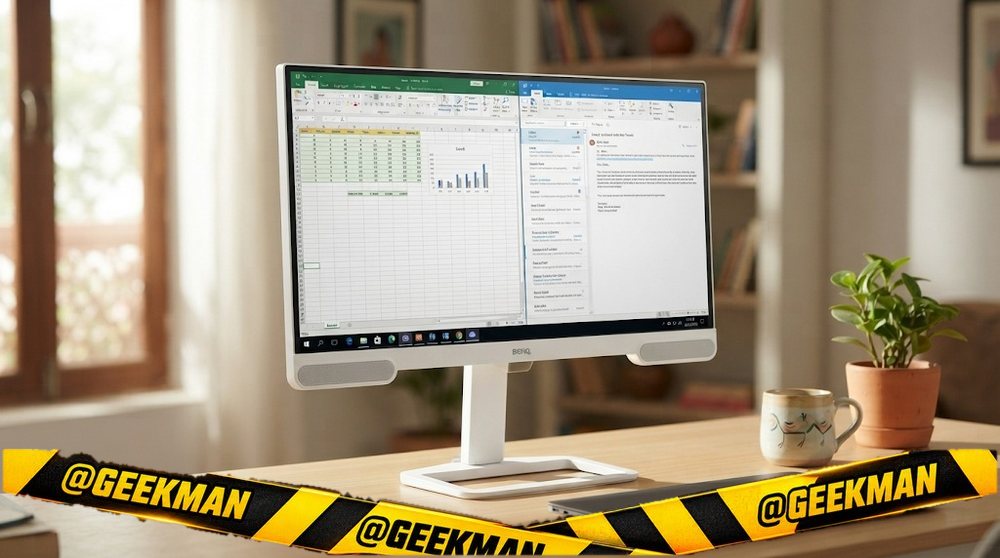
A 4K entertainment monitor with rich colour, speakers and 65W USB-C, the value pick for a MacBook Air desk.
27″ 4K IPS · 60Hz · USB-C 65W · Speakers · Height and tilt stand · 3 years (onsite)
Best for
✓ MacBook Air or USB-C laptop on one cable
✓ Movies and series at your desk
Skip if
• 4K 120Hz gaming
• Colour-critical client work
My take: For a home desk that mixes work and Netflix, this is a very pleasant 4K screen. It is not a calibrated pro display, and it does not pretend to be.

BenQ EW2790U 27”(68.58 cm) 4K UHD IPS Entertainment Monitor | 3840x2160 |95% P3| AI Contrast| 5Wx2 treVolo Speakers| USB Type-C(65W PD)| 3xHDMI|USB Hub|60Hz|Ergonomic Design|Display Pilot 2(White)
Up to 6% instant discount on select credit cards +1
- Up to 6% instant discount on select credit cards
- Cashback with Amazon Pay ICICI Bank Credit Cards
Pros and cons
What I like
+ 95% DCI-P3 colour
+ USB-C 65W
+ Height stand and speakers
What I don’t like
• 60Hz
• HDMI 2.0 only
Full review
The EW2790U is a 27-inch 4K IPS monitor at 60Hz with 95 percent DCI-P3, HDR support, three HDMI 2.0 ports, USB-C with 65W charging, speakers and a height stand.
Media and Mac. Wide colour and BenQ’s HDRi make films look rich. 4K at 27 inches is sharp on macOS. 65W suits a MacBook Air or a 14-inch Pro on light work.
What to know. HDMI 2.0 means a PS5 gets 4K at 60Hz, not 120Hz. There is no factory calibration report.
Key specs
| Screen | 27 inch |
| Resolution | 4K 3840×2160 (163 PPI) |
| Panel | IPS |
| Refresh rate | 60Hz |
| Response time | 5ms |
| Colour | 95% DCI-P3 |
| HDR | HDR10, HDRi |
| Ports | 3x HDMI 2.0, USB-C (65W, DP Alt mode), 3.5mm |
| USB-C | Yes, 65W charging |
| Stand | Height and tilt |
| Speakers | Yes |
| Warranty | 3 years (onsite) |
Best 120Hz on one cable
3. Dell S2725QC 27-inch 4K 120Hz USB-C Monitor
8.6Geekman Score
8.7 Picture & speed
8.4 Features & build
9.2 Service
8.4 Value
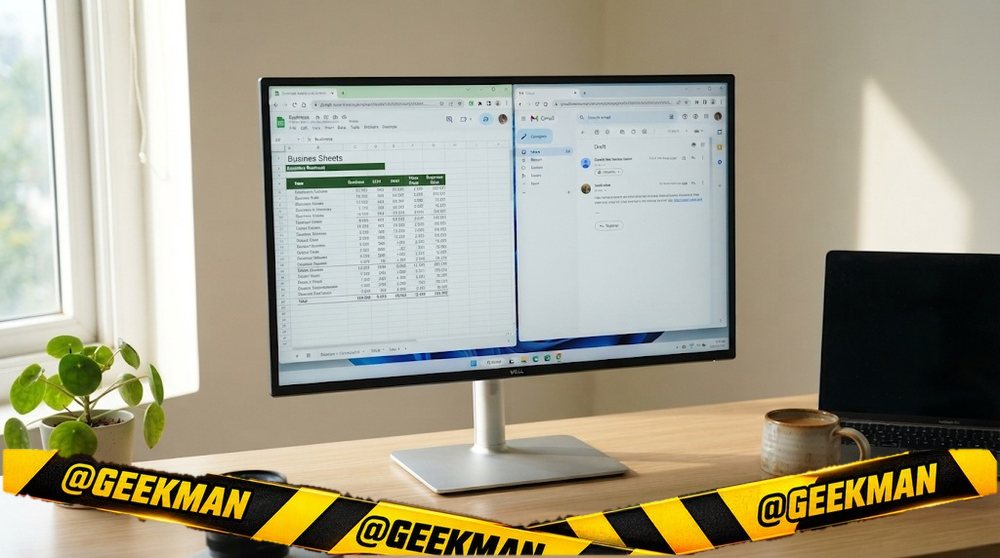
The S2725QS with a USB-C port added, so a laptop gets 4K picture and charging on one cable.
27″ 4K IPS · 120Hz · USB-C 65W · Speakers · Height and tilt stand · 3 years
Best for
✓ MacBook Air and Pro 14 owners
✓ A clean one-cable work desk
Skip if
• 16-inch MacBook Pro on heavy load
• Console-first gamers
My take: The best-selling 4K monitor in India this year, and I can see why. Sharp, 120Hz, one cable to the laptop and Dell’s warranty behind it.

Dell S2725QC 27" 4K (3840 * 2160) USB-C Monitor|Titan Grey|IPS 120Hz| 350 cd/m2 |4 ms, Contrast 1,500:1| Tilt, Height, Pivot & Swivel|Ports: 2X HDMI| 2 * 5W Speakers|99% SRGB |AMD Freesync Premium
Up to 6% instant discount on select credit cards +1
- Up to 6% instant discount on select credit cards
- Cashback with Amazon Pay ICICI Bank Credit Cards
Pros and cons
What I like
+ 4K 120Hz with USB-C
+ Height stand and speakers
+ Dell warranty
What I don’t like
• 65W is not enough for heavy 16-inch laptops
Full review
The S2725QC is a 27-inch 4K IPS monitor at 120Hz with 99 percent sRGB, speakers, a height stand, HDMI and a USB-C port that powers a laptop at 65W according to Dell’s product details.
With a laptop. USB-C carries video and power, so a MacBook or USB-C Windows laptop needs one cable. 65W is enough for MacBook Air and most thin laptops. A 16-inch MacBook Pro under heavy load wants 96W or more.
Daily use. 4K at 27 inches is sharp for macOS and Windows. 120Hz feels close to the ProMotion screen on newer MacBook Pros.
Key specs
| Screen | 27 inch |
| Resolution | 4K 3840×2160 (163 PPI) |
| Panel | IPS |
| Refresh rate | 120Hz |
| Response time | Not stated |
| Colour | 99% sRGB |
| HDR | No |
| Ports | HDMI, USB-C (65W) |
| USB-C | Yes, 65W charging |
| Stand | Height and tilt |
| Speakers | Yes |
| Warranty | 3 years |
Best 5K (Studio Display alternative)
4. BenQ MA270S 27-inch 5K Monitor for Mac
8.5Geekman Score
9.1 Picture & speed
9.0 Features & build
9.2 Service
7.2 Value
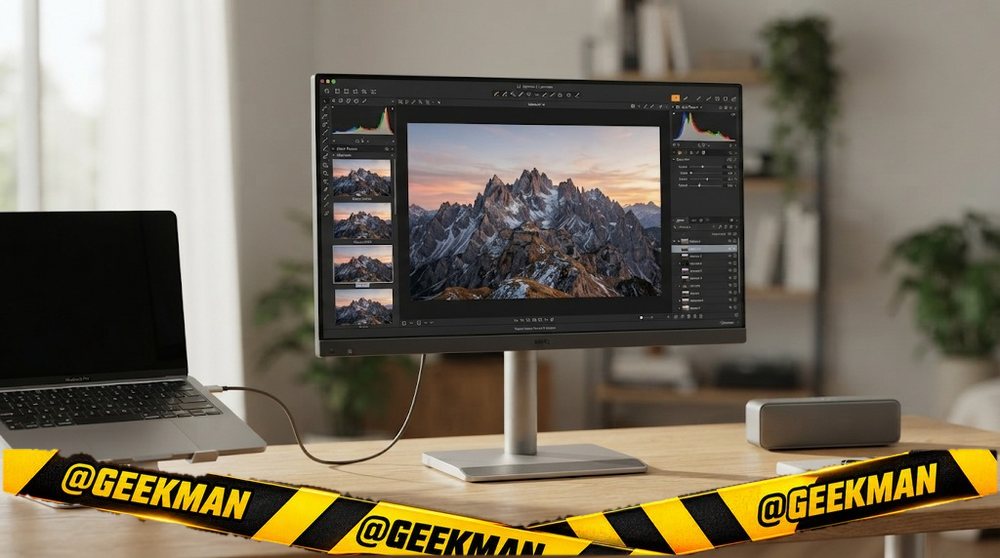
5K at 218 pixels per inch, the same sharpness as Apple’s Studio Display, for about half the price.
27″ 5K IPS · 60Hz · USB-C 96W · HDMI 2.1 · 3 years (onsite)
Best for
✓ 16-inch MacBook Pro with 96W charging
✓ Designers and editors on macOS
Skip if
• Gaming
• Windows-first desks
My take: If you want the Studio Display look without paying Apple prices, this is the closest thing on sale in India.

BenQ MA270S (Smartchoice) 27” 5K 5120x2880 Nano Gloss Monitor for Mac Creators, Dual Thunderbolt 4 96W/15W, Mac Color, Daisy Chain, KVM,Integrated Mac Controls,Height & Tilt Adjustment, P3 Color Gamut
Up to 6% instant discount on select credit cards +1
- Up to 6% instant discount on select credit cards
- Cashback with Amazon Pay ICICI Bank Credit Cards
Pros and cons
What I like
+ 5K at 218 PPI
+ Thunderbolt 4 with 96W
+ KVM and HDMI 2.1
What I don’t like
• Premium price
• 60Hz
Full review
The MA270S is a 27-inch 5K monitor at 218 pixels per inch with 99 percent DCI-P3, Thunderbolt 4 with 96W charging and a Thunderbolt 4 output for daisy chain, two HDMI 2.1 ports and a KVM switch.
On a Mac. 5K at 27 inches gives macOS its native “Retina” scaling, so everything is razor sharp with no odd scaling. 96W is enough for a 16-inch MacBook Pro.
What to know. It is a premium monitor at 60Hz. Apple’s Studio Display adds a camera and speakers at roughly twice the price.
Key specs
| Screen | 27 inch |
| Resolution | 5K 5120×2880 (218 PPI) |
| Panel | IPS |
| Refresh rate | 60Hz |
| Response time | Not stated |
| Colour | 99% DCI-P3 |
| HDR | No |
| Ports | Thunderbolt 4 in (96W), Thunderbolt 4 out, 2x HDMI 2.1, KVM |
| USB-C | Yes, 96W charging |
| Stand | Not stated |
| Speakers | No |
| Warranty | 3 years (onsite) |
Best for MacBook Pro 16 plus console
5. BenQ MA320UG 32-inch 4K 120Hz Monitor for Mac
8.4Geekman Score
8.8 Picture & speed
8.8 Features & build
9.2 Service
7.4 Value
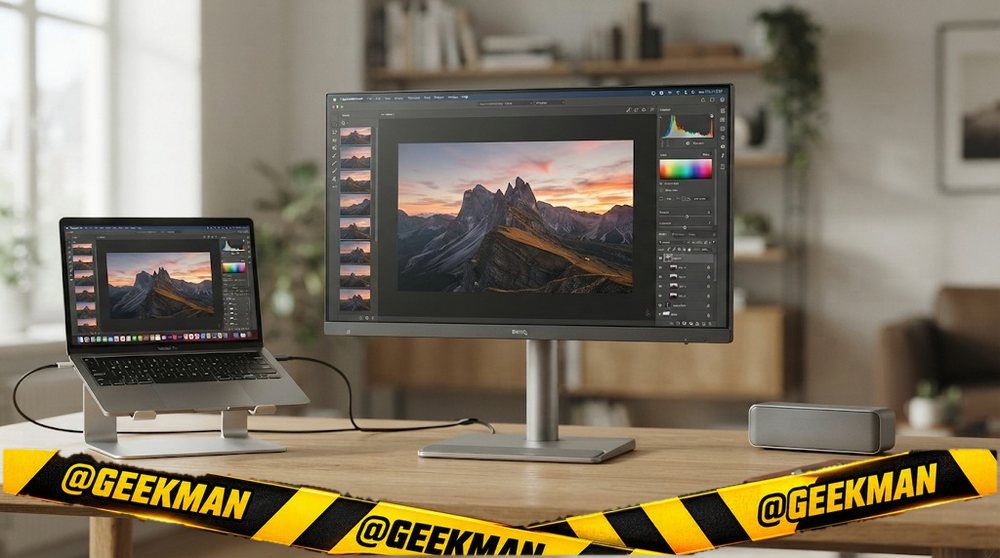
A 32-inch 4K at 120Hz with Thunderbolt 96W and HDMI 2.1, for a MacBook Pro by day and a console by night.
31.5″ 4K IPS · 120Hz · USB-C 96W · HDMI 2.1 · 3 years (onsite)
Best for
✓ MacBook Pro 16 with 96W charging
✓ PS5 at 4K 120Hz on the same screen
Skip if
• Small desks
• Budget buyers
My take: A rare monitor that is great for both a Mac and a PS5. Expensive, but it replaces two screens.
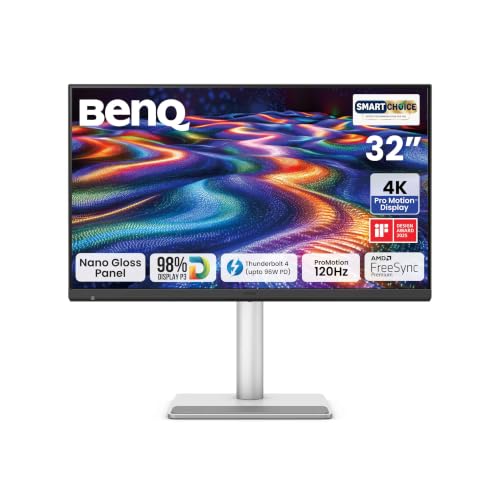
BenQ MA320UG (Smartchoice) 32” 4K 120Hz Promotion™ Nano Gloss Monitor, 98% P3 Color Gamut Dual Thunderbolt 4 96W/15W, Mac Color, Daisy Chain, KVM, Integrated Mac® Controls, Height Adjust (Gray)
Up to 6% instant discount on select credit cards +1
- Up to 6% instant discount on select credit cards
- Cashback with Amazon Pay ICICI Bank Credit Cards
Pros and cons
What I like
+ 4K 120Hz at 32 inches
+ Thunderbolt 96W
+ HDMI 2.1 and KVM
What I don’t like
• Premium price
Full review
The MA320UG is a 32-inch 4K IPS monitor at 120Hz with Thunderbolt 4 that charges at 96W, a downstream port for daisy chain, HDMI 2.1 and a KVM switch.
Mac and console. 96W covers a 16-inch MacBook Pro. HDMI 2.1 gives a PS5 4K at 120Hz. The KVM lets one keyboard and mouse control both computers.
What to know. 32-inch 4K is about 140 pixels per inch, a little less crisp on macOS than 27-inch 4K, but with far more space.
Key specs
| Screen | 31.5 inch |
| Resolution | 4K 3840×2160 (140 PPI) |
| Panel | IPS |
| Refresh rate | 120Hz |
| Response time | Not stated |
| Colour | Not stated |
| HDR | No |
| Ports | Thunderbolt 4 in (96W), downstream (15W, daisy chain), HDMI 2.1, KVM |
| USB-C | Yes, 96W charging |
| Stand | Not stated |
| Speakers | No |
| Warranty | 3 years (onsite) |
Best 32-inch for Mac
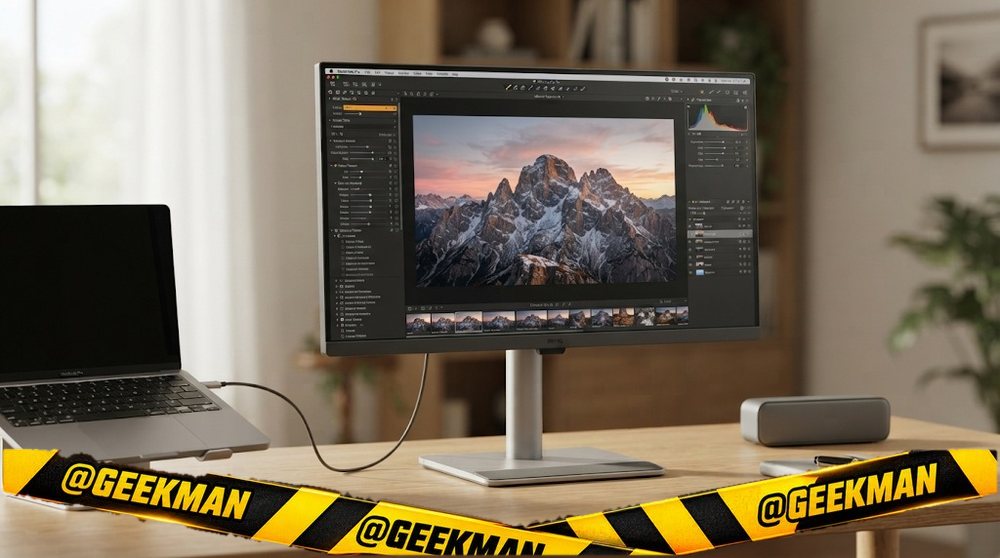
6. BenQ MA320U 32-inch 4K Monitor for Mac
8.3Geekman Score
8.3 Picture & speed
8.4 Features & build
9.2 Service
7.9 Value
The 32-inch version of BenQ’s Mac monitor, for people who want more canvas than sharpness.
31.5″ 4K IPS · 60Hz · USB-C 90W · M-Book mode · 3 years (onsite)
Best for
✓ Video timelines and many open windows
✓ MacBook Air and Pro 14 on one cable
Skip if
• People who want the sharpest text
• Gaming
My take: More room, slightly softer text. Pick it if space matters more to you than pixel density.
BenQ MA320U, 32Inch (68.58 cm), 4K IPS 3840x2160, 60Hz, Monitor for Mac®,97% P3 Color Gamut,99% sRGB, HDMI, Dual USB-C(90W PD),HAS Stand,Display Pilot2.0, 3WX2 Speakers,Integrated Mac® Controls(Gray)
Up to 6% instant discount on select credit cards +1
- Up to 6% instant discount on select credit cards
- Cashback with Amazon Pay ICICI Bank Credit Cards
Pros and cons
What I like
+ 32-inch 4K for Mac
+ USB-C 90W
+ 97% DCI-P3
What I don’t like
• 60Hz
• Lower PPI than 27-inch 4K
Full review
The MA320U is a 32-inch 4K IPS monitor at 60Hz and about 140 pixels per inch, with 97 percent DCI-P3, M-Book colour mode and USB-C with 90W charging.
On a Mac. At 32 inches, 4K gives more room for timelines and side-by-side apps. M-Book mode matches MacBook colours.
What to know. It is 60Hz. A glossy MA320UP version is also sold.
Key specs
| Screen | 31.5 inch |
| Resolution | 4K 3840×2160 (140 PPI) |
| Panel | IPS |
| Refresh rate | 60Hz |
| Response time | Not stated |
| Colour | 97% DCI-P3 |
| HDR | No |
| Ports | USB-C (90W), HDMI |
| USB-C | Yes, 90W charging |
| Stand | Not stated |
| Speakers | No |
| Warranty | 3 years (onsite) |
Cheapest 5K
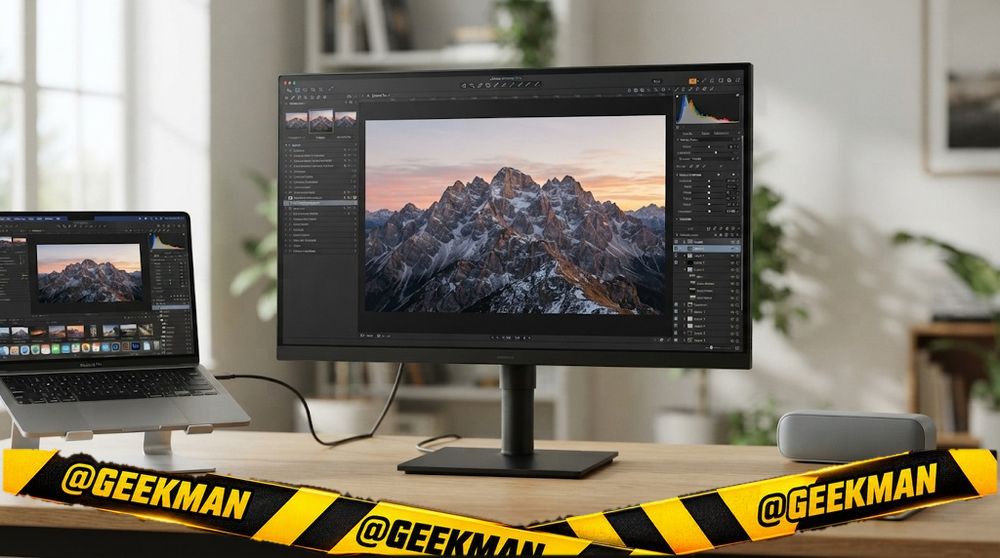
7. Samsung ViewFinity S8 27-inch 5K Monitor
8.2Geekman Score
8.6 Picture & speed
7.5 Features & build
9.2 Service
7.8 Value
The cheapest 5K monitor on sale in India right now.
27″ 5K IPS · 60Hz · 3 years
Best for
✓ Designers on a budget who want 5K
✓ Mac users with Samsung service nearby
Skip if
• People who need charging specs confirmed today
• Gaming
My take: A tempting price for 5K. Samsung’s India page did not load for me, so check the USB-C or Thunderbolt charging wattage on the box before you count on it.

Samsung 27" 5K ViewFinity S8 Monitor (Smartchoice) |5K (5120 x 2880)|IPS Panel|Type-C 90W Charging|Inbuilt KVM Switch|Ports-HDMI/DP/LAN/USB-C/USB-A,B|Ergonomic Stand|PIP|PBP|HDR10|LS27H804EFAXXL|Black
Up to 6% instant discount on select credit cards +1
- Up to 6% instant discount on select credit cards
- Cashback with Amazon Pay ICICI Bank Credit Cards
Pros and cons
What I like
+ 5K at 218 PPI
+ Lower price than other 5K
+ Samsung warranty
What I don’t like
• Ports and charging not confirmed
Full review
The ViewFinity S8 (LS27H804) is a 27-inch 5K monitor at 60Hz, giving the same 218 pixels per inch as Apple’s 5K displays.
On a Mac. 5K at 27 inches is the ideal match for macOS scaling. Text and photos look as sharp as on the MacBook screen.
What to know. I could not confirm the port list and charging wattage on Samsung’s official India page. Ask the seller or check the box before you buy.
Key specs
| Screen | 27 inch |
| Resolution | 5K 5120×2880 (218 PPI) |
| Panel | IPS |
| Refresh rate | 60Hz |
| Response time | Not stated |
| Colour | Not stated |
| HDR | No |
| Ports | Not stated |
| USB-C | No |
| Stand | Not stated |
| Speakers | No |
| Warranty | 3 years |
LG alternative
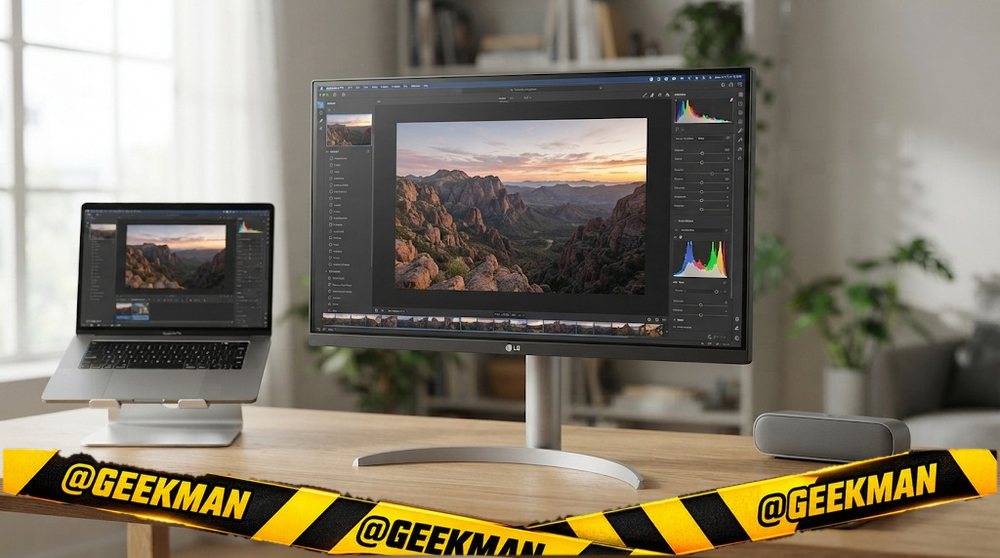
8. LG 27UP850K 27-inch 4K UltraFine Monitor
8.1Geekman Score
8.1 Picture & speed
7.5 Features & build
9.2 Service
8.1 Value
LG’s 4K UltraFine with USB-C and DisplayHDR 400, an alternative to the BenQ picks.
27″ 4K IPS · 60Hz · USB-C video · 3 years
Best for
✓ 4K work on a Mac or laptop
✓ LG service network
Skip if
• People who need confirmed 90W or more charging
• Gaming
My take: A good 4K screen. The older 27UP850 charged at 96W, but I could not confirm the wattage on this K version, so check before you rely on it for a 16-inch MacBook Pro.

LG 27UP850K Smartchoice 68 cm (27 Inch) Ultrafine UHD (3840 x 2160) IPS Monitor, VESA DisplayHDR 400, 95% DCI-P3, DP, HDMI, USB Type-C (90W PD), Speakers, Integrated Mac Controls, HAS Stand, White
Up to 6% instant discount on select credit cards +1
- Up to 6% instant discount on select credit cards
- Cashback with Amazon Pay ICICI Bank Credit Cards
Pros and cons
What I like
+ 4K with USB-C
+ DisplayHDR 400
+ LG warranty
What I don’t like
• Charging wattage not confirmed
Full review
The 27UP850K is a 27-inch 4K IPS UltraFine monitor at 60Hz with DisplayHDR 400, a USB-C port, HDMI and DisplayPort.
Daily use. Sharp 4K text and VESA DisplayHDR 400 for brighter highlights than basic HDR10 monitors.
What to know. USB-C charging wattage was not on LG’s India page when I checked. For MacBook Air it does not matter much, for a 16-inch Pro it does.
Key specs
| Screen | 27 inch |
| Resolution | 4K 3840×2160 (163 PPI) |
| Panel | IPS |
| Refresh rate | 60Hz |
| Response time | Not stated |
| Colour | Not stated |
| HDR | DisplayHDR 400 |
| Ports | USB-C, HDMI, DisplayPort |
| USB-C | Yes, video only |
| Stand | Not stated |
| Speakers | No |
| Warranty | 3 years |
Budget MacBook Air desk
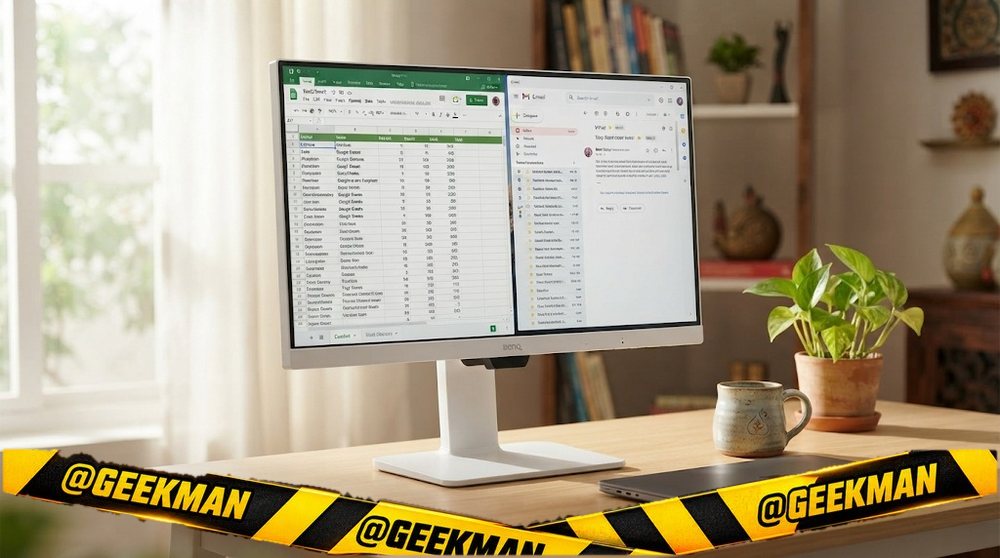
9. BenQ GW2486TC 24-inch USB-C Coding Monitor
8.0Geekman Score
7.2 Picture & speed
8.4 Features & build
9.2 Service
8.2 Value
A 24-inch monitor built for developers: coding mode, USB-C 65W, a full stand and a noise-cancelling mic.
24″ FHD IPS · 100Hz · USB-C 65W · Speakers · Height, tilt, swivel and pivot stand · Coding mode · Noise-cancelling mic · 3 years (onsite)
Best for
✓ Coding in portrait mode
✓ MacBook Air and USB-C laptops
Skip if
• Sharp QHD text
• Gaming
My take: For a developer’s desk this has every useful feature except high resolution. Turn it to portrait and read whole files without scrolling.

BenQ GW2486TC 24inch (60.45cm) IPS 100Hz Full HD Coding Monitor |USB-C(65W PD)| Daisy Chain| 99% sRGB| Height Adjust|HDMI| DP| USB Hub| 2Wx2 Speakers| Eye Care| Noise Cancelling Microphone (White)
Up to 6% instant discount on select credit cards +1
- Up to 6% instant discount on select credit cards
- Cashback with Amazon Pay ICICI Bank Credit Cards
Pros and cons
What I like
+ USB-C 65W and daisy chain
+ Full stand with pivot
+ Coding mode and built-in mic
What I don’t like
• Only Full HD
Full review
The GW2486TC is a 24-inch Full HD IPS monitor at 100Hz with BenQ’s coding mode, USB-C with 65W charging, daisy chain, a height, tilt, swivel and pivot stand, speakers and a noise-cancelling microphone.
Coding. BenQ’s coding mode adjusts contrast for dark and light code themes. The pivot stand turns the screen to portrait for long files and logs.
What to know. Full HD at 24 inches is fine but not crisp on macOS. For a sharper Mac screen, look at the 4K picks.
Key specs
| Screen | 24 inch |
| Resolution | Full HD 1920×1080 |
| Panel | IPS |
| Refresh rate | 100Hz |
| Response time | 5ms |
| Colour | 99% sRGB |
| HDR | No |
| Ports | HDMI, DisplayPort, USB-C (65W), daisy chain out |
| USB-C | Yes, 65W charging |
| Stand | Height, tilt, swivel and pivot |
| Speakers | Yes |
| Warranty | 3 years (onsite) |
Compare all 9 at a glance
| Monitor | Size | Resolution | Panel | Refresh | USB-C | Stand | Speakers | Warranty |
|---|---|---|---|---|---|---|---|---|
| BenQ MA270U | 27″ | 4K | IPS | 60Hz | 90W | Height | No | 3 years |
| BenQ EW2790U | 27″ | 4K | IPS | 60Hz | 65W | Height | Yes | 3 years |
| Dell S2725QC | 27″ | 4K | IPS | 120Hz | 65W | Height | Yes | 3 years |
| BenQ MA270S | 27″ | 5K | IPS | 60Hz | 96W | Not stated | No | 3 years |
| BenQ MA320UG | 31.5″ | 4K | IPS | 120Hz | 96W | Not stated | No | 3 years |
| BenQ MA320U | 31.5″ | 4K | IPS | 60Hz | 90W | Not stated | No | 3 years |
| Samsung ViewFinity S8 5K | 27″ | 5K | IPS | 60Hz | No | Not stated | No | 3 years |
| LG 27UP850K | 27″ | 4K | IPS | 60Hz | Video | Not stated | No | 3 years |
| BenQ GW2486TC | 24″ | FHD | IPS | 100Hz | 65W | Full | Yes | 3 years |
Specs from brand pages and the brand’s own product details. Refresh rates are the highest the monitor runs; some need DisplayPort.
The buying guide
How to choose a monitor for a MacBook
Best for Mac
BenQ MA270U.
MacBook Air
BenQ EW2790U or Dell S2725QC.
5K Retina
BenQ MA270S or Samsung S8 5K.
MacBook Pro 16
BenQ MA320UG or MA270S (96W).
32-inch
BenQ MA320U.
Budget
BenQ GW2486TC.
Why MacBooks need a sharp monitor
macOS looks best at about 110 or about 220 pixels per inch. A 27-inch 4K (about 163 PPI) looks sharp with scaling; a 27-inch 5K (218 PPI) matches Apple’s own displays. QHD at 27 inches looks noticeably softer on macOS than on Windows.
Charging: MacBook Air and 14-inch Pro work well on 65 to 90W USB-C. A 16-inch MacBook Pro under heavy load wants 96W or more. Base M-series chips drive one or two external displays depending on the model, so check Apple’s spec page for yours.
Ports: HDMI versions, DisplayPort and USB-C charging
DisplayPort is the best choice for a gaming PC. HDMI 2.0 handles QHD at 144Hz and 4K at 60Hz. HDMI 2.1 is needed for 4K at 120Hz on a PS5 or Xbox. Some monitors say “HDMI 2.1 (TMDS)”, which works at lower bandwidth, so do not expect 4K 120 from those.
USB-C can carry video, data and power on one cable, but only if the monitor supplies enough watts: 65W suits a MacBook Air and thin laptops, 90 to 96W suits a 14 or 16-inch MacBook Pro. A USB-C port that gives 15W will not charge a laptop.
Resolution and size: pixels per inch decide sharpness
Sharpness depends on resolution and size together. A simple rule for normal desk distance: Full HD up to 24 inches, QHD (2K) at 27 inches, 4K at 27 to 32 inches. Full HD on a 27-inch screen shows visibly soft text.
More pixels also need more graphics power in games. A mid-range GPU runs QHD well; 4K gaming at high frame rates needs a high-end card. For office work any laptop can drive 4K.
Colour gamut and calibration for editors
sRGB / Rec.709 covers almost all web and streaming video. DCI-P3 matters for HDR and cinema work. Adobe RGB matters for print photography. A monitor with a factory calibration report (Calman Verified, Pantone Validated) is accurate out of the box.
Wide-gamut monitors look oversaturated in normal apps. Use the sRGB mode for everyday work and switch modes for colour work. A hardware calibrator keeps any monitor accurate over time.
Stand and ergonomics: why height adjustment matters
The top of the screen should sit at or just below eye level. Most budget monitors only tilt, so they sit too low for many people. A height-adjustable stand fixes that; a pivot stand also turns the screen to portrait for code and long documents.
If your monitor only tilts, it almost always has VESA holes on the back. A basic monitor arm costs much less than the price gap to a monitor with a full stand.
Questions other guides skip
1 · Can I use two monitors with my laptop?
Most Windows laptops drive two external screens with HDMI plus USB-C. Base Apple M-series MacBooks support one or two external displays depending on the chip, so check Apple’s spec page for your model before buying two.
2 · Which scaling should I use in Windows?
Full HD at 24 inches: 100 percent. QHD at 27 inches: 100 or 125 percent. 4K at 27 inches: 150 percent. 4K at 32 inches: 125 to 150 percent. Use what makes text comfortable at your distance.
3 · Matte or glossy screen?
Matte screens hide reflections from windows and lights, so they suit most Indian rooms. Glossy screens look a little richer but reflect everything behind you.
4 · What if my new monitor has a dead pixel?
Check it on day one with a full-screen white, black, red, green and blue image. Most brands allow a few bad pixels before they replace a panel; Dell’s S, P and UltraSharp lines replace for even one bright pixel. Report it within the return window or the first 90 days.
5 · Should I buy a monitor arm?
If your monitor only tilts, an arm fixes the height and frees desk space. Check that the monitor has VESA holes (75×75 or 100×100) and that the arm supports its weight. Clamp arms need a desk edge they can grip.
Also consider
Editing on your Mac? See the best monitor for video editing.
Want 4K for less? See the best 4k monitor.
Travel? See the best portable monitor.
More from Geekman
More monitor buying guides
Best 4K monitorBest monitor for video editingBest portable monitorBest 27-inch monitorBest monitor in India
FAQs
Which is the best monitor for a MacBook in India?
The BenQ MA270U: 27-inch 4K, about 163 PPI, M-Book colour mode that matches MacBook colours, and USB-C 90W charging.
Which monitor is best for a MacBook Air?
The BenQ EW2790U or Dell S2725QC. Both are 4K with 65W USB-C, enough for a MacBook Air.
Why does text look blurry on my monitor with a Mac?
macOS scales text best at high pixel density. QHD at 27 inches looks soft. A 27-inch 4K or 5K monitor fixes it.
How many watts do I need for a MacBook Pro?
65 to 90W for a 14-inch MacBook Pro, 96W or more for a 16-inch under heavy load.
Can my MacBook Air use two monitors?
It depends on the chip. Some MacBook Air models support two external displays with the lid closed, others only one. Check Apple’s spec page for your model.
Is a 5K monitor worth it for Mac?
If you want the sharpest macOS text, yes. 5K at 27 inches matches Apple’s own displays. The BenQ MA270S and Samsung ViewFinity S8 5K cost far less than Apple’s.
My final Mac picks
Best for Mac: BenQ MA270U. Check price
MacBook Air value: BenQ EW2790U. Check price
120Hz: Dell S2725QC. Check price
5K: BenQ MA270S. Check price
For a Mac, buy sharpness and the right charging watts. Everything else is a bonus.