

Short answer: buy the Acer Aspire 14 AI if you want the best all round laptop. Buy the Lenovo V14 if you want the fastest chip. Buy the HP 15 if you want to spend the least.
Geekman has covered consumer tech for over 10 years, and this ranking is built the way our buying guides always are: research first, then a hard look at the numbers. For every model we compared official specs, chip and memory, screen, weight, battery, software included, price, warranty and service reach, and compared current prices across Indian retailers.
Find your laptop under 60000 in 3 quick taps
Short answer: the Acer Aspire 14 AI is the best all rounder, the Lenovo V14 has the fastest chip and the HP 15 is the cheapest. Turn on JavaScript to use the Finder.
Pick in 30 seconds
Which laptop under 60000 fits you?
If none of these rows sounds like you, read on. The ranking, the chip guide and the full reviews follow, and the live prices sit under each review.
What changed in 2026
What ₹60,000 buys in 2026
A year ago ₹60,000 bought a Ryzen 7 laptop with 16GB. Prices have gone up, so today the same money splits into two groups. Many laptops with a Core 3 chip and 8GB still sit between ₹50,000 and ₹60,000, and they are not worth it. The laptops on this list are the ones that give you either a fast 8 core chip, 16GB of RAM or both. Prices were checked on 24 October 2026 and I kept only laptops you can buy today. If you can spend less, see my laptops under 50000 guide. If you can stretch, my laptops under 70000 guide covers the next step.
The ranking
How I ranked these laptops
Each laptop gets a score out of 10 for performance (40%), value (40%) and service (20%). Performance looks at the chip, RAM, storage and screen. Value is price against what you get, including Office and upgrade options. Service looks at warranty and how easy it is to get help.
See the scores
| # | Laptop | Perf. | Value | Service | Overall |
|---|---|---|---|---|---|
| 1 | Acer Aspire 14 AI (Snapdragon X, 16GB, 512GB) | 7.6 | 8.4 | 6.5 | 7.7 |
| 2 | Lenovo V14 (Core i5-13420H, 8GB, 512GB) | 7.4 | 7.6 | 7.0 | 7.4 |
| 3 | HP 15 (Ryzen 5 7535U, 8GB, 512GB) | 7.0 | 7.6 | 7.0 | 7.2 |
| 4 | Acer Aspire Lite (Ryzen 5 5625U, 16GB, 512GB) | 6.6 | 8.0 | 6.5 | 7.1 |
| 5 | Acer Aspire 15 (Ryzen 5 7430U, 16GB, 512GB) | 6.8 | 7.7 | 6.5 | 7.1 |
| 6 | Acer Aspire 3 AI (Core Ultra 5 115U, 16GB, 512GB) | 7.2 | 6.8 | 6.5 | 6.9 |
| 7 | Lenovo V15 G4 (Ryzen 5 7520U, 16GB, 512GB) | 6.2 | 7.2 | 7.2 | 6.8 |
Scores weigh performance 40%, value 40% and service 20%. They come from official specs and live prices on 24 October 2026.
Quick picks
| Pick | Laptop | Best for |
|---|---|---|
| Best Overall | Acer Aspire 14 AI (Snapdragon X, 16GB, 512GB) | A 1.26 kg, 14 inch Copilot Plus laptop with 16GB, a 120Hz screen and Office 2024 for ₹56,990 |
| Best For Speed | Lenovo V14 (Core i5-13420H, 8GB, 512GB) | A fast 8 core Core i5 with an Ethernet port, Office 2024 and a 1.4 kg body |
| Lowest Price | HP 15 (Ryzen 5 7535U, 8GB, 512GB) | The cheapest pick, with a 6 core Ryzen 5, Office 2024 and HP service behind it |
| Best 16GB Laptop With Office | Acer Aspire Lite (Ryzen 5 5625U, 16GB, 512GB) | 16GB of upgradable RAM and Office 2024 for ₹59,990, with a plain TN screen |
| Best 15 Inch Value | Acer Aspire 15 (Ryzen 5 7430U, 16GB, 512GB) | 16GB, Office 2024 and two USB-C ports for ₹57,990 |
| Best IPS Screen And Newer Chip | Acer Aspire 3 AI (Core Ultra 5 115U, 16GB, 512GB) | A 2026 launch with a Core Ultra 5, 16GB DDR5 and an IPS screen, but no Office |
| Best For Onsite Warranty | Lenovo V15 G4 (Ryzen 5 7520U, 16GB, 512GB) | 16GB, Office 2024 and a one year onsite warranty, with a 4 core chip |
Tap a name to jump to its review. Live prices are in the buy box under each review. Prices are as seen on 24 October 2026 and bank offers can change them.
The chip guide
Intel, AMD or Snapdragon: which chip should you choose?
At this price you can buy four kinds of laptop chip. Each fits a different person, so decide this first.
Intel Core i5-13420H (Lenovo V14)
8 cores. The fastest here, with only 8GB RAM.
AMD Ryzen 5 (HP 15, Aspire Lite, Aspire 15)
6 cores. Steady and good value.
Snapdragon X (Aspire 14 AI)
Light and efficient. Check your apps first.
Core Ultra 5 (Aspire 3 AI)
Newer 8 core design with an IPS screen.
The reviews
Best laptops under 60000: 7 picks
Best Overall
1. Acer Aspire 14 AI (Snapdragon X, 16GB, 512GB)
7.7 Overall
7.6 Performance
8.4 Value
6.5 Service

Snapdragon X X1-26-100 · 16GB LPDDR5X · 512GB Gen 4 SSD · 14 inch 120Hz · 1.26 kg
Best for
✓ Students and office workers who carry the laptop daily
✓ Anyone who wants 16GB and Office under ₹60,000
✓ People who mostly use a browser, Office, Teams and Zoom
Not ideal for
– Anyone who needs old Windows software or special drivers
– Gamers
– People who want to upgrade RAM later
Verdict: The best mix of weight, screen, memory and price on this list. Check that your apps run on Windows on Arm before you buy.

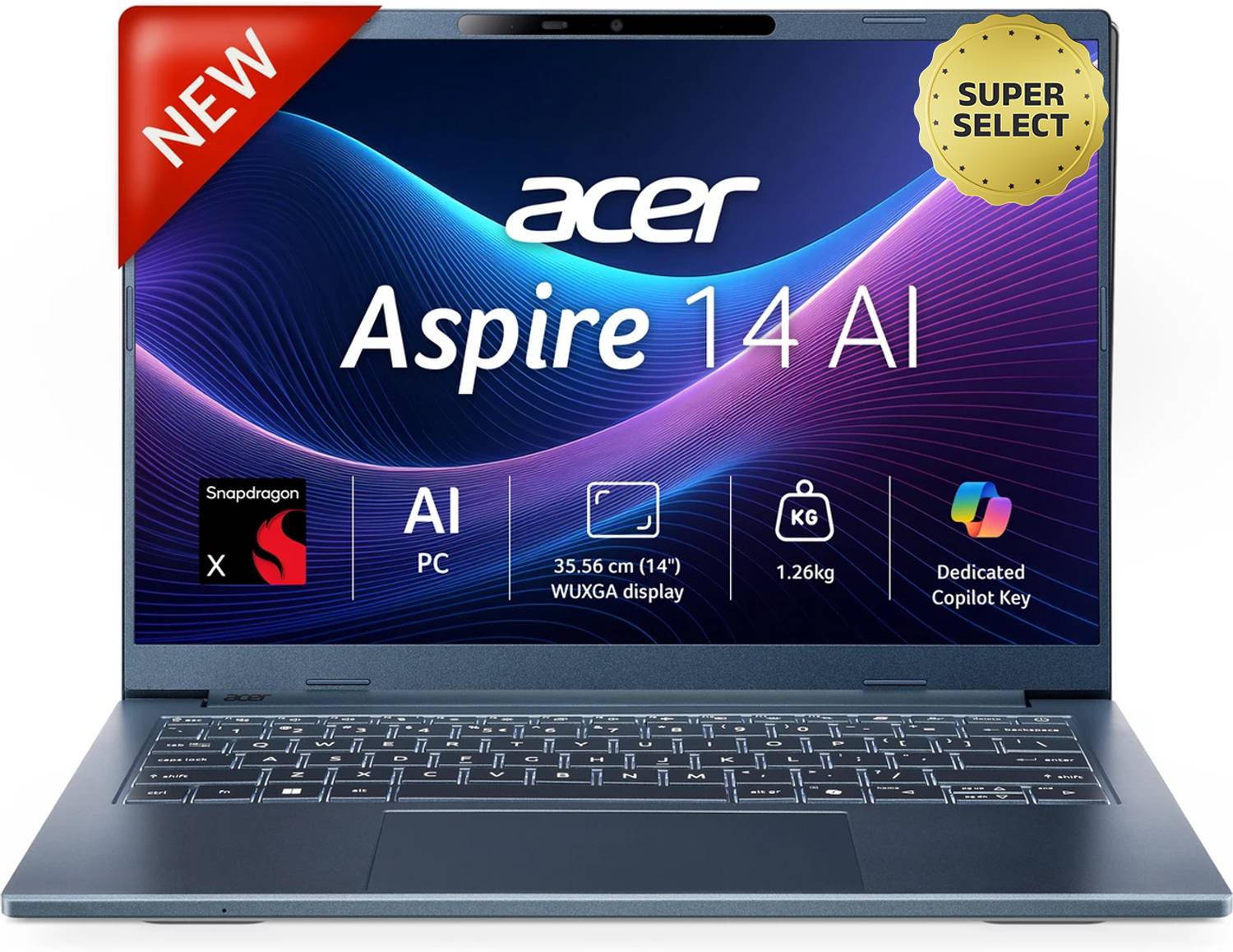
Acer Aspire 14 AI Office 2024 + M365 Basic Snapdragon X - (16 GB/512 GB SSD/Windows 11 Home) A14-11M Thin and Light Laptop

Up to 5% instant discount on Flipkart Axis & Flipkart SBI credit cards Details
- Up to 5% instant discount on Flipkart Axis & Flipkart SBI credit cards
Pros and cons
What we like
+ 1.26 kg with a 65 Wh battery
+ 16GB LPDDR5X and a 120Hz screen
+ Office 2024 and Microsoft 365 Basic included
What we don’t like
– Arm chip, some apps will not run
– Onboard memory
– One year warranty
Acer Aspire 14 AI Snapdragon X review: the battery king under Rs 60,000
The Acer Aspire 14 AI (A14-11M) is the odd one in this list, and the reason is its chip. It runs a Snapdragon X X1-26-100, an Arm processor with 8 Oryon cores at 3.0 GHz, Adreno X1-45 graphics and a 45 TOPS NPU, with 16GB of LPDDR5X soldered beside it. The 14 inch screen is 1920 by 1200, 120 Hz, 100 percent sRGB. The battery is 65 Wh and the body weighs about 1.3 kg. Lab numbers are modest: Cinebench R23 multi core near 7,430 and Geekbench 6 near 2,130 single and 10,500 multi. Those scores trail an Intel or Ryzen laptop, but the Snapdragon feels the same for browsing and office work, and it sips power.
My take: this is the best laptop here for a student or office worker who lives on battery. A PCMark battery run reached 15 hours, and a real workday at full brightness with the 120 Hz screen left over a quarter of the charge after 10 hours. It handled over thirty browser tabs, music and light photo editing without a stutter. The catch is software. Windows on Arm runs most apps, but Adobe Premiere and After Effects have no native Arm version, AutoCAD does not run, some old programs and many games fail, and Linux is not supported. If your college or office uses a special Windows tool, test it before you buy.
Acer Aspire 14 AI running cost and the money angle
A 65 Wh battery that lasts a working day means you rarely charge twice. A full charge is about 0.065 kWh, which is 52 paise at Rs 8 a unit, or about Rs 190 a year if you charge once every working day. The real saving is that you can leave the charger at home. The money question is value: you pay for the screen, the battery and the light body, not for raw speed. A Ryzen 5 laptop in this list will compile and export faster for less money. Put the Snapdragon on your shortlist only if battery and weight matter more to you than peak speed, and if your apps run on Arm.
Living with the Aspire 14 AI: screen, ports and keyboard
The 120 Hz IPS screen is smooth and sharp, with an estimated brightness near 400 nits, which is good for the class. Ports are the best here: two USB4 at 40 Gbps, two USB-A, HDMI, a microSD reader, a headphone jack and Wi-Fi 7. The 65 W USB-C charger also charges a phone. The keyboard is tactile and well spaced, with dedicated Acer keys. The trackpad is large, but early units registered palm touches and the odd phantom right click, so keep a mouse for detailed editing. The webcam is a QHD unit with a privacy shutter and face login. Speakers are loud with some richness, though highs can sound muffled. The lid shows some flex.
Acer Aspire 14 AI warranty and service in India
Acer’s standard India warranty is one year, and extended cover is sold as a paid add on, so ask the seller to put the plan in writing. Acer onsite service applies within about 40 km of a service provider, with the next business day response, and anything outside that area falls under carry in. Register the laptop within 15 days or keep the invoice, because both are needed for claims. Cracked screens and physical damage are not covered. On delivery, match the CPU, RAM and storage on the carton: the carton should read Snapdragon X, 16GB and 512GB. Because RAM is soldered, there is no upgrade, so buy the size you need. Update Windows and the Acer app on day one, and test your daily apps in the return window.
Who should buy the Acer Aspire 14 AI and who should skip it
It falls short on raw speed, on Arm app compatibility, and on gaming, where GTA V runs at around 54 fps and struggles. The Acer Aspire 3 AI has an Intel chip that runs every Windows program, with a bigger screen. The Lenovo V14 is cheaper and plainer, with an Intel chip and no Arm risk. Buy the Aspire 14 AI if you want the lightest, longest lasting laptop in this list and you use mainstream apps. Skip it if you depend on legacy Windows software, if you edit video in Premiere, or if you play games.
Key specs
| CPU | Qualcomm Snapdragon X X1-26-100, 8 cores |
| Memory | 16GB LPDDR5X, onboard |
| Display | 14 inch WUXGA IPS, 1920×1200, 120Hz |
| Storage | 512GB PCIe Gen 4 SSD |
| OS | Windows 11 Home, Office 2024 and Microsoft 365 Basic |
| Weight and battery | 1.26 kg, 65 Wh |
| Ports | 2 USB-C, HDMI, card reader (per Acer) |
Best For Speed
2. Lenovo V14 (Core i5-13420H, 8GB, 512GB)
7.4 Overall
7.4 Performance
7.6 Value
7.0 Service
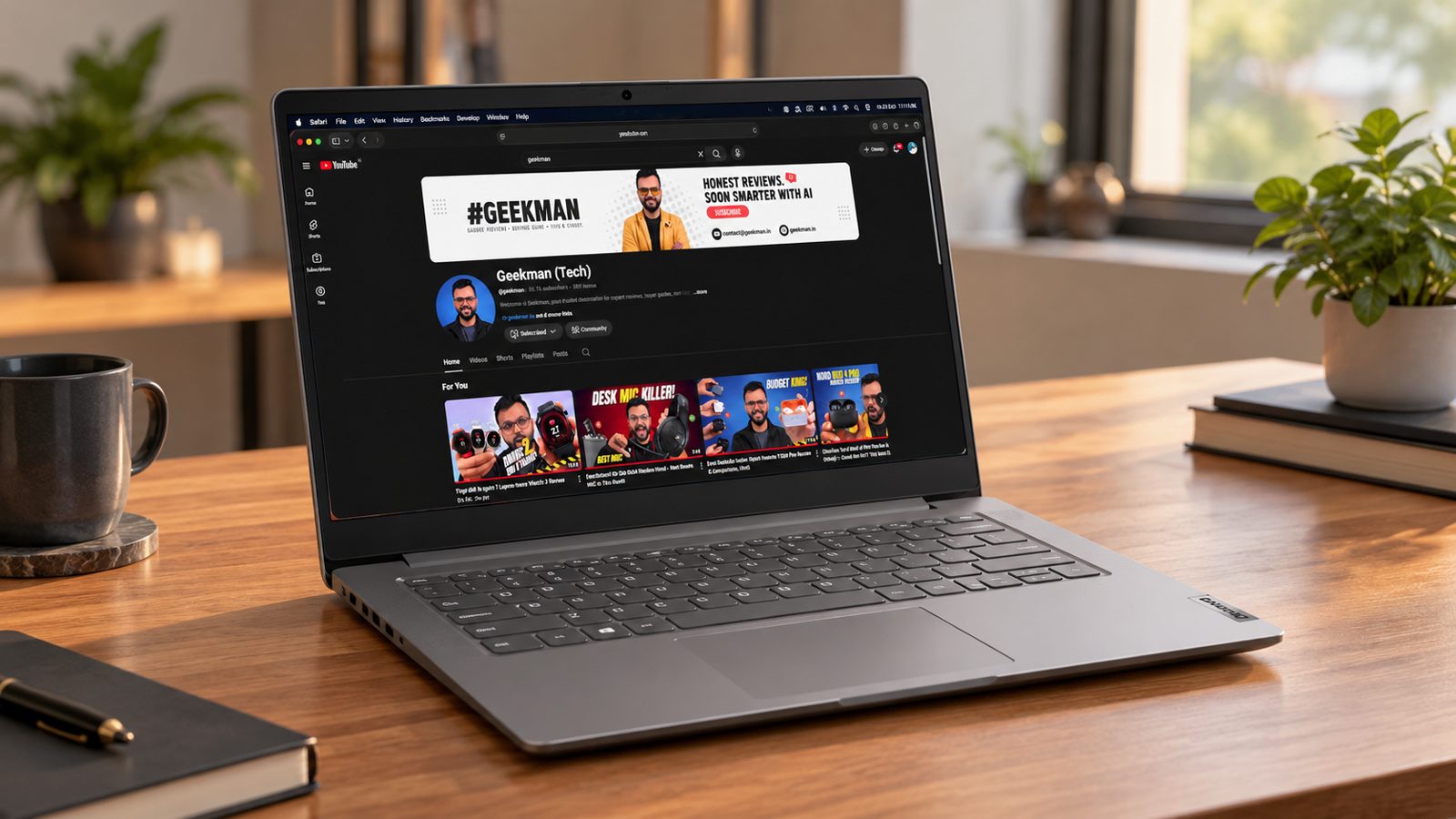
Core i5-13420H · 8GB DDR5, upgradable · 512GB SSD · 14 inch FHD · 1.4 kg
Best for
✓ Students and office workers who want the fastest chip here
✓ Anyone who wants to add RAM later
✓ People who need an Ethernet port
Not ideal for
– Anyone who wants 16GB out of the box
– People who need all day battery
Verdict: The fastest chip under ₹60,000 in a light body. Plan to add a second RAM stick, or live with 8GB.

Lenovo V14 Intel Core i5 13th Gen 13420H 14.0" FHD Laptop

Up to 6% instant discount on select credit cards +1
- Up to 6% instant discount on select credit cards
- Cashback with Amazon Pay ICICI Bank Credit Cards
Pros and cons
What we like
+ 8 core Core i5 with 4.6 GHz boost
+ RAM and SSD can be upgraded
+ Ethernet, HDMI, Office 2024
What we don’t like
– 8GB out of the box
– Short battery claim
– Intel UHD graphics
Lenovo V14 Core i5-13420H 8GB review: the office workhorse
The Lenovo V14 in the 8GB and 512GB version is the plain office laptop of this list. It uses the Core i5-13420H, 8 cores and 12 threads, with four performance cores up to 4.6 GHz, four efficiency cores and Intel UHD graphics. The 14 inch screen is 1920 by 1080, anti glare IPS, and the V14 family weighs about 1.4 kg. Storage is a 512GB PCIe SSD. It has a USB-C port, HDMI, USB-A sockets and a full set of office ports, with no flair. Lab and spec data for this family show a small battery near 38 Wh, no keyboard backlight and a 720p webcam, which is what a budget business laptop looks like.
My take: it is a good machine for a home office, a shop, a small business or a school child’s first laptop. Excel, Chrome with a dozen tabs, Zoom, Tally and billing software all run well on the i5-13420H, which is far faster than the Ryzen 5 7520U in the V15. The weak spot is the 8GB of memory. Windows 11 with Chrome already takes 4GB or more, so heavy users will feel the squeeze. Check whether your unit has a free slot or soldered memory before you plan an upgrade. If you can, pay for the 16GB version and skip the stress.
Lenovo V14 running cost and what you actually pay for
A typical office day of 7 hours at about 25 W is 0.175 kWh, about Rs 1.40 at Rs 8 a unit, or roughly Rs 420 over 300 working days. That is not a factor. What matters is what the price buys. You get a modern 13th generation H series chip, which is rare at this budget, in a body with a small battery and a dull screen. Compared with the HP 15 and Acer Aspire 15, you trade battery size and screen size for a faster processor and a lighter 14 inch body. The cost of a RAM upgrade, if your model allows one, is small compared with the gain, so factor it in.
Living with the Lenovo V14: screen, keyboard and battery
The screen is a standard budget IPS panel. Text is sharp, but colour and brightness are ordinary, and the matte finish handles office lights well. The keyboard is a simple chiclet design without a backlight on most versions, so test it in the shop if you type in the dark. With a battery near the 38 Wh class, plan on five to seven hours of light work, and carry the charger. Wi-Fi 6 and Bluetooth are standard, the speakers are fine for calls, and the fan is quiet in office use. The body is plastic, with some flex in the lid, which is typical at this price. It is a laptop for desks and bags, not for flights without a socket.
Lenovo V14 warranty, DOS or Windows and service in India
Lenovo gives a one year base warranty on V series laptops, with extensions and accidental damage cover sold separately. Consumer support in India is on 1800-419-7555, Monday to Saturday, and most repairs go through authorised centres, so check your city has one. Ask the seller whether your unit is onsite or carry in, and get it in writing. One India specific point: some V14 models are sold with DOS and no Windows, so a laptop that looks cheap can cost more after you buy a licence. Look at the carton for the operating system, and match the CPU, RAM and storage to your order. Keep the invoice, as the serial number is what the service desk uses.
Who should buy the Lenovo V14 and who should skip it
The shortfalls are the 8GB memory, a small battery, a plain screen and no backlight. The Acer Aspire 15 gives a bigger battery and a backlit keyboard at a similar price. The HP 15 has a similar Windows experience with a more modern look and Office bundled in many units. Buy the Lenovo V14 if you want the fastest processor for office and study at the lowest cost, and can live with a small battery. Skip it if you want a lot of battery life, a backlit keyboard or a clear upgrade path.
Key specs
| CPU | Intel Core i5-13420H, 8 cores, up to 4.6 GHz |
| Memory | 8GB DDR5 5600MHz, expandable to 32GB |
| Display | 14 inch Full HD, 1920×1080 |
| Storage | 512GB SSD, upgradable to 1TB |
| OS | Windows 11 Pro, Office 2024 with lifetime validity |
| Weight and battery | 1.4 kg, up to 6 hours claimed |
| Ports | USB-C, 2 USB-A, HDMI 1.4b, RJ45 |
Lowest Price
3. HP 15 (Ryzen 5 7535U, 8GB, 512GB)
7.2 Overall
7.0 Performance
7.6 Value
7.0 Service

Ryzen 5 7535U · 8GB DDR5, upgradable · 512GB SSD · 15.6 inch FHD · 1.5 kg
Best for
✓ Buyers who want the lowest price
✓ Students and families who want a plain, reliable laptop
✓ People who want Office included
Not ideal for
– Anyone who wants 16GB out of the box
– People who need a bright, colourful screen
Verdict: The safe budget choice. It is not exciting, but it is cheap, easy to service and can take more RAM later.

HP 15 (2026) DDR5 5600Mhz AMD Ryzen 5 Hexa Core 7535U - (8 GB/512 GB SSD/Windows 11 Home) 15 - Copilot Key Thin and Light Laptop
Lowest price
Up to 6% instant discount on select credit cards +1
- Up to 6% instant discount on select credit cards
- Cashback with Amazon Pay ICICI Bank Credit Cards
Pros and cons
What we like
+ Lowest price here
+ RAM and SSD can be upgraded
+ Office 2024 included
What we don’t like
– 8GB out of the box
– Dim 250 nit screen
– 41 Wh battery
HP 15 Ryzen 5 7535U 8GB 512GB review: the family laptop
The HP 15 with the Ryzen 5 7535U is the family laptop in this list. The processor has 6 cores and 12 threads on Zen 3+, boosting to 4.55 GHz, with Radeon 660M graphics, and Cinebench R23 multi core averages about 8,590, the best of the budget chips here. HP builds the 15 family around a 15.6 inch full HD IPS anti glare screen rated 250 nits, a 41 Wh battery, a small 45 W charger and a weight near 1.59 kg. Storage is a 512GB NVMe SSD. The chassis is slim and plastic, with a backlit keyboard and a number pad. Memory differs between HP 15 variants, from 8GB to 16GB of DDR4, so confirm your unit’s memory layout on the carton.
My take: this is a good first laptop for a family, a student or a home user who does Excel, Chrome, Zoom and movies. Six cores handle many tabs and light photo editing, and the Radeon graphics play older games and esports titles at low settings. The 8GB memory is the compromise, and I would treat it as the minimum for Windows 11, so check whether the chassis has a free SO-DIMM slot or soldered memory. If you can add a stick, do it in the first month. For coding or video editing, step up to the Acer Aspire 15 or a 16GB laptop. The strengths are the processor and the sensible, quiet daily use.
HP 15 running cost and value
At a 15 W idle and about 25 W working load, a 7 hour day uses roughly 0.18 kWh, close to Rs 1.40 at Rs 8 a unit, or Rs 420 over 300 days. The 45 W charger is small and light, which saves weight in the bag. The value argument is the processor: the 7535U scores about 20 percent higher in Cinebench than the Ryzen 5 7430U and about 65 percent higher than the 7520U in the Lenovo V15, which means the HP will feel faster for longer. Many HP 15 units sold in India also bundle Microsoft Office Home, which saves a licence cost, but check the carton before you rely on it.
Living with the HP 15: ports, keyboard and screen
The screen is the weak point: 250 nits and roughly 45 percent NTSC colour means a dull picture, and it is hard to use by a window. The keyboard is full size and backlit, with a number pad, and key travel is average. The touchpad is accurate but not very smooth. Ports need care: the single USB-C socket in this family is 5 Gbps data only, with no charging or display output, so you charge through the round pin and use HDMI for a monitor. There are two USB-A ports, no SD card reader and no Ethernet. The webcam is 720p, Wi-Fi is Wi-Fi 6 and the speakers are dual units that are fine for video calls.
HP 15 warranty, Office and service in India
HP gives a one year limited warranty on its 15 series. Warranty terms differ between sites, with some versions listed as carry in, so ask the seller whether your unit is onsite or carry in, and ask for it in writing. HP Care Packs add years and accidental damage cover. Service goes through HP authorised centres, which are widespread in metros and fewer in small towns, so check your pin code. On delivery, confirm that the carton reads Ryzen 5 7535U, 8GB and 512GB, because HP sells many 15 variants with different chips, and that Office is in the box if you paid for it. Run a Windows update and check the battery health in the first week.
Who should buy the HP 15 and who should skip it
It falls short on the dull screen, a limited port set, a plastic build and a modest 41 Wh battery. The Acer Aspire 15 has a brighter feel, a bigger 55 Wh battery and two USB-C ports at a similar price. The Lenovo V14 is lighter with a faster H series chip, but it lacks a backlight. Buy the HP 15 if you want the strongest budget processor in a slim, quiet family laptop, and plan to add memory if the slot allows. Skip it if you want a good screen, a lot of ports or more than a modest battery.
Key specs
| CPU | AMD Ryzen 5 7535U, 6 cores, 12 threads, up to 4.55 GHz |
| Memory | 8GB DDR5 5600MHz, expandable to 32GB |
| Display | 15.6 inch Full HD, anti glare, 250 nits |
| Storage | 512GB NVMe SSD, expandable to 1TB |
| OS | Windows 11 Home, Office 2024 with lifetime validity |
| Weight and battery | 1.5 kg, 41 Wh |
| Ports | USB-C, 2 USB-A 5Gbps, HDMI 1.4b, audio |
Best 16GB Laptop With Office
4. Acer Aspire Lite (Ryzen 5 5625U, 16GB, 512GB)
7.1 Overall
6.6 Performance
8.0 Value
6.5 Service
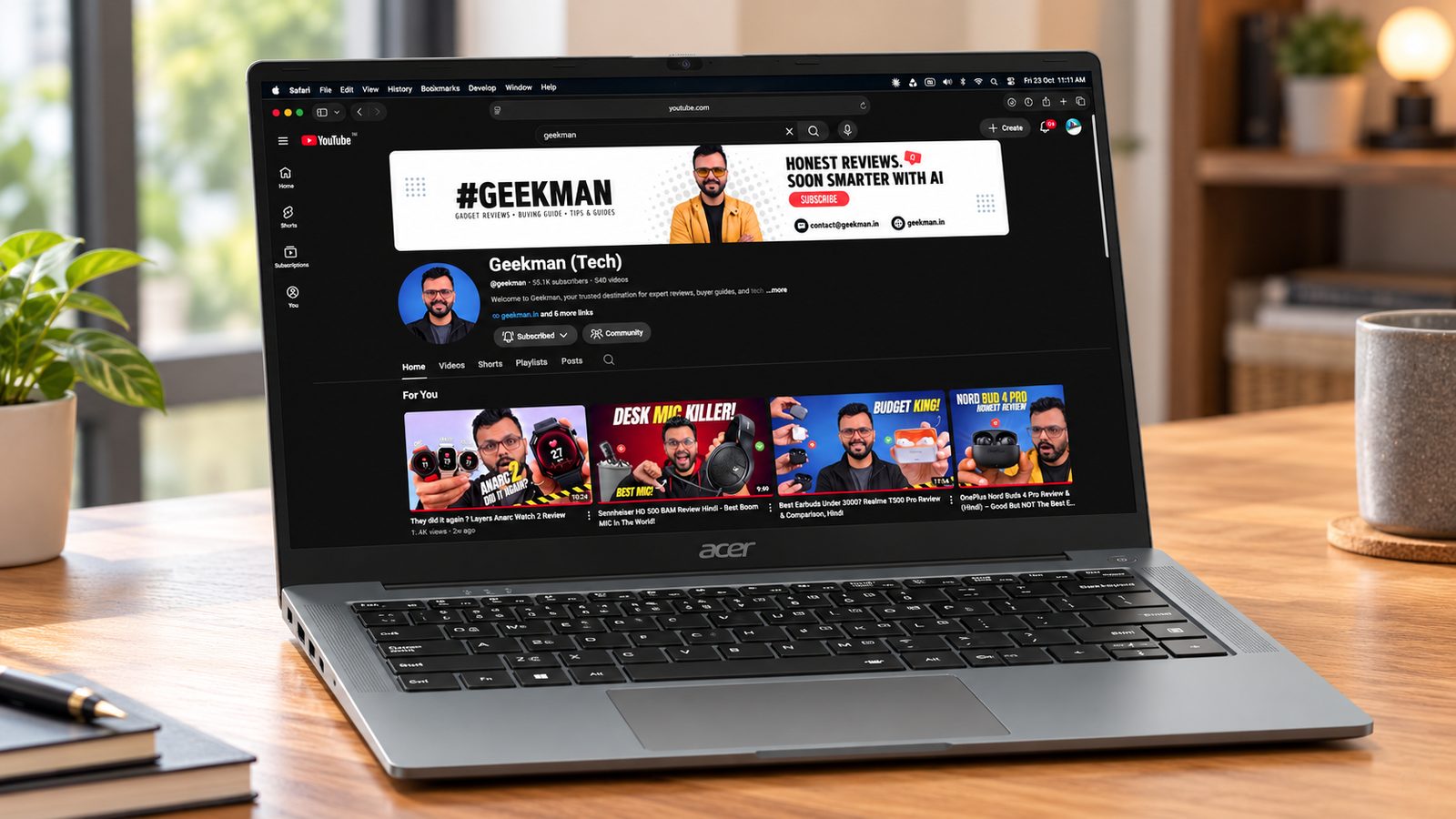
Ryzen 5 5625U · 16GB DDR4, upgradable · 512GB SSD · 15.6 inch TN · 1.59 kg
Best for
✓ People who want 16GB and Office without paying more
✓ Anyone who wants to upgrade RAM later
✓ Desk based study and office work
Not ideal for
– Anyone who cares about screen quality
– People who carry the laptop all day
Verdict: A sensible 16GB laptop with Office for the money, as long as you can live with a basic screen.

Acer Aspire Lite, AMD Ryzen 5-5625U, Office 2024 + M365 Basic, 16GB, 512GB, FHD 15.6"/39.62 cm, Windows 11 Home, Steel Gray, 1.59 KG, AL15-41, Premium Thin and Light Laptop
Up to 6% instant discount on select credit cards +1
- Up to 6% instant discount on select credit cards
- Cashback with Amazon Pay ICICI Bank Credit Cards
Pros and cons
What we like
+ 16GB RAM, upgradable to 32GB
+ Office 2024 and Microsoft 365 Basic
+ Fits the ₹60,000 limit
What we don’t like
– TN screen
– Two slow USB 2.0 ports
– Battery size not printed
Acer Aspire Lite Ryzen 5 5625U 16GB review: the cheap 16GB deal
The Acer Aspire Lite (AL15-41) with the Ryzen 5 5625U is the cheapest way to get 16GB of RAM in this list. The processor has 6 cores and 12 threads on Zen 3, running from 2.3 GHz to 4.3 GHz, with Vega 7 graphics, and Cinebench R23 multi core averages around 8,260. Memory is 16GB of DDR4-3200 in two SO-DIMM slots, upgradable to 32GB, and the 512GB NVMe SSD can go up to 1TB. The 15.6 inch screen is full HD on a TN panel, the battery is a small 36 Wh unit rated for up to 7 hours, and the charger is just 45 W. The body weighs 1.59 kg and has no keyboard backlight.
My take: this is a laptop for someone who wants memory and a real six core chip at the lowest price, and does not mind a basic body. The 5625U matches a 12th gen Intel Core i5 U chip in multi core speed, and 16GB makes a big difference for multitasking in Chrome, Excel and Zoom together. It is a good first laptop for a student or a home office. Open the shop demo and judge the screen with your own eyes. If you will watch films, edit photos or work near a window, the TN panel will frustrate you. In that case spend a little more on the Aspire 15, which has an IPS screen.
Acer Aspire Lite running cost and the upgrade path
A 45 W charger and a light 20 W working draw mean a 7 hour day uses about 0.14 kWh, close to Rs 1.10 at Rs 8 a unit, or about Rs 330 over 300 days. The better saving is the upgrade path. Two SO-DIMM slots, a standard NVMe drive and a plain chassis mean you can raise memory to 32GB and storage to 1TB for a modest cost later. Acer’s two year extended warranty is sold for a small fee, which I think is good value on a budget machine. Check that Office is really in the package, because the product name can mention it while the box contents do not.
Living with the Acer Aspire Lite: screen, ports and battery
Be honest about the compromises. The TN panel has narrow viewing angles and weak colour, so it looks washed out when tilted. The 36 Wh battery gives about five to seven hours of light use, so the charger goes in the bag. Ports are dated: two USB 2.0 Type-A sockets, one USB 3.2 Gen 1 Type-A, a USB-C 3.2 Gen 2 port and HDMI, with Wi-Fi 5 and Bluetooth 5.1. The keyboard is full size with a number pad and no backlight, and the webcam is 720p. The fan is audible under load but not harsh. The plastic body is light, and nothing about it feels premium.
Acer Aspire Lite AL15-41 warranty and service in India
Acer gives a one year warranty, and a two year extension is sold as a cheap add on. Onsite service applies within about 40 km of an Acer service provider, with the next business day response, and carry in applies elsewhere. Register within 15 days or keep the invoice, because claims need one of the two. Cracked LCDs and physical damage are not covered, so a TN screen that gets hit is your cost. On delivery, check the carton for Ryzen 5 5625U, 16GB and 512GB, because Acer sells the Aspire Lite name with Intel chips and 8GB versions too. Open Task Manager to confirm two memory sticks, and update the BIOS and Windows on day one.
Who should buy the Acer Aspire Lite and who should skip it
It falls short on the TN screen, the small battery, the USB 2.0 ports, Wi-Fi 5 and the missing backlight. The Acer Aspire 15 costs a bit more and fixes the screen, battery, ports and keyboard. The HP 15 has a faster Zen 3+ chip and a better looking body, but only 8GB. Buy the Aspire Lite if 16GB and six cores at the lowest price are the priority, and you will mostly use it plugged in at a desk. Skip it if you carry it around all day or care about the display.
Key specs
| CPU | AMD Ryzen 5 5625U, 6 cores, 12 threads, up to 4.3 GHz |
| Memory | 16GB DDR4 3200MHz, upgradable to 32GB |
| Display | 15.6 inch Full HD TN, 1920×1080 |
| Storage | 512GB NVMe SSD, upgradable to 1TB |
| OS | Windows 11 Home, Office 2024 and Microsoft 365 Basic |
| Weight and battery | 1.59 kg, battery size not printed |
| Ports | USB 3.2 Gen 1, 2 USB 2.0, USB-C |
Best 15 Inch Value
5. Acer Aspire 15 (Ryzen 5 7430U, 16GB, 512GB)
7.1 Overall
6.8 Performance
7.7 Value
6.5 Service
Ryzen 5 7430U · 16GB DDR4 · 512GB SSD · 15.6 inch FHD · 1.79 kg
Best for
✓ People who want 16GB and Office for under ₹58,000
✓ Home and study use at a desk
✓ Buyers who want two USB-C ports
Not ideal for
– Anyone who carries the laptop daily
– People who want a newer chip
Verdict: A fair 16GB laptop with Office and a backlit keyboard. It is heavy and the chip is not new.
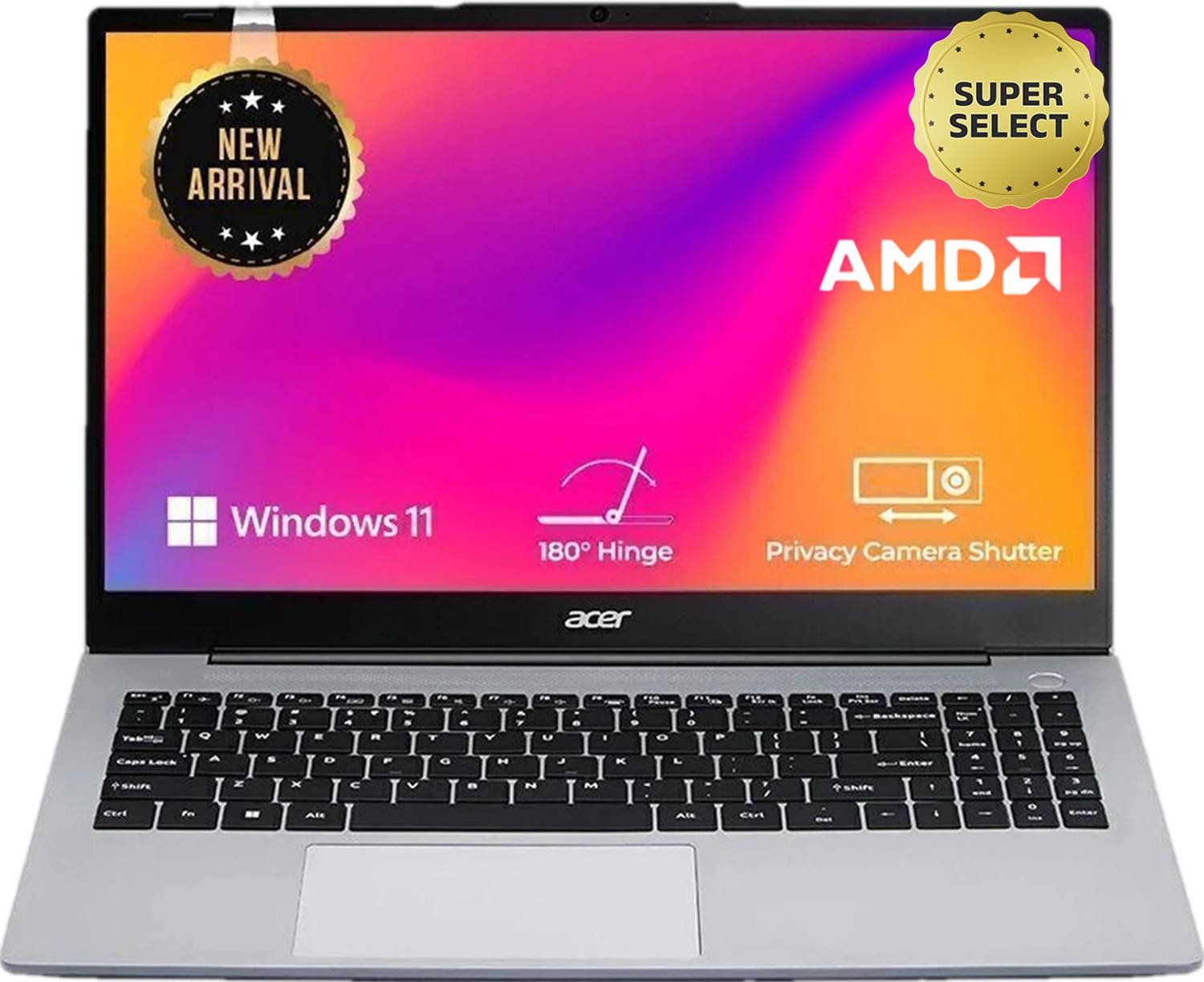
Acer Aspire 15 AMD Office 2024 + M365 Basic AMD Ryzen 5 Hexa Core 7430U - (16 GB/512 GB SSD/Windows 11 Home) Aspire AS15-42 Thin and Light Laptop
Pros and cons
What we like
+ 16GB RAM and Office 2024
+ Backlit keyboard, Full HD camera
+ Two USB-C ports
What we don’t like
– 1.79 kg
– DDR4 memory, older chip
– One year warranty
Acer Aspire 15 Ryzen 5 7430U 16GB review: the balanced pick
The Acer Aspire 15 (AS15-42) with the Ryzen 5 7430U is the most balanced laptop under Rs 60,000 in this list. The chip is a 6 core, 12 thread Zen 3 part running from 2.3 to 4.3 GHz, with Cinebench R23 multi core near 7,000. Acer specifies dual channel DDR4 upgradable to 32GB, a 512GB NVMe SSD that goes up to 1TB, a 15.6 inch full HD IPS screen, a 55 Wh battery rated for up to 8 hours, and a 65 W charger. The ports include one USB 3.0, two USB 3.2 Gen 1, two USB-C and HDMI. It weighs 1.79 kg, so it is the heaviest here, and the backlit keyboard and a 1600 by 1200 webcam come standard.
My take: this is the laptop I would suggest to most people on this budget who want one machine for work, study and Netflix. The 16GB model avoids the memory squeeze, the IPS screen is a clear step up from the TN panels on cheaper rivals, and the 55 Wh battery gives a real half day. A sibling model with a Ryzen 7 8840HS and the same chassis measured 295 nits on its panel with 53 percent sRGB, so expect an ordinary screen, not a vivid one. Its cooling copes with six cores, with the fan average in volume. It is not a gaming laptop, but Radeon graphics run esports titles on low settings.
Acer Aspire 15 running cost and the extras
At about 25 W working and a 55 Wh battery, a full charge costs roughly 44 paise at Rs 8 a unit, and a 7 hour day uses about Rs 1.40 of electricity, so roughly Rs 420 over 300 working days. The extras matter more. Two USB-C ports mean you can use a monitor or a dock without hunting for an adapter, and the backlit keyboard saves buying a keyboard light. The two year warranty extension is available as an add on. Upgrading memory to 32GB later is possible, but some units of this chassis solder part of the RAM, so check your unit before you buy a stick.
Living with the Acer Aspire 15: keyboard, screen and weight
The keyboard is backlit with a number pad, grippy keycaps and average travel, and the touchpad clicks accurately. The screen is an ordinary IPS panel, readable indoors and dim near a window. The weight of 1.79 kg and the 15.6 inch body make it a desk laptop, and the slim bezels keep the footprint modest. Wi-Fi 6 and Bluetooth are included, there are stereo speakers and no fingerprint reader, and it is not a Copilot+ PC. A sibling model’s SSD reached 79 C in benchmarks with no thermal pad, so keep vents clear and do not use it on a bed. Fan noise stays moderate in normal work.
Acer Aspire 15 AS15-42 warranty and service in India
Acer gives a one year warranty, with a two year extension sold as a paid add on. Onsite service is available within about 40 km of an Acer service provider and carry in beyond that, so ask which applies at your pin code and get it in writing. Register the laptop within 15 days of purchase or keep the invoice. Cracked screens and physical damage are excluded, so a case matters for a student’s bag. On delivery, check the carton for Ryzen 5 7430U, 16GB and 512GB, because the same Aspire 15 name covers 8GB versions and other chips. Open Task Manager to confirm memory and the SSD, and run Windows Update before first use.
Who should buy the Acer Aspire 15 and who should skip it
It falls short on weight, an ordinary screen and a 1.79 kg body that feels bulky. The HP 15 has a faster 7535U chip and is lighter, but it has a smaller battery and only one USB-C port that cannot charge. The Acer Aspire 3 AI has a newer Intel chip and more modern features, but lower multi core scores. Buy the Acer Aspire 15 if you want a balanced, backlit 16GB laptop with two USB-C ports and a real battery. Skip it if you need to carry it on the move every day, or if you want a bright, colourful screen.
Key specs
| CPU | AMD Ryzen 5 7430U, 6 cores, up to 4.3 GHz |
| Memory | 16GB DDR4 |
| Display | 15.6 inch Full HD, 60Hz |
| Storage | 512GB SSD |
| OS | Windows 11 Home, Office 2024 and Microsoft 365 Basic |
| Weight and battery | 1.79 kg, battery size not printed |
| Ports | USB-A and USB-C ports (3 USB, 2 USB-C listed) |
Best IPS Screen And Newer Chip
6. Acer Aspire 3 AI (Core Ultra 5 115U, 16GB, 512GB)
6.9 Overall
7.2 Performance
6.8 Value
6.5 Service

Core Ultra 5 115U · 16GB DDR5, upgradable · 512GB SSD · 15.6 inch IPS · 1.72 kg
Best for
✓ People who want an IPS screen and a newer chip
✓ Anyone who wants DDR5 memory they can upgrade
✓ Buyers who already own Office
Not ideal for
– Anyone who needs Office included
– Buyers who want the lowest price
Verdict: A modern, balanced laptop. It costs a bit more than the picks above and does not include Office.

Acer Aspire 3 (2026) AI PC, Backlit Keyboard Intel Core Ultra 5 115U - (16 GB/512 GB SSD/Windows 11 Home) A325-55 Notebook
Lowest price
Up to 6% instant discount on select credit cards +1
- Up to 6% instant discount on select credit cards
- Cashback with Amazon Pay ICICI Bank Credit Cards
Up to 5% instant discount on Flipkart Axis & Flipkart SBI credit cards Details
- Up to 5% instant discount on Flipkart Axis & Flipkart SBI credit cards
Pros and cons
What we like
+ IPS screen
+ 16GB DDR5, upgradable
+ Newer 8 core chip
What we don’t like
– No Office
– 1.72 kg
– Amazon price is above ₹60,000
Acer Aspire 3 AI Core Ultra 5 115U review: what the AI PC label means
The Acer Aspire 3 AI (A325-55) with the Core Ultra 5 115U is the newest chip here, and also the easiest to misread. The processor has 8 cores and 10 threads: two performance cores at 4.2 GHz, four efficiency cores at 3.5 GHz and two low power cores, with a 4 core Arc iGPU and an NPU rated at 11 TOPS. Memory is 16GB of DDR5 that Acer says upgrades to 32GB, and storage is a 512GB SSD. The 15.6 inch IPS screen is full HD, the keyboard is backlit, and ports include two USB-A, one USB-C 3.2 Gen 2 and HDMI. Cinebench R23 multi core averages around 6,050, below the Ryzen chips in this list.
My take: the AI PC label is about the NPU, not about speed. At 11 TOPS, the NPU is far below the 40 TOPS that Microsoft asks for in a Copilot+ PC, so this laptop will not run those features. In multi core tests the Ryzen 5 7430U is about 16 percent faster in Cinebench R23, and the Ryzen 5 7535U is faster again. What you get in return is a modern Intel platform with DDR5 memory, better efficiency at low loads and a better iGPU for video playback. It is a quiet, cool laptop for office work, study and streaming. Judge it as a good Windows laptop, not as an AI machine.
Acer Aspire 3 AI running cost and value
The Core Ultra 5 115U runs at 15 W base and is designed to sip power on light tasks, thanks to its two low power cores. For a student who browses and edits documents, a 7 hour day at about 18 W is 0.126 kWh, around Rs 1 at Rs 8 a unit, or about Rs 300 over 300 days. The value case is DDR5 memory that you can upgrade, a backlit keyboard and a full HD webcam. The weak case is speed: you pay for a new name on the box. If your work is spreadsheets and video calls, you will not notice the difference. If you compile code or export video, buy a Ryzen 5 with six cores instead.
Living with the Acer Aspire 3 AI: screen, keyboard and ports
Acer’s ComfyView IPS screen is full HD with a matte finish, so reflections are limited, though brightness and colour are typical budget. The backlit keyboard is a plus at this price. Ports are limited to two USB-A, a USB-C 3.2 Gen 2 and HDMI, and Acer’s port list has no SD card reader, so carry a small USB reader. The webcam is a full HD unit, better than the 720p cameras on cheaper rivals. Two stereo speakers are fine for calls. The Intel low power cores keep the fan idle during light use, so the laptop stays quiet. Battery size and weight vary by configuration, so check both on the carton and in the shop before you decide.
Acer Aspire 3 AI A325-55 warranty and service in India
Acer gives a one year warranty in India with a two year extension sold as a paid add on. Onsite service is within about 40 km of an Acer provider and next business day, and carry in applies beyond that, so ask which applies to you and get it in writing. Register within 15 days or keep the invoice. Physical damage and cracked screens are excluded. On delivery, check the carton for Core Ultra 5 115U, 16GB and 512GB, because Acer also sells the same Aspire 3 name with 8GB and with older chips. Check that Windows 11 Home is installed, that the memory runs at DDR5 speed in Task Manager, and update the BIOS and Windows on the first day.
Who should buy the Acer Aspire 3 AI and who should skip it
It falls short on multi core speed, on its NPU, and on ports. The Acer Aspire 15 is faster for the same type of work and has two USB-C ports. The Acer Aspire 14 AI with Snapdragon has far better battery life and a 120 Hz screen. Buy the Aspire 3 AI if you want a modern, quiet Intel laptop with upgradeable DDR5, a backlit keyboard and a full HD camera. Skip it if you want the fastest processor per rupee, since the Ryzen 5 models here beat it, or if you expect AI features that need a 40 TOPS NPU.
Key specs
| CPU | Intel Core Ultra 5 115U, 8 cores, up to 4.2 GHz |
| Memory | 16GB DDR5, upgradable to 32GB |
| Display | 15.6 inch Full HD IPS, 1920×1080 |
| Storage | 512GB PCIe SSD |
| OS | Windows 11 Home, no preinstalled software |
| Weight and battery | 1.72 kg, battery size not printed |
| Ports | 2 USB-A 3.2 Gen 1, USB-C 3.2 Gen 2, HDMI |
Best For Onsite Warranty
7. Lenovo V15 G4 (Ryzen 5 7520U, 16GB, 512GB)
6.8 Overall
6.2 Performance
7.2 Value
7.2 Service
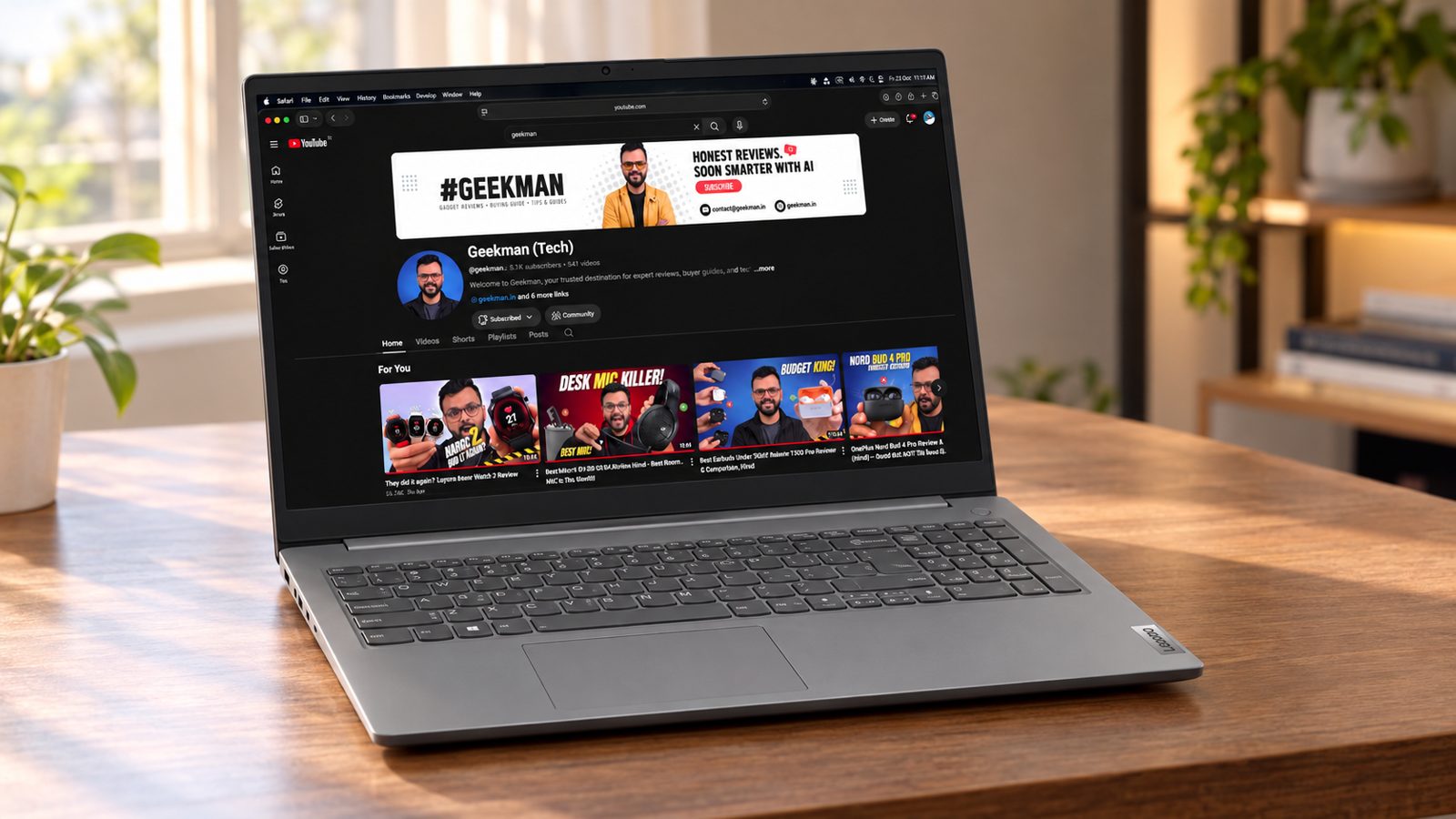
Ryzen 5 7520U · 16GB DDR5 · 512GB SSD · 15.6 inch FHD · Office 2024
Best for
✓ Buyers who want onsite service
✓ Light office and study work
✓ People who want 16GB and Office
Not ideal for
– Anyone who runs many heavy apps at once
– People who want the best speed for the money
Verdict: Fine for simple work and backed by onsite service. The 4 core chip is the weakest here.

Lenovo V 15 (2025) AMD Ryzen 5 Quad Core 7520U - (16 GB/512 GB SSD/Windows 11 Home) V 15 Thin and Light Laptop
Lowest price
Up to 6% instant discount on select credit cards +1
- Up to 6% instant discount on select credit cards
- Cashback with Amazon Pay ICICI Bank Credit Cards
Up to 5% instant discount on Flipkart Axis & Flipkart SBI credit cards Details
- Up to 5% instant discount on Flipkart Axis & Flipkart SBI credit cards
Pros and cons
What we like
+ 16GB DDR5 and Office 2024
+ One year onsite warranty
+ Anti glare Full HD screen
What we don’t like
– 4 core chip
– Weight and battery not printed
– Flipkart price is above ₹60,000
Lenovo V15 G4 Ryzen 5 7520U 16GB review: the budget basic
The Lenovo V15 G4 with the Ryzen 5 7520U is the entry-level laptop of this list, and it is honest about it. The chip is a 4 core, 8 thread Zen 2 part running from 2.8 to 4.3 GHz with Radeon 610M graphics, built for 15 W. Cinebench R23 multi core sits near 5,150, about 40 percent below the Ryzen 5 7535U in the HP 15. Memory is LPDDR5, soldered, and storage is a 512GB SSD. The 15.6 inch full HD screen is often a TN panel on this model, covering about half of sRGB. The battery is 38 Wh and the body weighs 1.65 kg. It has a number pad and a comfortable keyboard with no backlight.
My take: it is a laptop for browsing, email, online classes, Word and Excel, and nothing heavier. For a parent, a retired relative or a school child, it does the job quietly. With 16GB the memory is not the problem; the processor is. Four Zen 2 cores feel slow when you open many tabs while a video call runs, and installing updates can take a while. If your use includes anything beyond basics, the HP 15 and Acer Aspire 15 are much faster for a little more. I would only choose the V15 for a second, simple laptop, or for someone who truly never goes past browsing and documents.
Lenovo V15 G4 running cost and the money angle
Power draw is low: with a 15 W chip and a screen that needs little, a 7 hour day uses around 0.12 kWh, about Rs 1 at Rs 8 a unit, or Rs 290 over 300 days. The money angle is simple. You save on the purchase, and you spend on patience. Soldered memory means no upgrade, so buy the 16GB version if your budget allows; an 8GB version would be a poor buy. The plastic body is built for light use, and a sturdy bag and a basic cover add little cost, and they protect the thin plastic lid. Lenovo also sells longer warranties, and on a laptop meant for a child, a two or three year plan is worth a look.
Living with the Lenovo V15 G4: display, keyboard and ports
The display is the sore point. A TN panel with around 49 percent sRGB, poor contrast and narrow viewing angles looks dark and washed out, and tilting the lid changes the colours. On the plus side it is flicker free and has quick pixel response. The keyboard is comfortable for typing, with a number pad but no backlight. Ports are three USB-A sockets, a USB-C with power delivery, HDMI and a headphone jack, with no SD card slot. Wi-Fi 5 and Bluetooth 5.0 are dated, and the webcam is a 720p unit. The speakers are stereo and fine for calls. The fan stays quiet because the chip runs cool.
Lenovo V15 G4 AMN warranty and service in India
Lenovo gives a one year base warranty on V series laptops, with extended cover and accidental damage protection sold separately. Consumer support in India is on 1800-419-7555 from Monday to Saturday, and repairs go through authorised service centres. Ask whether your unit is onsite or carry in and get that in writing, and keep the invoice, since the serial number is what Lenovo uses. On delivery, check the carton for Ryzen 5 7520U, 16GB and 512GB, because Lenovo sells the V15 with an Athlon chip, 8GB, 256GB and different panels. Also check whether the operating system is Windows or DOS, because a DOS unit needs a paid licence. Run Windows Update, and test the screen in a shop first.
Who should buy the Lenovo V15 G4 and who should skip it
It falls short on processor speed, display quality, build and wireless standards. The HP 15 has a Ryzen 5 7535U that is about 65 percent faster in multi core tests. The Acer Aspire Lite has six cores and an upgradable 16GB for similar money. Buy the Lenovo V15 G4 as a simple second laptop for light use, if the price is the lowest you have seen. Skip it if you want a laptop that lasts several years under growing workloads, a good screen, or any editing or coding work.
Key specs
| CPU | AMD Ryzen 5 7520U, 4 cores, 8 threads |
| Memory | 16GB DDR5, check upgrade options |
| Display | 15.6 inch Full HD, anti glare |
| Storage | 512GB SSD |
| OS | Windows 11, Office 2024 |
| Weight and battery | Not listed |
| Warranty | 1 year onsite |
Questions other guides skip
The questions most laptop lists leave out
These are the questions buyers keep asking about these exact laptops, and the lists I read rarely answer them. Each price was checked on 24 October 2026.
1 · Is 8GB RAM enough on the Lenovo V14 and HP 15?
For browsing, Office, video calls and online classes, yes. If you keep 20 tabs open next to a spreadsheet, you will feel it. Both laptops list memory expandable to 32GB, so a second 8GB stick is a cheap fix later.
2 · Will my software run on the Snapdragon X Aspire 14 AI?
Most everyday apps do: browsers, Office, Zoom, Teams, VLC and streaming apps. Some older programs, specific drivers, anti cheat software and many games do not. If your college or office uses special software, ask before you buy.
3 · Is the TN screen on the Aspire Lite a dealbreaker?
It depends on how you use it. For typing and spreadsheets it is fine. For video, photos or sharing the screen with a friend, the colours and viewing angles look weak. The Aspire 14 AI and Aspire 3 AI use IPS screens instead.
4 · Can I add RAM later?
On the Lenovo V14 and HP 15, yes, up to 32GB per the maker specs. The Aspire Lite and Aspire 3 AI also list an upgrade to 32GB. The Aspire 14 AI has onboard memory. If you are not sure, buy the 16GB models.
5 · Core i5-13420H or Ryzen 5 7535U: what is the real difference?
The i5-13420H has 8 cores and a 4.6 GHz boost. The Ryzen 5 7535U has 6 cores and a 4.55 GHz boost. When you run many apps together, the Intel chip is quicker. For single tasks and unplugged use, the Ryzen chip is close and sips less power.
6 · Does the Aspire 14 AI really last 28 hours?
No. The maker claims up to 28 hours, but that is a best case number. The 65 Wh battery is big for a 14 inch laptop, so a full workday of Office and browsing is a fair expectation.
7 · Is the included Office a lifetime licence?
The Lenovo V14 and HP 15 ship with Office 2024 with lifetime validity. The Acer models ship with Office 2024 plus Microsoft 365 Basic. Keep the activation details from the box and the invoice.
8 · Why is the Lenovo V14 more than the HP 15 if both have 8GB?
The V14 has an 8 core chip against 6, an Ethernet port and a lighter 14 inch body. If your work is light, the HP 15 saves you ₹3,290.
What this means for your buying decision
You want the best all round laptop: the Acer Aspire 14 AI.
You want the fastest chip: the Lenovo V14.
You want the lowest price: the HP 15.
You want 16GB and Office: the Acer Aspire Lite or Aspire 15.
You want an IPS screen and a newer chip: the Acer Aspire 3 AI.
You want onsite service: the Lenovo V15.
You study or work with video and photos: look at laptops for video editing. Students can also see my laptops for students guide.
Compare all 7 laptops at a glance
| Laptop | CPU | RAM | Screen | Weight | Price |
|---|---|---|---|---|---|
| Acer Aspire 14 AI | Snapdragon X, 8 cores | 16GB LPDDR5X | 14 inch WUXGA, 120Hz | 1.26 kg | ₹56,990 |
| Lenovo V14 | Core i5-13420H, 8 cores | 8GB DDR5 | 14 inch Full HD | 1.4 kg | ₹58,190 |
| HP 15 | Ryzen 5 7535U, 6 cores | 8GB DDR5 | 15.6 inch Full HD | 1.5 kg | ₹54,900 to ₹56,990 |
| Acer Aspire Lite | Ryzen 5 5625U, 6 cores | 16GB DDR4 | 15.6 inch Full HD TN | 1.59 kg | ₹59,990 |
| Acer Aspire 15 | Ryzen 5 7430U, 6 cores | 16GB DDR4 | 15.6 inch Full HD | 1.79 kg | ₹57,990 |
| Acer Aspire 3 AI | Core Ultra 5 115U, 8 cores | 16GB DDR5 | 15.6 inch Full HD IPS | 1.72 kg | ₹59,990 to ₹62,990 |
| Lenovo V15 G4 | Ryzen 5 7520U, 4 cores | 16GB DDR5 | 15.6 inch Full HD | Not listed | ₹59,999 to ₹62,990 |
Specs are from official maker specs as of October 2026. Prices were seen on 24 October 2026 and move daily. Verify the exact variant before you buy.
The buying guide
How to choose a laptop under 60000
Processor
Cores matter more than the name.
RAM
16GB is comfortable, 8GB is the minimum.
Battery
Look at Wh, not claims.
Screen
IPS over TN. Check nits.
Weight
Under 1.5 kg if you carry it daily.
Warranty
Most list one year. Check service near you.
1 · Processor: more cores, more headroom
An 8 core Core i5-13420H or Snapdragon X gives you more room than a 6 core Ryzen 5, and a 4 core Ryzen 5 7520U has the least. Do not judge by the Ryzen 5 name alone, because the chips are very different inside.
2 · RAM and storage
16GB and a 512GB SSD is a comfortable base. If you buy an 8GB model, check that the RAM can be expanded.
3 · Battery
The HP 15 has a 41 Wh battery and the Aspire 14 AI has 65 Wh. The Lenovo V14 lists up to 6 hours. For long days, battery size in Wh is a better guide than a claim.
4 · Screen
The HP 15 screen is rated at 250 nits and 45% NTSC, which is dim. The Aspire 14 AI has a 120Hz IPS panel and the Aspire 3 AI an IPS panel. The Aspire Lite has a TN panel.
5 · Weight and size
The Aspire 14 AI weighs 1.26 kg and the Lenovo V14 1.4 kg. The 15.6 inch picks weigh 1.5 kg to 1.79 kg. If you walk a lot, take a 14 inch laptop.
6 · Warranty and service
Most list one year. Lenovo lists onsite service on the V15. Keep the invoice, register the laptop on day one and find the nearest service centre for your city before you buy.
Other laptops in the lineup
ASUS Vivobook 14 (Snapdragon X, 16GB). Flipkart lists it near ₹60,990. It is a lighter way into Snapdragon, but it is just above the budget.
Core 3 laptops with 8GB. Many sell between ₹50,000 and ₹60,000. They are fine for basic use, but the picks above give you more speed or RAM for the same money.
Samsung Galaxy Book4 with a Core i3. A well built laptop, but the i3 chip is weak for the price.
MSI Modern 15. A decent build, but it did not beat the picks on RAM or chip at this price.
Dell 15 (Ryzen 5, 8GB). It did not beat the HP 15 on chip, RAM or price.
Gaming laptops. If you want to play games, see my gaming laptops under 80000 guide.
The verdict
Which laptop under 60000 should you buy?
Best overall: Acer Aspire 14 AI, at ₹56,990. Check price
Best for speed: Lenovo V14, at ₹58,190. Check price
Lowest price: HP 15, from ₹54,900. Check price
Best 16GB with Office: Acer Aspire Lite, at ₹59,990. Check price
Best 15 inch value: Acer Aspire 15, at ₹57,990. Check price
Best IPS and newer chip: Acer Aspire 3 AI, from ₹59,990. Check price
Best onsite warranty: Lenovo V15 G4, at ₹59,999. Check price
Not sure? Buy the Acer Aspire 14 AI. It gives you 16GB, a 120Hz screen, Office 2024 and a 1.26 kg body for ₹56,990.
More buying guides from Geekman
Best laptops for video editing
Laptops under 60000 FAQ
Which is the best laptop under ₹60,000 in India in 2026?
The Acer Aspire 14 AI with a Snapdragon X chip, 16GB RAM, a 120Hz screen and Office 2024 at ₹56,990 is the best all round pick. If you want the fastest chip, take the Lenovo V14 with the 8 core Core i5-13420H at ₹58,190.
Is 8GB RAM enough in a laptop in 2026?
For light use, yes. Browsing, Office and video calls run fine, but many tabs plus Office can slow it down. The Lenovo V14 and HP 15 ship with 8GB and can take up to 32GB, so adding a stick later is an option.
Will my apps run on the Acer Aspire 14 AI with Snapdragon X?
Browsers, Office, Zoom, Teams, VLC and streaming apps run well on Windows on Arm. Some older programs, specific printer or scanner drivers and most games do not. Check the software you rely on first.
Is a TN screen bad on the Acer Aspire Lite?
It is the weakest part of the laptop. TN panels lose colour and contrast when you look from an angle, and they look flat next to IPS. For typing and spreadsheets it is fine. For video and photos, take an IPS model such as the Aspire 3 AI or Aspire 14 AI.
Can I upgrade the RAM on these laptops?
The Lenovo V14 and HP 15 list memory expandable to 32GB. The Acer Aspire Lite and Aspire 3 AI list upgrades to 32GB, too. The Aspire 14 AI uses onboard LPDDR5X, so treat it as fixed. Check the upgrade limit with the seller for the Lenovo V15.
Core i5-13420H or Ryzen 5 7535U: which is faster?
The Core i5-13420H has 8 cores and a 4.6 GHz boost, and the Ryzen 5 7535U has 6 cores and a 4.55 GHz boost. The Intel chip is faster when many apps run together. The Ryzen chip uses less power, so it is better suited to unplugged use.
Does Office come with these laptops?
The Aspire 14 AI, Aspire Lite and Aspire 15 list Office 2024 plus Microsoft 365 Basic. The Lenovo V14, HP 15 and Lenovo V15 list Office 2024 as preinstalled. The Aspire 3 AI lists no preinstalled software.
Is the 28 hour battery claim on the Aspire 14 AI real?
It is a manufacturer style claim and not a real world number. The 65 Wh battery is large, so expect a full day of office work, not 28 hours.
Can I play games on these laptops?
Not seriously. All of them use integrated graphics. Light games and older titles may run on the Ryzen laptops, and Windows on Arm does not run many games at all. If you want to game, read my guide to gaming laptops under 80000.
Why are there no Core 3 laptops on this list?
Many popular laptops near ₹55,000 to ₹60,000 have a Core 3 or Core i3 chip and 8GB of RAM. Next to these picks they offer less speed for the same money, so I left them out.
Should I buy from Amazon or Flipkart?
Check both buy boxes under each review. Prices differ by a few thousand rupees, and some offers use nearly the same name for a different chip or RAM size. Read the processor and RAM in the title before you pay.