
Short answer: The Logitech G102 Lightsync is still the gaming mouse most people should buy first. Under 1,000? The EvoFox Blaze Ultra. Want wireless without spending big? The Logitech G304 or Kreo Chimera V2.
Gaming mice in India now run from a few hundred rupees to over ten thousand. The good news is that a solid sensor is cheap now, so the extra money goes into weight, wireless, switches and shape. This list covers every budget, and the finder below picks three for the games you play. Prices change every week during sales, so live prices sit in the buy buttons, not in the text. Updated on 16 November 2026.
Quick picks
| Pick | Gaming mouse | Best for |
|---|---|---|
| Best overall | Logitech G102 | Most gamers who want one reliable mouse |
| Best for palm grip | Razer DeathAdder Essential | Palm grip players with medium to large hands |
| Best under 1,000 | EvoFox Blaze Ultra | Budget gamers who want lots of buttons |
| Lightest budget | Kreo Harpy | FPS players on a tight budget |
| Best budget tri-mode | EvoFox Blaze 2 | Blaze Ultra fans who want wireless |
| Best budget wireless | Logitech G304 | Gamers who want wireless without paying flagship prices |
| Best value wireless | Kreo Chimera V2 | Tinkerers and FPS players who want wireless |
| Best optical switches | Razer Cobra | FPS players who want a light wired Razer |
| Best for MMO and many buttons | Logitech G502 Hero | MMO, MOBA and players who want lots of controls |
| Best premium esports | Razer Viper V3 HyperSpeed | Competitive FPS players |
Tap a name to jump to its review. Ranked by Geekman Score, best first.
Gaming mouse finder
Answer 3 quick questions, get your top 3
Not sure which one? Start with Logitech G102, Razer DeathAdder Essential, EvoFox Blaze Ultra.
How I ranked them
The Geekman Score
Geekman has reviewed gaming gear for over 10 years. For this list I went through more than 200 gaming mice sold in India and compared what decides how a gaming mouse feels after a few hundred matches: the sensor and polling rate, weight and shape, switches, the cable or wireless connection and battery, software, warranty and how easy service is in India. Specs come from brand pages and the brand’s own product details. Every pick gets a Geekman Score out of 10: Sensor and speed 35%, Shape and build 20%, Service 10% and Value 35%.
See all Geekman Scores
| # | Gaming mouse | Sensor | Shape | Service | Value | Score |
|---|---|---|---|---|---|---|
| 1 | Logitech G102 | 8.3 | 8.6 | 9.2 | 9.6 | 8.9 |
| 2 | Razer DeathAdder Essential | 8.1 | 9.0 | 7.7 | 9.6 | 8.8 |
| 3 | EvoFox Blaze Ultra | 7.7 | 8.0 | 7.7 | 9.6 | 8.4 |
| 4 | Kreo Harpy | 7.7 | 8.0 | 7.7 | 9.3 | 8.3 |
| 5 | EvoFox Blaze 2 | 7.7 | 8.2 | 7.7 | 8.9 | 8.2 |
| 6 | Logitech G304 | 8.7 | 8.4 | 9.2 | 7.1 | 8.1 |
| 7 | Kreo Chimera V2 | 8.3 | 8.6 | 7.7 | 7.5 | 8.0 |
| 8 | Razer Cobra | 8.5 | 8.6 | 8.0 | 6.9 | 7.9 |
| 9 | Logitech G502 Hero | 8.9 | 9.0 | 9.2 | 5.7 | 7.8 |
| 10 | Razer Viper V3 HyperSpeed | 9.1 | 8.8 | 8.0 | 5.7 | 7.7 |
The reviews
Best gaming mouse in India: 10 picks reviewed
Best overall
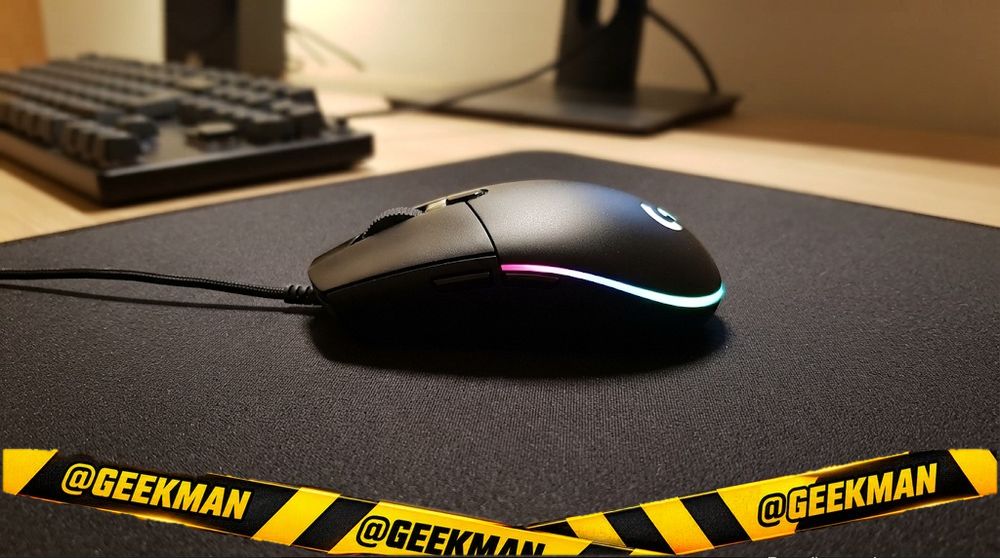
1. Logitech G102 Lightsync Wired Gaming Mouse
8.9Geekman Score
8.3 Sensor & speed
8.6 Shape & build
9.2 Service
9.6 Value
The default answer to “which gaming mouse should I buy” for years, and it still holds up.
Wired USB · 8000 DPI · 6 buttons · Wired USB · 89 g · 2 years
Best for
✓ FPS and MOBA on a budget
✓ Gaming plus office use
Skip if
• You want wireless
• You want an ultra-light mouse
My take: Safe, comfortable and backed by Logitech’s 2 year warranty. If you are unsure, buy this and you will not regret it.


Logitech G102 Light Sync Gaming Mouse with Customizable RGB Lighting, 6 Programmable Buttons, Gaming Grade Sensor, 8K DPI Tracking,16.8mn Color, Light Weight - Black

5% back with Amazon Pay ICICI Bank credit card (Prime), 3% for others Details
- 5% back with Amazon Pay ICICI Bank credit card (Prime), 3% for others
 Lowest price
Up to 5% instant discount on Flipkart Axis & Flipkart SBI credit cards Details
- Up to 5% instant discount on Flipkart Axis & Flipkart SBI credit cards
Pros and cons
What I like
+ Proven shape
+ 2 year Logitech warranty
+ Good software
What I don’t like
• Rubber cable
• Not ultra-light
Full review
The G102 Lightsync has a classic medium shape, six programmable buttons, an 8000 DPI sensor and RGB lighting you can tune in Logitech G HUB. Primary buttons use metal spring tensioning for a crisp click.
In games. The shape suits palm and claw grips in most hands. Five DPI presets can be saved, and the sensor tracks cleanly for FPS games at normal sensitivities.
What to know. At about 89 grams it is not ultra-light, and the cable is a normal rubber one, not paracord.
Key specs
| Connection | Wired USB |
| Sensor / DPI | Logitech gaming sensor, up to 8000 DPI |
| Buttons | 6 |
| Power | Wired USB |
| Weight | 89 g |
| Shape | Ambidextrous |
| Warranty | 2 years |
Best for palm grip
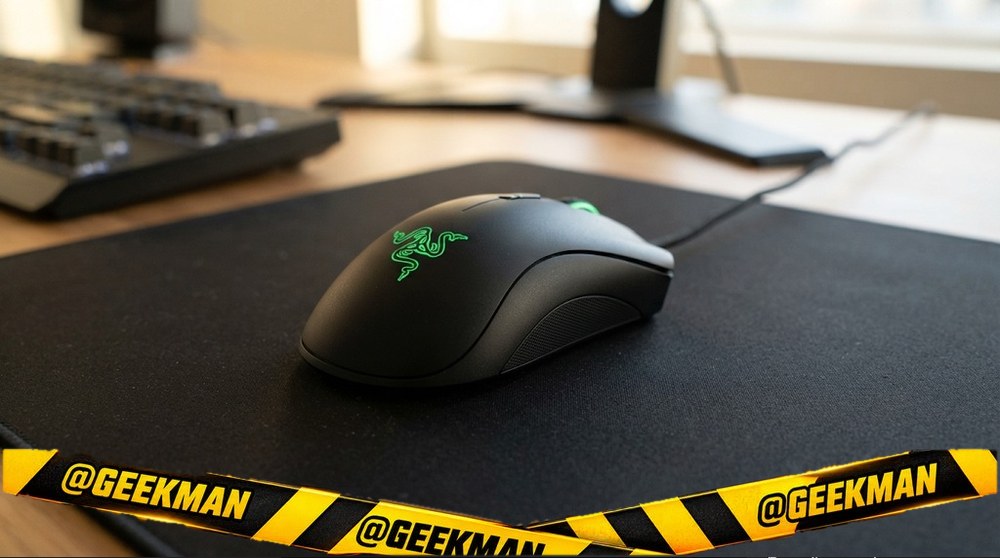
2. Razer DeathAdder Essential Wired Gaming Mouse
8.8Geekman Score
8.1 Sensor & speed
9.0 Shape & build
7.7 Service
9.6 Value
The comfortable right-hand Razer shape that palm grip players love.
Wired USB · 6400 DPI · 5 buttons · Wired USB · 96 g · 1 year
Best for
✓ Long gaming sessions
✓ Shooters with a relaxed grip
Skip if
• You are left-handed
• You want RGB or a light mouse
My take: If the G102 feels small, this is the comfortable alternative at the same price.

Razer Death Adder Essential / Lightweight(96gms) ,Chroma Lighting,upto 6400 DPI Wired Ambidextrous Optical Gaming Mouse
Lowest price
5% back with Amazon Pay ICICI Bank credit card (Prime), 3% for others Details
- 5% back with Amazon Pay ICICI Bank credit card (Prime), 3% for others
Pros and cons
What I like
+ Very comfortable shape
+ Razer build
+ 5 programmable buttons
What I don’t like
• Older sensor
• Right hand only
Full review
The DeathAdder Essential keeps the classic DeathAdder ergonomic body with five programmable buttons and a true 6400 DPI optical sensor. Switches are rated for 10 million clicks.
In games. The right-hand curve supports the palm well in long sessions. The sensor is accurate at normal gaming sensitivities.
What to know. The sensor is older than newer budget mice and there is only a single green logo light. Warranty is one year in India.
Key specs
| Connection | Wired USB |
| Sensor / DPI | 6400 DPI optical, up to 6400 DPI |
| Buttons | 5 |
| Power | Wired USB |
| Weight | 96 g |
| Shape | Right-handed ergonomic |
| Warranty | 1 year |
Best under 1,000
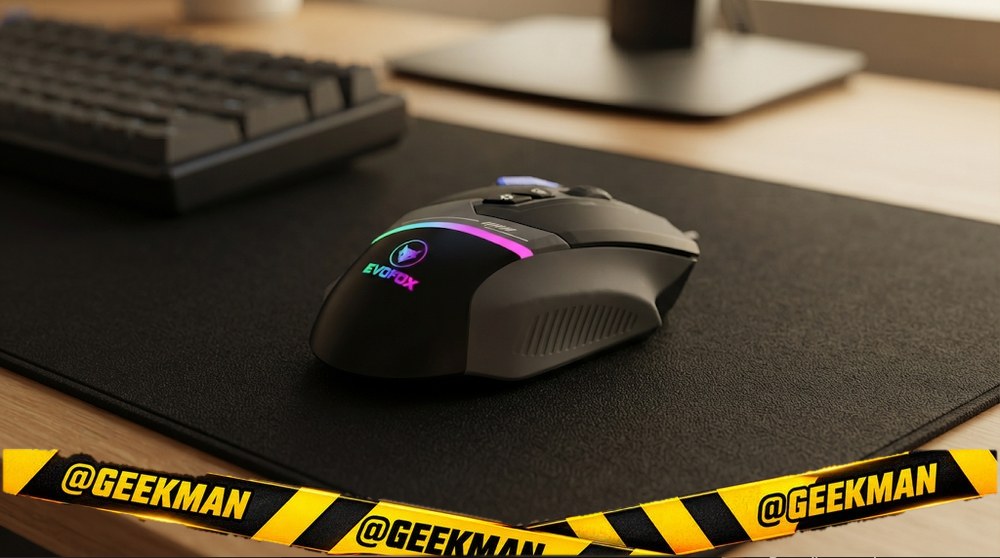
3. EvoFox Blaze Ultra Wired Gaming Mouse
8.4Geekman Score
7.7 Sensor & speed
8.0 Shape & build
7.7 Service
9.6 Value
Eight buttons, 1000Hz and 12800 DPI for the price of a basic mouse.
Wired USB · 12800 DPI · 8 buttons · Wired USB · 110 g · 1 year
Best for
✓ MOBA and shooters on a budget
✓ Macros with a fire key
Skip if
• You want a light mouse for fast flicks
My take: The best value wired gaming mouse under 1,000 right now. It shows up in almost every Indian budget list for a reason.

EvoFox Blaze Ultra Value 8 Button Programmable Gaming Mouse with 1000Hz Polling Rate | Gaming Grade DPI 200 to 12800 | Ultra-Responsive 7000fps | RGB Lights with Music sync Mode | Windows Software
5% back with Amazon Pay ICICI Bank credit card (Prime), 3% for others Details
- 5% back with Amazon Pay ICICI Bank credit card (Prime), 3% for others
Pros and cons
What I like
+ 8 buttons with fire key
+ 1000Hz polling
+ Very good value
What I don’t like
• Not light
Full review
The Blaze Ultra has eight programmable buttons including a fire key, a sensor rated for 7000 FPS with DPI from 200 to 12800, 1000Hz polling, RGB lighting and smooth UPE feet.
In games. Fast polling and plenty of DPI levels make it responsive. Extra buttons help in MOBA and MMO games.
What to know. At about 110 grams it is not light. EvoFox is an Amkette brand with one year of warranty.
Key specs
| Connection | Wired USB |
| Sensor / DPI | 7000 FPS gaming sensor, up to 12800 DPI |
| Polling rate | 1000Hz |
| Buttons | 8 |
| Power | Wired USB |
| Weight | 110 g |
| Shape | Ambidextrous |
| Warranty | 1 year |
Lightest budget
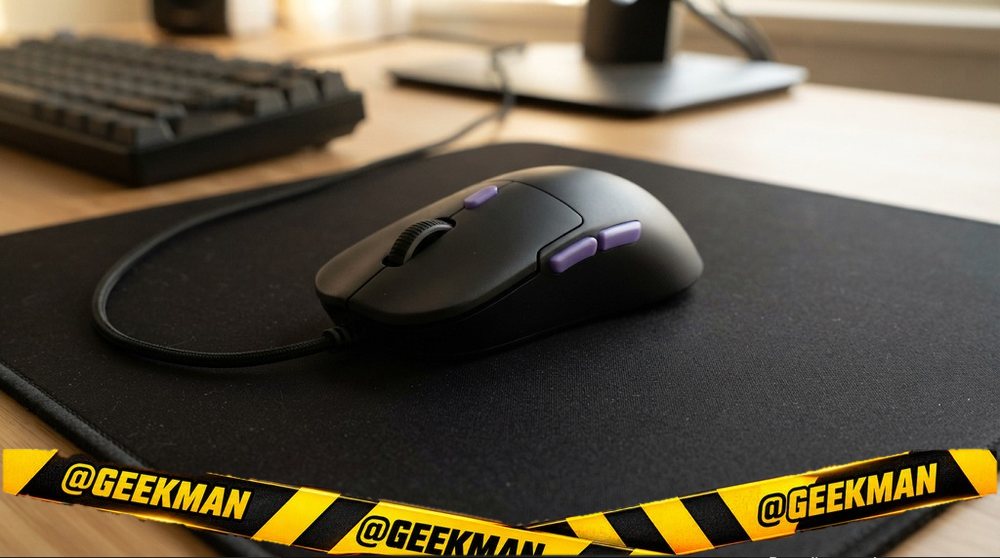
4. Kreo Harpy Lightweight Wired Gaming Mouse
8.3Geekman Score
7.7 Sensor & speed
8.0 Shape & build
7.7 Service
9.3 Value
A light, honeycomb-free FPS mouse for under 700, with web-based software.
Wired USB · 12800 DPI · 6 buttons · Wired USB · 58 g · 1.1 years
Best for
✓ Valorant and CS2
✓ Fast flick aiming
Skip if
• You want a big ergonomic shape
My take: If you play shooters and your budget is under a thousand, this is the light mouse to get.

Kreo Harpy Gaming Mouse Wired, 55g Ultra-Lightweight Design Gaming Mouse, Customizable RGB Mouse, 1000Hz Polling Rate, 12800 DPI, Mouse Gaming, Wired Gaming Mouse (Black)
Lowest price
5% back with Amazon Pay ICICI Bank credit card (Prime), 3% for others Details
- 5% back with Amazon Pay ICICI Bank credit card (Prime), 3% for others
Up to 5% instant discount on Flipkart Axis & Flipkart SBI credit cards Details
- Up to 5% instant discount on Flipkart Axis & Flipkart SBI credit cards
Pros and cons
What I like
+ Very light
+ Web software
+ 400 day warranty
What I don’t like
• Small for big hands
Full review
The Harpy weighs about 58 grams with RGB, 1000Hz polling and up to 12800 DPI. Kreo’s web software sets DPI, buttons and lights without installing anything. Kreo gives a 400 day warranty.
In games. Low weight makes small flicks easy. The symmetrical shape works for claw and fingertip grips.
What to know. It is small for large palm grips. Kreo is a young Indian brand, but its support has a good reputation among gamers.
Key specs
| Connection | Wired USB |
| Sensor / DPI | up to 12800 DPI |
| Polling rate | 1000Hz |
| Buttons | 6 |
| Power | Wired USB |
| Weight | 58 g |
| Shape | Ambidextrous |
| Warranty | 1.1 years |
Best budget tri-mode
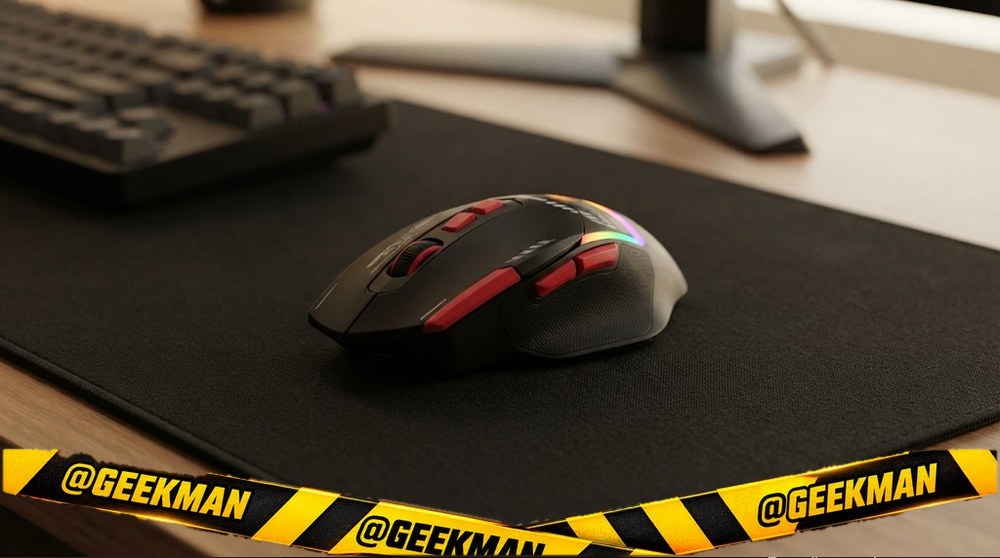
5. EvoFox Blaze 2 Tri-Mode Wireless Gaming Mouse
8.2Geekman Score
7.7 Sensor & speed
8.2 Shape & build
7.7 Service
8.9 Value
The wireless Blaze: eight buttons, 1000Hz and tri-mode.
Tri-mode (2.4GHz, dual Bluetooth, wired) · 12800 DPI · 8 buttons · rechargeable · 95 g · 1 year
Best for
✓ MOBA wireless on a budget
Skip if
• Pro FPS
My take: A good wireless step up from the Blaze Ultra.

EVOFOX Blaze 2 Wired Ergonomic Optical Gaming Mouse Tri-Mode 12800 DPI, 8 Programmable Buttons, Rechargeable
5% back with Amazon Pay ICICI Bank credit card (Prime), 3% for others Details
- 5% back with Amazon Pay ICICI Bank credit card (Prime), 3% for others
Lowest price
Up to 5% instant discount on Flipkart Axis & Flipkart SBI credit cards Details
- Up to 5% instant discount on Flipkart Axis & Flipkart SBI credit cards
Pros and cons
What I like
+ Tri-mode
+ 8 buttons
+ 1000Hz
What I don’t like
• Budget sensor
Full review
The Blaze 2 uses an Instant S205 sensor up to 12800 DPI, 1000Hz polling, eight buttons and works wired, on 2.4GHz or with two Bluetooth devices.
In games. Responsive and button-rich.
What to know. Budget sensor class.
Key specs
| Connection | Tri-mode (2.4GHz, dual Bluetooth, wired) |
| Sensor / DPI | Instant S205, up to 12800 DPI |
| Polling rate | 1000Hz |
| Buttons | 8 |
| Power | Rechargeable (Type-C), rechargeable |
| Weight | 95 g |
| Shape | Ambidextrous |
| Warranty | 1 year |
Best budget wireless
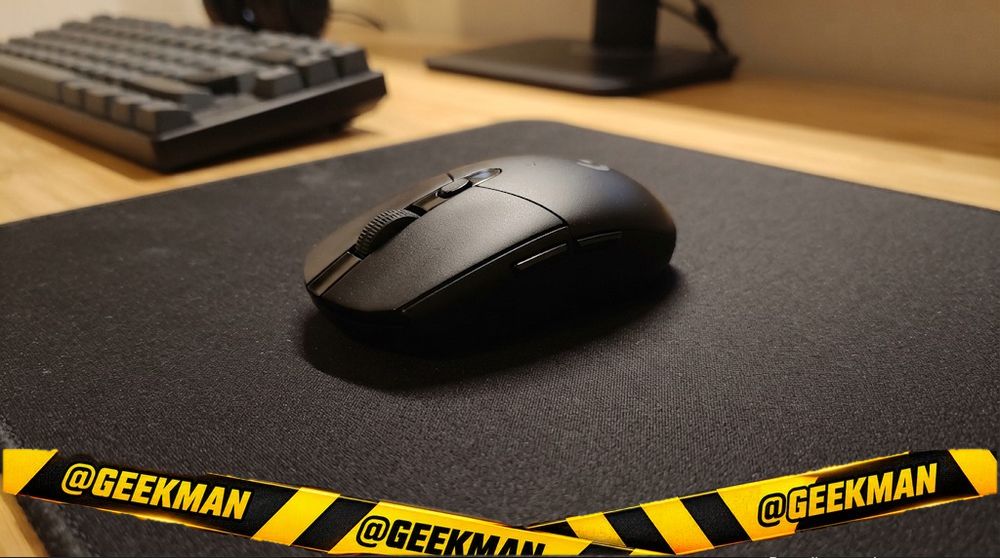
6. Logitech G304 Lightspeed Wireless Gaming Mouse
8.1Geekman Score
8.7 Sensor & speed
8.4 Shape & build
9.2 Service
7.1 Value
The wireless gaming mouse most people should buy: lag-free, 250 hours on one AA cell, Logitech warranty.
Lightspeed 2.4GHz wireless · 12000 DPI · 6 buttons · up to 250 hours · 99 g · 2 years
Best for
✓ Cable-free desks
✓ Gaming plus work laptops
Skip if
• You want an ultra-light mouse
• You want rechargeable
My take: Still the benchmark for affordable wireless gaming. Swap the AA for a lithium cell if you want it lighter.
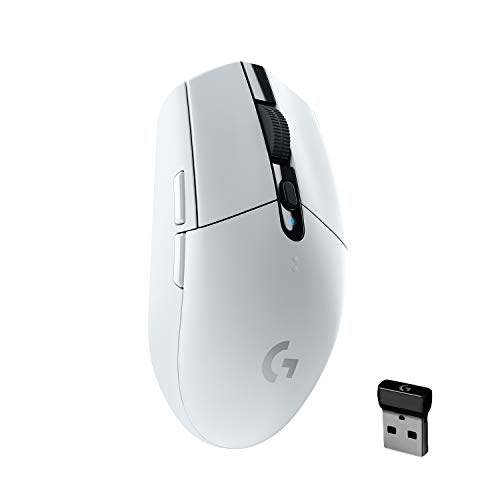
Logitech G304 Lightspeed Wireless Gaming Mouse, Hero Sensor, 12,000 DPI, Lightweight, 6 Programmable Buttons, 250h Battery Life, On-Board Memory, Compatible with PC/Mac - White
5% back with Amazon Pay ICICI Bank credit card (Prime), 3% for others Details
- 5% back with Amazon Pay ICICI Bank credit card (Prime), 3% for others
Lowest price
Up to 5% instant discount on Flipkart Axis & Flipkart SBI credit cards Details
- Up to 5% instant discount on Flipkart Axis & Flipkart SBI credit cards
Pros and cons
What I like
+ Lag-free Lightspeed
+ 250 hour battery
+ 2 year warranty
What I don’t like
• AA cell, not rechargeable
• No Bluetooth
Full review
The G304 uses Logitech’s HERO sensor (up to 12000 DPI, 400 IPS) and Lightspeed wireless with a 1 ms report rate. One AA cell gives up to 250 hours of play. It has six programmable buttons and onboard memory.
In games. Lightspeed is as responsive as a cable in practice. The shape is small to medium and symmetrical.
What to know. About 99 grams with the cell. No Bluetooth, and the cell is not included with some sellers.
Key specs
| Connection | Lightspeed 2.4GHz wireless |
| Sensor / DPI | HERO, up to 12000 DPI |
| Buttons | 6 |
| Power | AA battery, up to 250 hours |
| Weight | 99 g |
| Shape | Ambidextrous |
| Warranty | 2 years |
Best value wireless
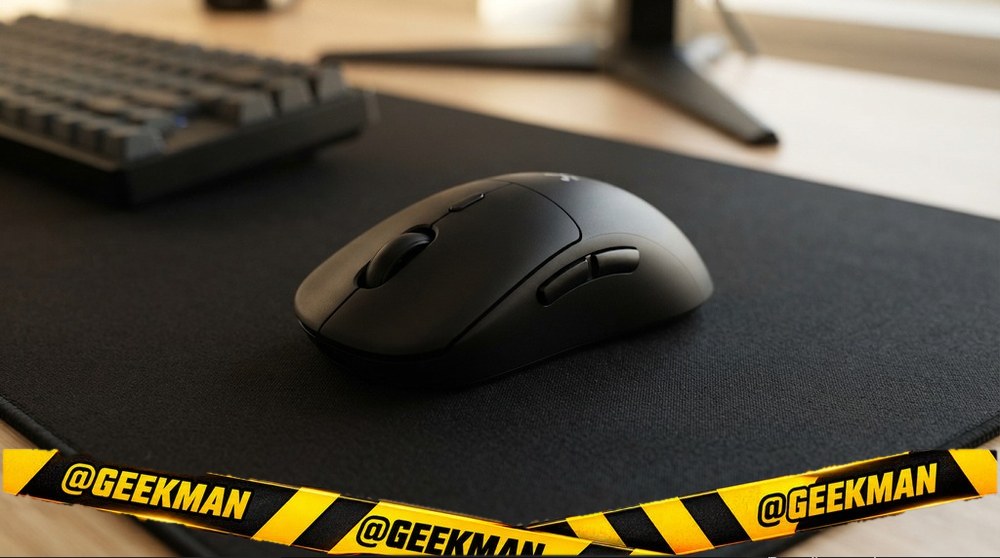
7. Kreo Chimera V2 Wireless Gaming Mouse
8.0Geekman Score
8.3 Sensor & speed
8.6 Shape & build
7.7 Service
7.5 Value
A wireless gaming mouse with swappable switches and two magnetic shells, a lot of play for the money.
Tri-mode (2.4GHz, Bluetooth, wired) · 6 buttons · rechargeable · 58 g · Hot-swap switches · 2 shells · 1.1 years
Best for
✓ Choosing clicky or quiet switches
✓ Light wireless aim
Skip if
• You want a big-brand sensor name
My take: The most customisable wireless mouse under 2,500. It is fun to set up and light in the hand.

Kreo Chimera V2 RGB Wireless Gaming Mouse with Hot-swappable 50M Switches, Dual Magnetic Shells, 6 Programmable Buttons, Triple-Mode Connectivity & Adjustable DPI up to 12000 (White, Chimera V2)
Lowest price
5% back with Amazon Pay ICICI Bank credit card (Prime), 3% for others Details
- 5% back with Amazon Pay ICICI Bank credit card (Prime), 3% for others
Up to 5% instant discount on Flipkart Axis & Flipkart SBI credit cards Details
- Up to 5% instant discount on Flipkart Axis & Flipkart SBI credit cards
Pros and cons
What I like
+ Hot-swap switches
+ Tri-mode, rechargeable
+ About 58 g
What I don’t like
• Younger brand
Full review
The Chimera V2 connects over 2.4GHz, Bluetooth or cable. In the box you get both clicky 50M Huano switches and quiet 10M switches you can swap without tools, plus solid and perforated magnetic shells. It weighs about 58 grams.
In games. The light body suits FPS games. Six buttons are programmable in Kreo’s web software, with onboard profiles.
What to know. Kreo is a younger brand. The 400 day warranty is handled by Kreo directly.
Key specs
| Connection | Tri-mode (2.4GHz, Bluetooth, wired) |
| Sensor / DPI | Not stated |
| Buttons | 6 |
| Power | Rechargeable (Type-C), rechargeable |
| Weight | 58 g |
| Shape | Ambidextrous |
| Warranty | 1.1 years |
Best optical switches
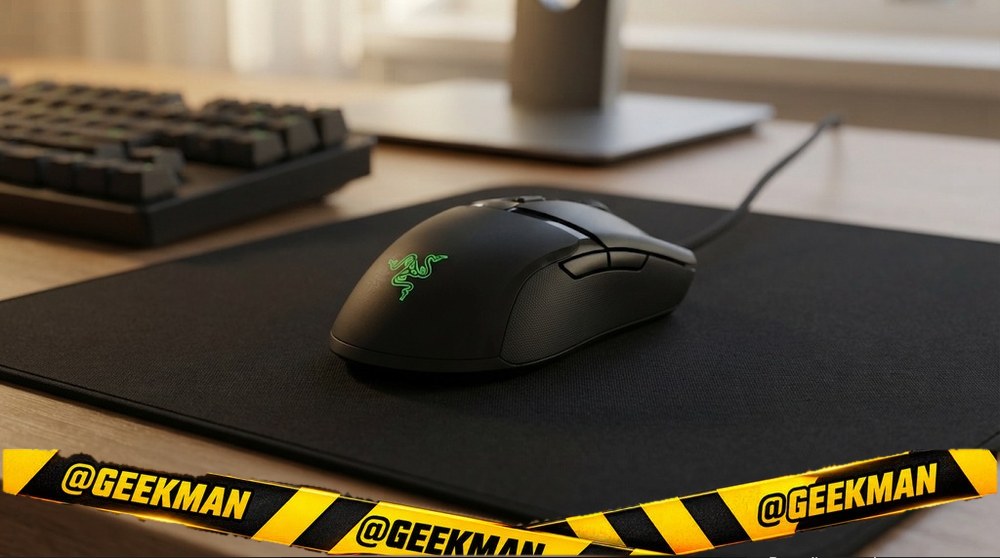
8. Razer Cobra Wired Gaming Mouse
7.9Geekman Score
8.5 Sensor & speed
8.6 Shape & build
8.0 Service
6.9 Value
A 58 gram Razer with optical switches that do not double click.
Wired USB (Speedflex cable) · 8500 DPI · 6 buttons · Wired USB · 58 g · Optical switches · 2 years
Best for
✓ Fast shooters
✓ Players worried about double clicking
Skip if
• You want wireless
• You have very large hands
My take: A light, durable wired Razer. Optical switches mean the clicks should not wear out the way cheap mice do.

Razer Cobra Smartchoice Wired Gaming Mouse, 58g Lightweight Design, Gen-3 Optical Switches, Chroma RGB Underglow, 8500 DPI Optical Sensor, Speedflex Cable, Black
Limited time deal 5% back with Amazon Pay ICICI Bank credit card (Prime), 3% for others Details
- 5% back with Amazon Pay ICICI Bank credit card (Prime), 3% for others
Pros and cons
What I like
+ 58 g
+ Optical switches
+ 2 year warranty
What I don’t like
• Small for big hands
Full review
The Cobra weighs about 58 grams, uses Razer’s Gen-3 optical switches rated for 90 million clicks, an 8500 DPI sensor, Chroma RGB underglow and a soft Speedflex cable.
In games. It is small and symmetrical, good for claw grips. Optical switches remove the double-click problem common in cheap mice.
What to know. It is small for big palm grips. Two year warranty.
Key specs
| Connection | Wired USB (Speedflex cable) |
| Sensor / DPI | up to 8500 DPI |
| Buttons | 6 |
| Power | Wired USB |
| Weight | 58 g |
| Shape | Ambidextrous |
| Warranty | 2 years |
Best for MMO and many buttons
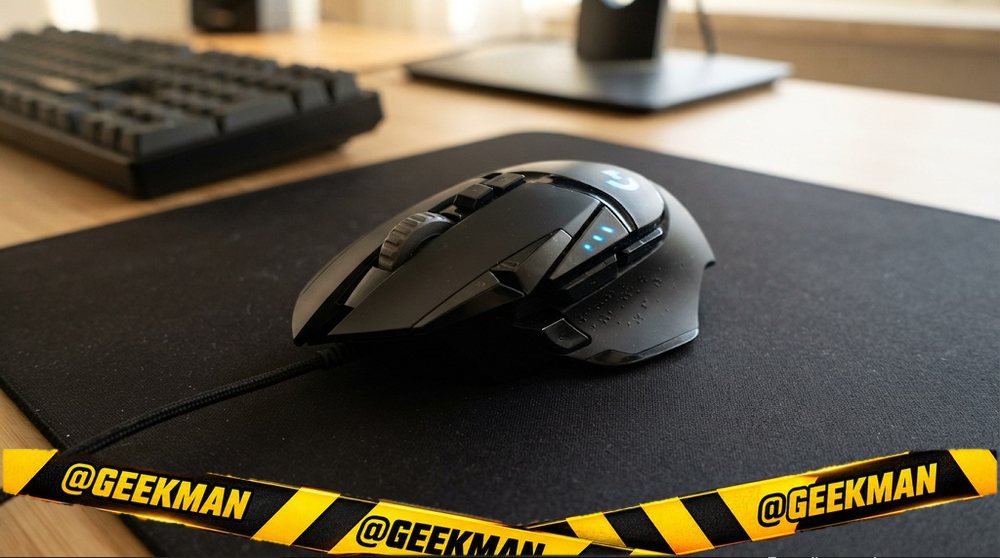
9. Logitech G502 Hero Wired Gaming Mouse
7.8Geekman Score
8.9 Sensor & speed
9.0 Shape & build
9.2 Service
5.7 Value
Eleven buttons, adjustable weights and the HERO 25K sensor, the do-everything gaming mouse.
Wired USB · 25600 DPI · 11 buttons · Wired USB · 121 g · Adjustable weights · 2 years
Best for
✓ Games with many keybinds
✓ Large hands and palm grip
Skip if
• You want a light mouse
• You are left-handed
My take: If you want buttons and features, nothing at this price does more. Fast FPS players will prefer something lighter.

Logitech G502 Hero High Performance Wired USB Gaming Mouse, Hero 25K Sensor, 25,600 DPI, RGB, Adjustable Weights, 11 Programmable Buttons, On-Board Memory, PC/Mac - Black
Lowest price
5% back with Amazon Pay ICICI Bank credit card (Prime), 3% for others Details
- 5% back with Amazon Pay ICICI Bank credit card (Prime), 3% for others
Up to 5% instant discount on Flipkart Axis & Flipkart SBI credit cards Details
- Up to 5% instant discount on Flipkart Axis & Flipkart SBI credit cards
Pros and cons
What I like
+ 11 buttons
+ HERO 25K sensor
+ 2 year warranty
What I don’t like
• Heavy
Full review
The G502 Hero has 11 programmable buttons, a dual-mode scroll wheel that can spin free, five 3.6 gram weights you can add, and the HERO 25K sensor up to 25,600 DPI with no smoothing or acceleration.
In games. The thumb rest and many buttons suit MMO and MOBA games. The free-spin wheel is handy for long pages too.
What to know. It is heavy at about 121 grams, even before weights.
Key specs
| Connection | Wired USB |
| Sensor / DPI | HERO 25K, up to 25600 DPI |
| Buttons | 11 |
| Power | Wired USB |
| Weight | 121 g |
| Shape | Right-handed |
| Warranty | 2 years |
Best premium esports
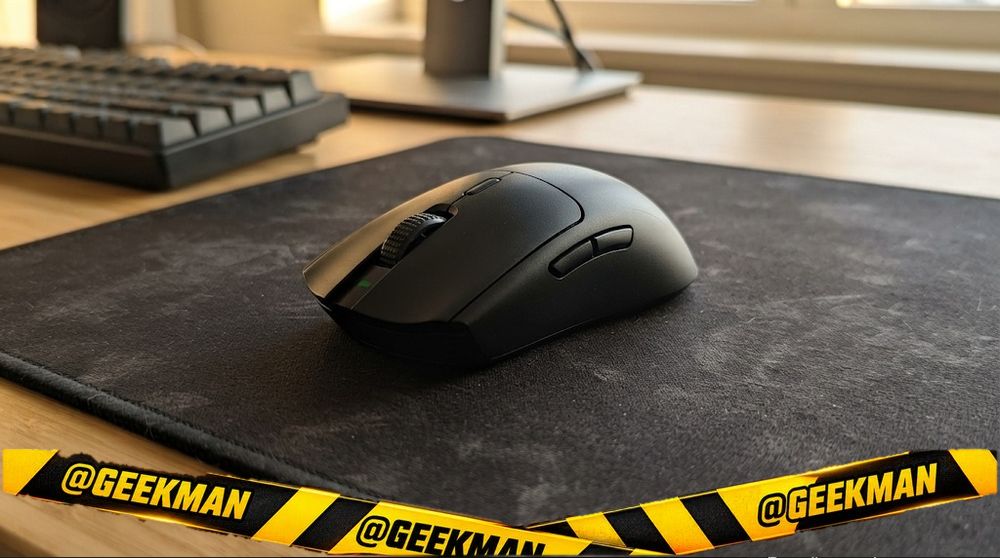
10. Razer Viper V3 HyperSpeed Wireless Gaming Mouse
7.7Geekman Score
9.1 Sensor & speed
8.8 Shape & build
8.0 Service
5.7 Value
An esports-grade wireless mouse with Razer’s 30K sensor and up to 280 hours of battery.
HyperSpeed 2.4GHz wireless · 30000 DPI · 6 buttons · up to 280 hours · 82 g · 2 years
Best for
✓ Valorant and CS2 ranked play
✓ Long battery wireless
Skip if
• You want RGB or many buttons
My take: The best competitive wireless mouse under 5,000. Simple shape, top sensor, huge battery.

Razer Viper V3 HyperSpeed Wireless Esports Gaming Mouse: 82g Lightweight Design- 30K DPI Optical Sensor- Up to 280 Hr Battery Life-Mechanical Switches Gen-2-Classic Black-RZ01-04910100-R3M1
Limited time deal 5% back with Amazon Pay ICICI Bank credit card (Prime), 3% for others Details
- 5% back with Amazon Pay ICICI Bank credit card (Prime), 3% for others
Pros and cons
What I like
+ 30K flagship sensor
+ 280 hour battery
+ 2 year warranty
What I don’t like
• No RGB or Bluetooth
Full review
The Viper V3 HyperSpeed uses the Focus Pro 30K optical sensor, HyperSpeed wireless and a mass-centred design at about 82 grams. A single AA cell lasts up to 280 hours.
In games. The right-leaning shape suits claw and palm grips. The sensor is flagship class.
What to know. No RGB and no Bluetooth. It is not as light as 50 gram rivals.
Key specs
| Connection | HyperSpeed 2.4GHz wireless |
| Sensor / DPI | Focus Pro 30K, up to 30000 DPI |
| Buttons | 6 |
| Power | AA battery, up to 280 hours |
| Weight | 82 g |
| Shape | Ambidextrous |
| Warranty | 2 years |
Compare all 10 at a glance
| Gaming mouse | Connection | Max DPI | Buttons | Weight | Power | Warranty |
|---|---|---|---|---|---|---|
| Logitech G102 | Wired | 8000 | 6 | 89 g | Wired | 2 years |
| Razer DeathAdder Essential | Wired | 6400 | 5 | 96 g | Wired | 1 year |
| EvoFox Blaze Ultra | Wired | 12800 | 8 | 110 g | Wired | 1 year |
| Kreo Harpy | Wired | 12800 | 6 | 58 g | Wired | 1.1 years |
| EvoFox Blaze 2 | Tri-mode | 12800 | 8 | 95 g | Rechargeable | 1 year |
| Logitech G304 | 2.4GHz | 12000 | 6 | 99 g | AA cell | 2 years |
| Kreo Chimera V2 | Tri-mode | Not stated | 6 | 58 g | Rechargeable | 1.1 years |
| Razer Cobra | Wired | 8500 | 6 | 58 g | Wired | 2 years |
| Logitech G502 Hero | Wired | 25600 | 11 | 121 g | Wired | 2 years |
| Razer Viper V3 HyperSpeed | 2.4GHz | 30000 | 6 | 82 g | AA cell | 2 years |
Specs from brand pages. Weight is without the cable.
The buying guide
How to choose a gaming mouse
First gaming mouse
Logitech G102.
Big hand, palm grip
DeathAdder Essential or G502 Hero.
Under 1,000
Blaze Ultra or Kreo Harpy.
Wireless on a budget
G304 or Chimera V2.
No double clicks
Razer Cobra, optical switches.
Esports
Razer Viper V3 HyperSpeed.
1 · Sensor: the name matters more than the DPI number
Any modern gaming sensor offers more DPI than you will use. Most players use 400 to 1600 DPI. What matters is tracking without jitter or acceleration. Known sensors like PixArt 3327, 3311 and 3395, and Logitech HERO, are proven. Unnamed “12800 DPI” sensors in cheap mice are fine for casual play but less consistent in fast shooters.
2 · Weight and shape
For FPS games, lighter is easier to flick: 55 to 70 grams is the sweet spot now. For MOBA and MMO, extra buttons matter more than grams. Shape decides comfort: ergonomic right-hand shapes suit palm grip, small symmetrical shapes suit claw and fingertip grips.
3 · Polling rate
Polling rate is how often the mouse reports to the PC. 1000Hz is the standard for gaming. 500Hz is fine for casual play. 4000Hz and 8000Hz help a little on 240Hz and faster monitors but drain wireless batteries faster.
4 · Wired, wireless or tri-mode
Good 2.4GHz gaming wireless (Logitech Lightspeed, Razer HyperSpeed and most modern dongles) is as responsive as a cable. Bluetooth is slower and meant for work or travel. Tri-mode mice do all three, which is handy if one mouse serves gaming and office.
5 · Switches and double clicking
Cheap mechanical switches can start double clicking after a year or two. Huano switches are a step up. Optical switches, as in the Razer Cobra, avoid the problem by design. Warranty and service matter more than the click count on the box.
Questions other guides skip
1 · What DPI should I use for Valorant or CS2?
Most pros use 400 or 800 DPI with low in-game sensitivity, so a full turn needs a long arm movement. Start at 800 DPI, then adjust in-game sensitivity until a 180 degree turn feels controlled. Higher DPI is not better aim.
2 · Palm, claw or fingertip: which mouse shape?
Palm grip (whole hand resting) suits larger, ergonomic mice like the DeathAdder or G502. Claw grip (arched fingers) suits medium symmetrical mice like the G102 or Cobra. Fingertip grip suits small, very light mice. Measure your hand from wrist to fingertip: under 17 cm is small, 17 to 19 cm medium, above 19 cm large.
3 · My mouse double clicks. What can I do?
It is usually a worn switch. Check warranty first. Some brands let you raise “debounce time” in their software, which hides the problem for a while. Mice with optical switches avoid it by design.
4 · Is wireless gaming laggy?
Not with a 2.4GHz gaming dongle. Logitech Lightspeed, Razer HyperSpeed and good tri-mode mice respond as fast as wired mice in practice. Bluetooth is the slow mode, so do not game on it.
5 · Do I need a gaming mouse pad?
Yes, if you play shooters. A cloth pad gives consistent tracking and glide, and a larger pad lets you use lower sensitivity. See our mouse pad guide.
Also consider
By budget: under 500, under 1,000, under 2,000, under 3,000, under 5,000.
Wireless only? See the best wireless gaming mice.
FAQs
Which is the best gaming mouse in India?
The Logitech G102 Lightsync for most people. The Logitech G304 is the best budget wireless, and the Razer Viper V3 HyperSpeed is the best premium pick.
Which is the best budget gaming mouse?
The Logitech G102 and EvoFox Blaze Ultra. Under 500, see our under 500 list.
Which gaming mouse is best for Valorant and CS2?
A light mouse with a good sensor: the Kreo Harpy or Chimera V2 on a budget, the Viper V3 HyperSpeed at the top.
Which gaming mouse is best for MMO and MOBA?
The Logitech G502 Hero, for its many programmable buttons.
Is wireless good for gaming?
Yes, with a 2.4GHz gaming dongle. Avoid Bluetooth for games.
Which brand is best for gaming mice?
Logitech and Razer for quality and service. Kreo, EvoFox, Cosmic Byte and Redragon for value.
How much should I spend on a gaming mouse?
1,500 to 2,500 gets an excellent mouse. Spend more only for wireless or very light esports shapes.
So, which gaming mouse should you buy?
Best overall: Logitech G102 Lightsync. Check price
Under 1,000: EvoFox Blaze Ultra. Check price
Budget wireless: Logitech G304. Check price
Premium: Razer Viper V3 HyperSpeed. Check price
Pick the shape that fits your hand and grip first. Every mouse here has a good enough sensor.