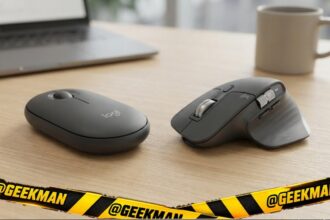

Short answer: The Logitech MX Master 3S is the best mouse for a Mac if you work on it all day. For most MacBook Air owners, the Logitech Pebble 2 is the better value. On a budget, the Logitech M240 Silent.
Most MacBooks have only USB-C ports, so a Bluetooth mouse is the easy choice. Logitech mice also add gestures and app-specific buttons through Logi Options+ on macOS. I left out the Apple Magic Mouse because it charges from the bottom and cannot be used while charging, though it works well for gestures. Prices change every week during sales, so live prices sit in the buy buttons, not in the text. Updated on 16 November 2026.
Quick picks
| Pick | Mouse | Best for |
|---|---|---|
| Best overall | Logitech MX Master 3S | Editors, designers, coders and heavy multitaskers |
| Best value | Logitech Pebble 2 M350s | People who move between a laptop, tablet and desktop |
| Best silent budget | Logitech M240 Silent | MacBook, iPad and USB-C laptop users |
| Best budget rechargeable | Arctic Fox Pureview | Desk setups that want style without giving up features |
| Best 3-device budget | ASUS MW105 | Multi-device users on a budget |
| Longest battery | Dell MS3320W | Professionals who want the longest battery and strong warranty |
| Best vertical | Logitech Lift | Small to medium hands with wrist strain |
| Best for large hands | Logitech Signature M650 L | Large hands and long workdays |
Tap a name to jump to its review. Ranked by Geekman Score, best first.
Mouse finder
Answer 3 quick questions, get your top 3
Not sure which one? Start with Logitech MX Master 3S, Logitech Pebble 2 M350s, Logitech M240 Silent.
How I ranked them
The Geekman Score
Geekman has reviewed computer accessories for over 10 years. For this list I went through more than 60 mice that work well with macOS sold in India, across both big stores and brand sites, and compared what decides whether you still like a mouse after a year: the connection (USB receiver, Bluetooth or both), how long the battery lasts or whether it charges, click noise, shape and weight, the sensor and DPI range, warranty, and how easy the brand is to get serviced. Specs come from brand pages and the brand’s own product details. Every pick gets a Geekman Score out of 10: Tracking and features 30%, Comfort and build 25%, Service 15% and Value 30%. I gave extra weight to Bluetooth, macOS support and quiet clicks.
See all Geekman Scores
| # | Mouse | Features | Comfort | Service | Value | Score |
|---|---|---|---|---|---|---|
| 1 | Logitech MX Master 3S | 9.1 | 9.0 | 8.9 | 9.6 | 9.2 |
| 2 | Logitech Pebble 2 M350s | 7.7 | 7.4 | 8.9 | 9.6 | 8.4 |
| 3 | Logitech M240 Silent | 7.1 | 7.4 | 8.9 | 9.6 | 8.2 |
| 4 | Arctic Fox Pureview | 7.1 | 7.0 | 7.7 | 9.6 | 7.9 |
| 5 | ASUS MW105 | 6.9 | 7.0 | 9.2 | 8.7 | 7.8 |
| 6 | Dell MS3320W | 7.3 | 7.2 | 9.2 | 7.8 | 7.7 |
| 7 | Logitech Lift | 8.3 | 9.0 | 8.9 | 5.2 | 7.6 |
| 8 | Logitech Signature M650 L | 7.8 | 8.2 | 8.9 | 6.0 | 7.5 |
The reviews
Best mouse for MacBook: 8 picks reviewed
Best overall
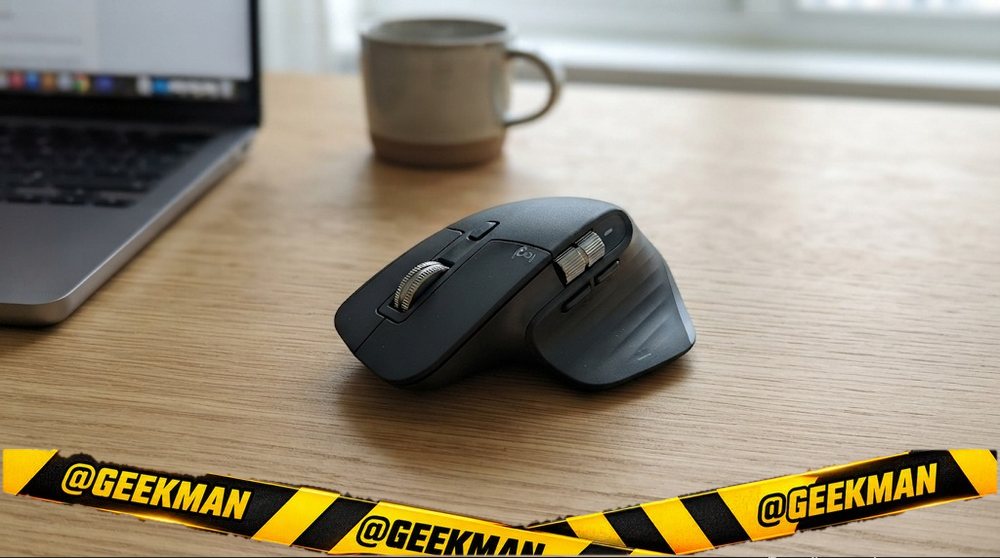
1. Logitech MX Master 3S Wireless Mouse
9.2Geekman Score
9.1 Tracking & features
9.0 Comfort & build
8.9 Service
9.6 Value
The best productivity mouse money buys in India, with the fastest scroll wheel and an 8000 DPI sensor that tracks on glass.
Bluetooth (3 devices) · 8000 DPI · 7 buttons · rechargeable · 141 g · Silent clicks · MagSpeed wheel · Tracks on glass · 1 year
Best for
✓ Video, design and long documents
✓ Three-computer setups
Skip if
• You are left-handed
• You want a small or cheap mouse
My take: Expensive, but nothing else here saves as much time every day. If you work at a computer for a living, it pays back.


Logitech MX Master 3s Right Handed Optical Mouse
 Lowest price
5% back with Amazon Pay ICICI Bank credit card (Prime), 3% for others Details
- 5% back with Amazon Pay ICICI Bank credit card (Prime), 3% for others
Pros and cons
What I like
+ MagSpeed scroll and thumb wheel
+ Tracks on glass
+ 3 devices, rechargeable
What I don’t like
• Pricey
• Bluetooth edition has no receiver or cable
Full review
The MX Master 3S is Logitech’s flagship work mouse: a sculpted right-hand body, MagSpeed electromagnetic scroll wheel, a thumb wheel, quiet clicks, gesture button and an 8000 DPI sensor that works even on glass. It pairs with three devices. The version we link is the Bluetooth Edition: no USB receiver and no charging cable in the box.
Daily use. MagSpeed spins through a thousand-line sheet in a second, then stops line by line. App profiles in Logi Options+ change the buttons per app, for example in Photoshop or Premiere. It charges over Type-C.
What to know. It is big and about 141 grams. This edition is Bluetooth only, so add a Bolt receiver if your PC has weak Bluetooth.
Key specs
| Connection | Bluetooth (3 devices) |
| Sensor / DPI | up to 8000 DPI |
| Buttons | 7 |
| Power | Rechargeable (Type-C), rechargeable |
| Weight | 141 g |
| Shape | Right-handed |
| Warranty | 1 year |
Best value
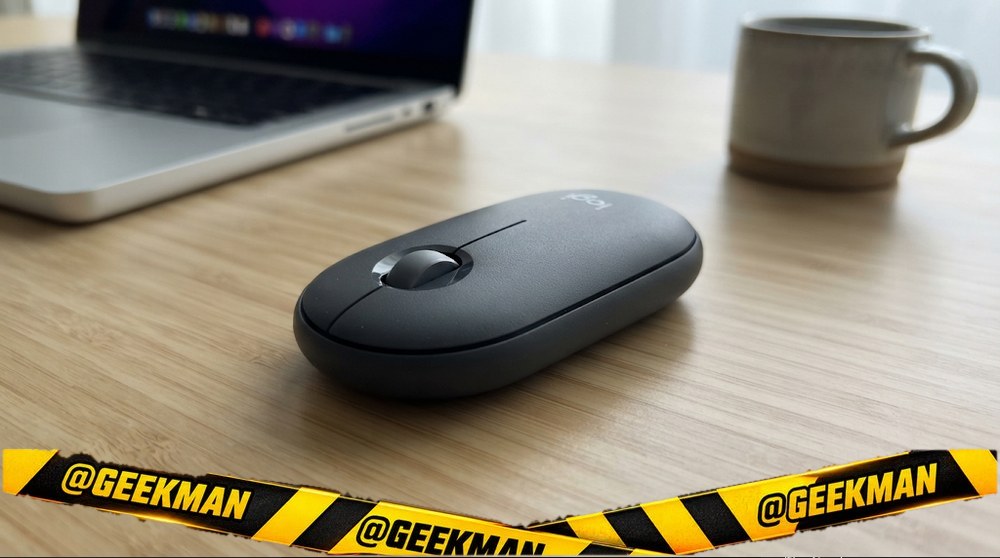
2. Logitech Pebble Mouse 2 M350s
8.4Geekman Score
7.7 Tracking & features
7.4 Comfort & build
8.9 Service
9.6 Value
A slim, silent Logitech that switches between three devices and runs two years on a cell.
Bluetooth 5.1 (3 devices) · 4000 DPI · 3 buttons · up to 24 months · 76 g · Silent clicks · Easy-Switch 3 devices · 1 year
Best for
✓ Laptop plus iPad or second PC
✓ Travel and quiet offices
Skip if
• You want a full-size palm grip
• You need a USB receiver in the box
My take: My overall pick for most laptop users. It is thin, quiet, works with every OS and the button on top hops between three devices.

Logitech Pebble Mouse 2 M350s Slim Bluetooth Wireless Mouse, Portable, Lightweight, Customisable Button, 4000 DPI, Quiet Clicks, Easy-Switch for Windows, macOS, iPadOS, Android - Tonal White
Lowest price
5% back with Amazon Pay ICICI Bank credit card (Prime), 3% for others Details
- 5% back with Amazon Pay ICICI Bank credit card (Prime), 3% for others

Up to 5% instant discount on Flipkart Axis & Flipkart SBI credit cards Details
- Up to 5% instant discount on Flipkart Axis & Flipkart SBI credit cards
Pros and cons
What I like
+ 3 devices with Easy-Switch
+ Silent clicks
+ 2 years on one cell
What I don’t like
• Flat shape for big hands
• No receiver included
Full review
The Pebble 2 M350s fixes the old Pebble’s limits: it now pairs with three devices over Bluetooth 5.1, has a 4000 DPI sensor, a customisable middle button through Logi Options+ and up to 24 months on one AA cell.
Daily use. It is a flat pebble shape, so it slides into any bag. Clicks are quiet. The middle button can be set for shortcuts like the emoji menu or dictation.
What to know. It is low, so large hands may prefer a fuller mouse for long days. Logi Bolt receiver support is there, but no receiver is in the box.
Key specs
| Connection | Bluetooth 5.1 (3 devices) |
| Sensor / DPI | up to 4000 DPI |
| Buttons | 3 |
| Power | AA battery, up to 24 months |
| Weight | 76 g |
| Shape | Ambidextrous |
| Warranty | 1 year |
Best silent budget
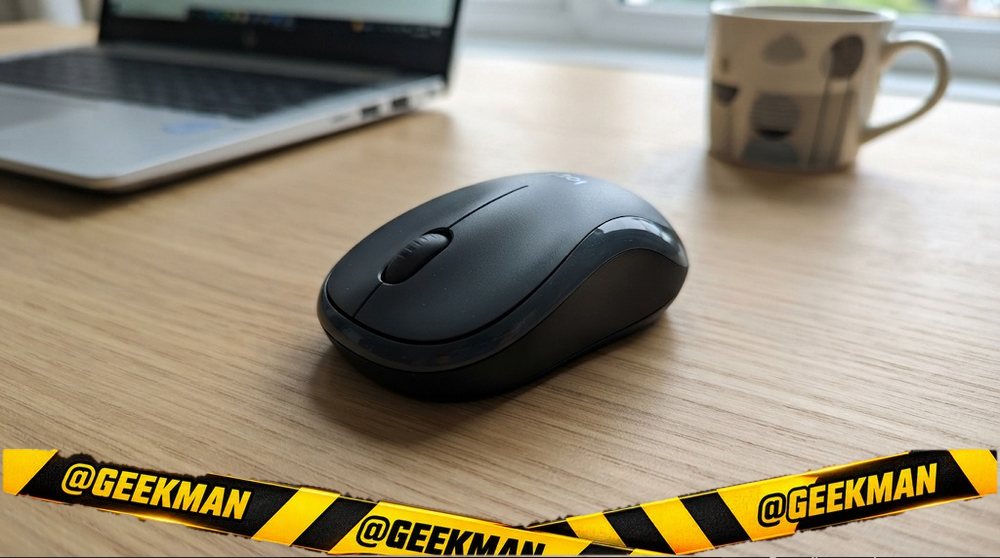
3. Logitech M240 Silent Bluetooth Mouse
8.2Geekman Score
7.1 Tracking & features
7.4 Comfort & build
8.9 Service
9.6 Value
A silent Logitech that pairs over Bluetooth, so it works with Mac, iPad and laptops with no USB-A port.
Bluetooth · 3 buttons · up to 18 months · 75 g · Silent clicks · 1 year
Best for
✓ MacBooks and thin laptops
✓ Quiet rooms
Skip if
• You want a USB receiver
• You switch between several devices
My take: The simplest way to get a quiet, reliable Logitech on a MacBook or a USB-C-only laptop. No dongle to lose.
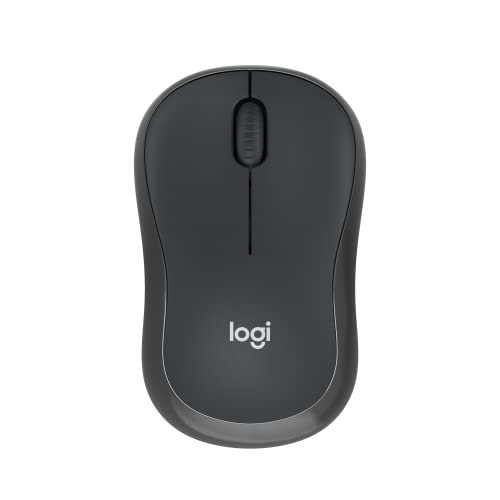
Logitech M240 Wireless Ambidextrous Optical Mouse with Upto 4000 DPI, SilentTouch Quiet Clicks, Auto-Sleep Power Saving, Up to 18 Months Battery Life
Lowest price
5% back with Amazon Pay ICICI Bank credit card (Prime), 3% for others Details
- 5% back with Amazon Pay ICICI Bank credit card (Prime), 3% for others
Up to 5% instant discount on Flipkart Axis & Flipkart SBI credit cards Details
- Up to 5% instant discount on Flipkart Axis & Flipkart SBI credit cards
Pros and cons
What I like
+ Silent clicks
+ Bluetooth, no dongle
+ 18 month battery
What I don’t like
• One device at a time
• No receiver in the box
Full review
The M240 is a compact Bluetooth mouse with Logitech’s silent clicks, an 18 month battery and support for Windows, macOS, ChromeOS, iPadOS and Android. It needs no receiver at all.
Daily use. It is small and ambidextrous, so it travels well. Clicks are about 90 percent quieter than normal. Range is up to 10 metres.
What to know. It pairs with one device at a time. Logi Bolt receiver support exists but the receiver is not included.
Key specs
| Connection | Bluetooth |
| Sensor / DPI | Not stated |
| Buttons | 3 |
| Power | AA battery, up to 18 months |
| Weight | 75 g |
| Shape | Ambidextrous |
| Warranty | 1 year |
Best budget rechargeable
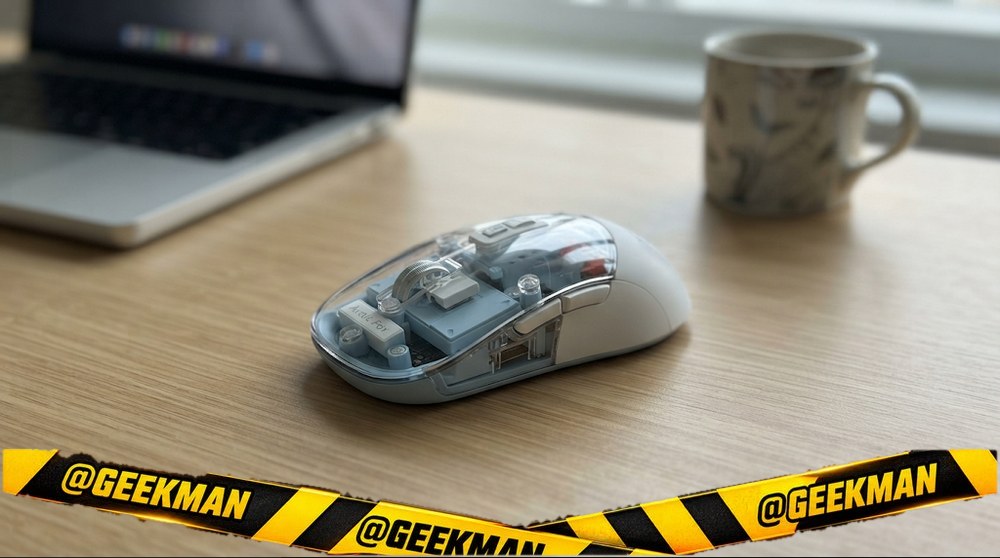
4. Arctic Fox Pureview Transparent Wireless Mouse
7.9Geekman Score
7.1 Tracking & features
7.0 Comfort & build
7.7 Service
9.6 Value
A see-through shell, quiet clicks and three-device switching, which makes it the fun pick that is also practical.
2.4GHz + 2x Bluetooth 5.1 · 3 buttons · about 30 days per charge · 100 g · Silent clicks · Transparent shell · 1 year
Best for
✓ Laptop, tablet and phone users
✓ Quiet rooms and hostels
Skip if
• You want a big-brand service network
• You prefer a matte office look
My take: It looks like a toy, but the feature list is serious: three devices, quiet clicks, a 400mAh battery and a battery level light. Good value if you like the look.

Arctic Fox Pureview Transparent Wireless and Bluetooth Rechargeable Mouse Ambidextrous Optical Gaming Mouse
Lowest price
5% back with Amazon Pay ICICI Bank credit card (Prime), 3% for others Details
- 5% back with Amazon Pay ICICI Bank credit card (Prime), 3% for others
Up to 5% instant discount on Flipkart Axis & Flipkart SBI credit cards Details
- Up to 5% instant discount on Flipkart Axis & Flipkart SBI credit cards
Pros and cons
What I like
+ 3 devices, tri-mode
+ Quiet clicks
+ Rechargeable, about a month per charge
What I don’t like
• Smaller brand service
• Clear shell shows dust
Full review
The Pureview is the transparent mouse that became a big trend in India this year. Inside the clear shell sits a 400mAh battery that lasts about a month per charge. It pairs with up to three devices, two over Bluetooth 5.1 and one through the USB receiver, and you switch with a touch on the back.
Daily use. Clicks are quiet enough for a library. The battery light on top means you are not surprised by a flat mouse. It works with Windows, Mac, iPad and Android.
What to know. Arctic Fox is a smaller brand, so service is mostly by courier. The clear shell shows dust over time.
Key specs
| Connection | 2.4GHz + 2x Bluetooth 5.1 |
| Sensor / DPI | Not stated |
| Buttons | 3 |
| Power | Rechargeable (Type-C), about 30 days per charge |
| Weight | 100 g |
| Shape | Ambidextrous |
| Warranty | 1 year |
Best 3-device budget
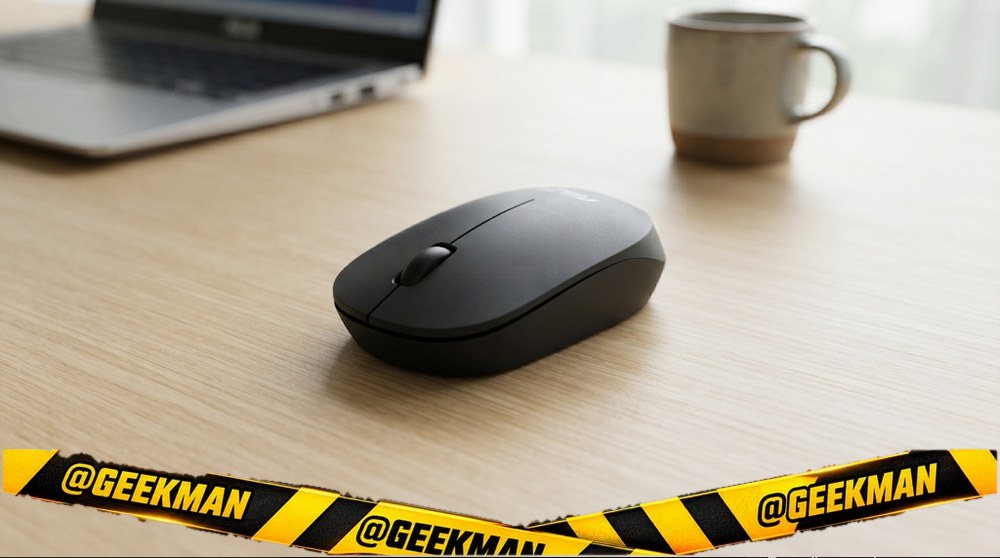
5. ASUS MW105 Multi-Device Bluetooth Silent Mouse
7.8Geekman Score
6.9 Tracking & features
7.0 Comfort & build
9.2 Service
8.7 Value
A tiny, silent Bluetooth mouse that switches between three devices and has a 3 year ASUS warranty.
Bluetooth (3 devices) · 1600 DPI · 3 buttons · AA cell · 48 g · Silent clicks · 3 years
Best for
✓ Laptop, tablet and phone
✓ Quiet rooms
Skip if
• You want a USB receiver
• You have big hands
My take: The cheapest three-device Bluetooth mouse from a big brand. Great value if your devices all have Bluetooth.

ASUS Bluetooth Silent Mouse MW105, 1600 DPI, Upto 3 Device Support Wireless Ambidextrous Optical Mouse
Lowest price
5% back with Amazon Pay ICICI Bank credit card (Prime), 3% for others Details
- 5% back with Amazon Pay ICICI Bank credit card (Prime), 3% for others
Up to 5% instant discount on Flipkart Axis & Flipkart SBI credit cards Details
- Up to 5% instant discount on Flipkart Axis & Flipkart SBI credit cards
Pros and cons
What I like
+ 3 Bluetooth devices
+ Silent clicks
+ 3 year warranty
What I don’t like
• No receiver
• Small
Full review
The MW105 is an ambidextrous Bluetooth mouse that remembers three devices, has silent clicks, DPI steps of 800, 1200 and 1600, and weighs about 48 grams. ASUS gives a 3 year warranty.
Daily use. It is very light and small, built for travel. Switching between devices takes one button press.
What to know. No USB receiver, so a desktop without Bluetooth needs an adapter. Small for big hands.
Key specs
| Connection | Bluetooth (3 devices) |
| Sensor / DPI | up to 1600 DPI |
| Buttons | 3 |
| Power | AA battery, AA cell |
| Weight | 48 g |
| Shape | Ambidextrous |
| Warranty | 3 years |
Longest battery
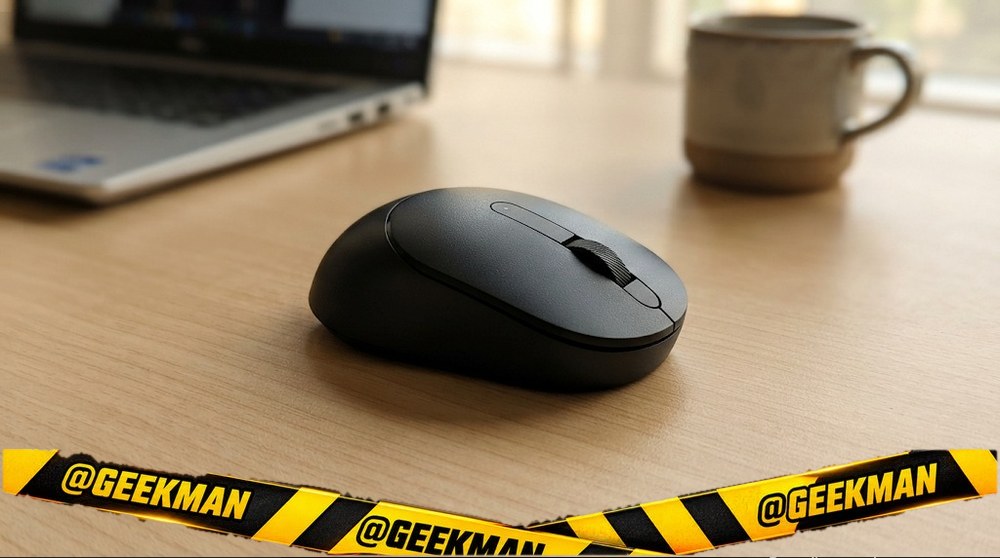
6. Dell MS3320W Wireless Mouse
7.7Geekman Score
7.3 Tracking & features
7.2 Comfort & build
9.2 Service
7.8 Value
A dual-mode Dell with a 36 month battery and Dell’s advance-exchange warranty.
2.4GHz + Bluetooth · 4000 DPI · 3 buttons · up to 36 months · 62 g · 3 years advance exchange
Best for
✓ Office laptops
✓ People who never want to think about batteries
Skip if
• You want silent clicks
• You want a rechargeable mouse
My take: Pick this if warranty and battery life matter most. Dell will swap it quickly under advance exchange, and one cell lasts years.

DELL MS3320W Ambidextrous Optical Mouse
Lowest price
5% back with Amazon Pay ICICI Bank credit card (Prime), 3% for others Details
- 5% back with Amazon Pay ICICI Bank credit card (Prime), 3% for others
Pros and cons
What I like
+ 36 month battery
+ 3 year advance-exchange warranty
+ 2.4GHz and Bluetooth
What I don’t like
• Normal clicks
Full review
The MS3320W connects through a 2.4GHz receiver or Bluetooth, can remember up to three devices, has an adjustable 1000 to 4000 DPI sensor and runs up to 36 months on one AA cell. It weighs about 62 grams.
Daily use. It is light and symmetrical, good for laptop bags. Three buttons can be set with Dell Peripheral Manager.
What to know. Clicks are normal, not silent. It is plainer looking than the Logitech Pebble.
Key specs
| Connection | 2.4GHz + Bluetooth |
| Sensor / DPI | up to 4000 DPI |
| Buttons | 3 |
| Power | AA battery, up to 36 months |
| Weight | 62 g |
| Shape | Ambidextrous |
| Warranty | 3 years advance exchange |
Best vertical
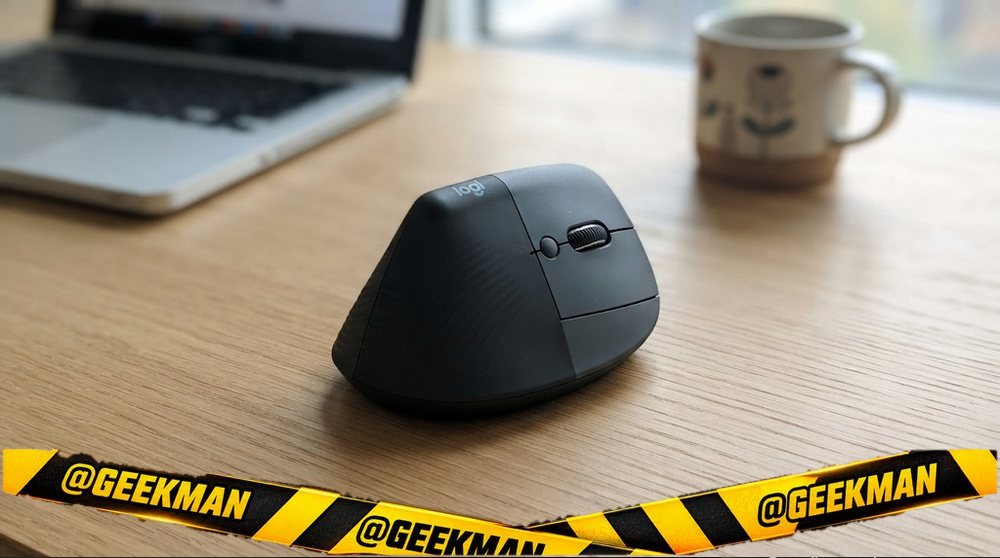
7. Logitech Lift Vertical Ergonomic Mouse
7.6Geekman Score
8.3 Tracking & features
9.0 Comfort & build
8.9 Service
5.2 Value
The vertical mouse I would buy if I had wrist pain: comfortable, quiet and made by the best mouse brand.
Bluetooth + Logi Bolt receiver · 4000 DPI · 4 buttons · up to 24 months · 125 g · Silent clicks · SmartWheel · 1 year
Best for
✓ All-day comfort
✓ Mac, Windows and iPad users
Skip if
• You have very large hands
• You want rechargeable
My take: The best vertical mouse here for most people. It costs a lot, but it is built to be used eight hours a day for years.

Logitech LIFT / Vertical Ergonomic, Multi-Device (Upto 3 Device) Ambidextrous Optical Mouse
5% back with Amazon Pay ICICI Bank credit card (Prime), 3% for others Details
- 5% back with Amazon Pay ICICI Bank credit card (Prime), 3% for others
Lowest price
Up to 5% instant discount on Flipkart Axis & Flipkart SBI credit cards Details
- Up to 5% instant discount on Flipkart Axis & Flipkart SBI credit cards
Pros and cons
What I like
+ Comfortable 57 degree angle
+ Quiet, 3 devices
+ 2 year battery
What I don’t like
• Pricey
• Not for large hands
Full review
The Lift holds the hand at 57 degrees, which keeps the forearm in a more natural position. It has a soft grip, a thumb rest, quiet clicks, a SmartWheel and four customisable buttons. It pairs with three devices over Bluetooth or the Logi Bolt receiver and runs up to two years on one AA cell.
Daily use. It suits small to medium right hands. The angle is gentler than many budget vertical mice, so the switch feels natural within a day or two.
What to know. Large hands should look at the MX Vertical instead. It is a premium price for a single-purpose mouse.
Key specs
| Connection | Bluetooth + Logi Bolt receiver |
| Sensor / DPI | up to 4000 DPI |
| Buttons | 4 |
| Power | AA battery, up to 24 months |
| Weight | 125 g |
| Shape | Right-handed, vertical (57 degrees) |
| Warranty | 1 year |
Best for large hands
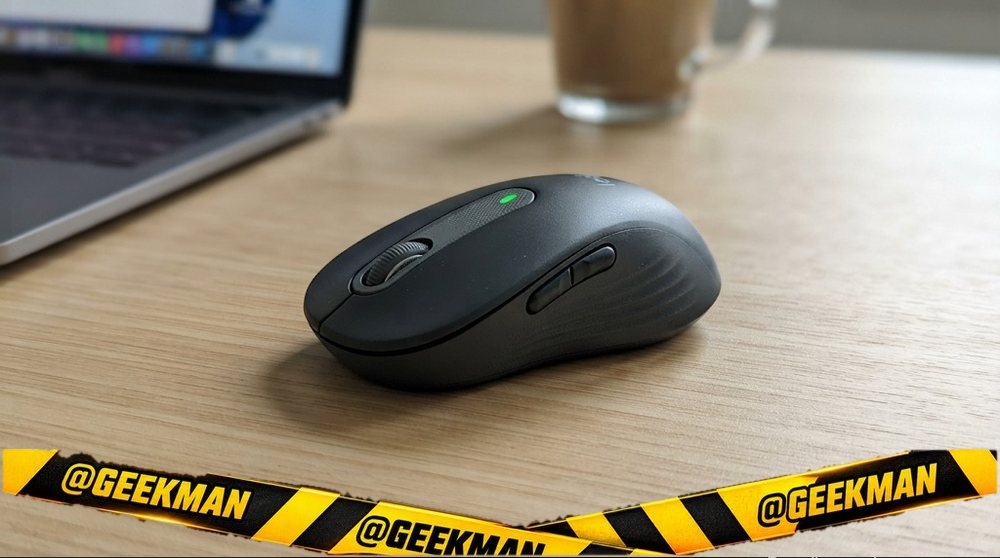
8. Logitech Signature M650 L Wireless Mouse
7.5Geekman Score
7.8 Tracking & features
8.2 Comfort & build
8.9 Service
6.0 Value
A large, quiet Logitech with side buttons and a smart scroll wheel, sized for big hands.
Bluetooth + Logi Bolt receiver · 5 buttons · up to 24 months · 111 g · Silent clicks · SmartWheel · Side buttons · 1 year
Best for
✓ Big hands that find office mice small
✓ Long documents and web pages
Skip if
• You have small hands
• You switch between devices often
My take: The most comfortable step below the MX Master. If normal mice feel small in your hand, this is the fix.

Logitech Signature M650 L Full Size Wireless Mouse - for Large Sized Hands, 2-Year Battery, Silent Clicks, Customisable Side Buttons, Bluetooth - Graphite
5% back with Amazon Pay ICICI Bank credit card (Prime), 3% for others Details
- 5% back with Amazon Pay ICICI Bank credit card (Prime), 3% for others
Pros and cons
What I like
+ Big, comfortable shape
+ Silent clicks and SmartWheel
+ 2 year battery
What I don’t like
• Too large for small hands
Full review
The Signature M650 L is the large size of Logitech’s Signature line. It has silent clicks, two side buttons, rubber grips and a SmartWheel that moves line by line for precision or spins free for long pages. It connects via Bluetooth or the Logi Bolt receiver and lasts up to 24 months on one AA cell.
Daily use. The bigger body supports the whole hand. Side buttons can be set in Logi Options+. It is quiet enough for shared rooms.
What to know. The L size is meant for large hands. Medium hands should look at the regular M650.
Key specs
| Connection | Bluetooth + Logi Bolt receiver |
| Sensor / DPI | Not stated |
| Buttons | 5 |
| Power | AA battery, up to 24 months |
| Weight | 111 g |
| Shape | Ambidextrous |
| Warranty | 1 year |
Compare all 8 at a glance
| Mouse | Connection | Power | DPI | Buttons | Weight | Silent | Warranty |
|---|---|---|---|---|---|---|---|
| Logitech MX Master 3S | Bluetooth | Rechargeable | 8000 | 7 | 141 g | Yes | 1 year |
| Logitech Pebble 2 M350s | Bluetooth | AA cell | 4000 | 3 | 76 g | Yes | 1 year |
| Logitech M240 Silent | Bluetooth | AA cell | Not stated | 3 | 75 g | Yes | 1 year |
| Arctic Fox Pureview | Tri-mode | Rechargeable | Not stated | 3 | 100 g | Yes | 1 year |
| ASUS MW105 | Bluetooth | AA cell | 1600 | 3 | 48 g | Yes | 3 years |
| Dell MS3320W | 2.4GHz + BT | AA cell | 4000 | 3 | 62 g | No | 3 years |
| Logitech Lift | BT + Bolt | AA cell | 4000 | 4 | 125 g | Yes | 1 year |
| Logitech Signature M650 L | BT + Bolt | AA cell | Not stated | 5 | 111 g | Yes | 1 year |
Specs from brand pages. Battery life is the brand figure for normal office use.
The buying guide
How to choose a mouse for a Mac
All-day Mac work
MX Master 3S.
MacBook Air
Pebble 2 or M240.
Budget
M240 or Arctic Fox Pureview.
Mac plus iPad
Pebble 2 or ASUS MW105.
Mac Mini desk
Signature M650 L or Lift.
Wrist pain
Logitech Lift.
1 · USB receiver, Bluetooth or both?
A 2.4GHz USB receiver (dongle) is plug and play and works with any PC, but it uses a USB-A port, which many new laptops and MacBooks do not have. Bluetooth needs no port and works with Mac, iPad and phones, but can take a second to wake up. Dual mode mice give you both, and the better ones remember two or three devices.
2 · AA cell or rechargeable?
Mice on one AA or AAA cell often last 12 to 36 months, so you rarely think about them. Rechargeable mice with Type-C save you buying cells but need a charge every week or few weeks. Both are fine. Pick rechargeable if you hate buying cells, cells if you hate charging.
3 · Silent clicks: worth it?
Silent mice cut click noise by about 90 percent. It matters in shared rooms, libraries, offices and late-night work at home. The click still feels like a click, just without the sound.
4 · Size, shape and DPI
Small, flat mice travel well but can tire the hand in long sessions. Full-size and contoured mice are more comfortable on a desk. If your wrist hurts, try a vertical mouse.
DPI is cursor speed. 1000 to 1600 DPI is plenty for office work on one screen. Higher DPI helps on large or 4K monitors and in design work.
5 · Warranty and service
Logitech, Dell, HP, Lenovo and ASUS have wide service networks and often give 3 years on basic mice. Portronics, Zebronics and Amkette usually give 1 year with carry-in or courier service. On a cheap mouse a short warranty is fine. On a premium mouse, service matters more.
Questions other guides skip
1 · Will a normal mouse work on a MacBook?
Yes. Any Bluetooth mouse pairs with macOS. A USB receiver mouse needs a USB-C to USB-A adapter on most MacBooks. Back and forward buttons work in browsers, and Logitech mice add gestures through Logi Options+.
2 · Why does my Bluetooth mouse take a second to start?
To save battery, Bluetooth mice sleep after a few minutes. The first click or movement wakes them up. It is normal. If it disconnects often, update your laptop’s Bluetooth driver and keep the mouse within a couple of metres.
3 · Which mice work for left-handers?
Pick an ambidextrous (symmetrical) mouse such as the Logitech M221, Dell WM118, Logitech Pebble 2 or Lenovo 600. Right-handed shapes like the M331, MX Master and most vertical mice will feel wrong in the left hand. You can swap left and right buttons in your computer’s mouse settings.
Also consider
Want the Apple Magic Mouse? It is great for gestures but cannot be used while charging. Most people are happier with a Logitech.
More from Geekman
More mouse buying guides
Best Bluetooth mouseBest wireless mouse in IndiaBest ergonomic and vertical mouseBest mouse for laptop
FAQs
Which is the best mouse for MacBook?
The Logitech MX Master 3S for heavy use and the Pebble 2 M350s for most MacBook Air owners.
Does a normal mouse work on a Mac?
Yes. Any Bluetooth mouse pairs with macOS. Receiver mice need a USB-C adapter.
Is the Apple Magic Mouse worth it?
It is good for gestures but has a low, flat shape and charges from the bottom. Most people prefer a Logitech.
Do Logitech mice support Mac gestures?
Yes, through the free Logi Options+ app.
Which mouse is best for Mac Mini?
The Logitech MX Master 3S, Signature M650 L or Lift.
So, which mouse should you buy for your Mac?
Best overall: Logitech MX Master 3S. Check price
Best value: Logitech Pebble 2 M350s. Check price
Budget: Logitech M240 Silent. Check price
For a Mac, Bluetooth plus Logi Options+ is the best combination. Buy the size that fits your hand.