


Short answer: buy the ASUS Chromebook CM1405. It has the best screen, battery and ports at this price. Take the CM1505 for a 15.6 inch screen and the Acer C725 for a small, light laptop.
Geekman has covered consumer tech for over 10 years, and this ranking is built the way our buying guides always are: research first, then a hard look at the numbers. For every model we compared official specs, chip and memory, screen, ports, battery, price, warranty and service reach, and compared current prices.
One thing to know before you read on. Right now no new branded Windows laptop with 8GB of RAM sells under 20,000. Every pick below is a Chromebook, and refurbished offers are left out.
Find your laptop under 20000 in 3 quick taps
Short answer: buy the ASUS Chromebook CM1405. It has the best screen, battery and ports at this price. Take the CM1505 for a 15.6 inch screen, the Acer C725 for a small light laptop and the HP 11MK G9 EE for a young child. Turn on JavaScript to use the Finder.
What 20,000 buys in 2026
What you get for ₹18,000 to ₹20,000
Memory costs more in 2026, and that has pushed new Windows laptops with 8GB of RAM above 20,000. What you can buy new from a known brand are ChromeOS laptops. They are fast at web work, simple to maintain and do not need an antivirus, but they do not run Windows programs. If you need Windows, read my laptops under 30000 guide. If you can spend a little more, see laptops under 25000 for 128GB models, and best Chromebooks in India for the full ChromeOS picture.
How I ranked them
The Geekman Score
Each laptop gets a score out of 10 for performance (40%), value (40%) and service (20%). Performance looks at the chip, memory, storage, screen and ports. Value is price against what you get. Service looks at warranty, brand reach and how easy it is to get help.
See the scores
| # | Laptop | Perf. | Value | Service | Overall |
|---|---|---|---|---|---|
| 1 | ASUS Chromebook CM1405 (Kompanio 540, 4GB, 64GB) | 6.2 | 7.6 | 7.0 | 6.9 |
| 2 | ASUS Chromebook CM1505 (Kompanio 540, 4GB, 64GB, 15.6 inch) | 5.8 | 7.0 | 7.0 | 6.5 |
| 3 | Acer Chromebook C725 (Kompanio 540, 11.6 inch) | 5.4 | 7.2 | 7.0 | 6.4 |
| 4 | Acer Chromebook CO731 (Celeron N4500, 11.6 inch) | 4.8 | 6.4 | 7.0 | 5.9 |
| 5 | HP Chromebook 11MK G9 EE (MediaTek MT8183, 4GB, 32GB) | 3.8 | 6.6 | 6.5 | 5.5 |
Scores weigh performance 40%, value 40% and service 20%. They come from official specs and live prices on 24 October 2026.
Quick picks
| Pick | Laptop | Best for |
|---|---|---|
| Best Overall | ASUS Chromebook CM1405 (Kompanio 540, 4GB, 64GB) | The best screen, battery and ports in this price band |
| Best Big Screen | ASUS Chromebook CM1505 (Kompanio 540, 4GB, 64GB, 15.6 inch) | A 15.6 inch Full HD screen and a bigger 50 Wh battery |
| Best Compact | Acer Chromebook C725 (Kompanio 540, 11.6 inch) | A small 1.2 kg Chromebook with Wi-Fi 6E and a Full HD camera |
| Best For Light Use | Acer Chromebook CO731 (Celeron N4500, 11.6 inch) | An Intel Celeron N4500 Chromebook at 1.2 kg, for basic tasks only |
| Best For Schools | HP Chromebook 11MK G9 EE (MediaTek MT8183, 4GB, 32GB) | A rugged education Chromebook from HP |
Tap a name to jump to its review. Live prices are in the buy box under each review. Prices are as seen on 24 October 2026 and bank offers can change them.
Match it to your use
Which laptop for what you do
The right pick depends on how it will be used. This is how I would match them.
School and college
ASUS CM1405. Full HD screen and a 42 Wh battery.
Big screen
ASUS CM1505 with a 15.6 inch panel.
Carry every day
Acer C725 at 1.2 kg with Wi-Fi 6E.
Young kids
HP 11MK G9 EE with an education build.
The reviews
Best laptops under 20000: 5 picks
Best Overall
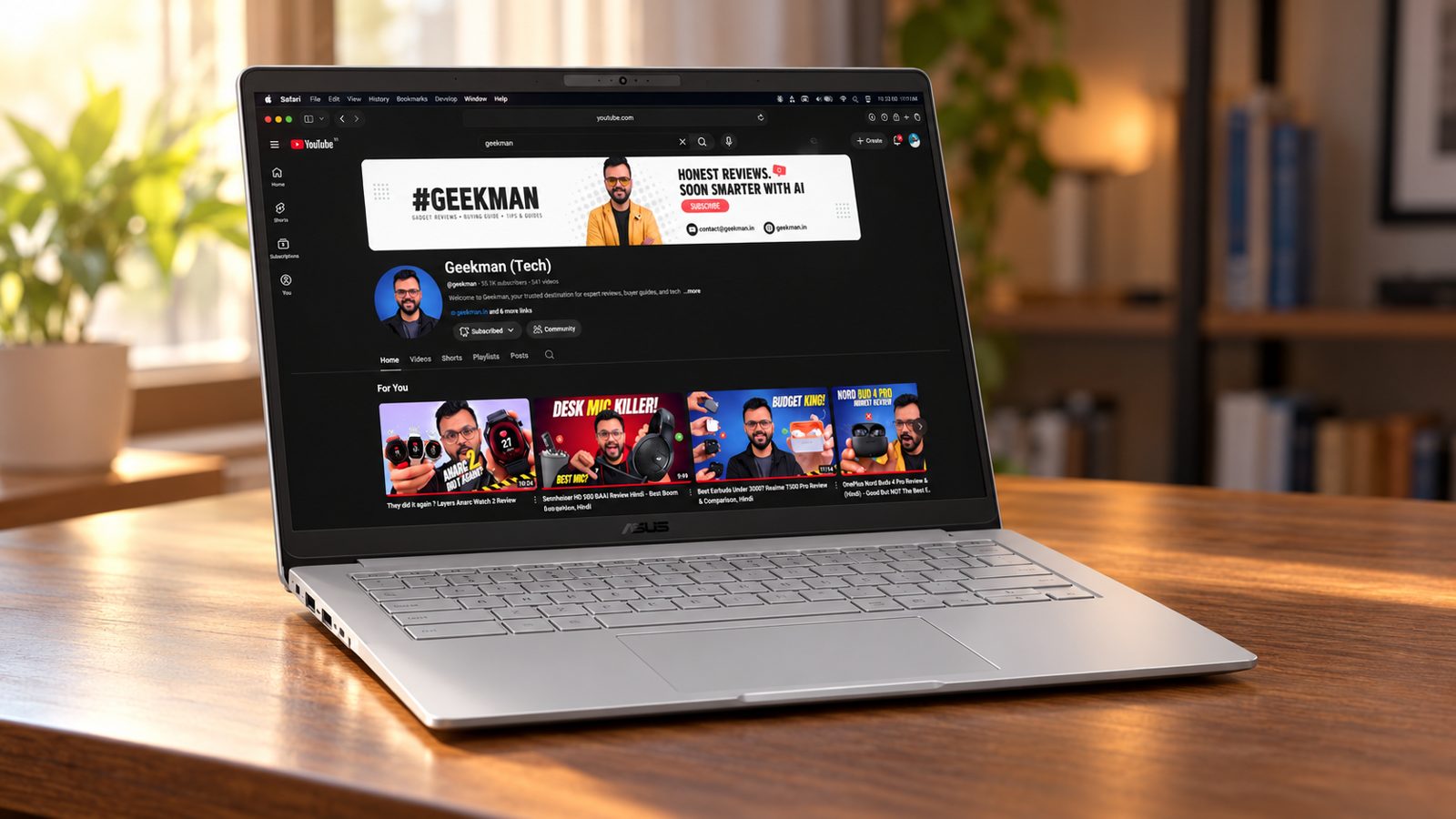
1. ASUS Chromebook CM1405 (Kompanio 540, 4GB, 64GB)
6.9Geekman Score
6.2 Performance
7.6 Value
7.0 Service
Kompanio 540, 8 cores · 4GB RAM, 64GB · 14 inch Full HD, 300 nits · 42 Wh battery · 1.37 kg
Best for
✓ School and college students who live in Google Docs, Classroom and online lectures
✓ Parents who want a simple, low-maintenance laptop for a child, with no antivirus or Windows updates to babysit
✓ Anyone who plugs into a projector or TV often (full-size HDMI is rare on Chromebooks this cheap)
Skip if
• You need Windows software like Tally, MS Office desktop apps or college lab tools (get a Windows laptop like the HP 15s instead)
• You keep many tabs and Android apps open together; 4GB is soldered, so buy the 8GB variant or skip
• You want to store lots of videos and photos offline (64GB of eMMC fills fast)
My take: This is the safest cheap Chromebook in India right now. The Kompanio 540 is a modern, efficient chip, the Full HD screen is much sharper than the HD panels on most rivals, and you get HDMI, USB-A and two USB-C ports, so no dongle drama. ChromeOS support runs until June 2036, which is longer than most people keep a laptop. The catch is memory: 4GB is fine for a browser and a few apps, but it is soldered and can’t be upgraded, so if you can stretch to the 8GB variant, do it.


ASUS Chromebook CM1405 (2026), Smartchoice, MediaTek Kompanio 540 Processor, 4GB RAM, 64GB SSD, FHD, 14"(35.5 cm), 60Hz, Chrome OS, Pure Grey, 1.37 Kg, CM1405CM4A-S60034, Thin & Light Laptop
 Limited time deal
Up to 11% instant discount on select credit cards; cashback on Amazon Pay ICICI cards Details
- Up to 11% instant discount on select credit cards; cashback on Amazon Pay ICICI cards
Pros and cons
What I like
+ Full HD 14 inch screen, sharper than most budget rivals
+ HDMI, USB-A and two USB-C ports
+ Updates until June 2036
+ Light at about 1.35 kg, cool and quiet
What I don’t like
• 4GB RAM is soldered and limits multitasking
• 64GB eMMC storage fills up quickly
• Keyboard is not backlit
My full review: who it suits, what it is like and how it compares
Who should buy it. A student or home user whose day happens in Chrome: Google Docs, Gmail, online classes, streaming, a few Android apps from the Play Store. It weighs about 1.35 kg, opens instantly like a phone, and has nothing to configure. If you already know you need a specific Windows program, stop here and look at a Windows laptop; ChromeOS cannot run it, however good the hardware is.
Performance. The MediaTek Kompanio 540 has two fast Cortex-A78 cores and six efficiency cores, and on ChromeOS that is enough for browsing, documents, video calls and streaming without lag. Reviewers found a handful of tabs and light apps run smoothly, while heavy multitasking quickly hits the 4GB ceiling. It is an ARM chip, so some Linux tools built only for Intel or AMD won’t run in the Linux container. It is not meant for video editing, serious coding or real gaming; casual Android games are fine.
Display. The 14 inch Full HD anti-glare panel is the main reason I rank it above the HP Chromebook 14 and the 11.6 inch models. Text is crisp and you can fit two windows side by side comfortably. It is a basic budget panel, though: brightness is rated around 250 to 300 nits depending on the variant and colour coverage is only about 45% NTSC, so colours look muted and it struggles near a sunny window. For study and streaming indoors it is perfectly good.
Keyboard, build and ports. The keyboard is spill-resistant with 1.35mm travel, but it is not backlit, so typing in a dark room takes a little getting used to. ASUS rates the body to MIL-STD 810H and the hinge opens flat to 180 degrees, handy for showing your screen to the person across the table. Ports are generous: two USB-C (both charge and drive a display), one USB-A and full-size HDMI, plus a headphone jack. The 45W charger is USB-C, so a good phone charger or power bank can top it up in a pinch.
Battery and updates. The 42 Wh battery comfortably covers a college day of browsing and classes, and the chip sips power, so it stays cool and quiet. RAM and storage are both soldered, so the configuration you buy is the one you live with. ChromeOS updates are promised until June 2036, so this won’t go out of support for many years, and the system updates itself in the background.
CM1405 or CM1505? Buy the CM1405 if you carry the laptop to class or work. It runs the same Kompanio 540 with the same soldered 4GB, weighs about 1.35 kg and is the easier daily carry. Pick the CM1505 only if it stays on a desk and you want the bigger 15.6 inch screen, the 1080p webcam and the larger 50 Wh battery.
CM1405 or Acer C725? For most buyers the CM1405 is the better laptop. Same chip, but you get a 14 inch Full HD screen instead of a dim 11.6 inch HD panel, plus HDMI for a projector or TV. Pick the C725 only for a young child, because it is tougher, easier to repair and lasts longer on a charge.
Key specs
| CPU | MediaTek Kompanio 540, 8 cores |
| Memory | 4GB LPDDR5X (soldered, not upgradable) |
| Storage | 64GB eMMC (not upgradable) |
| Display | 14 inch Full HD, 300 nits |
| OS | ChromeOS |
| Battery and weight | 42 Wh, 1.37 kg |
| Ports | 2 USB-C 5Gbps (charging and display), USB-A 5Gbps, HDMI 1.4, 3.5mm jack |
| Warranty | Check the offer for the exact period |
| Updates | ChromeOS updates until June 2036 |
Best Big Screen
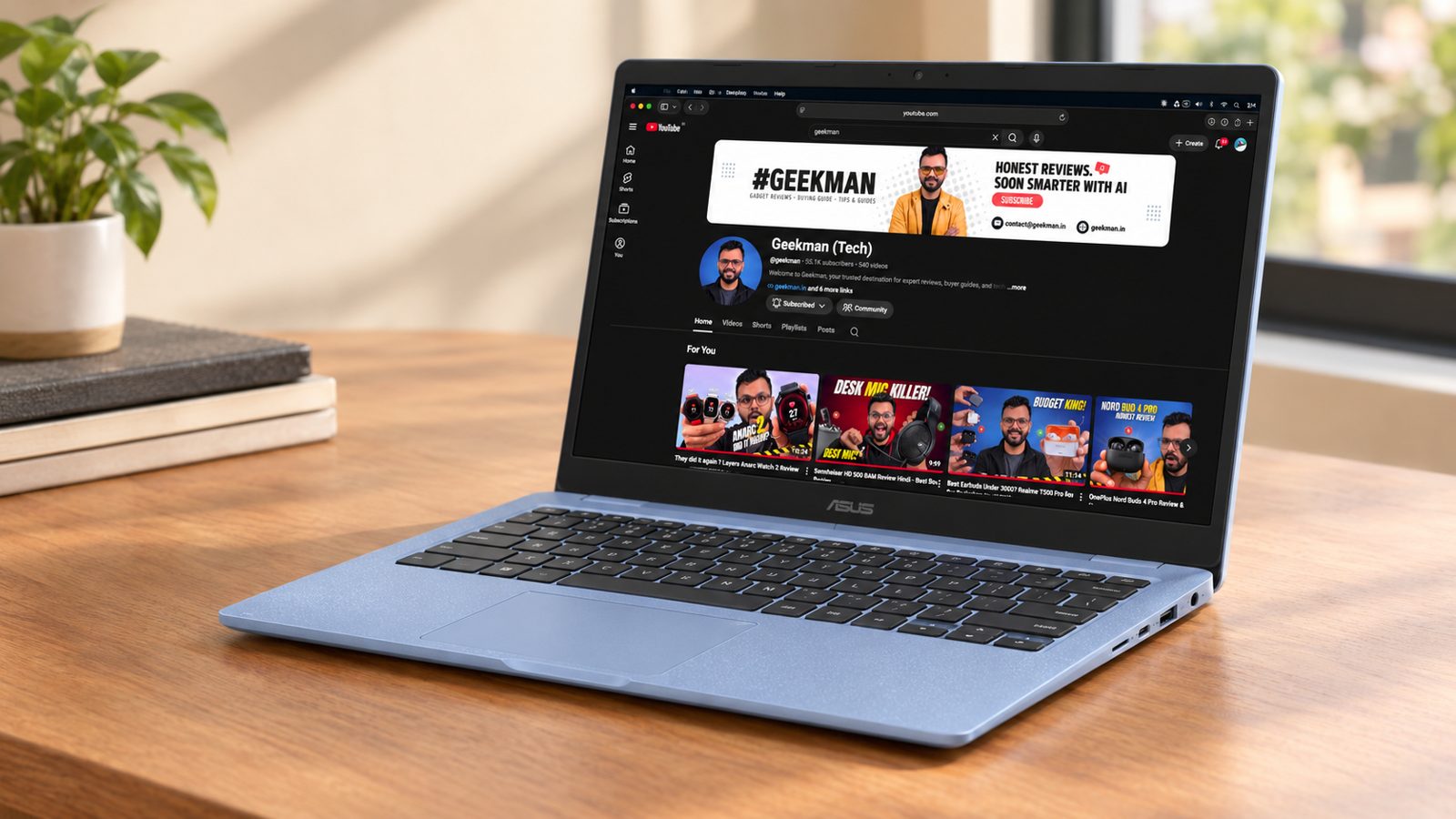
2. ASUS Chromebook CM1505 (Kompanio 540, 4GB, 64GB, 15.6 inch)
6.5Geekman Score
5.8 Performance
7.0 Value
7.0 Service
Kompanio 540, 8 cores · 4GB RAM, 64GB · 15.6 inch Full HD, 300 nits · 50 Wh battery · 1.49 kg
Best for
✓ Older parents or first-time users who find 14 inch text too small
✓ Students who sit through long online classes and want a bigger screen and a better webcam
✓ Home users who keep the laptop on a desk and rarely carry it
Skip if
• You carry your laptop every day (the CM1405 is lighter and does the same work)
• You need Windows apps (look at a Windows laptop instead)
• You multitask heavily; the soldered 4GB is a hard limit, so get 8GB or a different laptop
My take: It is the same Kompanio 540 Chromebook as the CM1405, just stretched out. The 15.6 inch Full HD screen is easier on the eyes for long sessions, the India model gets a 50 Wh battery and a 1080p webcam with a privacy shutter, and it still weighs only about 1.49 kg. If you don’t need the bigger screen, the CM1405 is the better value, and the same 4GB soldered memory warning applies.
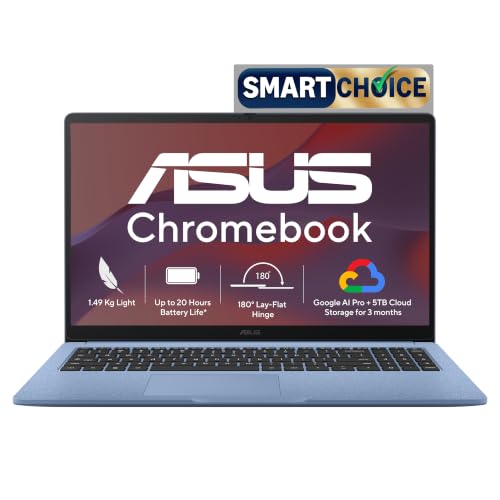
ASUS Chromebook CM1505 (2026), Smartchoice, MediaTek Kompanio 540 Processor, 4GB RAM, 64GB SSD, FHD, 15.6"(39.6 cm), 60Hz, Chrome OS, Fabric Blue, 1.49 Kg, CM1505CM4A-S70080, Thin & Light Laptop
Limited time deal Up to 11% instant discount on select credit cards; cashback on Amazon Pay ICICI cards Details
- Up to 11% instant discount on select credit cards; cashback on Amazon Pay ICICI cards
Pros and cons
What I like
+ Big 15.6 inch Full HD screen
+ 1080p webcam with privacy shutter
+ HDMI plus two USB-C ports
+ Updates until June 2036
What I don’t like
• Bulkier than the CM1405 for the same performance
• 4GB soldered RAM and 64GB eMMC
My full review: who it suits, what it is like and how it compares
Who should buy it. Someone who mostly uses the laptop at home or at a desk and wants a bigger screen for classes, documents and streaming. It suits a parent or grandparent who finds small screens hard to read, or a student who keeps a lecture and notes side by side. For daily carrying, the 14 inch CM1405 is easier on the shoulder for the same performance.
Performance. Performance is identical to the CM1405: the Kompanio 540 handles browsing, Google Docs, video calls and streaming smoothly on ChromeOS. The 4GB of memory is the ceiling, so keep tabs and Android apps under control, or buy the 8GB variant. It is an ARM chip, so heavy Linux development and Intel-only tools are off the table. Reviewers put it squarely in the basic and cloud-first category, which is where it belongs.
Display. The 15.6 inch Full HD 60Hz panel gives you noticeably more room than 14 inch rivals, and at this size Full HD still looks sharp. Expect budget panel brightness and muted colours, so it is happiest indoors. For spreadsheets, two windows side by side or watching a film, the extra size is a real comfort.
Keyboard, build and ports. You get the same spill-resistant 1.35mm keyboard as the CM1405, without a backlight. Ports match too: two USB-C with charging and display output, one USB-A, HDMI 1.4 and a headphone jack. The India model has a 1080p webcam with a privacy shutter, which is a clear upgrade for video calls over the 720p cameras on most budget laptops. The body carries the same MIL-STD 810H certification.
Battery and updates. ASUS India lists a 50 Wh battery here against 42 Wh on the CM1405, so it should last a little longer on a charge despite the larger screen. It charges over USB-C with a 45W adapter. Memory and eMMC storage are soldered. ChromeOS updates run until June 2036.
CM1505 or CM1405? Same chip, same 4GB, same ports and the same June 2036 update date. The CM1505 adds a 15.6 inch screen, a 1080p webcam with a shutter and a 50 Wh battery. If you carry it daily, the lighter CM1405 makes more sense.
CM1505 or Acer C725? These suit very different buyers. The CM1505 is a big-screen home laptop with Full HD, HDMI and a better webcam, ideal for parents or long online classes. The C725 is a small, rugged 11.6 inch machine for a school child who will drop it, and it wins on battery life.
Key specs
| CPU | MediaTek Kompanio 540, 8 cores |
| Memory | 4GB (soldered, not upgradable) |
| Storage | 64GB eMMC (not upgradable) |
| Display | 15.6 inch Full HD, 300 nits |
| OS | ChromeOS |
| Battery and weight | 50 Wh, 1.49 kg |
| Camera | 1080p |
| Warranty | Check the offer for the exact period |
| Ports | 2 USB-C 5Gbps (charging and display), USB-A 5Gbps, HDMI 1.4, 3.5mm jack |
| Updates | ChromeOS updates until June 2036 |
Best Compact
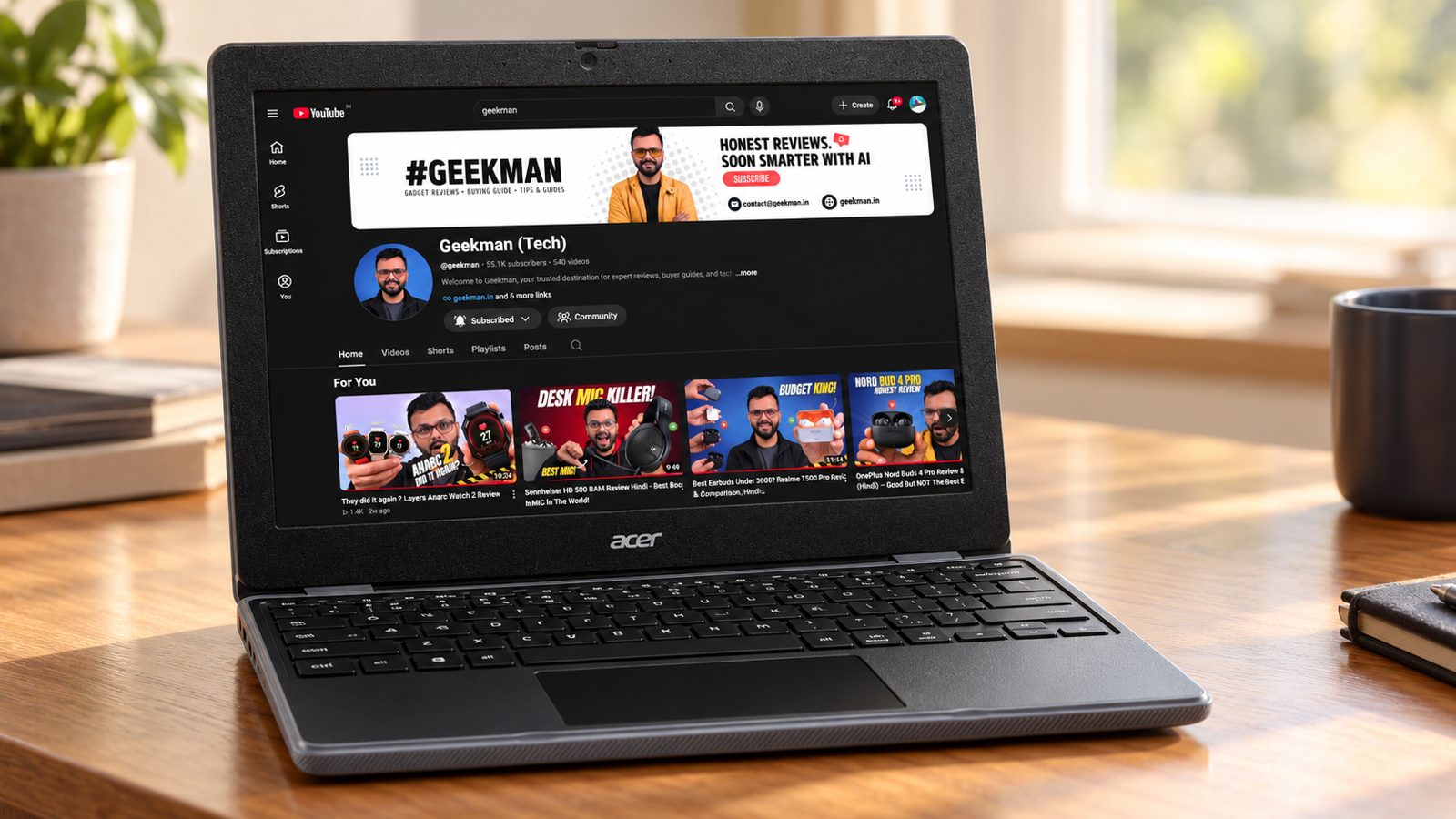
3. Acer Chromebook C725 (Kompanio 540, 11.6 inch)
6.4Geekman Score
5.4 Performance
7.2 Value
7.0 Service
Kompanio 540, 8 cores · 11.6 inch screen · Wi-Fi 6E · Full HD camera · 1.2 kg
Best for
✓ Young school kids who will drop it, spill on it and throw it in a bag
✓ Anyone who wants the longest battery life in a cheap Chromebook
✓ A light second laptop for travel or the kitchen table
Skip if
• You stare at the screen for hours (the 1366×768 panel is soft and dull; the CM1405 has Full HD)
• You need HDMI for a projector or TV (it has none; the CM1405 has it)
• You want room for many tabs on the 4GB model
My take: The C725 is built for classrooms, and it shows: MIL-STD 810H, a spill-resistant keyboard, a rubbery shell, a strong hinge and parts that are easy to replace. The Kompanio 540 keeps it quick enough for school work, and independent tests found 13 to 16 hours of video playback from the 45 Wh battery. The screen is the trade-off: a small 1366×768 panel with weak colours. For a child, I’d take it. For a college student who reads a lot, the CM1405 is the better buy.

Acer Chromebook, MediaTek Kompanio 540 Octa-Core Processor, 4GB RAM, 64GB eMMC, Full HD, 11.6"/27.94cm Display, Chrome OS, Black, 1.2 KG, C725, Arm Mali G57 Graphics, WiFi 6E Laptop
Great Indian Festival Up to 11% instant discount on select credit cards; cashback on Amazon Pay ICICI cards Details
- Up to 11% instant discount on select credit cards; cashback on Amazon Pay ICICI cards
Pros and cons
What I like
+ Very tough, spill-resistant and easy to repair
+ Long battery life
+ Modern Kompanio 540 chip, silent and fanless
+ USB-C and USB-A on both sides
What I don’t like
• Dim, low-resolution 11.6 inch screen
• No HDMI
• 4GB soldered RAM
My full review: who it suits, what it is like and how it compares
Who should buy it. A parent buying a first laptop for a school-going child, or anyone who wants a small, hard-to-kill Chromebook. It is light at around 1.2 to 1.3 kg and small enough for a school bag. If the buyer is older and does long reading or writing sessions, the 11.6 inch HD screen will feel cramped and a 14 inch Full HD model makes more sense.
Performance. It uses the same Kompanio 540 as the ASUS CM14 and CM15, which is a big step over the old Celeron N4500 and MediaTek MT8183 Chromebooks. Docs, Classroom, video calls and streaming run smoothly. With 4GB, reviewers found it slows down once you pile on tabs and apps. It is fanless, so it is completely silent.
Display. The weak point. The 11.6 inch 1366×768 IPS panel measured only around 225 nits in independent testing, with poor colour accuracy and wide bezels. Text is readable, but it looks soft next to the Full HD screens on the CM1405 and CM1505. Fine for a child’s school work and cartoons, not great for long reading.
Keyboard, build and ports. This is where it shines. The body is rated to MIL-STD 810H with drop testing, the keyboard is spill-resistant and drains water out, and the hinge is rated for 25,000 open and close cycles. Reviewers who repair school laptops found the keyboard comes out with just two screws, the screws stay captive in the panel, and the keys pop back on easily. You get two USB-C and two USB-A ports split across both sides, but no HDMI and no card reader, and the keyboard has no backlight.
Battery and updates. The 45 Wh battery is the second big strength. Independent tests found about 13 hours of HD video and up to around 16 hours at half brightness, and 9 to 10 hours of mixed real use. It charges over USB-C. ChromeOS updates run until June 2036.
C725 or CM1405? Take the C725 for a young child: MIL-STD 810H with drop testing, a spill drain keyboard, a 25,000 cycle hinge and 13 hours or more of video playback. For an older student who reads and writes for hours, the CM1405’s Full HD screen and HDMI port are worth more than the extra toughness.
C725 or Acer CO731? Buy the C725. The Kompanio 540 is faster than the dual-core Celeron N4500, the 45 Wh battery beats the CO731’s 33 Wh, and updates run to June 2036 instead of June 2031. The CO731 only makes sense if it is clearly cheaper or you need x86 Linux apps.
Key specs
| CPU | MediaTek Kompanio 540, 8 cores |
| Display | 11.6 inch HD 1366×768 IPS, non-touch, about 225 nits measured |
| OS | ChromeOS |
| Weight | 1.2 kg |
| Wireless | Wi-Fi 6E |
| Camera | USB Full HD |
| Battery | 45 Wh, up to 15 hours claimed |
| Warranty | Check the offer for the exact period |
| Memory | 4GB LPDDR5X (soldered) |
| Storage | 64GB eMMC |
| Ports | 2 USB-C 5Gbps (charging and display), 2 USB-A 5Gbps, 3.5mm jack (no HDMI) |
| Updates | ChromeOS updates until June 2036 |
Best For Light Use
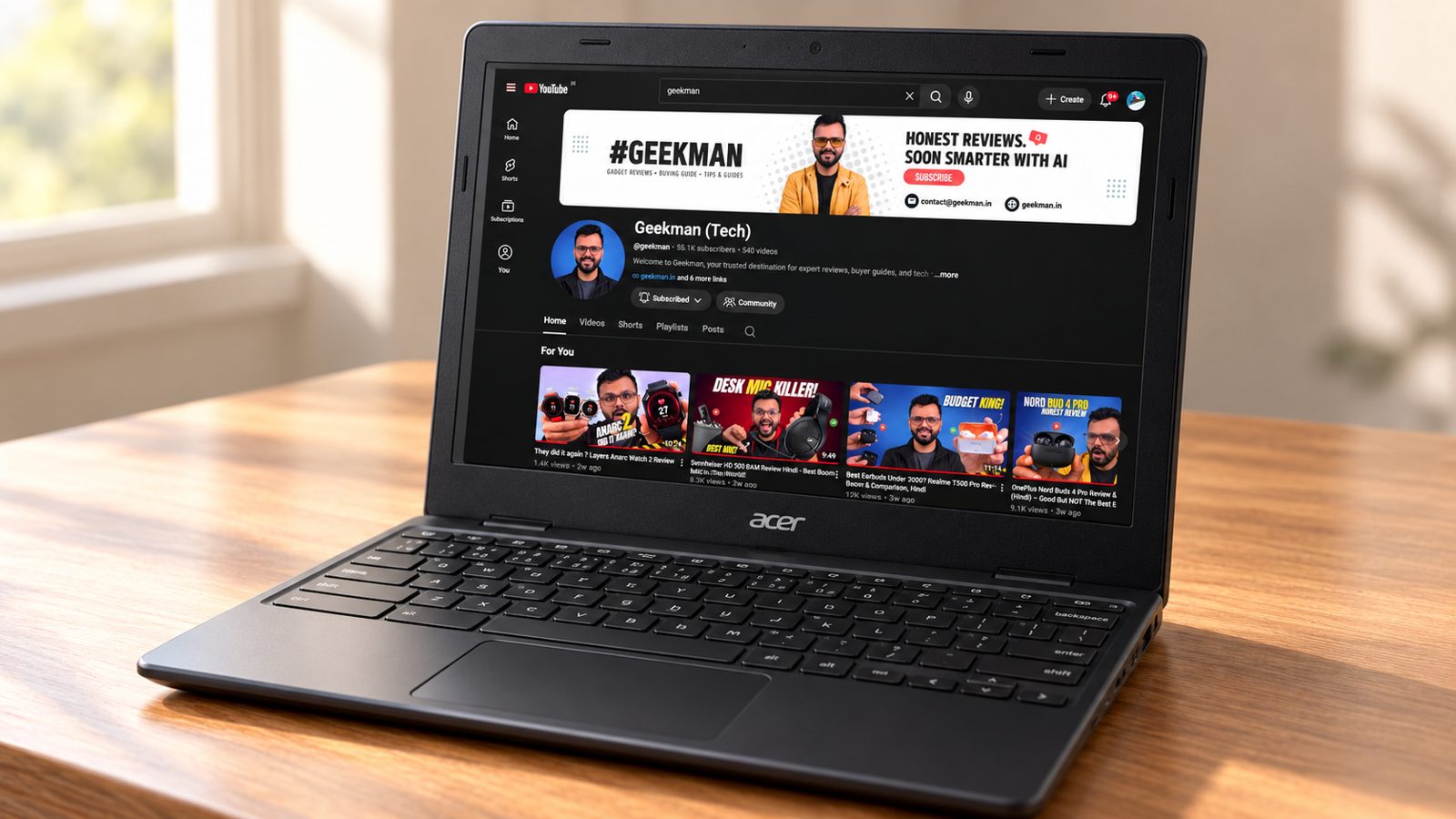
4. Acer Chromebook CO731 (Celeron N4500, 11.6 inch)
5.9Geekman Score
4.8 Performance
6.4 Value
7.0 Service
Celeron N4500, 2 cores · 11.6 inch HD · Wi-Fi 5 · 1.2 kg
Best for
✓ A child’s very first laptop for online classes and homework
✓ A spare browser machine for the house
✓ Someone who wants Intel inside for older Linux tools in ChromeOS
Skip if
• You want a sharper screen (its TN panel washes out from the side; the CM1405 has Full HD IPS)
• You want long support (updates end in 2031, five years earlier than the Kompanio 540 models)
• You want room to store things (base units have only 32GB)
My take: The CO731 does the Chromebook basics: browsing, classes, documents and video calls on a light 1.2 kg body. But it is an older design. The dual-core Celeron N4500 is slower than the Kompanio 540, the 11.6 inch TN panel has poor viewing angles, the battery is a small 33 Wh, and updates stop in June 2031. Unless it is clearly cheaper, the Acer C725 or ASUS CM1405 is the better buy.

Acer Chromebook, Intel Celeron- N4500 Processor, 4GB LPDDR4 RAM, 64GB eMMC, 29.46cm /11.6" inch HD Display, Chrome OS, Intel UHD Graphics,WiFi 5, Black, 1.2 KG, CO731, Thin & Light Laptop
Up to 11% instant discount on select credit cards; cashback on Amazon Pay ICICI cards Details
- Up to 11% instant discount on select credit cards; cashback on Amazon Pay ICICI cards
Pros and cons
What I like
+ Light at about 1.2 kg
+ Fanless and silent
+ Intel chip runs x86 Linux apps
What I don’t like
• Washed-out TN screen
• Slow dual-core Celeron with 4GB soldered
• Updates end June 2031, smaller battery
My full review: who it suits, what it is like and how it compares
Who should buy it. Only someone who needs the cheapest possible Chromebook for a child’s online classes or a spare machine for the family, and finds this one at a real discount. It is light and small, and ChromeOS keeps it simple. For anyone who will use it daily for years, the newer Kompanio 540 Chromebooks are worth the small step up.
Performance. The Intel Celeron N4500 is a dual-core chip from the budget Jasper Lake family. On ChromeOS it handles browsing, Docs, email and a video call, but it slows down once you open several tabs, and the 4GB of single-channel LPDDR4X is soldered. Reviewers called it fit for basic and cloud-based work only. One upside: it is an Intel chip, so x86 Linux apps run in the Linux container.
Display. The 11.6 inch 1366×768 panel is a matte TN type. It is fine looking straight on, but colours shift and wash out as soon as you tilt the lid or look from the side. It is the weakest screen in this group alongside the HP 11MK, and clearly behind the Full HD ASUS models.
Keyboard, build and ports. It is fanless and silent, with a simple plastic body meant for students. The keyboard is not backlit. Ports are minimal: one USB-C (charging and display out), one USB-A and a headphone jack, with no HDMI or card reader, so a projector or pen drive plus mouse means a hub. Acer India sells it with a 45W USB-C charger.
Battery and updates. The battery is a small 33 Wh, rated at about 8 hours with this HD panel, which is enough for a school day but well short of the C725. Storage is 32GB or 64GB eMMC depending on the unit, and it fills quickly. ChromeOS updates end in June 2031.
CO731 or C725? The C725 is better in almost every way: faster chip, bigger battery, tougher body, two USB-C and two USB-A ports, and five more years of updates. The CO731’s only real edge is its Intel chip, which runs x86 Linux apps. Buy it only at a clear discount for a child’s online classes.
Key specs
| CPU | Intel Celeron N4500, 2 cores |
| Display | 11.6 inch HD 1366×768 TN, matte |
| OS | ChromeOS |
| Weight | 1.2 kg |
| Wireless | Wi-Fi 5 |
| Warranty | Check the offer for the exact period |
| Memory | 4GB LPDDR4X (soldered) |
| Storage | 32GB or 64GB eMMC |
| Battery | 33 Wh, about 8 hours claimed |
| Ports | 1 USB-C (charging and display), 1 USB-A, 3.5mm jack |
| Updates | ChromeOS updates until June 2031 |
Best For Schools
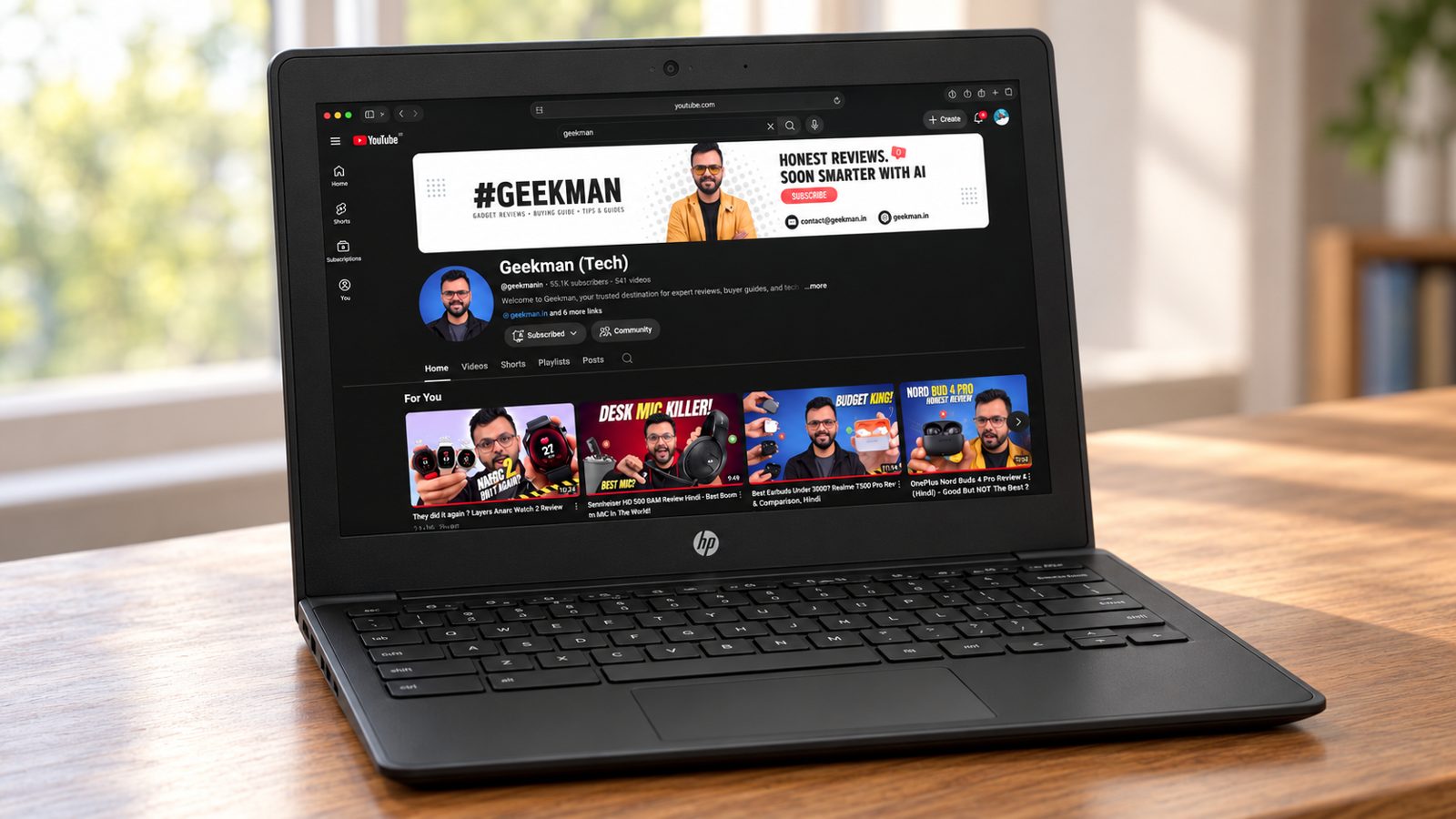
5. HP Chromebook 11MK G9 EE (MediaTek MT8183, 4GB, 32GB)
5.5Geekman Score
3.8 Performance
6.6 Value
6.5 Service
MediaTek MT8183 · 4GB RAM, 32GB · 11.6 inch · Education build
Best for
✓ A young child who needs a drop- and spill-tolerant laptop for school apps
✓ A school or tuition centre buying in bulk on a tight budget
✓ A spare device just for online classes and video
Skip if
• You want it to feel fast (the MT8183 is a generation behind the Kompanio 540 in the C725 and CM1405)
• You want support for many years (updates end June 2030)
• You need storage; 32GB fills up very quickly
My take: The 11MK G9 EE was a sensible education Chromebook when it launched, with MIL-STD 810H toughness, a spill-resistant keyboard and a 47 Wh battery. In 2026 it is showing its age. The MediaTek MT8183 is slow next to the Kompanio 540, 4GB and 32GB are tight, and ChromeOS support ends in June 2030. I’d only buy it at a clear discount for a small child.

HP G-Series MediaTek MT8183 - (4 GB/32 GB EMMC Storage/Chrome OS) 11MK G9 EE Chromebook Laptop

Pros and cons
What I like
+ Tough, spill-resistant build
+ Long battery life
+ microSD slot for extra storage
What I don’t like
• Old, slow MediaTek MT8183
• Only 32GB storage and a dim HD screen
• Updates end June 2030
My full review: who it suits, what it is like and how it compares
Who should buy it. A parent who needs a cheap, sturdy laptop for a primary school child to attend online classes, use learning websites and do homework. It is small, simple and hard to damage. For anyone older, or for use beyond the next few years, the Acer C725 or ASUS CM1405 is the smarter buy.
Performance. The MediaTek MT8183 is an older octa-core chip built for basic ChromeOS work. Reviewers placed it firmly in the light-computing class: browsing, email, documents, streaming and video calls, with 4GB of LPDDR4X memory. Push it with many tabs or a heavier Android app and it slows down. It is fanless, so it is silent.
Display. An 11.6 inch 1366×768 anti-glare panel rated at around 220 nits. It is fine for school apps and videos, but text looks soft and it is dim near a window. It is one of the weakest screens in this group.
Keyboard, build and ports. Built for classrooms: MIL-STD 810H tested and a spill-resistant keyboard, in a compact body of about 1.34 kg. Ports are limited to one USB-C (charging and display out), one USB-A and a microSD reader. There is no HDMI. Wi-Fi 5 and Bluetooth 4.2 are older standards, though fine for home broadband.
Battery and updates. The 47 Wh battery is a strength and comfortably lasts a full school day, and its 45W USB-C charger refills it quickly. Storage is 32GB eMMC, so the microSD slot is useful for downloads. ChromeOS updates end in June 2030, and the model is largely discontinued, so you may be buying old stock.
HP 11MK or Acer CO731? Both are old, slow 11.6 inch HD machines. The HP has the bigger 47 Wh battery, a spill-resistant MIL-STD 810H body and a microSD slot for its tight 32GB storage. The CO731 is a bit lighter, has the x86 Celeron and gets updates a year longer, to June 2031. If you can, skip both for the C725.
Key specs
| CPU | MediaTek MT8183 |
| Memory | 4GB LPDDR4X |
| Storage | 32GB eMMC plus microSD slot |
| Display | 11.6 inch HD 1366×768, anti-glare, about 220 nits |
| OS | ChromeOS |
| Warranty | Check the offer for the exact period |
| Battery | 47 Wh, 45W USB-C charger |
| Ports | 1 USB-C (charging and display), 1 USB-A, microSD reader |
| Updates | ChromeOS updates until June 2030 |
Questions other guides skip
The questions most laptop lists leave out
These are questions buyers keep asking about these exact models. Each price was checked on 24 October 2026.
1 · Why are there no Windows laptops in this list?
Because new, branded Windows laptops with 8GB of RAM now start above 20,000. The cheaper offers are refurbished or old business models, and their condition and warranty are hard to confirm, so we left them out.
2 · Can I run Zoom, Google Meet and Teams?
Yes. Google Meet runs natively, and Zoom and Teams run in the browser or as Android apps. Check that your school or office does not require a Windows only program.
3 · Is the HP 11MK G9 EE worth buying for adults?
Probably not. It has an older chip, 32GB of storage and a small screen, and it costs about the same as the better ASUS CM1405. It makes sense for a child who needs a tough laptop.
4 · Is a Chromebook safe from viruses?
ChromeOS verifies itself at startup and runs apps in sandboxes, so ordinary viruses are rare. You still need to be careful with phishing links and browser extensions.
5 · What if the Chromebook stops getting updates?
Each Chromebook has an automatic update expiration date set by Google. After that date it still works but gets no new features or security patches. Check the date for your exact model before you buy.
6 · Is an 11.6 inch screen too small for a student?
For a young child or for carrying around, it is fine and light. For long typing and for teenagers, it feels cramped and the keyboard is small. If the laptop is a main device for assignments, a 14 inch model like the ASUS CM1405 is easier to work on.
7 · Kompanio 540, Celeron N4500 or MT8183: which chip is better?
For light web use, any of them works. The Kompanio 540 has eight cores and is the stronger choice among these. The Celeron N4500 is a capable chip with two cores, and the MT8183 in the HP is the oldest and slowest. If you plan to keep many tabs open, take the Kompanio models.
8 · Is 32GB or 64GB of storage enough?
It is enough for ChromeOS and web apps, since your files should live in cloud storage. The 32GB HP fills up fast if you download a lot or install Android apps. If you want comfort, choose the 64GB models or add a microSD card or external drive.
9 · Can I learn coding on a Chromebook?
Yes, for the basics. Many Chromebooks can run a Linux environment, and web code editors work in the browser. It is fine for learning HTML, Python and simple projects. For heavy tools, such as Android Studio or a large software project, a Windows or Mac laptop is a better fit.
10 · Does Wi-Fi 6E matter on the Acer C725?
Only if your router supports it. Wi-Fi 6E uses a newer band that is less crowded, which helps with speed and stability. If your router is older, the laptop will work on regular Wi-Fi, and the extra feature will not be used. It is a bonus, not a reason to choose it.
What this means for your buying decision
You want the best deal: the ASUS Chromebook CM1405.
You want a bigger screen: the ASUS CM1505 at 15.6 inch.
You want a small, light laptop: the Acer Chromebook C725.
You need Windows: read my laptops under 30000 guide.
You study: read my laptops for students guide.
Compare all 5 laptops at a glance
| Laptop | CPU | RAM and storage | Screen | Weight | Price |
|---|---|---|---|---|---|
| ASUS CM1405 | Kompanio 540, 8 cores | 4GB, 64GB | 14 inch Full HD | 1.37 kg | Check price |
| ASUS CM1505 | Kompanio 540, 8 cores | 4GB, 64GB | 15.6 inch Full HD | 1.49 kg | Check price |
| Acer C725 | Kompanio 540, 8 cores | See offer | 11.6 inch | 1.2 kg | Check price |
| Acer CO731 | Celeron N4500, 2 cores | See offer | 11.6 inch HD | 1.2 kg | Check price |
| HP 11MK G9 EE | MediaTek MT8183 | 4GB, 32GB | 11.6 inch | See offer | Check price |
Specs are from official maker specs as of October 2026. Prices were seen on 24 October 2026 and move daily. Verify the exact variant before you buy.
The buying guide
How to choose a laptop under 20000
Chip
Kompanio 540 has 8 cores and beats the 2 core Celeron here.
Memory
All have 4GB. Keep tabs under control.
Screen
Full HD at 300 nits beats 1366 by 768.
Battery
Check Wh, 42 to 50 Wh is good for ChromeOS.
Ports
USB-C plus USB-A saves dongles.
Service
ASUS, Acer and HP all have service centres across India.
1 · Processor
The Kompanio 540 has 8 cores and is designed for ChromeOS. The Celeron N4500 has 2 cores, and the MT8183 is an older chip.
2 · Memory and storage
4GB of RAM is the norm here. Storage is 32 to 64GB, so keep files in Google Drive or on a USB drive.
3 · Screen
Full HD at 300 nits on the ASUS models is clearly better than the HD panels on the Acer CO731 and HP 11.
4 · Battery and weight
The ASUS models list 42 and 50 Wh batteries. The Acer C725 has a very small battery, so check it before you buy.
5 · Ports
Look for at least one USB-C and one USB-A. The CM1405 adds a second USB-C and HDMI.
6 · Warranty and service
Most come with 1 year. Register the laptop on day one and keep the invoice.
Other laptops in the lineup
HP 15s Celeron N4500 (Windows, 8GB, 512GB). The Windows option I wanted to include, but it was out of stock when I checked live prices.
Refurbished and old business laptops. Many seller offers between 20,000 and 25,000 come with an older Core i5 and 8GB of RAM. We left them out because condition and warranty vary by seller.
Primebook 2 Neo. An Android based laptop that costs more than 20,000. I cover it in the laptops under 25000 guide.
The verdict
Which laptop under 20000 should you buy?
Best overall: ASUS Chromebook CM1405. Check price
Best big screen: ASUS Chromebook CM1505. Check price
Best compact: Acer Chromebook C725. Check price
Best for light use: Acer Chromebook CO731. Check price
Best for schools: HP Chromebook 11MK G9 EE. Check price
Not sure? Buy the ASUS Chromebook CM1405. It is the cheapest here and the best equipped.
More buying guides from Geekman
Popular laptops I’d skip under 20,000
At this budget the sale banners push cheap Windows machines and bundled data laptops. These are the ones I’d pass on, and a Chromebook from this list does the daily work better.
JioBook 11. It sells on the Jio name and the built in 4G, but the spec sheet is thin: 4GB of LPDDR4, 64GB of slow eMMC storage and an 11.6 inch screen, running JioOS rather than ChromeOS or Windows. That leaves you with less storage and a smaller app world than a proper Chromebook. The ASUS Chromebook CM1405 gives you a 14 inch Full HD screen at 300 nits and an HDMI port.
Celeron N4020 laptops with 4GB RAM. These look like full Windows laptops for very little money, but the Celeron N4020 has only two cores and two threads, and 4GB is not enough for Windows 11 plus a browser with a few tabs. Several of them also use a 1366×768 screen. ChromeOS is far lighter on the same kind of hardware, so the ASUS Chromebook CM1505 with its eight core Kompanio 540 and 15.6 inch Full HD screen is the smarter buy.
Older Chromebooks near their update end date. Every Chromebook has a fixed date after which Google stops sending updates, and old stock keeps getting sold cheap. The ASUS CX1400 and CX1500 series and the HP Chromebook 11a, for example, are on the list for June 2027, which leaves you very little time. Check the date before you pay, or pick the newer Kompanio 540 based ASUS Chromebook CM1405 from this list.
Laptops under 20000 FAQ
Which is the best laptop under 20000 in India in 2026?
The ASUS Chromebook CM1405 is the best overall pick, with a 14 inch Full HD screen, a 42 Wh battery and a full set of ports. It runs ChromeOS, not Windows, because no new branded Windows laptop with 8GB of RAM sells under 20,000 right now.
Is there a Windows laptop under 20000?
Not a good one from a mainstream brand. The offers under 20,000 are mostly refurbished or old business laptops from sellers, and we left them out because the warranty and condition are hard to confirm. If you need Windows, see my guide to the best laptops under 30000.
Can a Chromebook replace a laptop for a student?
For school and college work that happens in a browser, such as Google Docs, Meet, video streaming, notes and online classes, yes. It will not run Windows programs like Photoshop, Tally or AutoCAD, so check what your course needs first.
Is 4GB RAM enough on a Chromebook?
It is enough for browsing, classes and documents, and ChromeOS uses memory sparingly. You will see slowdowns with a very large number of tabs or heavy Android apps. All the Chromebooks in this budget have 4GB, so the choice comes down to the chip, screen and battery.
What is the difference between the Kompanio 540 and the Celeron N4500?
The Kompanio 540 has 8 cores and is built for ChromeOS. The Celeron N4500 has 2 cores. For multitasking and Android apps, the Kompanio feels quicker, which is why the ASUS CM1405 and Acer C725 ranked above the CO731.
Does the ASUS CM1405 have a good screen?
Yes for the price. It has a 14 inch Full HD panel at 300 nits, while the Acer CO731 and HP 11MK G9 use 1366 by 768 screens. It is still an office grade panel, so do not expect strong colour accuracy.
Should I pay more for the 128GB version?
If you store files on the laptop, yes. 64GB fills quickly once ChromeOS and apps are installed. If you use Google Drive or a USB drive, the 64GB model is fine. See my guide to laptops under 25000 for the 128GB models.
Can I install Android apps on these Chromebooks?
ChromeOS supports Google Play apps on most current models, including these, though performance depends on the chip and RAM. Check Google’s list of supported devices for the exact model before you rely on a specific app.
How long will a Chromebook get updates?
Google gives each Chromebook a set number of years of automatic updates, shown on its Auto Update Expiration page for the exact model. Check it for the model you plan to buy, because newer chips usually get longer support.
Is the Acer C725 battery really only 15 Wh?
That is the stated size, and it is far smaller than the 42 Wh and 50 Wh batteries in the ASUS models. I treat battery life as unproven. Confirm the number on Acer’s product page before you order.



Sir computer shikhne ke liye chaiye jisme ms excel aur photoshop shikh saku under 20000 konsa accha hai jaldi reply kare sir plz
Hello sir, your all video are very knowledgeable.
Sir, I want to purchase one laptop under 40k price bracket and my basic need :
1. It should be 13 – 13.5 inch screen.
2. Thin, light, notebook, ultrabook etc..
3. RAM : above 4 GB..
Plz suggest your valuable inputs. Plz..
With warm regards..