

Quick Answer
The Kreo Beluga V2 is the best budget gaming headphone under ₹3,000 in India right now. At ₹2,199, it offers 53mm Graphene drivers, Dual Chamber technology, and Cooling Gel ear pads — features you normally find in headphones costing ₹7,000-15,000. It’s not perfect (average build quality, no software, mic could be better), but for FPS gaming, comfort, and pure value?
I’ve been testing gaming headphones for years now, and every few months, someone asks me the same question — “Bhai, ₹2,000-3,000 me best gaming headphone konsa hai?” For the longest time, my answer was always either the HyperX Stinger 2 or the Razer BlackShark V2 X. Trusted brands, decent sound, you know what you’re getting.
But then Kreo dropped the Beluga V2, and honestly, it kind of changed the conversation.
I’ve been using the Kreo Beluga V2 as my daily driver for weeks — gaming sessions on PUBG PC, CS:GO, BGMI on mobile, casual Valorant, movies, music, everything. I ran it through all 30+ tests in my Geekman Audio Lab setup. And I compared it directly with HyperX Stinger 2, HyperX Stinger 2 Core, Razer BlackShark V2 X, and EKSA E900 Pro.
This is my full, honest review. No brand deal, no sugar coating. Let’s get into it.
What is the Kreo Beluga V2?
The Kreo Beluga V2 is a wired over-ear gaming headphone made by Kreo, an Indian gaming peripherals brand. It launched as an upgrade to the original Beluga V1, which was already one of the most popular budget gaming headphones on Amazon India.
Here are the key specifications of the Kreo Beluga V2:
Kreo Beluga V2 Specifications:
- Price: ₹2,199 (MRP ₹4,500)
- Driver Size: 53mm
- Driver Material: Graphene Diaphragm
- Chamber Design: Dual Chamber Technology
- Ear Pads: Cooling Gel + Memory Foam
- Headband: Aluminium (lightweight)
- Microphone: Flip-to-Mute, single directional
- Connectivity: 3.5mm wired (Y-splitter included)
- Weight: Approximately 280g
- Compatibility: PC, PlayStation, Xbox, Mobile, Nintendo Switch
The V2 improves over the V1 in four key areas: upgraded from 50mm to 53mm drivers, standard diaphragm changed to Graphene, single chamber replaced with Dual Chamber design, and regular foam pads upgraded to Cooling Gel pads.


What’s Inside the Box?
The unboxing is straightforward and clean. Nothing fancy, nothing missing:
- Kreo Beluga V2 Headphone
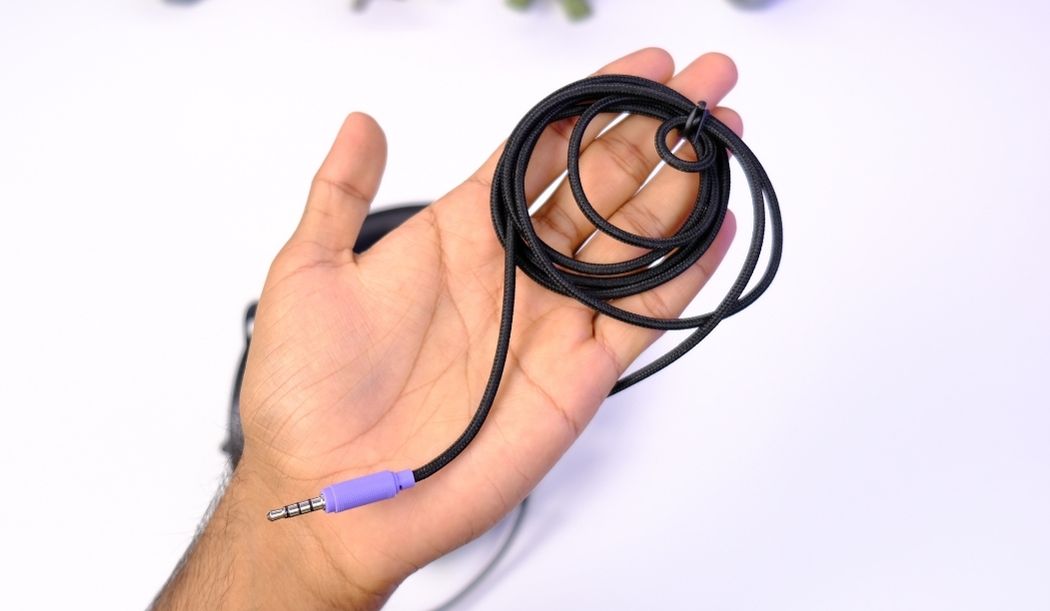
- Y-Splitter Cable (3.5mm audio + mic split)
- User Documentation and Warranty Card
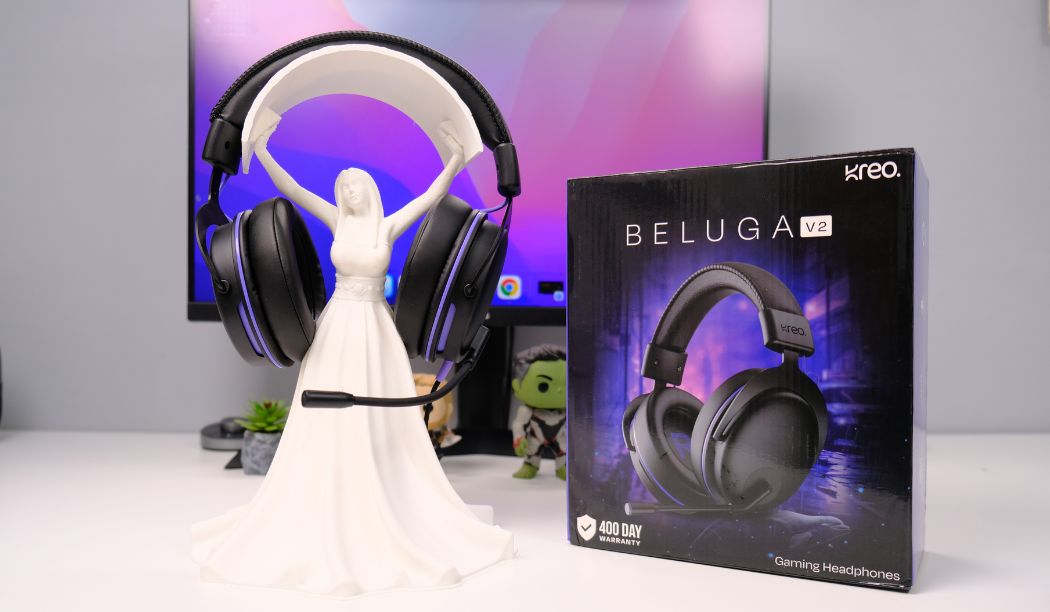
One thing to note — the Type-C connector adapter is not included in the standard package. If you need USB-C connectivity, Kreo offers a combo deal on Amazon that includes both the headphone and a Type-C adapter at a slightly higher price. For most users connecting to a PC or phone with a 3.5mm jack, the standard package is all you need.
How is the Build Quality of Kreo Beluga V2?
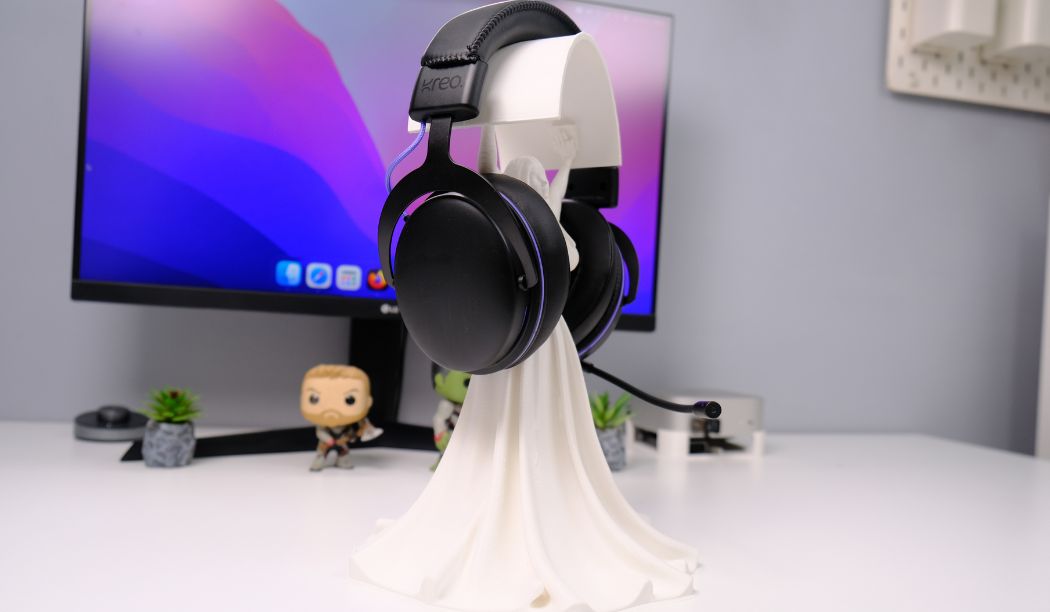
This is where I have mixed feelings. The build quality of the Kreo Beluga V2 is average for its price — it’s not bad, but it’s not going to impress anyone either.
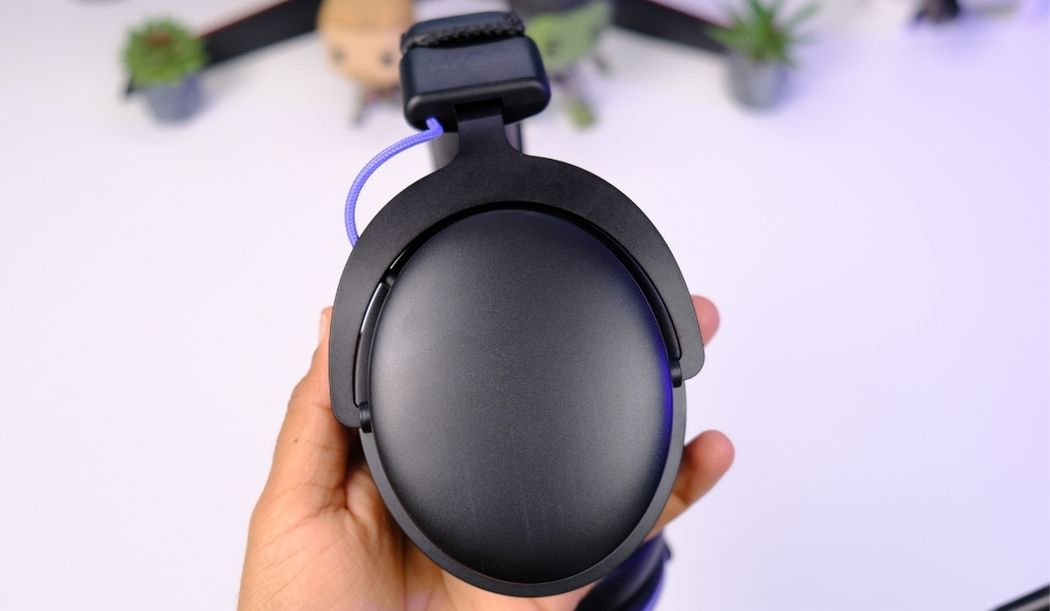
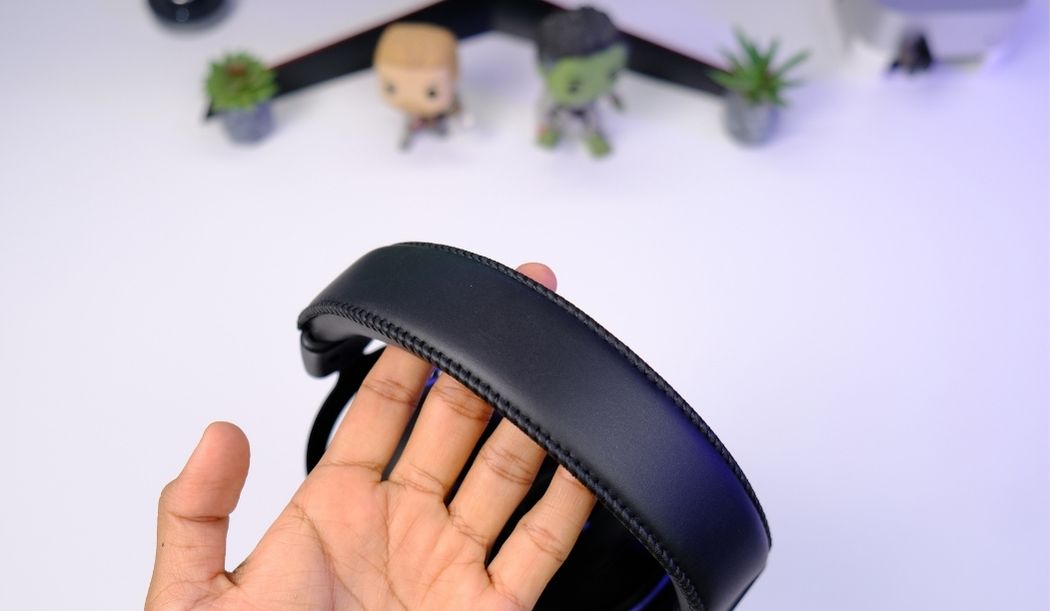
The good part is the aluminium headband. It makes the headphone feel lighter and more premium than most plastic-heavy gaming headsets in this range. The overall design is clean and minimal — no RGB lighting, no aggressive gamer aesthetics. If you’re someone who prefers subtle, clean-looking gear, you’ll appreciate this. It looks more like a studio headphone than a gaming headset, which I personally like.
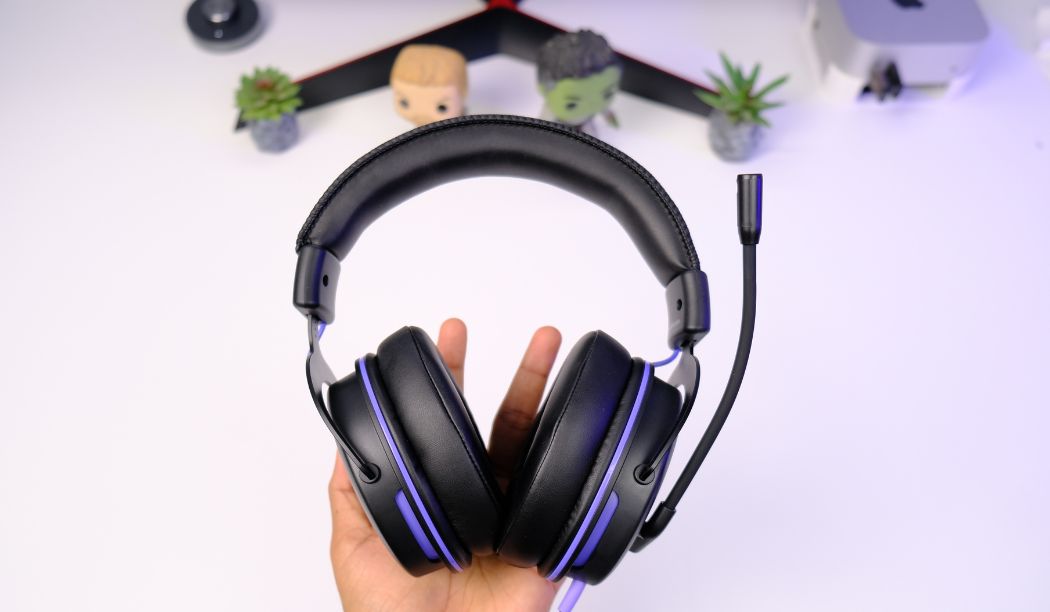
The not-so-good part is the finishing. Some edges could be smoother, and the ear cups are primarily plastic. Nothing feels like it’ll break easily, but side-by-side with a HyperX Stinger 2, you can tell the Stinger has tighter build tolerances.
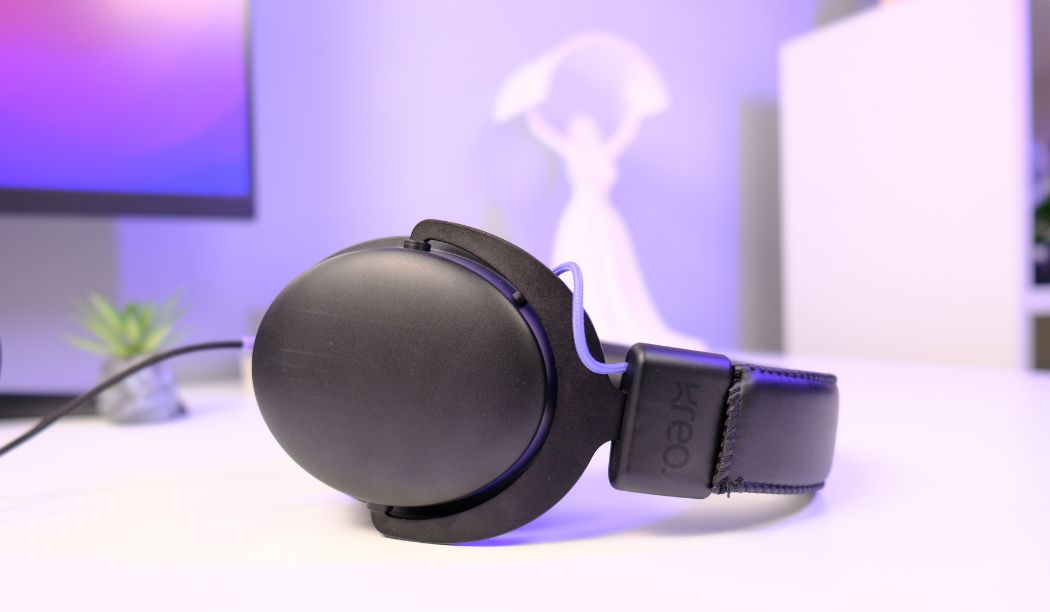
My build quality rating for the Kreo Beluga V2 is 6 out of 10. It does the job, but this is clearly where Kreo saved costs to invest in better audio components.
Is the Kreo Beluga V2 Comfortable for Long Gaming Sessions?
Yes, absolutely. And this might be the Beluga V2’s single biggest strength after its sound quality.
The comfort on the Kreo Beluga V2 is exceptional — 9 out of 10 in my testing. I wore these for 3+ hour gaming sessions on multiple days, and at no point did I feel heat buildup, ear pressure, or head fatigue.
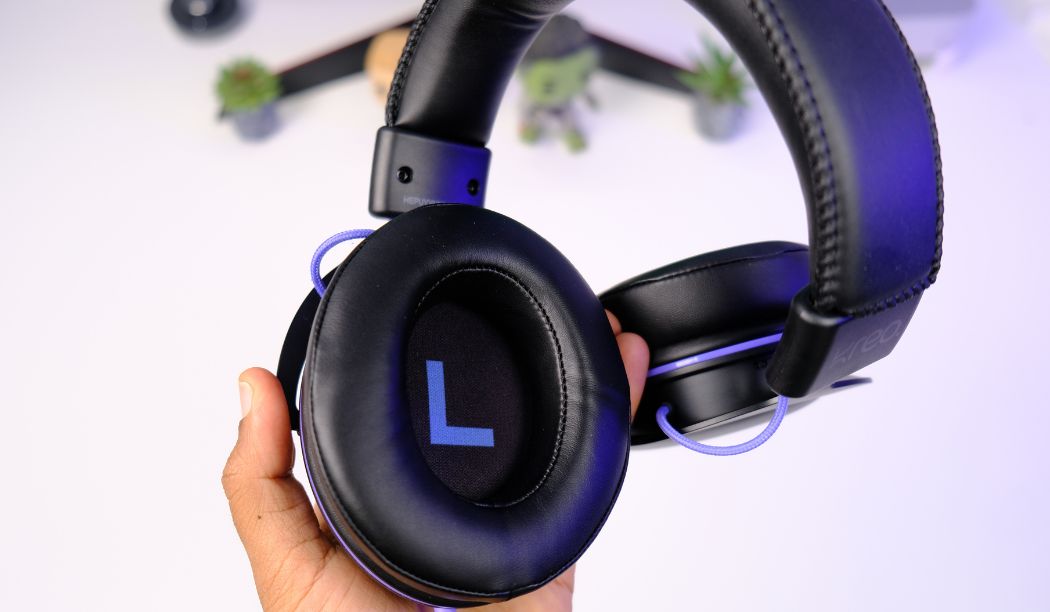
The reason is the Cooling Gel ear pads. Now, a lot of people think cooling gel is just a marketing term. It’s not. During my testing, the cooling gel pads provided three specific benefits that most people don’t realize:
First, there’s no sweating. India’s weather is brutal for headphone users, especially during summer. Standard foam pads trap heat and within 30-40 minutes, your ears are sweating. The cooling gel stays noticeably cooler for longer periods.
Second, the noise isolation improves significantly. Because the cooling gel pads are bigger and softer, they create a better seal around your ears. Outside noise barely gets in. You don’t need active noise cancellation when the passive seal is this good.
Third — and this is the hidden advantage most reviewers miss — the consistent ear seal means the bass response stays stable. When foam pads compress or your ears sweat, the seal breaks slightly, and bass literally leaks out. With cooling gel maintaining a tight seal, the low-end stays punchy and full throughout your session.
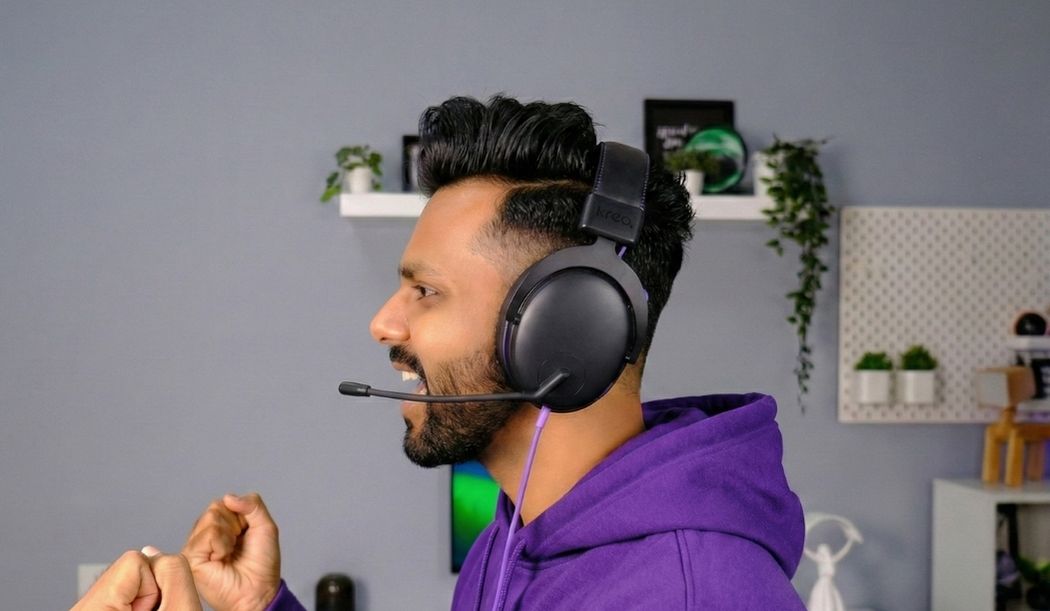
The headphone also works comfortably across all head sizes — small, medium, and large — thanks to the adjustable aluminium headband.
How is the Microphone on the Kreo Beluga V2?
The microphone on the Kreo Beluga V2 is functional but not exceptional. I would rate it 5 out of 10 overall.
The Beluga V2 features a flip-to-mute microphone design. Flip the mic arm up, it mutes automatically. Flip it down, you’re live. This is a clean, convenient feature that even some ₹5,000+ headphones don’t offer.
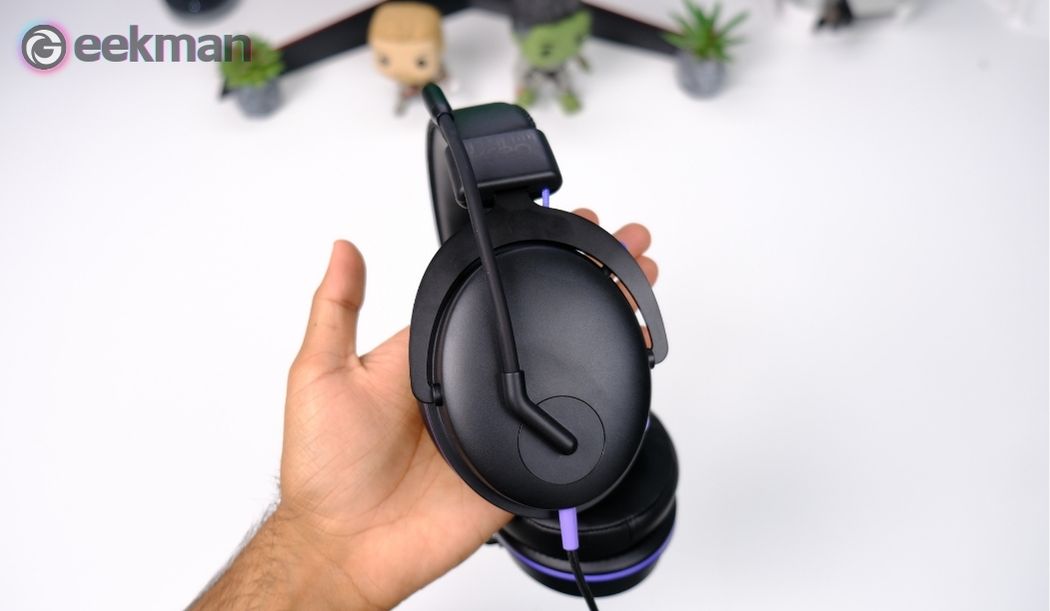
In terms of actual voice quality, the mic captures a clear, natural sounding voice. There’s no robotic distortion, and the background noise rejection is decent for indoor use. Your teammates will hear you clearly in casual gaming sessions.
However, there are two problems. The first issue is mic placement — it sits quite far from your mouth compared to headphones like the HyperX Stinger 2 or Razer Kraken X. This means you sometimes need to speak slightly louder than normal. The second issue is volume capture — the mic doesn’t pick up very soft voices well. If you’re a quiet speaker, people might ask you to repeat yourself.
For comparison, the microphone quality ranking in this price range goes: HyperX Stinger 2 (best mic) > Razer Kraken X > Kreo Beluga V2 > EKSA E900 Pro. If mic quality is your number one priority, HyperX wins.
What are Graphene Drivers and Why Do They Matter?
This is where the Kreo Beluga V2 starts to separate itself from every competitor in its price range. The Beluga V2 uses 53mm Graphene diaphragm drivers. Let me explain why that matters.
Most gaming headphones under ₹5,000 — including the HyperX Stinger 2, Razer Kraken X, and EKSA E900 Pro — use PET (Polyethylene Terephthalate) or Mylar diaphragms. These are essentially plastic films. They work fine, but they have physical limitations in how quickly they can vibrate, how accurately they can reproduce sound, and how they handle the full frequency range.
Graphene is a completely different material. It’s a single layer of carbon atoms arranged in a hexagonal lattice. It’s 200 times stronger than steel, yet lighter than paper. For audio, graphene diaphragms can vibrate faster and more precisely than PET, resulting in tighter bass, cleaner mids, and more detailed treble across the entire frequency range.
Graphene drivers are normally found in headphones costing ₹7,000 to ₹15,000 and above. Brands like Sony, Sennheiser, and audio-focused companies use graphene in their premium models. Finding graphene drivers in a ₹2,199 headphone is, frankly, unusual.
Now, I should add a small note of honesty here. I have a slight doubt about whether the Beluga V2 uses pure graphene or a graphene-coated PET diaphragm. Kreo claims graphene, and the sound quality does suggest a higher-quality driver material than standard PET. But without lab-level testing, I cannot confirm it’s pure graphene. Regardless, whatever Kreo is using in the V2, it sounds noticeably better than the standard PET drivers in competing headphones at this price.
What is Dual Chamber Technology?
The Kreo Beluga V2 uses Dual Chamber technology in its ear cup design. Most headphones use a single chamber — one open space behind the driver where all frequencies (bass, mids, treble) share the same air volume.
With Dual Chamber design, the ear cup is divided into two separate air chambers. The bass frequencies get their own isolated chamber, while the mid and high frequencies share a separate space. This physical separation prevents bass from “bleeding” into the mids and highs, which is a common problem in single-chamber headphones.
In practical terms, Dual Chamber means you get cleaner sound separation. When a grenade explodes in-game (bass), it doesn’t muffle the footstep sound (mid-high) happening at the same time. Both sounds remain distinct and clear.
During my testing, I could confirm that the Dual Chamber does work — there is noticeably better bass-to-mid separation compared to single-chamber headphones like the HyperX Stinger 2 Core and Razer Kraken X. However, I want to be realistic: the Dual Chamber is a real engineering improvement, but it contributes maybe 15-20% to overall sound quality. The driver quality and tuning matter more.How Does the Kreo Beluga V2 Sound?
How Does the Kreo Beluga V2 Sound?
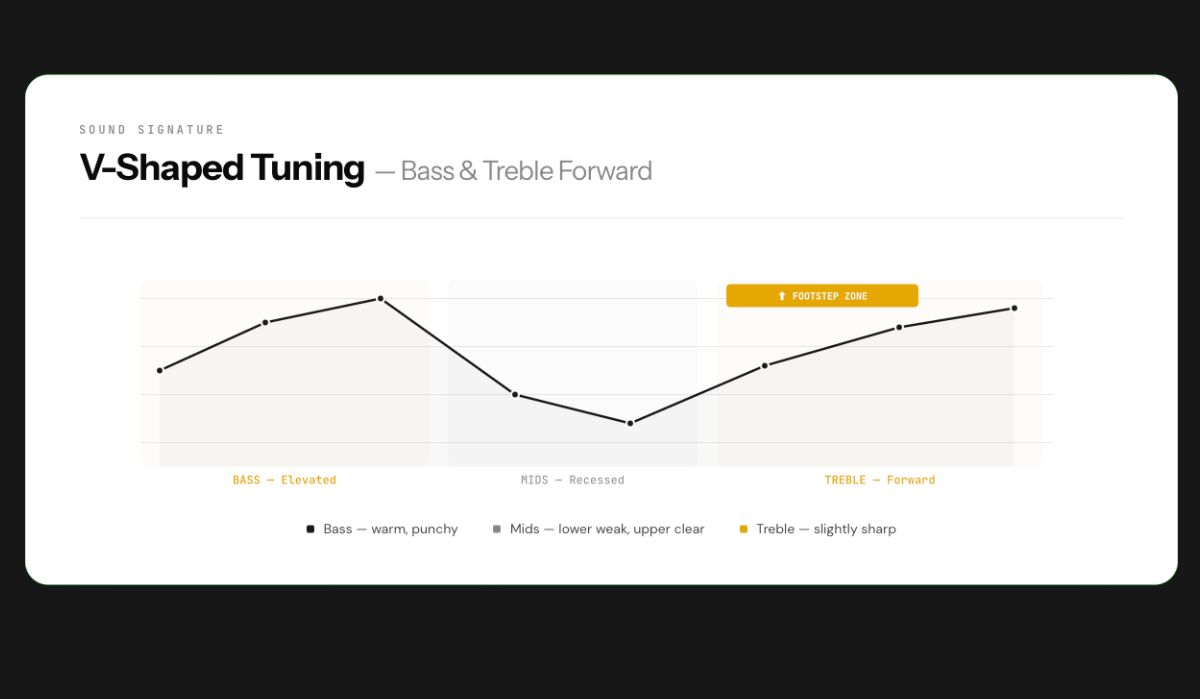
The Kreo Beluga V2 has a V-shaped sound signature. This means bass and treble are elevated (louder, more prominent), while the mid-range is slightly recessed (quieter). This is the most common tuning for gaming headphones because it makes explosions sound impactful (bass) and footsteps/gunshots sound sharp and clear (treble).
Here’s my detailed breakdown of the Kreo Beluga V2 sound quality:
Bass: Warm, punchy, and well-controlled. The bass hits hard when it needs to — explosions, vehicle engines, grenades — but doesn’t overstay its welcome. It’s not the bloated, muddy bass you get from cheap headphones. The Dual Chamber helps keep the bass tight and separated from other frequencies. I’d rate the bass 8 out of 10 for gaming and 7 out of 10 for music.
Mids: This is the V-shaped tuning’s weakness. The lower mids are slightly recessed, which means some vocals and dialogue can sound a bit thin. However, the upper mids (where footstep frequencies live, around 2-4 kHz) are forward and clear. For gaming, this actually works in your favor. For music, you’ll notice that some singers sound slightly distant. Mids rating: 6.5 out of 10 for music, 7.5 out of 10 for gaming.
Treble: Forward and detailed, which is great for hearing in-game cues. Footsteps, reload sounds, scope clicks — everything in the upper frequency range is crisp and clear. However, the treble is slightly sharp on certain sounds, especially in games like Valorant that already have aggressive treble in their audio engine. More on this below. Treble rating: 7 out of 10.
Soundstage: Average for a closed-back headphone. You can tell left from right clearly, and front-to-back separation is decent. Don’t expect open-back headphone levels of spaciousness, but for a budget closed-back gaming headset, it does the job.
Overall sound rating for the Kreo Beluga V2: 8 out of 10 for gaming, 7 out of 10 for music.
How Does the Kreo Beluga V2 Perform in Gaming?
I tested the Kreo Beluga V2 extensively across multiple FPS and battle royale games. Here are my results:
PUBG PC: Excellent performance. Footstep direction is clear and reliable. Vehicle sounds are easy to locate. Even in complex situations with multiple sounds happening simultaneously, footsteps remain audible. This is where the Dual Chamber technology genuinely helps — bass-heavy sounds (vehicles, explosions) don’t mask treble-heavy sounds (footsteps, gunfire direction). Rating: 8.5 out of 10.
CS:GO / CS2: Very good. Sound positioning is accurate. You can hear enemies approaching through walls and doors with confidence. The V-shaped tuning works well here because footstep frequencies are naturally emphasized. Rating: 8 out of 10.
BGMI (Mobile): Great for mobile gaming. When connected via 3.5mm to a phone, the sound quality holds up well. Footstep direction works, and the noise isolation from the cooling gel pads blocks out real-world distractions. Rating: 8 out of 10.
Valorant: This is where I have a warning. The Kreo Beluga V2 can be uncomfortable in Valorant for extended sessions. Here’s why — Valorant’s audio engine already has aggressive treble tuning. The Beluga V2 also has forward treble. Sharp treble plus sharp treble equals listening fatigue after 30-45 minutes. Some players might get slight ear discomfort.
The fix is simple: use Equalizer APO (free software for PC) with Peace GUI and reduce the treble by 2-3 dB in the 4-8 kHz range. This balances everything out perfectly. Alternatively, if you only play Valorant, the Razer Kraken X might be a better choice for you because its tuning is more balanced.
Valorant rating with EQ: 7.5 out of 10. Without EQ: 6 out of 10.
Is the Kreo Beluga V2 Good for Competitive Gaming?
Here’s my honest, possibly controversial take: no gaming headphone under ₹5,000 is truly good for serious competitive gaming. And that includes the Beluga V2.
Competitive FPS gaming at a high level requires three things from audio: perfectly balanced frequency response, accurate stereo imaging (precise left-right-front-back positioning), and detailed mid-range clarity for footstep differentiation.
No budget gaming headphone delivers all three. They all compromise somewhere — usually in the mid-range or imaging. The Beluga V2, with its V-shaped tuning, sacrifices mid-range detail for more exciting bass and treble. That’s great for casual gaming where you want things to sound fun and immersive, but for competitive play where you need surgical precision, a flat-tuned IEM (in-ear monitor) in the same budget would serve you better.
But here’s the important context: if your budget is under ₹3,000 and you want an over-ear gaming headphone specifically, the Beluga V2 is still the best option. Just know that you’re getting a fun, immersive gaming experience rather than a competitive precision tool.
Is the Kreo Beluga V2 Good for Music?
The Kreo Beluga V2 is a decent music headphone for the price, though it’s clearly tuned for gaming first. The V-shaped signature means bass-heavy genres (hip-hop, EDM, Bollywood) sound great with punchy, satisfying bass. Rock and pop music also work well.
Where it falls slightly short is with vocal-centric music and acoustic genres. The recessed lower mids mean some singers sound a bit distant, and acoustic guitars lose some body. Classical music sounds okay but lacks the detail and neutrality that a dedicated music headphone would provide.
For a gaming headphone that doubles as a casual music headphone, I’d rate it 7 out of 10 for music. If you’re buying one headphone for both gaming and daily music listening, the Beluga V2 handles both better than most pure gaming headsets in this range.
Final Verdict — Kreo Beluga V2
The Kreo Beluga V2 at ₹2,199 is a remarkable value proposition. It’s not a perfect headphone — the build quality is average, the mic could be better, and there’s no software support. But in terms of pure audio performance and comfort for the money, nothing in the under-₹3,000 segment comes close.
If you’re looking for the best gaming headphones under ₹2,000 (or technically ₹2,199), the Beluga V2 is my top recommendation in 2026. If you’re willing to spend up to ₹3,500 and build quality matters more to you, go with the HyperX Stinger 2. If you only play Valorant, consider the Razer Kraken X for its more balanced tuning.
For everyone else — the Kreo Beluga V2 is the one to buy.
Who Should Buy the Kreo Beluga V2?
Buy if:
- You’re an FPS gamer on a budget under ₹3,000
- You play long gaming sessions (3+ hours) and need comfort
- Indian weather makes your ears sweat with regular headphones
- You play PUBG, CS:GO, BGMI, or similar FPS/battle royale games
- You want the best sound quality possible under ₹3,000
- You care about specs and performance more than brand name
- You want one headphone for gaming, music, and entertainment
Skip if:
- You only play Valorant (treble can be sharp without EQ)
- Brand name and build quality are your top priority
- You need software support or EQ app
- You need 7.1 virtual surround sound
- You’re a serious competitive gamer (consider a balanced IEM instead)
- You need an excellent microphone for streaming or content creation


FAQ
Is the Kreo Beluga V2 worth buying in 2026?
Yes. At ₹2,199, the Kreo Beluga V2 offers the best combination of sound quality, comfort, and features in the budget gaming headphone segment. The 53mm Graphene drivers and Dual Chamber technology provide audio quality that competes with headphones costing ₹3,500-5,000.
Yes, the Kreo Beluga V2 works excellently for BGMI and PUBG Mobile. It connects via 3.5mm to any smartphone, and the V-shaped tuning with emphasized upper mids makes footstep detection clear and reliable. The Cooling Gel pads also make extended mobile gaming sessions comfortable.
The Kreo Beluga V2 works for Valorant but with a caveat. The treble is slightly sharp, and Valorant’s audio engine is also treble-forward. This combination can cause listening fatigue after 30-45 minutes. The fix is using Equalizer APO (free software) to reduce treble by 2-3 dB. If you only play Valorant, the Razer Kraken X might be a better fit.
The Kreo Beluga V2 improves over V1 in four areas: driver size upgraded from 50mm to 53mm, driver material changed from standard to Graphene, single chamber replaced with Dual Chamber design, and standard foam pads upgraded to Cooling Gel pads.
Yes. The Kreo Beluga V2 uses a standard 3.5mm connection and is compatible with PS4, PS5, Xbox Series X/S, Nintendo Switch, PC, laptop, and mobile devices.
Kreo is an Indian gaming peripherals brand that has been growing steadily. While it doesn’t have the global recognition of HyperX or Razer, Kreo offers competitive products with above-average specifications at budget-friendly prices. Their customer support is responsive via email and Reddit.
Based on my testing in 2026, the top 3 best gaming headphones under ₹3,000 in India are: 1) Kreo Beluga V2 (₹2,199) — best sound and comfort, 2) Razer Kraken X (₹2,999) — most balanced tuning, 3) EKSA E900 Pro (₹2,800-3,300) — best connectivity options with USB-C.
Under ₹5,000, the HyperX Cloud Stinger 2 (₹3,500) is the overall best with superior build and mic quality. The Kreo Beluga V2 (₹2,199) offers the best value. The Razer BlackShark V2 X (₹4,500) is the best option if you want software customization with Razer Synapse.

Good For Video Editing
I just love this Headphones 💜
Thanks for the Good & Honest Review 🎧
Code – 130696